 21
ASUS ROG Strix B850-E Gaming Wi-Fi Review
Component Analysis »Board Layout

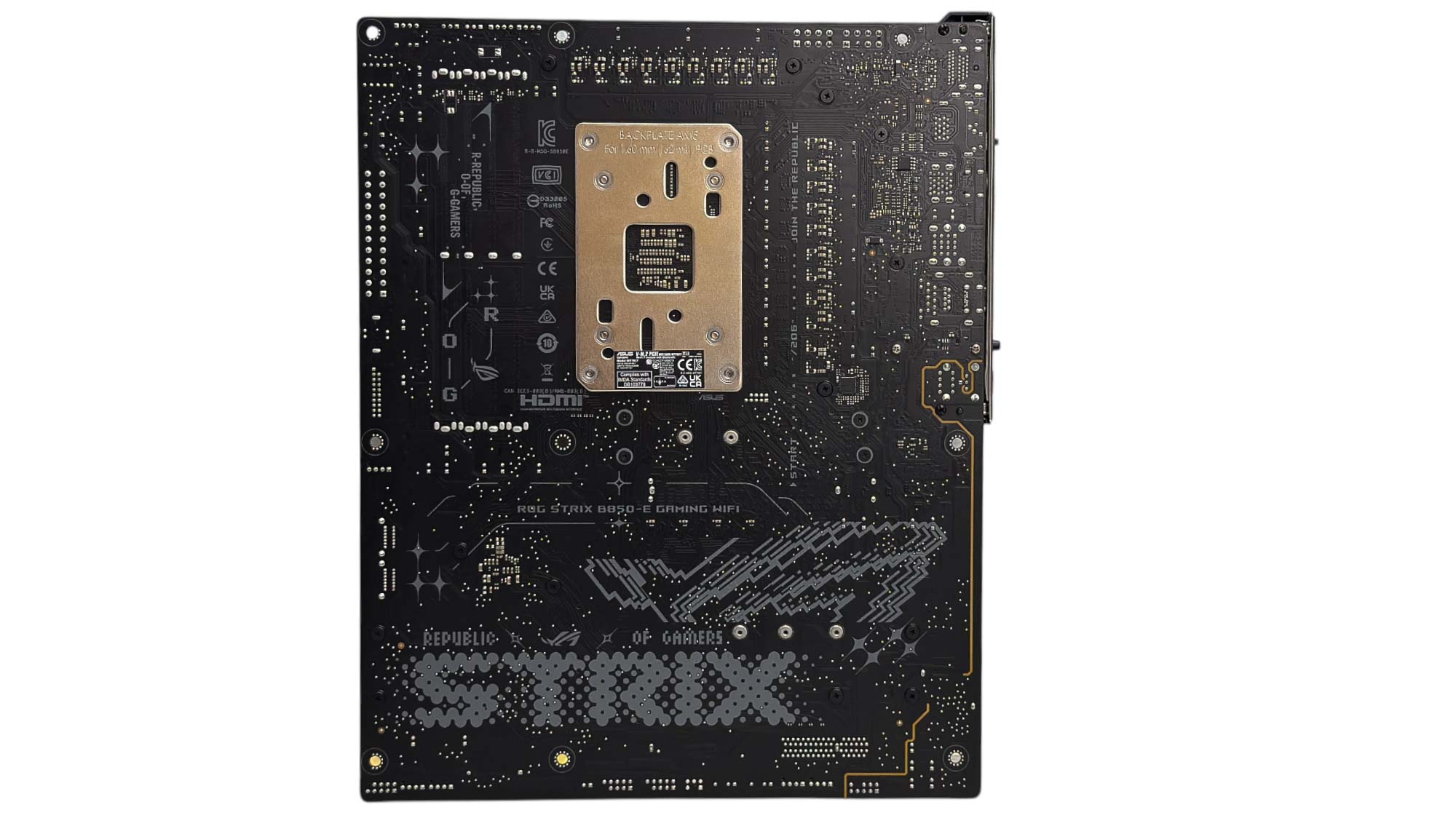
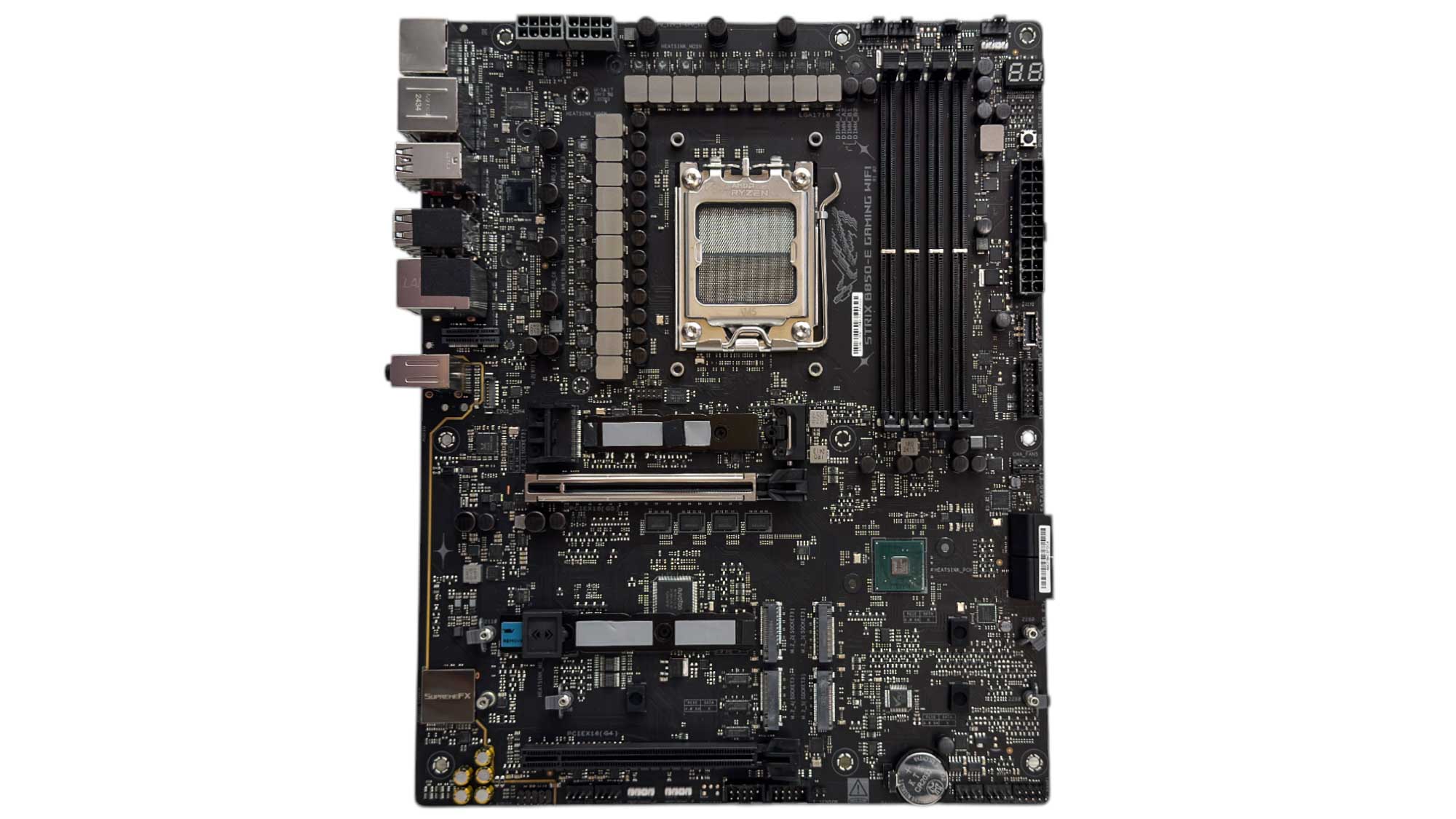
This doesn't have the swagger of an ASUS X870E board, but then it costs $100 less than the likes of the ROG Strix X870E-H Gaming Wi-Fi7 that we'll be looking at soon. We have some beefy heatsinks for the VRMs and lower M.2 section here, although the top M.2 heatsink, while a good chunk of aluminium, isn't particularly large nor offers a decent surface area using fins. Still, the board has that familiar ROG Strix feel, and we also have RGB lighting on the I/O shroud. We'd have liked to see some additional cooling on the rear of the VRMs though.
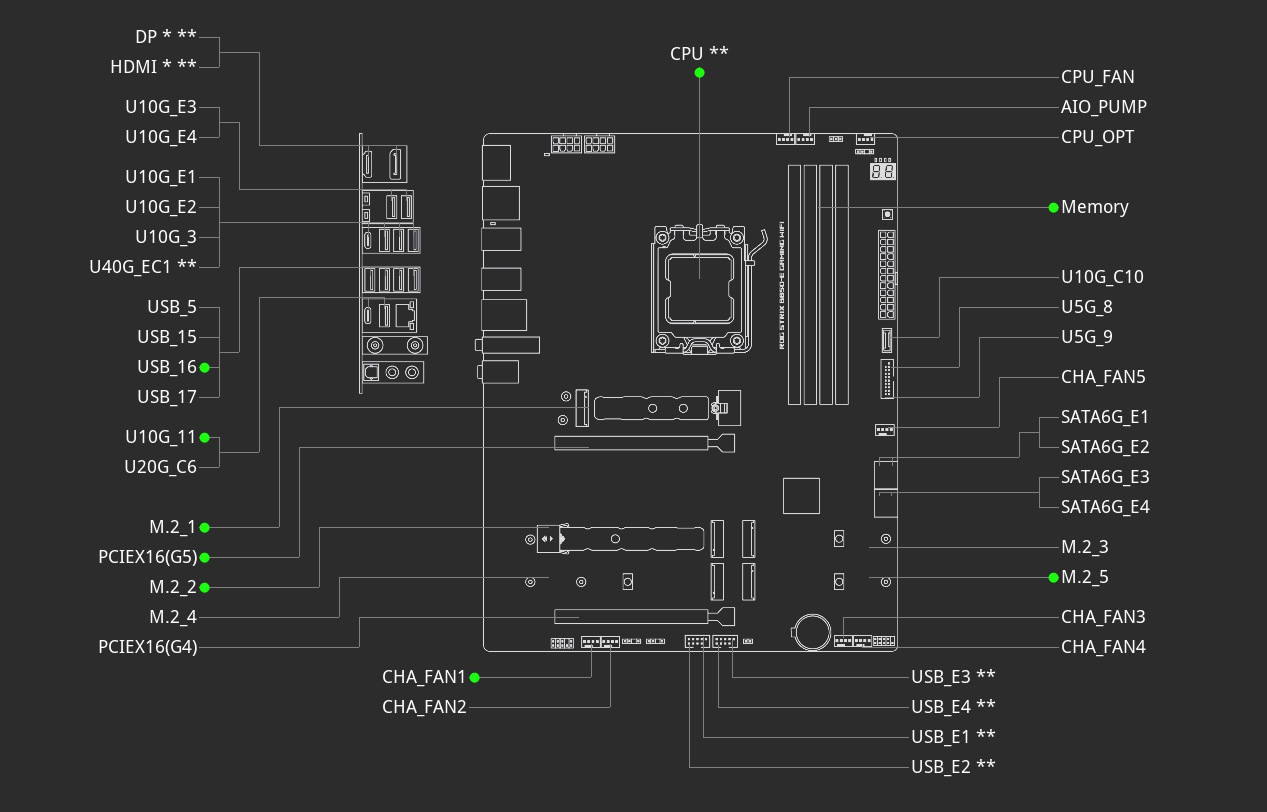
There is inevitably some bandwidth sharing, the first sacrifice is your graphics card only receiving eight PCIe lanes if you use the second M.2 slot, which is PCIe Gen 5 compatible, or the third M.2 slot, which is capped at PCIe Gen 4. So realistically, you probably only want to use M.2 slots one, four and five, of which the latter two are again PCIe Gen 4, unless twin PCIe Gen 5 SSDs is your goal, and you don't mind whatever hit if any this results in for your GPU. Even here you'll be sharing bandwidth with the lower PCIe Gen 4 x16 slot, which when used will disable the fourth M.2 slot.
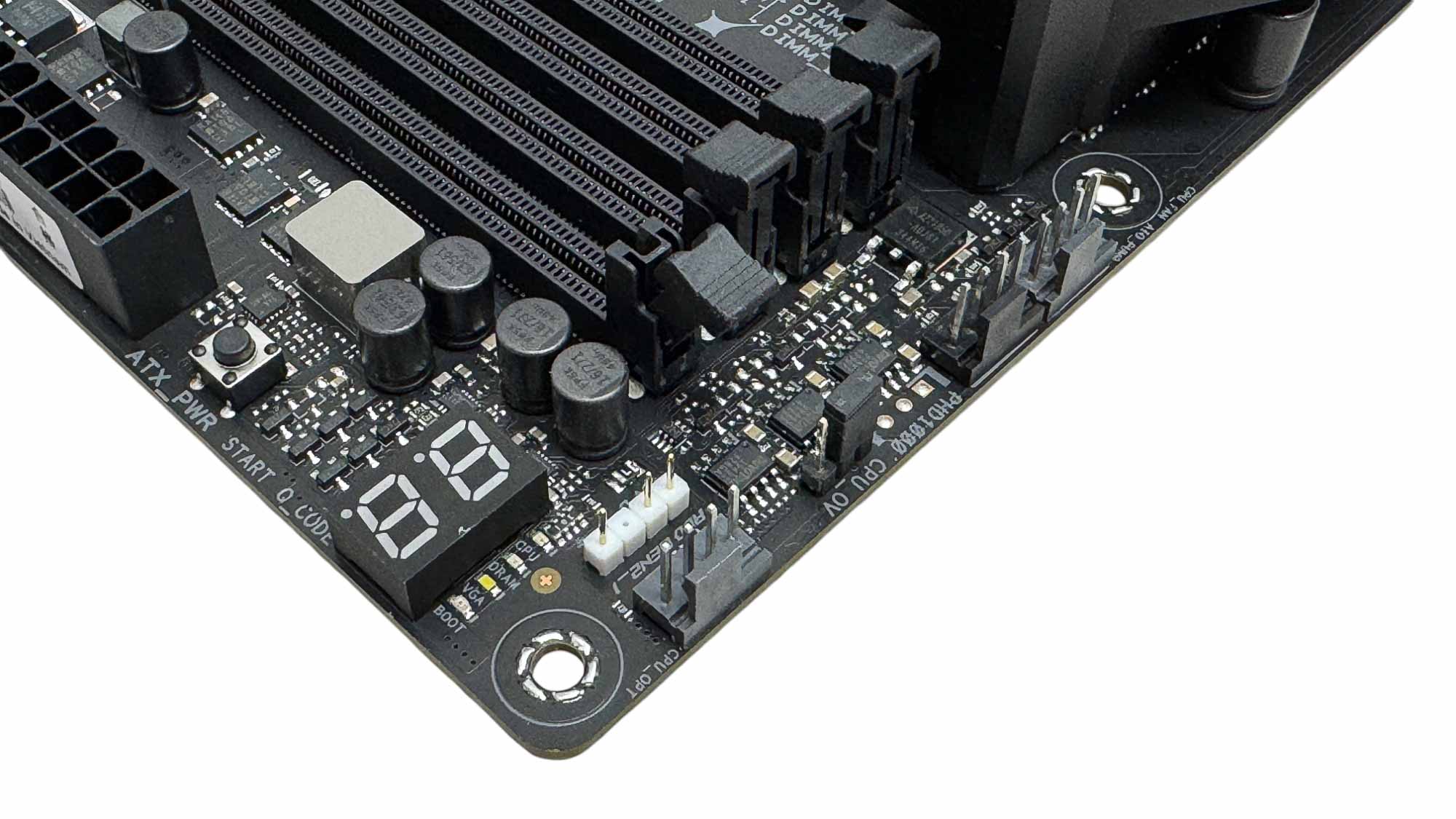
There are some decent high-end features we'll get to in a second, but one that isn't is the 12 W/1 A limit for all the eight fan headers. It would have been nice for the CPU fan header at the very least to offer more than this in case you're hooking up three or four powerful fans, but you do at least get shared control over the CPU_FAN and CPU_OPT headers, still something to be aware of though. Three are located in the top right corner along with a 3-pin ARGB header, LED POST code display and power button.

It's good to see that these headers are spread around with one next to the SATA ports on the right side of the PCB, useful for powering front case fans. You get four SATA ports in total, which is the standard these days. Sadly, the front USB Type-C header doesn't offer any uprated power delivery and is limited to USB 3.2 10 Gbps. Enough to handle most high-speed external SSDs, but 20 Gbps and 30 W power delivery would have been extra special.
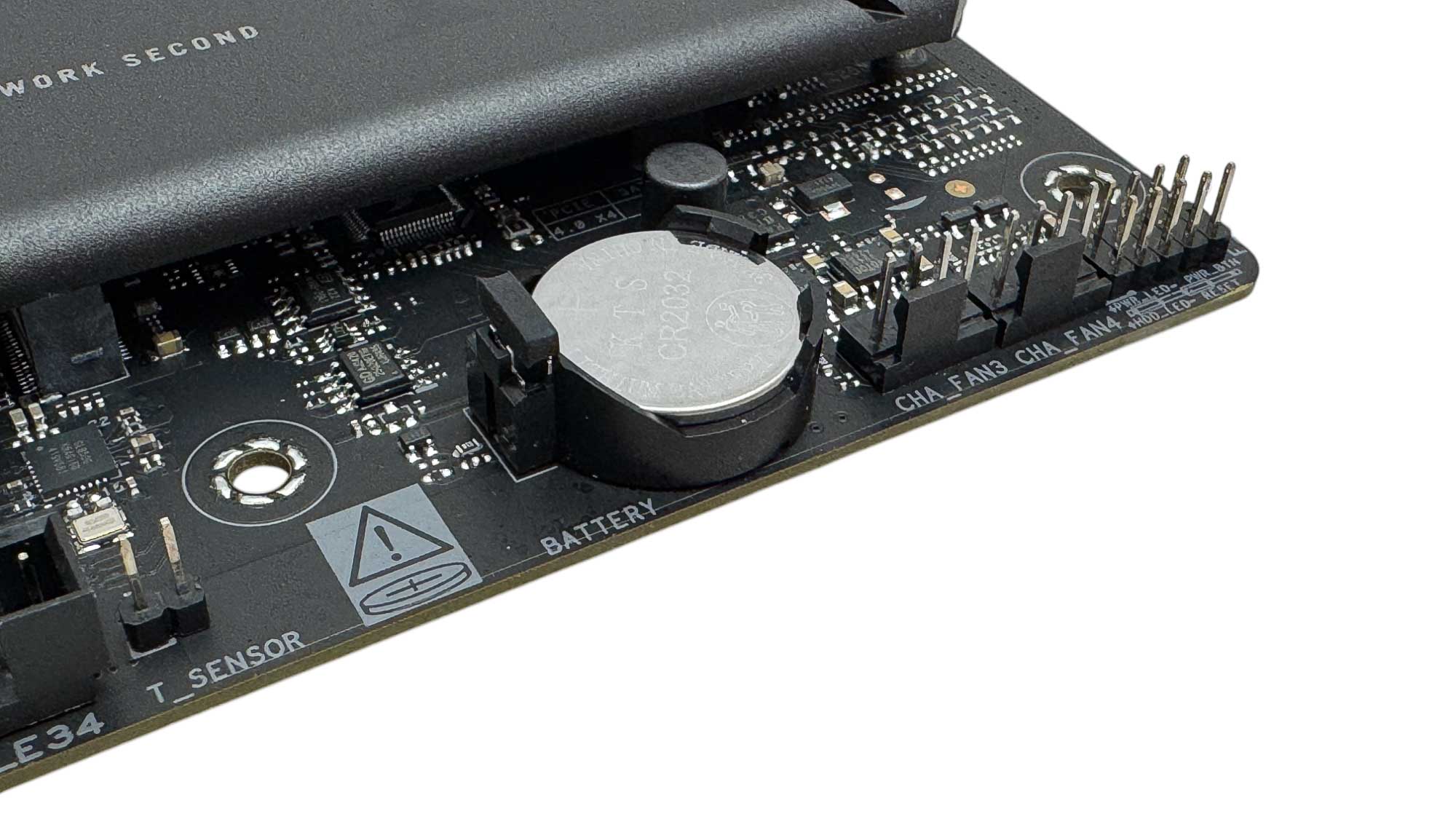
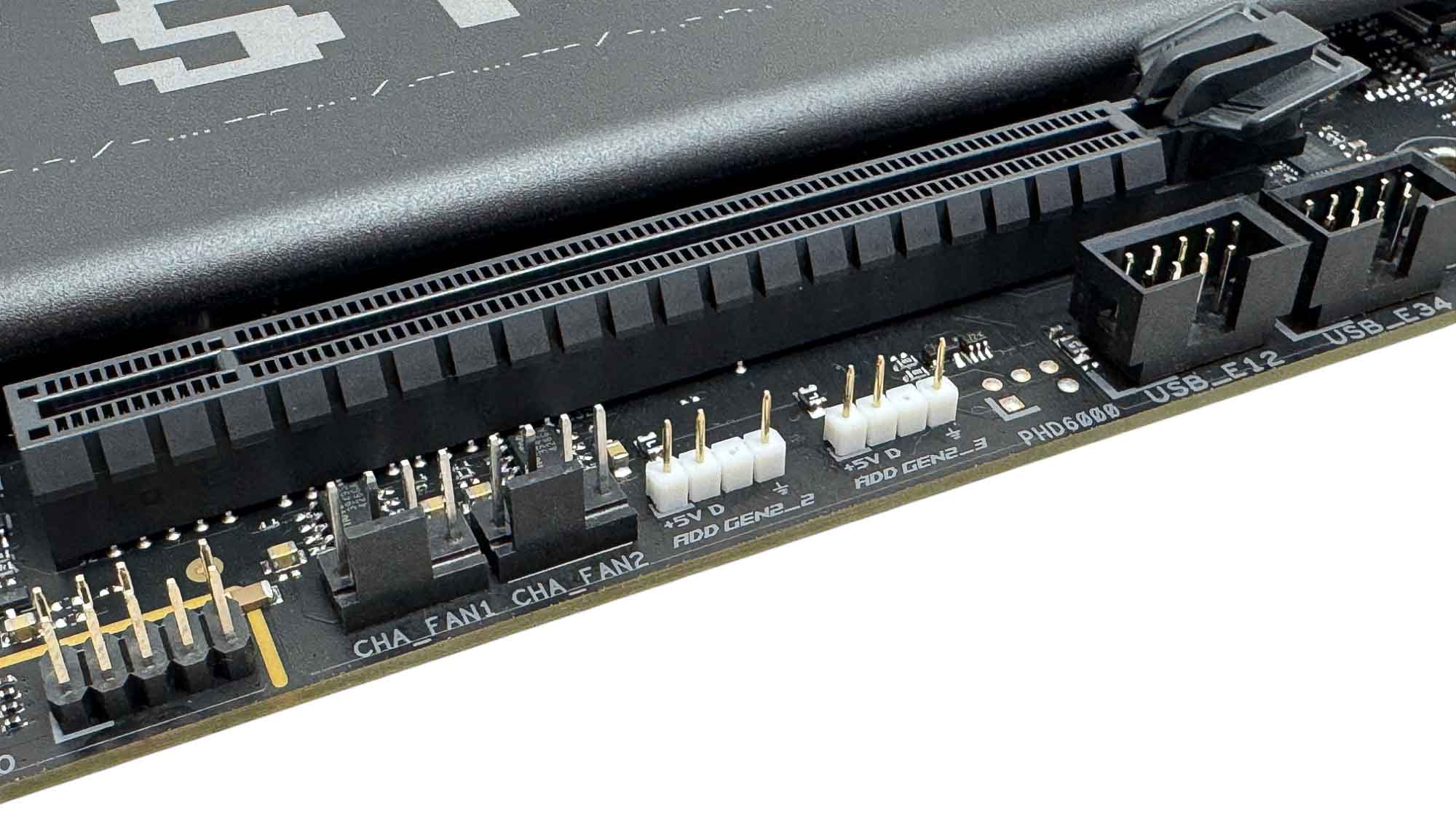
The majority of fan headers are located on the lower edge of the PCB, which should certainly benefit anyone with base case fans, plus there's another four spread around elsewhere. There's also a single 2-pin thermistor header here too for air and coolant probes, and this can be tied to fan speeds. We also have a further two 3-pin ARGB headers.
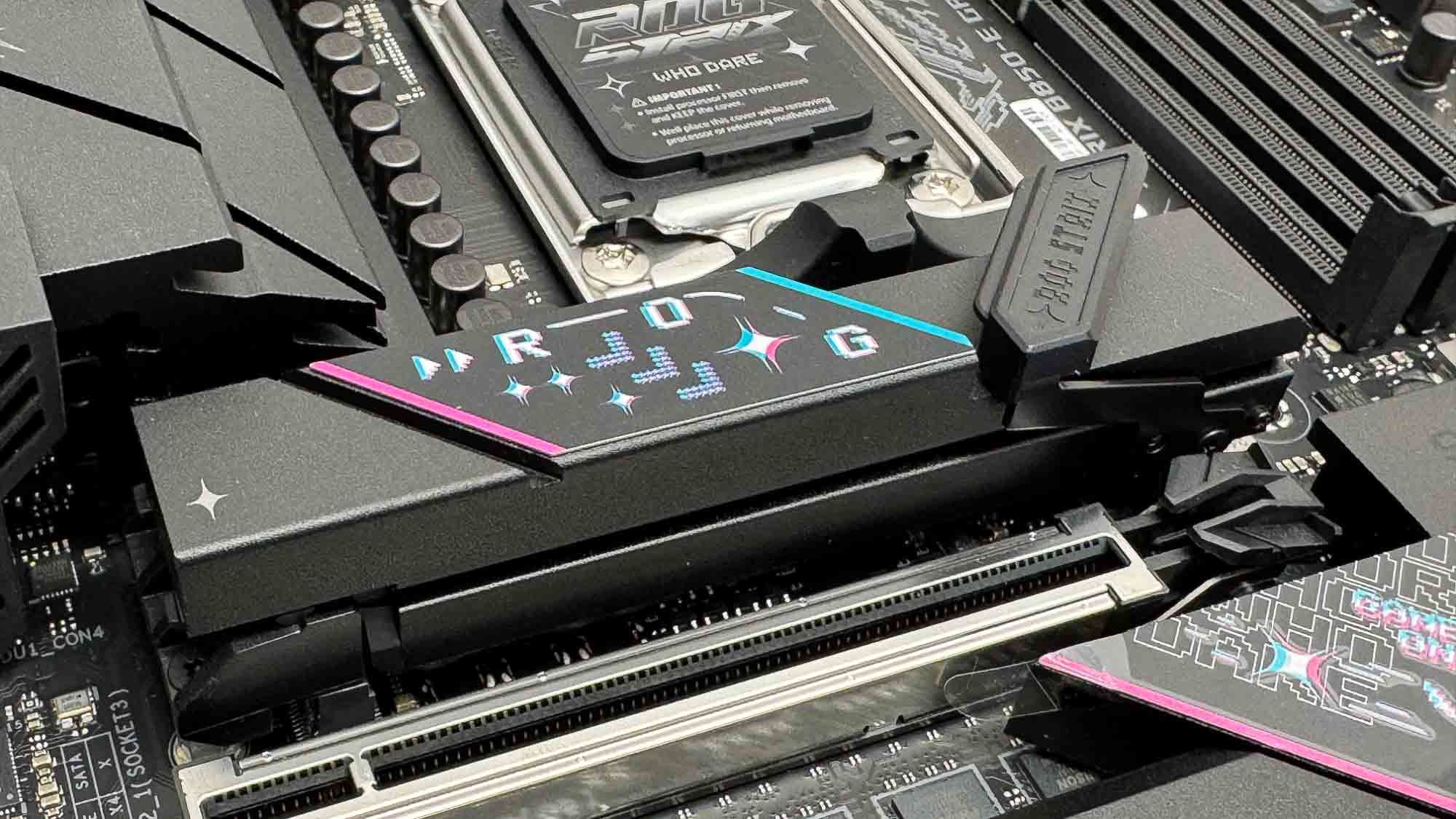
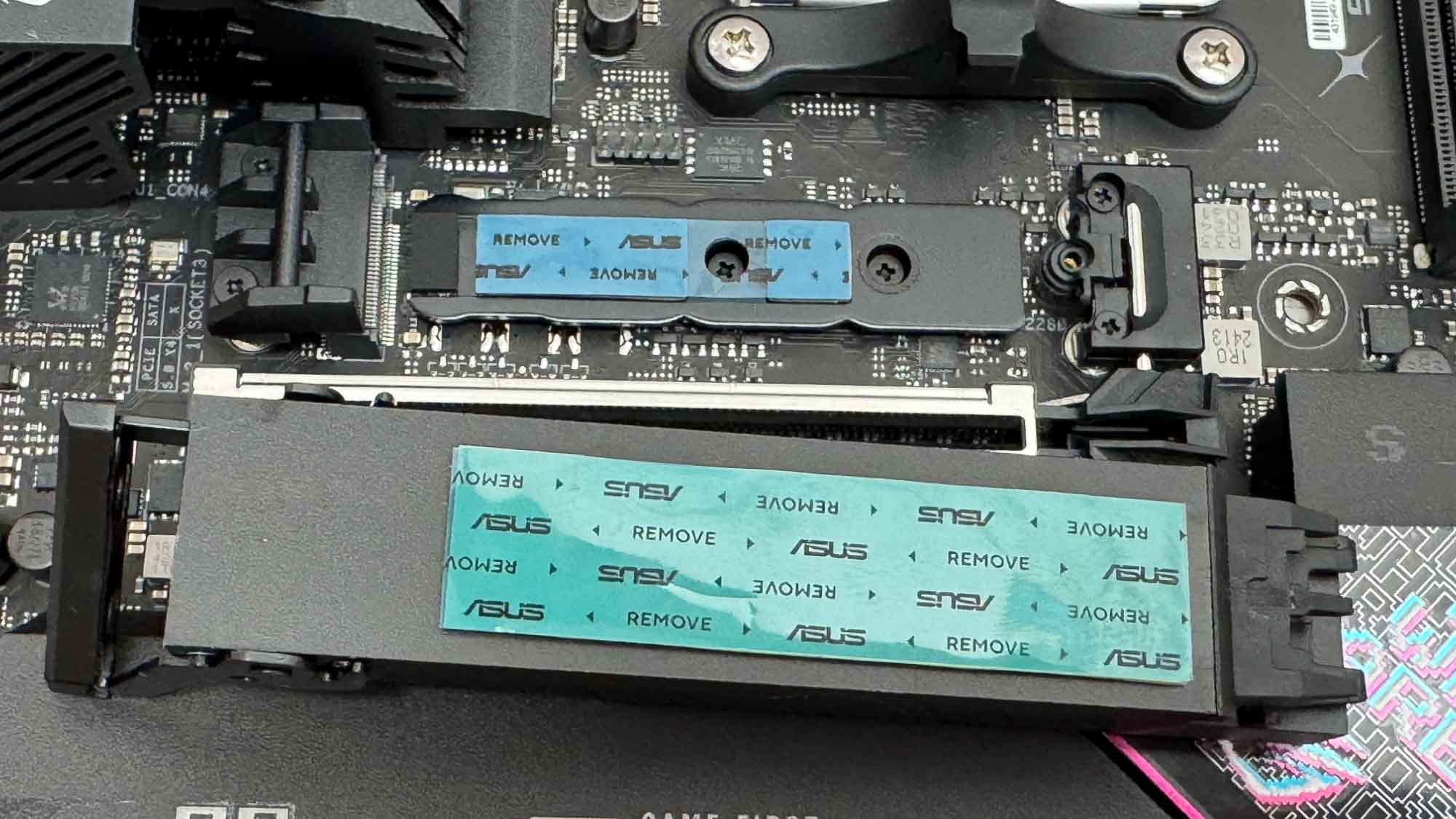
The top PCIe slot features PCIe Slot Q-Release Slim, which allows the release mechanism to automatically open when lifting your graphics card up from the PCI slot end. The top M.2 port is PCIe Gen 5 compatible and features M.2 Q-Latch, which is secured using a large latch at one end. The heatsink is solid metal, but is not particularly large and lacks surface area-boosting fins. However, it does cool double-sided SSDs on both sides, while single-sided SSD owners should use the included rubber supports to ensure good contact with upper heatsink.
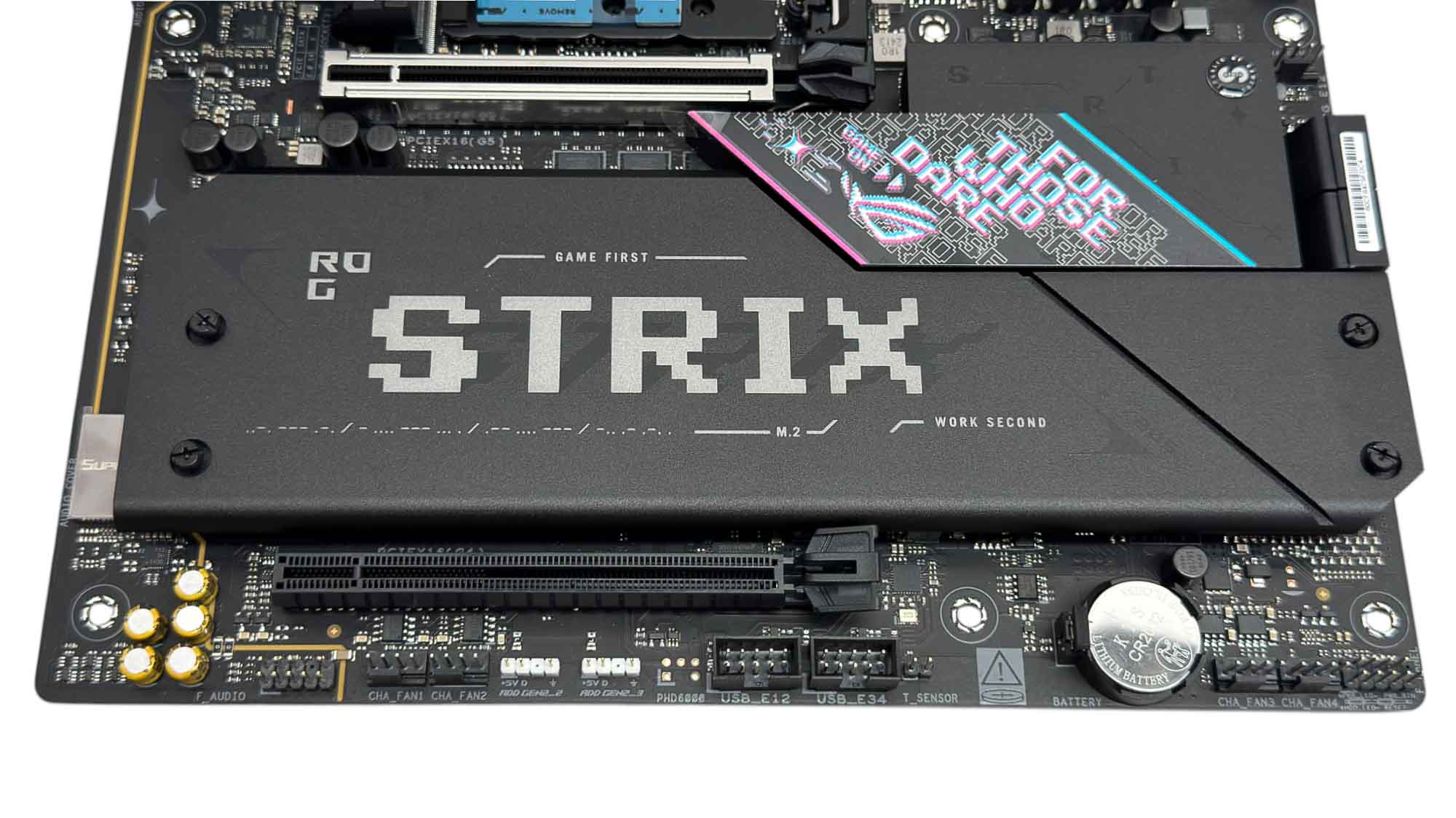
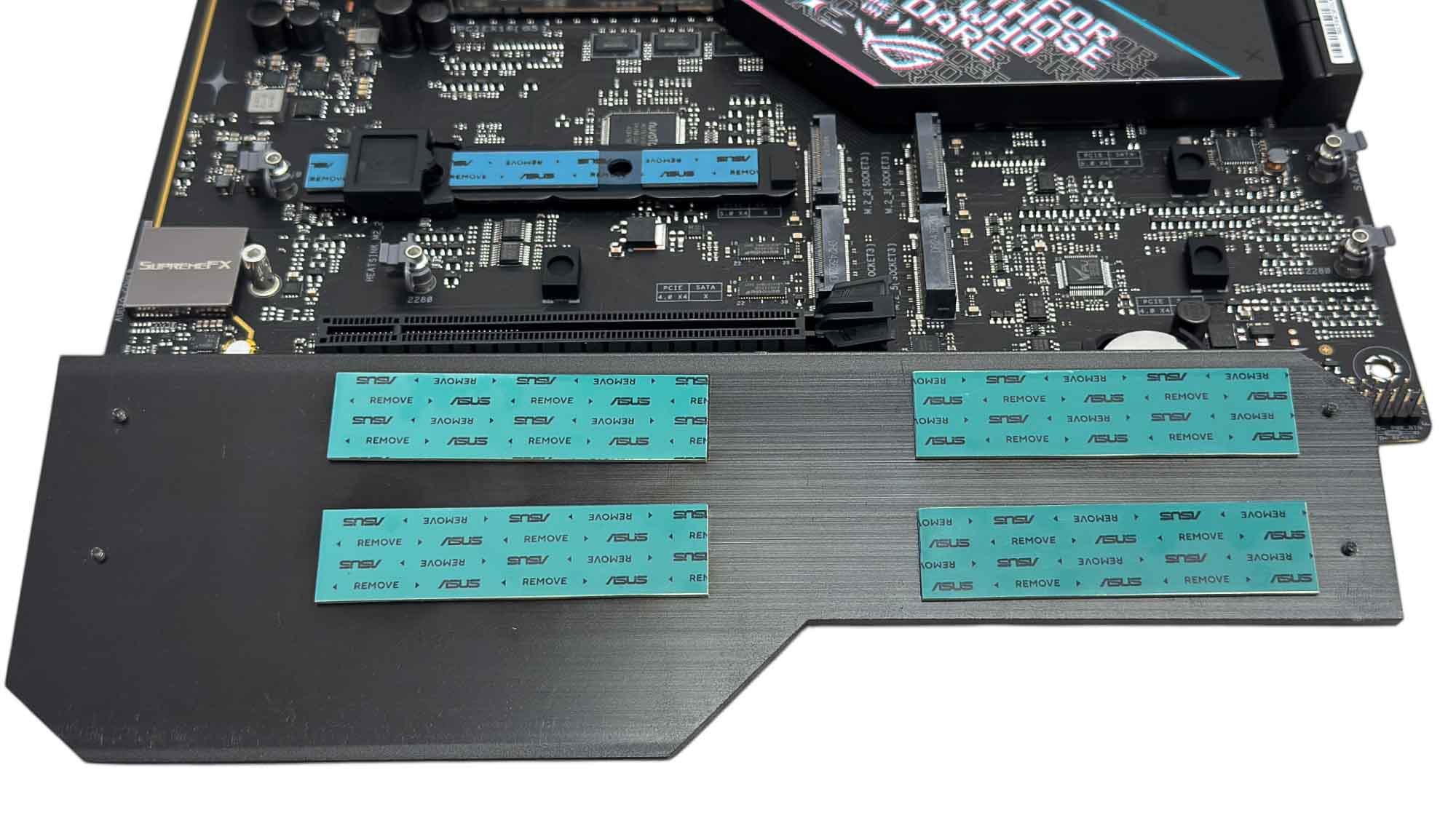
The lower heatsink is much larger, but is secured by screws. You'll likely see something tool-free here by opting for something more expensive, and it was a little fiddly to install. This caters for all four lower heatsinks with the top left or second slot being PCIe Gen 5, although at the expense of stealing lanes from your GPU.

Ten Type-A USB ports is a decent amount, especially as the majority are USB 3.2 10 Gbps. It's rare to see USB4 on B850 boards, but you get a single Type-C 40 Gbps port here along with a USB 3.2 Gen 2x2 20 Gbps Type-C port that supports 30 W power delivery. This is arguably more useful on the front panel if you're charging smartphones. You also get DisplayPort and HDMI outputs, with further DisplayPort available via the USB4 port. We also have CMOS clear and USB BIOS Flashback buttons, and 5 Gbps Ethernet, plus the usual pair of audio jacks and optical output. There's also a pair of Q-Antenna compatible Wi-Fi antennas.
Nov 20th, 2026 12:28 PST
change timezone
Latest GPU Drivers
New Forum Posts
- Honestly, do you care about GTA VI? (198)
- Zen 3 IF/IMC degradation (239)
- Anthrophics IPO (17)
- The Final Upgrade for Legacy AiO's (10)
- Very unusual two gaming-pc scenarios. (34)
- How to prevent OLED burn damage due to PC freezes or power outtages? (46)
- GeekMagic Ultra Smart WiFi Weather Station (6)
- Can i play GTA 6 now? (Joke) (10)
- Last game you purchased? (1410)
- TechPowerUp Screenshot Thread (MASSIVE 56K WARNING) (4387)
Popular Reviews
- AMD Zen 6 Technical Deep Dive
- Ugreen NASync DXP4800 GT Review
- Corsair RM1200e (Second Generation) Review
- Microsoft Surface Laptop Ultra Review - The Next-gen Arm Laptop
- Acemagic Retro X3 Review
- Upcoming Hardware Launches 2027 (Updated Nov 2026)
- Pulsar Office Tour & First Look at P1 Dual-Sensor Mouse
- Biwin Black Opal NV7400 2 TB Review
- AMD Ryzen 7 9800X3D Memory Performance Scaling
- AMD Ryzen 7 9800X3D Review - The Best Gaming Processor
TPU on YouTube
Controversial News Posts
- NVIDIA Co-Founder and CEO Jensen Huang Officially Resigns (490)
- Report: Jensen Huang Eyes NVIDIA Comeback (253)
- Open Letter Asking NVIDIA to Reinstate Jensen Huang Passes 115,000 Signatures (184)
- OpenAI CEO Argues Home PCs Waste the World's Limited DRAM Supply (152)
- NVIDIA Launches Investigation Into Jensen Huang's Relationship With Suspected Chinese Spy (136)
- Intel "Raptor Lake Next" 16-Core and 20-Core CPUs Surface (130)
- Legendary Game Studio BioWare Shuts Down Following EA Layoffs (104)
- Dell CEO Says the Memory Shortage Will Get Worse in 2027 (95)