 43
ASUS ROG Strix B850-I Gaming Wi-Fi Review
Component Analysis »Board Layout

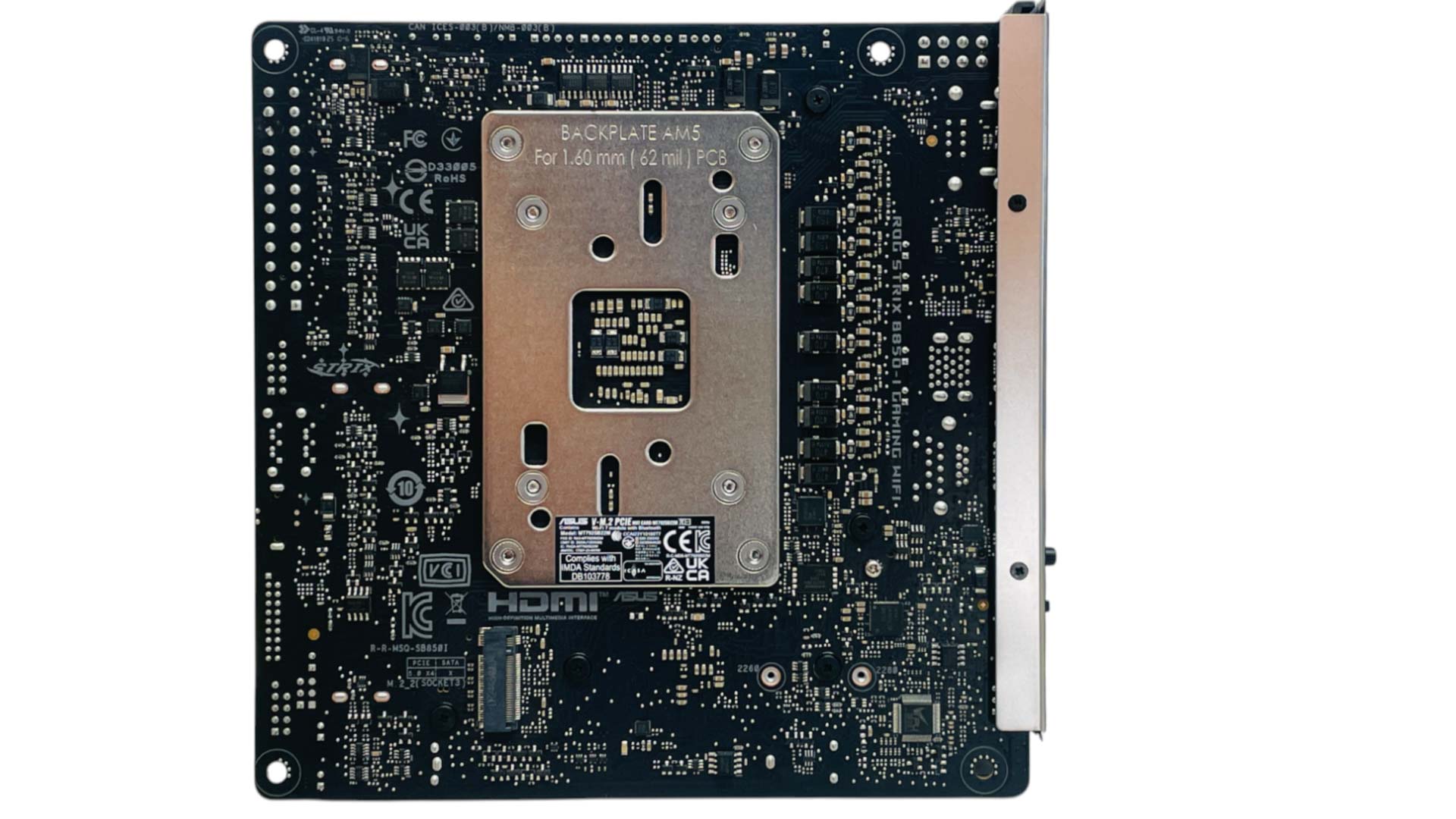
You can always rely on Mini-ITX to deliver some unique layouts and features between boards and ASUS has some of the most elaborate setups out there. We've seen M.2 heatsink fans on some boards such as the MSI MPG B850I Edge Wi-Fi, and there's a fan here too, only hidden under the I/O shroud and cooling the VRMs instead. More on that later. The design is similar to previous ASUS models, with a double-stacked M.2 and audio array and a single large VRM heatsink. There's no RGB lighting here apart from headers and no backplate on the rear, whereas you get the latter on its more expensive X870 sibling.

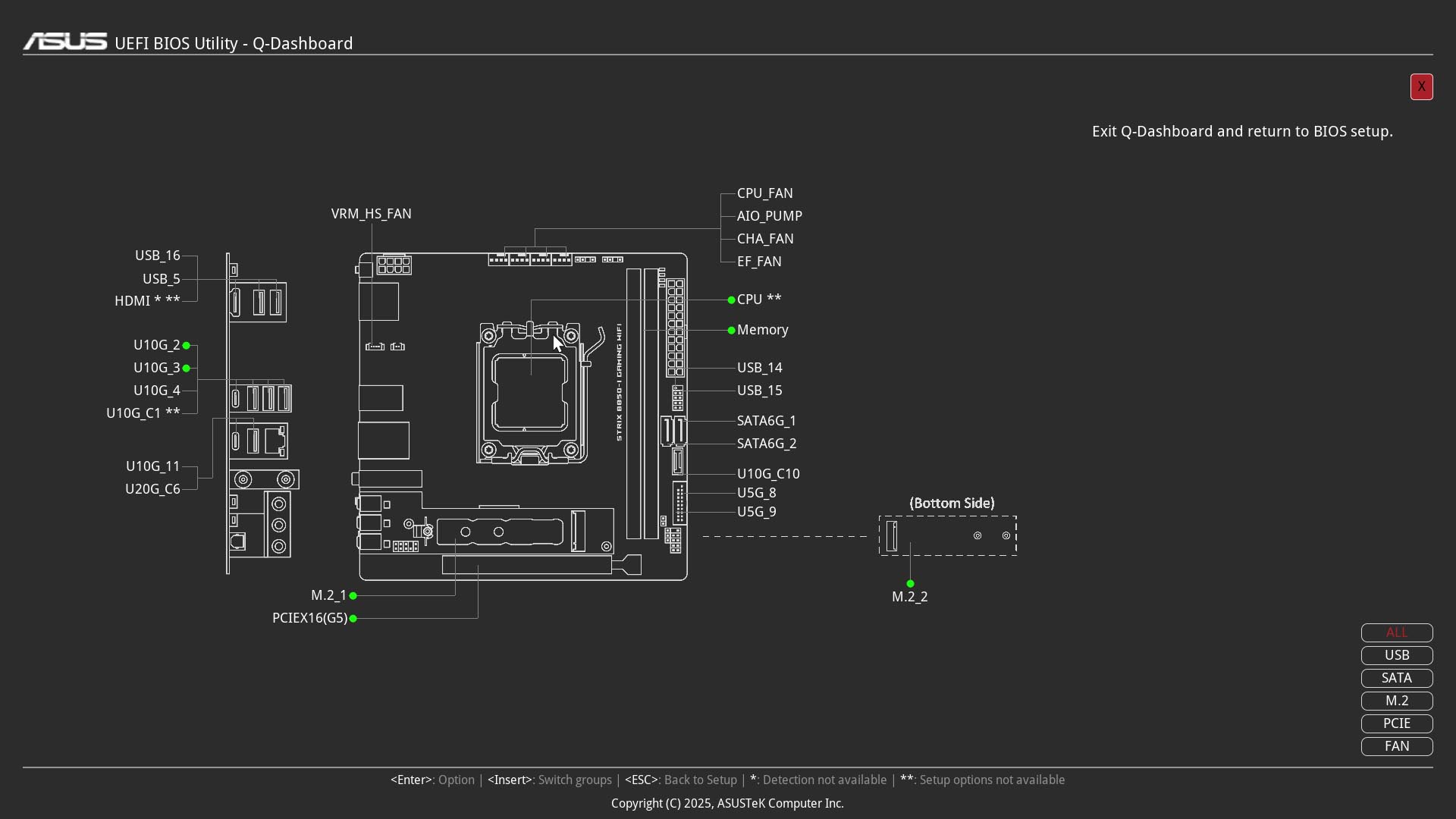
The PCB is impressively packed, but doesn't feature any major layout issues unless you need to get at the CMOS battery, which is located under the I/O shroud. Otherwise, all the key connectors are located at the edge of the PCB for easier cable routing.
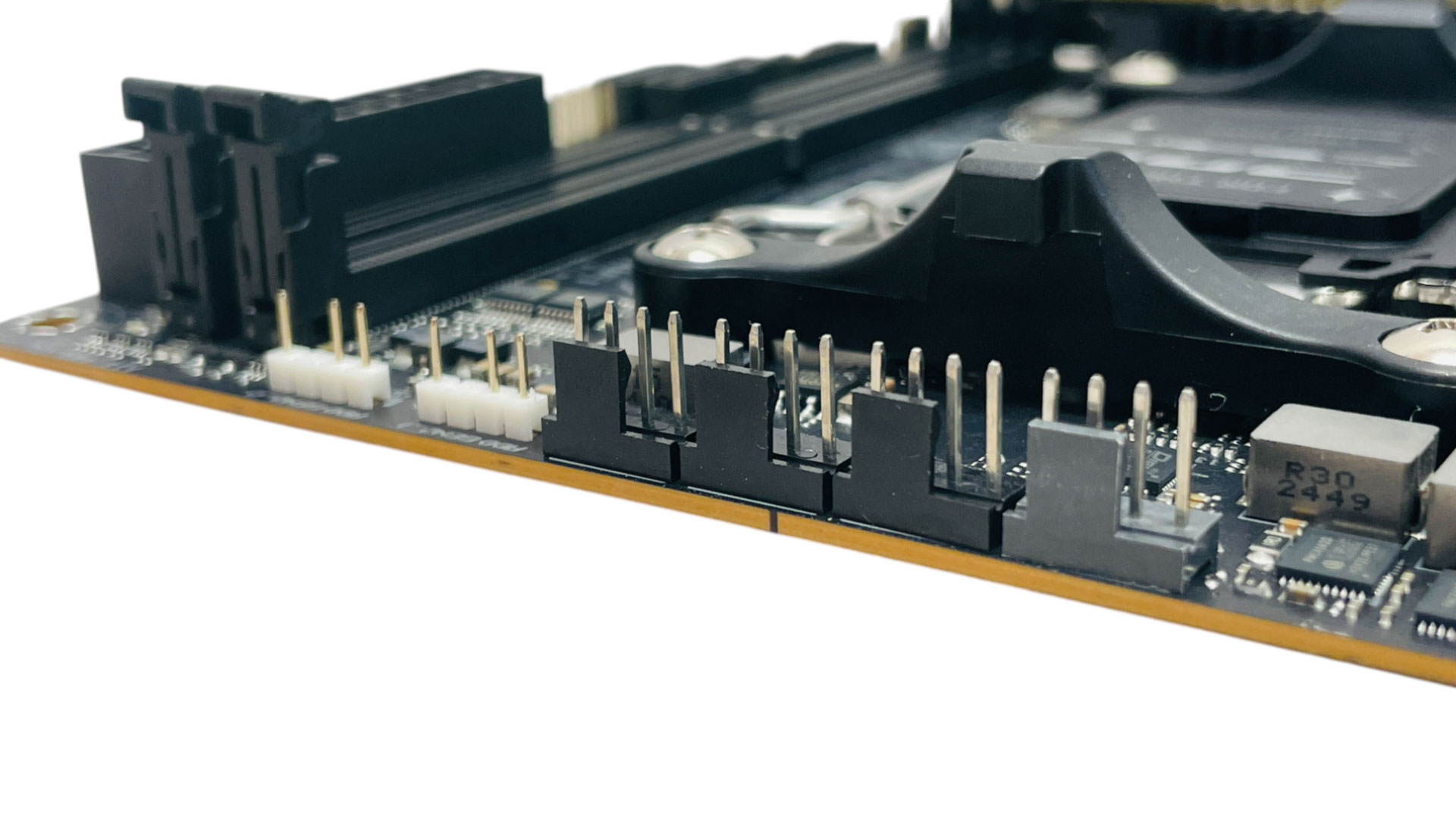
More than three 4-pin fan headers has been a rare feat for Mini-ITX boards in the past, but you get four here located in a line at the top of the PCB. All are rated at 12 W/1 A, so you'll likely want to spread your fans around and not connect more than two to any one header unless they peak at less than 0.3 A or so. Still, this means you can easily power an AIO liquid cooler pump and six powerful fans without issue, which is all you'll likely need.
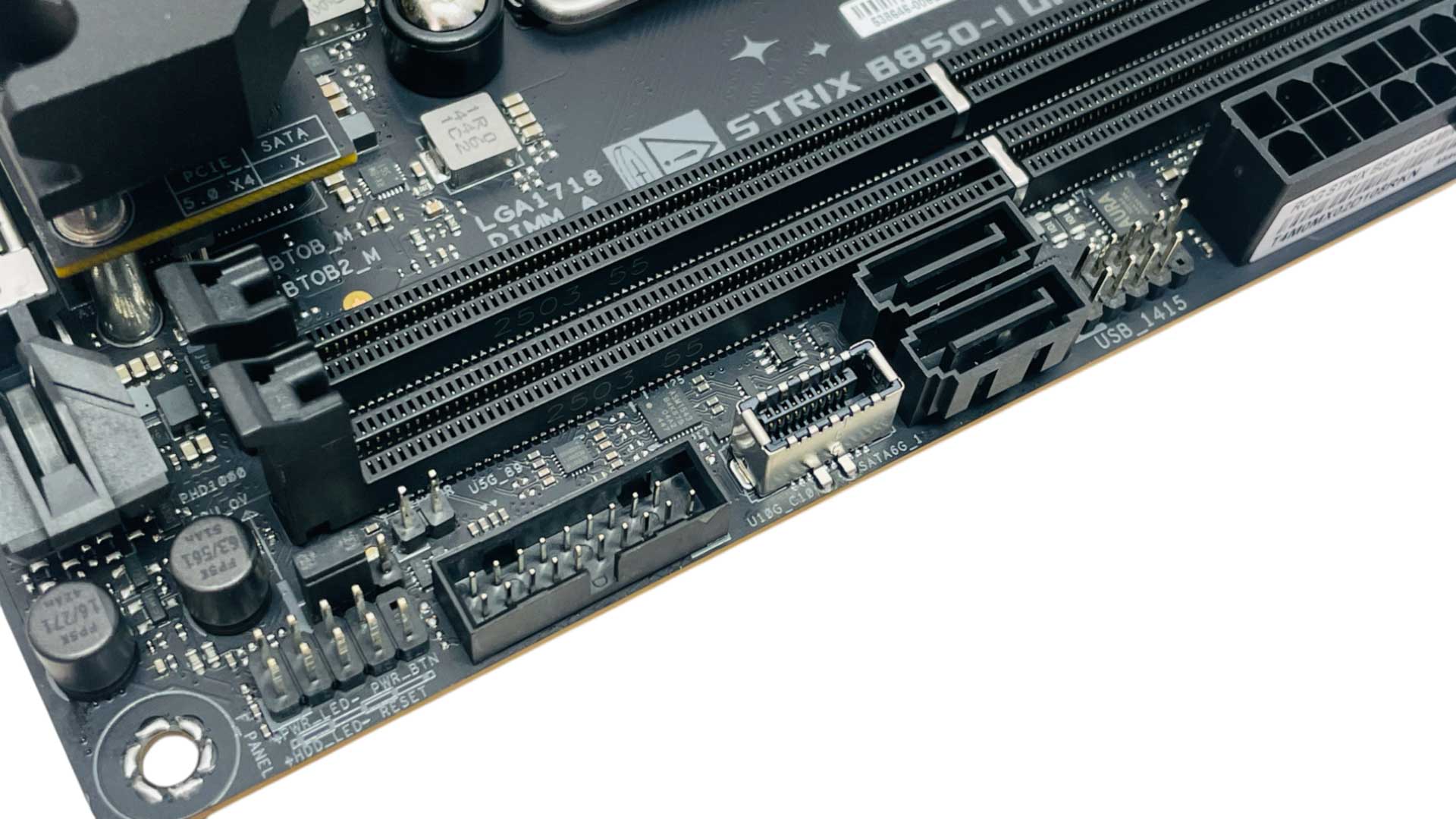
Sadly, the front panel Type-C header is limited to USB 3.2 Gen 2 10 Gbps and 15 W output—we'd like to see this upgraded in the future, but the X870 model also features the same limitation. The two SATA ports are all you get, and again you don't get any more on it's more expensive sibling either. One handy feature is a 2-pin thermistor header, which you can attach a thermistor probe to or coolant probe to control system or radiator fans based on that input.
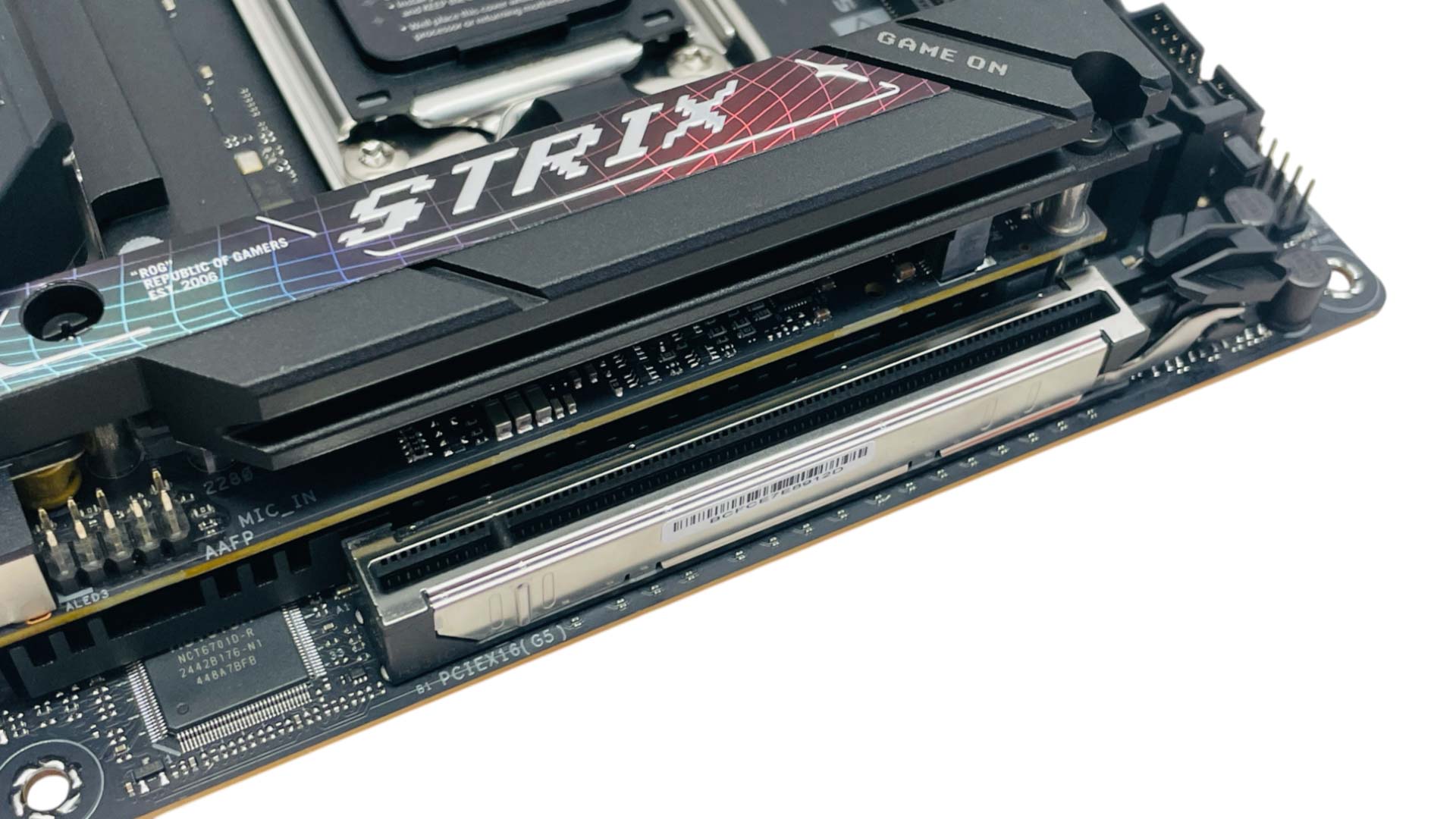
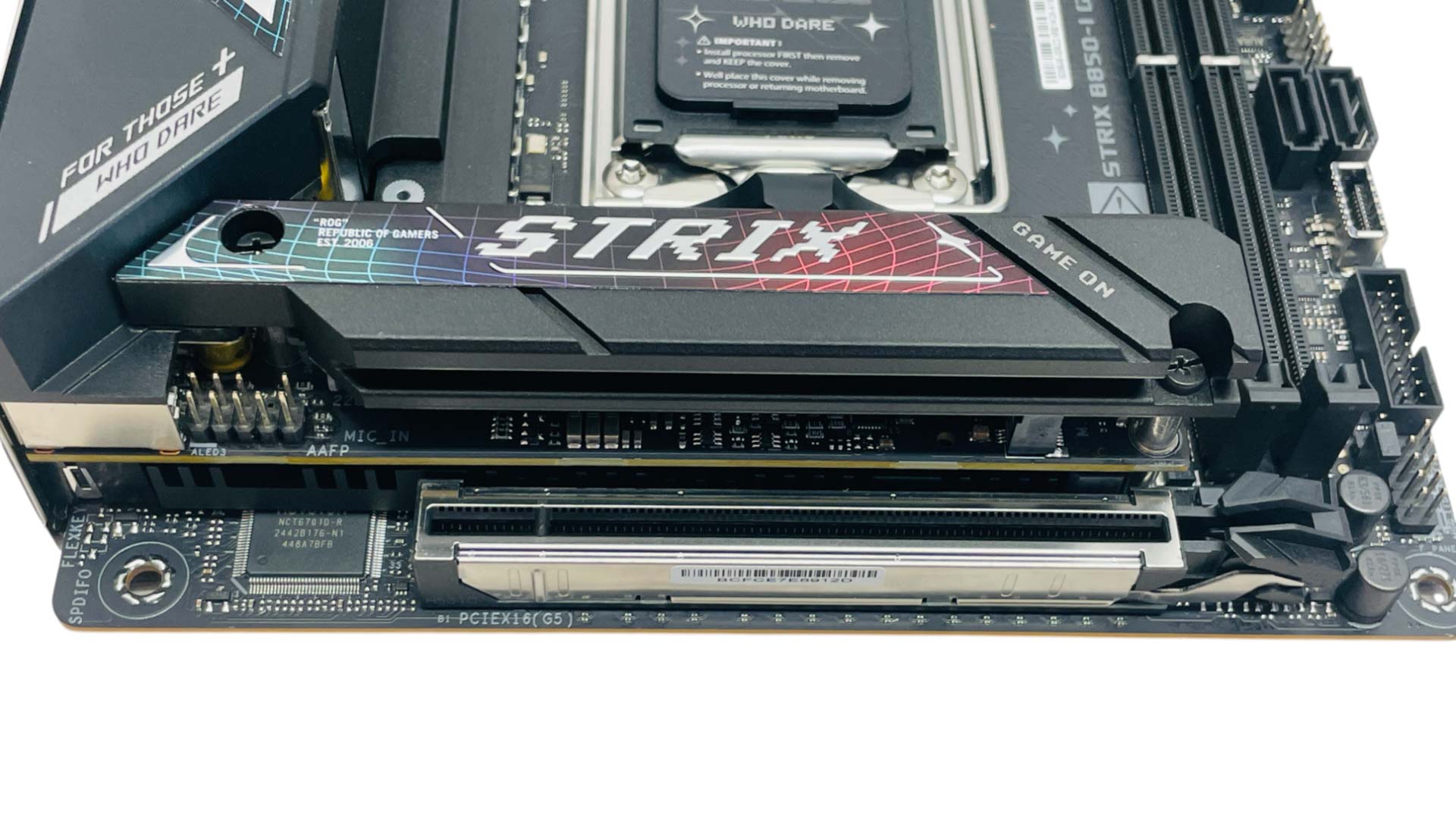
The single PCIe Gen 5 PCIe x16 slot supports PCIe Slot Q-Release Slim, which is the GPU release method that involves lifting your card from the PCI bracket end. It's not our favorite implementation of enhanced GPU release, but getting at the stock lever in most Mini-ITX cases is a nightmare, so this is still a very welcome feature. This M.2 and audio arrangement is a familiar sight on ASUS Mini-ITX boards and here features a single PCIe Gen 5 M.2 port and audio board, with heatsinks on both sides of the SSD and chipset heatsink right at the bottom. CPU cooler compatibility is a little hampered by this tall contraption more so than other B850 Mini-ITX boards with large AIO liquid cooler pumps, with the Arctic Liquid Freezer III series being incompatible, but anything smaller should be fine.
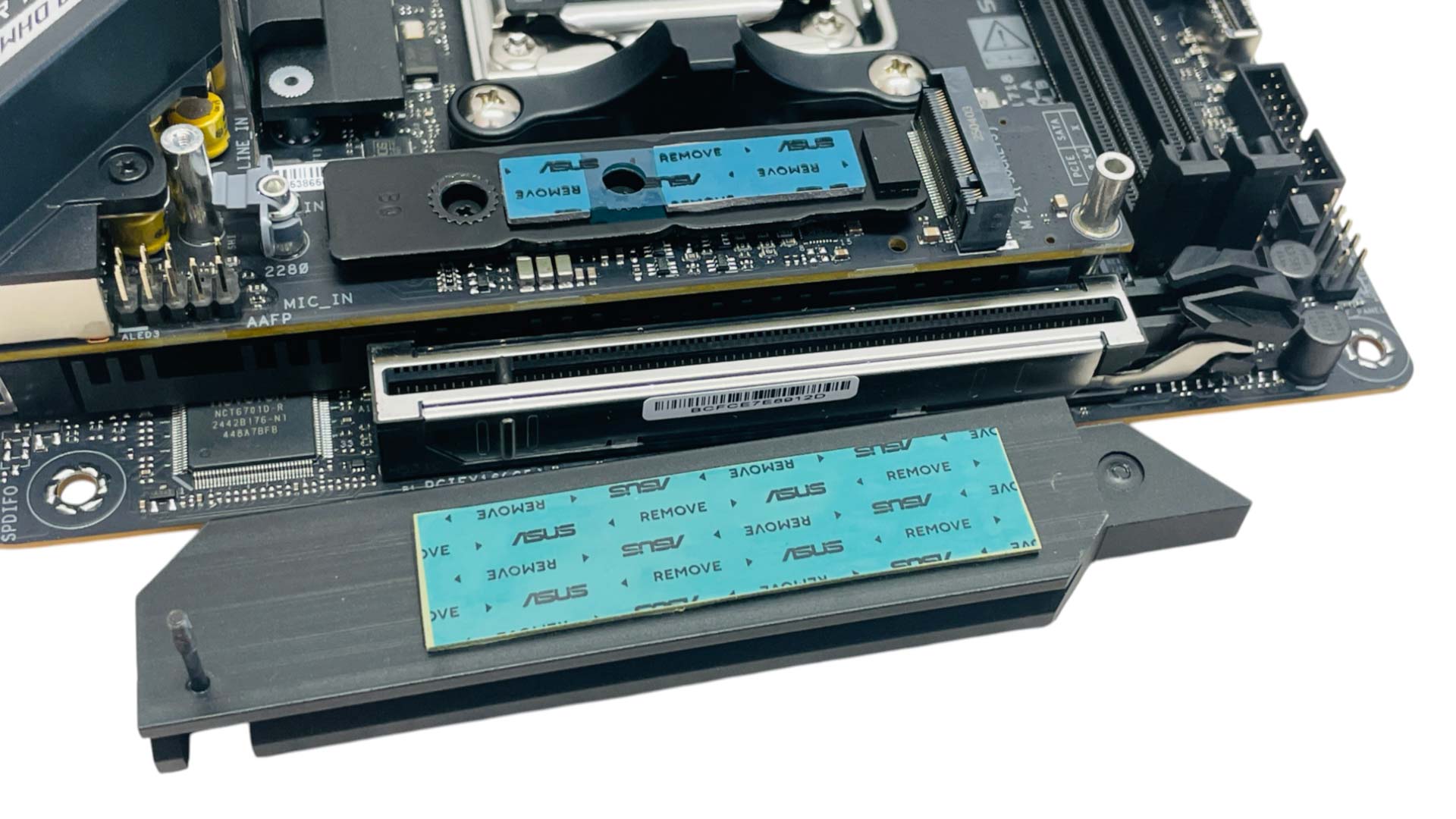
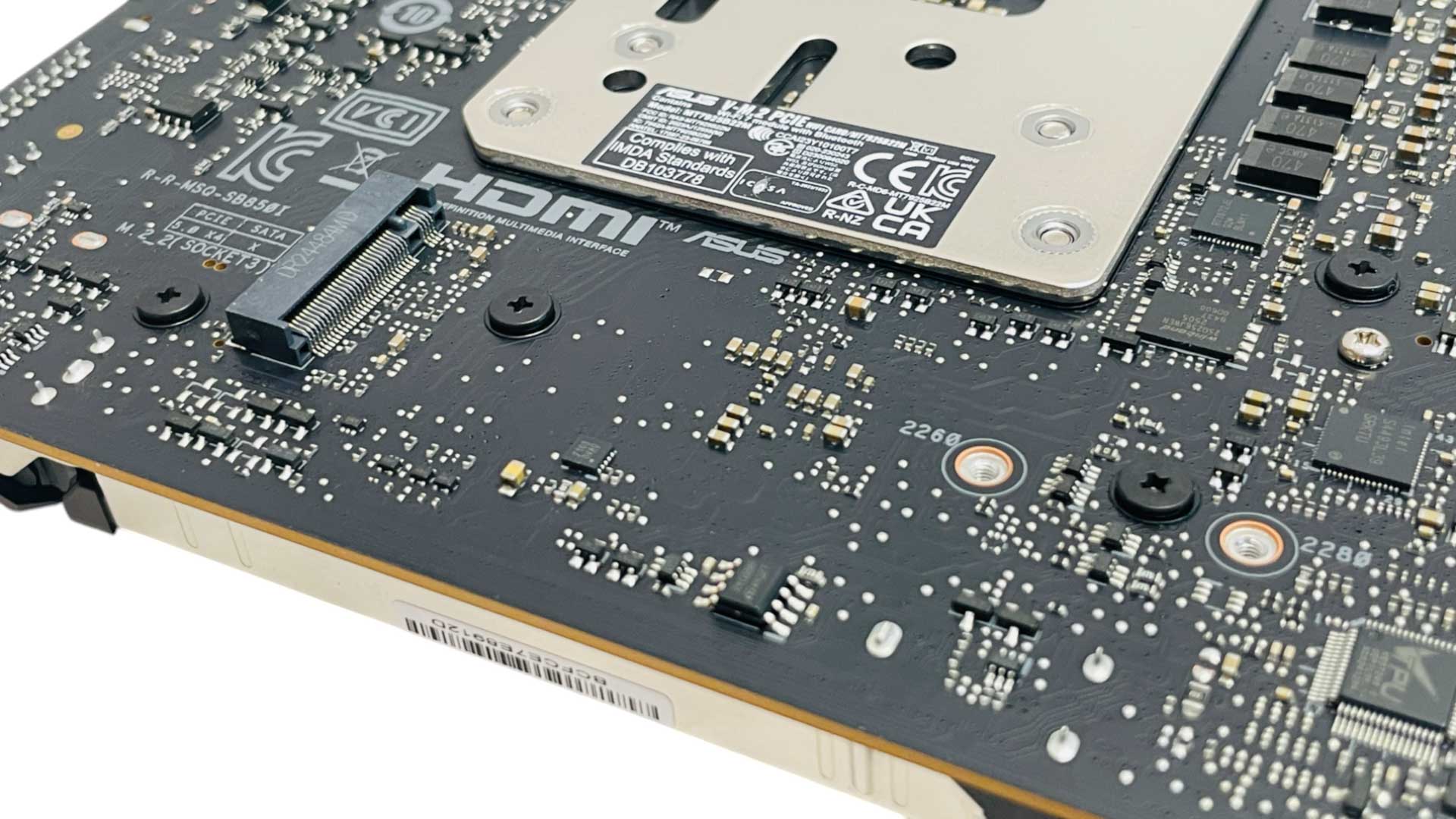
Unfortunately, the M.2 heatsink is not tool-free and can be quite fiddly to fit. We're assuming it's down to the location of the audio board beneath that prevents the use of the variety of tool-free heatsink options we've seen on larger boards. As usual the second M.2 slot is located on the rear of the PCB and is surprisingly PCIe Gen 5 compatible, which trumps the measly PCIe Gen 4 second slot on it's more expensive X870 sibling. This might sound questionable, but if you're familiar with Mini-ITX cases, most will have a large CPU area cutout that allows you to access this port as well as fit a reasonably large third party heatsink.
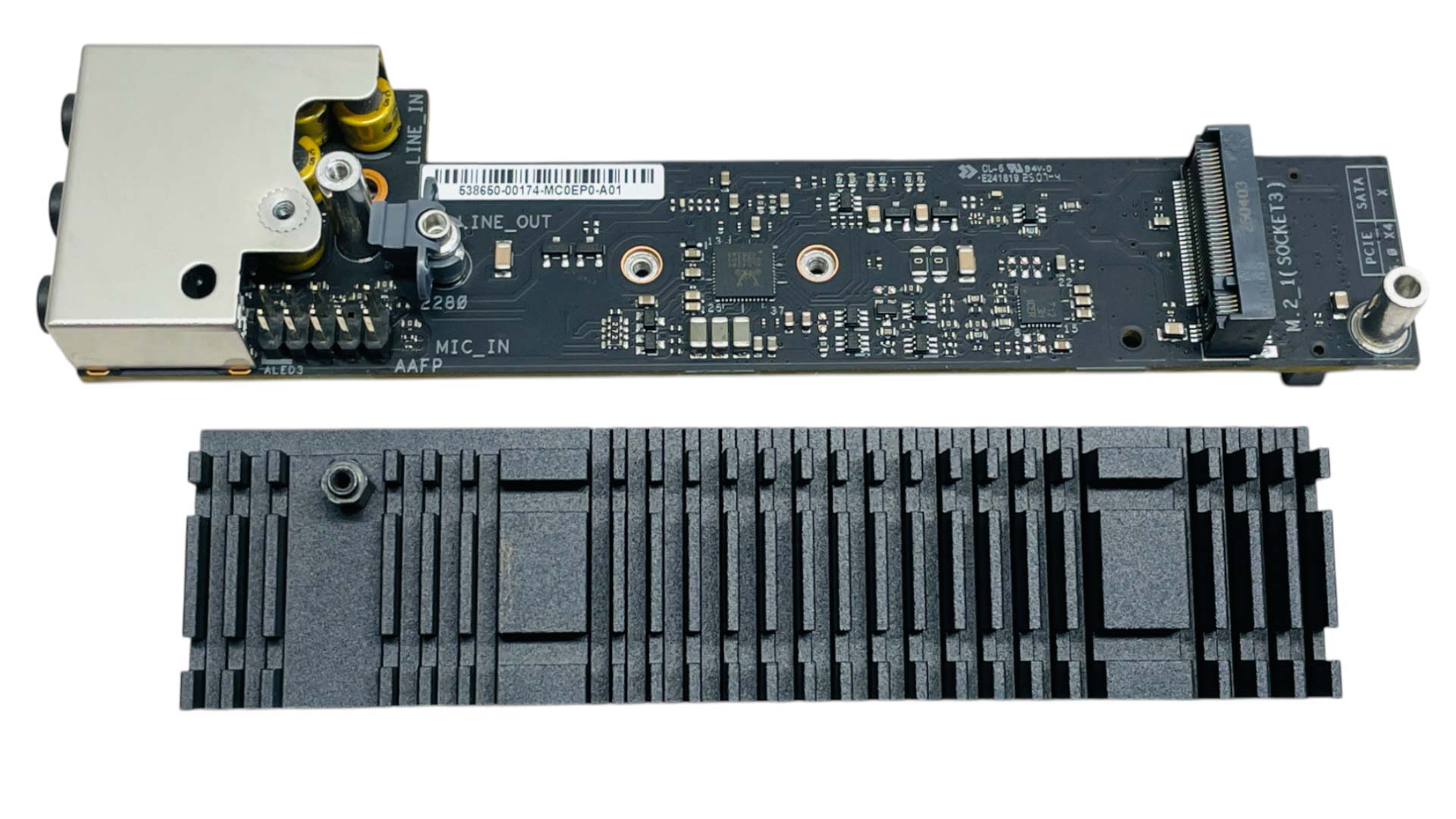
For those curious about the M.2 port, audio board and chipset heatsink stack, you can see them here. The SSD sits over the actual audio codec chip, which itself is directly under the lower heatsink for the SSD, which is slightly raised. The chipset heatsink is relatively small and doesn't exactly have a lot of airflow sat under two layers of components. It is only B850 we're talking about here, but if your system is particularly toasty, it might be worth keeping an eye on chipset temperatures if you hammer your storage on a regular basis.
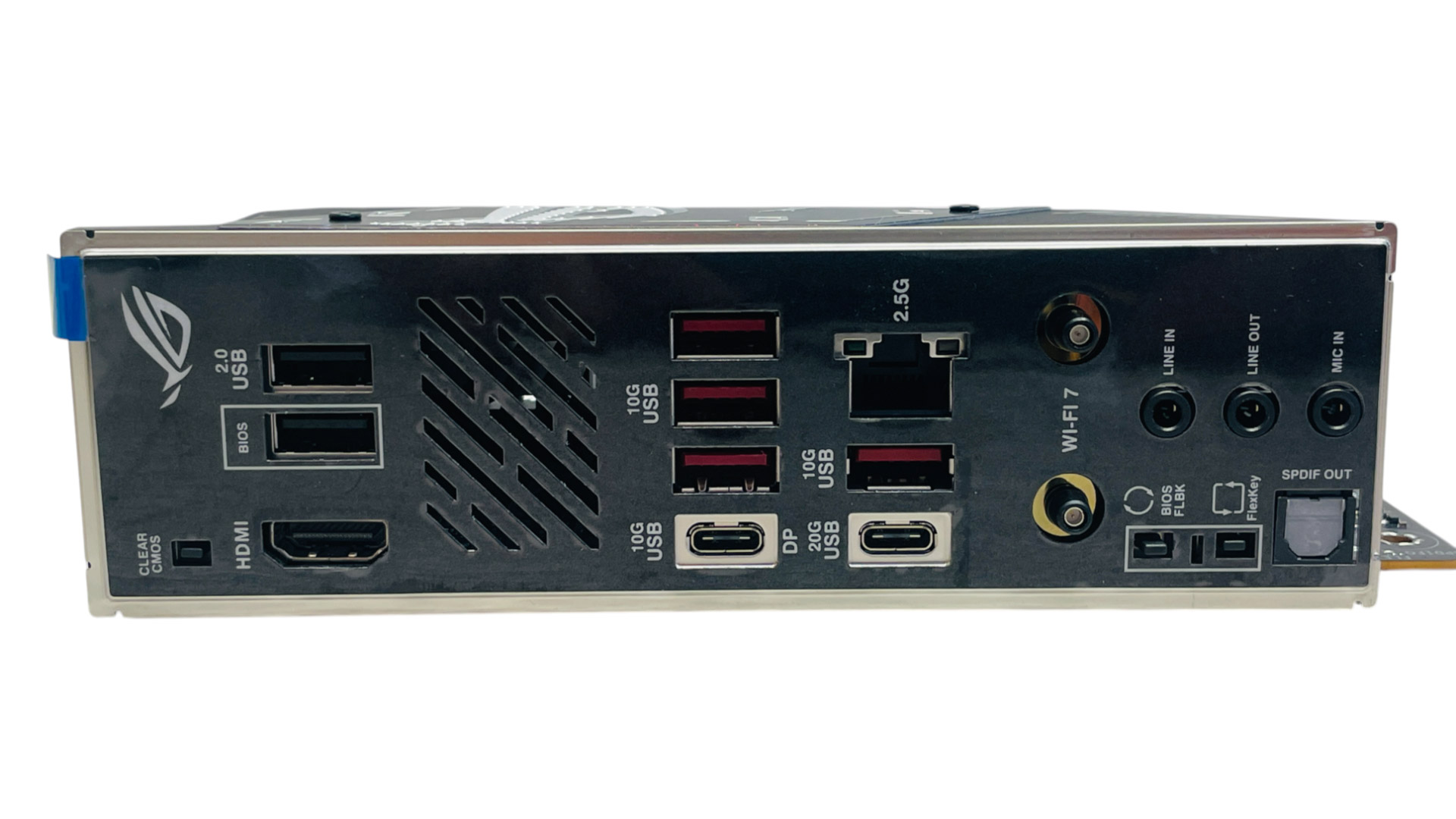
The rear I/O panel opts to have a vent for the VRM fan in place of additional USB ports, so there are only six Type-A ports. Four of these are USB 3.2 Gen 2 10 Gbps, plus you get USB 3.2 Gen 2 10 Gbps and USB 3.2 Gen 2x2 20 Gbps Type-C ports as well. No USB4 here though. It's good to see USB BIOS Flashback, CMOS Clear and FlexKey buttons, with the latter assigned to reset out of the box. Video outputs include HDMI and also DisplayPort via the 10 Gbps Type-C port. You also get 2.5 Gbps Ethernet and Wi-Fi 7, with the module here benefiting from super-easy push-fit Q-Antenna connectors. ASUS has managed to squeeze in an extra audio jack too, with the full set including optical S/PDIF out, mic and line-in plus line-out.
Nov 18th, 2026 16:03 PST
change timezone
Latest GPU Drivers
New Forum Posts
- Honestly, do you care about GTA VI? (147)
- Got a new laptop! What should I do with it? (4)
- Dell Workstation Owners Club (3514)
- Making a game in Godot engine (2)
- [Poll] 12V-2x6 Connector Protection: What Are You Using? (WireView / Ampinel / Equalizer / Other / Nothing) (39)
- Last game you purchased? (1406)
- Time to upgrade CPU and MOBO (34)
- Can i play GTA 6 now? (Joke) (7)
- What are you playing? (26234)
- Very unusual two gaming-pc scenarios. (12)
Popular Reviews
- Acemagic Retro X3 Review
- Upcoming Hardware Launches 2027 (Updated Nov 2026)
- AMD Zen 6 Technical Deep Dive
- Ugreen NASync DXP4800 GT Review
- Biwin Black Opal NV7400 2 TB Review
- Pulsar Office Tour & First Look at P1 Dual-Sensor Mouse
- Chieftec Iceberg PRO 360 DARK Review
- Sapphire Radeon RX 7700 XT Pure Review
- ASUS ROG Strix B850-I Gaming Wi-Fi7 W Review
- Sapphire Radeon RX 7700 XT Pulse Review
TPU on YouTube
Controversial News Posts
- NVIDIA Co-Founder and CEO Jensen Huang Officially Resigns (478)
- Report: Jensen Huang Eyes NVIDIA Comeback (193)
- Open Letter Asking NVIDIA to Reinstate Jensen Huang Passes 115,000 Signatures (184)
- OpenAI CEO Argues Home PCs Waste the World's Limited DRAM Supply (152)
- NVIDIA Launches Investigation Into Jensen Huang's Relationship With Suspected Chinese Spy (136)
- Intel "Raptor Lake Next" 16-Core and 20-Core CPUs Surface (130)
- Legendary Game Studio BioWare Shuts Down Following EA Layoffs (104)
- Dell CEO Says the Memory Shortage Will Get Worse in 2027 (95)