 7
ASUS ROG Strix B860-I Gaming WiFi Review
Component Analysis »Board Layout


The B860 Mini-ITX color options are quite slim, with black being the choice from ASUS and ASRock, white from Gigabyte, and titanium gray for MSI. We'd argue that the ASUS board is the best-looking of the bunch unless you're in need of something white. It has large heatsinks for the VRMs and topside M.2 SSD, but sadly that rear metal backplate, while a bonus compared to its B850 sibling, doesn't have any thermal pads that make contact with the PCB.
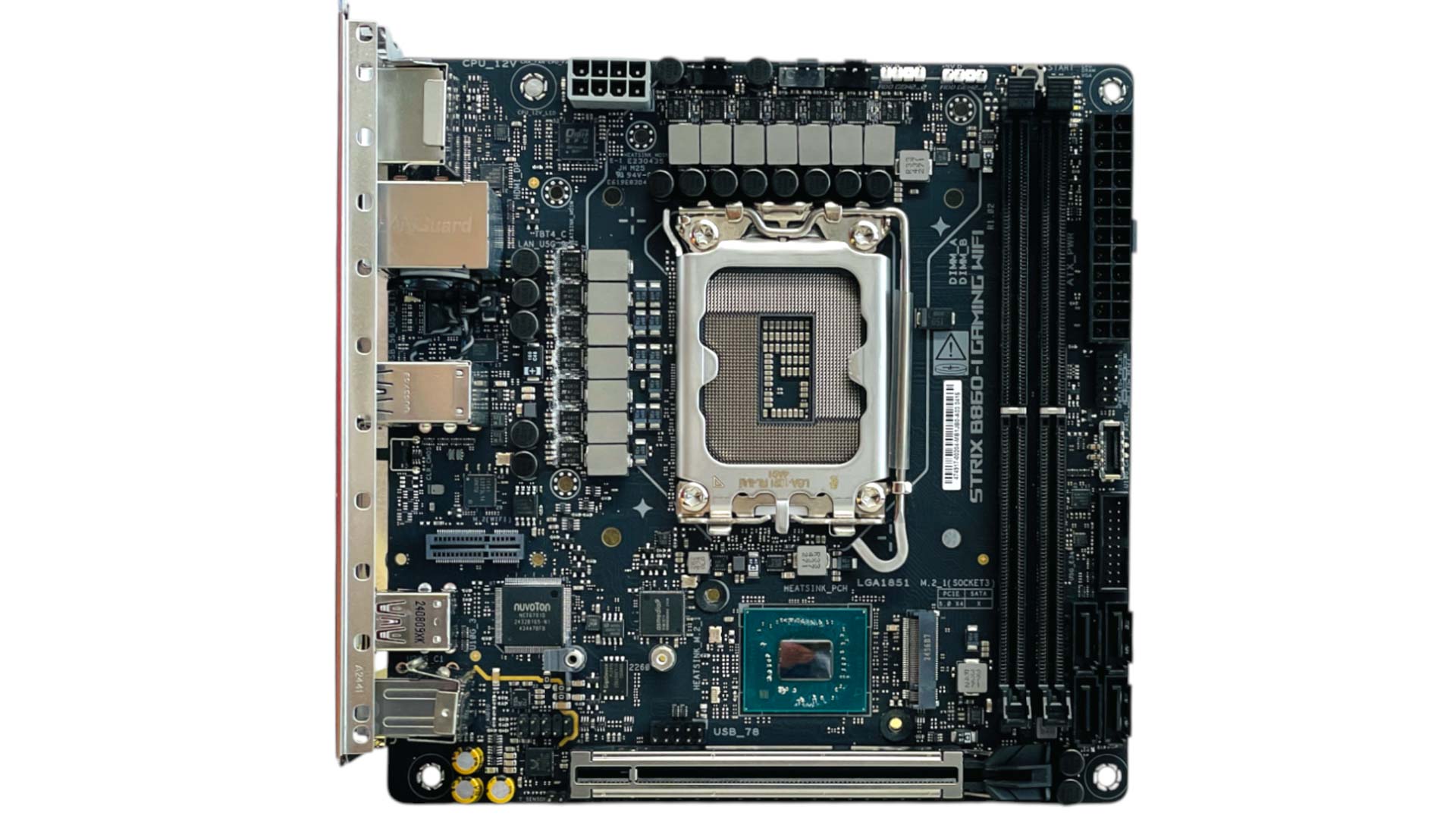

This is one packed PCB with the usual Mini-ITX layout of top side and bottom side M.2 ports, but as there's no double-stacked set of daughter boards like its more expensive ROG Strix siblings. All the other components are on the top side of PCB, including 14 power stages and four SATA ports. Bandwidth sharing is non-existent thanks to the minimal number of M.2 and PCIe slots.
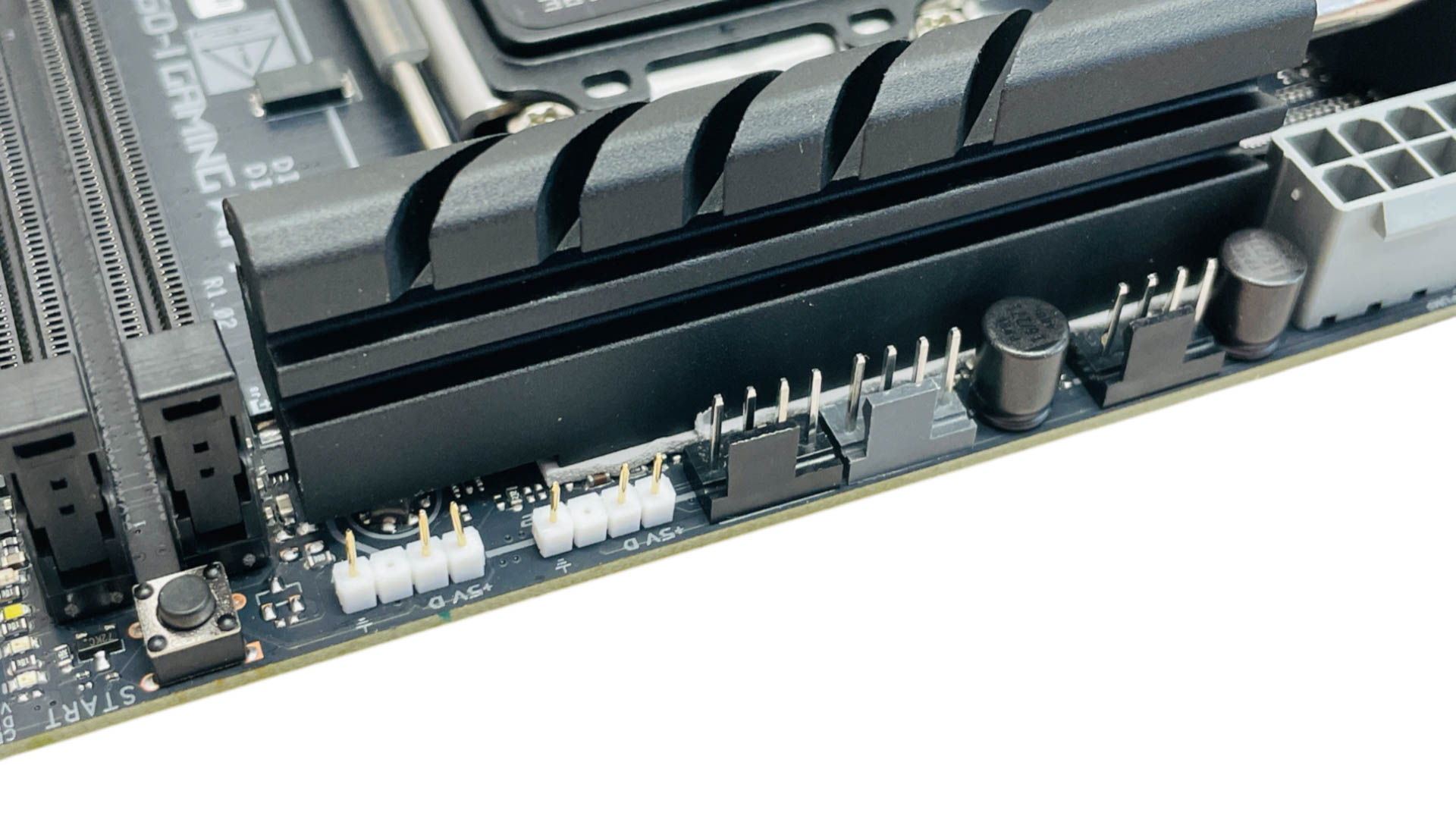
We've been spoiled recently with a few Mini-ITX boards offering more than three 4-pin fan headers, but it's back to the usual three here and each is capped at 12 W/ 1 A. To be fair this is the same as its B860 competition, but AMD's B850 does see more on both ASUS and MSI options. There are also two 3-pin ARGB headers here, and a nice touch is the inclusion of a start button that's useful for testing the board prior to building.
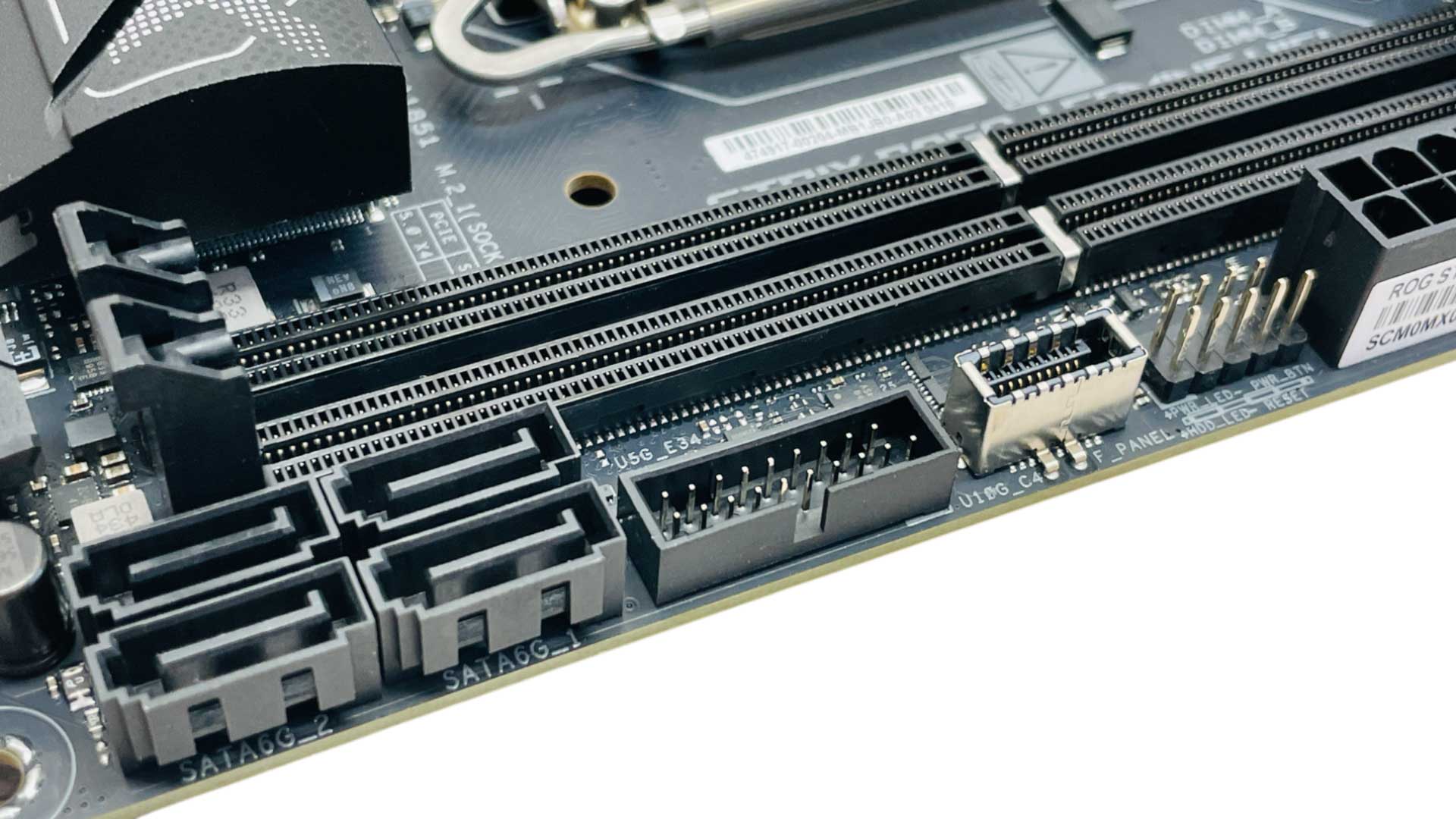
The Type-C front panel header offers USB 3.2 Gen 2 10 Gbps support—in an ideal world we'd like to see 20 Gbps and enhanced power delivery here and USB 3.0 would be unacceptable, so this is the bare minimum. If you're looking for maximum SATA ports then you're in luck. The board has double that of most other options, including Gigabyte and MSI's B860 options, with the ASRock Phantom Gaming B860I Lightning Wi-Fi coming a little closer with three, although the benefits of this in a Mini-ITX case are somewhat limited.
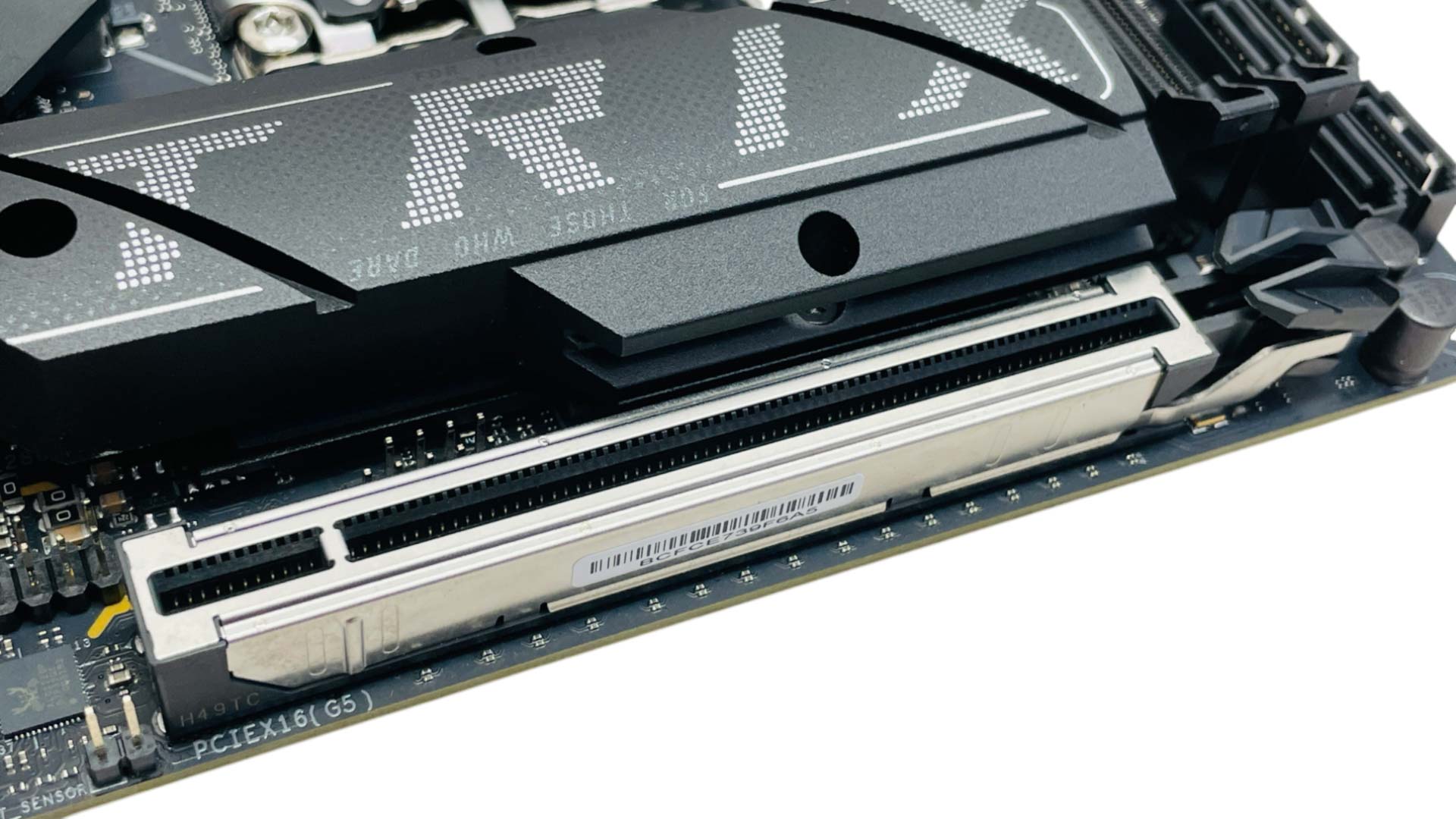
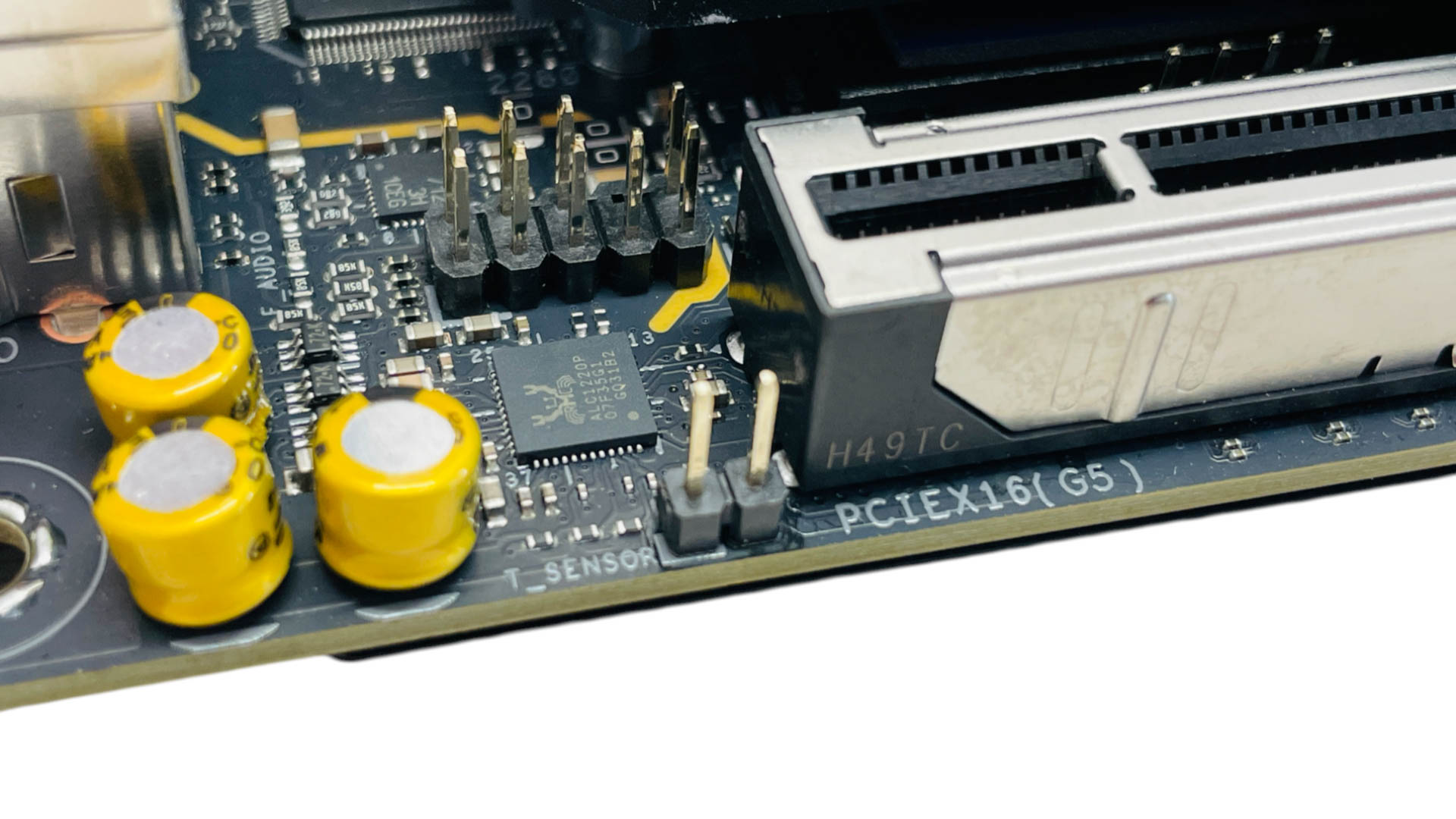
Reaching inside a small form factor PC and getting at the PCIe slot release lever can be extremely fiddly, and while we're not the biggest fans of the ASUS lift-out method, PCIe Slot Q-Release Slim does at least remove the need of getting at that lever to remove your graphics card, although there might be some situations in very tight areas where a button might be a better option if GPU clearance is minimal. Another nice touch is a 2-pin thermistor header, which could be used to add another temperature input to control fan speed, such as the GPU or M.2 SSD, or even coolant.
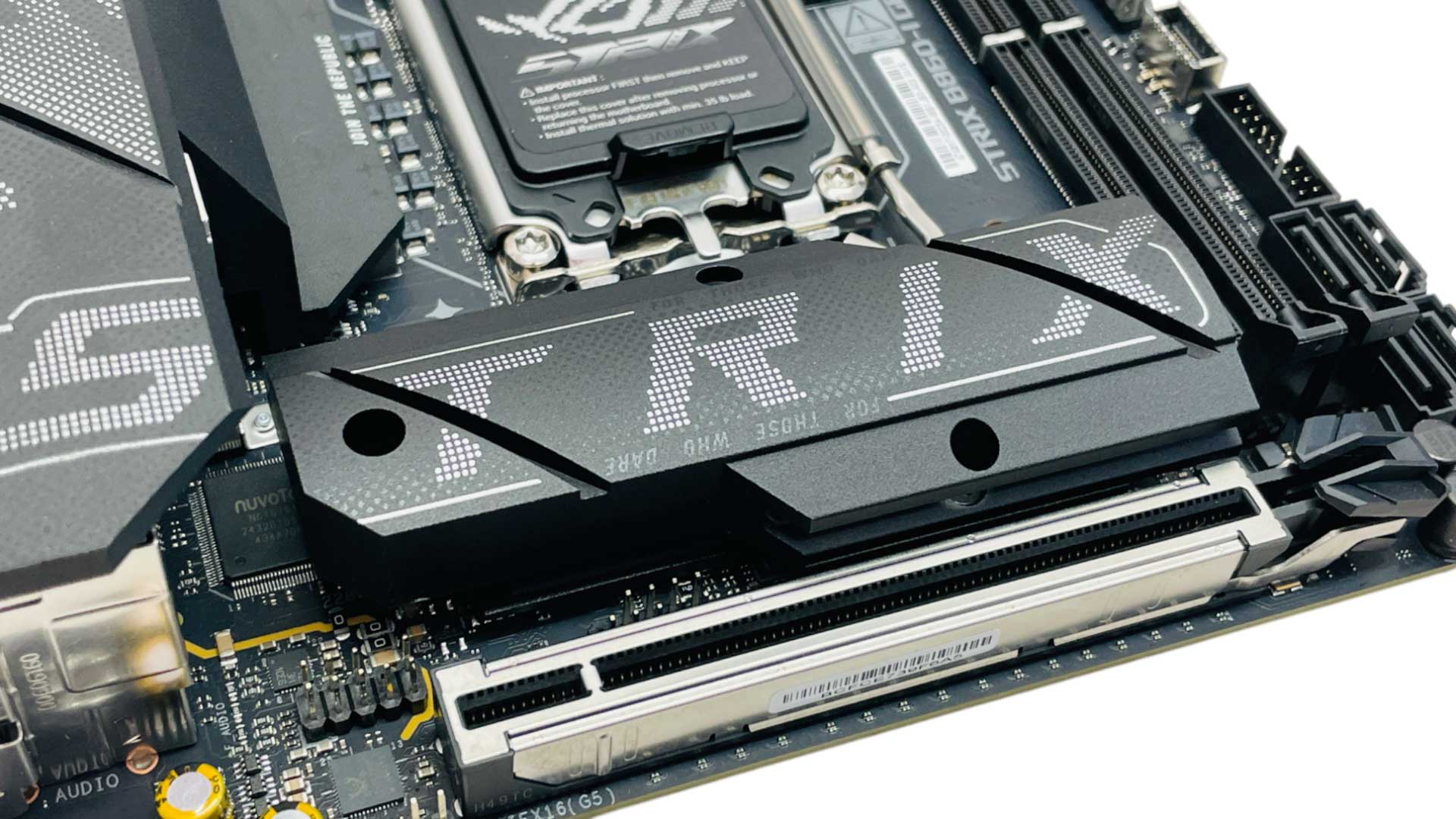
Sadly, the M.2 heatsink is not tool-free, but it's only Gigabyte that offers this feature on its B860 Mini-ITX option, with ASRock and MSI also lacking it. Having something tool-free here would definitely be a preference given how tricky it can be to get a screwdriver accurately into the depths of some Mini-ITX cases, but also how hard it can be to find lost screws. The heatsink here is also quite small so is unlikely to be able to cope with PCIe Gen 5 SSDs, although it is at least very shallow, avoiding the cooler compatibility issues of some other boards, and easily housing large liquid coolers such as the Arctic Liquid Freezer III and its huge pump/VRM fan section.
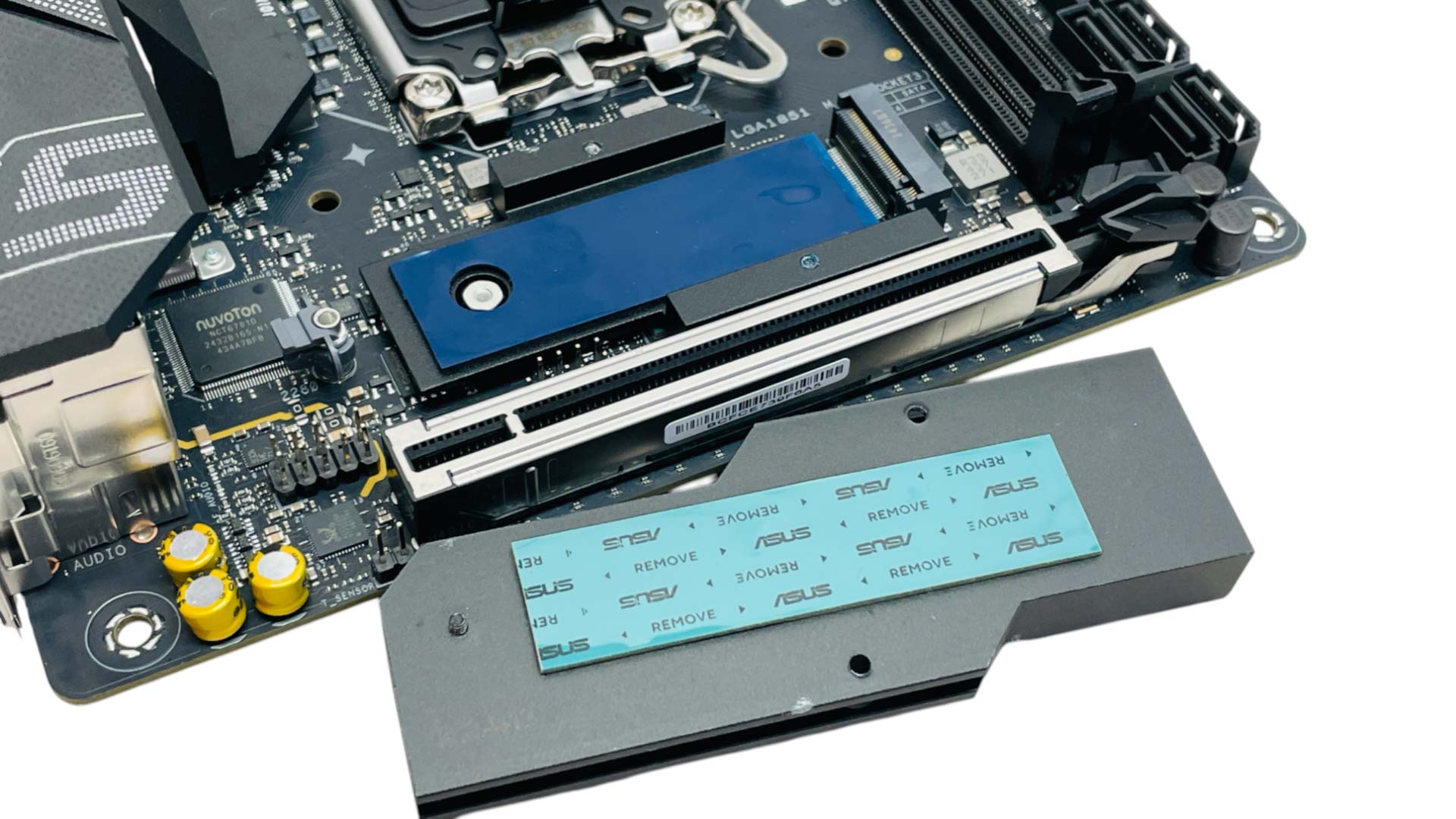
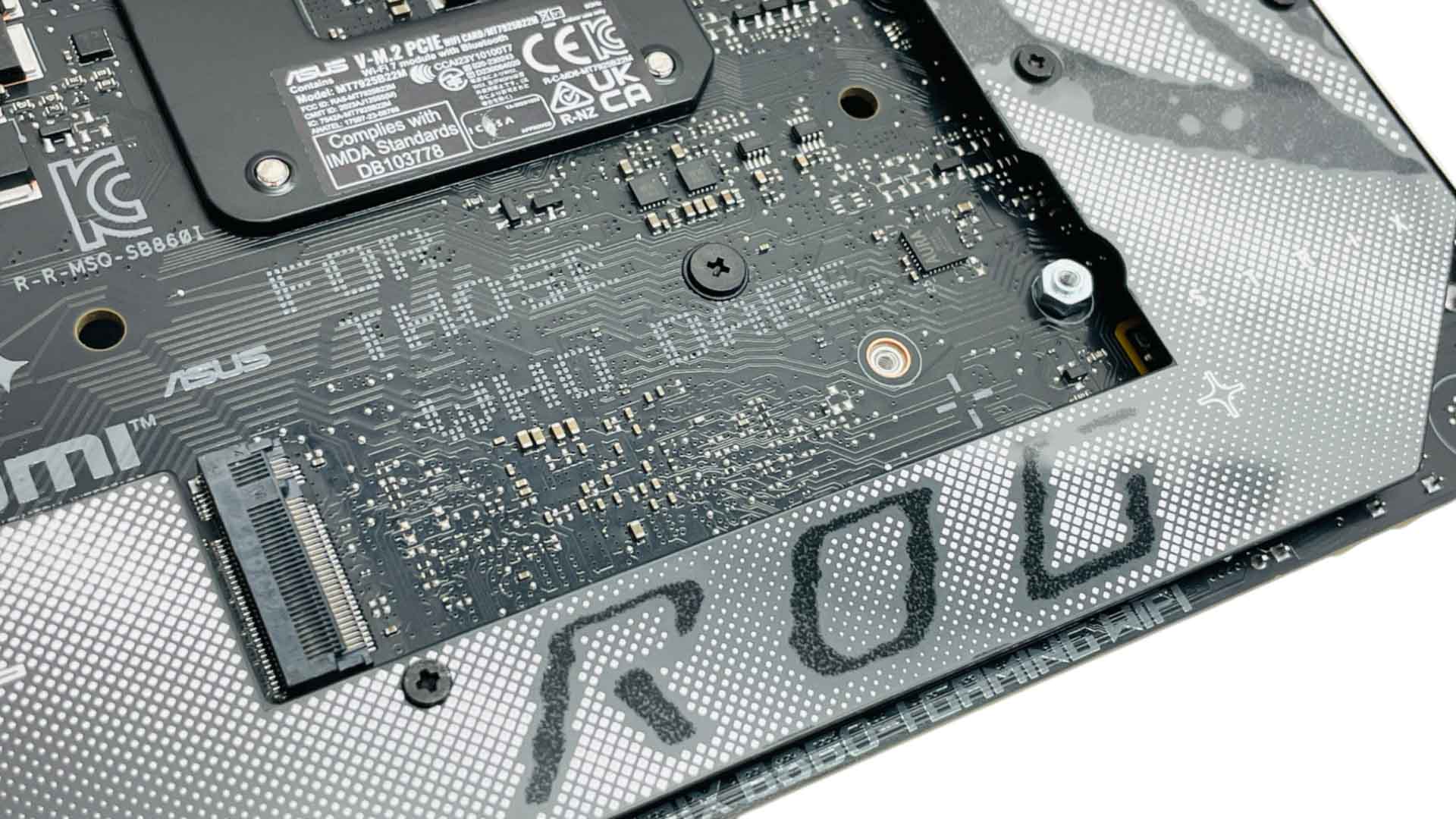
The SSD is cooled on the underside using a thermal pad, but unlike some other boards, there are no rubber inserts to use here if your SSD is single-sided to ensure good contact, so it will be interesting to see if this has a negative impact on our PCIe Gen 4 SSD in the M.2 thermal results. The second M.2 port is located on the rear of the PCB as usual, located in a cut-out in the rear backplate. This supports up to PCIe Gen 4 SSDs, with this being the default arrangement for most mid-range Mini-ITX boards.

The rear I/O panel has six Type-A USB ports, which is above average, being one more than the MSI MPG B860I Edge Ti Wi-Fi and Gigabyte B860I Aorus Pro Ice. But if you need the absolute maximum here for whatever reason the ASRock Phantom Gaming B860I Lightning Wi-Fi does have one more than the ASUS board, with all boards having at least one USB 3.2 Gen 2 10 Gbps port. All have a Thunderbolt 4 Type-C port, but the ROG Strix B860-I Gaming Wi-Fi also has a 20 Gbps USB 3.2 Gen 2x2 Type-C port, which all the others lack.
Something the ASUS board does lack compared to the other B860 options is USB BIOS Flashback. Being a first generation board this is a little disappointing, given Intel seemingly plans to release a new round of CPUs for LGA1851. Picking up the board used or with an incompatible BIOS version for those CPUs could therefore pose problems without USB BIOS Flashback, this is something future potential owners will need to consider. Other than this we get HDMI and DisplayPort outputs, 2.5 Gbps Ethernet, a CMOS clear button, Q-Antenna compatible Wi-Fi ports, plus 3.5 mm and optical audio jacks.
Nov 26th, 2026 09:52 CST
change timezone
Latest GPU Drivers
New Forum Posts
- What's your main Black Friday / Cyber Monday purchase? (18)
- Wireless Internet sharing between PC and router both-ways, is it possible? (24)
- Can you guess Which game it is? (366)
- Post your CrystalDiskMark speeds (658)
- Making a game in Godot engine (20)
- X79 and/or rampage IV OC'ing thread for those of us still left.... (2459)
- Exploring Local LLMs: Models, Hardware and Setup Experiences (4)
- Linpack Xtreme Released (513)
- Claude credits purchased on or after Dec. 7 now have an expiry date (20)
- Acer TravelMate P414-51 (i5-1135G7): CPU stuck at x4 / ~200 MHz effective under 100% load, no throttle flags. How to find who's clamping it? (1)
Popular Reviews
- ASRock X870E Challenger Wi-Fi White Review
- VZMORE AX9 Max Review
- Upcoming Hardware Launches 2027 (Updated Nov 2026)
- Microsoft Surface Laptop Ultra Review - The Next-gen Arm Laptop
- AMD Ryzen 7 9800X3D Review - The Best Gaming Processor
- AMD Zen 6 Technical Deep Dive
- Corsair RM1200e (Second Generation) Review
- Phantom Blade Zero Performance Benchmark Review - 35 GPUs Tested
- Montech CyberFlow ARGB 360 Review
- Pulsar Office Tour & First Look at P1 Dual-Sensor Mouse
TPU on YouTube
Controversial News Posts
- Jensen Huang Reinstated as CEO of NVIDIA (585)
- NVIDIA Co-Founder and CEO Jensen Huang Officially Resigns (492)
- Report: Jensen Huang Eyes NVIDIA Comeback (281)
- Open Letter Asking NVIDIA to Reinstate Jensen Huang Passes 115,000 Signatures (184)
- OpenAI CEO Argues Home PCs Waste the World's Limited DRAM Supply (152)
- NVIDIA Launches Investigation Into Jensen Huang's Relationship With Suspected Chinese Spy (136)
- Intel "Raptor Lake Next" 16-Core and 20-Core CPUs Surface (130)
- Intel Razor Lake Gets a 12 P-Core bLLC Chip With No E-Cores, Per Leak (94)