 14
ASUS ROG Strix X870E-E Gaming Wi-Fi7 Neo Review
(14 Comments) »Value and Conclusion
- The ASUS ROG Strix X870E-E Gaming Wi-Fi7 Neo is available for US$612
- Attractive design and RGB display
- Excellent SSD and VRM thermals
- Front and rear Type-C USB ports with 30 W power delivery
- Good mix and number of USB ports
- Tool-free M.2 heatsinks
- Five M.2 ports, two PCIe Gen 5-capable
- ASUS AIO Q-Connector
- Excellent EFI
- Useful software
- Minimal bandwidth sharing
- Power, reset, BIOS Flashback and CMOS clear buttons
- 512 Mbit (64 MB) BIOS
- Expensive compared to alternatives and previous ROG Strix X870E-E model
- 512 Mbit (64 MB) BIOS has limited benefits for now
- Second PCIe Gen 5 M.2 port shares bandwidth with USB4 ports
- EFI isn't as feature-packed as the competition
- Fan headers limited to 12 W/1 A
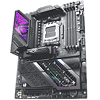
With solid VRM and SSD temperatures, even with a 16-core 170 W TDP CPU and PCIe gen 5 SSDs, and an impressive feature set plus class-leading EFI and software, the ASUS ROG Strix X870E-E Gaming Wi-Fi7 Neo doesn't have many niggles and is an imposing beast of a motherboard. If you're dead-set on opting for AMD's flagship mainstream X870E chipset and have $600 or so to splash on a home for your Ryzen CPU, you certainly won't be disappointed. However, while an excellent all-rounder, there are some niggles both with the price compared to competing boards and older models, and even with some aspects of its otherwise awesome set of features.
The fan headers being limited to just 12 W isn't what we expect to see at this price. The odds of three or more high-power fans being used are higher at this end of the spectrum. There are plenty of headers, but if you want to power more than three fans from a single header, 12 W may not be enough. You just don't want to be dealing with that issue with a $600 motherboard. We'd also have liked to see more than 30 W available from its front Type-C header. The likes of the cheaper Gigabyte X870E Aorus Master X3D Ice and ASUS ROG Crosshair X870E Dark Hero, which is only $70 more, are 60 W or higher. Clearly ASUS is likely mindful of not stepping on the toes of the Dark Hero, but that won't stop the competition offering these features for similar or less cash.
Sticking with the competition, and we have a number of alternatives to consider. We've already mentioned the excellent Gigabyte X870E Aorus Master X3D Ice, which offers similar or better features such as 10 Gbps Ethernet and 60 W Type-C header power, albeit with a less favorable EFI and software, but currently costs $40 less.
It's a similar story with the ASUS ROG Crosshair X870E Dark Hero, which can also boast that it's a fully-fledged ROG board and more desirable, although unlike the Gigabyte board, it's also $70 more expensive. Would you quibble if you're already considering spending over $600? Probably not, but it does also offer the added benefits we just mentioned too as well as more overclocking features and additional CPU power phases.
Another interesting option is this board's predecessor. The ASUS ROG Strix X870E-E Gaming Wi-Fi costs over $200 less, but before you reach for your wallet it's worth considering the differences as they're more than just a doubling of the BIOS size. It lacks tool-free M.2 heatsinks, a memory cooling fan and doesn't have the 30 W output over its USB Type-C header either. While it actually has a third PCIe Gen 5 M. port, both second and third M.2 ports will steal PCIe lanes from your GPU, while the configuration on the new Neo board we're looking at today takes them from the USB4 ports instead. Other than this, though, the two boards are quite similar, and that $200 saving will go a long way in counteracting current SSD and memory pricing too. Other worthy alternatives are the ROG CROSSHAIR X870E APEX, which can be found for less than $550 these days, offers 60 W Type-C front panel power delivery and an overclocking-centric design. MSI's MEG X870E Ace Max with its 10 Gbps Ethernet, 512 Mb/64 MB BIOS and similar feature set is also worth looking at, but it does cost more.
Still, the fact remains that there are plenty of good reasons to want to own the ASUS ROG Strix X870E-E Gaming Wi-Fi7 Neo, it barely put a foot wrong and was overall very impressive. Apart from a lack of power going to its fan headers and USB Type-C headers compared to the competition and slightly eye-watering price tag, if you want a high-end modern motherboard that will easily see out the rest of Socket AM5's lifespan without leaving you wanting, for the most part, this Neo series refresh delivers.


The fan headers being limited to just 12 W isn't what we expect to see at this price. The odds of three or more high-power fans being used are higher at this end of the spectrum. There are plenty of headers, but if you want to power more than three fans from a single header, 12 W may not be enough. You just don't want to be dealing with that issue with a $600 motherboard. We'd also have liked to see more than 30 W available from its front Type-C header. The likes of the cheaper Gigabyte X870E Aorus Master X3D Ice and ASUS ROG Crosshair X870E Dark Hero, which is only $70 more, are 60 W or higher. Clearly ASUS is likely mindful of not stepping on the toes of the Dark Hero, but that won't stop the competition offering these features for similar or less cash.
Sticking with the competition, and we have a number of alternatives to consider. We've already mentioned the excellent Gigabyte X870E Aorus Master X3D Ice, which offers similar or better features such as 10 Gbps Ethernet and 60 W Type-C header power, albeit with a less favorable EFI and software, but currently costs $40 less.
It's a similar story with the ASUS ROG Crosshair X870E Dark Hero, which can also boast that it's a fully-fledged ROG board and more desirable, although unlike the Gigabyte board, it's also $70 more expensive. Would you quibble if you're already considering spending over $600? Probably not, but it does also offer the added benefits we just mentioned too as well as more overclocking features and additional CPU power phases.
Another interesting option is this board's predecessor. The ASUS ROG Strix X870E-E Gaming Wi-Fi costs over $200 less, but before you reach for your wallet it's worth considering the differences as they're more than just a doubling of the BIOS size. It lacks tool-free M.2 heatsinks, a memory cooling fan and doesn't have the 30 W output over its USB Type-C header either. While it actually has a third PCIe Gen 5 M. port, both second and third M.2 ports will steal PCIe lanes from your GPU, while the configuration on the new Neo board we're looking at today takes them from the USB4 ports instead. Other than this, though, the two boards are quite similar, and that $200 saving will go a long way in counteracting current SSD and memory pricing too. Other worthy alternatives are the ROG CROSSHAIR X870E APEX, which can be found for less than $550 these days, offers 60 W Type-C front panel power delivery and an overclocking-centric design. MSI's MEG X870E Ace Max with its 10 Gbps Ethernet, 512 Mb/64 MB BIOS and similar feature set is also worth looking at, but it does cost more.
Still, the fact remains that there are plenty of good reasons to want to own the ASUS ROG Strix X870E-E Gaming Wi-Fi7 Neo, it barely put a foot wrong and was overall very impressive. Apart from a lack of power going to its fan headers and USB Type-C headers compared to the competition and slightly eye-watering price tag, if you want a high-end modern motherboard that will easily see out the rest of Socket AM5's lifespan without leaving you wanting, for the most part, this Neo series refresh delivers.
Nov 26th, 2026 15:48 CST
change timezone
Latest GPU Drivers
New Forum Posts
- Exploring Local LLMs: Models, Hardware and Setup Experiences (5)
- WarpCoreBench scores! (112)
- What's your main Black Friday / Cyber Monday purchase? (23)
- Wireless Internet sharing between PC and router both-ways, is it possible? (26)
- TPU's WCG/BOINC Team (34811)
- weird problem with Asus Maximus Hero z890 motherboard VRM (0)
- ASUS Prime 5060 ti 16gb x4 instead of x8 PCIe (10)
- Windows 10 Power save mode. See what program that cause sleep to fail. (1)
- Mouse Pad advice - Shidenkai out of production? (1)
- Can you guess Which game it is? (370)
Popular Reviews
- ASRock X870E Challenger Wi-Fi White Review
- VZMORE AX9 Max Review
- Upcoming Hardware Launches 2027 (Updated Nov 2026)
- Microsoft Surface Laptop Ultra Review - The Next-gen Arm Laptop
- AMD Ryzen 7 9800X3D Review - The Best Gaming Processor
- AMD Zen 6 Technical Deep Dive
- Phantom Blade Zero Performance Benchmark Review - 35 GPUs Tested
- Corsair RM1200e (Second Generation) Review
- Montech CyberFlow ARGB 360 Review
- Pulsar Office Tour & First Look at P1 Dual-Sensor Mouse
TPU on YouTube
Controversial News Posts
- Jensen Huang Reinstated as CEO of NVIDIA (606)
- NVIDIA Co-Founder and CEO Jensen Huang Officially Resigns (492)
- Report: Jensen Huang Eyes NVIDIA Comeback (281)
- Open Letter Asking NVIDIA to Reinstate Jensen Huang Passes 115,000 Signatures (184)
- OpenAI CEO Argues Home PCs Waste the World's Limited DRAM Supply (152)
- NVIDIA Launches Investigation Into Jensen Huang's Relationship With Suspected Chinese Spy (136)
- Intel Razor Lake Gets a 12 P-Core bLLC Chip With No E-Cores, Per Leak (94)
- NVIDIA GeForce RTX 50-Series Scheduled for up to $500 Price Hike This Week (89)