 5
ASUS ROG Strix Z890-I Gaming Wi-Fi Review
(5 Comments) »Value and Conclusion
- The ASUS ROG Strix Z890-I Gaming Wi-Fi is available online for $449
- Excellent VRM temperatures
- Great M.2 SSD temperatures
- Fantastic control over onboard fans
- Quiet onboard fans
- Useful software
- Good EFI
- SSD installation is quick and simple
- Four fan headers
- Overclockable
- Enhanced GPU release
- Dual PCIe Gen 5 M.2 ports
- External sound card with volume dial, power switch and USB ports
- Front USB 3.2 Gen 2x2 20 Gbps Type-C header
- Two Thunderbolt 4 40 Gbps Type-C ports
- Thermistor header
- Expensive
- Poor CPU cooler compatibility
- Only two M.2 ports
- Average number of Type-A USB ports
- Second M.2 slot steals GPU bandwidth
- External audio divides opinions
- Removing SSDs requires removing GPU
- ROG FPS Card is unsightly
- No additional power delivery over front panel Type-C port
- Only 2.5 Gbps Ethernet
- No CMOS clear button
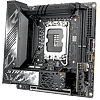
The ASUS ROG Strix Z890-I Gaming Wi-Fi is an interesting addition to the Mini-ITX scene, though the longevity of the socket—which is now a year old—is definitely in question, even if its CPUs are good value outside of gaming. The Intel versus AMD question and socket longevity aside, though, and price isn't on its side either, given that you won't see much change from $450. MSI's MPG Z890I Edge Ti Wi-Fi on the other hand costs just $300.
The MSI board and perhaps the ASRock Phantom Gaming Z890I Nova Wi-Fi are it's main competitors thanks to each having more M.2 ports and costing significantly less, with the latter coming in even cheaper at $250. So if you need more M.2 ports then there are far better options out there. Even B860 options will allow you to run two M.2 SSDs without stealing lanes from your GPU, despite relying on slower Gen 4 slots to achieve this. There's also Gigabyte's Z890I Aorus Ultra at $350, although it's a little uninspiring.
It's clear, then, that the ROG Strix Z890-I Gaming Wi-Fi is somewhat niche, aiming at those who are either happy with one M.2 SSD or desperately want dual PCIe Gen 5 SSDs even at the expense of GPU lanes. The lane reduction is a small issue though, given in most scenarios the performance hit is small to non-existent. The trouble is, it has alienated those that don't care for dual PCIe Gen 5 SSDs and would rather have a Gen 5 and a Gen 4 drive, without stealing GPU bandwidth.
What we'd like to see in future is more of a balance. Two M.2 ports doesn't cut it compared to the competition and having a third slot off the chipset would offer the option of using two M.2 SSDs without stealing GPU lanes, with the second PCIe Gen 5 M.2 port being there for those that actually need dual PCIe Gen 5 SSDs.
As it stands, MSI's MPG Z890I Edge Ti Wi-Fi had an edge (no pun intended) in the storage department with an impressive four M.2 ports and no bandwidth sharing, and even the ASRock Phantom Gaming Z890I Nova Wi-Fi has three.
Sticking with the MSI board, and it also has 27 W power delivery over its Type-C front panel header, faster Ethernet, a traditional audio setup for those that aren't keen on the ROG Strix Hive II external solution, higher power fan headers and better CPU cooler support, while costing $150 less. That price difference is probably the biggest issue the ROG Strix Z890-I Gaming Wi-Fi faces.
Now let's get to the good stuff. What ASUS has here in terms of active VRM and chipset/SSD cooling is fantastic. The full control you get over the VRM and chipset fans is unparalleled, and the fact you can tie SSD temperature to the chipset fan means you simply don't need to worry about throttling with PCIe Gen 5 SSDs. But at the same time, it's simple to prevent the fan making noise. Ironically, the additional fan mount here wasn't really needed, but it too made a difference.
The VRMs were kept cool enough out of the box, and again the fan proved to be silent, effective and fully customizable. These are all criticisms we had of the MSI's MPG Z890I Edge Ti Wi-Fi and indeed of the ASUS ROG Strix X870-I Gaming Wi-Fi, which seems to lack some of this flexibility, despite being its sister board, at least with the EFI and software we used four months ago with that review.
As usual with ASUS the EFI and software are decent, although we'd like to see a more streamlined and configurable installation with the latter, which essentially forces you to install a bunch of stuff you might not use. However, we can't fault the software itself, which gives you great control over fans and lighting, and its inclusion of SSD temperature as a source for fan control is fantastic and not something any other OEM does.
It also has PCIe Slot Q-Release Slim, which is where you lift the GPU up from the PCI slot end to release it. This is our least favorite method, but it's still very useful in cramped Mini-ITX systems, and is something the MSI board lacks.
The ROG Strix Hive II is divisive in the Mini-ITX community. Having tried it for a few days, it proved to be useful, especially for turning a PC on without having to reach too far away from your desk. Having a volume control dial is handy too if your keyboard lacks one. The main issue with it is the need to run speakers off it in many situations. Like dual PCIe Gen 5 SSD support, the ROG Strix Hive II is a nice idea, but it's not going to appeal to a lot of potential owners.
ASUS has got a lot of things right with the ROG Strix Z890-I Gaming Wi-Fi and there are some very good reasons to pick it if you're going to be using high-end hardware. We'd like to see these positives carried over to future generations, but ASUS also needs to be mindful of the competition and consider adding more M.2 ports to its flagship Mini-ITX boards.
Something else it would benefit from is improved CPU cooler support, which is a headache, some minor changes to heatsinks would make it much more flexible. Aside from these things there's a lot to like here, and we doubt anyone would be disappointed with it. In fact, if we were building an Arrow Lake-based system, it would probably be our chosen board if price wasn't an issue.


The MSI board and perhaps the ASRock Phantom Gaming Z890I Nova Wi-Fi are it's main competitors thanks to each having more M.2 ports and costing significantly less, with the latter coming in even cheaper at $250. So if you need more M.2 ports then there are far better options out there. Even B860 options will allow you to run two M.2 SSDs without stealing lanes from your GPU, despite relying on slower Gen 4 slots to achieve this. There's also Gigabyte's Z890I Aorus Ultra at $350, although it's a little uninspiring.
It's clear, then, that the ROG Strix Z890-I Gaming Wi-Fi is somewhat niche, aiming at those who are either happy with one M.2 SSD or desperately want dual PCIe Gen 5 SSDs even at the expense of GPU lanes. The lane reduction is a small issue though, given in most scenarios the performance hit is small to non-existent. The trouble is, it has alienated those that don't care for dual PCIe Gen 5 SSDs and would rather have a Gen 5 and a Gen 4 drive, without stealing GPU bandwidth.
What we'd like to see in future is more of a balance. Two M.2 ports doesn't cut it compared to the competition and having a third slot off the chipset would offer the option of using two M.2 SSDs without stealing GPU lanes, with the second PCIe Gen 5 M.2 port being there for those that actually need dual PCIe Gen 5 SSDs.
As it stands, MSI's MPG Z890I Edge Ti Wi-Fi had an edge (no pun intended) in the storage department with an impressive four M.2 ports and no bandwidth sharing, and even the ASRock Phantom Gaming Z890I Nova Wi-Fi has three.
Sticking with the MSI board, and it also has 27 W power delivery over its Type-C front panel header, faster Ethernet, a traditional audio setup for those that aren't keen on the ROG Strix Hive II external solution, higher power fan headers and better CPU cooler support, while costing $150 less. That price difference is probably the biggest issue the ROG Strix Z890-I Gaming Wi-Fi faces.
Now let's get to the good stuff. What ASUS has here in terms of active VRM and chipset/SSD cooling is fantastic. The full control you get over the VRM and chipset fans is unparalleled, and the fact you can tie SSD temperature to the chipset fan means you simply don't need to worry about throttling with PCIe Gen 5 SSDs. But at the same time, it's simple to prevent the fan making noise. Ironically, the additional fan mount here wasn't really needed, but it too made a difference.
The VRMs were kept cool enough out of the box, and again the fan proved to be silent, effective and fully customizable. These are all criticisms we had of the MSI's MPG Z890I Edge Ti Wi-Fi and indeed of the ASUS ROG Strix X870-I Gaming Wi-Fi, which seems to lack some of this flexibility, despite being its sister board, at least with the EFI and software we used four months ago with that review.
As usual with ASUS the EFI and software are decent, although we'd like to see a more streamlined and configurable installation with the latter, which essentially forces you to install a bunch of stuff you might not use. However, we can't fault the software itself, which gives you great control over fans and lighting, and its inclusion of SSD temperature as a source for fan control is fantastic and not something any other OEM does.
It also has PCIe Slot Q-Release Slim, which is where you lift the GPU up from the PCI slot end to release it. This is our least favorite method, but it's still very useful in cramped Mini-ITX systems, and is something the MSI board lacks.
The ROG Strix Hive II is divisive in the Mini-ITX community. Having tried it for a few days, it proved to be useful, especially for turning a PC on without having to reach too far away from your desk. Having a volume control dial is handy too if your keyboard lacks one. The main issue with it is the need to run speakers off it in many situations. Like dual PCIe Gen 5 SSD support, the ROG Strix Hive II is a nice idea, but it's not going to appeal to a lot of potential owners.
ASUS has got a lot of things right with the ROG Strix Z890-I Gaming Wi-Fi and there are some very good reasons to pick it if you're going to be using high-end hardware. We'd like to see these positives carried over to future generations, but ASUS also needs to be mindful of the competition and consider adding more M.2 ports to its flagship Mini-ITX boards.
Something else it would benefit from is improved CPU cooler support, which is a headache, some minor changes to heatsinks would make it much more flexible. Aside from these things there's a lot to like here, and we doubt anyone would be disappointed with it. In fact, if we were building an Arrow Lake-based system, it would probably be our chosen board if price wasn't an issue.
Nov 26th, 2026 11:23 CST
change timezone
Latest GPU Drivers
New Forum Posts
- WarpCoreBench scores! (108)
- Radeon driver death (5)
- Making a game in Godot engine (22)
- Current Sales, Bundles, Giveaways (10452)
- Can you guess Which game it is? (368)
- Free Games Thread (5385)
- What's your main Black Friday / Cyber Monday purchase? (20)
- Post your CrystalDiskMark speeds (659)
- Wireless Internet sharing between PC and router both-ways, is it possible? (24)
- X79 and/or rampage IV OC'ing thread for those of us still left.... (2459)
Popular Reviews
- ASRock X870E Challenger Wi-Fi White Review
- VZMORE AX9 Max Review
- Upcoming Hardware Launches 2027 (Updated Nov 2026)
- Microsoft Surface Laptop Ultra Review - The Next-gen Arm Laptop
- AMD Ryzen 7 9800X3D Review - The Best Gaming Processor
- AMD Zen 6 Technical Deep Dive
- Corsair RM1200e (Second Generation) Review
- Phantom Blade Zero Performance Benchmark Review - 35 GPUs Tested
- Montech CyberFlow ARGB 360 Review
- Pulsar Office Tour & First Look at P1 Dual-Sensor Mouse
TPU on YouTube
Controversial News Posts
- Jensen Huang Reinstated as CEO of NVIDIA (595)
- NVIDIA Co-Founder and CEO Jensen Huang Officially Resigns (492)
- Report: Jensen Huang Eyes NVIDIA Comeback (281)
- Open Letter Asking NVIDIA to Reinstate Jensen Huang Passes 115,000 Signatures (184)
- OpenAI CEO Argues Home PCs Waste the World's Limited DRAM Supply (152)
- NVIDIA Launches Investigation Into Jensen Huang's Relationship With Suspected Chinese Spy (136)
- Intel "Raptor Lake Next" 16-Core and 20-Core CPUs Surface (130)
- Intel Razor Lake Gets a 12 P-Core bLLC Chip With No E-Cores, Per Leak (94)