 5
ASUS ROG Strix Z890-I Gaming Wi-Fi Review
Component Analysis »Board Layout

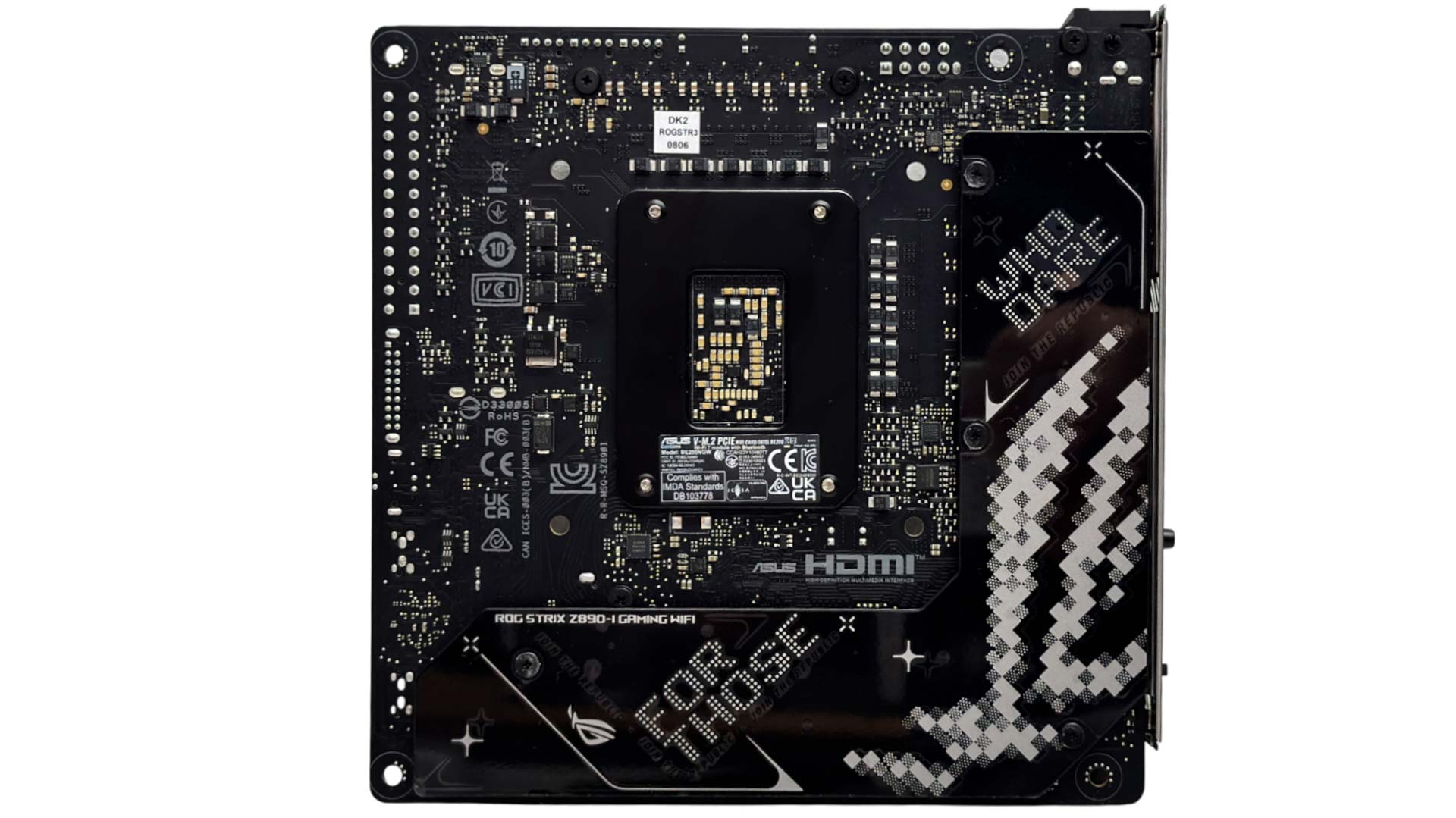
Unlike many Mini-ITX boards, there are no M.2 ports on the rear here with the par of ports located in a horizontally-stacked cooling arrangement next to the PCIe slot. There are two small cooling fans providing assistance to the VRMs and M.2 heatsinks. It's a different layout to every other Mini-ITX board out there, including the ASUS B860, B850 and X870 sister boards. However, from the outset it's important to mention cooler compatibility, as this is one of the worst Mini-ITX boards for it. Without spending pages covering every cooler manufacturer, a Google search is your friend, as well as checking compatibility lists from manufacturers themselves with the likes of Arctic, Be Quiet!, and Noctua covering nearly all their models. Be Quiet! has decent compatibility, but there are a lot of Arctic and Noctua coolers, for example, which are incompatible, mostly thanks to the M.2 heatsinks or top VRM heatsink.
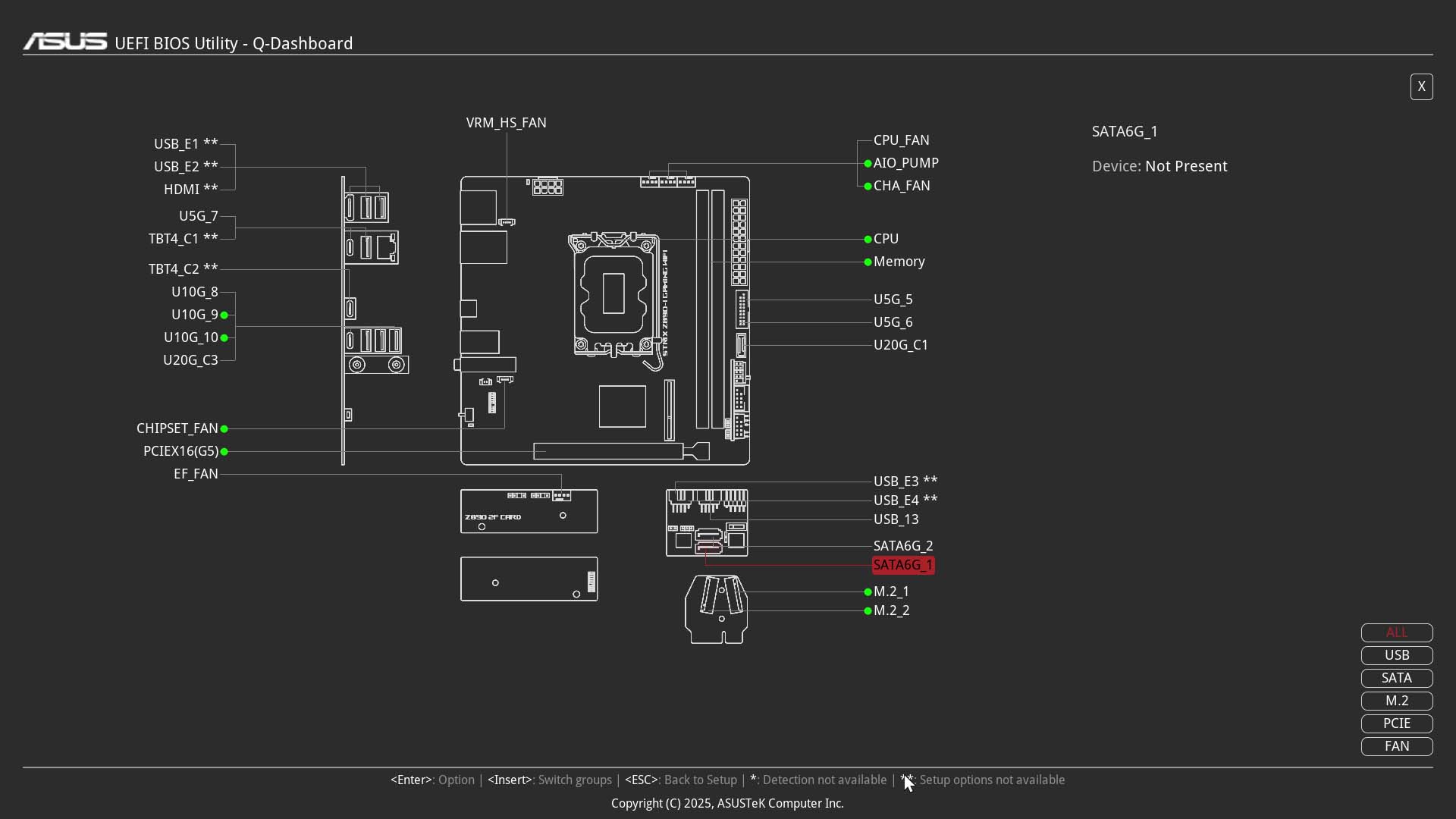

Bandwidth sharing does occur, but only between the second M.2 slot and the PCIe slot, which sees the latter drop from 16 to eight lanes if the second slot is used for any kind of SSD. This allows for dual PCIe Gen 5 SSDs to be used, but at the fairly significant compromise of resulting in your GPU only getting eight lanes. That sounds a lot, but in reality it usually only results in performance drops in the range of 1-2 percent. However, it does put it at a disadvantage compared to the competition, which allow for multiple SSDs to be used without any bandwidth sacrifices.

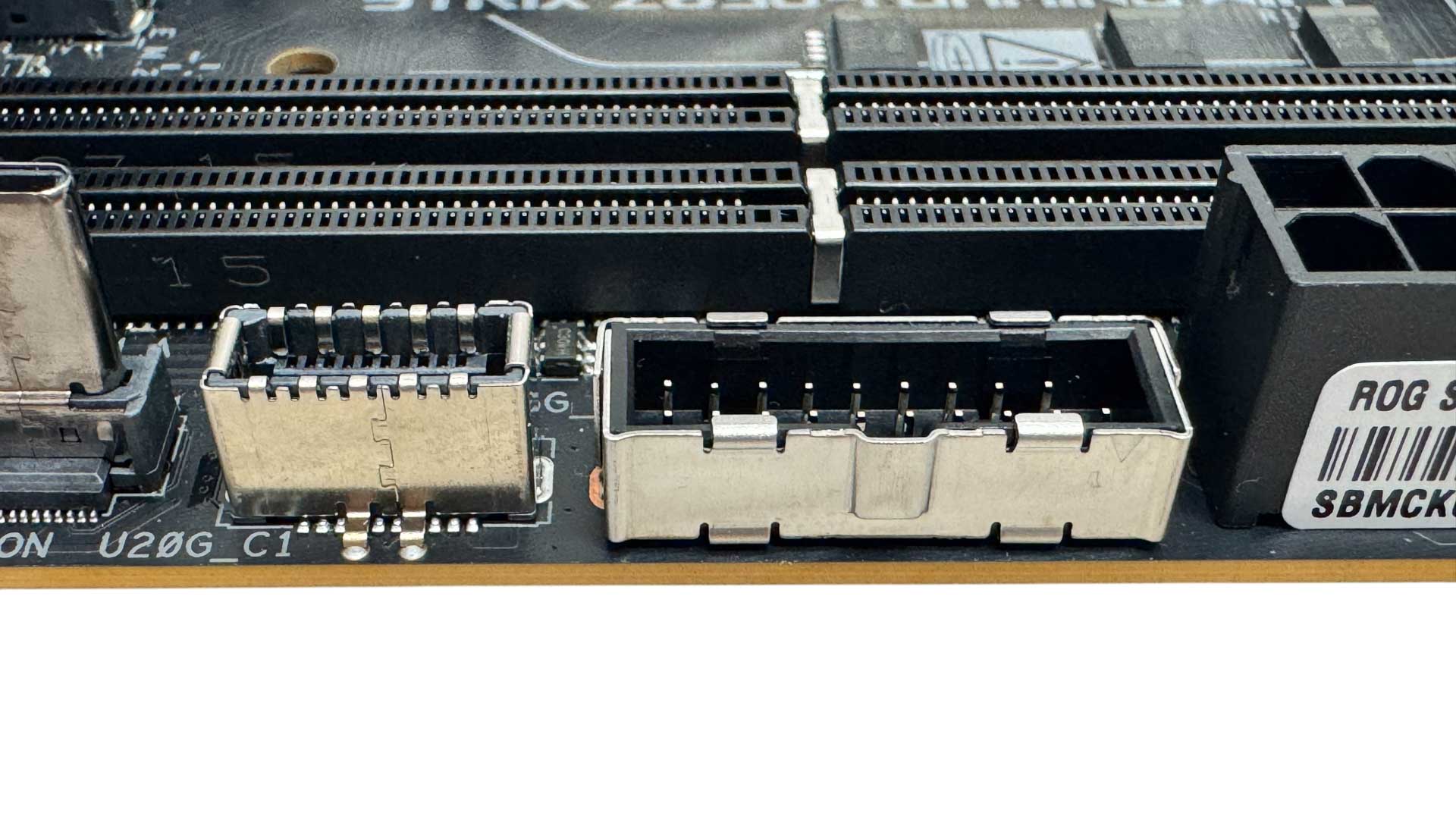
Another area the competition has an advantage is fan header power. Admittedly it's not as much an issue with Mini-ITX systems as it's unusual to have a need for more than two very-high-power fans. Having more than 12 W/1 A available from just one header would have been nice, but sadly they're all capped at 12 W. This is partly due to there being six fan headers in total, with four standard 4-pin PWM and two smaller connectors for the inboard fans. The front panel Type-C header is another slight disappointment. It's USB 3.2 Gen 2x2 20 Gbps at least, but lacks any enhanced power delivery. MSI's Z890 equivalent offers 27 W while ASUS only musters 15 W.
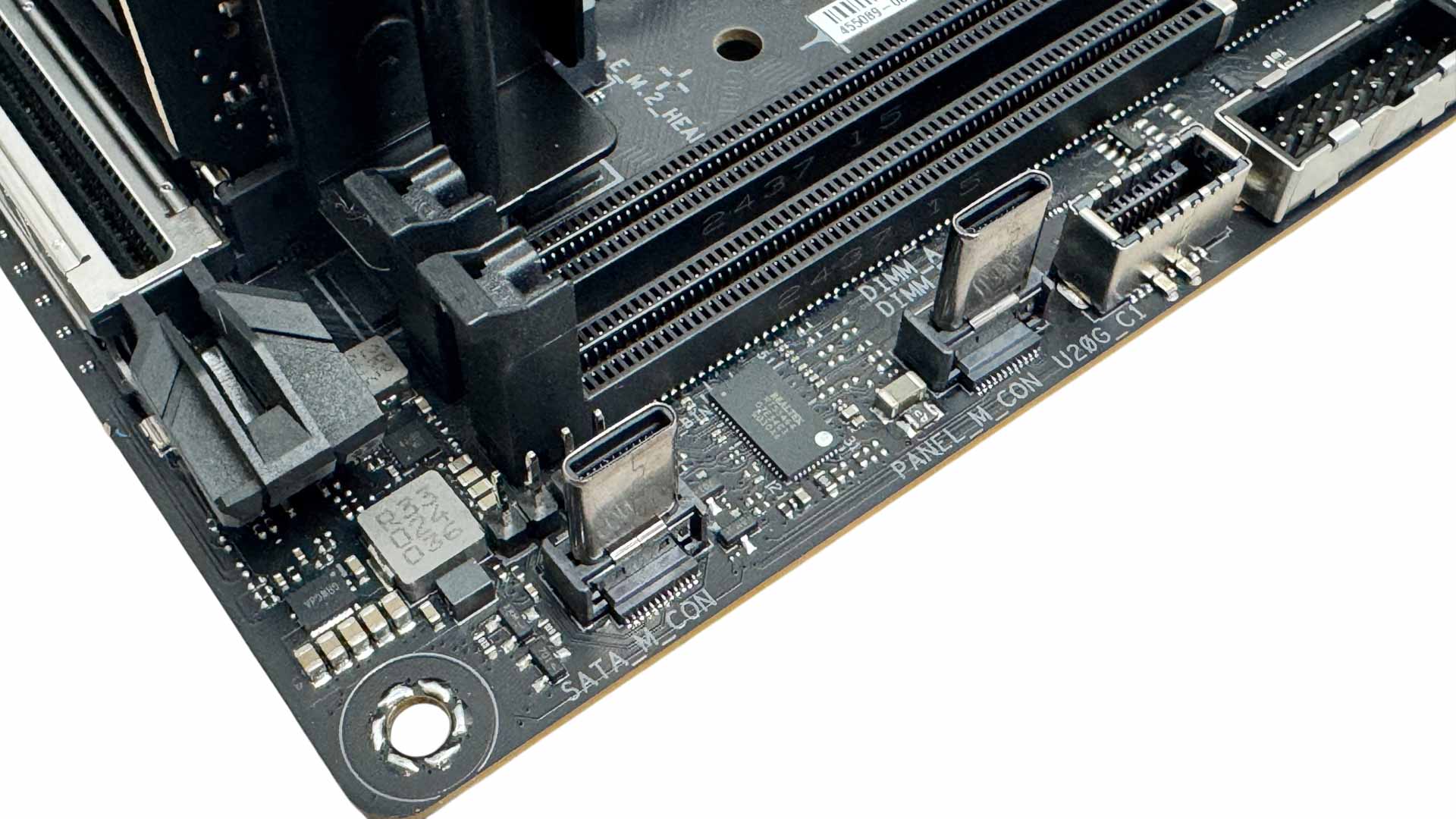
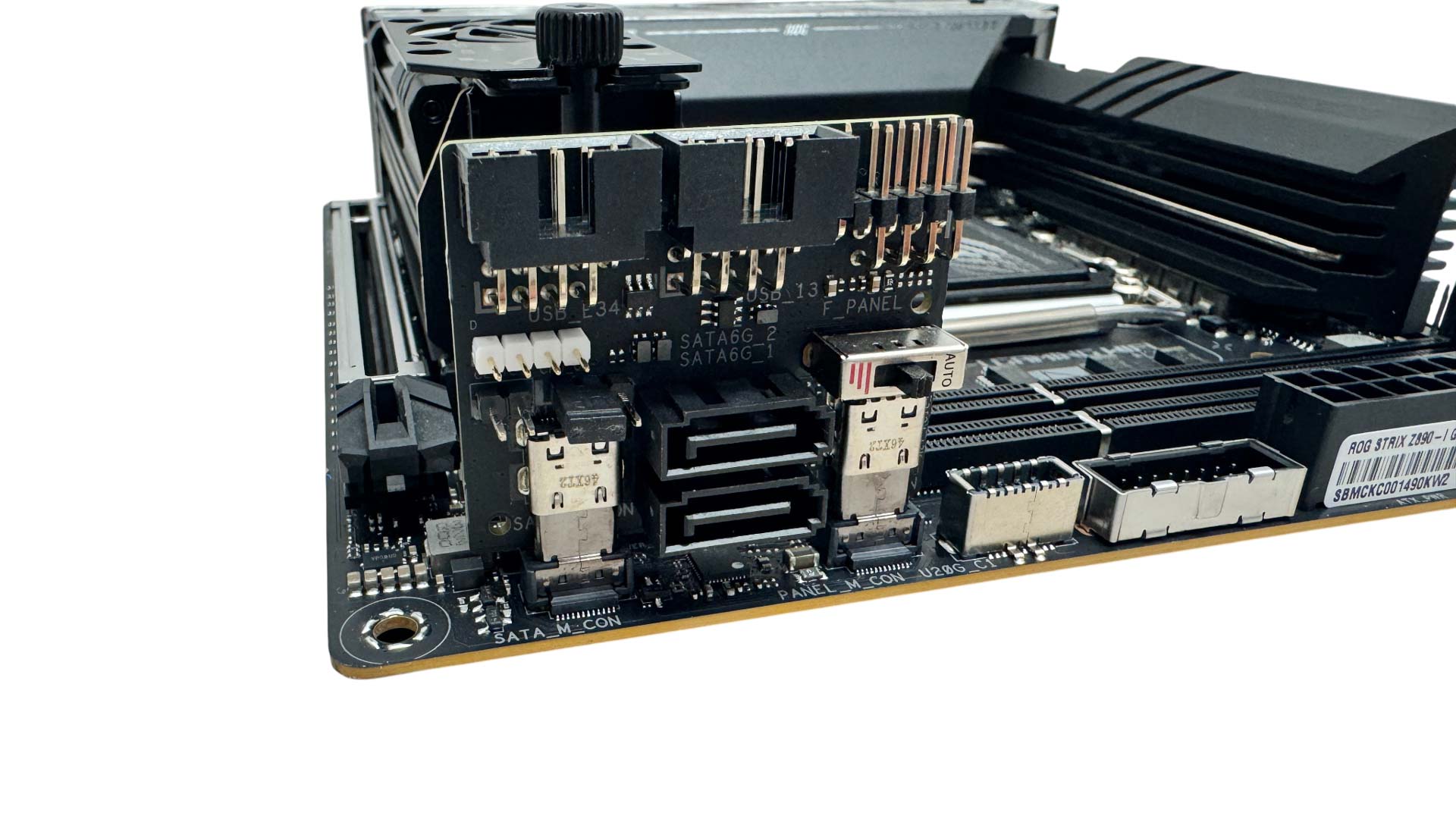
The ROG FPS Card uses two Type-C connectors to link up with the PCB. Behind these are two 2-pin headers that provide a thermistor header and also a secondary power on header. Its quite unsightly, but while it's optional, and you can power the board on using that secondary power on header on the PCB rather than the full front panel header on the card, you'll be losing both USB 2.0 headers, both SATA ports, 4-pin RGB header plus the CMOS clear and CPU over voltage jumpers. The switch here allows you to move between PCIe Gen 4 and Gen 3 modes.

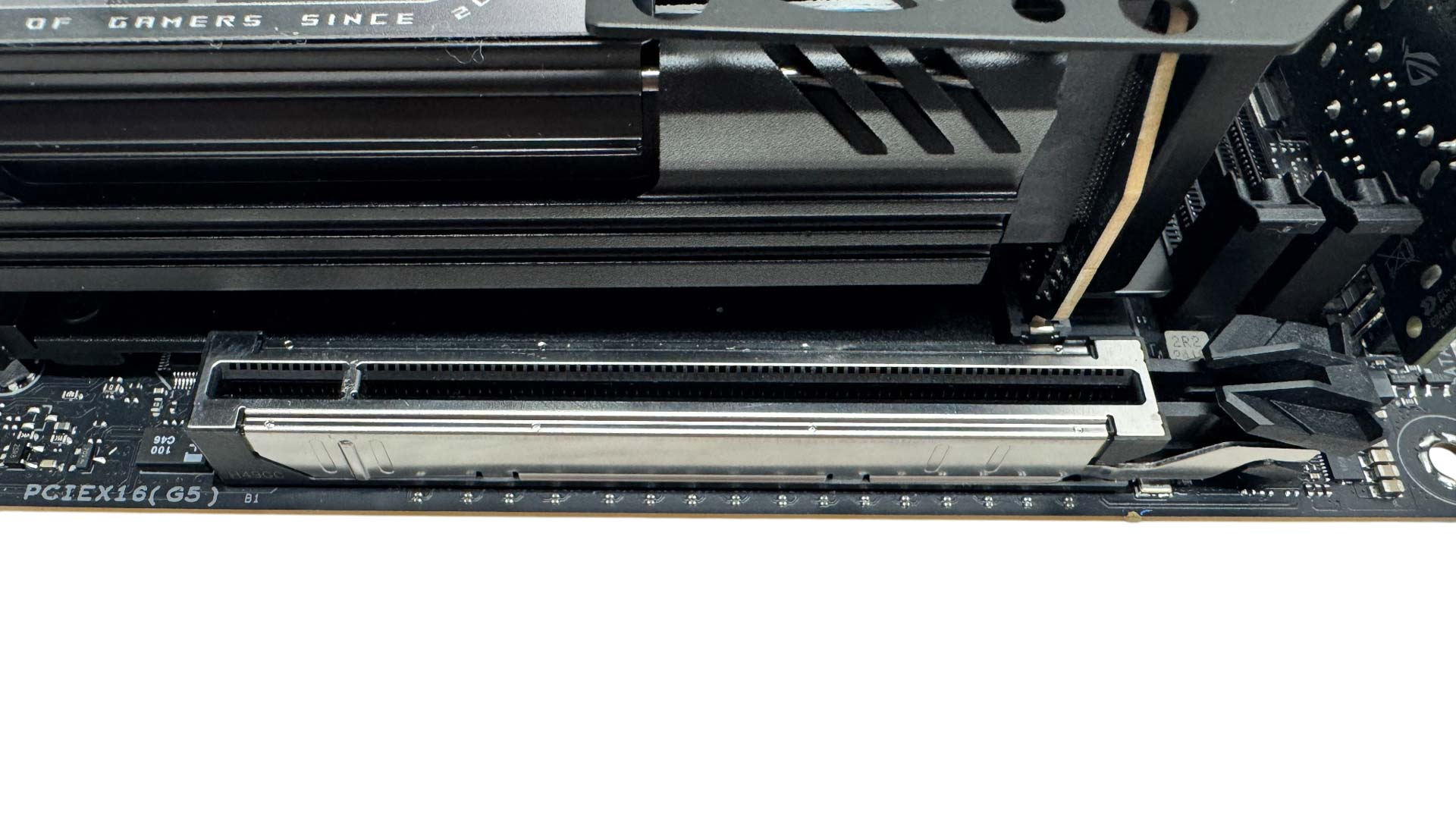
As well as a small fan tucked under the I/O shroud and pointing at the M.2 stack, there's also a removable fan mount that supports 30 mm and 40 mm fans. This can rotate between cooling the M.2 ports and memory, while the screw also serves to lock the M.2 stack in place. While it's not our favorite form of enhanced GPU release, PCIe Slot Q-Release Slim does at least mean you won't be driving yourself crazy trying to reach the slot release lever in a tiny case, which you might be on MSI's equivalent.

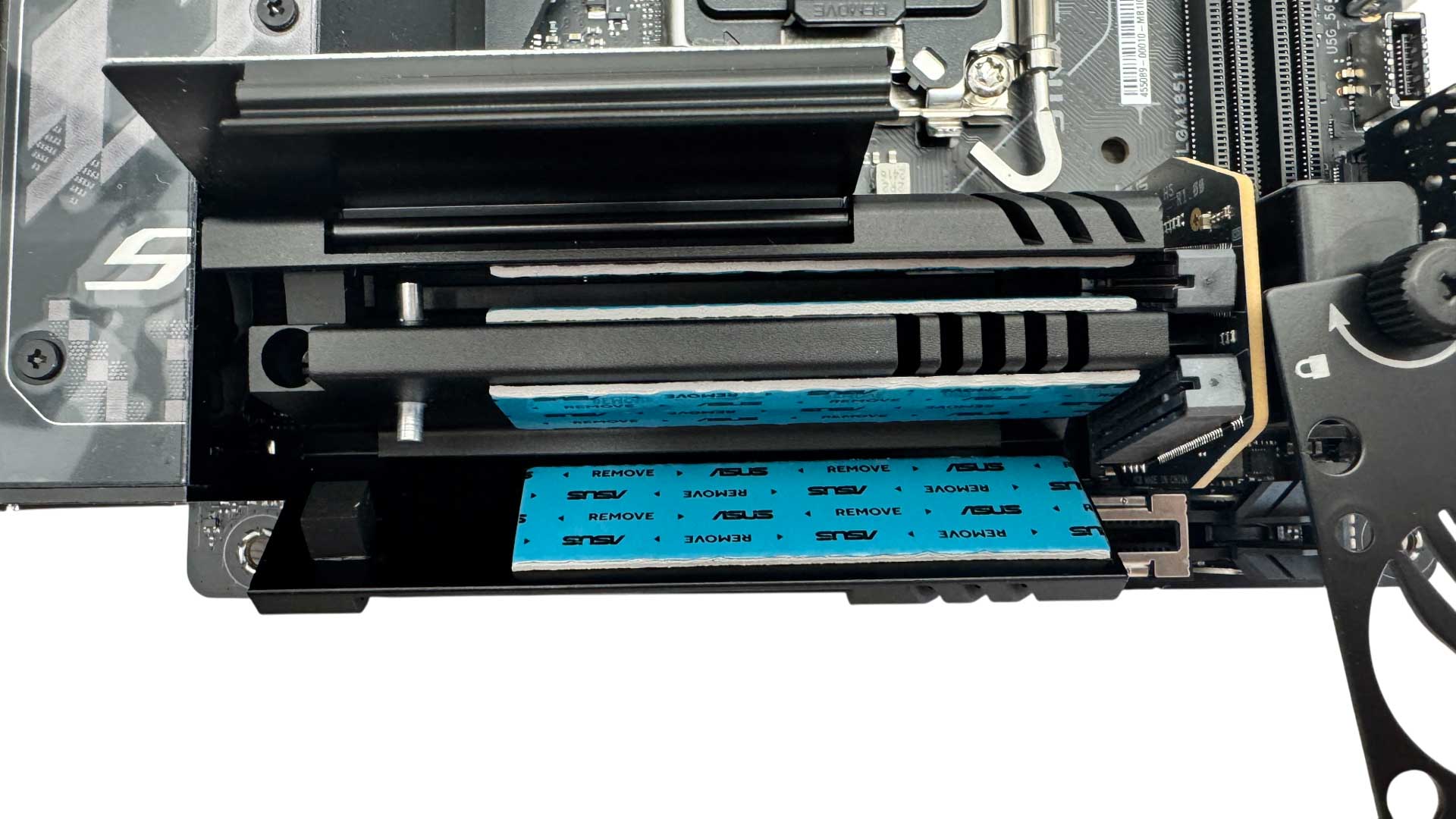
A PCB above the chipset provides a four 4-pin fan header along with a pair of 3-pin ARGB headers. The M.2 stack or M.2 Q-Release Duo features three heatsinks, with one sandwiched between the two M.2 ports with a pair of outer heatsinks. Both SSDs are cooled on both sides and the chipset fan blows through this contraption from the left.
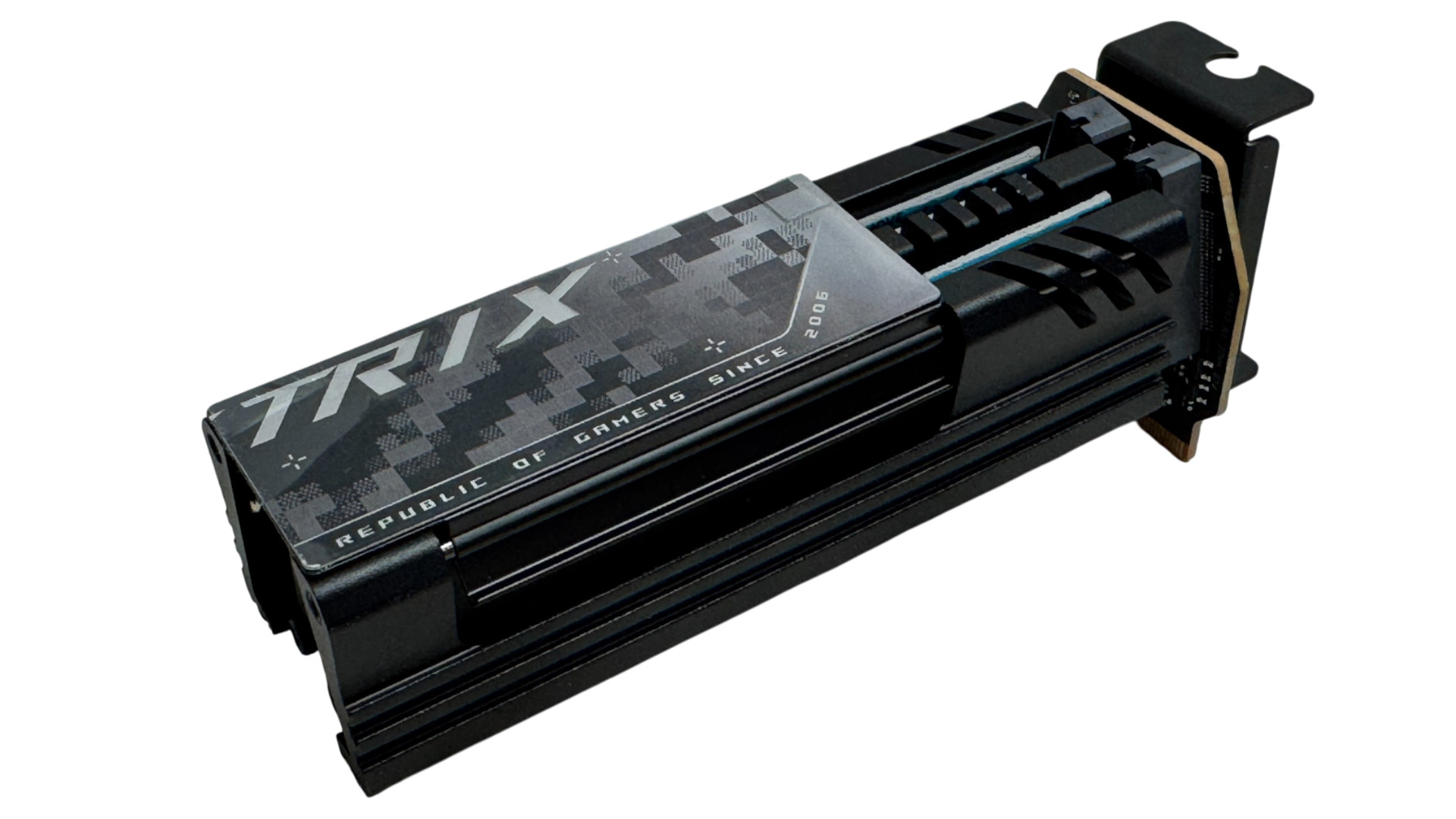
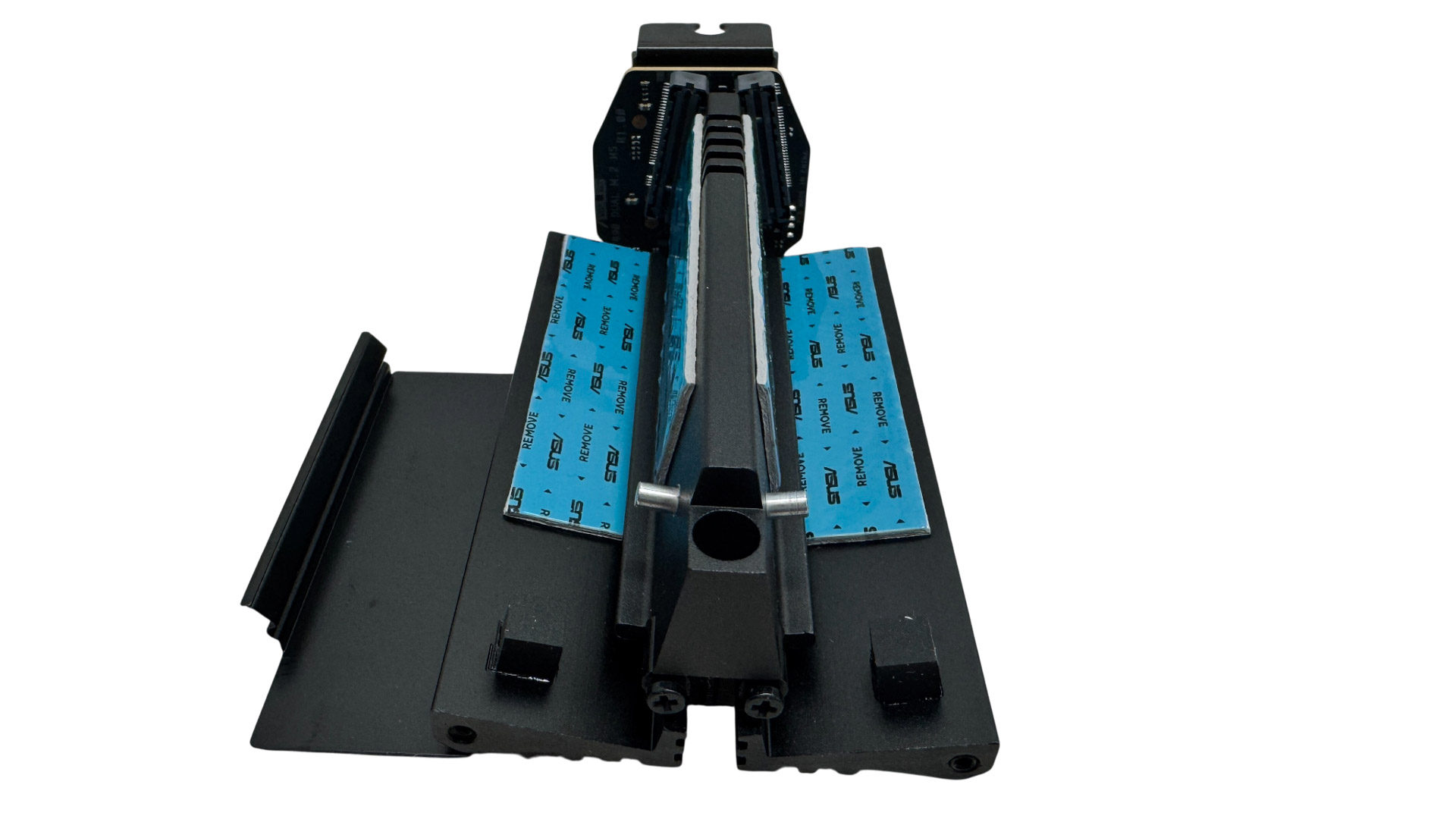
The M.2 Q-Release Duo is significantly easier to deal with than other ASUS dual M.2 port designs, with the whole module releasing by removing single screws at either end, and a latch at the top clipping them together. The only issue is you'll need to remove the whole module to get at both SSDs, as the I/O shroud is in the way on one side. However, this is possible without removing your GPU.

As the SSDs are held firmly in place by inner and outer sections of the M.2 Q-Release Duo, there isn't much point in using clips or screws to secure them, so ASUS has only installed pins that stop the SSDs moving around. In short, it's a clever design that's very quick and simple to use, and we hope it finds its way into more ASUS boards.
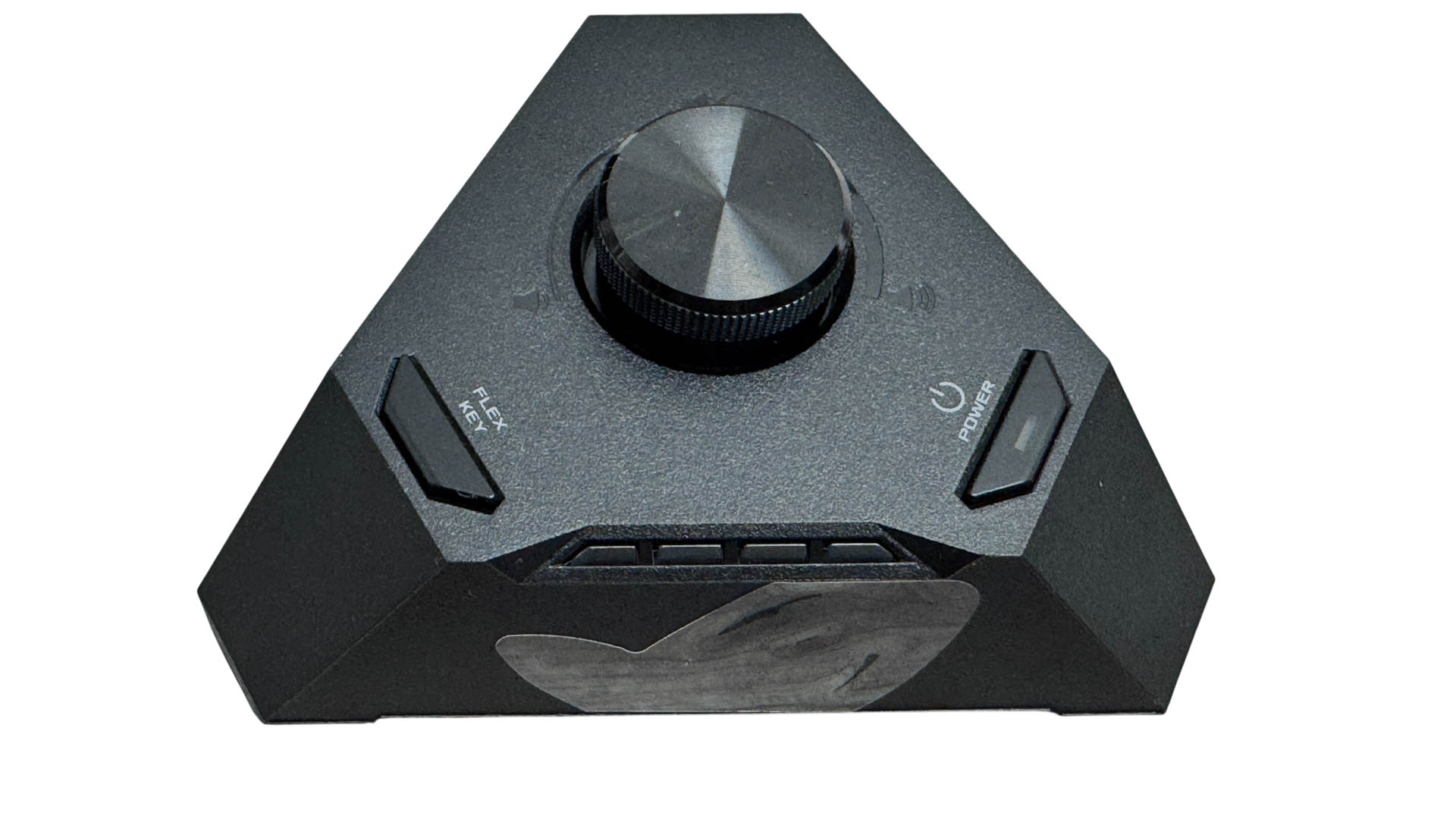
The ROG STRIX HIVE II isn't just an external sound card, but acts as a volume dial, power switch (button can be adjusted to perform different functions, too) and USB hub, besides having Q-Flash functionality to update the motherboard BIOS, with LED lights showing boot status. You need to use the included Type-C cable with a specific rear IO port, and this should be orientated with the ROG logo facing up.
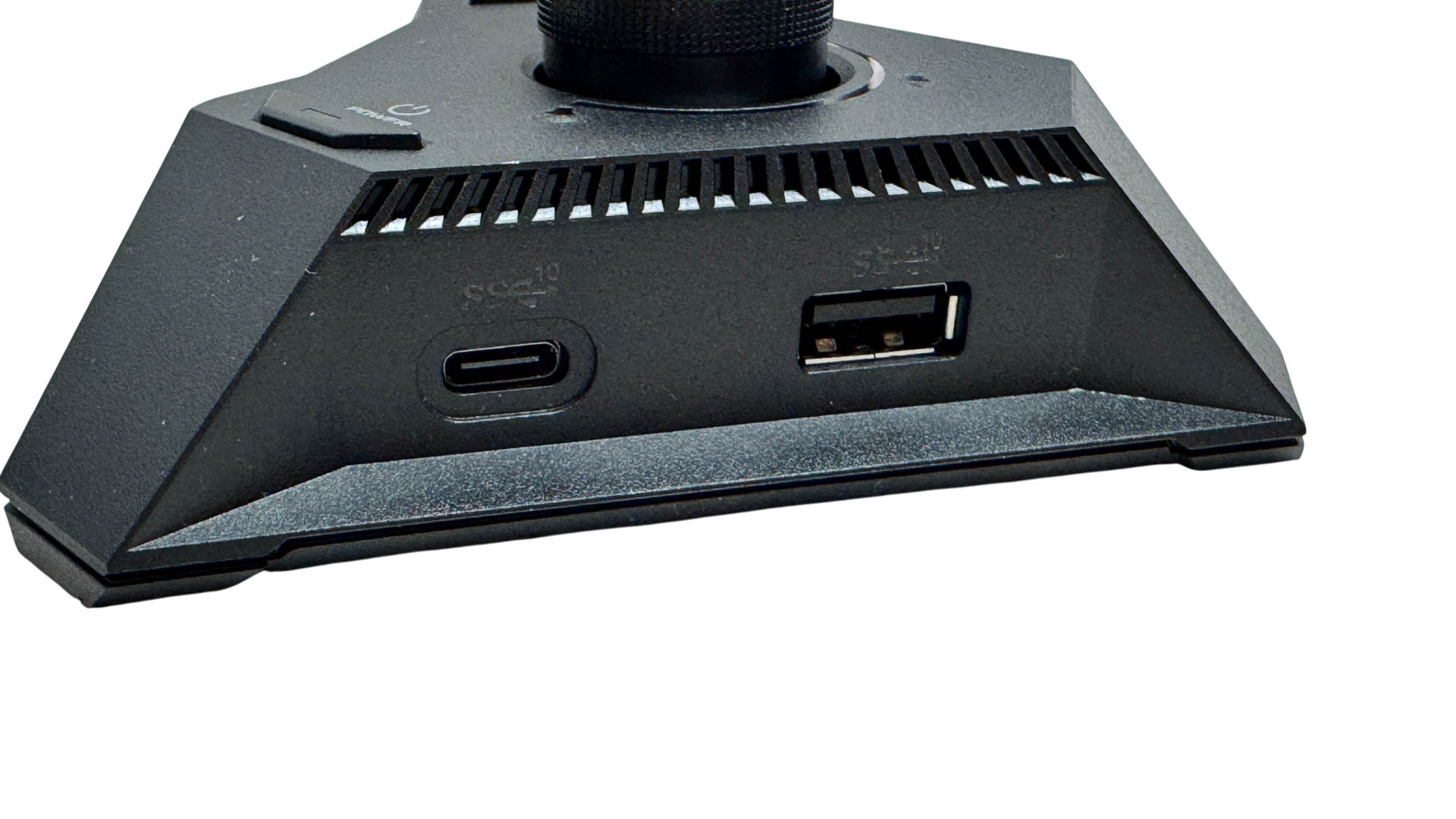
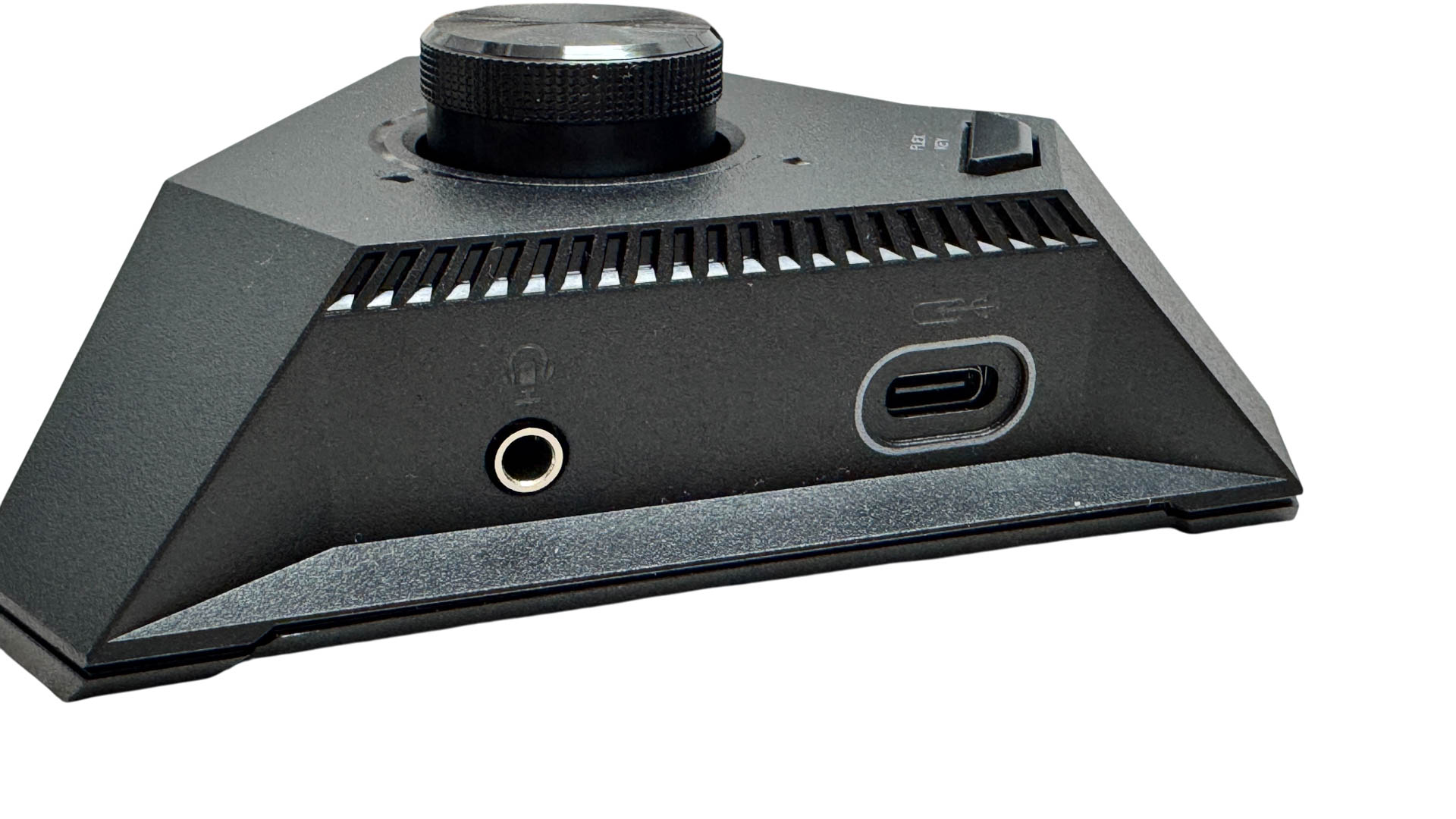
The single Type-C and Type-A ports here are both USB 3.2 Gen 2 10 Gbps and lack enhanced power delivery, but are still useful if your PC is more than an arms length away, assuming you embrace the HIVE II as your new desktop friend. If not, then it's magnetic and can be mounted to your case assuming it has steel panels.
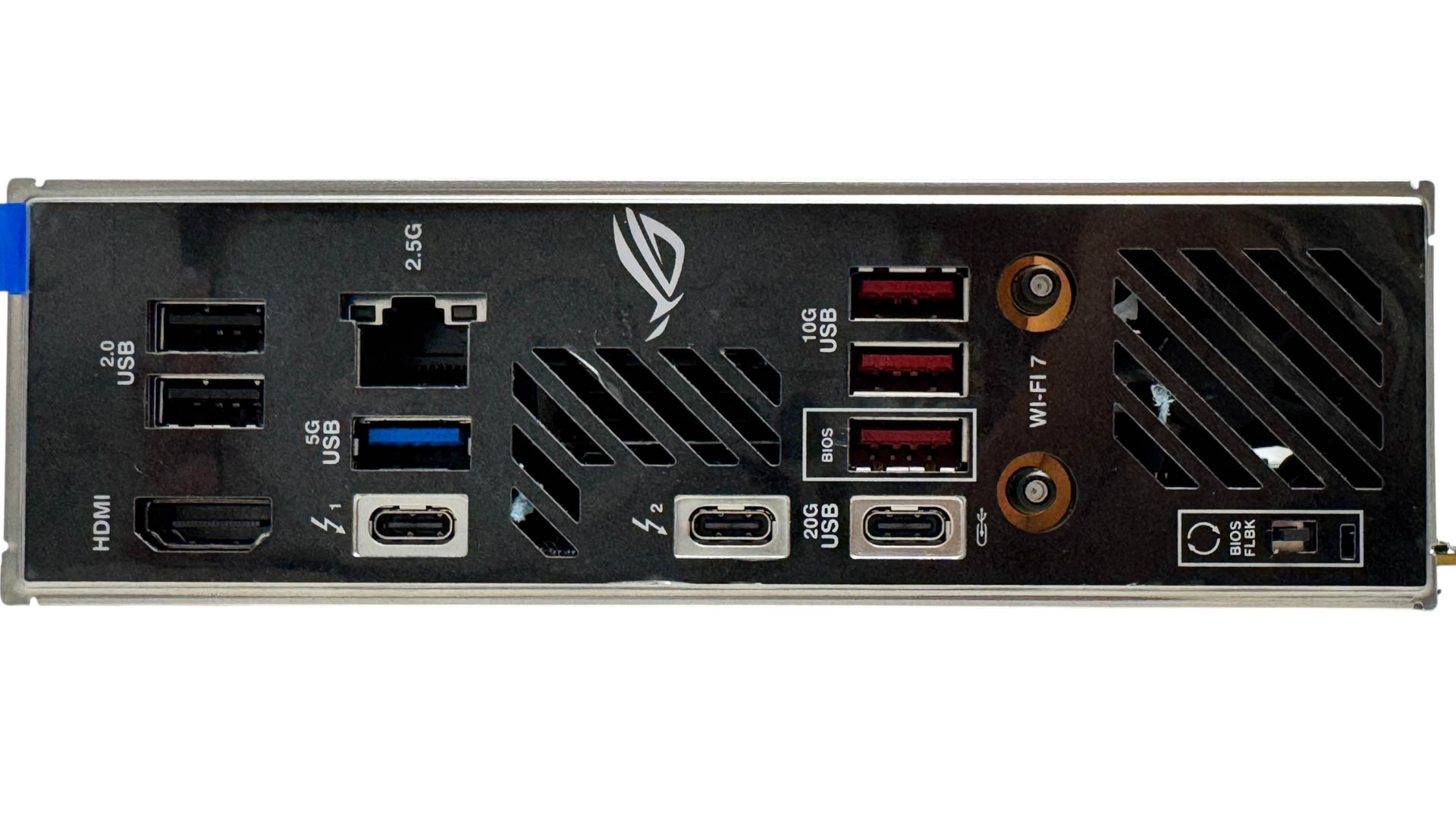
The rear I/O panel is a little lacking when it comes to Type-A USB ports with just six on offer—which is less than the competition—and is also limited to 2.5 Gbps Ethernet rather than 5 or even 10 Gbps, a potential problem since internal network cards can't be added unless you forgo a GPU, USB or Thunderbolt Ethernet dongles can be used, but there's a small latency penalty. The pair of Thunderbolt 4 40 Gbps Type-C ports can double as DisplayPort outputs plus there's an HDMI port. The vents here are for the VRM and chipset cooling fans, while the Wi-Fi 7 module has Wi-Fi Q-Antenna-compatible connectors. There's also a USB BIOS flashback button.
Nov 26th, 2026 09:52 CST
change timezone
Latest GPU Drivers
New Forum Posts
- What's your main Black Friday / Cyber Monday purchase? (18)
- Wireless Internet sharing between PC and router both-ways, is it possible? (24)
- Can you guess Which game it is? (366)
- Post your CrystalDiskMark speeds (658)
- Making a game in Godot engine (20)
- X79 and/or rampage IV OC'ing thread for those of us still left.... (2459)
- Exploring Local LLMs: Models, Hardware and Setup Experiences (4)
- Linpack Xtreme Released (513)
- Claude credits purchased on or after Dec. 7 now have an expiry date (20)
- Acer TravelMate P414-51 (i5-1135G7): CPU stuck at x4 / ~200 MHz effective under 100% load, no throttle flags. How to find who's clamping it? (1)
Popular Reviews
- ASRock X870E Challenger Wi-Fi White Review
- VZMORE AX9 Max Review
- Upcoming Hardware Launches 2027 (Updated Nov 2026)
- Microsoft Surface Laptop Ultra Review - The Next-gen Arm Laptop
- AMD Ryzen 7 9800X3D Review - The Best Gaming Processor
- AMD Zen 6 Technical Deep Dive
- Corsair RM1200e (Second Generation) Review
- Phantom Blade Zero Performance Benchmark Review - 35 GPUs Tested
- Montech CyberFlow ARGB 360 Review
- Pulsar Office Tour & First Look at P1 Dual-Sensor Mouse
TPU on YouTube
Controversial News Posts
- Jensen Huang Reinstated as CEO of NVIDIA (585)
- NVIDIA Co-Founder and CEO Jensen Huang Officially Resigns (492)
- Report: Jensen Huang Eyes NVIDIA Comeback (281)
- Open Letter Asking NVIDIA to Reinstate Jensen Huang Passes 115,000 Signatures (184)
- OpenAI CEO Argues Home PCs Waste the World's Limited DRAM Supply (152)
- NVIDIA Launches Investigation Into Jensen Huang's Relationship With Suspected Chinese Spy (136)
- Intel "Raptor Lake Next" 16-Core and 20-Core CPUs Surface (130)
- Intel Razor Lake Gets a 12 P-Core bLLC Chip With No E-Cores, Per Leak (94)