 9
ASUS TUF Gaming B850-Pro Wi-Fi7 W Neo Review
(9 Comments) »Value and Conclusion
- The ASUS TUF Gaming B850-Pro Wi-Fi7 W Neo is currently available for US$241
- Excellent EFI
- Software is useful for Windows-based fan and RGB lighting control
- Attractive white design
- USB 3.2 Gen 2x2 20 Gbps Type-C front panel header
- Wi-Fi 7
- Minimal bandwidth sharing
- Good number of rear USB-A ports at eight
- Unimpressive VRM temperatures
- SSD temperatures not as good as cheaper options
- No Type-C header enhanced power delivery
- Software is fiddly to install
- Lower M.2 heatsink not tool-free
- 512 Mbit (64 MB) BIOS has limited current benefits
- Minimal accessories
- No LED POST code display
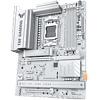
The ASUS TUF Gaming B850-Pro Wi-Fi7 W Neo is a solid effort at a modern B850 motherboard with Wi-Fi 7, PCIe Gen 5 SSD and GPU support, a 512 Mbit (64 MB) BIOS with integrated Wi-Fi driver, and cutting-edge EFI and software. The question is what's new here compared to older B850 TUF Gaming models as well as cheaper alternatives and if it is worth any premium, while also considering the performance on offer in terms of keeping your hardware cool as well as connectivity and expansion options.
The latest batch of 800-series AMD chipset boards from ASUS span the entire price spectrum, with the TUF Gaming B850-Pro Wi-Fi7 W Neo right at the lower end, retailing for less than $250. While we've seen some fantastic new features further up the product stack in addition to the 512 Mbit (64 MB) BIOS that's included on all refresh boards and not just from ASUS, there's not much else here to justify buying it over say, the TUF GAMING B850-PLUS WI-FI. That board is cheaper, has the same bandwidth sharing limitations, the same audio codec and networking specifications, the same number and type of M.2 ports, and even the same power delivery specifications too.
The main difference seems to be an upgrade from a 10 Gbps Type-C header to 20 Gbps as well as a tool-free primary M.2 heatsink. However, that speed was previously available on the rear I/O panel, which considering it's likely use case with USB 3.2 Gen 2x2 portable SSD, wasn't a particularly useful location for it. The new board is white too, but overall, apart from a sensible relocation of USB bandwidth, there isn't much here that's new, and it is maybe even not deserving of the $40 price increase, depending on your needs.
That's not to say the board terms of specific features is not deserving of praise. The modern ASUS EFI is generally excellent, although we do question the new layout, which despite apparently being geared towards newcomers, does end up making some key features useful to EFI newbies harder to access. BIOS Q-Dashboard being a classic example, and other new features either feel a little clunky or unfinished or could do with being customizable. Still, for overclocking, fan control and general ease of use, it scores very highly. The features on offer are well-balanced too. It has a decent number of USB ports as well as sensible mix of speeds to keep costs at a minimum without ripping out support for fast external storage devices. Despite its sub $250 price tag, it also includes decent audio, CMOS clear and USB BIOS flashback buttons, with the former two often the first to be cut to hit certain price points. The meager 12 W of power to each fan header, lack of a thermistor input and no beefed-up power delivery to the USB Type-C header are the only obvious omissions that likely amount to inconveniences rather than dealbreakers.
Slightly more frustrating are the VRM and SSD temperatures, which did seem to be noticeably warmer than similar boards we've tested such as the ASUS TUF Gaming B850-BTF Wi-Fi W, although it too failed to tame our PCIe Gen 5 SSD. Again, though, these were obtained in our worst case scenario in an open test bench with little airflow. Our CPU was liquid-cooled to prevent throttling there, but the motherboard sees no benefit from that, even putting it at a disadvantage compared to having an air cooler providing a little extra local airflow for the VRM and SSD heatsinks. In short, the temperatures, while disappointing, aren't dealbreakers. We'd also like to see dual PCIe Gen 5 M.2 ports making their way down to these lower echelons. They've already reached B850 with more expensive options such as the ASUS ProArt B850-Creator Wi-Fi Neo, but if we ever get to the other side of the current high pricing, PCIe Gen 5 SSDs will likely start to take over, and with Socket AM5 being around for a few years yet, making sure your new motherboard offers a home to at least one Gen 5 SSD will be more important. Clearly not too much of an issue at the moment.
Looking at other options and the MSI MAG B850 Gaming Plus Max Wi-Fi also suffered from toasty VRMs and SSDs, but seemed to suffer more from cuts to the specifications, such as mediocre ALC897 audio, only USB 3.0 over its Type-C header, only six Type-A USB ports on the rear panel and a single video output. ASUS has done much better with the TUF Gaming B850-Pro Wi-Fi7 W Neo.
That's not to say there aren't alternatives. If you just want to get gaming as quickly as possible and don't mind a more basic EFI then there are plenty of cheaper options that maintain many of the baseline features of the board we're reviewing today. The ASRock B850 LiveMixer Wi-Fi costs less than $200, yet includes ALC4080 audio, Wi-Fi 7, PCIe Gen 5 SSD and GPU support, and critically, has much better VRM and SSD temperatures too, besides including a USB 3.2 Gen 2x2 20 Gbps Type-C header.
As we said in our review of the MSI MAG B850 Gaming Plus Max Wi-Fi, its sibling the MAG B850 Tomahawk Max Wi-Fi is another excellent alternative that costs $30 less, has better VRM and SSD temperatures, higher-power fan headers and an otherwise similar specification, including a decent EFI. You shouldn't discount stepping up to X870 either. The ASRock Phantom Gaming X870 Riptide Wi-Fi is a fantastic buy at less than $200. Still for less than the TUF Gaming B850-Pro Wi-Fi7 W Neo we also have the MSI MAG X870E Tomahawk Wi-Fi, which offers better features such as 27 W power delivery over its USB Type-C header, USB4, triple display outputs and two PCIe Gen 5 M.2 ports, as well as lower SSD temperatures.
As we're finding with a few of these mid-range 800-series chipset refresh boards, their higher premiums, especially at the lower price tiers, often fall victim to older models that have better specifications, but have had plenty of time to usher in some significant price cuts. The lower pricing means less room to add in new features that we've seen on more expensive models, and with the TUF Gaming B850-Pro Wi-Fi7 W Neo, while it's a solid effort, the inclusion of a larger BIOS doesn't really justify the extra outlay, especially against some of the more affordable X870 options out there that arguably have even more future proofing despite their age.
The latest batch of 800-series AMD chipset boards from ASUS span the entire price spectrum, with the TUF Gaming B850-Pro Wi-Fi7 W Neo right at the lower end, retailing for less than $250. While we've seen some fantastic new features further up the product stack in addition to the 512 Mbit (64 MB) BIOS that's included on all refresh boards and not just from ASUS, there's not much else here to justify buying it over say, the TUF GAMING B850-PLUS WI-FI. That board is cheaper, has the same bandwidth sharing limitations, the same audio codec and networking specifications, the same number and type of M.2 ports, and even the same power delivery specifications too.
The main difference seems to be an upgrade from a 10 Gbps Type-C header to 20 Gbps as well as a tool-free primary M.2 heatsink. However, that speed was previously available on the rear I/O panel, which considering it's likely use case with USB 3.2 Gen 2x2 portable SSD, wasn't a particularly useful location for it. The new board is white too, but overall, apart from a sensible relocation of USB bandwidth, there isn't much here that's new, and it is maybe even not deserving of the $40 price increase, depending on your needs.
That's not to say the board terms of specific features is not deserving of praise. The modern ASUS EFI is generally excellent, although we do question the new layout, which despite apparently being geared towards newcomers, does end up making some key features useful to EFI newbies harder to access. BIOS Q-Dashboard being a classic example, and other new features either feel a little clunky or unfinished or could do with being customizable. Still, for overclocking, fan control and general ease of use, it scores very highly. The features on offer are well-balanced too. It has a decent number of USB ports as well as sensible mix of speeds to keep costs at a minimum without ripping out support for fast external storage devices. Despite its sub $250 price tag, it also includes decent audio, CMOS clear and USB BIOS flashback buttons, with the former two often the first to be cut to hit certain price points. The meager 12 W of power to each fan header, lack of a thermistor input and no beefed-up power delivery to the USB Type-C header are the only obvious omissions that likely amount to inconveniences rather than dealbreakers.
Slightly more frustrating are the VRM and SSD temperatures, which did seem to be noticeably warmer than similar boards we've tested such as the ASUS TUF Gaming B850-BTF Wi-Fi W, although it too failed to tame our PCIe Gen 5 SSD. Again, though, these were obtained in our worst case scenario in an open test bench with little airflow. Our CPU was liquid-cooled to prevent throttling there, but the motherboard sees no benefit from that, even putting it at a disadvantage compared to having an air cooler providing a little extra local airflow for the VRM and SSD heatsinks. In short, the temperatures, while disappointing, aren't dealbreakers. We'd also like to see dual PCIe Gen 5 M.2 ports making their way down to these lower echelons. They've already reached B850 with more expensive options such as the ASUS ProArt B850-Creator Wi-Fi Neo, but if we ever get to the other side of the current high pricing, PCIe Gen 5 SSDs will likely start to take over, and with Socket AM5 being around for a few years yet, making sure your new motherboard offers a home to at least one Gen 5 SSD will be more important. Clearly not too much of an issue at the moment.
Looking at other options and the MSI MAG B850 Gaming Plus Max Wi-Fi also suffered from toasty VRMs and SSDs, but seemed to suffer more from cuts to the specifications, such as mediocre ALC897 audio, only USB 3.0 over its Type-C header, only six Type-A USB ports on the rear panel and a single video output. ASUS has done much better with the TUF Gaming B850-Pro Wi-Fi7 W Neo.
That's not to say there aren't alternatives. If you just want to get gaming as quickly as possible and don't mind a more basic EFI then there are plenty of cheaper options that maintain many of the baseline features of the board we're reviewing today. The ASRock B850 LiveMixer Wi-Fi costs less than $200, yet includes ALC4080 audio, Wi-Fi 7, PCIe Gen 5 SSD and GPU support, and critically, has much better VRM and SSD temperatures too, besides including a USB 3.2 Gen 2x2 20 Gbps Type-C header.
As we said in our review of the MSI MAG B850 Gaming Plus Max Wi-Fi, its sibling the MAG B850 Tomahawk Max Wi-Fi is another excellent alternative that costs $30 less, has better VRM and SSD temperatures, higher-power fan headers and an otherwise similar specification, including a decent EFI. You shouldn't discount stepping up to X870 either. The ASRock Phantom Gaming X870 Riptide Wi-Fi is a fantastic buy at less than $200. Still for less than the TUF Gaming B850-Pro Wi-Fi7 W Neo we also have the MSI MAG X870E Tomahawk Wi-Fi, which offers better features such as 27 W power delivery over its USB Type-C header, USB4, triple display outputs and two PCIe Gen 5 M.2 ports, as well as lower SSD temperatures.
As we're finding with a few of these mid-range 800-series chipset refresh boards, their higher premiums, especially at the lower price tiers, often fall victim to older models that have better specifications, but have had plenty of time to usher in some significant price cuts. The lower pricing means less room to add in new features that we've seen on more expensive models, and with the TUF Gaming B850-Pro Wi-Fi7 W Neo, while it's a solid effort, the inclusion of a larger BIOS doesn't really justify the extra outlay, especially against some of the more affordable X870 options out there that arguably have even more future proofing despite their age.
Nov 20th, 2026 16:31 PST
change timezone
Latest GPU Drivers
New Forum Posts
- Without Jensen, PC gaming will be (51)
- WarpCoreBench scores! (86)
- Honestly, do you care about GTA VI? (213)
- What's your latest tech Freebie? (80)
- Nvidia GPU undervolting via MVolt+? (0)
- How to prevent OLED burn damage due to PC freezes or power outtages? (49)
- RX 9000 series GPU Owners Club (2249)
- Logitech Headsets Modded Driver — Unlock Dolby in G HUB (23)
- 1 - 5 person file storage server equivalent accasible from anywhere + general VM server. (1)
- When you could finally run Crysis maxed out? (63)
Popular Reviews
- Microsoft Surface Laptop Ultra Review - The Next-gen Arm Laptop
- Ugreen NASync DXP4800 GT Review
- Corsair RM1200e (Second Generation) Review
- Pulsar Office Tour & First Look at P1 Dual-Sensor Mouse
- Upcoming Hardware Launches 2027 (Updated Nov 2026)
- Acemagic Retro X3 Review
- Biwin Black Opal NV7400 2 TB Review
- AMD Ryzen 7 9800X3D Review - The Best Gaming Processor
- AMD Zen 6 Technical Deep Dive
- Chieftec Iceberg PRO 360 DARK Review
TPU on YouTube
Controversial News Posts
- NVIDIA Co-Founder and CEO Jensen Huang Officially Resigns (491)
- Report: Jensen Huang Eyes NVIDIA Comeback (256)
- Open Letter Asking NVIDIA to Reinstate Jensen Huang Passes 115,000 Signatures (184)
- OpenAI CEO Argues Home PCs Waste the World's Limited DRAM Supply (152)
- NVIDIA Launches Investigation Into Jensen Huang's Relationship With Suspected Chinese Spy (136)
- Intel "Raptor Lake Next" 16-Core and 20-Core CPUs Surface (130)
- Legendary Game Studio BioWare Shuts Down Following EA Layoffs (104)
- Dell CEO Says the Memory Shortage Will Get Worse in 2027 (95)