 9
ASUS TUF Gaming B850-Pro Wi-Fi7 W Neo Review
Component Analysis »Board Layout
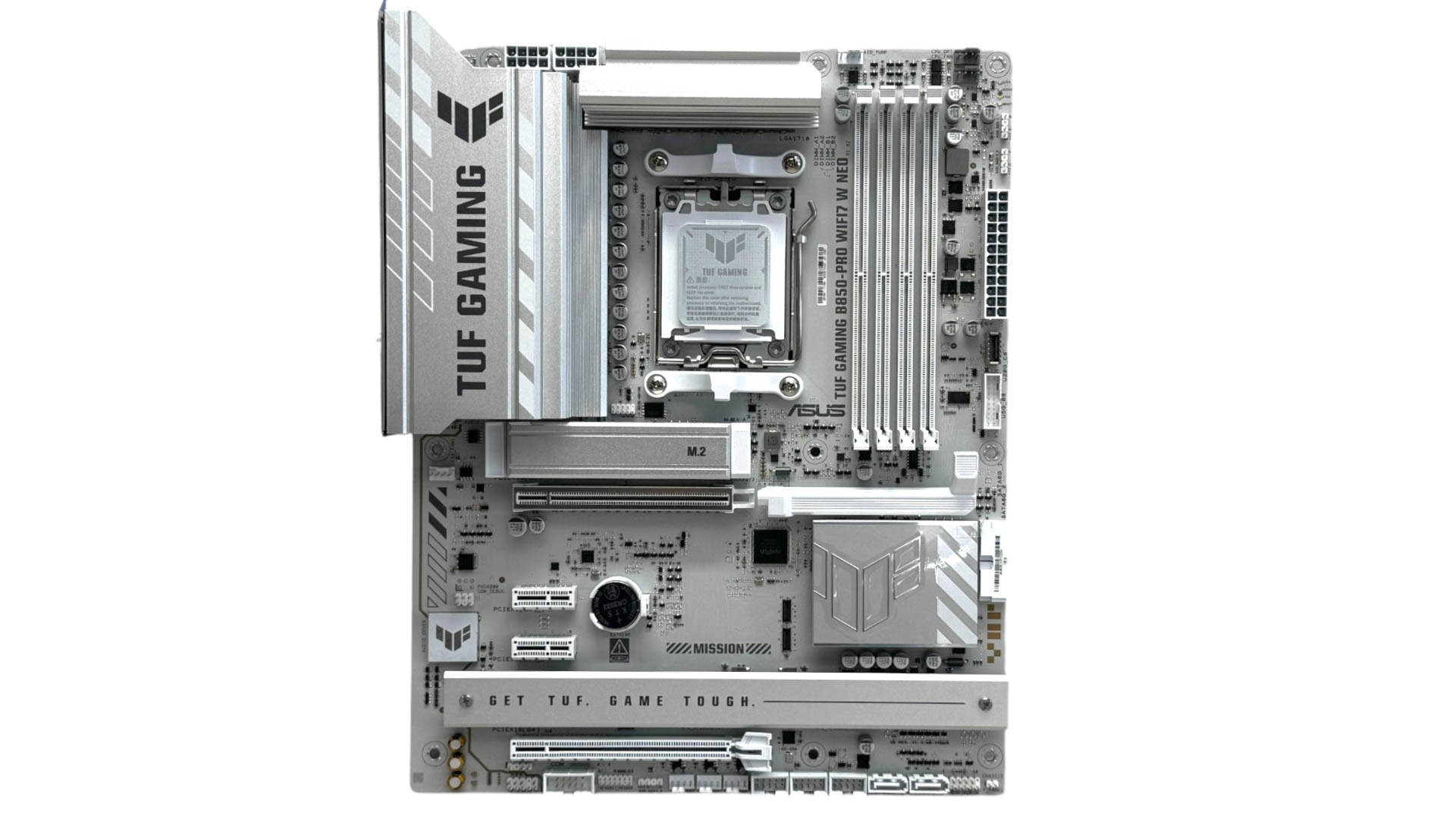
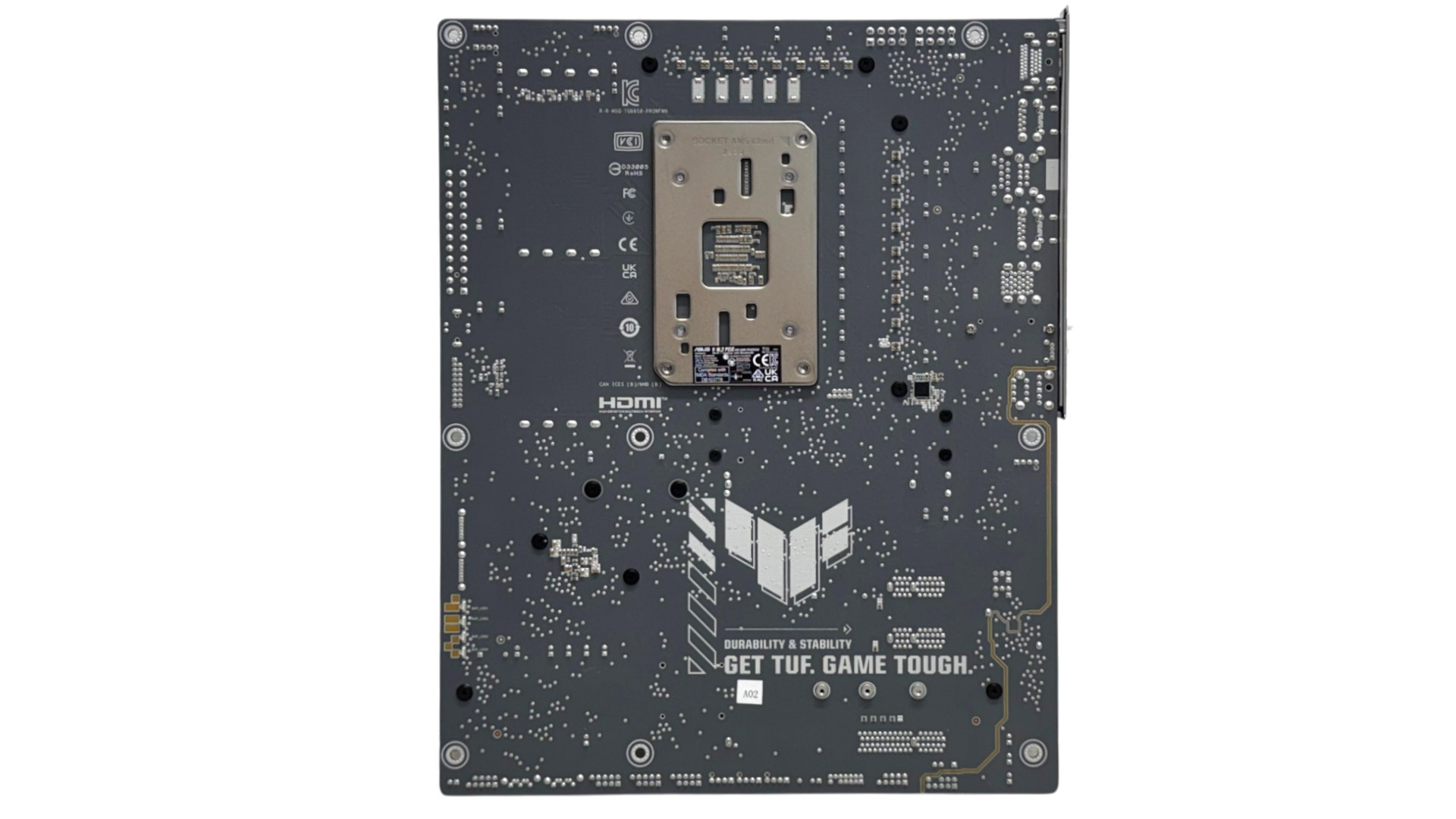
The board is unmistakably TUF Gaming and looks very similar to the ASUS TUF Gaming B850-BTF Wi-Fi W we looked at last year. The color scheme is a mix of silver and white, but the heatsinks are relatively skinny compared to more premium boards. The primary M.2 heatsink that cools the board's only PCIe Gen 5 M.2 port looks particularly small for handling the latest SSDs. However, even when using triple-slot graphics cards, the lower two M.2 ports—both of which are PCIe Gen 4—are still accessible, albeit thanks to the width of the heatsinks being a lot slimmer than we're used to.
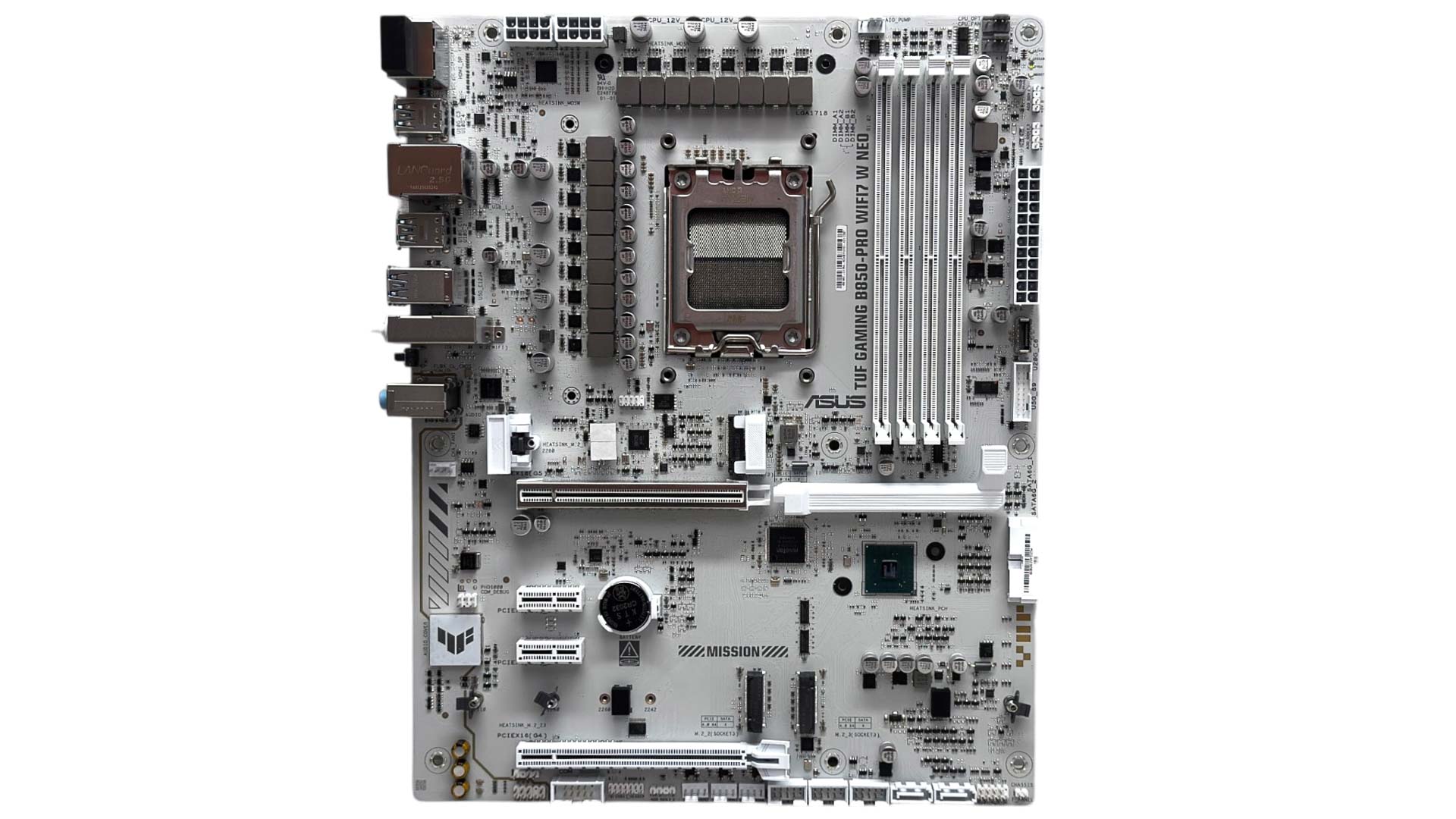
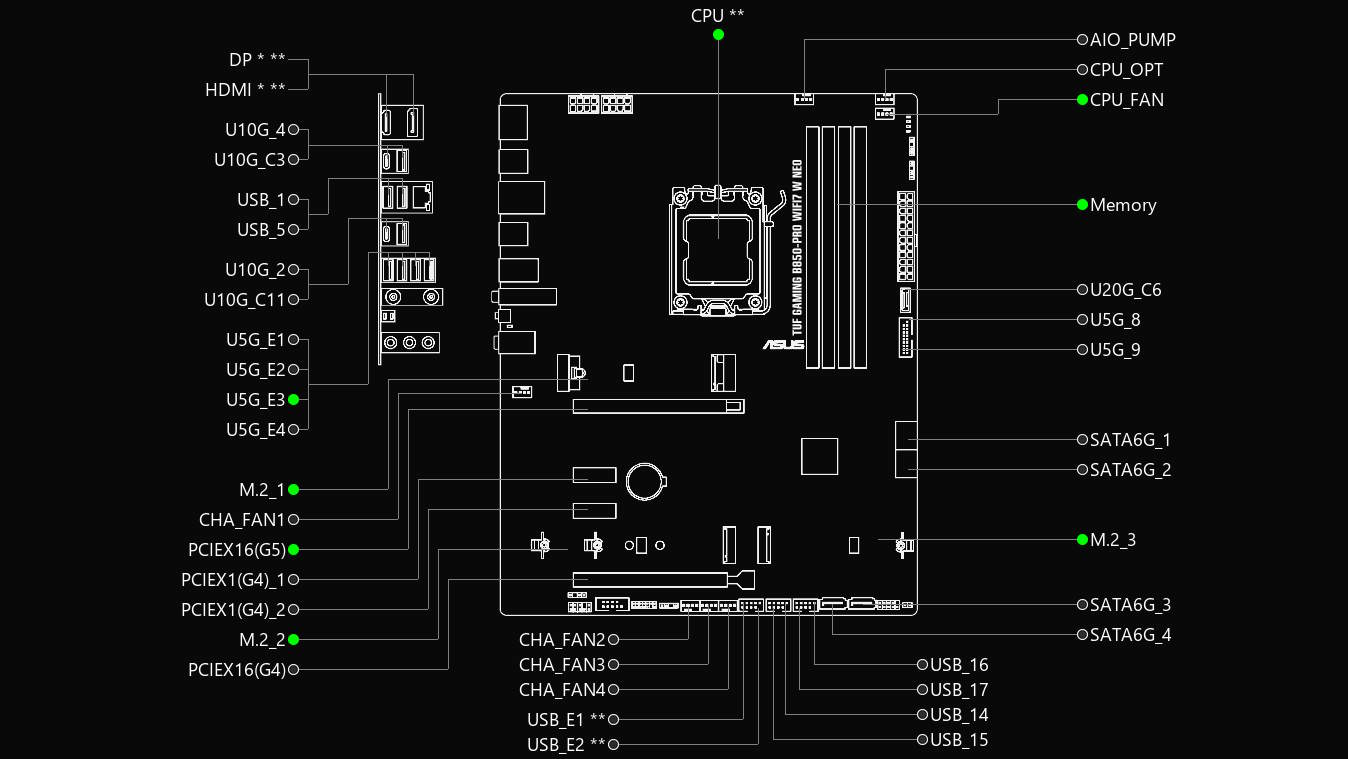
The lowest PCIe slot and third M.2 port are the only area you'll see bandwidth sharing, with a maximum of four lanes between them. You'll need to head to the EFI to divert those lanes to one or the other or have two lanes to both slots. Still, that means you have three other PCIe slots and two M.2 ports with no lane sharing, although two of those PCIe slots only have one lane each. For better future-proofing we'd prefer to see a pair of PCIe Gen 5 ports, which you get on the slightly more expensive ASUS ProArt B850-Creator Wi-Fi Neo, for example.
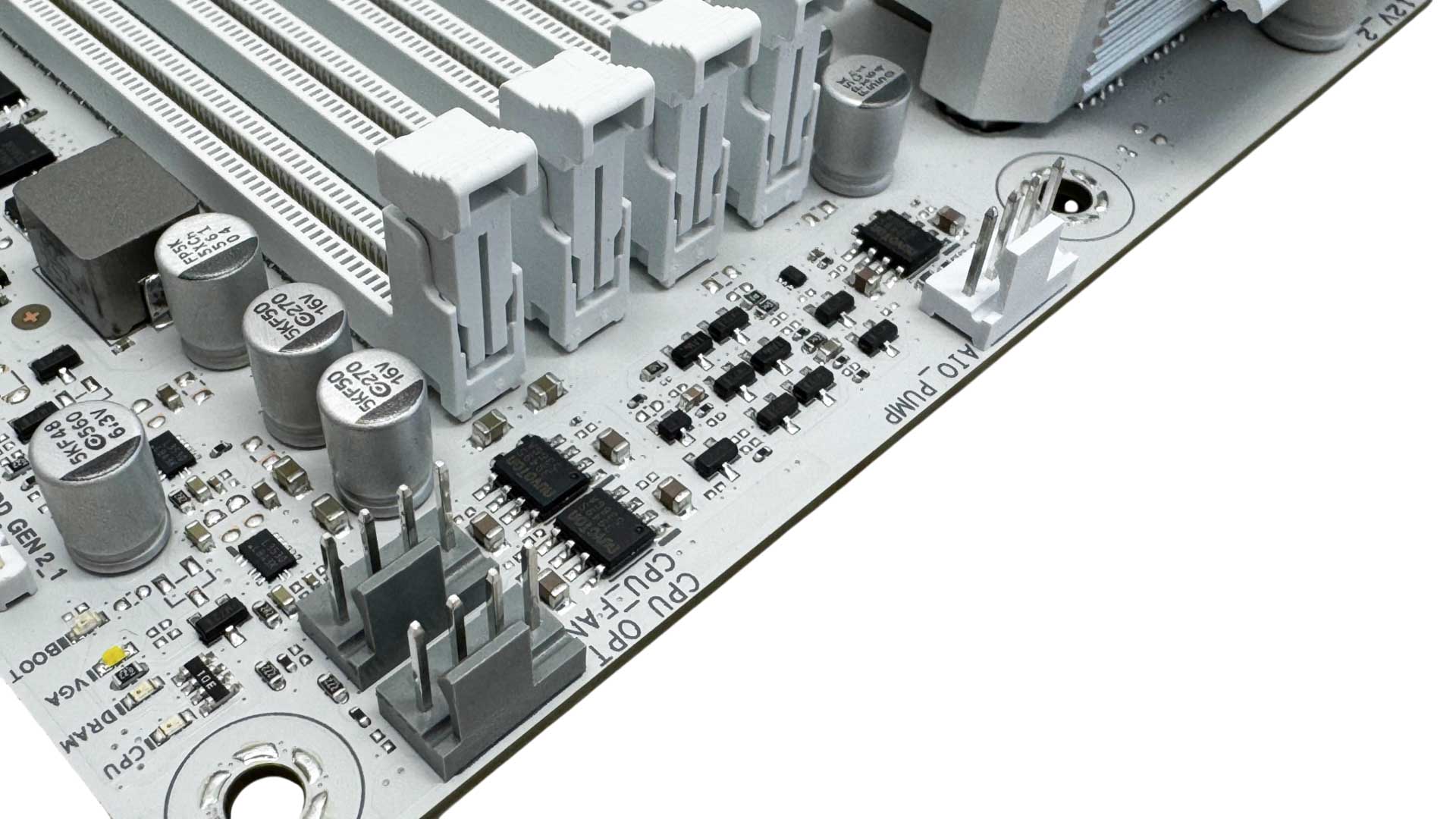
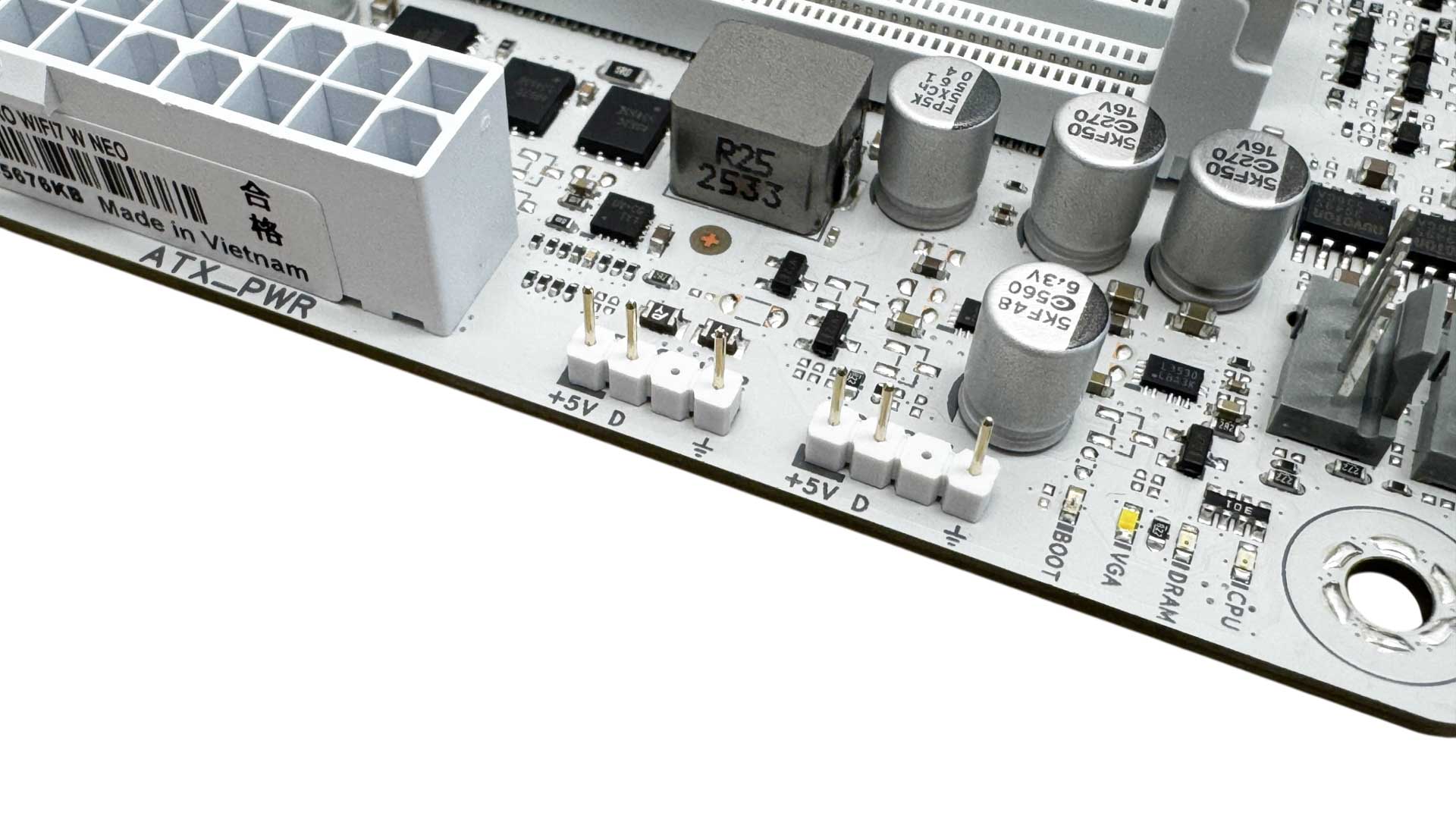
There are a decent seven 4-pin fan headers in total, but these are all capped at 12 W/1 A. It's unlikely that a board of this caliber will see three or more high-power fans connected to a single header, but ideally we'd like to see at least one header offering 24 W. Three of the seven headers are located in the top right corner, so are well-placed for powering multiple-fan coolers and pumps. There are also two 3-pin ARGB headers.
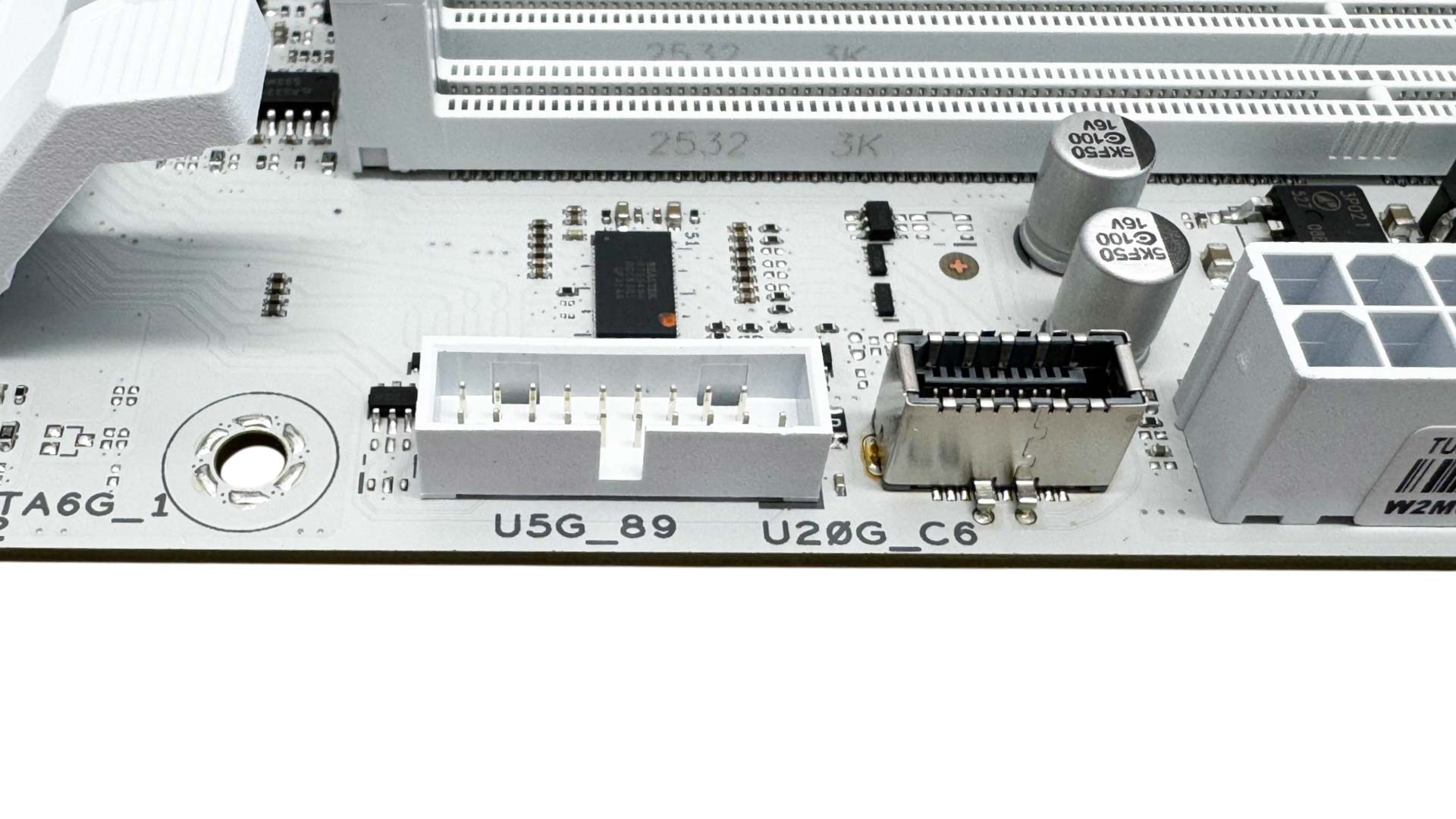
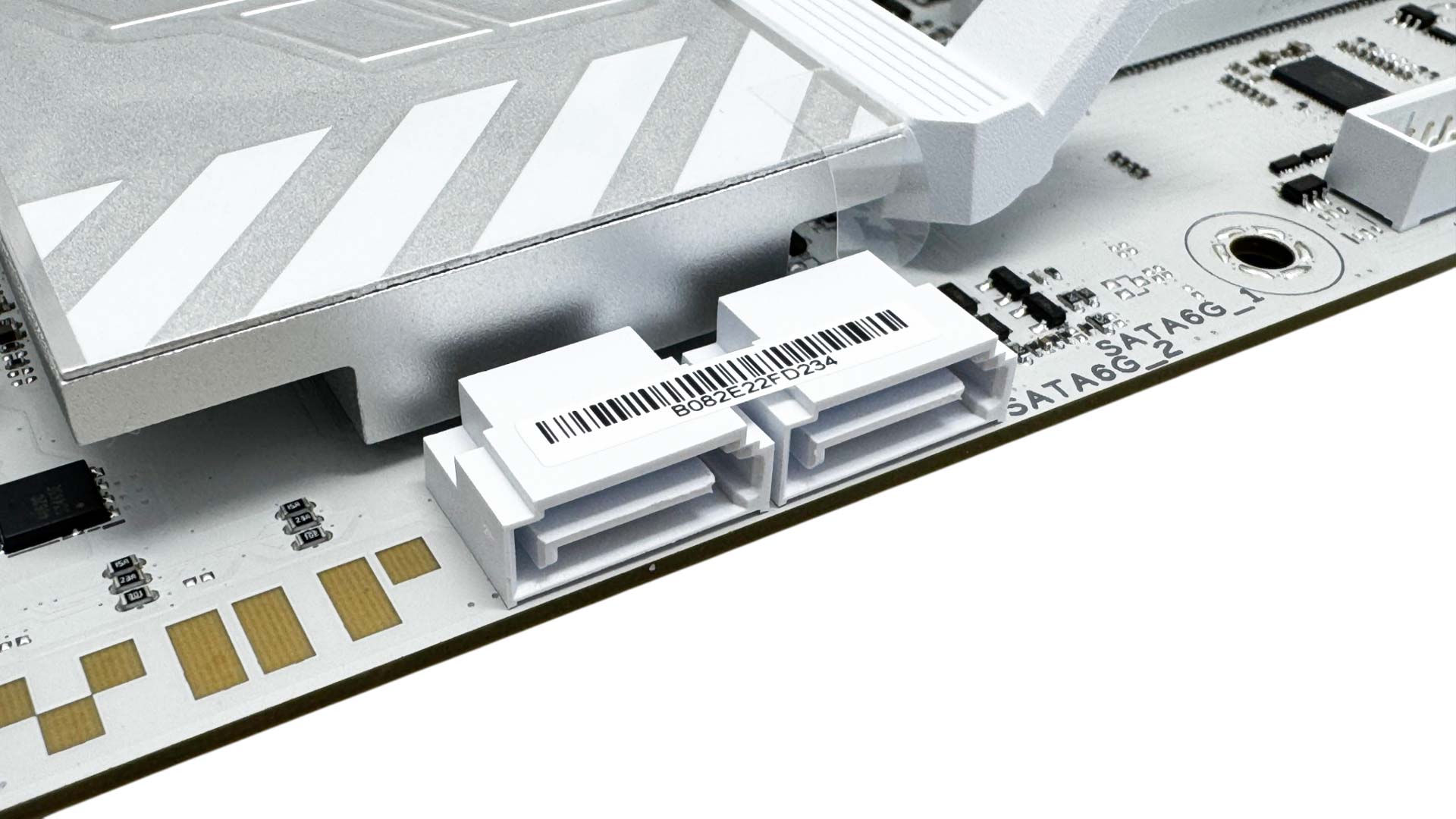
The front panel Type-C header offers an impressive 20 Gbps, being USB 3.2 Gen 2x2, but there's no additional power delivery here. Next to this we have a USB 3.0 header and a little further down we have two of the four included SATA ports. These are right-angled, and it's a shame the USB 3.0 header isn't as well.
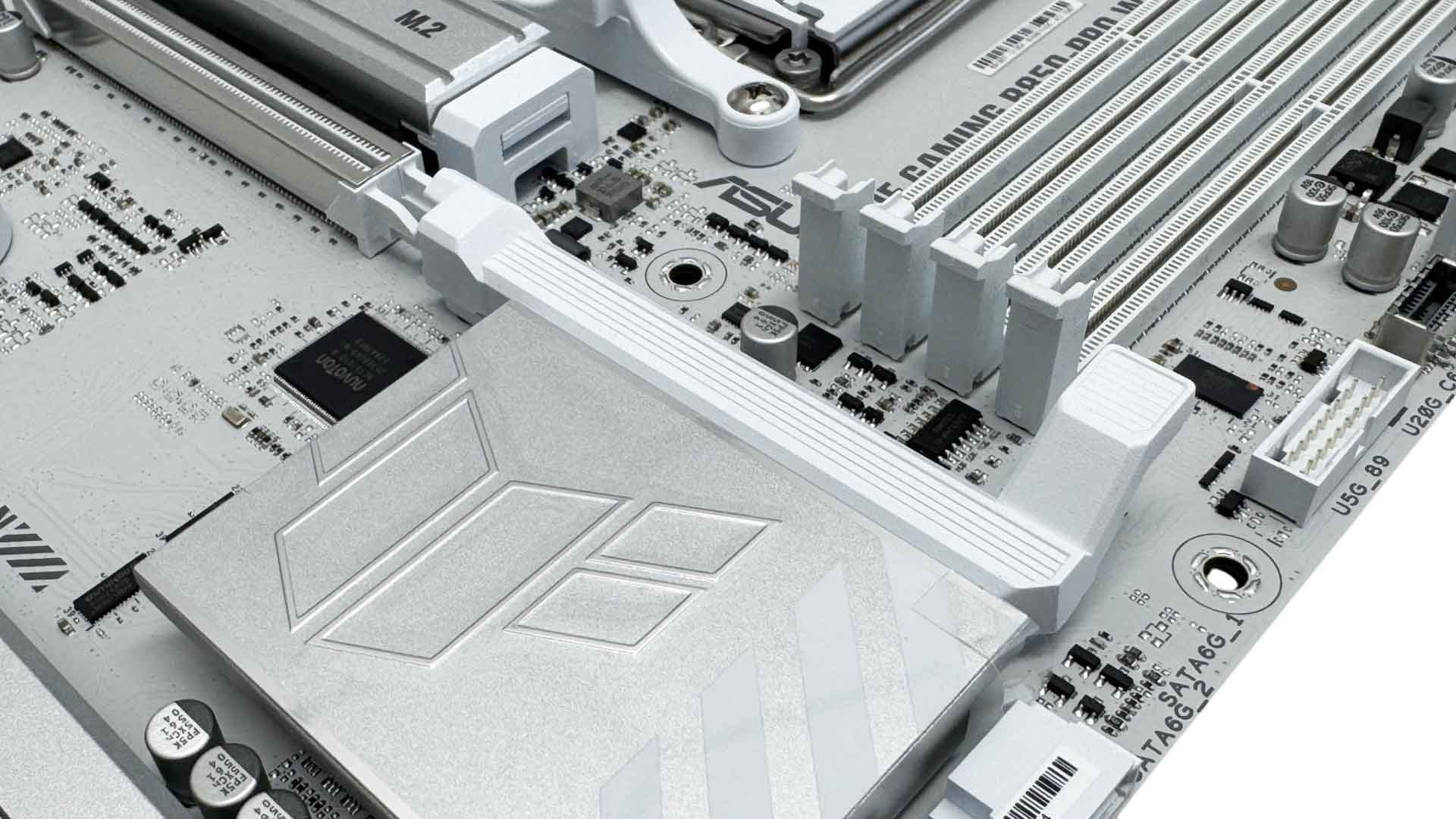
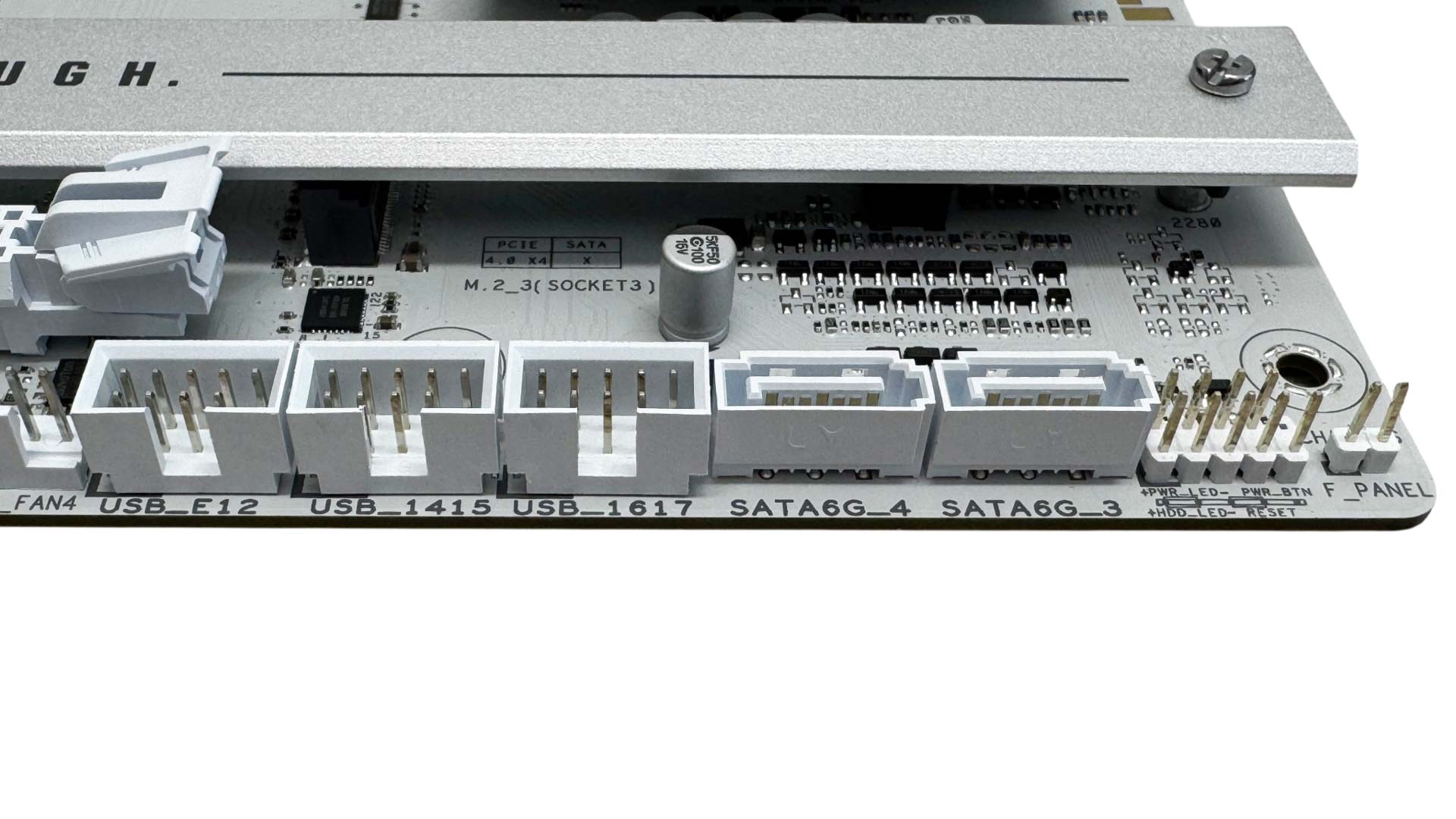
The GPU release mechanism here, also known as PCIe Slot Q-Release, uses a lever extension that releases your GPU, with no input required when you install it. ASUS seems to be fading out its PCIe Slot Q-Release Slim, where you'd lift the GPU from one end, while more premium models use buttons, as do MSI and Gigabyte. The bottom right corner is where you'll find the other two SATA ports along with three USB 2.0 headers.
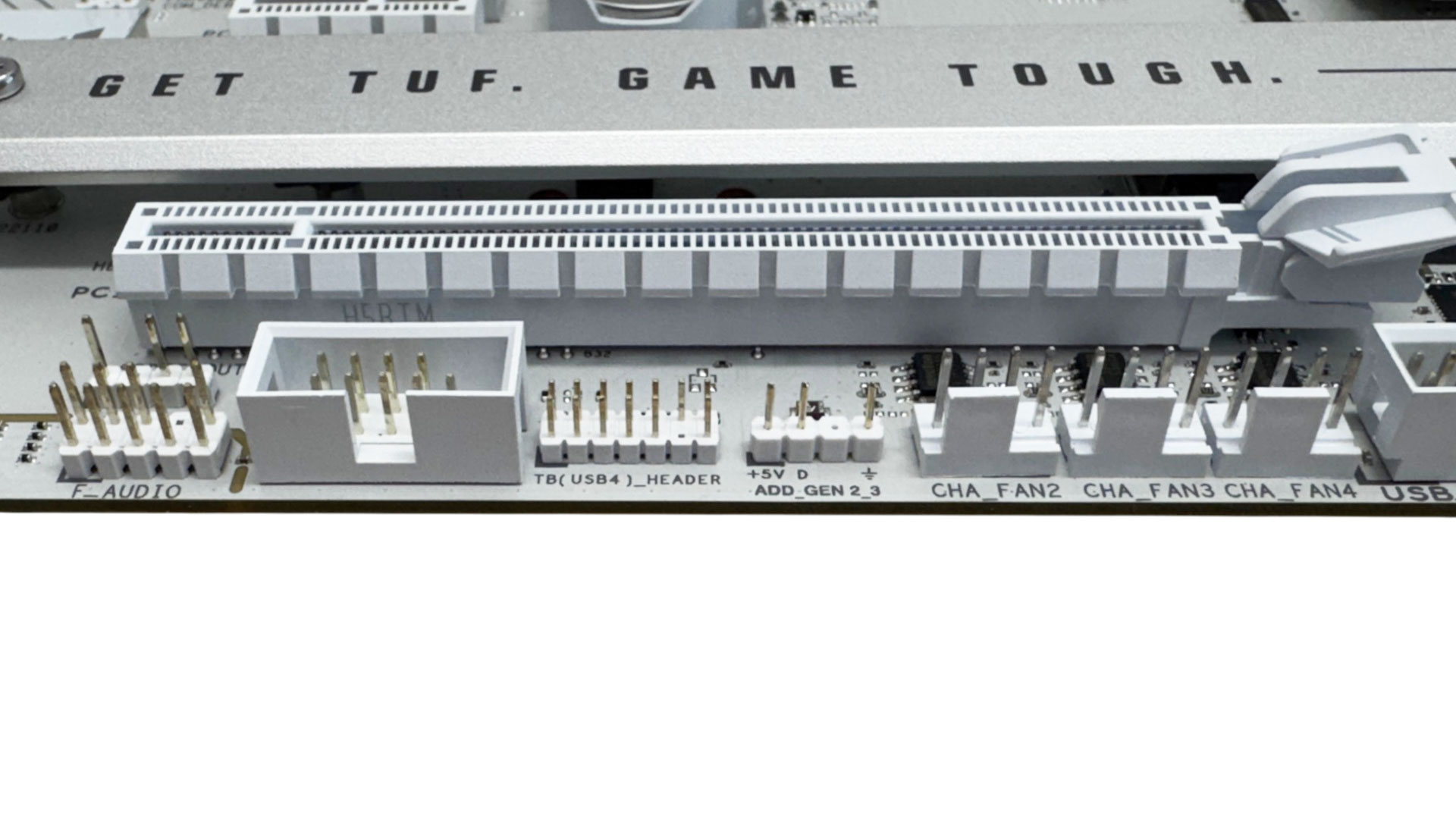
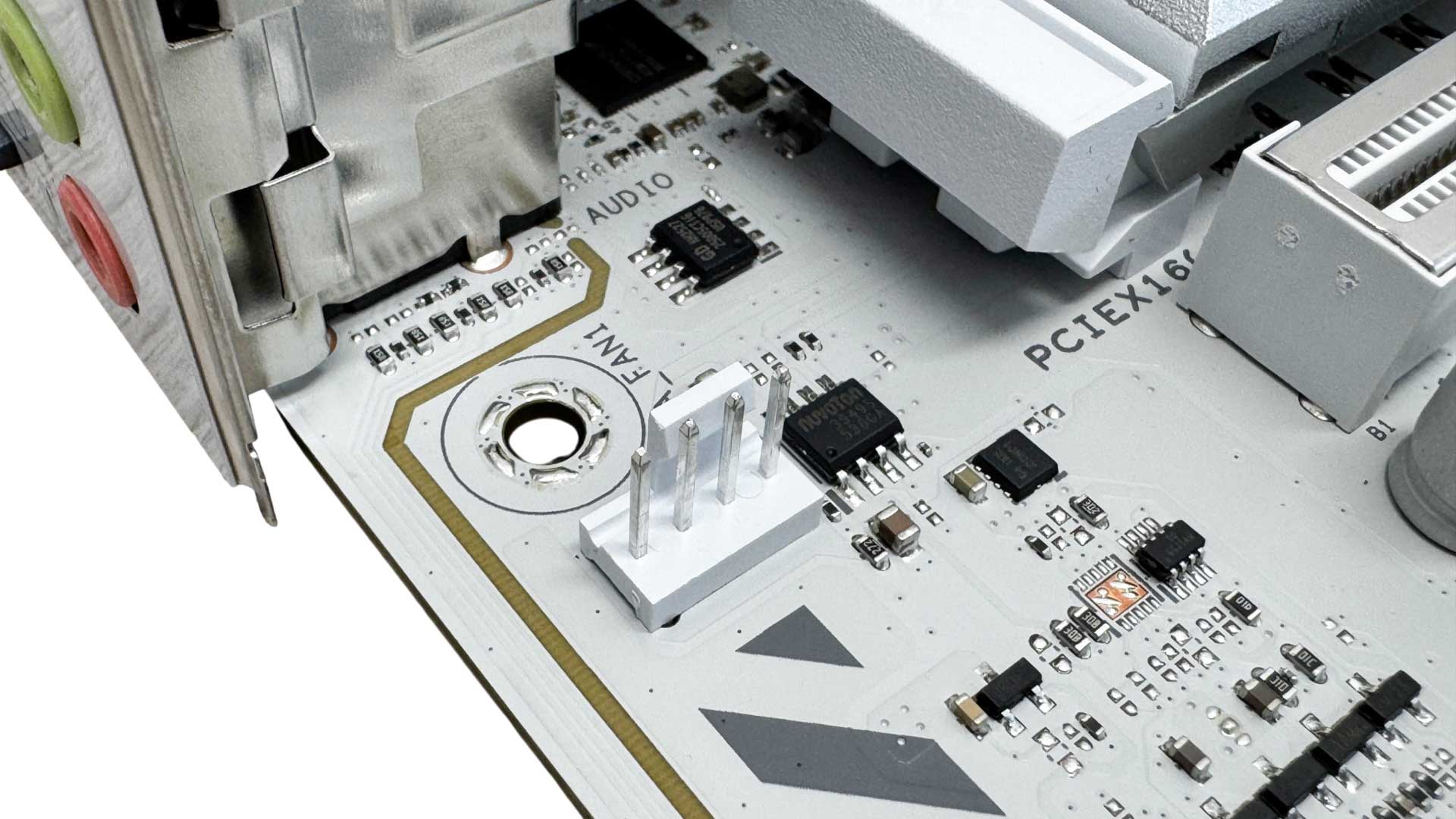
On the other side of the lower edge we have three more 4-pin fan headers, a third 3-pin ARGB header plus a USB4 header. A rarity these days is having a fan header next to the rear I/O panel for powering rear fans, but we have one here.
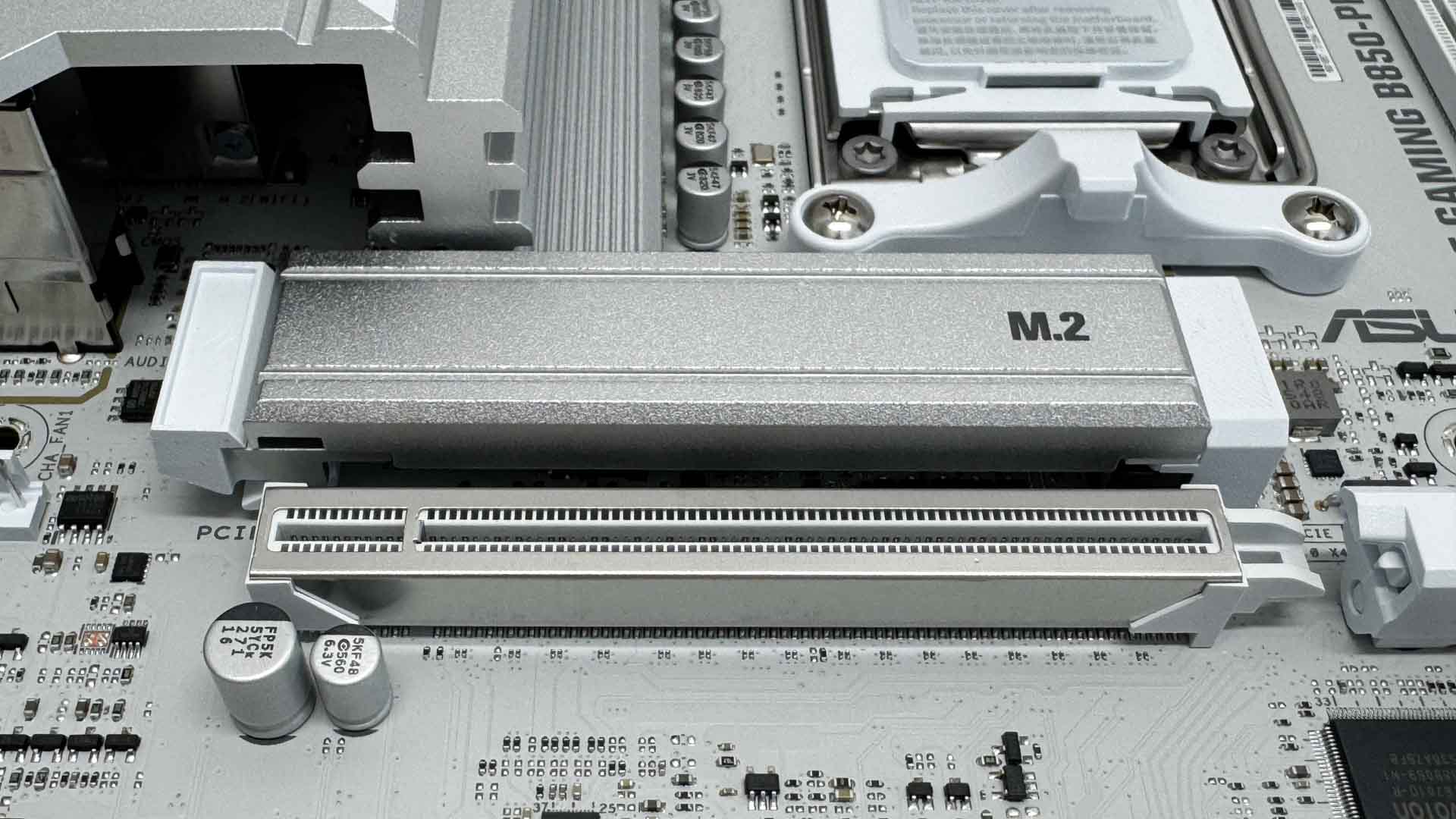
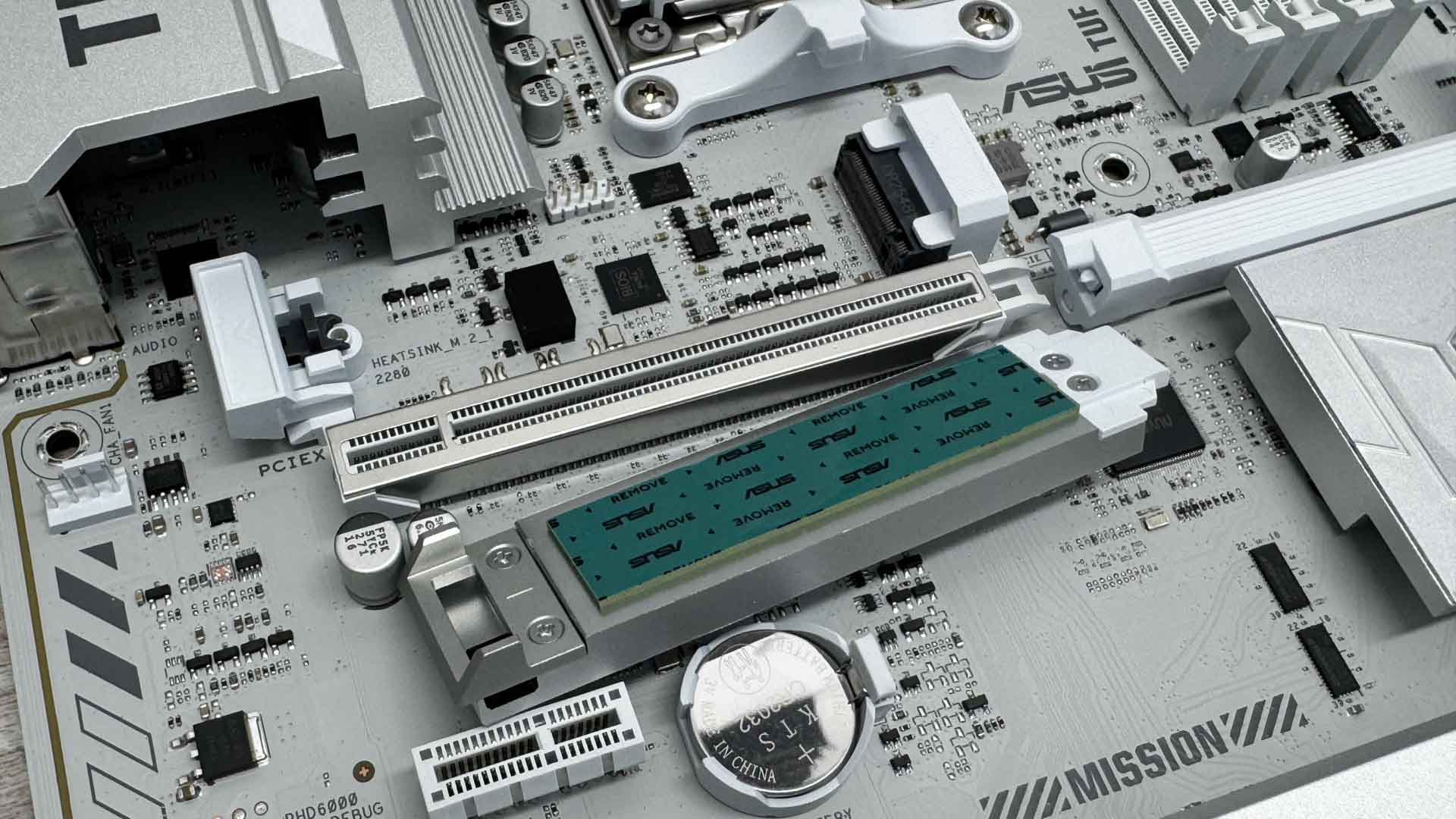
The primary M.2 port is of course PCIe Gen 5-capable, but it does lack an underside heatsink so we already know it's going to struggle with our double-sided SSD. If you do go Gen 5 it would be essential to opt for a model that's single-sided, such as Samsung's 9100 Pro or Kingston Fury Renegade G5. The heatsink is also quite small, but is at least tool-free.
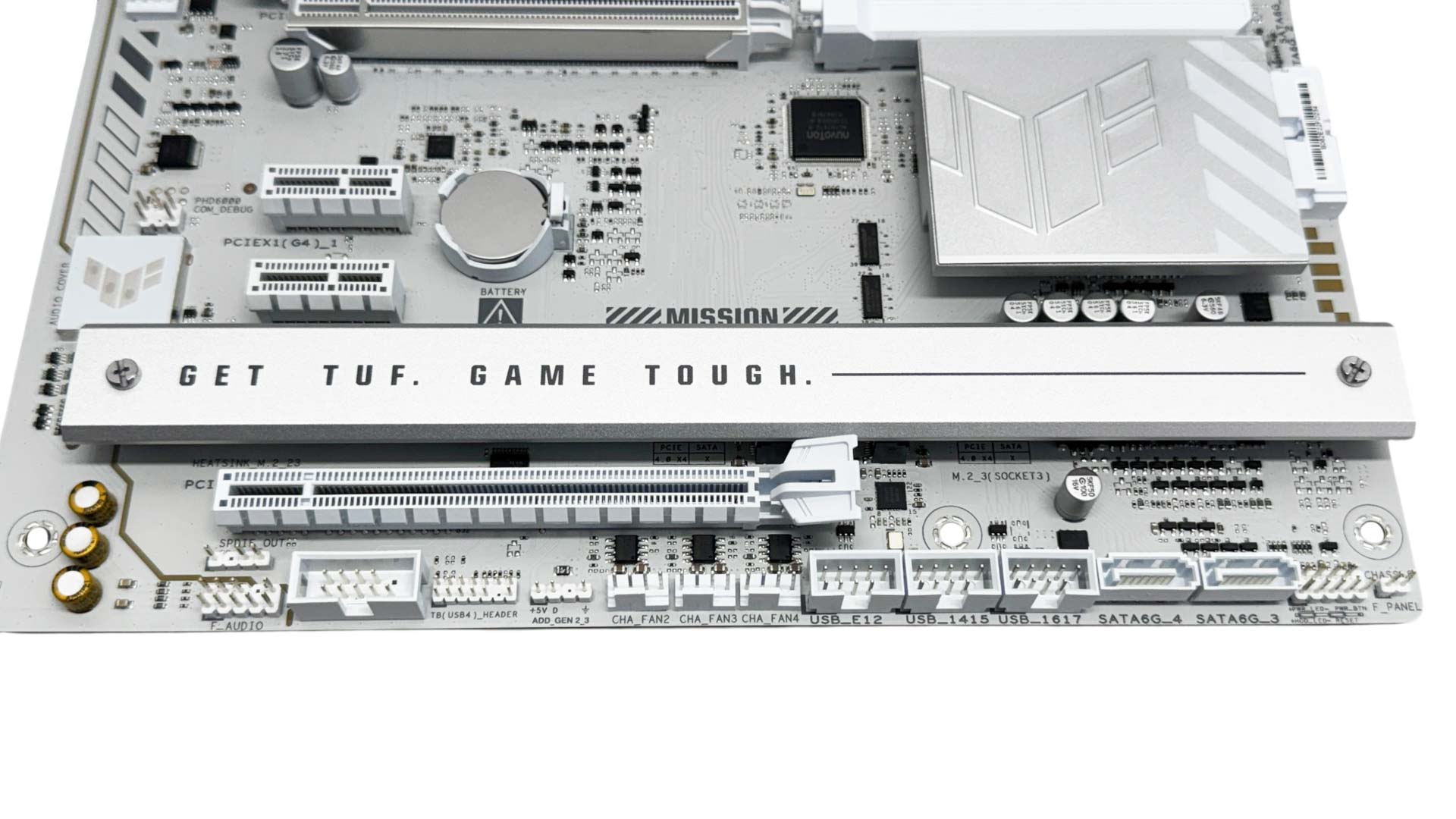
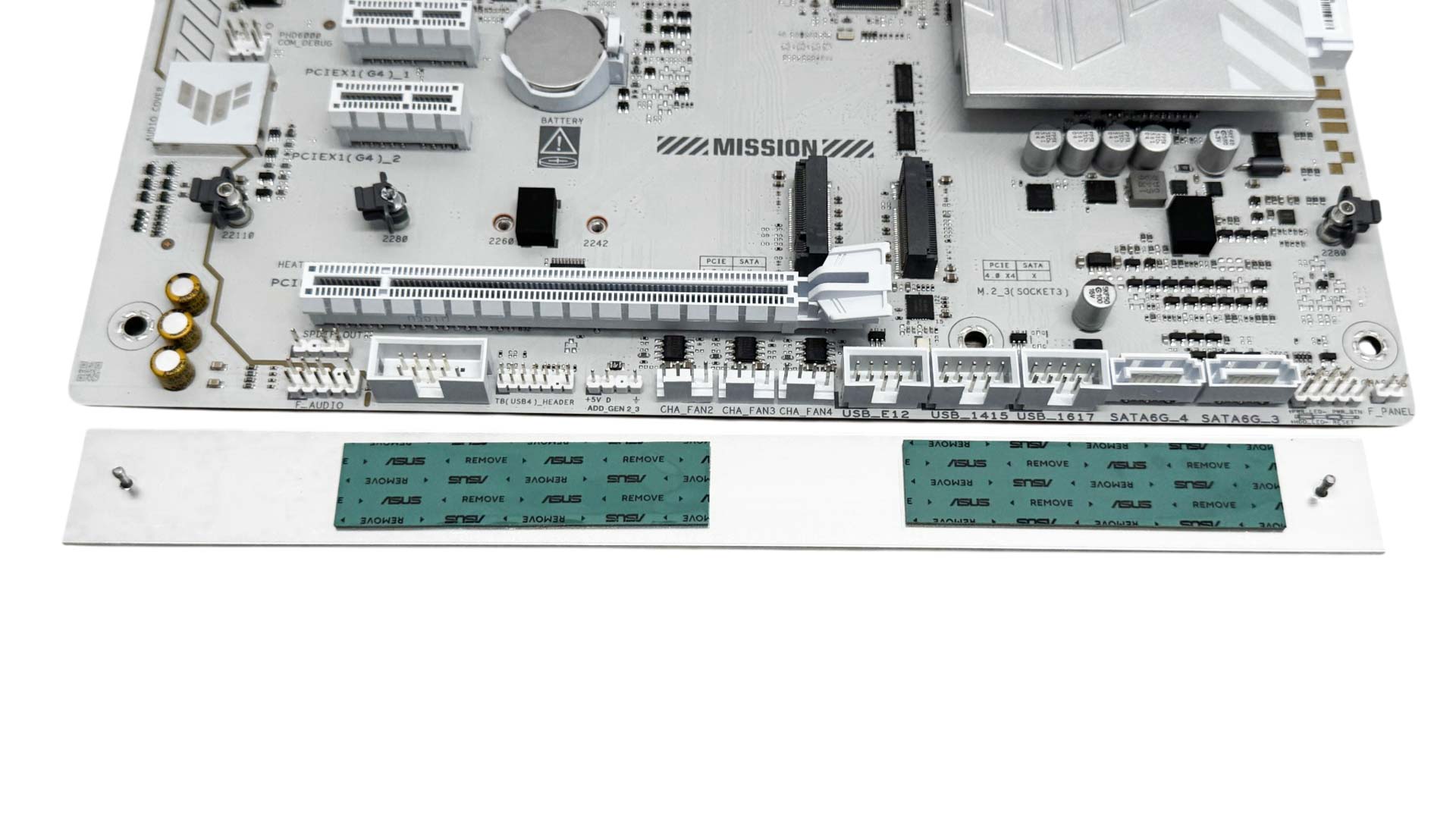
The lower two M.2 ports are both PCIe Gen 4 and cooled by a single slim heatsink that will require a screwdriver. All three M.2 ports are equipped with neoprene supports, but for single-sided SSDs you'll need to use the included rubber supports to ensure good contact with the heatsink.
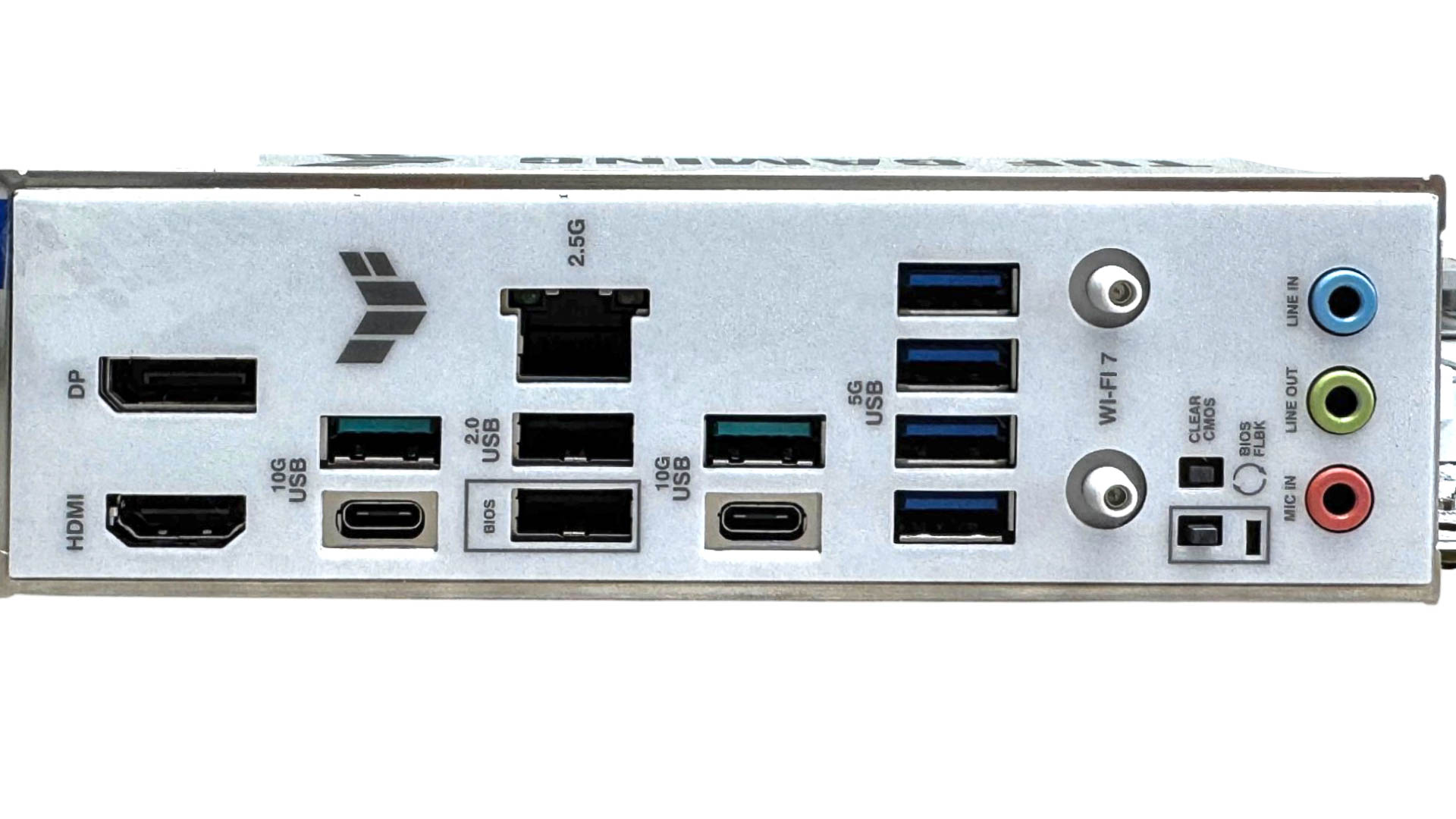
The rear I/O panel has eight Type-A USB ports, which is above average, and are a mix of two USB 2.0, four USB 3.0 and two USB 3.2 Gen 2 10 Gbps, with a further two of that speed in the form of the Type-C ports. No USB4 here. There are DisplayPort and HDMI ports, but that's it as far as video outputs go with DisplayPort alt mode over Type-C not an option here as it was with the B850 ProArt. We have Q-Antenna connectors, and it's worth noting these are not compatible with standard aerial threads. There are CMOS clear and USB BIOS flashback buttons, and ASUS has decided to do away with an optical audio output in favor of a microphone input.
Nov 20th, 2026 14:47 PST
change timezone
Latest GPU Drivers
New Forum Posts
- Logitech Headsets Modded Driver — Unlock Dolby in G HUB (23)
- 1 - 5 person file storage server equivalent accasible from anywhere + general VM server. (1)
- WarpCoreBench scores! (81)
- How to prevent OLED burn damage due to PC freezes or power outtages? (48)
- RX 9000 series GPU Owners Club (2247)
- Honestly, do you care about GTA VI? (208)
- When you could finally run Crysis maxed out? (63)
- GTA VI (20)
- Anthrophics IPO (25)
- GeekMagic Ultra Smart WiFi Weather Station (8)
Popular Reviews
- AMD Zen 6 Technical Deep Dive
- Microsoft Surface Laptop Ultra Review - The Next-gen Arm Laptop
- Ugreen NASync DXP4800 GT Review
- Corsair RM1200e (Second Generation) Review
- Acemagic Retro X3 Review
- Upcoming Hardware Launches 2027 (Updated Nov 2026)
- Pulsar Office Tour & First Look at P1 Dual-Sensor Mouse
- Biwin Black Opal NV7400 2 TB Review
- AMD Ryzen 7 9800X3D Memory Performance Scaling
- AMD Ryzen 7 9800X3D Review - The Best Gaming Processor
TPU on YouTube
Controversial News Posts
- NVIDIA Co-Founder and CEO Jensen Huang Officially Resigns (490)
- Report: Jensen Huang Eyes NVIDIA Comeback (256)
- Open Letter Asking NVIDIA to Reinstate Jensen Huang Passes 115,000 Signatures (184)
- OpenAI CEO Argues Home PCs Waste the World's Limited DRAM Supply (152)
- NVIDIA Launches Investigation Into Jensen Huang's Relationship With Suspected Chinese Spy (136)
- Intel "Raptor Lake Next" 16-Core and 20-Core CPUs Surface (130)
- Legendary Game Studio BioWare Shuts Down Following EA Layoffs (104)
- Dell CEO Says the Memory Shortage Will Get Worse in 2027 (95)