 9
ASUS TUF Gaming B850I Wi-Fi Neo Review
Component Analysis »Board Layout
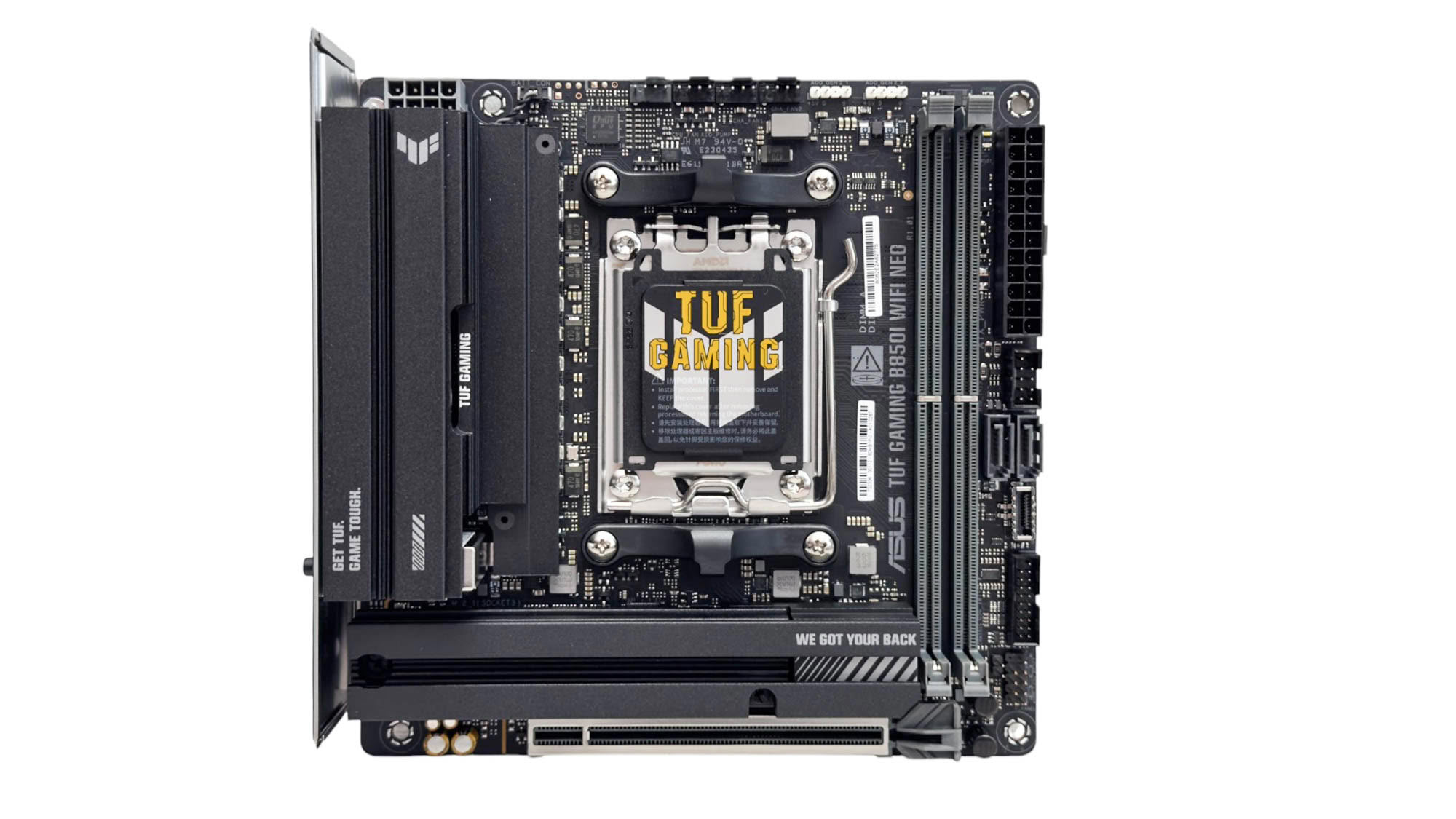
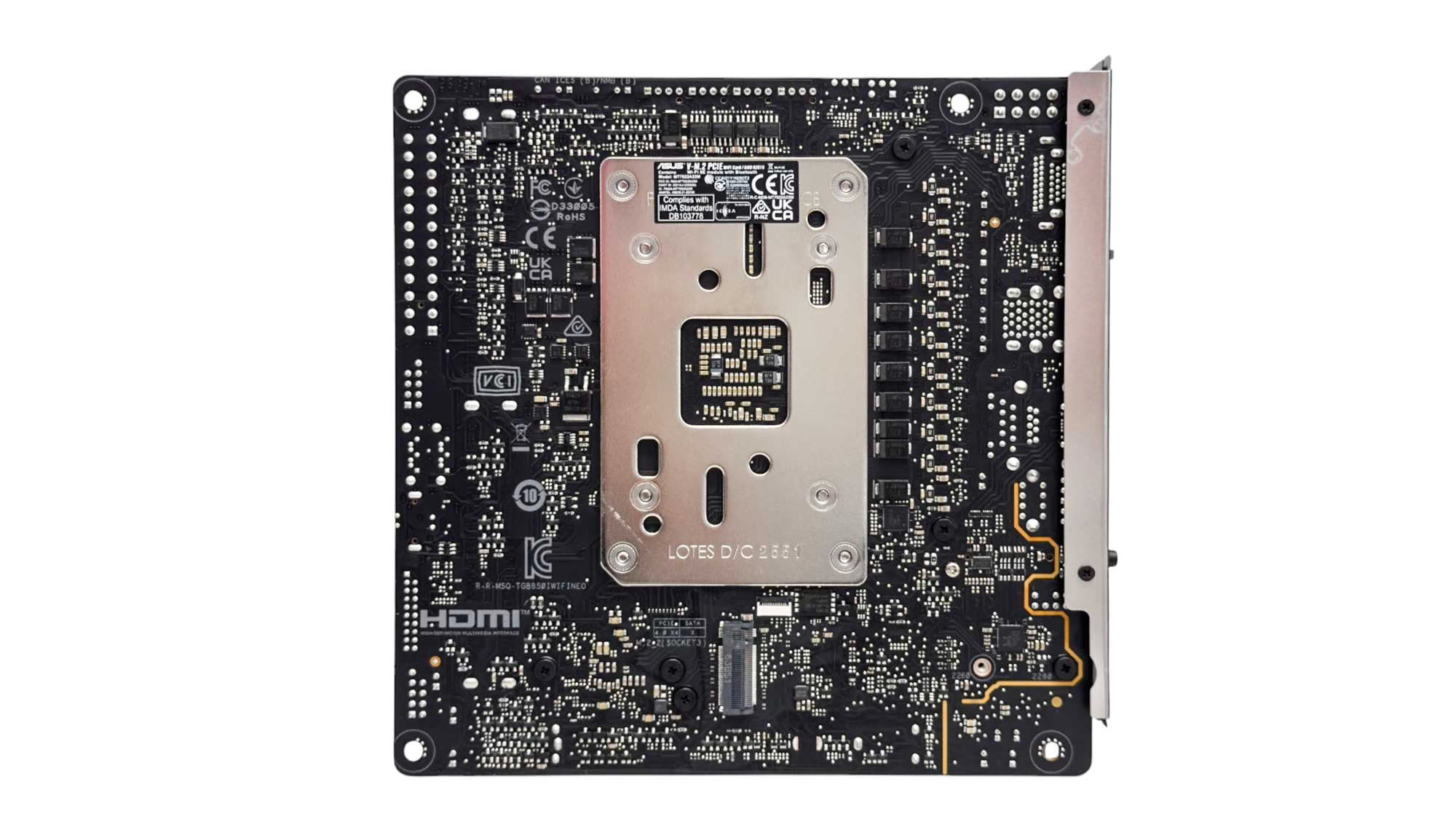
The ASUS TUF Gaming B850I Wi-Fi Neo has a familiar design if you're aware of previous ASUS TUF motherboards, with black heatsinks and gray DIMM slots. The VRM and M.2 heatsinks appear to be quite large, but the PCB is also relatively basic compared to high-end options, with no daughter boards or additional connectors outside the usual ones you'd expect to see. The CPU socket area is uncluttered and the VRM heatsink sits very low where it approaches the CPU socket, so cooler compatibility should be excellent.
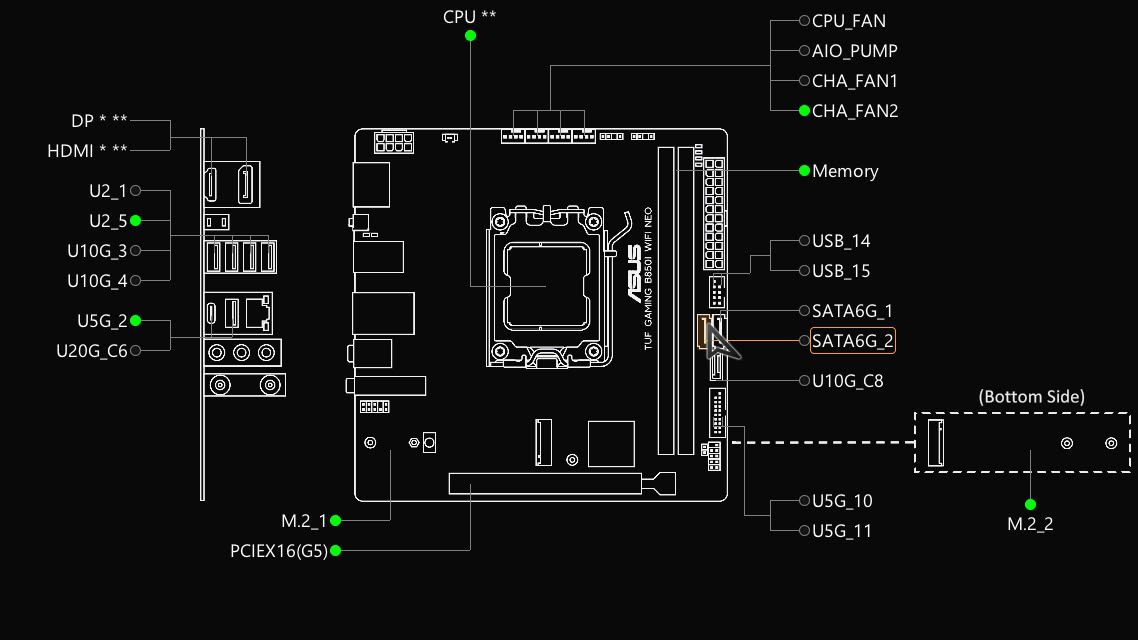
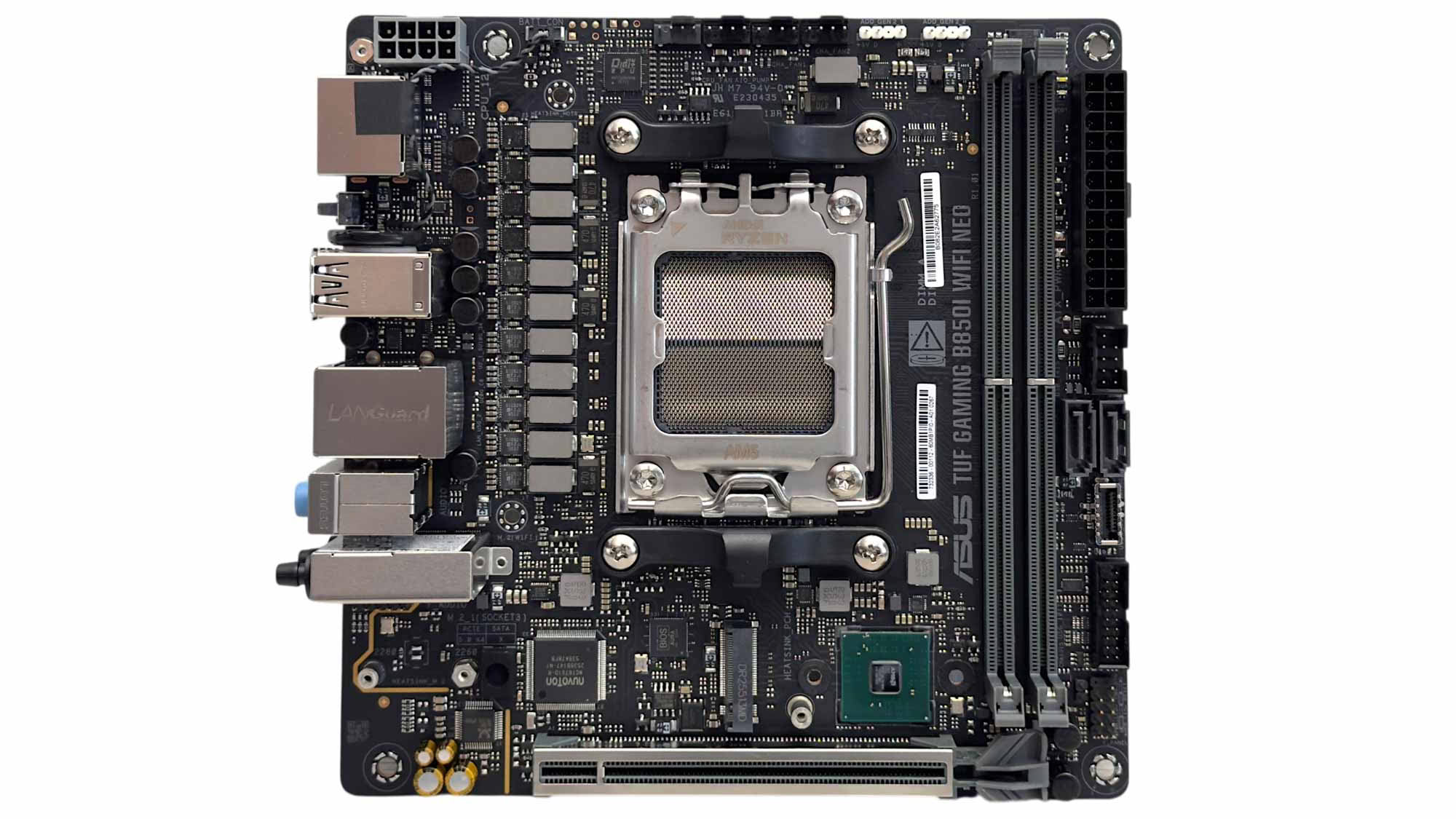
Due to the lower number of ports as well as the lack of USB4, there's no bandwidth sharing. The layout is mostly typical of a mid-range Mini-ITX motherboard with a single M.2 port on the top side and a single bank of VRMs. While we have the VRM heatsink and I/O shield removed, it's worth discussing access to the CMOS battery. It's located between the CMOS clear button and Type-A USB port stack. You'll need to remove the rear I/O panel to get at it, but while it's a fiddle, you don't have to remove the VRM heatsink as well. It's also worth pointing out that the board lacks any kind of enhanced GPU release mechanism, so removing larger models is very fiddly thanks to the proximity of the memory and M.2 heatsink.
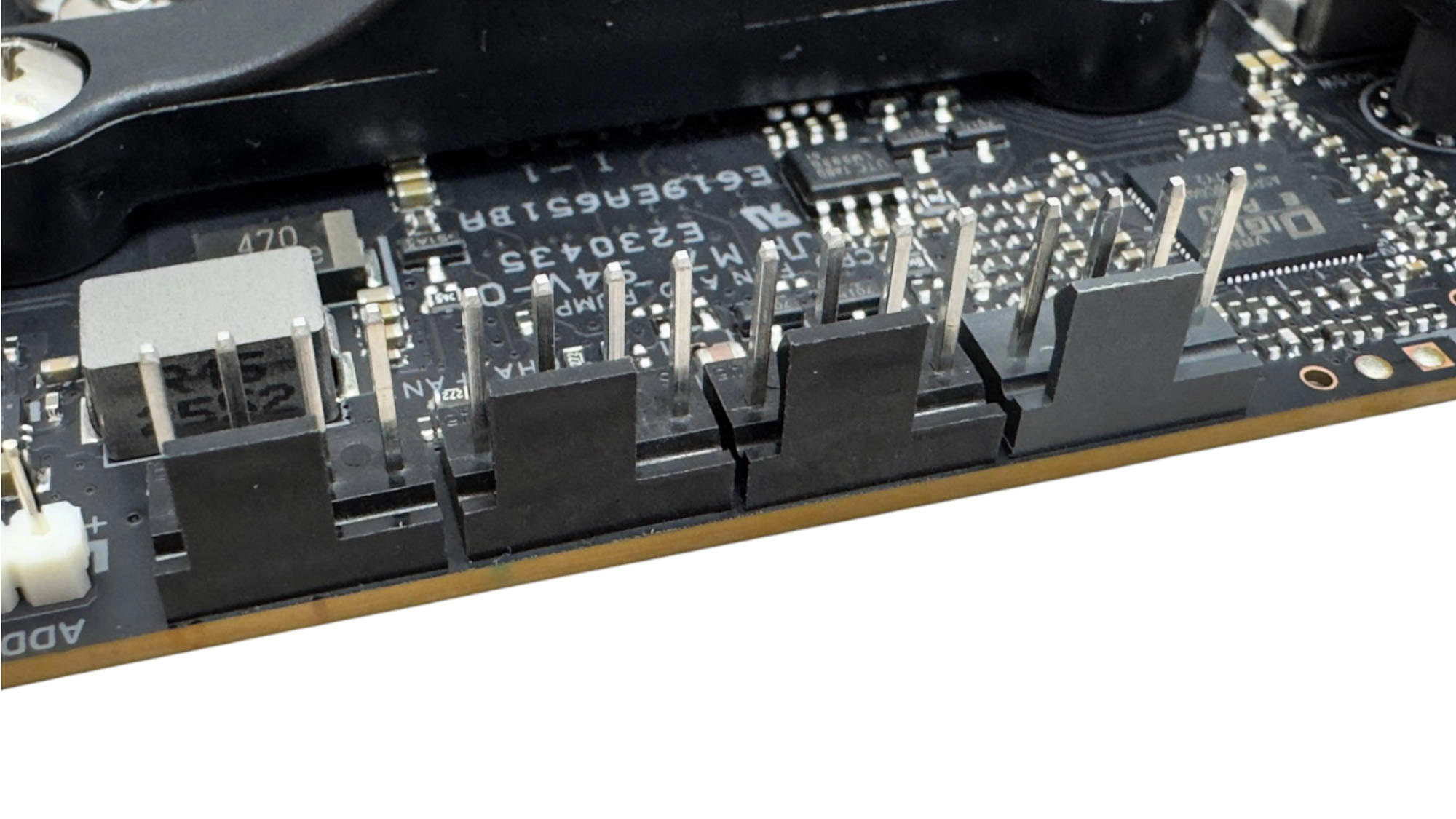
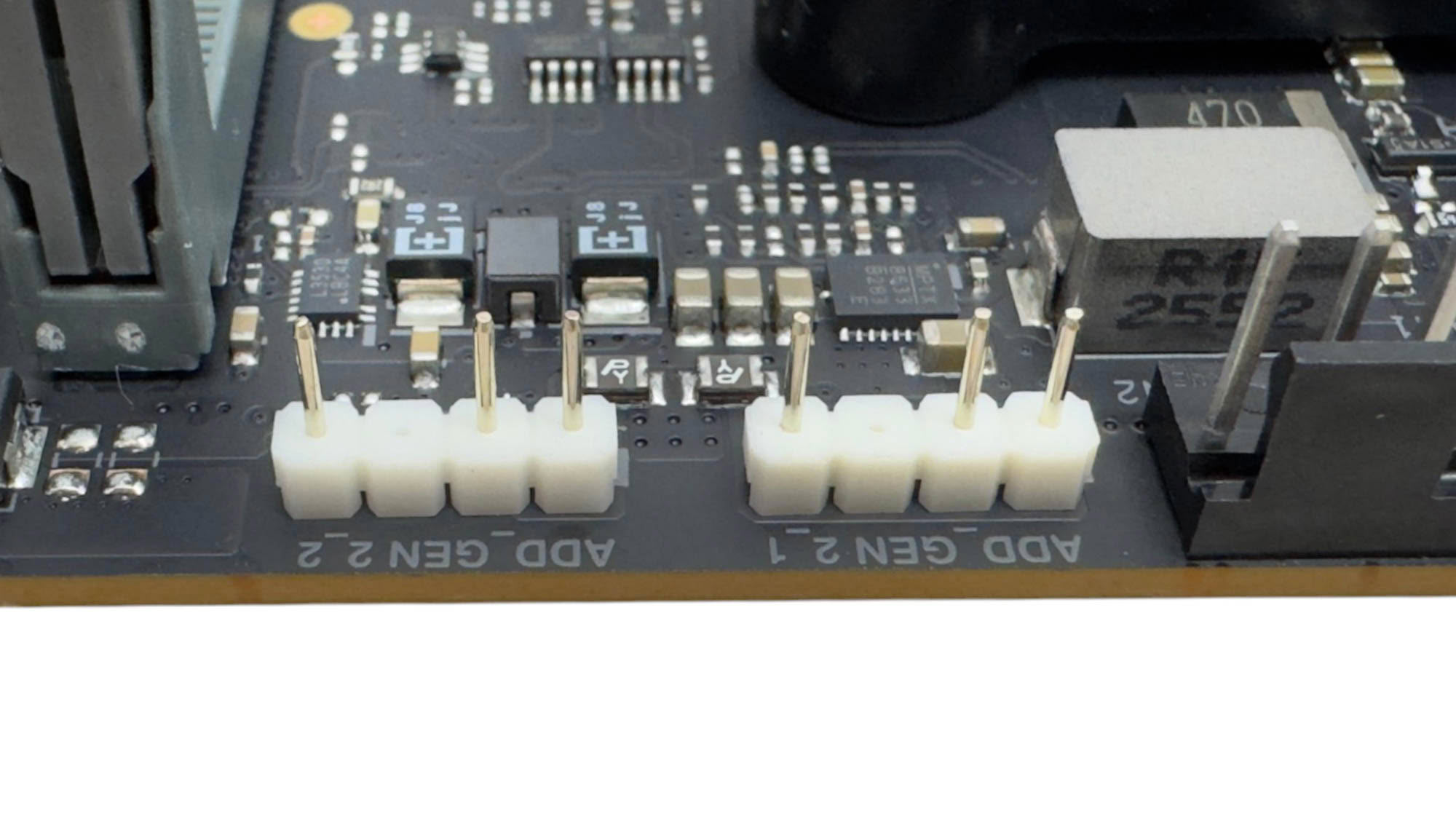
There are four 4-pin fan headers, which is a decent number for any Mini-ITX motherboard, although they are located in the same place and all limited to 12 W/1 A. Thankfully, this is less of an issue with smaller PCs and the grouping option in the EFI fan control means you can tie several headers to a single configuration so if you're planning on using multiple powerful fans, the meager power on offer per header shouldn't be an issue. Also on the top edge of the PCB are two 3-pin ARGB headers.
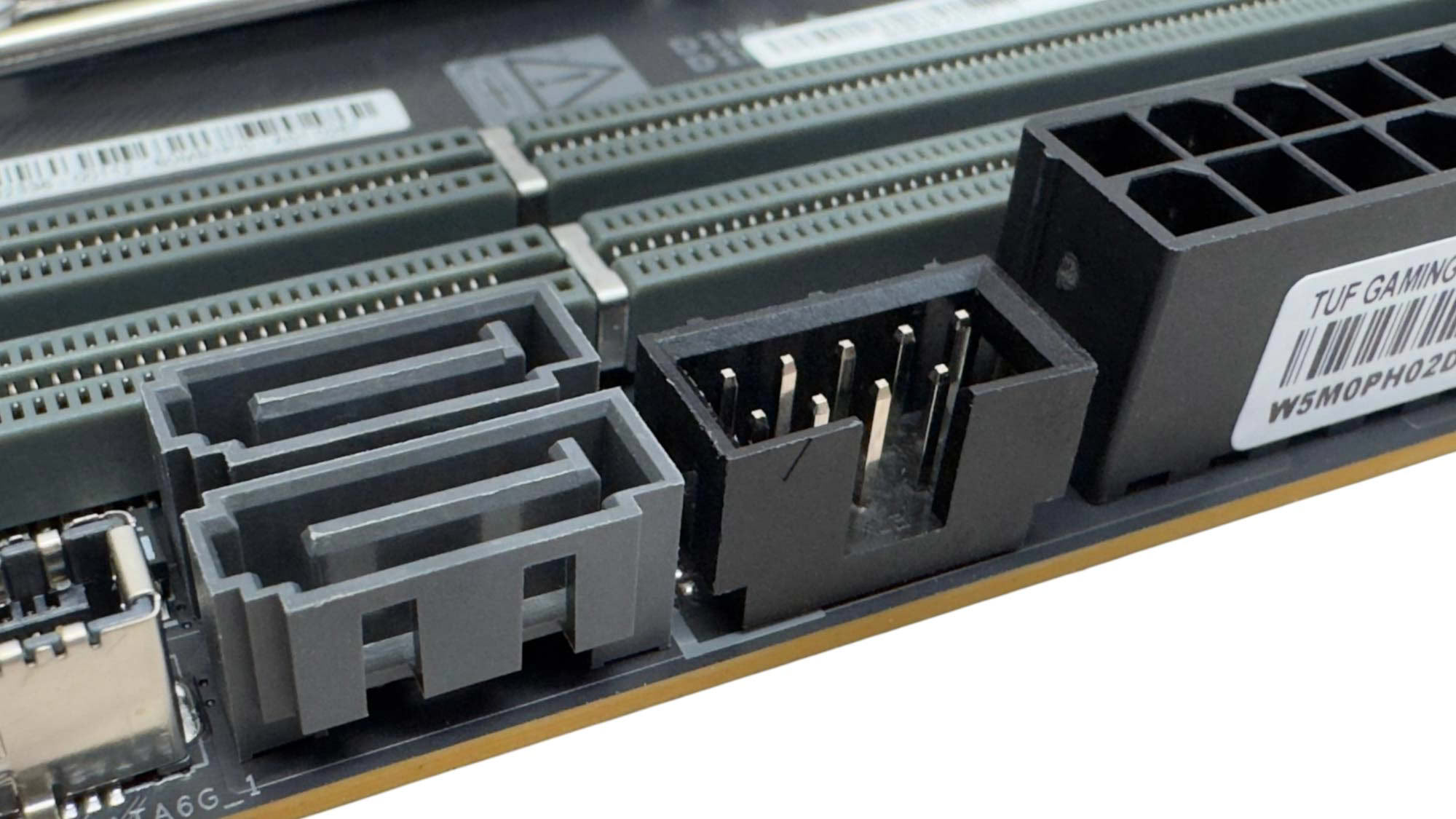
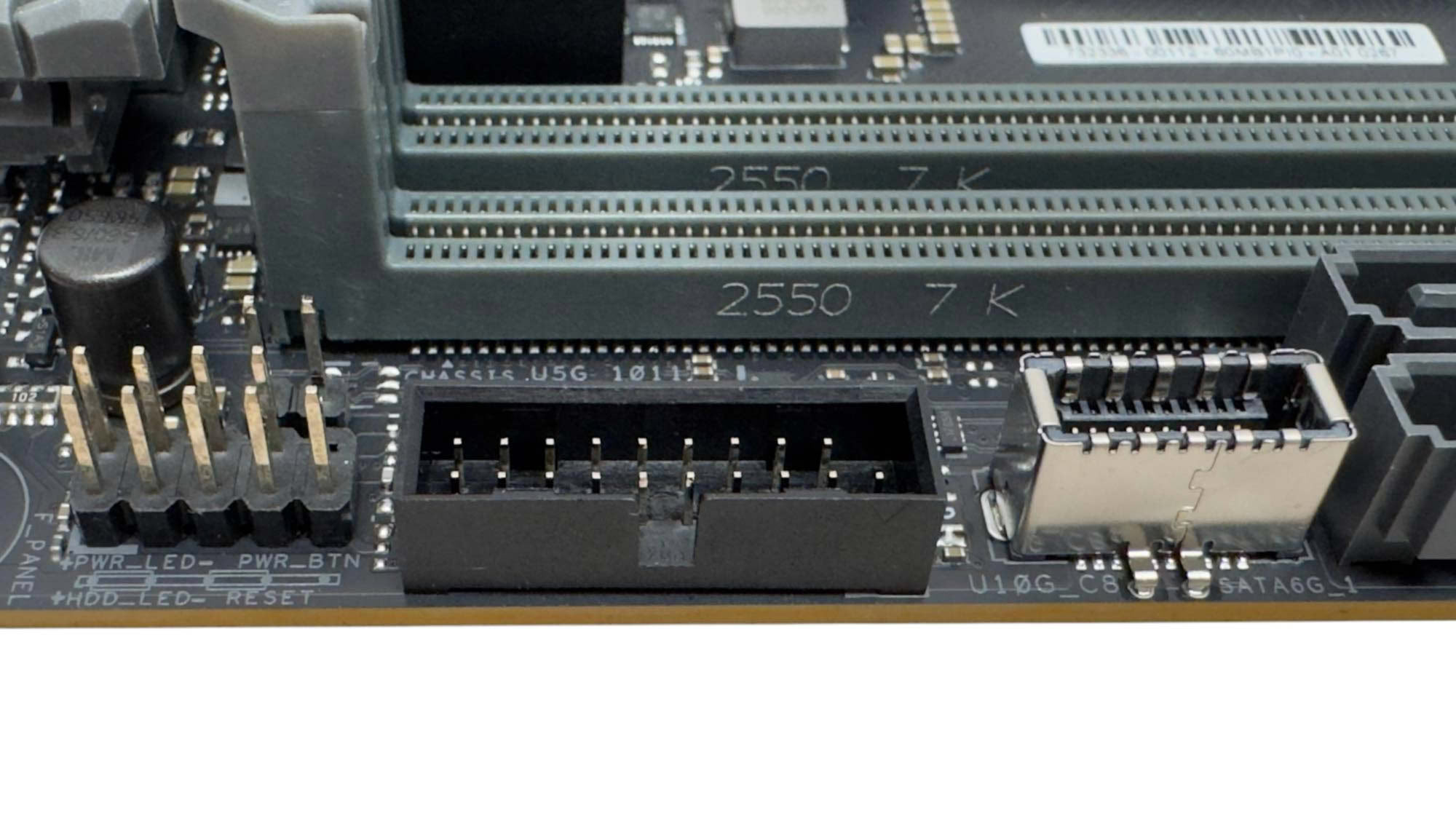
There's a single USB 2.0 header and two SATA ports next to the 24-pin ATX connector and further along we have a USB 3.2 Gen 2 10 Gbps header. It's disappointing to see that there's only a USB 3.2 Gen 2 10 Gbps header for the front panel, as most manufacturers including ASUS have given the front Type-C header the higher speeds with their refresh models, as it's more convenient for using fast external portable storage. Next to this there's a single USB 3.0 header and the front panel header.
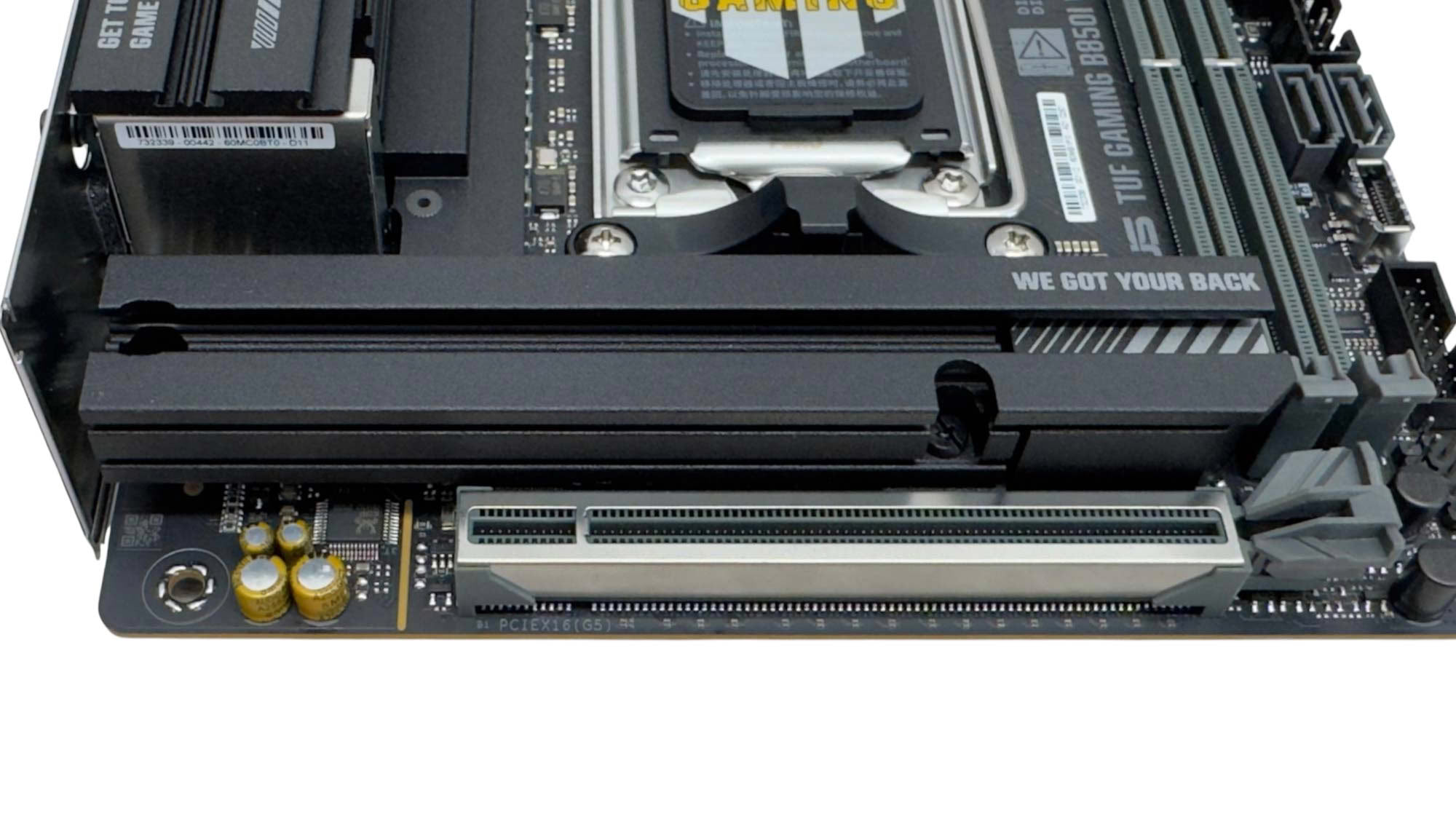
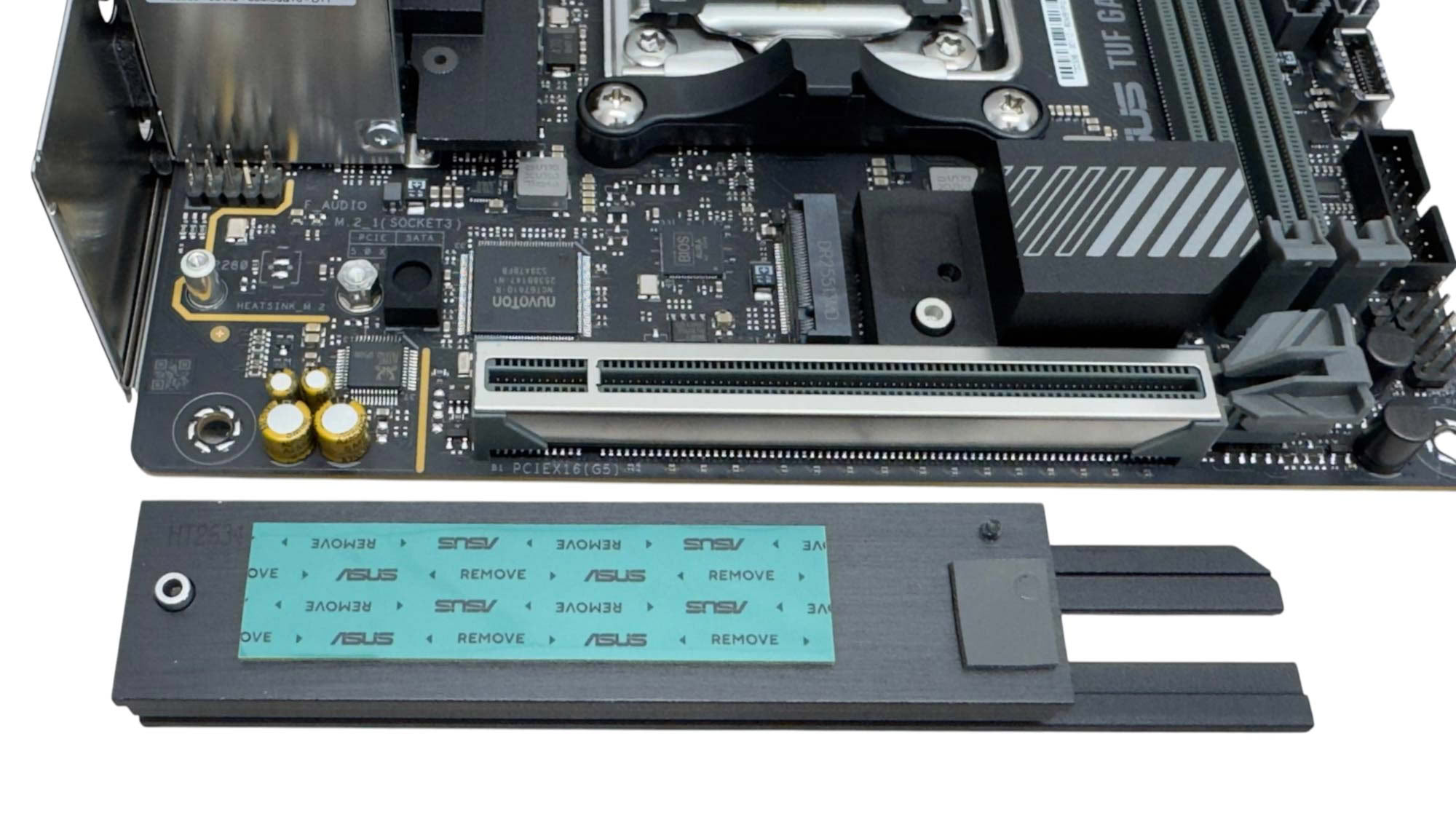
The topside M.2 port is cooled by a large heatsink that's possibly the longest we've seen on a Mini-ITX motherboard. This is partly due to the fact the end section nearest the DIMM slots makes thermal contact with the chipset heatsink below. This is a welcome move given the tiny size of that heatsink. Sadly, while the top slot supports PCIe Gen 5 SSDs, there's no underside cooling, so our double-sided SSD will likely run quite toasty. The heatsink isn't tool free so you'll need to grab a screwdriver, and it's also the first motherboard in a long time we've seen that requires screws to be used to secure the SSDs too. Thankfully, the captive screw in the heatsink here is the only one you need to secure the SSD below.
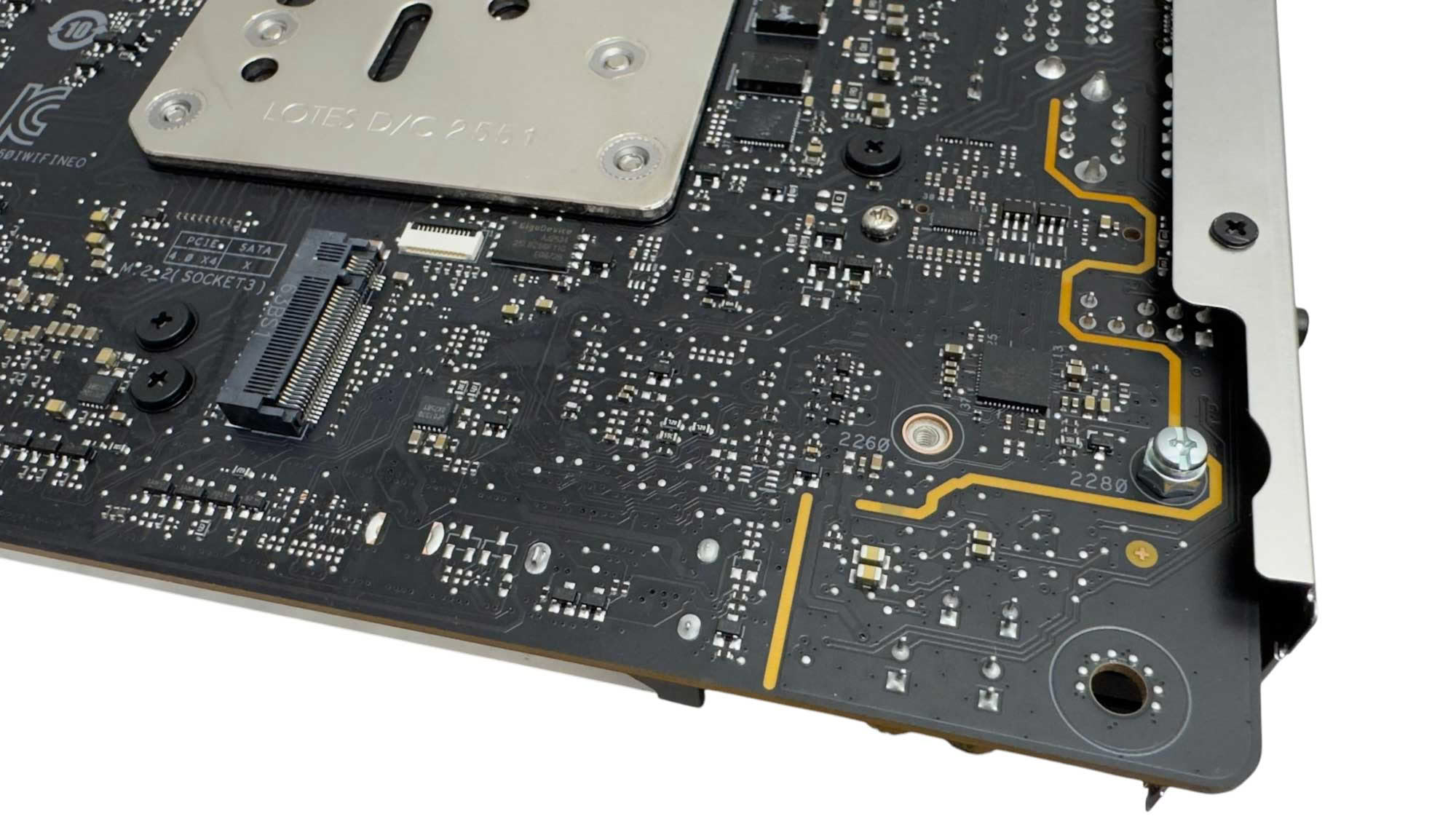
The rear PCIe Gen 4 M.2 port lacks a heatsink as usual, and fitting one will largely depend on the size of the CPU area cutout on your case. You'll also need to grab the nut and screw from the accessory box to fit your SSD too as there are no tool-free fittings here.
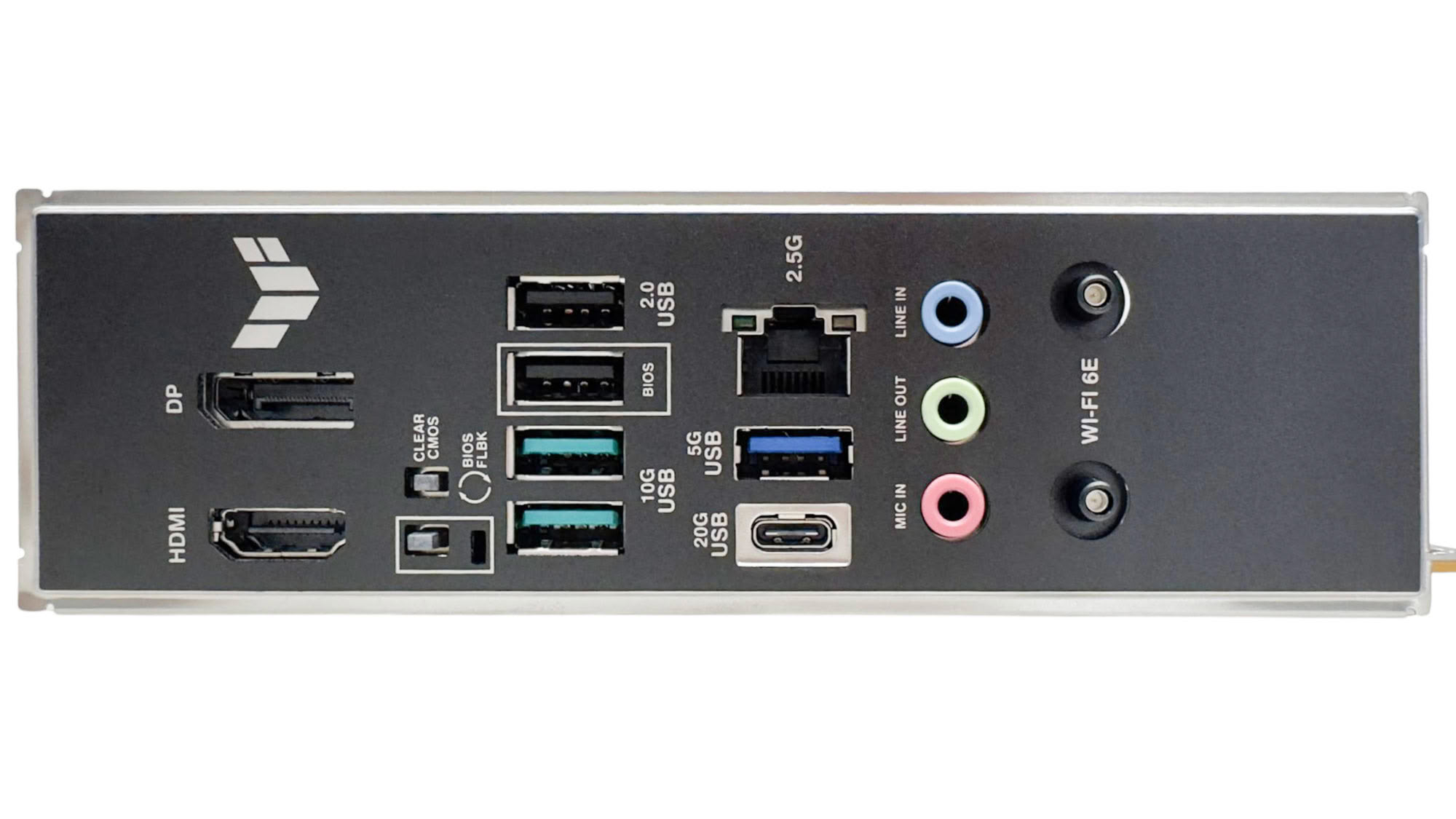
The rear I/O panel is also understandably basic with just five Type-A ports, and you will certainly see more on competing boards, with the ASRock Phantom Gaming B850I Lightning Wi-Fi offering seven as well as matching the ASUS board with dual video outputs, while the MSI MPG B850I Edge Ti Wi-Fi has a similar configuration, but with just a single video output. We also have USB BIOS flashback and CMOS clear buttons, a USB 3.2 Gen 2x2 20 Gbps Type-C port, 2.5 Gbps Ethernet and a trio of audio jacks with no optical output present. The Wi-Fi module uses ASUS Q-Antenna connectors, but is Wi-Fi 6E rather than Wi-Fi 7.
Nov 18th, 2026 13:24 PST
change timezone
Latest GPU Drivers
New Forum Posts
- Can i play GTA 6 now? (Joke) (5)
- Very unusual two gaming-pc scenarios. (11)
- Dell Workstation Owners Club (3513)
- Any other old-timers here planning to play WoW Forever? (151)
- Time to upgrade CPU and MOBO (33)
- The Filthy, Rotten, Nasty, Helpdesk-Nightmare picture clubhouse (2876)
- WarpCoreBench scores! (67)
- Honestly, do you care about GTA VI? (144)
- Acer Predator BiFrost Radeon RX 9070 OC (9)
- DTS DCH Driver for Realtek HDA [DTS:X APO4 + DTS Interactive] (2814)
Popular Reviews
- Acemagic Retro X3 Review
- Upcoming Hardware Launches 2027 (Updated Nov 2026)
- AMD Zen 6 Technical Deep Dive
- ASUS ROG Strix B850-I Gaming Wi-Fi7 W Review
- Corsair HX1000i Shift Crystal Review
- Biwin Black Opal NV7400 2 TB Review
- Chieftec Iceberg PRO 360 DARK Review
- AMD Ryzen 7 9800X3D Review - The Best Gaming Processor
- Phantom Blade Zero Performance Benchmark Review - 35 GPUs Tested
- Pulsar Office Tour & First Look at P1 Dual-Sensor Mouse
TPU on YouTube
Controversial News Posts
- NVIDIA Co-Founder and CEO Jensen Huang Officially Resigns (478)
- Report: Jensen Huang Eyes NVIDIA Comeback (187)
- Open Letter Asking NVIDIA to Reinstate Jensen Huang Passes 115,000 Signatures (184)
- OpenAI CEO Argues Home PCs Waste the World's Limited DRAM Supply (152)
- NVIDIA Launches Investigation Into Jensen Huang's Relationship With Suspected Chinese Spy (136)
- Intel "Raptor Lake Next" 16-Core and 20-Core CPUs Surface (130)
- Legendary Game Studio BioWare Shuts Down Following EA Layoffs (104)
- Dell CEO Says the Memory Shortage Will Get Worse in 2027 (95)