 37
ASUS TUF Gaming B850M-Plus Wi-Fi Review
Component Analysis »Board Layout

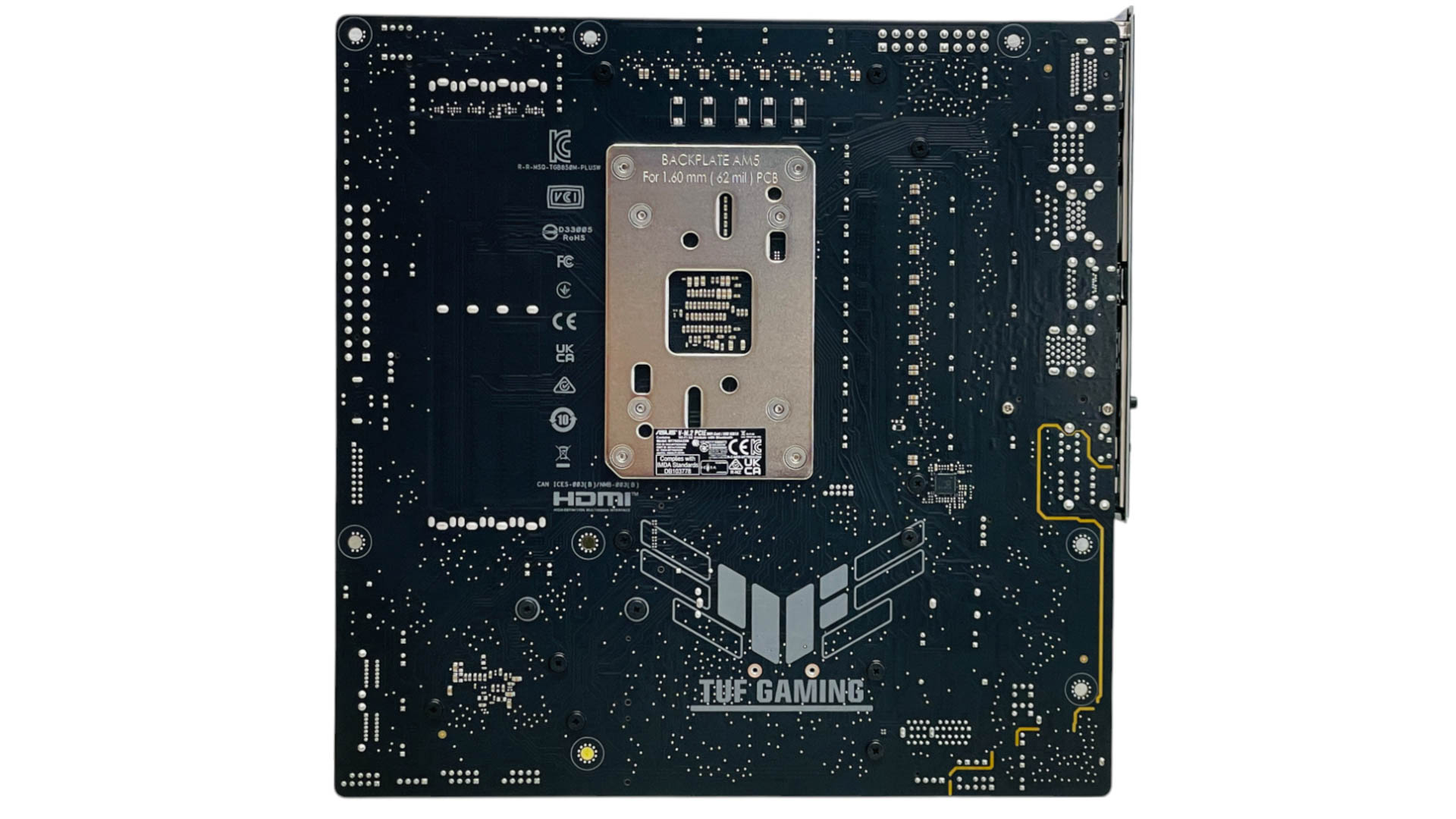
The PCB isn't exactly packed with features and there's an absence of overclocking and testing tools such as power and reset buttons, or LED POST code displays, but it's rare to find those on most $200 boards these days. Thankfully, the VRM heatsinks do appear fairly large and the top M.2 heatsink is located above the single PCIe Gen 5 x16 slot, so at least there's one M.2 port that doesn't require the removal of your graphics card to get at it. The rear of the PCB is devoid of anything interesting except for a lone PWM controller chip.
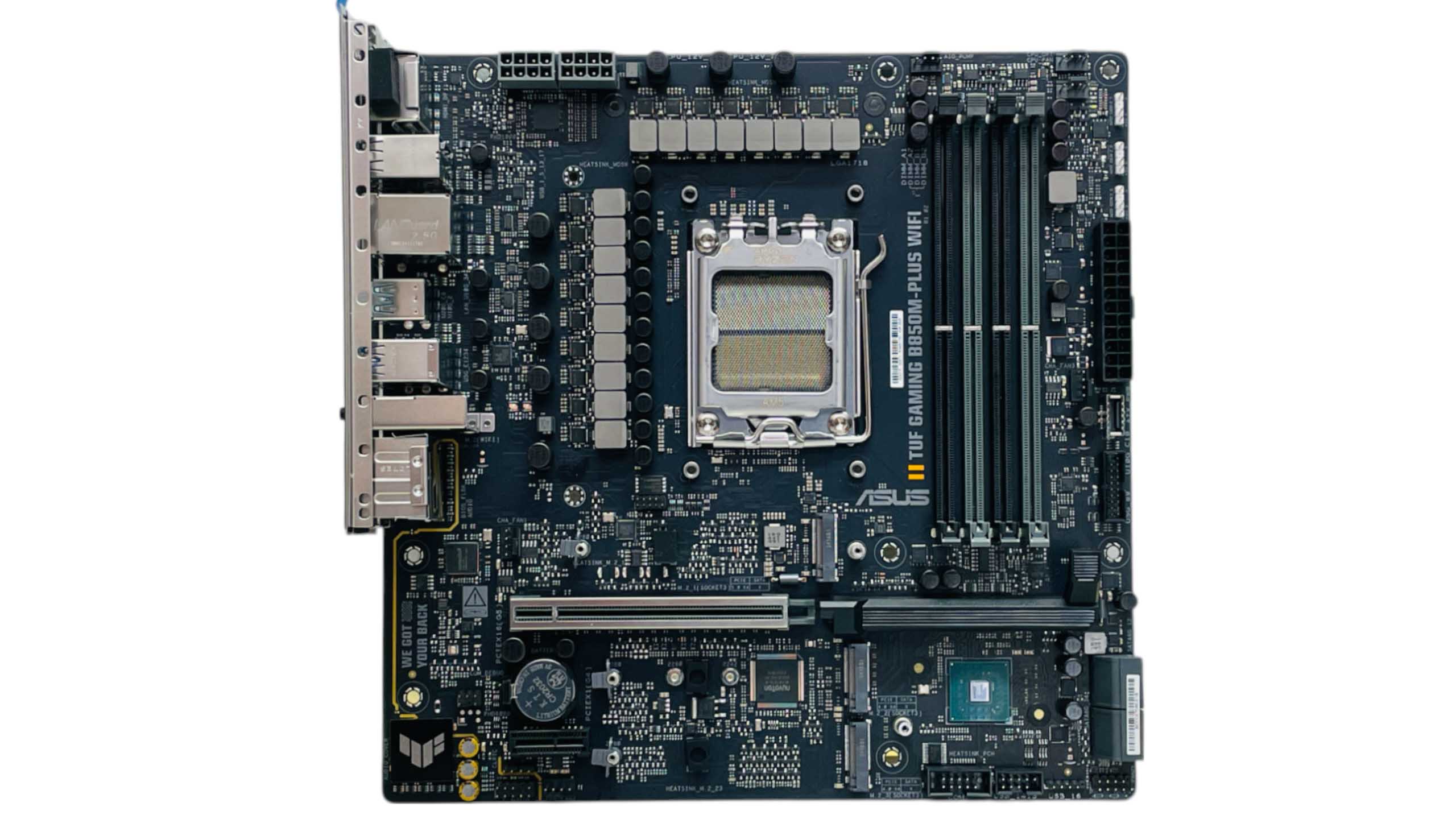
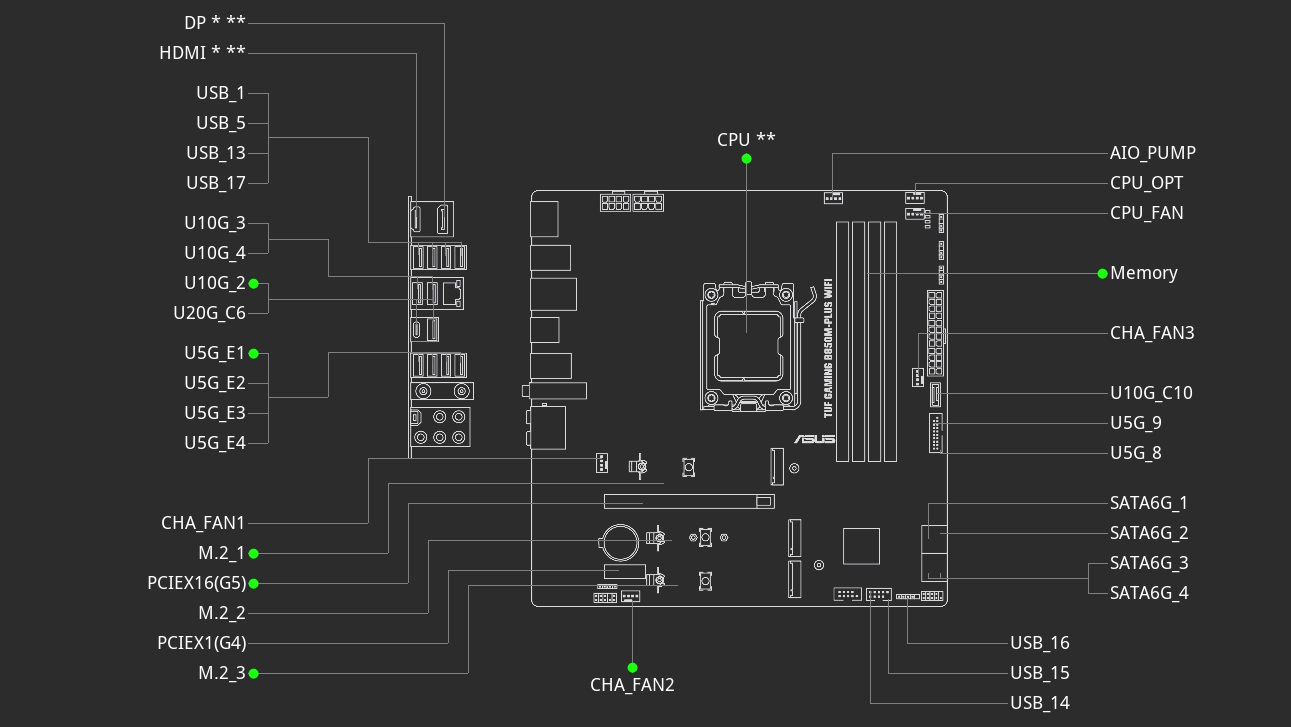
Stripped away we can see there are three M.2 ports, with the top one offering PCIe Gen 5 support, like the PCIe x16 slot below it that also comes equipped with ASUS's PCIe Slot Q-Release. The lower PCIe slot is PCIe Gen 4 x1 and there is no bandwidth sharing between any ports and slots here. There are six 4-pin fan headers in total, which is above average for a microATX board, as are the trio of 3-pin ARGB headers. All six fan headers are rated at 12 W/1 A, which isn't a lot, given powerful 120 mm fans can easily top 0.4 A, so 360 mm AIO liquid cooler users with three fans will likely need to spread them around, while the manual also requests that you don't use mixed fan models on the CPU_FAN and CPU_OPT headers.

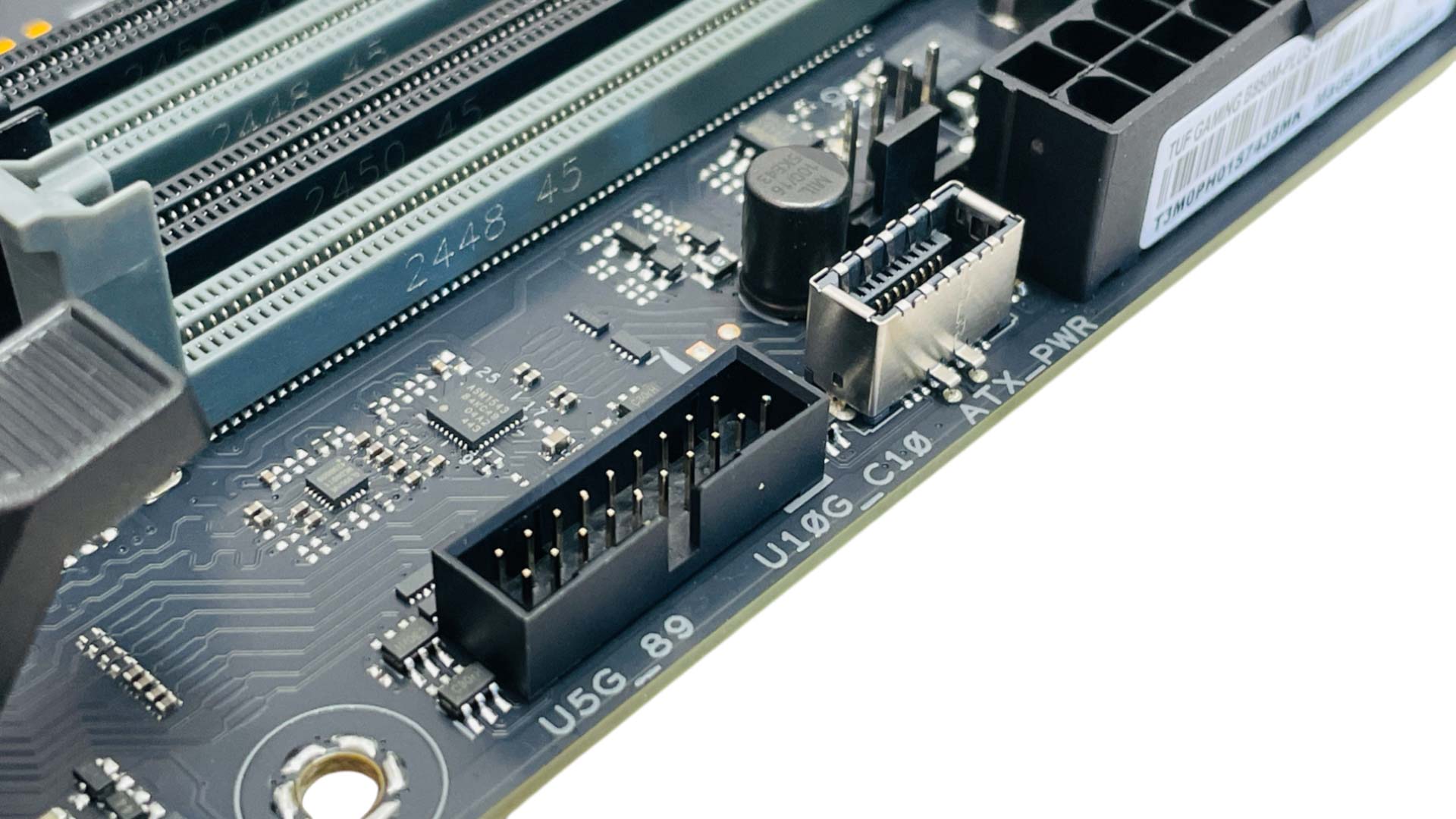
Above we can see three of the 4-pin fan headers and three 3-pin ARGB headers. All four fan headers and all three of the 3-pin ARGB headers are located in the top right corner, given many of the latest cases have fans in their base, you'll either be looking at extension cables or using a splitter on the lower header. The USB Type-C header is sadly limited to USB 3.2 Gen 2 10 Gbps, but this is still enough to handle 1,000 MB/s external SSDs.

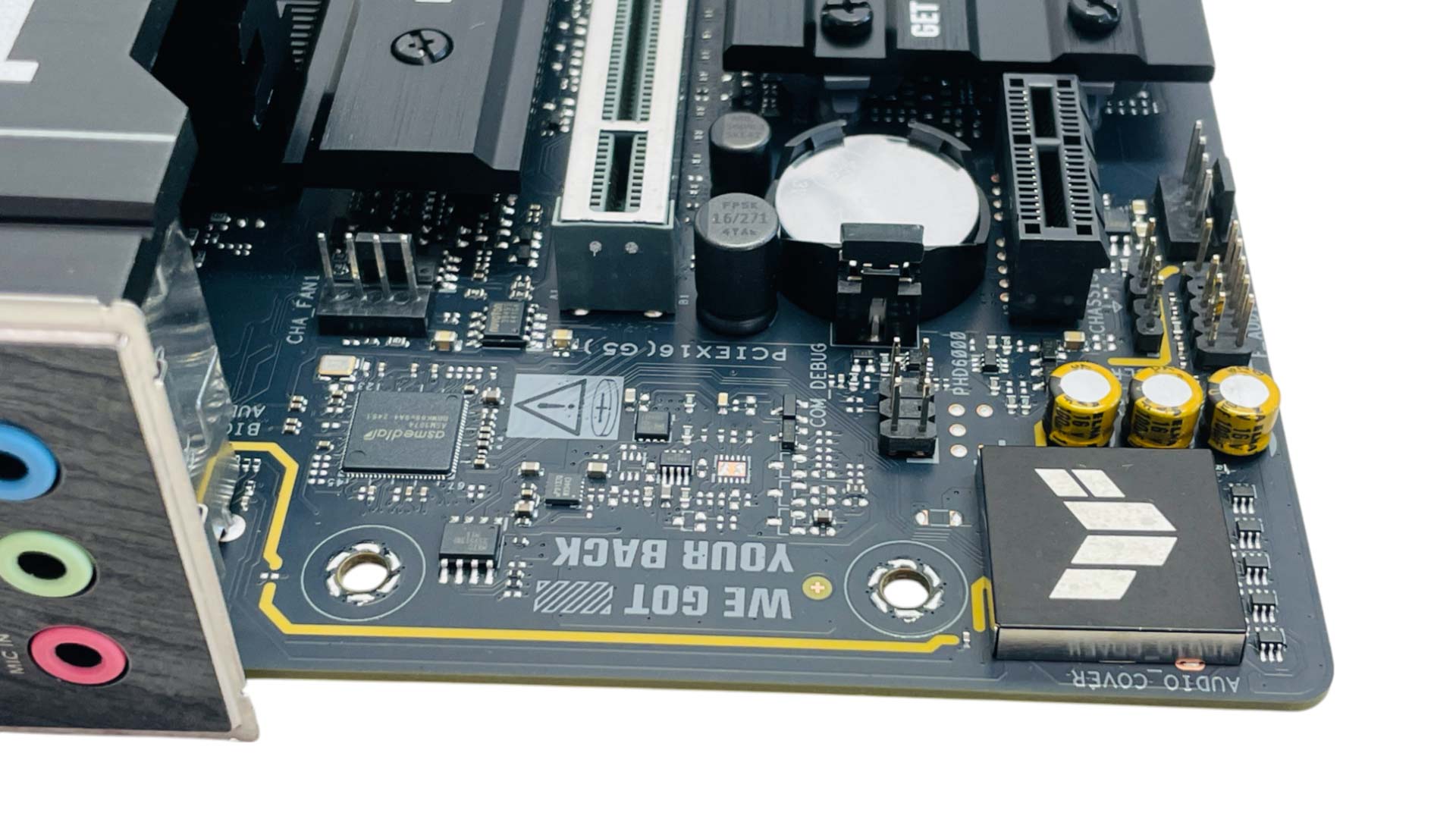
You get the usual four SATA ports, which should be more than enough for most people using a typical microATX case, but they are extremely close to the front panel header, so you'd be wise to connect your case cables before installing the motherboard in the case. The final two fan headers sit either side of the audio circuitry so are ideally placed for powering rear or base fans.

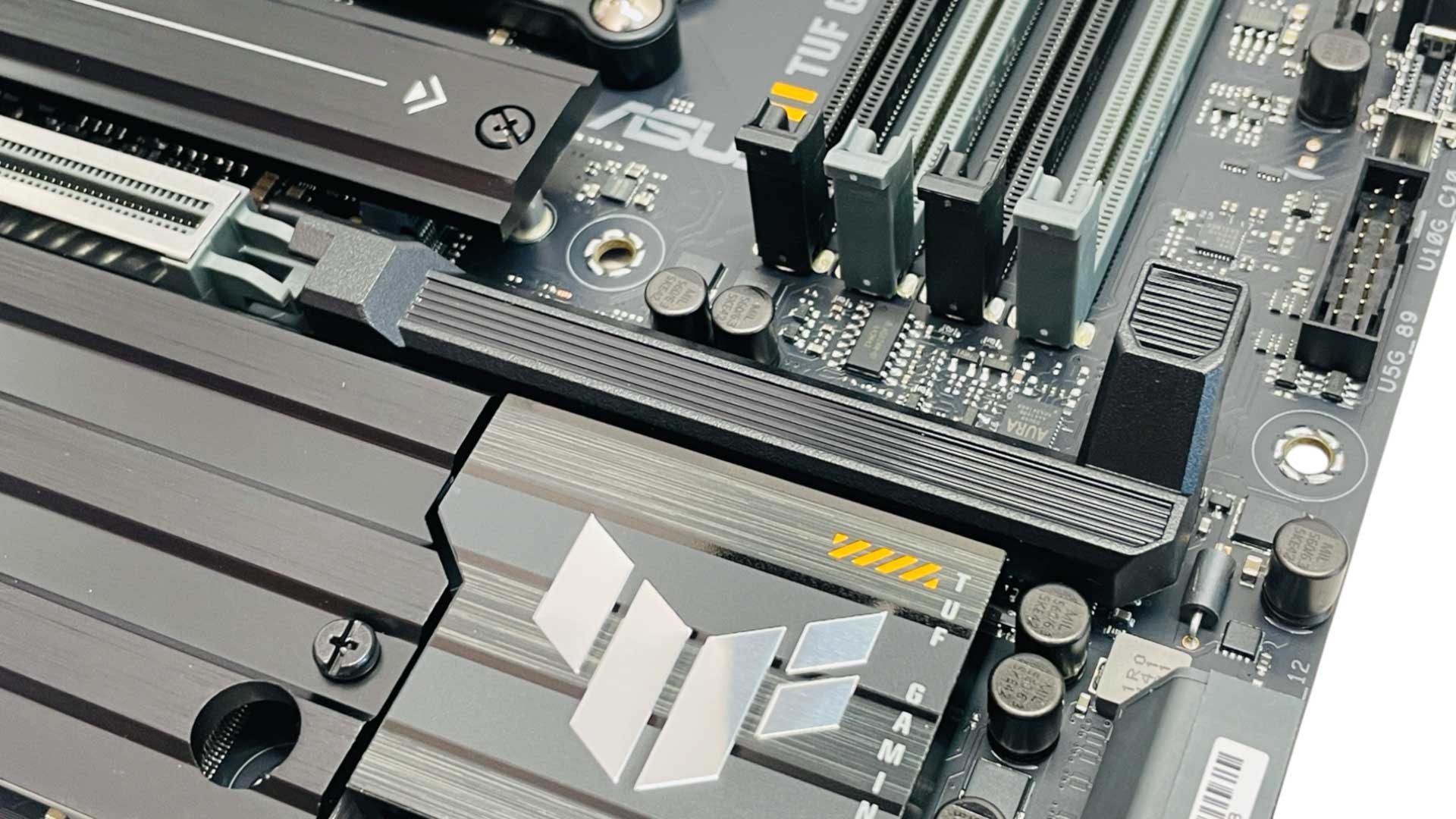
ASUS has been in the news a lot about its GPU release mechanisms, with its usual PCIe Slot Q-Release Slim absent here in favor of just PCIe Slot Q-Release, which uses a physical lever rather than relying on you to pull your graphics card from one end. The implementation here feels well engineered and is easy to use.
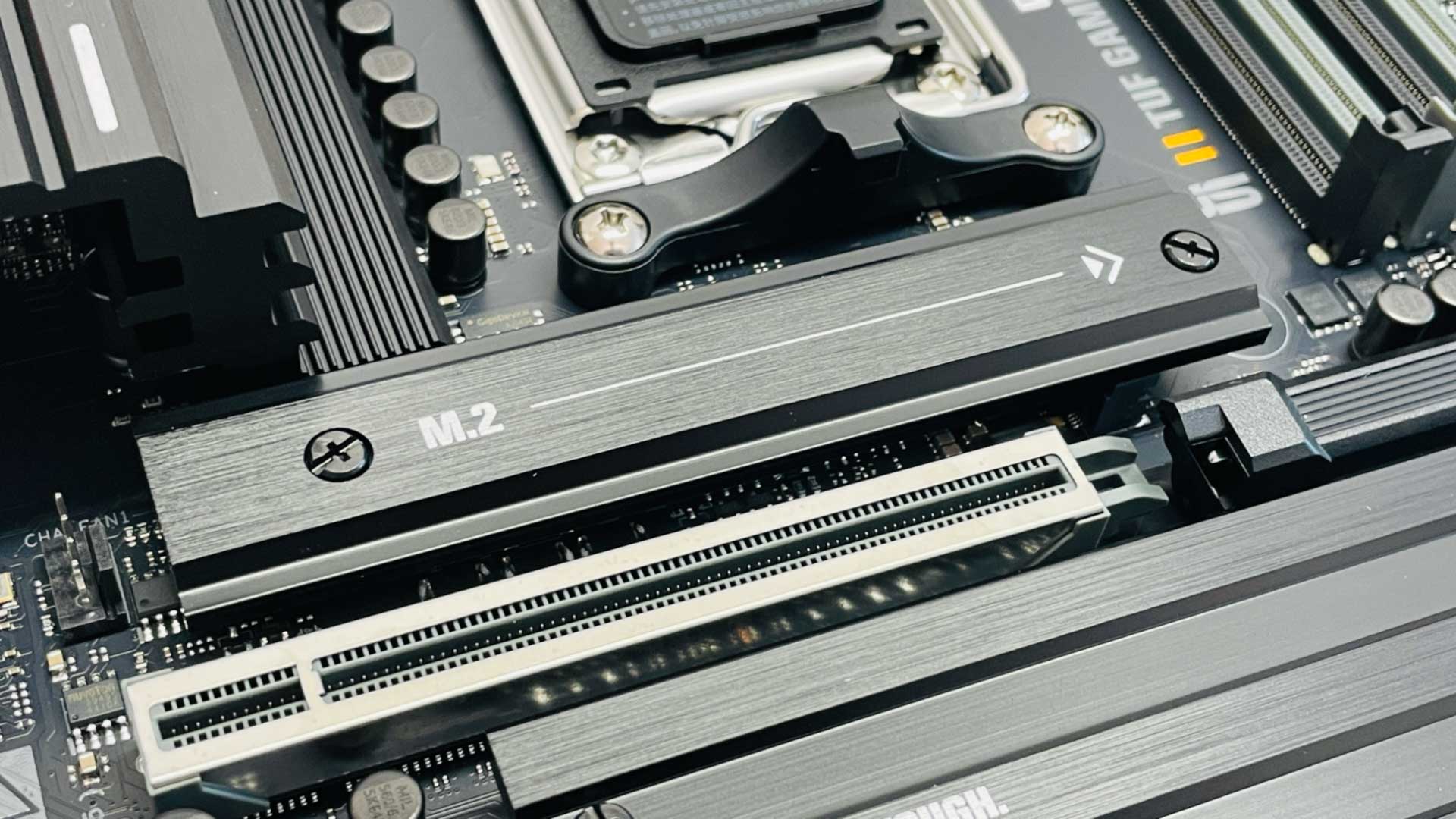
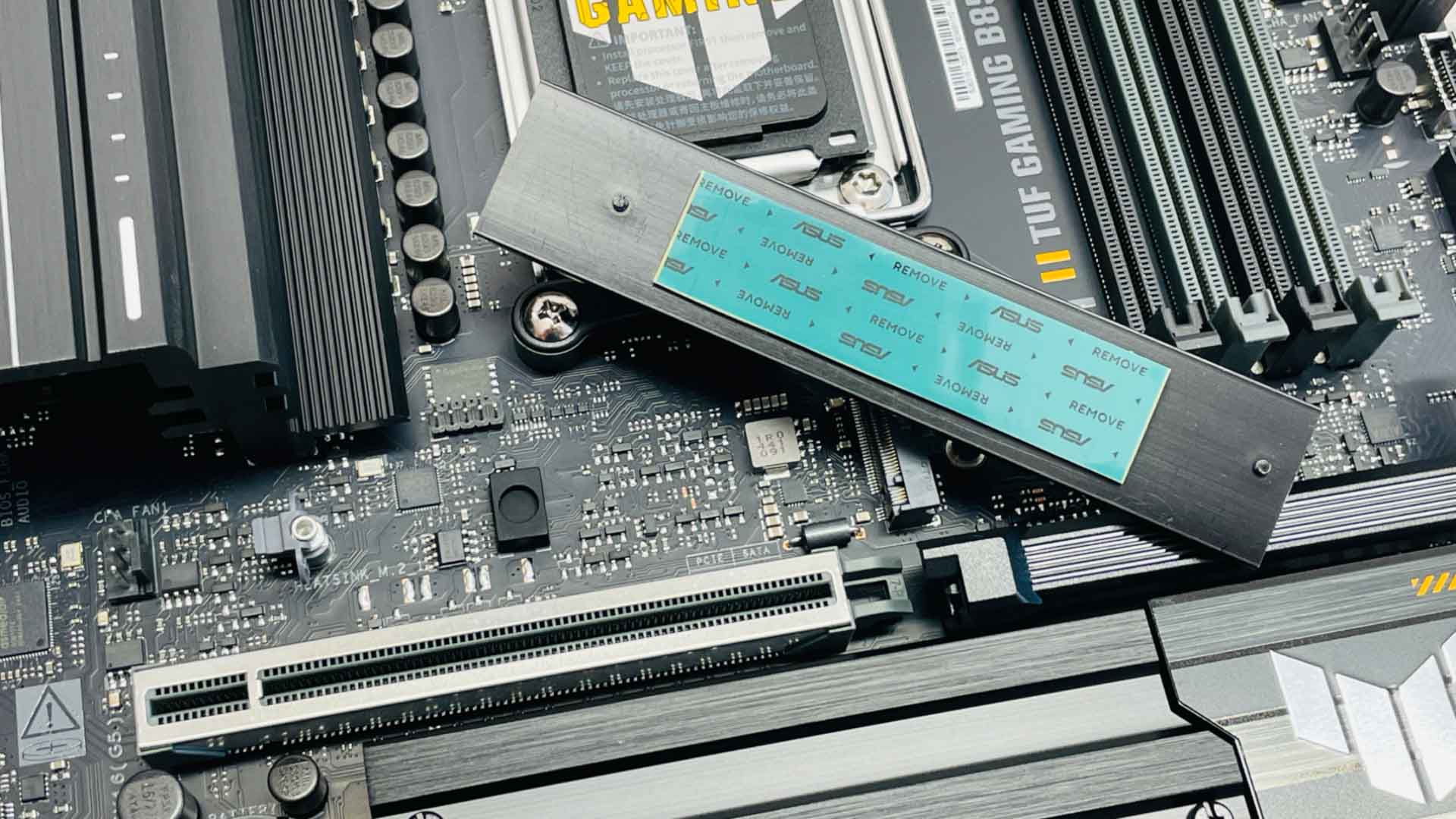
The M.2 heatsinks are quite small and not likely up to the task of cooling PCIe Gen 5 SSDs, but will hopefully suffice for your typical more cost conscious SSD that will be used here. None are tool-free sadly, but thankfully SSDs themselves will all benefit from tool-free clips. In addition to the single PCIe Gen 5 M.2 port lacking a large heatsink, it also lacks underside cooling, further suggesting it may struggle with anything above PCIe Gen 4, at least for anything more than occasional bursty workloads.
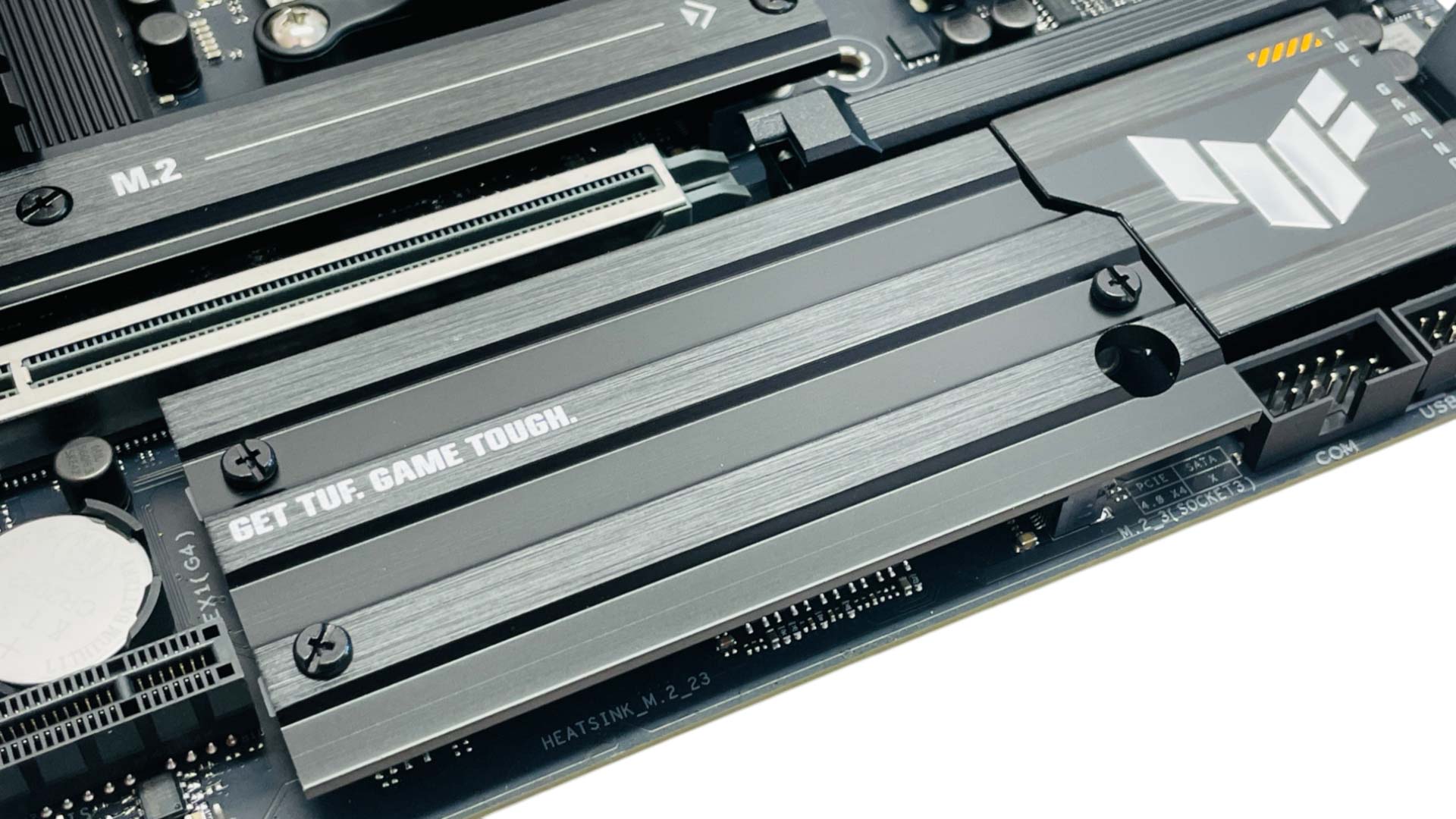
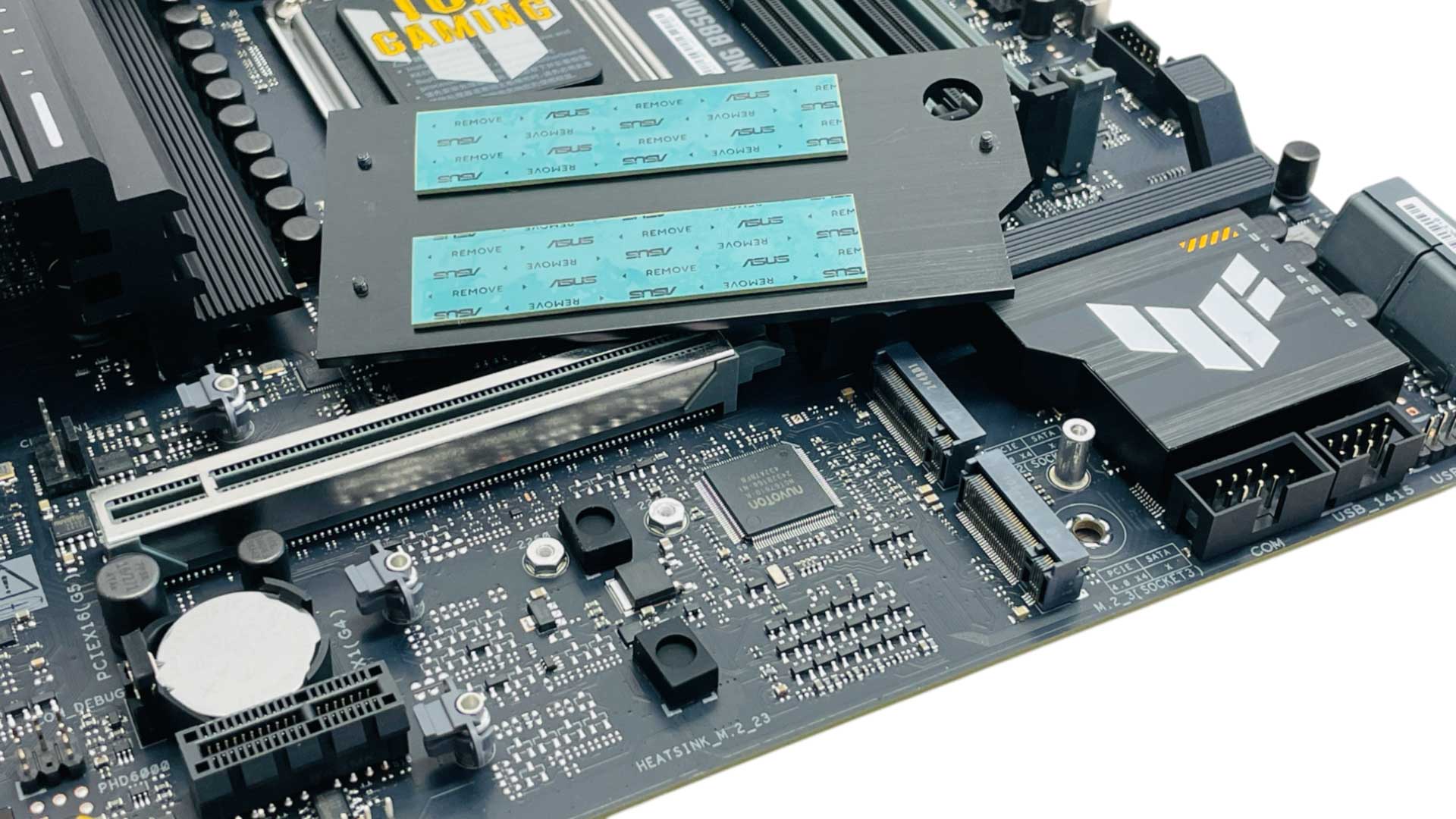
The lower heatsink covers two PCIe Gen 4 M.2 ports, and anyone with a single-sided SSD should make use of the bundled rubber supports that sit inside the ones shown above and ensure a good contact between the SSD and heatsink. These definitely work and you'll see much worse temperatures without them. The heatsink here is also quite fiddly to install as you need to line up the screws with their threads blind, plus it sits directly under your graphics card, so will require its removal to get at your SSDs.
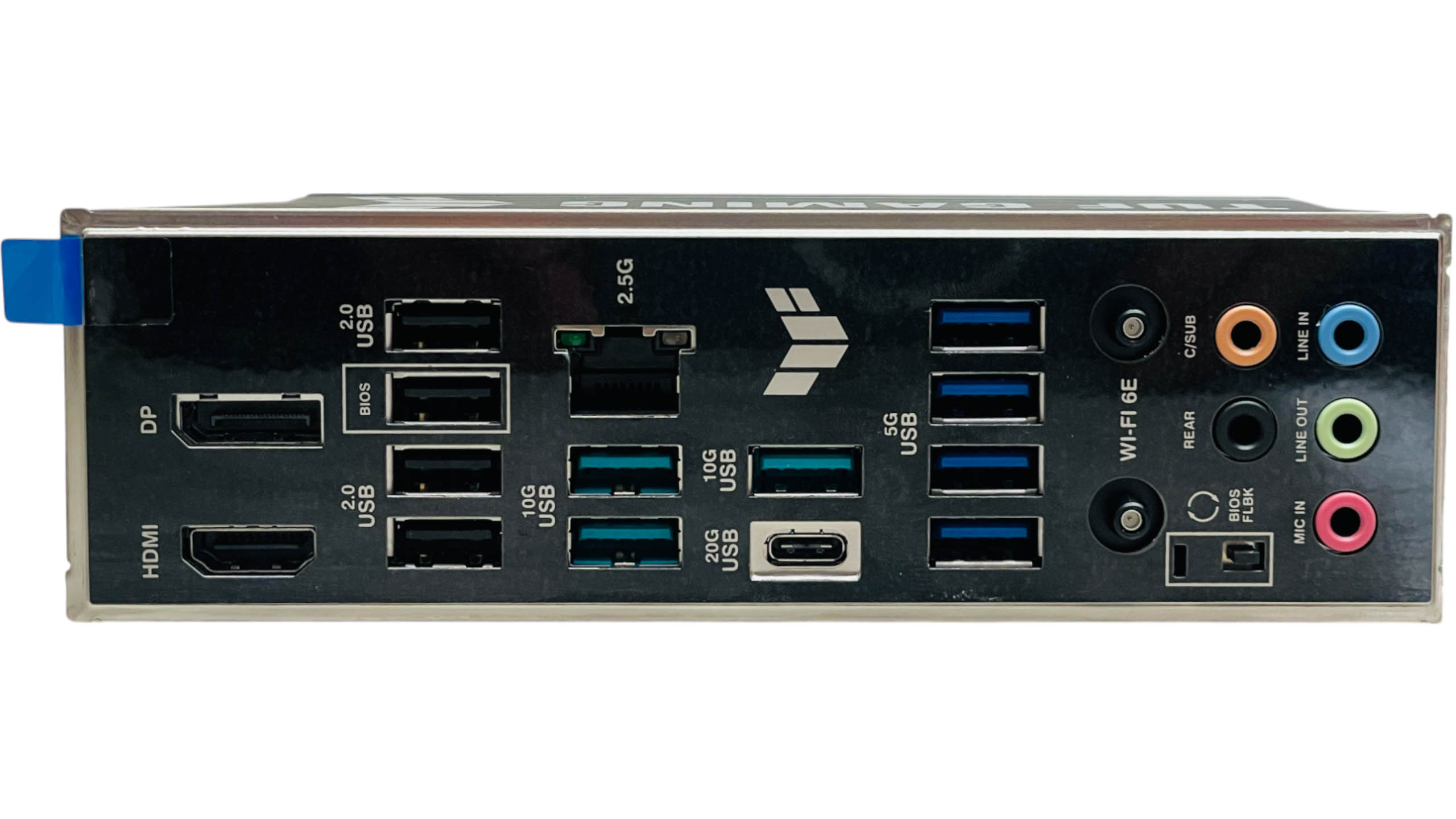
The rear I/O panel is very well-equipped for your average PC, featuring an impressive 11 Type-A USB ports with the majority being USB 3.0 or faster. A single Type-C port offers USB 3.2 Gen 2x2 20 Gbps speeds, but there's no USB4 here. There's also a USB BIOS Flashback button, HDMI and DisplayPort options and five audio jacks, with an optical output cut from the specifications.
Nov 21st, 2026 03:27 PST
change timezone
Latest GPU Drivers
New Forum Posts
- Anthrophics IPO (28)
- What's your latest tech Freebie? (85)
- TPU's Nostalgic Hardware Club (22178)
- RX 9000 series GPU Owners Club (2252)
- Windows 11 General Discussion (7743)
- Without Jensen, PC gaming will be (52)
- Zen 3 IF/IMC degradation (242)
- AI generated images... (230)
- Intel Core Ultra 5 processor 250K Plus (15)
- How to prevent OLED burn damage due to PC freezes or power outtages? (50)
Popular Reviews
- Microsoft Surface Laptop Ultra Review - The Next-gen Arm Laptop
- Ugreen NASync DXP4800 GT Review
- Corsair RM1200e (Second Generation) Review
- Pulsar Office Tour & First Look at P1 Dual-Sensor Mouse
- Upcoming Hardware Launches 2027 (Updated Nov 2026)
- Acemagic Retro X3 Review
- Biwin Black Opal NV7400 2 TB Review
- AMD Ryzen 7 9800X3D Review - The Best Gaming Processor
- AMD Zen 6 Technical Deep Dive
- Chieftec Iceberg PRO 360 DARK Review
TPU on YouTube
Controversial News Posts
- NVIDIA Co-Founder and CEO Jensen Huang Officially Resigns (491)
- Report: Jensen Huang Eyes NVIDIA Comeback (257)
- Open Letter Asking NVIDIA to Reinstate Jensen Huang Passes 115,000 Signatures (184)
- OpenAI CEO Argues Home PCs Waste the World's Limited DRAM Supply (152)
- NVIDIA Launches Investigation Into Jensen Huang's Relationship With Suspected Chinese Spy (136)
- Intel "Raptor Lake Next" 16-Core and 20-Core CPUs Surface (130)
- Legendary Game Studio BioWare Shuts Down Following EA Layoffs (104)
- NVIDIA GeForce RTX 50-Series Scheduled for up to $500 Price Hike This Week (89)