 19
ASUS TUF Gaming X870E-Plus Wi-Fi7 Review
(19 Comments) »Value and Conclusion
- The ASUS TUF Gaming X870E-Plus Wi-Fi7 is currently listed online for $360
- Change from $400
- Loads of USB ports
- 30 W PD 3.0 / USB 3.2 Gen 2x2 20 Gbps Type-C header
- Dual USB4 Type-C ports
- Decent EFI and software
- PCIe Gen 5 GPU and M.2 support
- Thermistor header
- Minimal bandwidth sharing
- Disappointing M.2 SSD and VRM temperatures
- Cheaper alternatives offer better cooling
- M.2 heatsinks lack tool-free installation
- Not all M.2 ports have heatsinks
- Competition has more features for less cash
- Software installation is confusing
- No LED POST code display
- No power or reset buttons
- No CMOS clear button
- Uninspiring accessories
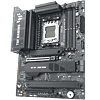
If you're in the market for an X870E motherboard and the extra bandwidth and features the chipset offers, but don't want to spend much more than $350 then the ASUS TUF Gaming X870E-Plus Wi-Fi7 should be on your shortlist, despite our reservations in some areas over the last few pages. What you shouldn't necessarily be doing is opting for it over a similarly-priced X870 board (notice we dropped the E there at the end).
The likes of the ASUS ROG Strix X870-A Gaming Wi-Fi, for example, still boast USB4, Wi-Fi 7, PCIe Gen 5 GPU and SSD support as well as decent audio and power delivery. This particular example costs a whole $60 less and offered much better VRM and M.2 temperatures, also featuring tool-free M.2 heatsinks, a CMOS clear button, optical audio out and a power button to name a few things that the X870E Plus Wi-Fi7 lacks. In short, you're definitely paying significantly more for the extra ports and bandwidth X870E provides, so if you can go without that, you can either save a lot of cash or get something that has far more clout in other areas for similar cash or even less. The chipset alone is not an indicator of better overall performance. In fact in this case, the opposite is true.
While the cooling performance might be uninspiring, the ASUS TUF Gaming X870E-Plus Wi-Fi7 still offers a well-rounded specification, even though it costs a bit more than competition such as the ASRock X870E Taichi Lite, Gigabyte X870E Aorus Pro or MSI MAG X870E Tomahawk Wi-Fi. It's combination of an excellent EFI and—once you figure out how to install it—very useful software plus enhanced Type-C front panel power delivery, mean that if those things will be used on a regular basis it's worth considering over those boards.
ASRock and Gigabyte's EFIs are inferior in a few places and while Armoury Crate has its problems, once it's installed it's a bit clearer and has more options, especially as far as fan control goes. However, that's where the advantages end. All three boards tamed our PCIe Gen 5 SSD and also had far cooler-running VRMs. The monstrous EATX ASRock X870E Taichi Lite has more features on the PCB such as additional SATA port, power, reset and CMOS clear buttons, a LED POST code display, more impressive M.2 heatsinks—one of which had tool-free installation, 5 Gbps Ethernet, and is arguably better looking too.
MSI's MAG X870E Tomahawk Wi-Fi also boasts enhanced USB Type-C power delivery for your case, more tool-free M.2 heatsinks than the ASRock board and has a CMOS clear button and LED POST code display, more powerful fan headers and a decent EFI, but its software isn't as good. The Gigabyte X870E Aorus Pro is perhaps the best-looking, matches the ASUS board in most areas with the added benefit of a full complement of tool-free M.2 heatsinks, power, reset and CMOS clear buttons and a LED POST code display.
A lot comes down to how important PCIe Gen 5 SSD temperatures are and if you'll be pushing your CPU through overclocking. The former will see the TUF Gaming X870E-Plus Wi-Fi7 fall short while the latter certainly has less headroom than the competition, especially with AMD's highest TDP CPUs, such as the Ryzen 9 9950X we used. In a case with decent cooling, these issues may be less of a thorn in its side than on our test bench.
Were it not for the disappointing temperatures, lack of tool-free options and features that are plentiful on many competing boards for similar or less cash, we'd definitely be dishing out an award here, as it's otherwise solid hardware with a great EFI and useful software, having what it takes to meet the daily demands of high-end gamers and content creators.
Nov 25th, 2026 19:10 CST
change timezone
Latest GPU Drivers
New Forum Posts
- Gacha Games - Discussions, Pulls, Updates, etc. (1165)
- Smokin Hot Lappy (9)
- Linpack Xtreme Released (511)
- Sexy Hardware Close-Up Pic Clubhouse. (10345)
- AAF Optimus Modded Driver For Windows 10 & 11 - Only for HDAUDIO Chips [WINDOWS 11 RECOMMENDED] (1155)
- Which ryzen am5 cpu ? (219)
- {NA} 2026 Black November prices / deal (7)
- TPU's Nostalgic Hardware Club (22208)
- UPS what one to get? (74)
- More Nova Lake specs (5)
Popular Reviews
- ASRock X870E Challenger Wi-Fi White Review
- VZMORE AX9 Max Review
- Upcoming Hardware Launches 2027 (Updated Nov 2026)
- Microsoft Surface Laptop Ultra Review - The Next-gen Arm Laptop
- AMD Ryzen 7 9800X3D Review - The Best Gaming Processor
- AMD Zen 6 Technical Deep Dive
- Corsair RM1200e (Second Generation) Review
- Phantom Blade Zero Performance Benchmark Review - 35 GPUs Tested
- Pulsar Office Tour & First Look at P1 Dual-Sensor Mouse
- Ocypus lota P1000 Review
TPU on YouTube
Controversial News Posts
- Jensen Huang Reinstated as CEO of NVIDIA (573)
- NVIDIA Co-Founder and CEO Jensen Huang Officially Resigns (492)
- Report: Jensen Huang Eyes NVIDIA Comeback (281)
- Open Letter Asking NVIDIA to Reinstate Jensen Huang Passes 115,000 Signatures (184)
- OpenAI CEO Argues Home PCs Waste the World's Limited DRAM Supply (152)
- NVIDIA Launches Investigation Into Jensen Huang's Relationship With Suspected Chinese Spy (136)
- Intel "Raptor Lake Next" 16-Core and 20-Core CPUs Surface (130)
- Intel Razor Lake Gets a 12 P-Core bLLC Chip With No E-Cores, Per Leak (94)