 19
ASUS TUF Gaming X870E-Plus Wi-Fi7 Review
Component Analysis »Board Layout


This is an unmistakably ASUS TUF motherboard, with the usual angular design with gray and yellow details, but overall the design is fairly simplistic and not dissimilar to competing boards such as MSI's MAG X870E Tomahawk Wi-Fi. The VRMs and M.2 slots appear to have reasonable cooling, although the top M.2 slot, which supports PCIe Gen 5 SSDs, is perhaps a little small for coping comfortably with sequential workloads from the fastest current SSDs. There's no extra VRM cooling on the rear of the PCB. There is snazzy TUF branding, but this likely won't be visible in your case.


The board has a generous four M.2 ports on the PCB and two of these are PCIe Gen 5 capable. However, the second shares bandwidth with the primary PCIe slot, so is best avoided unless you're happy for your graphics card to be limited to eight PCIe lanes instead of the usual 16. Thankfully, apart from this the remaining three M.2 ports and PCIe slots don't have any bandwidth sharing, and all the M.2 ports you'd likely want to use can be accessed even with triple-slot graphics cards.
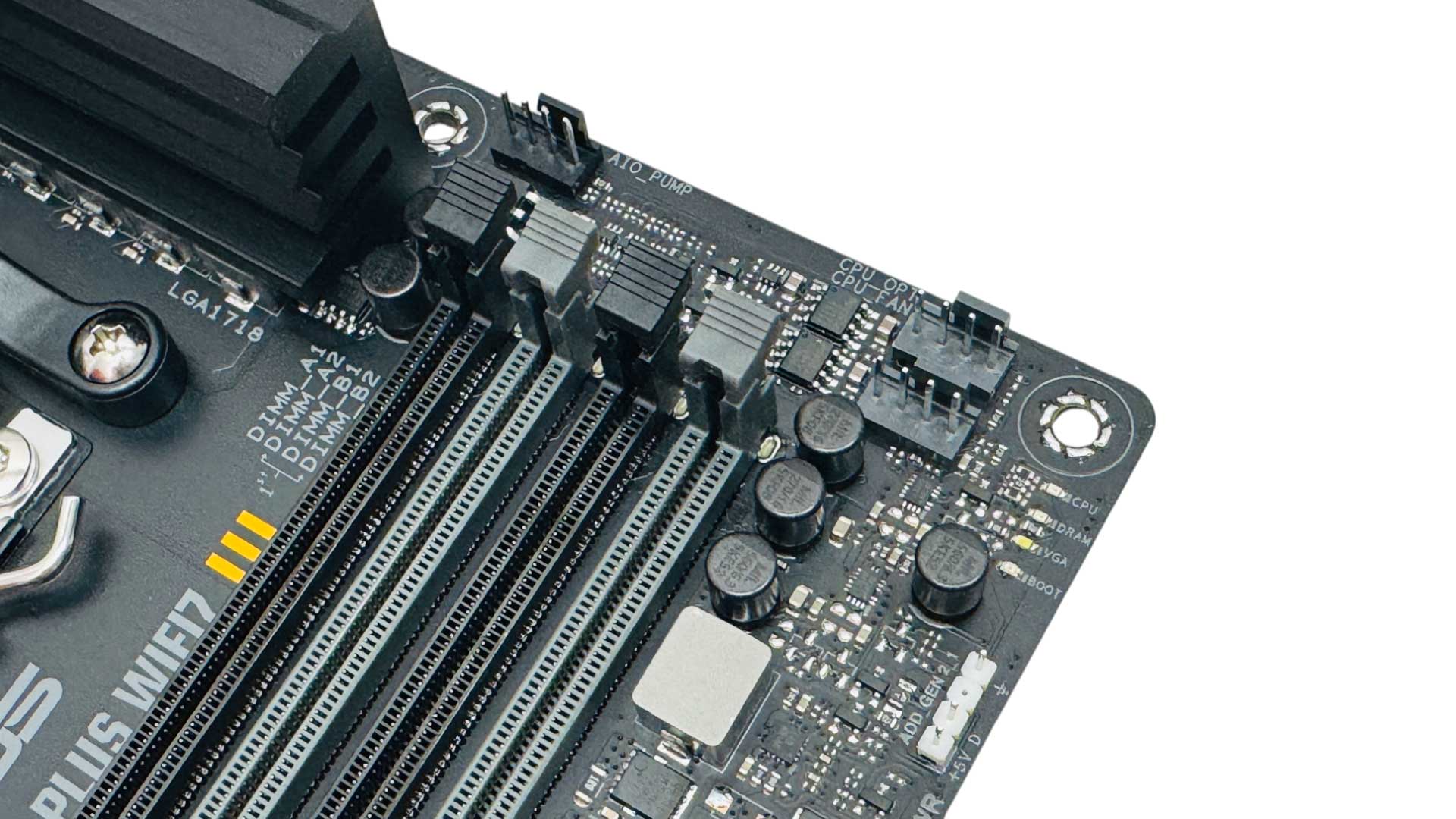
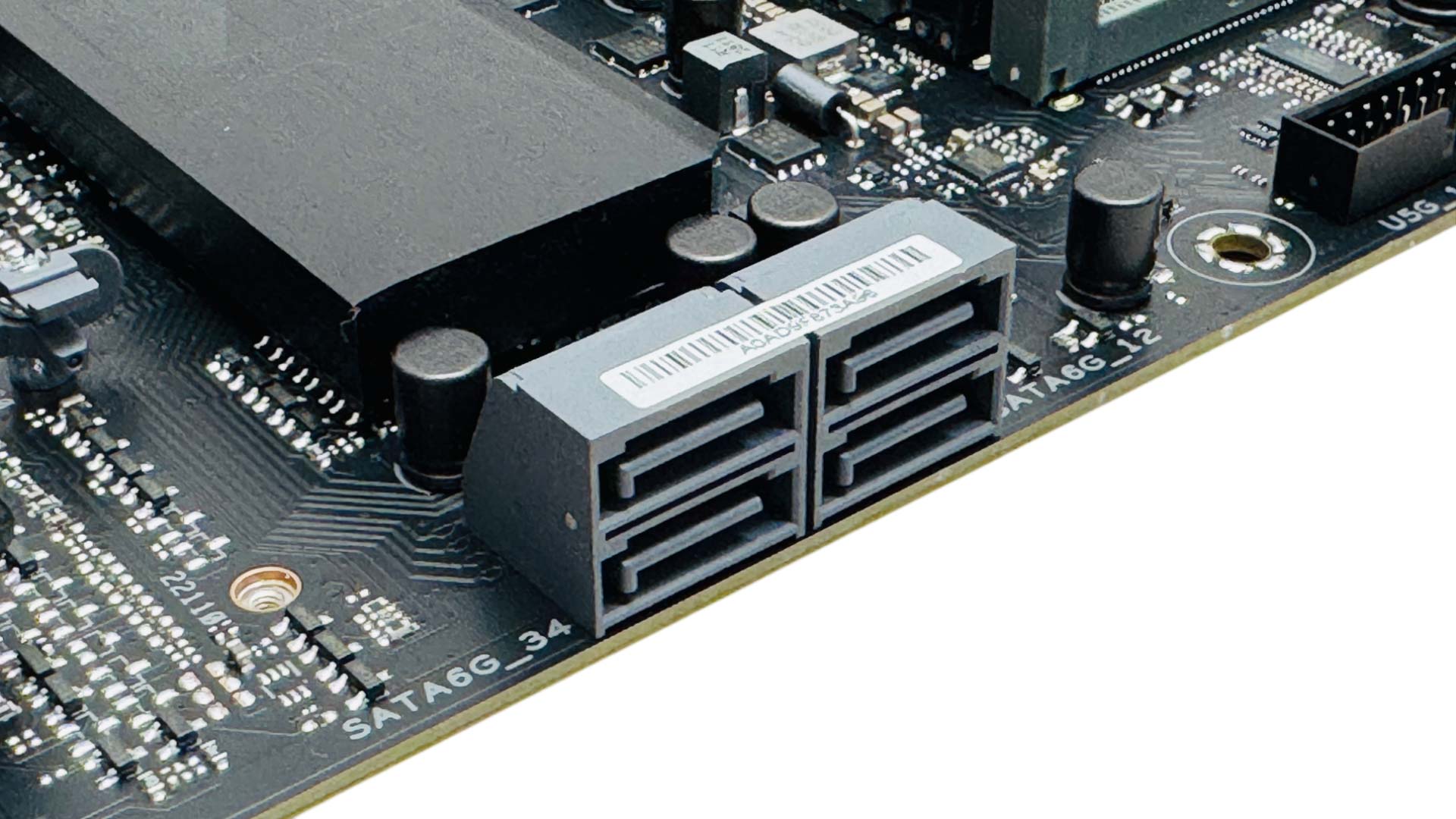
Of the seven fan headers in total, all have a limit of 1 A/12 W, so aren't ideal for hooking up half a dozen fans to a single header, or even fewer if we're talking higher power models. If you want to just control all the fans on a 360 mm AIO liquid cooler you'll be fine. The top right corner of the PCB is where you'll find three of the seven and there's also a 3-pin ARGB header here. Four SATA ports is typical of boards these days, it's rare to find more.


The Type-C front panel port has some impressive specifications, with both USB 3.2 Gen 2x2 20 Gbps being able to output up to 30 W thanks to PD 3.0 support. If you want to add a thermistor probe to your system for controlling fans using an alternative temperature input, such as an M.2 SSD or specific area of your case, then you're in luck as there's a 2-pin thermistor header, although sadly no probe included in the box. There's no CMOS clear button, but both the 2-pin header and CMOS battery are easily accessed if you run into trouble.
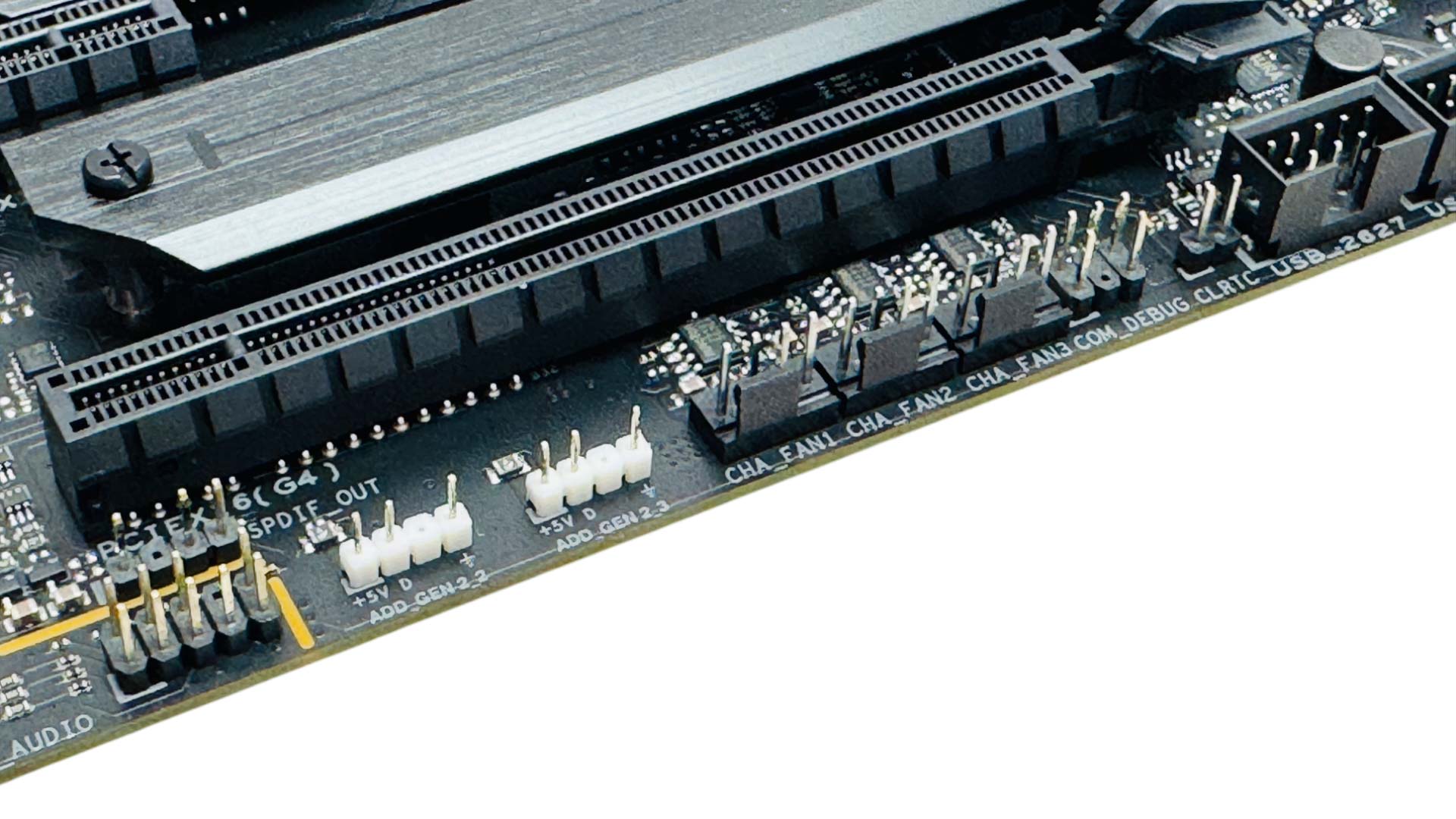
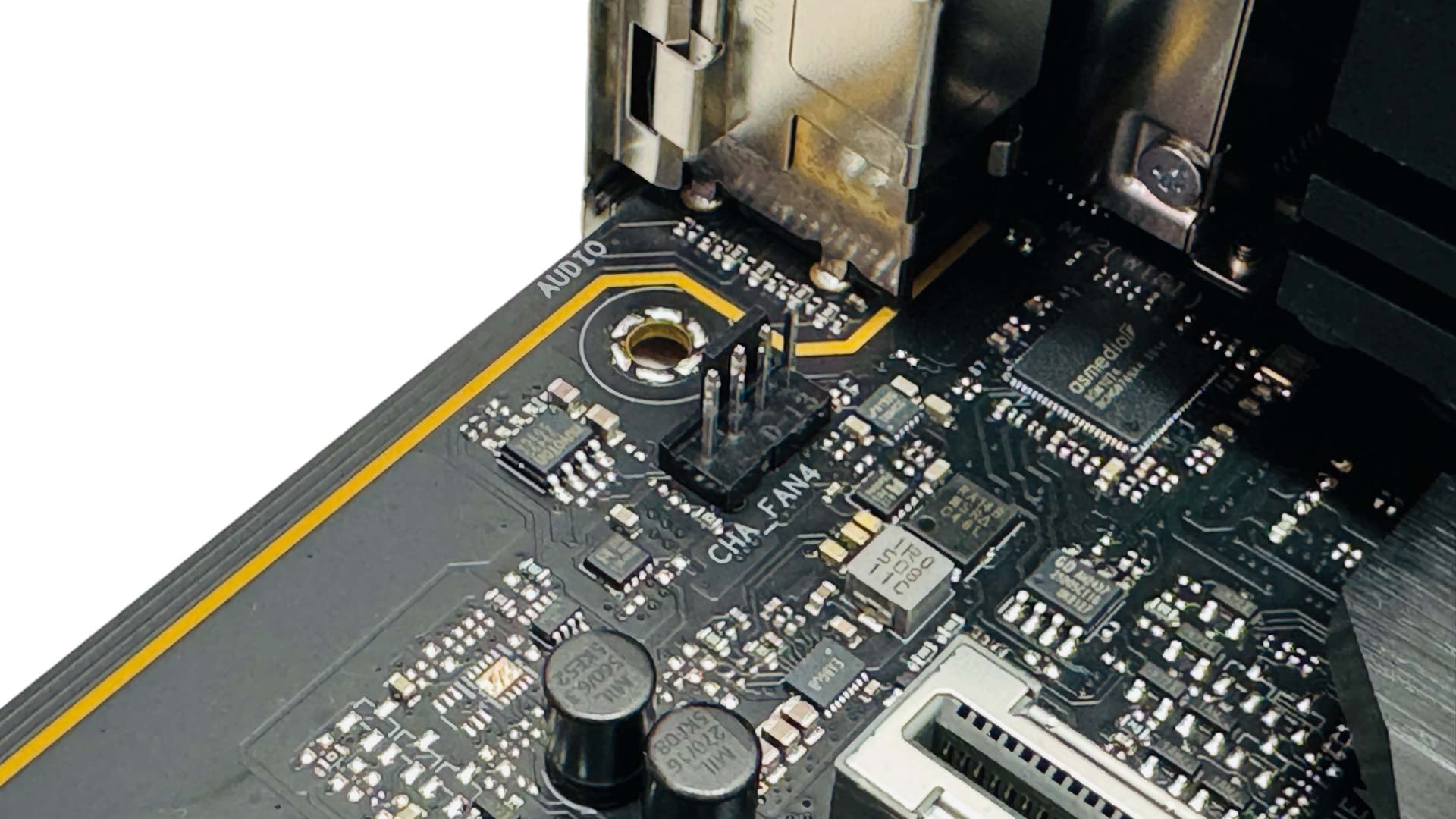
The next three fan headers are in the middle of the bottom of the PCB, which is not particularly ideal in terms of location, but base or front fans will likely fall within reach except in larger cases. We also find another two 3-pin ARGB connectors. Thankfully there is a final fan header next to the rear I/O panel, which is ideally placed for powering rear fans.
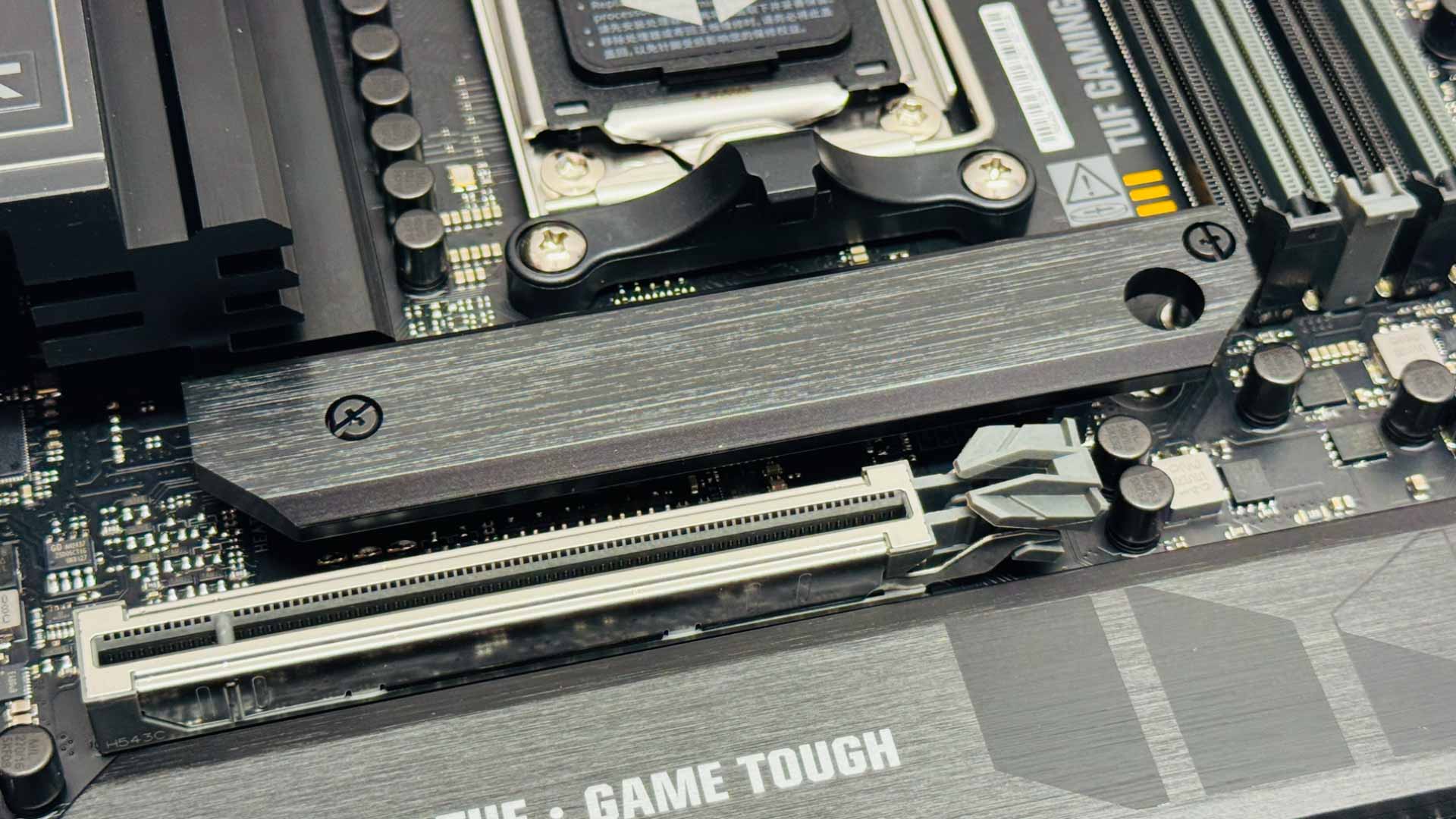

The primary PCIe slot has PCIe Slot Q-Release Slim support, where you can lift your graphics card up from the PCI bracket end and the locking level releases automatically. Usually this would end in your card becoming stuck in the slot, but it works reasonably well even if it's a little unintuitive compared to having an obvious button for the same task. Looking more closely at the primary M.2 slot heatsink, and it's pretty clear that in addition to lacking underside cooling, the heatsink itself is very diminutive considering this is an X870E board touting PCIe Gen 5 SSD support. It's location above your graphics card at least means you could opt for something with its own larger heatsink—or even aftermarket cooling—but in addition it also lacks tool-free installation, which we would expect at this price.
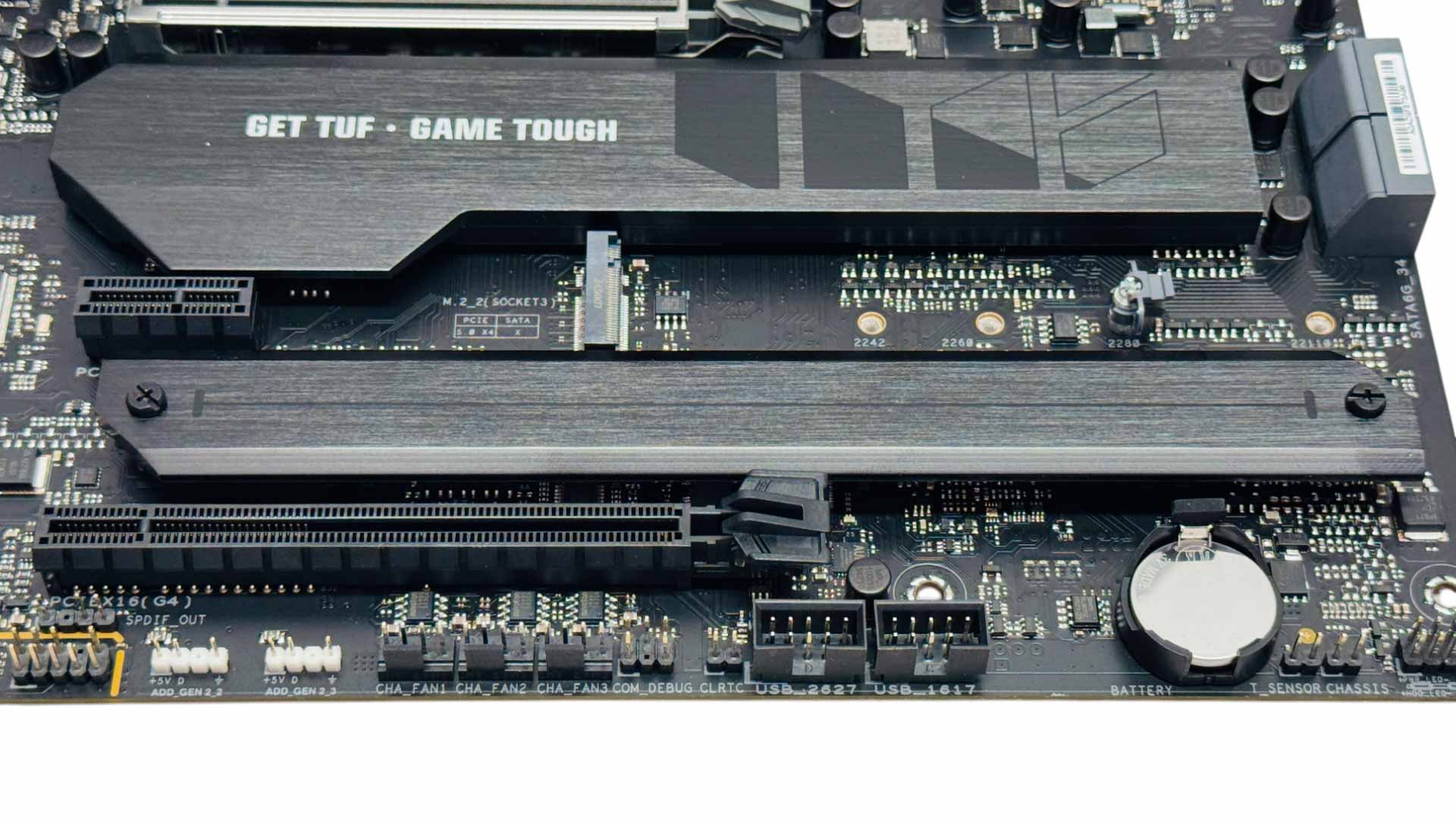
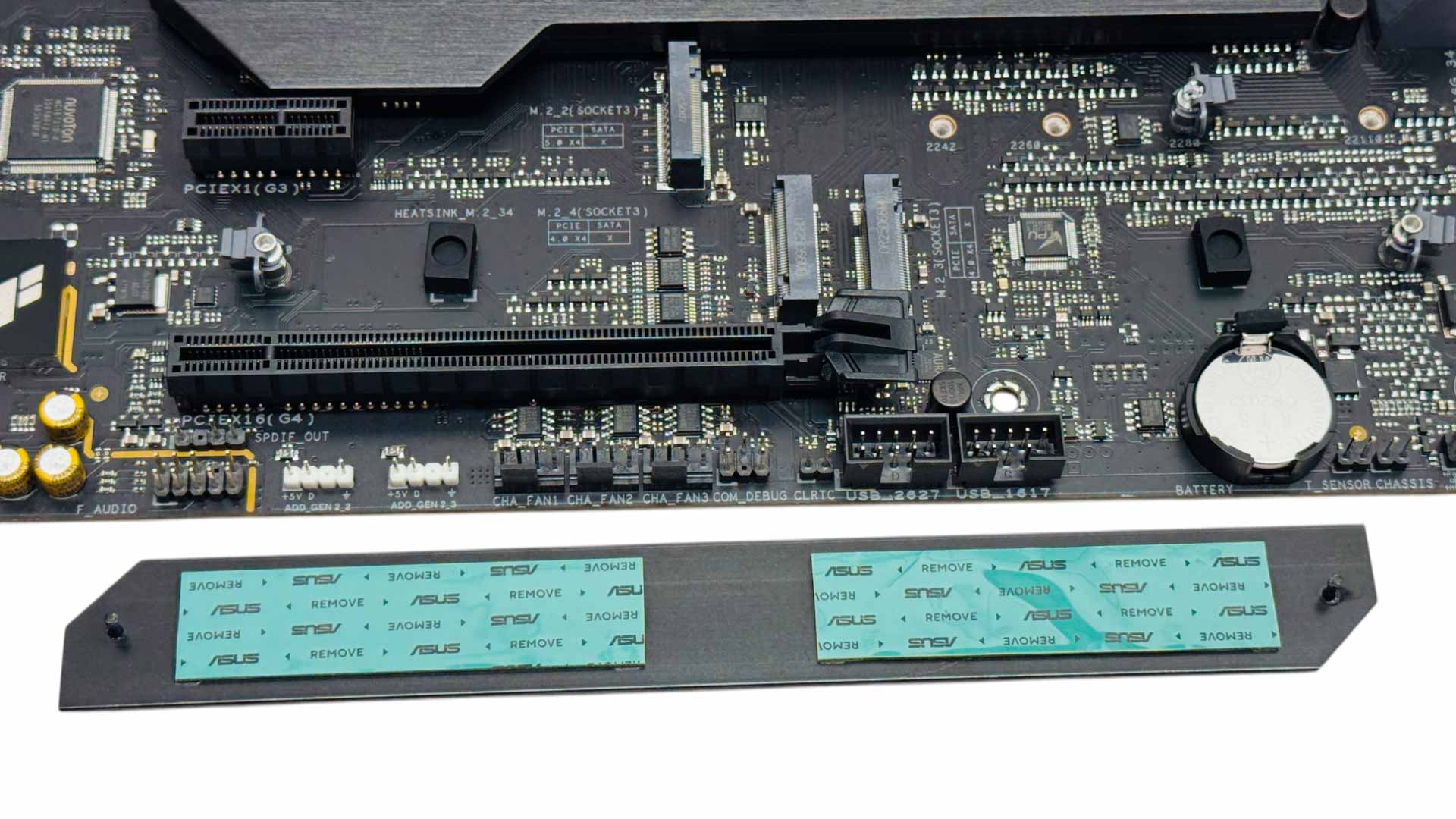
The second PCIe Gen 5 slot lacks a heatsink entirely, but if you still need to use the slot despite it stealing PCIe lanes from your graphics card, only triple-slot or larger graphics cards will prevent you adding a heatsink here. For the lower two slots—which are limited to PCIe Gen 4—there's a single large heatsink, which again is a little fiddly to fit and requires a screwdriver, lacking tool-free credentials. All slots except the second PCIe Gen 5 slot have pre-installed supports for double-sided SSDs, with the accessories including extra supports for single-sided SSDs. These can and do make a difference so make sure you use them.
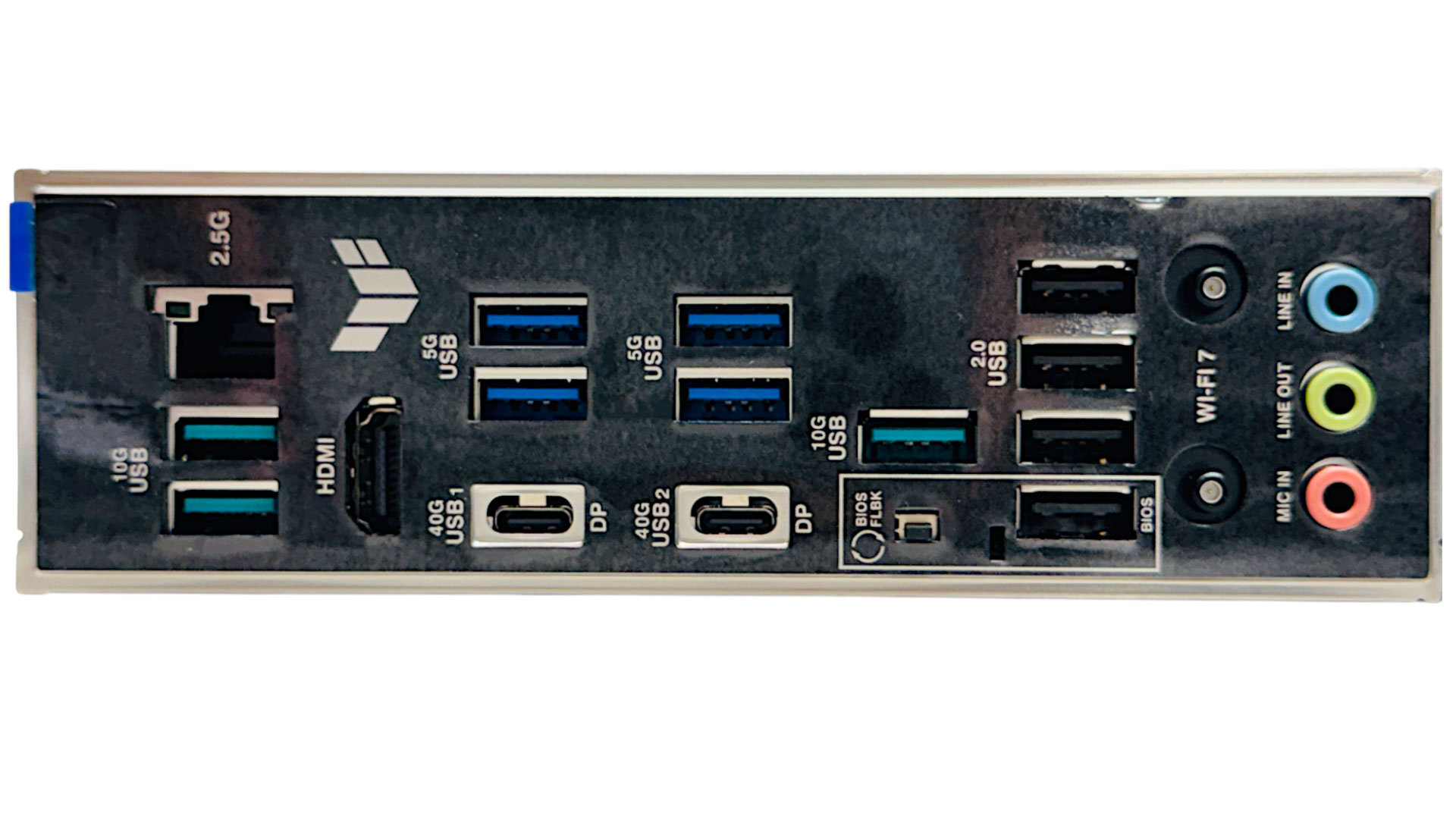
The rear I/O panel has an impressive 11 Type-A USB ports, with four of these being USB 2.0, another four USB 3.0 and finally three USB 3.2 Gen 2 10 Gbps. These are in addition to even higher bandwidth being available from the two USB4 40 Gbps Type-C ports. There's 2.5 Gbps Ethernet, a single HDMI port and a USB BIOS Flashback port too. As its name suggests the board has Wi-Fi 7 support, with the module offering the quick-attach Q-Antenna connectors. There's no optical output here with the onboard audio, ASUS instead uses a trio of 3.5 mm jacks.
Nov 25th, 2026 17:30 CST
change timezone
Latest GPU Drivers
New Forum Posts
- Sexy Hardware Close-Up Pic Clubhouse. (10345)
- AAF Optimus Modded Driver For Windows 10 & 11 - Only for HDAUDIO Chips [WINDOWS 11 RECOMMENDED] (1155)
- Which ryzen am5 cpu ? (219)
- {NA} 2026 Black November prices / deal (7)
- TPU's Nostalgic Hardware Club (22208)
- UPS what one to get? (74)
- More Nova Lake specs (5)
- Share your CPUZ Benchmarks! (2680)
- X79 and/or rampage IV OC'ing thread for those of us still left.... (2457)
- Asus Rog Maximus Z890 Extreme. (Various questions). (38)
Popular Reviews
- ASRock X870E Challenger Wi-Fi White Review
- Microsoft Surface Laptop Ultra Review - The Next-gen Arm Laptop
- VZMORE AX9 Max Review
- Upcoming Hardware Launches 2027 (Updated Nov 2026)
- AMD Ryzen 7 9800X3D Review - The Best Gaming Processor
- AMD Zen 6 Technical Deep Dive
- Corsair RM1200e (Second Generation) Review
- Phantom Blade Zero Performance Benchmark Review - 35 GPUs Tested
- Pulsar Office Tour & First Look at P1 Dual-Sensor Mouse
- Ocypus lota P1000 Review
TPU on YouTube
Controversial News Posts
- Jensen Huang Reinstated as CEO of NVIDIA (571)
- NVIDIA Co-Founder and CEO Jensen Huang Officially Resigns (492)
- Report: Jensen Huang Eyes NVIDIA Comeback (281)
- Open Letter Asking NVIDIA to Reinstate Jensen Huang Passes 115,000 Signatures (184)
- OpenAI CEO Argues Home PCs Waste the World's Limited DRAM Supply (152)
- NVIDIA Launches Investigation Into Jensen Huang's Relationship With Suspected Chinese Spy (136)
- Intel "Raptor Lake Next" 16-Core and 20-Core CPUs Surface (130)
- Intel Razor Lake Gets a 12 P-Core bLLC Chip With No E-Cores, Per Leak (94)