 6
be quiet! Dark Perk Ergo Review
Value & Conclusion »Software
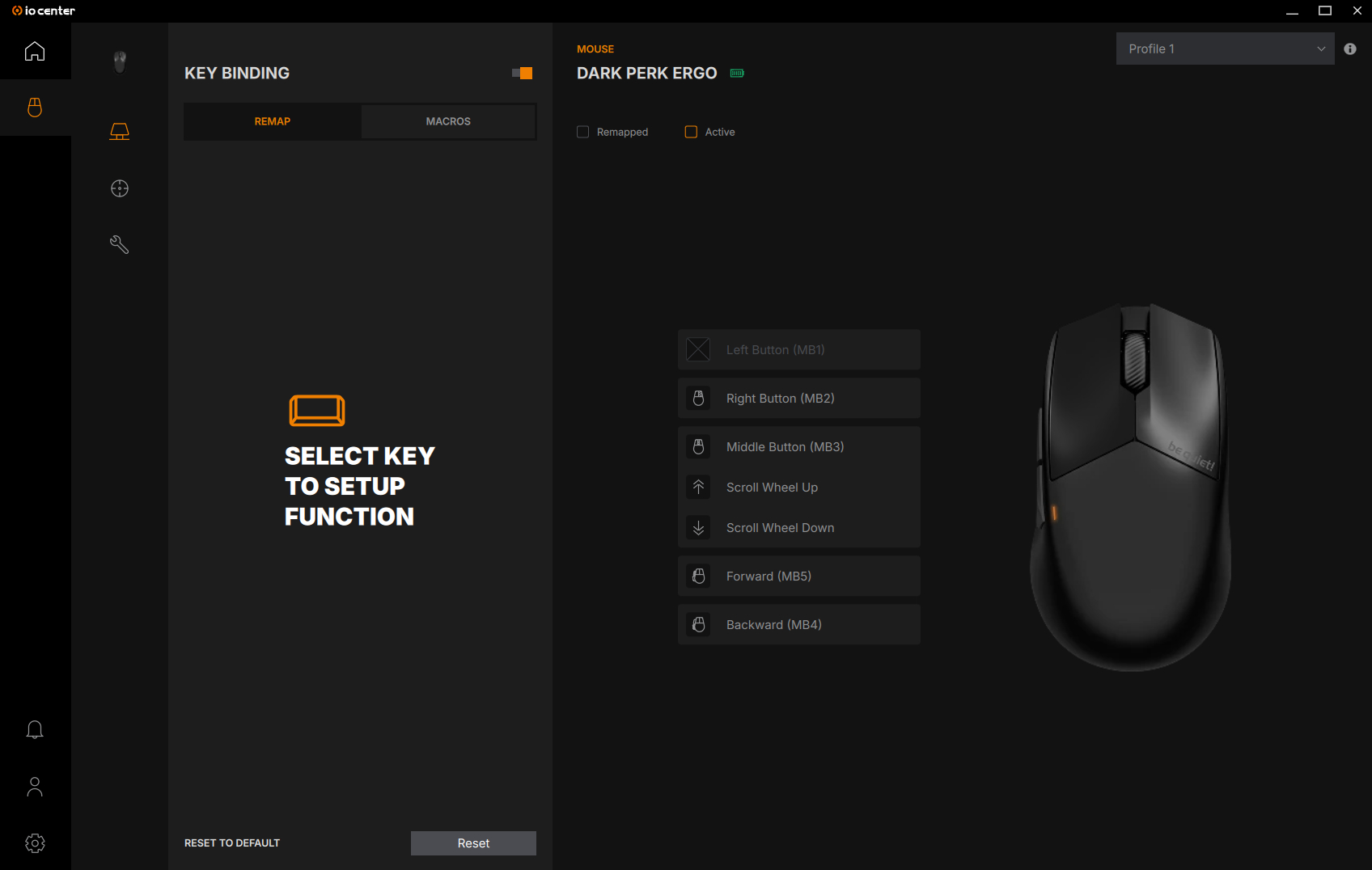
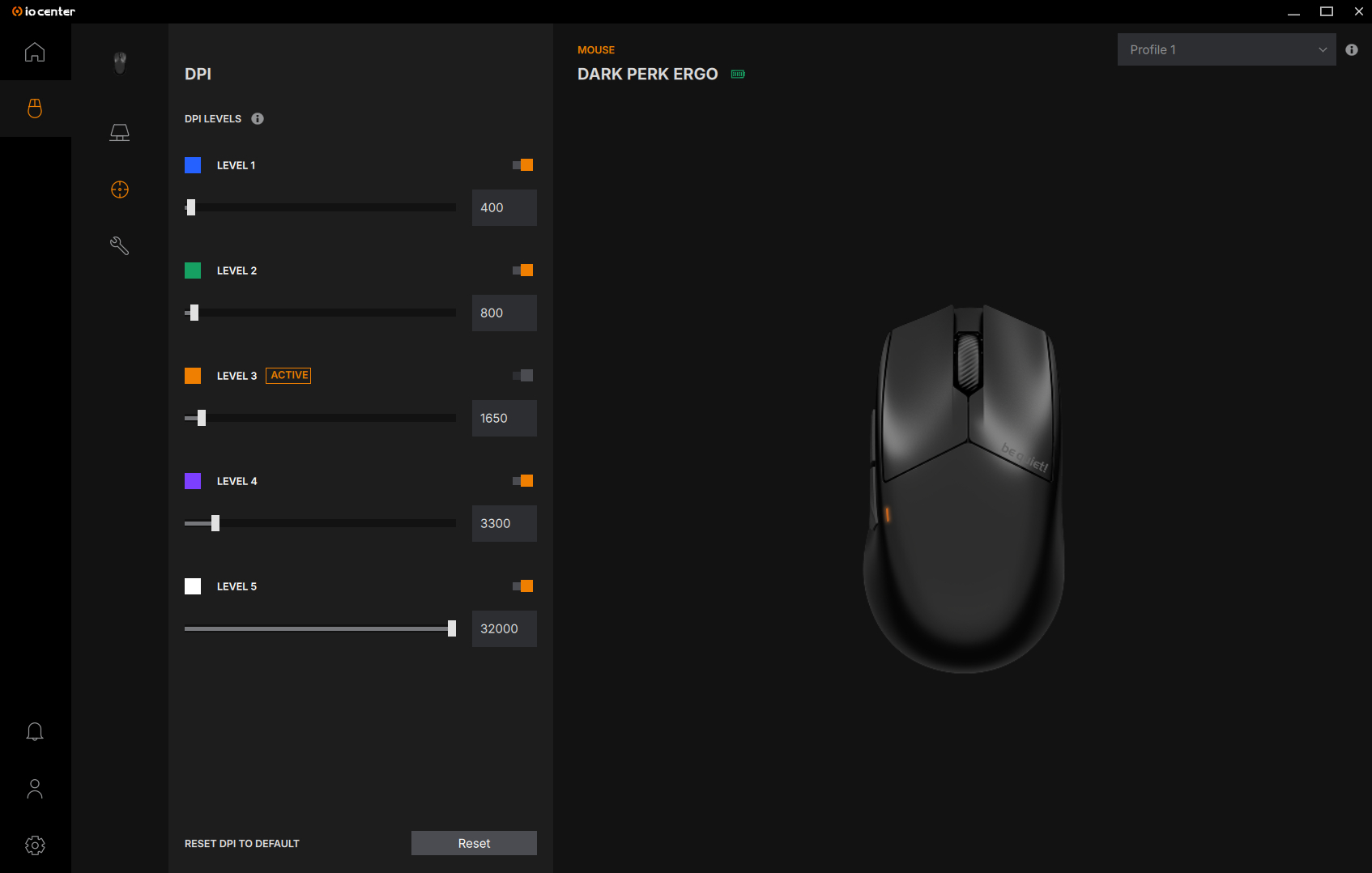
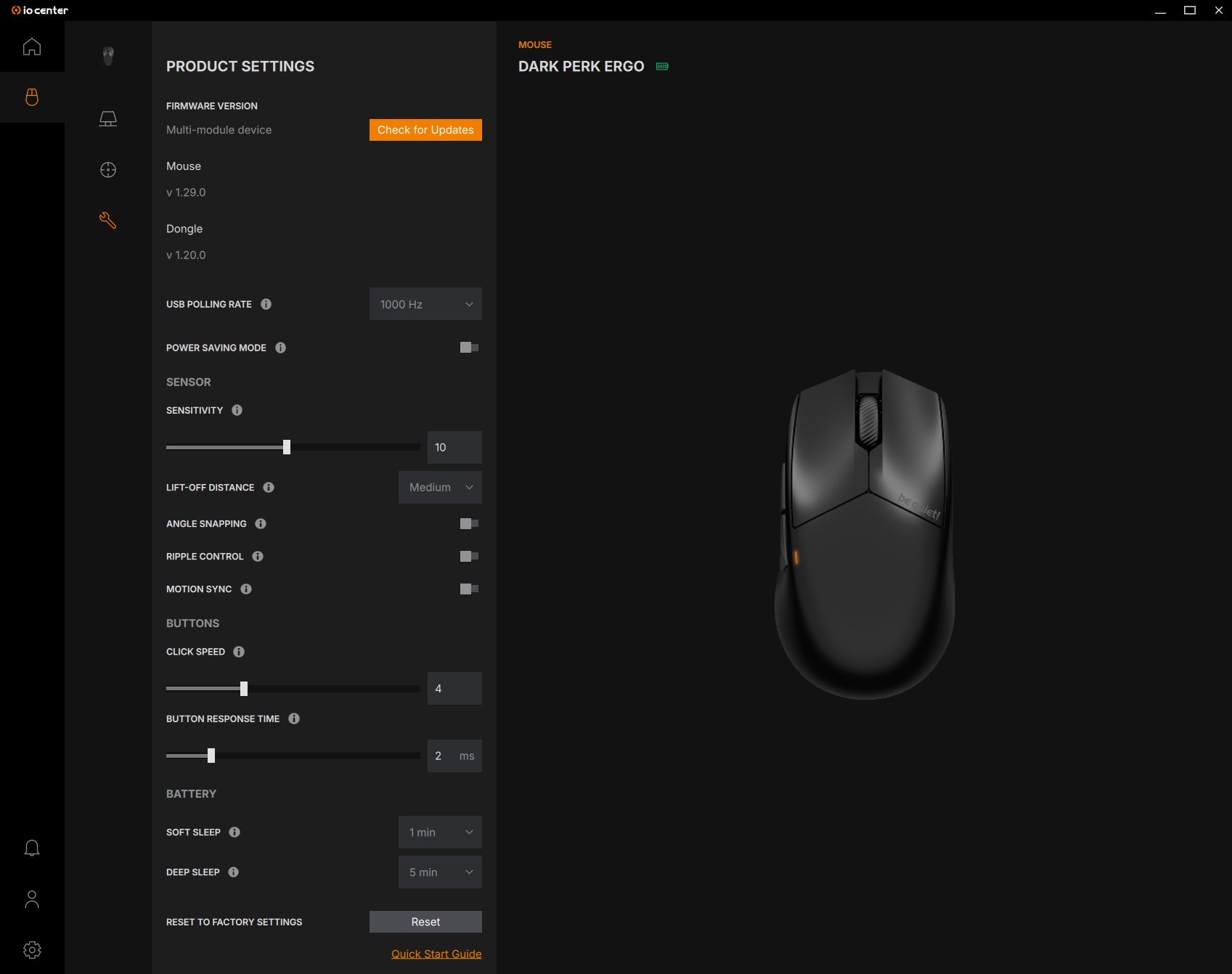
On the Dark Perk Ergo, configuration is possible through a software called IO Center. In terms of functionality, I found no issues, though the UI leaves room for improvement, as more than half of the available space is taken up by a picture of the mouse surrounded by black space, yet the vertically arranged settings list is so long that it needs to be scrolled. In addition, the battery charge indicator is so small and poorly rendered that one needs a magnifying glass to even be able to identify its segments.
All options are distributed across three pages. The first page includes button remapping to mouse, keyboard, media, and macro functions. The second page features CPI adjustment for up to five color-coded levels, at a range of 100 to 32,000 in increments of 50. Values may be entered manually, and any non-native values are truncated to native ones. The third page has miscellaneous settings. Polling rate can be set to 125, 250, 500, 1000, 2000, 4000, or 8000 Hz. "Power saving mode" only serves a purpose in wireless operation, where it will set sensor run mode to LP ("Low Power") when enabled, although doing so will result in 1000 Hz becoming impossible to average. Further settings include lift-off distance (low/medium/high), angle snapping (on/off), and ripple control (on/off), the latter of which lowers jitter at higher CPI steps at the cost of higher motion delay. MotionSync synchronizes SPI reads with USB polls, albeit at the cost of up to an entire interval of added motion delay. Both "sensitivity" and "click speed" refer to the corresponding Windows pointer settings. "Button Response Time" only applies to any mechanical switches and may be adjusted between 0 and 12 ms, with higher values lowering the likelihood of inadvertent double-clicking, but increasing click latency. "Soft Sleep" and "Deep Sleep" control how much idle time needs to pass before a sleep mode is engaged. The description for "Deep Sleep" states that the mouse will only wake up on button press, yet in actuality moving the mouse also works. Lastly, profile management is also available.
All setting changes are saved live to the on-board memory, so the software does not need to be running (or be installed) all the time. On my system, the software had a RAM footprint of around 82 MB when running in the foreground, which doesn't change when minimized, whether to the taskbar or system tray. Upon exiting the application, all processes are terminated, as they should be.
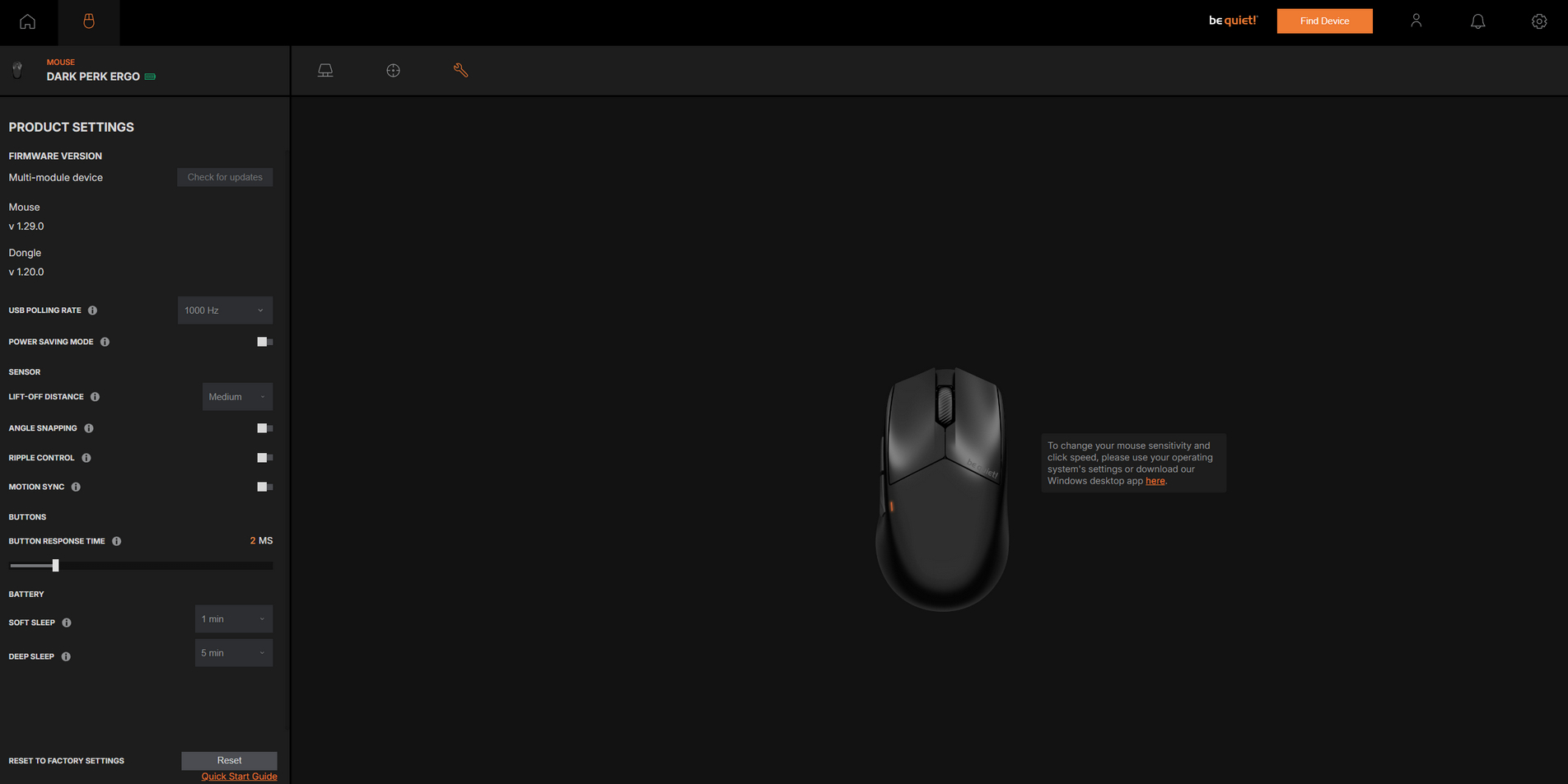
As an alternative to the regular software, be quiet! also offers a web driver. Much like other web driver solutions, this one connects through WebHID and therefore will, at least as of now, only work on Chromium-based browsers such as Chrome or Edge. Both functionally and aesthetically, the web driver is equivalent to the regular software, save for the absence of Windows pointer settings.
Battery Life
be quiet! cites up to 110 hours of battery life at 1000 Hz. The software features a battery life indicator using five very small and barely identifiable segments. Assuming that each segment represents 20% battery charge, a rough battery life estimation can be given, as after three hours of continuous use at 8000 Hz, the indicator showed four segments, translating to roughly 15 hours of battery life at 8000 Hz.Sleep mode is entered after 60 seconds of inactivity by default, but this can be adjusted within the software.
Using the included USB Type-A to Type-C charging cable, I measured the charging speed during the constant current stage, which sits at 0.233 A when lifted and 0.218 A when not lifted. The battery has a capacity of 400 mAh (3.7 V) and utilizes a 3-pin JST connector.
Nov 15th, 2026 08:45 CST
change timezone
Latest GPU Drivers
New Forum Posts
- WireView Pro II GPU Alignment: Wired | Variant: Black (1)
- Planning for Prolonged High Prices and Maintaining What You Already Have (74)
- Technical Issues - TPU Main Site & Forum (2026) (409)
- budget home NAS – X79, X99 or another platform? (148)
- What generation of Wi-Fi do you use at home (98)
- I'll flash a ASUS ROG Strix RX480 O8G in Cause of Code 43, as a Newbie (5)
- Honestly, do you care about GTA VI? (58)
- Recommendations Wanted - Affordable Enterprise SSD for Boot (4)
- Is this anyhow possible, that a GPU (ROG Strix RX480 O8G) can crash the whole PC after "ReFlash" in normal Mode? (2)
- WarpCoreBench scores! (47)
Popular Reviews
- AMD Zen 6 Technical Deep Dive
- ASUS ROG Strix B850-I Gaming Wi-Fi7 W Review
- Corsair HX1000i Shift Crystal Review
- Upcoming Hardware Launches 2027 (Updated Nov 2026)
- Montech King 95 3D PRO Review
- NZXT C1200 Platinum Review
- NZXT H7 RGB+ Review
- NZXT H5 Review
- Phantom Blade Zero Performance Benchmark Review - 35 GPUs Tested
- AMD Ryzen 7 9800X3D Review - The Best Gaming Processor
TPU on YouTube
Controversial News Posts
- NVIDIA Co-Founder and CEO Jensen Huang Officially Resigns (412)
- OpenAI CEO Argues Home PCs Waste the World's Limited DRAM Supply (152)
- NVIDIA Launches Investigation Into Jensen Huang's Relationship With Suspected Chinese Spy (136)
- Intel "Raptor Lake Next" 16-Core and 20-Core CPUs Surface (130)
- Open Letter Asking NVIDIA to Reinstate Jensen Huang Passes 115,000 Signatures (105)
- Legendary Game Studio BioWare Shuts Down Following EA Layoffs (104)
- Dell CEO Says the Memory Shortage Will Get Worse in 2027 (95)
- NVIDIA GeForce RTX 50-Series Scheduled for up to $500 Price Hike This Week (89)