 4
Beelink EQi13 Pro Review
(4 Comments) »Introduction

Beelink has been active in the Mini-PC market for years and has built a reputation for small systems that are easy to set up and reliable in day-to-day use. Their systems often appeal to home office users, media fans, or anyone who just wants a small and dependable machine on their desk. The familiar Frost silver aluminium shell also returns, featuring the same clean look as Beelink's other recent systems while keeping the focus on practical, everyday performance. The EQi13 Pro continues that approach as a mid-range Intel powered system aimed at productivity and general daily tasks.

The Beelink EQi13 Pro is available in two configurations: one powered by the Intel Core i7-13620H with UHD Graphics, and another featuring the Intel Core i5-13500H paired with the roughly 20-30% faster Intel Iris Xe Graphics, for users who prefer stronger integrated graphics performance. For this review, we are using the i7-13620H variant, a 10-core, 16-thread processor from Intel's 13th generation lineup. It runs on the 10 nm Intel 7 process and reaches up to 4.9 GHz in turbo mode, specs that can easily handle multitasking, productivity applications, and light creative workloads. It is paired with the usual 32 GB of dual-channel DDR4-3200 memory we often see in mid-range Mini-PCs, allowing the system to keep things smooth with multiple browser tabs, spreadsheets, or virtual machines running. For storage, it ships with up to a 1 TB PCIe 4.0 NVMe SSD, with support for more capacity via its dual M.2 2280 slots.
Connectivity is fairly extensive for its price range, including high-speed USB-C and USB 3.2 connections, dual HDMI outputs supporting 4K at 60 Hz, and dual Gigabit LAN for wired networking. Wireless options come through Intel's AX200 module, offering Wi-Fi 6 and Bluetooth 5.2. Overall, it covers most home and office needs without feeling limited.
One small distinction is how the Beelink EQi13 Pro handles power delivery. Unlike most Mini-PCs that rely on an external power brick, this model includes an integrated 85-watt power supply inside the chassis. That means it connects directly to AC power with a standard cord, keeping the setup tidy and minimizing desk clutter. The trade-off is that the internal PSU adds a bit of extra heat and makes the interior more cramped, which can complicate servicing and upgrades, as discussed in the following sections.
Priced around $620 for the i7 model with 32 GB of RAM and a 1 TB SSD, it sits comfortably in the upper midrange of today's mini PC market.
Before we get into performance, let's take a look at what comes in the box and how the system is put together.
| Specifications | |
|---|---|
| CPU | Intel Core i7-13620H (10C/16T, up to 4.9 GHz, Intel 7). Also available: Intel Core i5-13500H (12C/16T, up to 4.9 GHz, Intel 7). |
| GPU | Integrated Intel UHD Graphics (up to 1.5 GHz). Also available: Intel Iris Xe Graphics (up to 1.45 GHz) with the i5-13500H option. |
| Memory + Storage | 32 GB DDR4 3200 MHz (dual channel, 16 GB ×2). Dual M.2 2280 PCIe 4.0 x4 slots, up to 8 TB total (4 TB ×2). Preconfigured options: 500 GB or 1 TB NVMe SSD. |
| Display Support | Dual Display Output: 2× HDMI (max 4K @ 60 Hz) |
| Network | Wi-Fi 6 (Intel AX200) + Bluetooth 5.2 2× Gigabit Ethernet (Realtek RTL8111H, PCIe, 10/100/1000 Mbps) |
| Cooling System | MSC 2.0 cooling with bottom air intake, heat pipe + dissipation fins, silent fan, and SSD heatsink |
| Audio | 3.5 mm combo audio jack (headphone/mic) |
| Operating System | Windows 11 Pro (pre-installed) |
| I/O Ports | Front: 1× USB-C 10 Gbps (data), 1× USB 3.2 Gen 2 Type-A 10 Gbps, 1× 3.5 mm audio jack, CLR CMOS, Power button, Power LED Rear: 2× HDMI 2.0 (4K60), 2× USB 3.2 Gen 2 Type-A 10 Gbps, 1× USB 2.0 480 Mbps, 2× RJ45 Gigabit LAN, 1× DC-in |
| Power Adapter | Input: Integrated 85 W power supply (standard AC cable) |
| Additional Features | Auto Power On, Wake on LAN (WOL), PXE Boot, Color: Frost silver, One-year warranty |
| Pricing | Intel Core i7-13620H, 32 GB RAM, UHD Graphics, 1 TB SSD: $620 USD Intel Core i5-13500H, 32 GB RAM, Iris XE Graphics, 1 TB SSD: $530 USD |
| Product page | Beelink EQi13 Pro Product Page |
Packaging and Contents
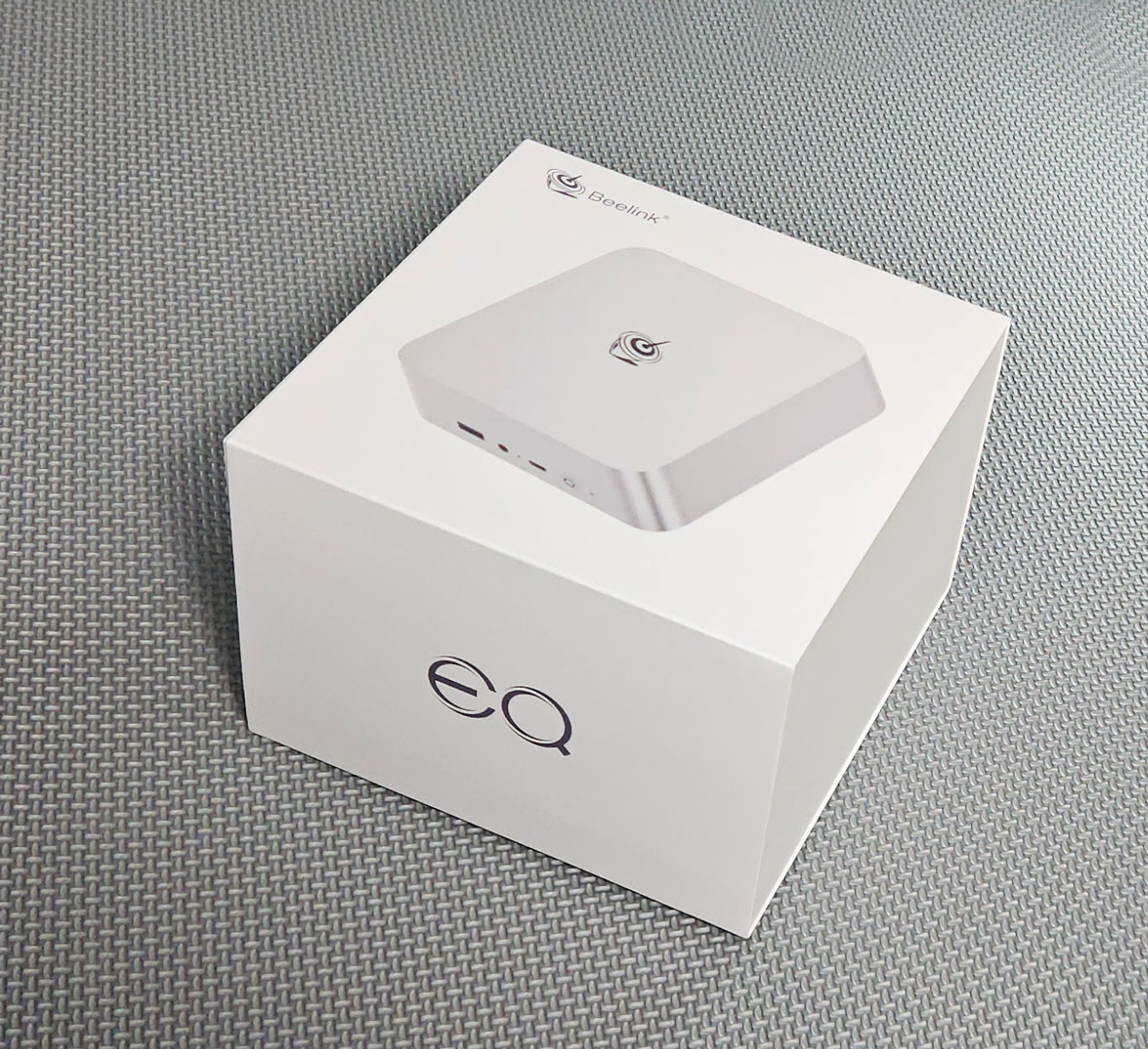
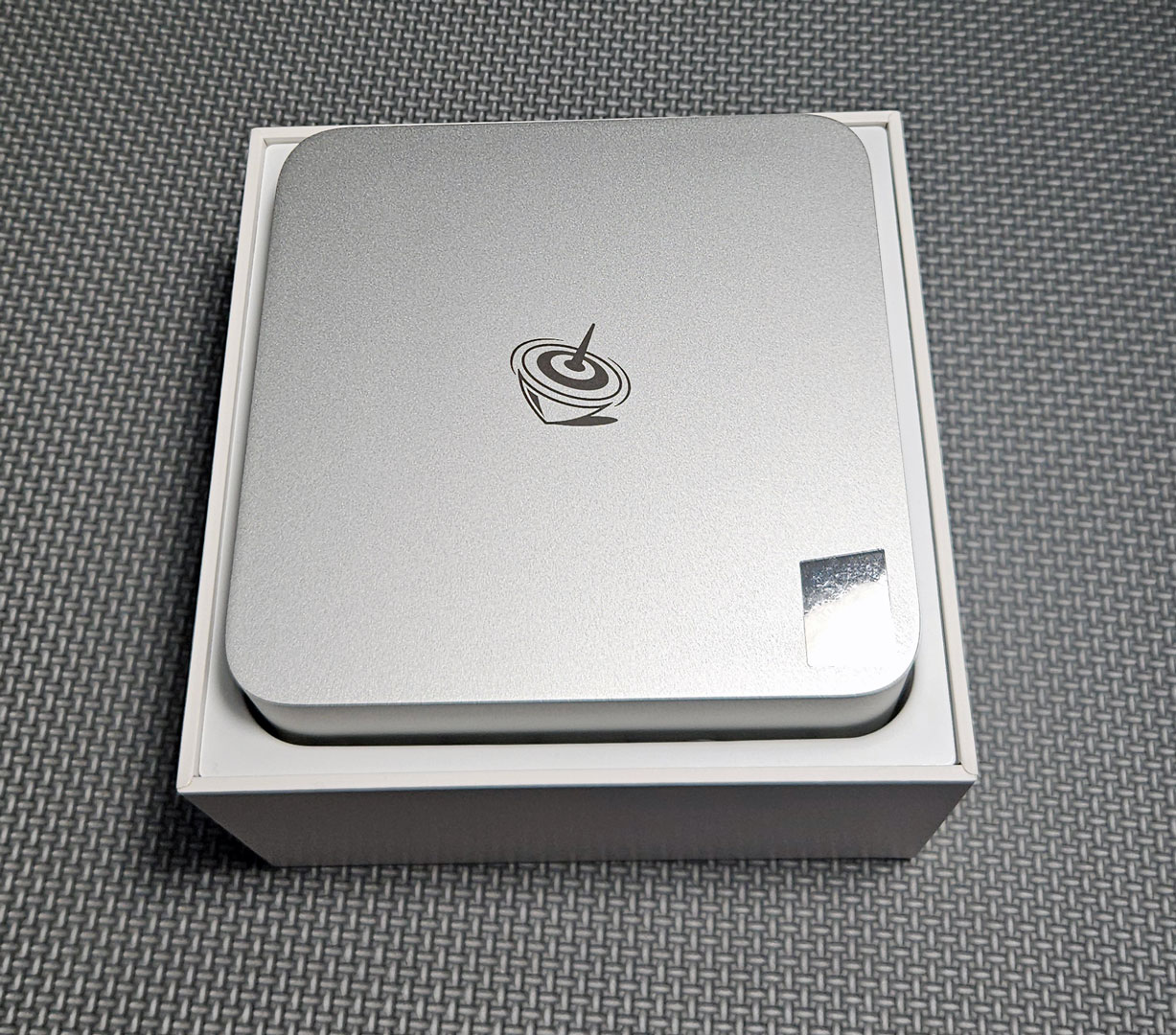
The Beelink EQi13 Pro arrives in the company's clean, white packaging. Inside the box, the aluminium enclosure sits in a molded insert and has a solid, premium feel right away, with a separate compartment underneath for the accessories.
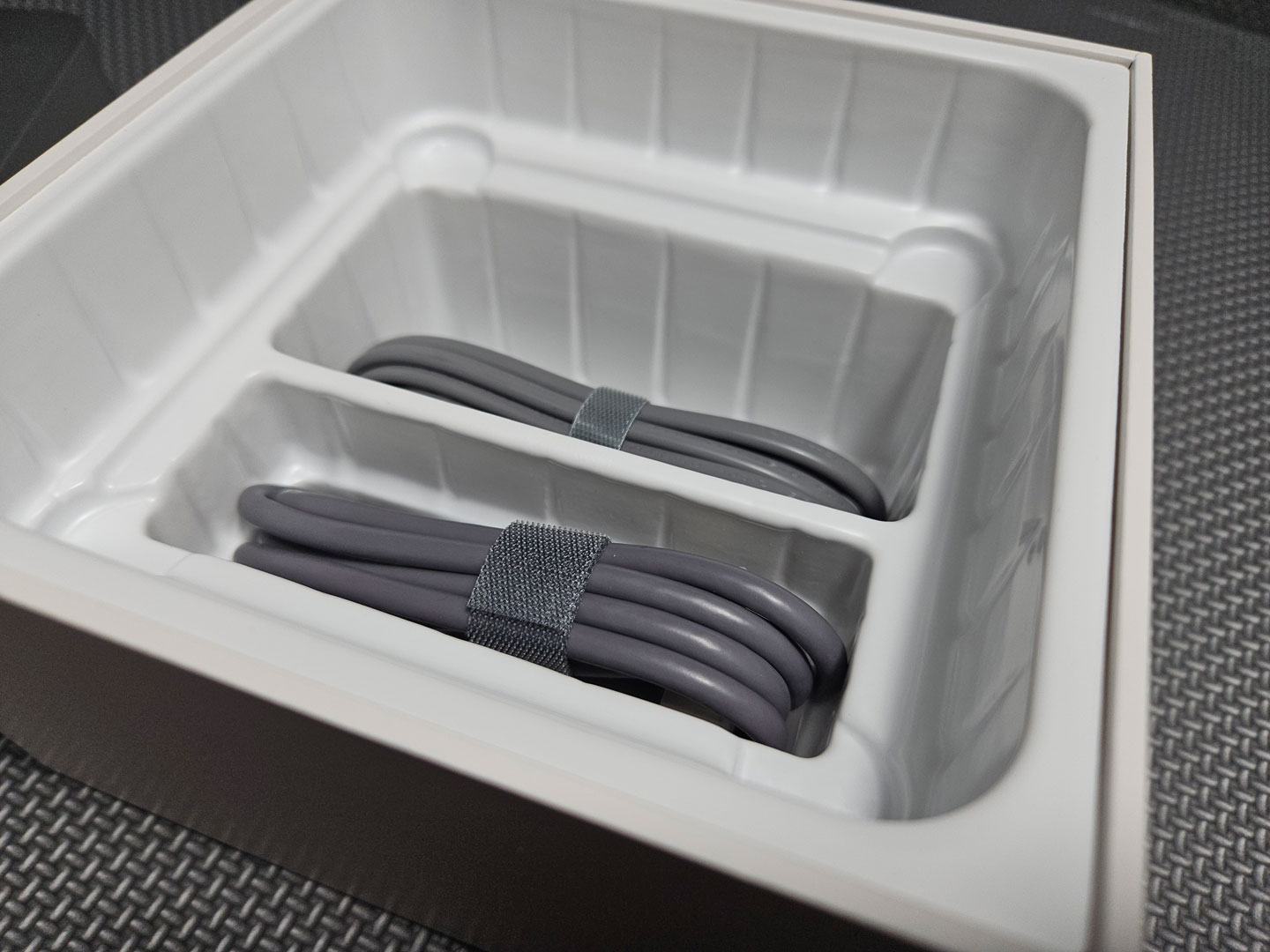
The included accessories are minimal compared to competing models: It comes bundled just a power cord, an HDMI cable, and a manual, with no bundled VESA mount. That said, what is included is really all you need to get the system up and running.
Design and Build
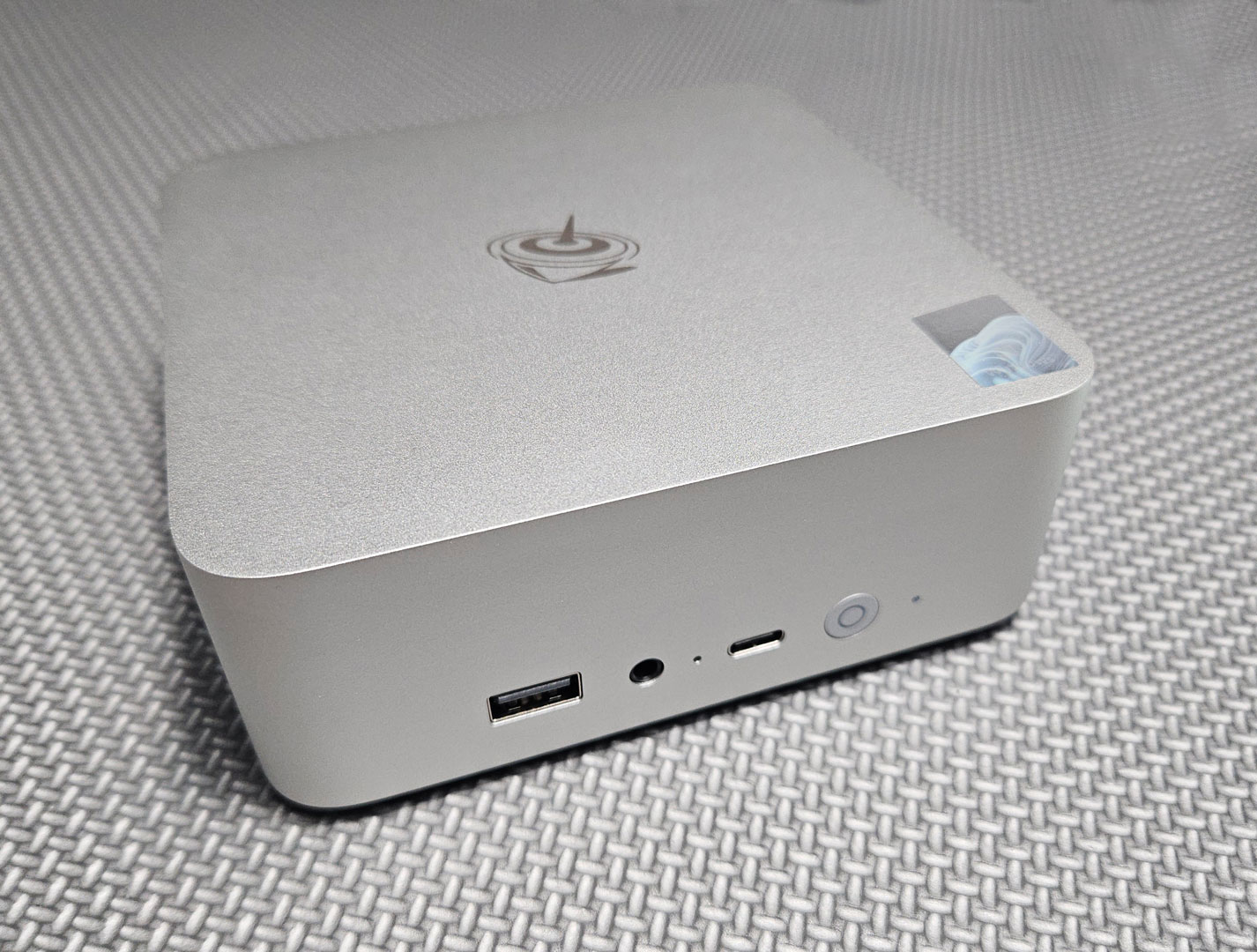
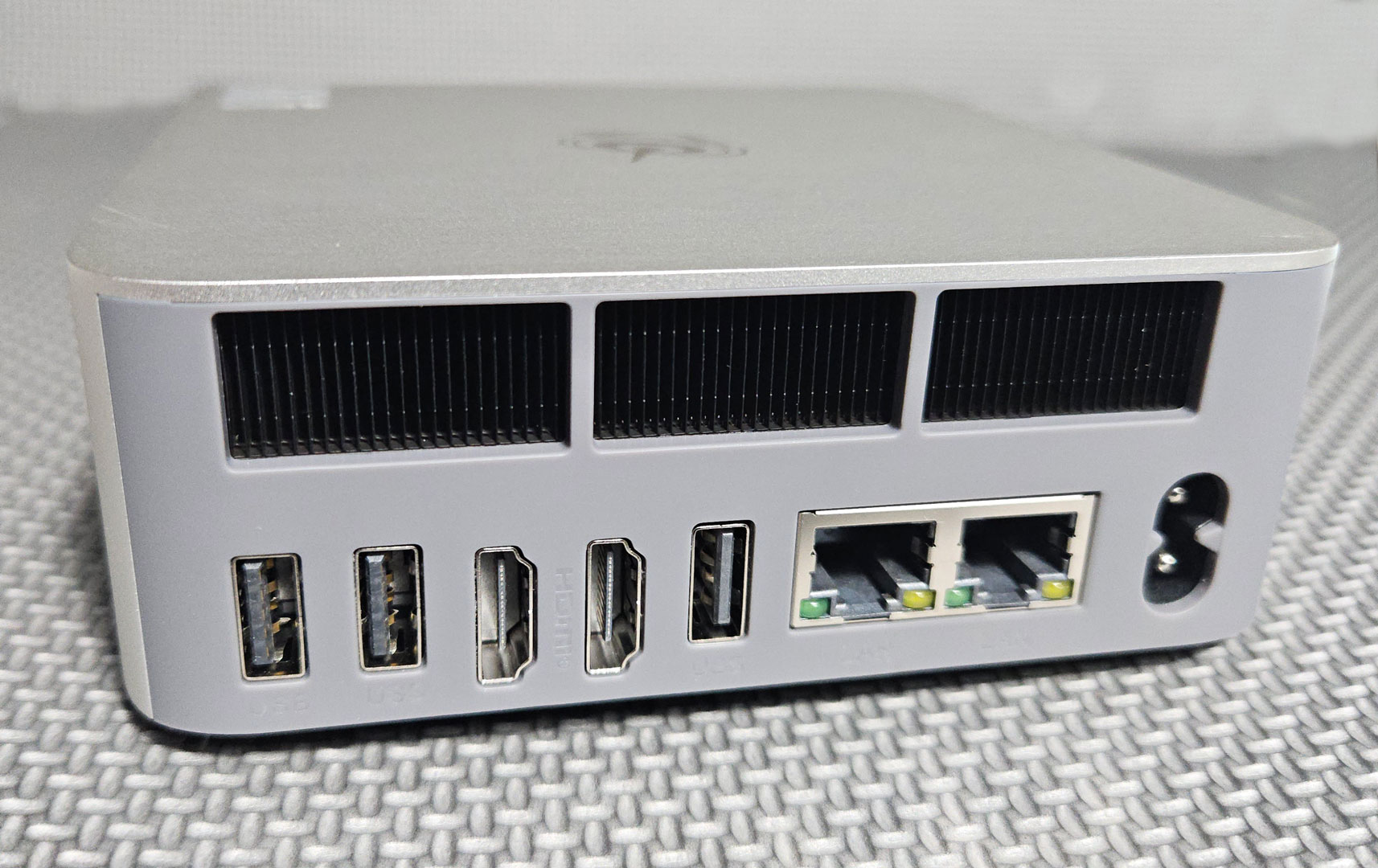
The Beelink EQi13 Pro features a smooth "Frost Silver" aluminium chassis. It feels nice and solid, being well put together, and the slight curvature gives it a softer look than many boxier Mini-PCs. The finish also resists fingerprints well. Its small footprint makes it easy to place on a desk or mount behind a monitor (though it doesn't come with a VESA bracket, so you'll need to purchase this separately).
The front panel includes a USB 3.2 Gen 2 Type-A port (10 Gbps), a USB-C 10 Gbps data port, a 3.5 mm headphone jack, a power button with a white LED indicator, and a CMOS reset pinhole, which lets you quickly restore BIOS defaults if a setting causes boot issues. Note that the USB-C port does not support video output (DisplayPort Alt Mode). The system also tops out at two displays via the rear HDMI 2.0 ports, so you cannot add a third monitor over USB-C, even with a compatible dock. Though for typical home office or media use, two monitors are usually enough.
Around the back, you'll find plenty of I/O: two HDMI 2.0 ports supporting 4K at 60 Hz, two USB 3.2 Gen 2 ports, one USB 2.0 port, dual Gigabit Ethernet ports, and the DC power input. Ventilation covers much of the rear side, working with Beelink's MSC 2.0 cooling system that draws air from the bottom and exhausts warm air out the back.
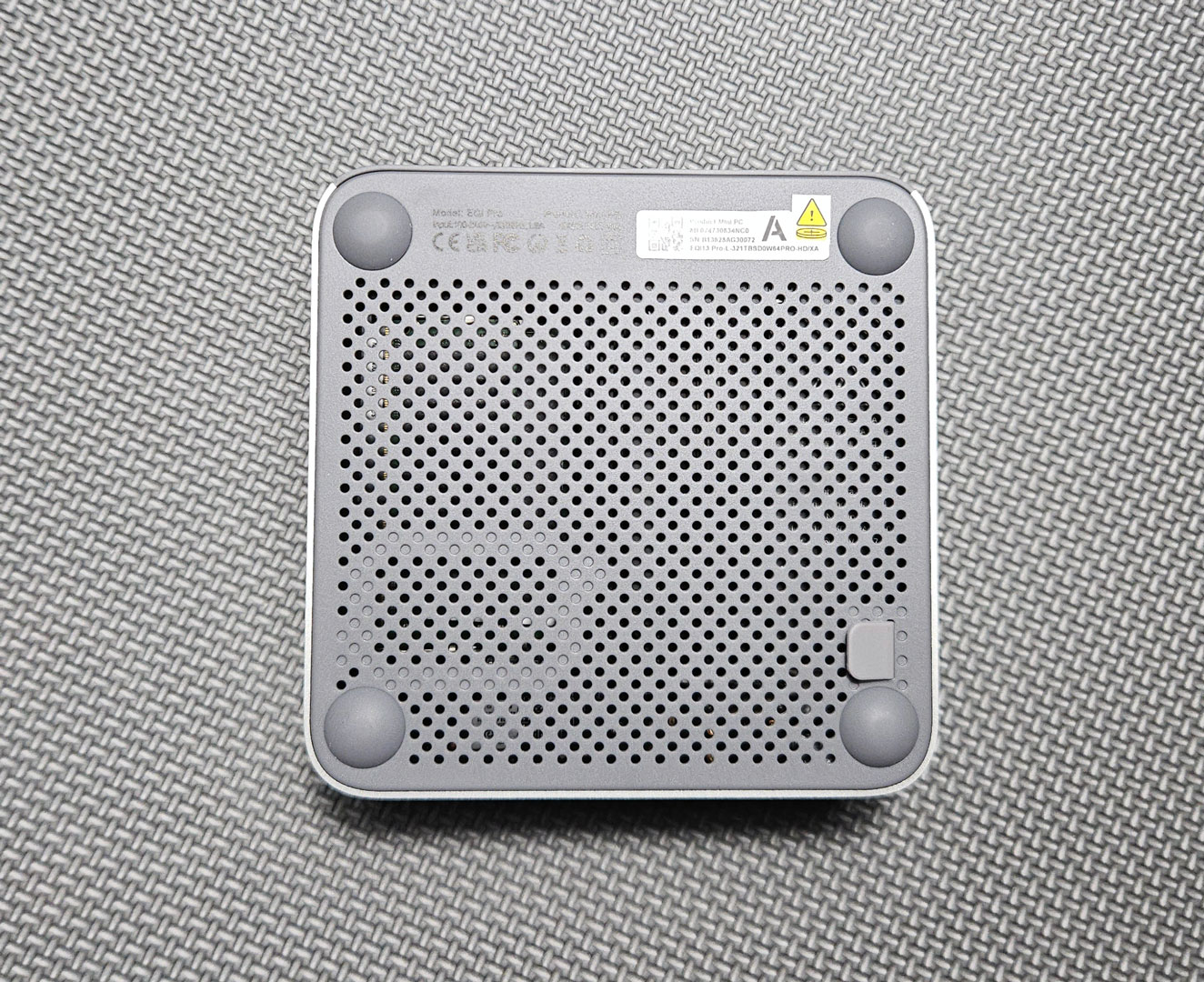
The base includes rubber feet for stability and threaded inserts for VESA mounting.
A Look Inside
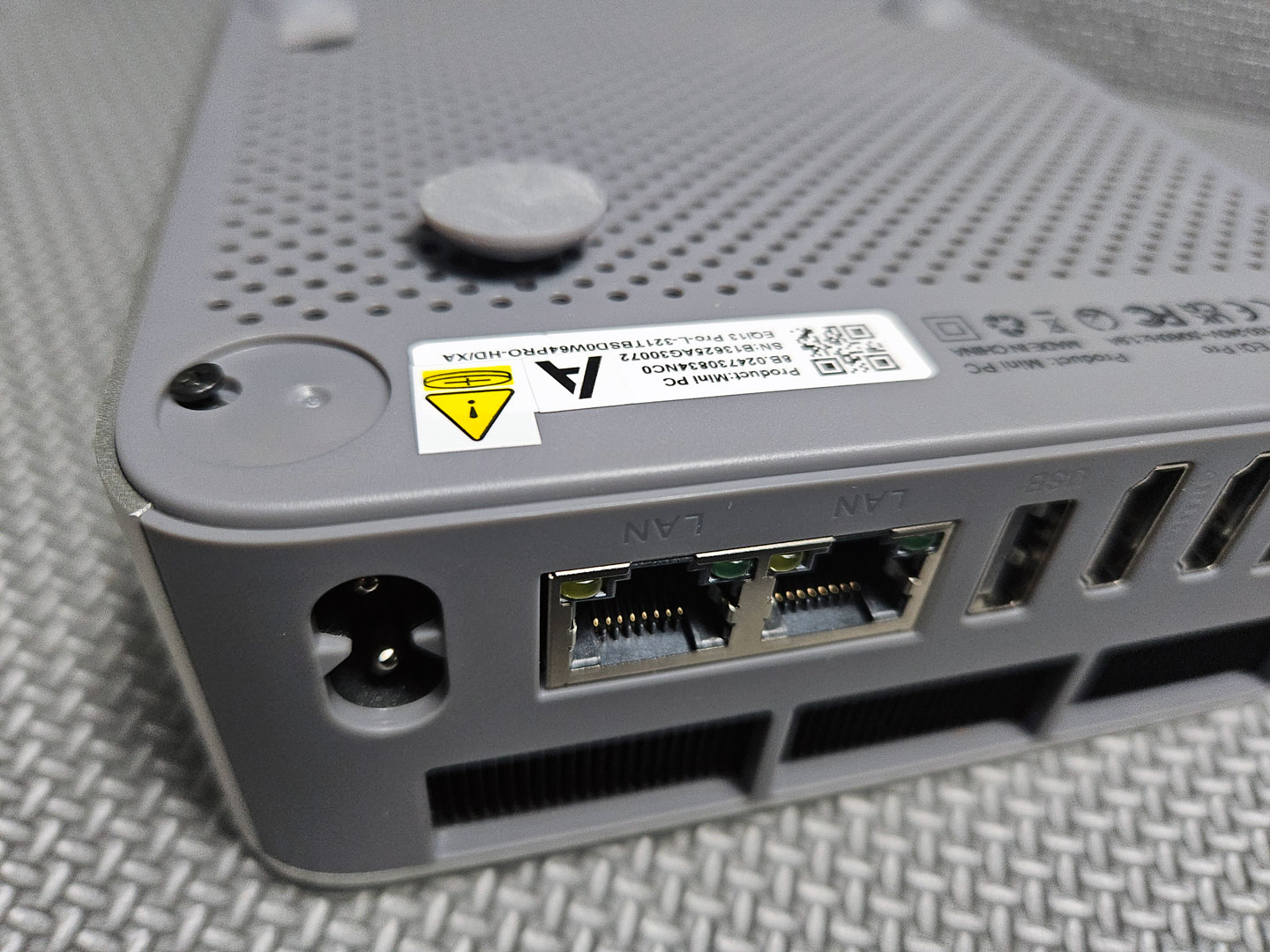
Though not immediately obvious, opening the EQi13 Pro is fairly simple once you know how to do it. Start by removing the four circular rubber feet, which conceal the screws securing the base. After unscrewing them, gently lift the handy silicone pull tab to release and remove the bottom panel.
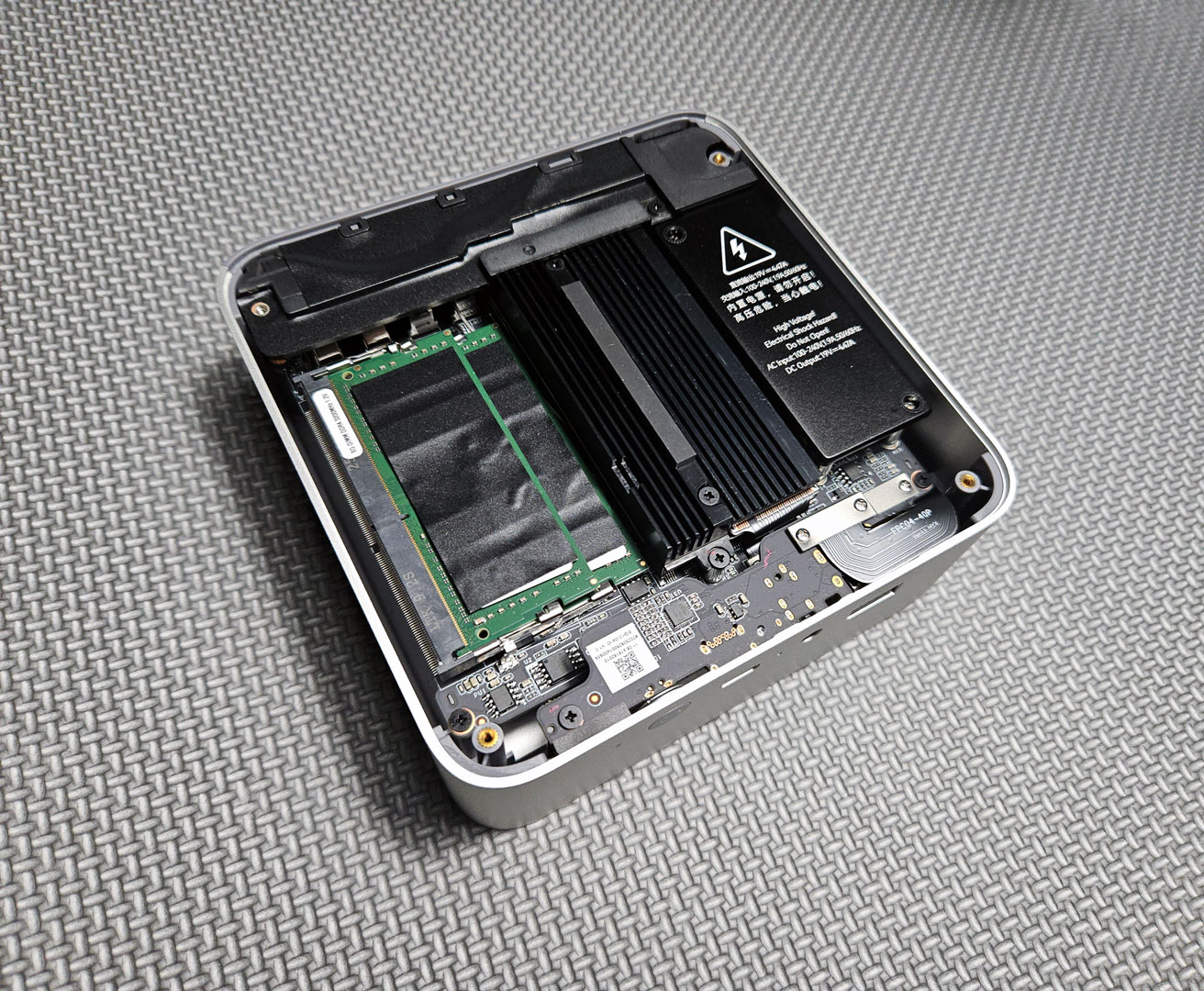
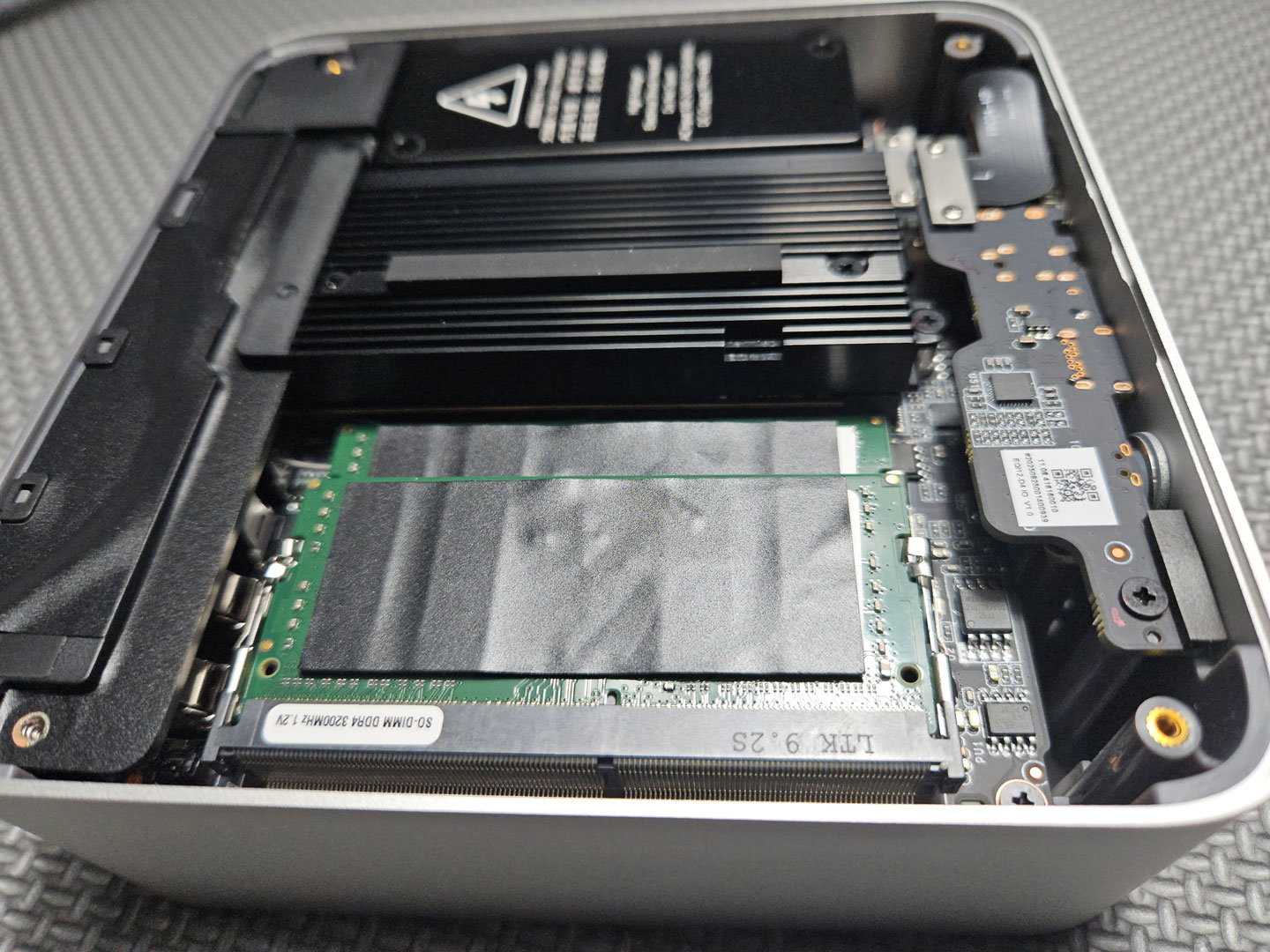
Once opened, the interior layout is clearly cramped, with very little open space around the components, mainly due to the large black heatsink plate that covers both the SSD and CPU (part of Beelink's MSC 2.0 cooling system). It's secured with several screws and tied into the fan shroud and heat pipe assembly. To remove or replace the SSD you have to carefully detach that plate, which is not documented well in the brief user manual. This design makes simple upgrades—such as replacing or adding a NVMe drive—more time-consuming than on other Mini-PCs.
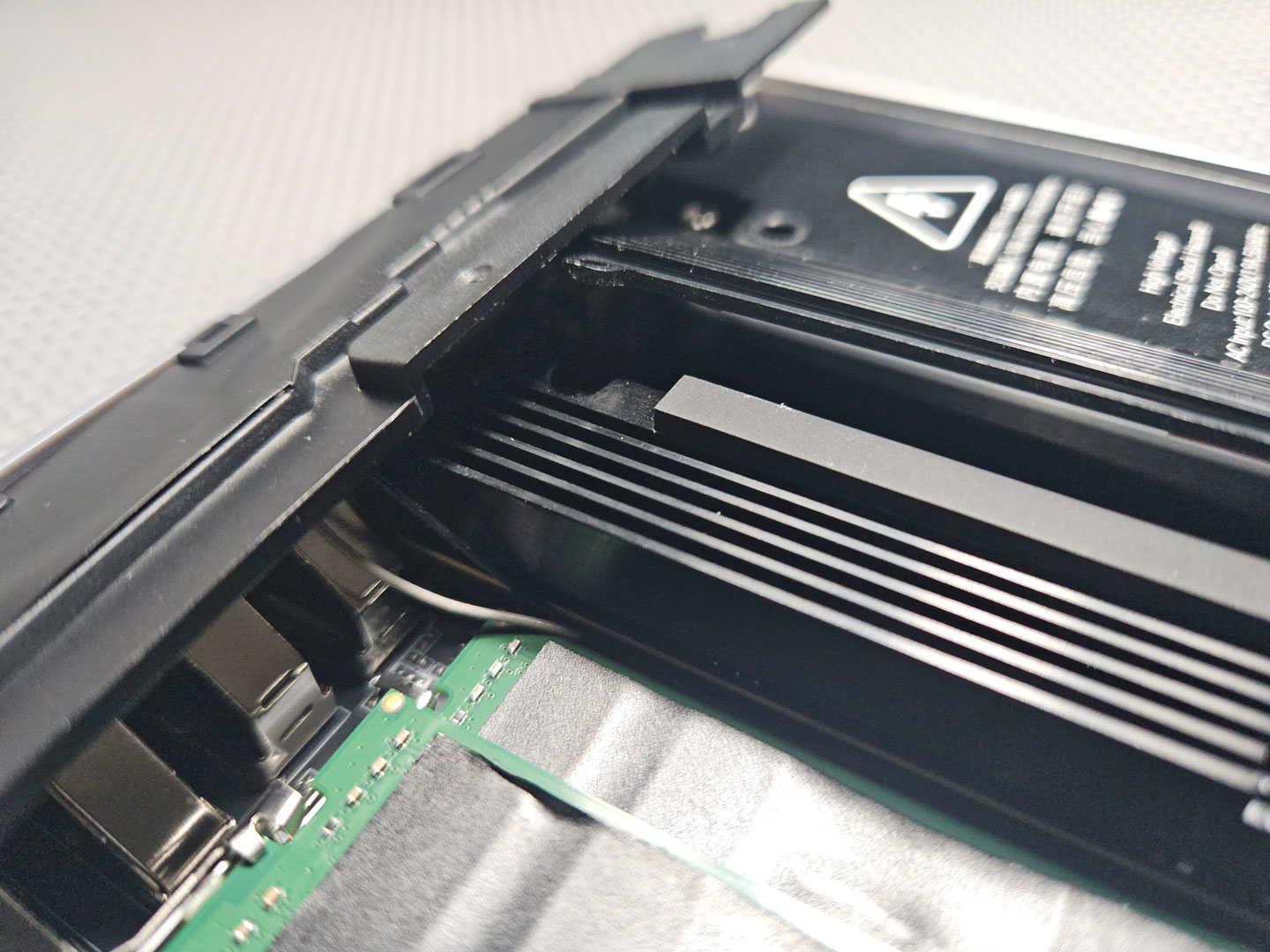
For users who are comfortable working with small electronics and thermal assemblies, disassembly and reassembly is manageable with patience and the right tools. But for most people, it's not a beginner-friendly process. There are no step-by-step diagrams included in the box, and there is certainly some risk of damaging components if not done correctly.
Ultimately, the EQi13 Pro's design doesn't make servicing easy, so it's better suited to being configured once and left in place rather than opened regularly (unless you don't mind all the hassle).
Now, let's move on to see how this compact system performs under a range of benchmarking.
Our Patreon Silver Supporters can read articles in single-page format.
Nov 20th, 2026 01:10 PST
change timezone
Latest GPU Drivers
New Forum Posts
- RX 7600 + Ryzen 5 5600GT getting the same FPS as my old RX 6500 XT – What am I missing? (9)
- GTA VI (12)
- Intel Core Ultra 5 processor 250K Plus (1)
- How to prevent OLED burn damage due to PC freezes or power outtages? (41)
- WarpCoreBench scores! (79)
- What are you playing? (26236)
- Warning for Windows 10 and 11 users running newer AMD GPU drivers (65)
- Honestly, do you care about GTA VI? (178)
- Anthrophics IPO (10)
- Upgrade Considerations: CPU (12/13/14) and Motherboard (B660/B760 and Z690/Z790) (62)
Popular Reviews
- AMD Zen 6 Technical Deep Dive
- Ugreen NASync DXP4800 GT Review
- Acemagic Retro X3 Review
- Corsair RM1200e (Second Generation) Review
- Upcoming Hardware Launches 2027 (Updated Nov 2026)
- Pulsar Office Tour & First Look at P1 Dual-Sensor Mouse
- Biwin Black Opal NV7400 2 TB Review
- Chieftec Iceberg PRO 360 DARK Review
- AMD Ryzen 7 9800X3D Memory Performance Scaling
- AMD Ryzen 7 9800X3D Review - The Best Gaming Processor
TPU on YouTube
Controversial News Posts
- NVIDIA Co-Founder and CEO Jensen Huang Officially Resigns (490)
- Report: Jensen Huang Eyes NVIDIA Comeback (224)
- Open Letter Asking NVIDIA to Reinstate Jensen Huang Passes 115,000 Signatures (184)
- OpenAI CEO Argues Home PCs Waste the World's Limited DRAM Supply (152)
- NVIDIA Launches Investigation Into Jensen Huang's Relationship With Suspected Chinese Spy (136)
- Intel "Raptor Lake Next" 16-Core and 20-Core CPUs Surface (130)
- Legendary Game Studio BioWare Shuts Down Following EA Layoffs (104)
- Dell CEO Says the Memory Shortage Will Get Worse in 2027 (95)