 3
Biostar Racing Z270GT4 Review
(3 Comments) »Introduction

It wasn't until this mATX board, the Biostar Racing Z270GT4, showed up that I realized I have not had the chance to play with a mATX motherboard in a long time. A real long time. It seems most users favor either mITX or full ATX products, but the mATX form factor allows manufacturers to give us full-size ATX CPU power regulation, 4 DIMM slots, and just a few expansion slots, making for a smaller PC for those users who only use a single VGA, but who might also like to use another PCIe device, such as a sound card or a RAID controller.
When I was thinking about who might actually benefit from the use of mATX boards, and why they had kind of dropped from my mind completely for maybe a year or two, I recalled that I myself used many mATX boards before getting into high-performance PCs. Simply put, they were more affordable. They also allow you to build a slightly smaller PC, although these days, mITX and others do smaller PCs better, I think.
Enter the Biostar Z270GT4. Biostar is the epitome of decent entry-level affordability. The Biostar Racing Z270GT4 is not. We've got lights, dual BIOS, touch-pad buttons? An LN2 switch!?! While all that may seem like normal stuff for a high-end product, this here Biostar Racing Z270GT4 stays true to Biostar's mainstream focus of providing affordable parts; the Biostar Racing Z270GT4 costs just a bit over US$100!

Specifications
| Specifications | |
|---|---|
| CPU Support: | Intel 7th and 6th Gen Core Processors |
| Power Design: | CPU Power: 6+1 phase Memory Power: 1 phase |
| Chipset: | Intel Z270 |
| Integrated Graphics: | Dependent on installed CPU |
| Memory: | 4x DIMM, Max. 64 GB; Supports 3200 MHz+(OC) |
| BIOS: | 2x AMI UEFI BIOS |
| Expansion Slots: | 2x PCIe 3.0 x16 slots 2x PCIe 2.0 x1 slot 1x Ultra M.2 slot |
| Storage: | 6x SATA 6 Gb/s port 1x U.2 (Supports up to PCIe 3.0 x4 and SATA 6 Gb/s) |
| Networking: | 1x Giga PHY Intel I219-V |
| Rear Ports: | 1x PS/2 mouse / keyboard port 1x DVI port 1x HDMI port 1x DisplayPort 1x VGA port 3x USB 3.0 Type-A port 1x USB 3.0 Type-C port 2x USB 2.0 ports 1x LAN port 6x Audio jacks |
| Audio: | Realtek ALC892 Audio CODEC |
| Fan Headers: | 3x 4-pin |
| Form Factor: | mATX form factor; 9.6" x 9.6" |
| Exclusive Features: |
|
Packaging and Contents
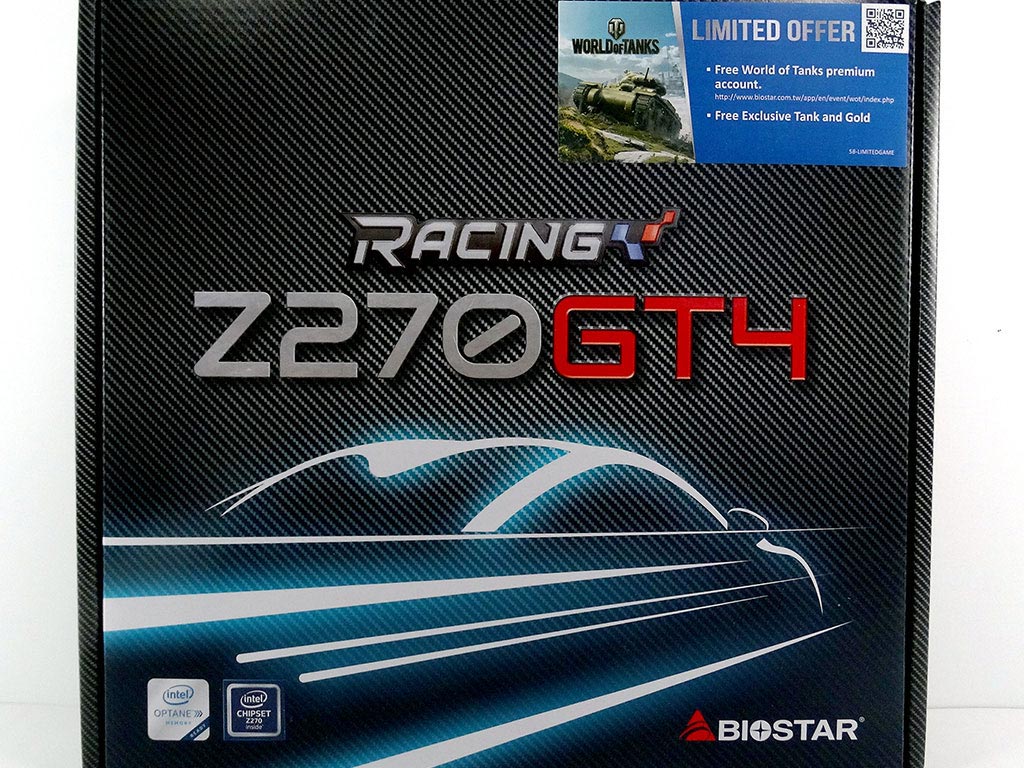
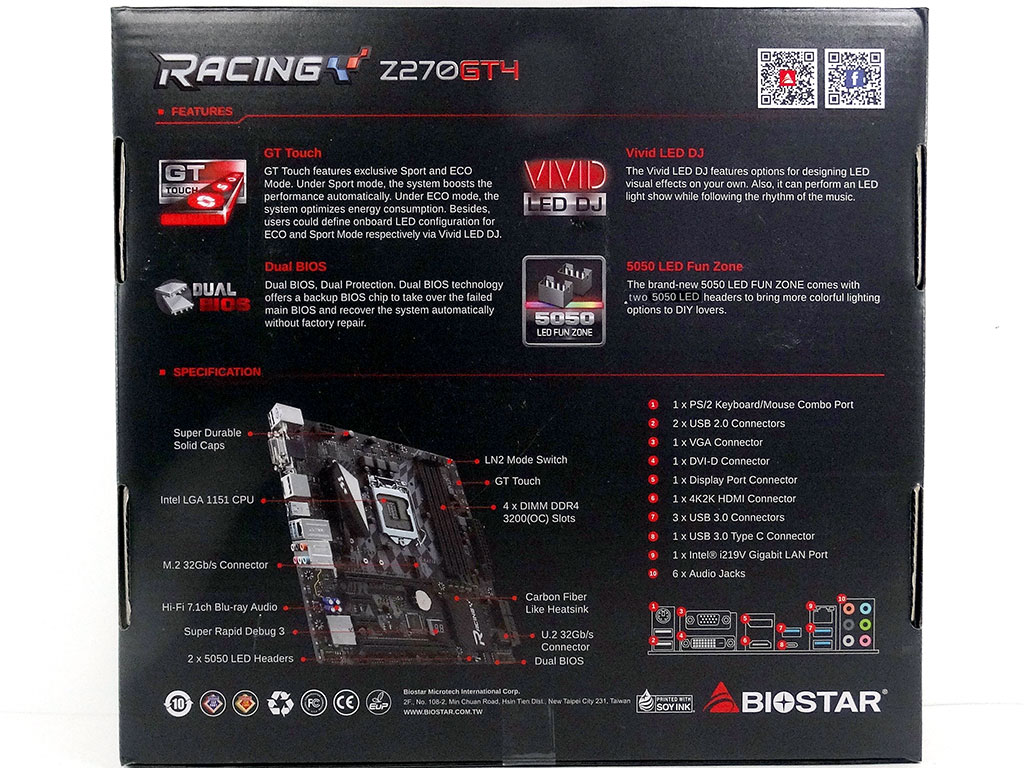
The packaging here on the Biostar Racing Z270GT4 makes a bit more sense considering the features on offer. It's just what I like to see.
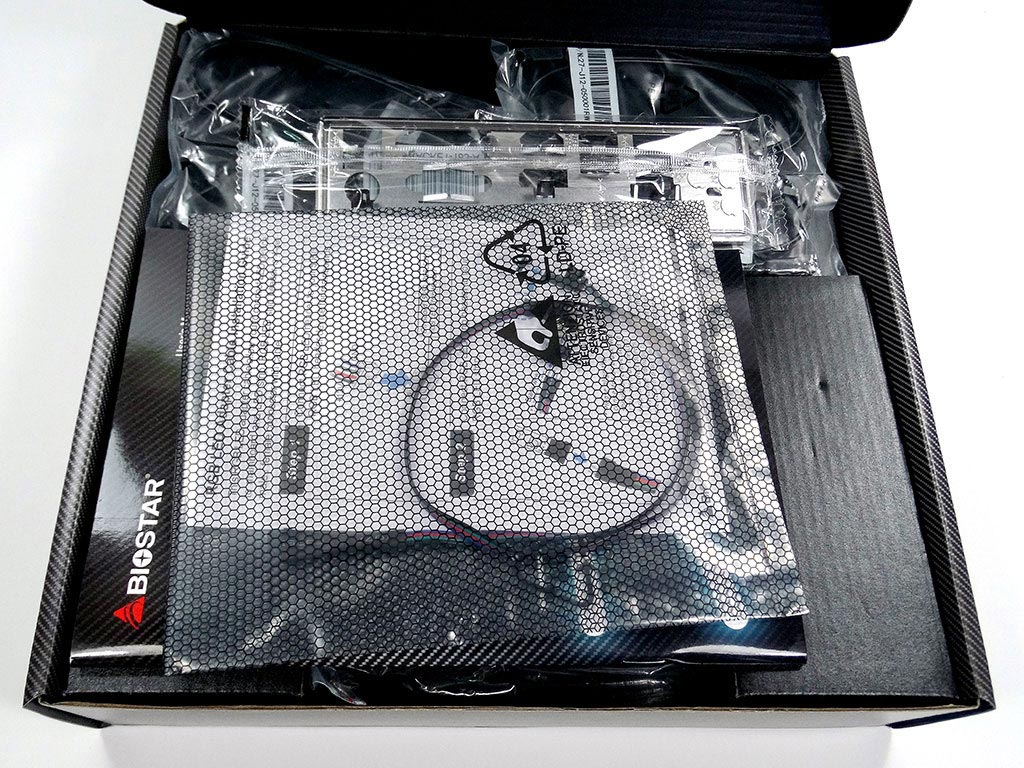
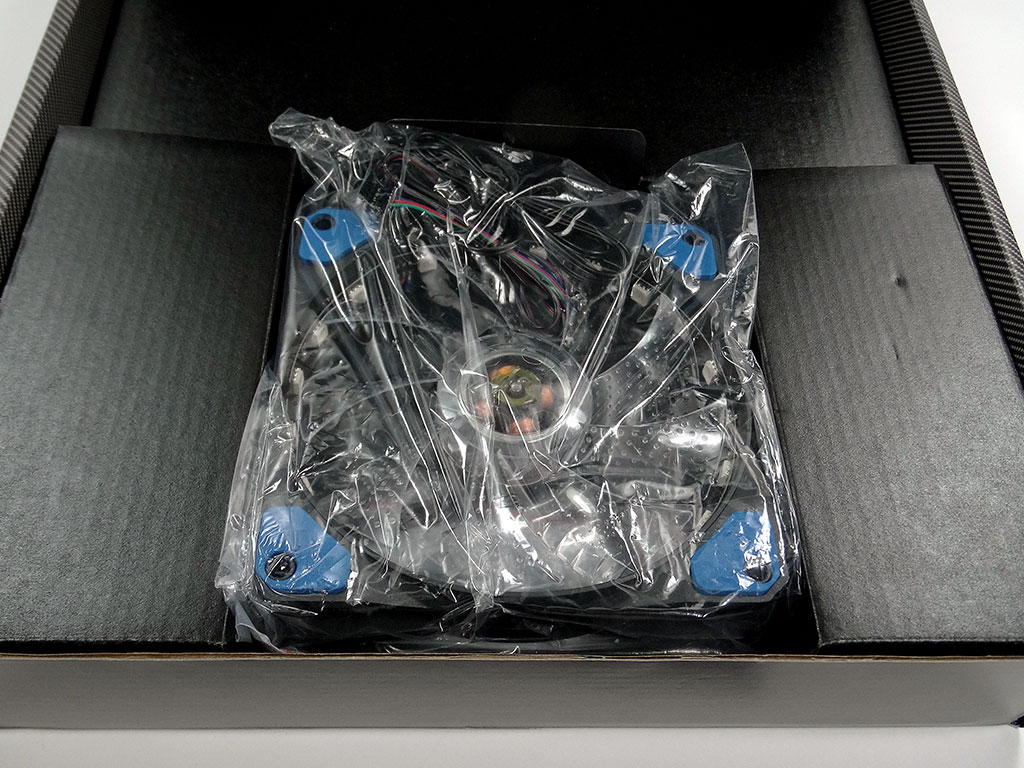
There are some goodies in a bag up top, and when you remove it, you'll find a fan below. Yes, you read that correctly; the Biostar Racing Z270GT4 includes an RGB fan for you to install into your case. The fan's LEDs plug into the motherboard and are controlled by the board, along with the board's other LEDs.

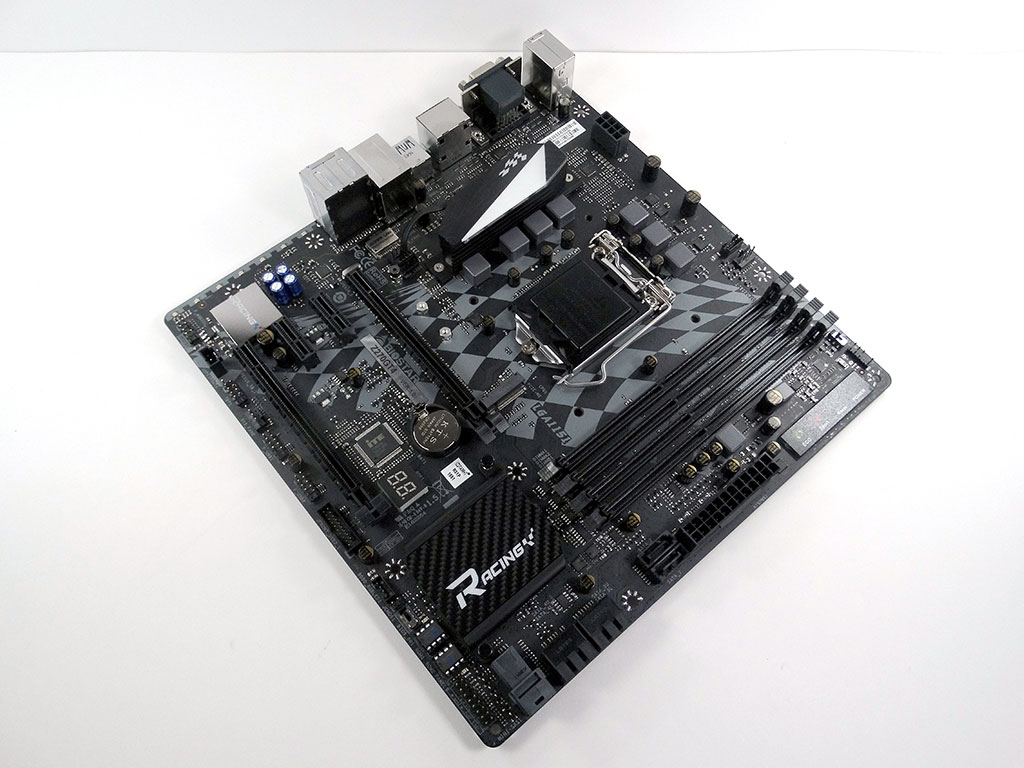
Strip out a bit more cardboard from the box and you'll find the board below.
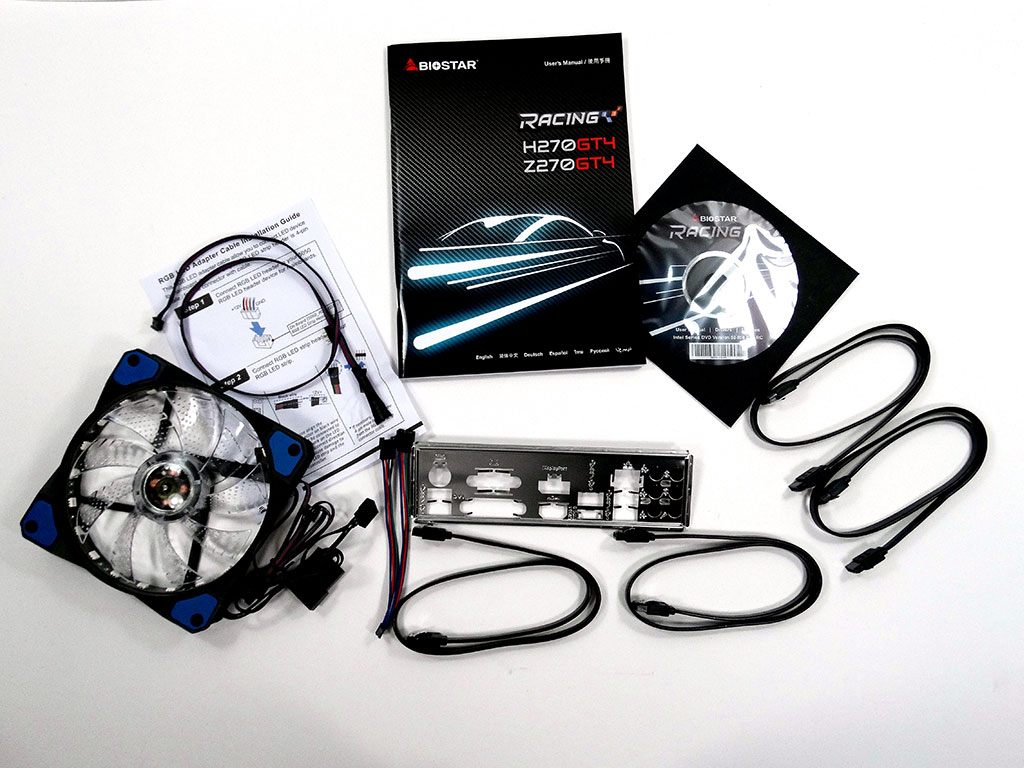
There are just enough accessories in the box. A full list of what is included is below:
- Manual, support CD, I/O shield;
- 1x RGB LED fan
- 4x SATA data cables
- 1x RGB LED wiring harness

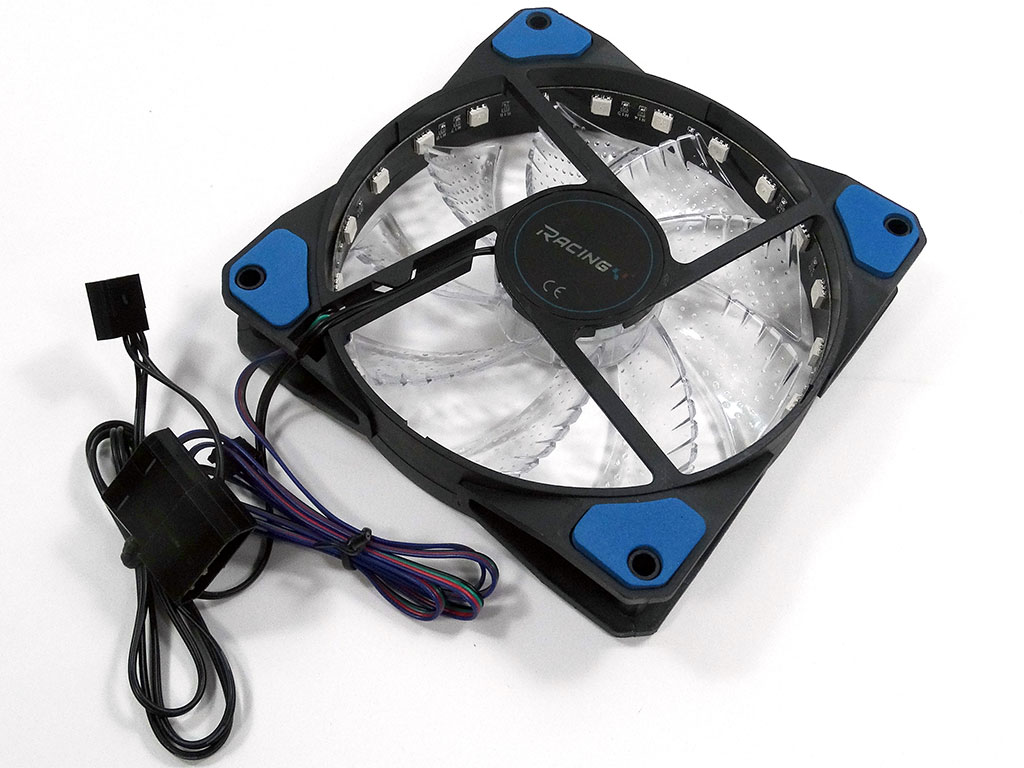
I was really surprised to find a fan in a motherboard box, but here it is. There are no real markings of note.
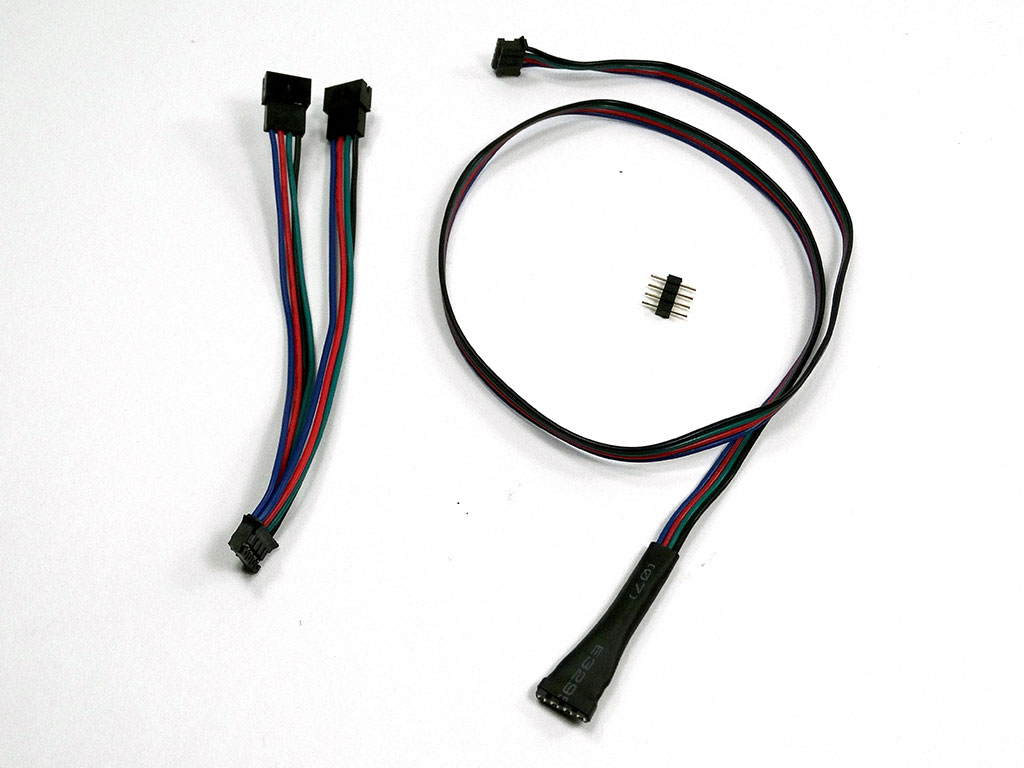
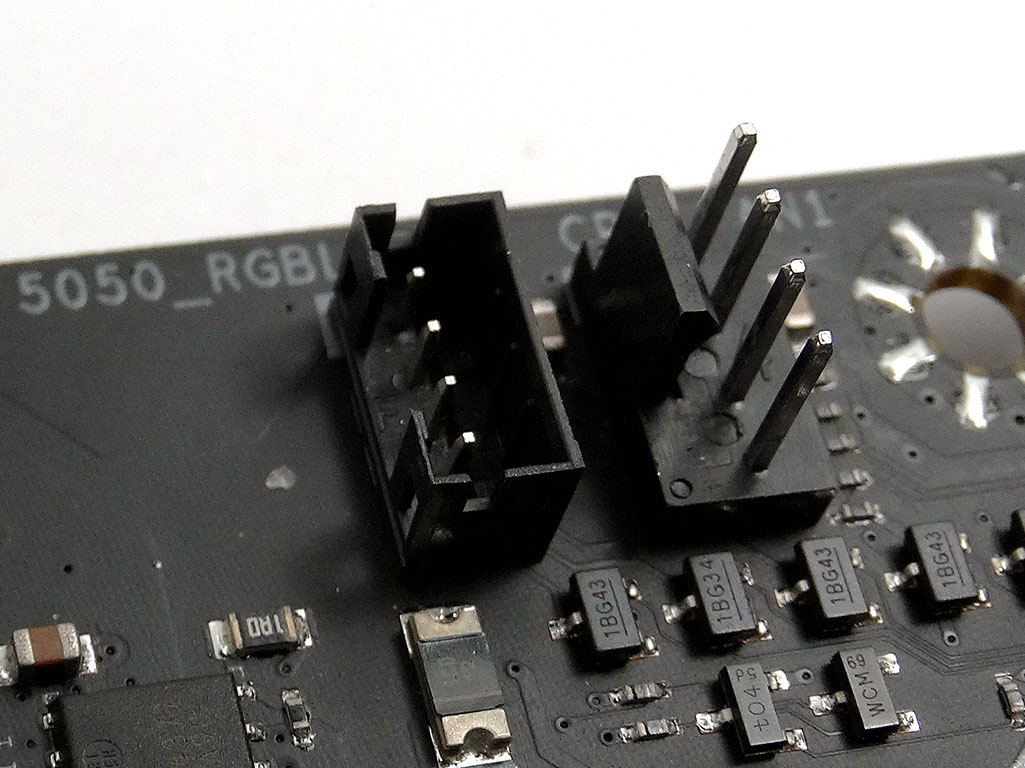
Also included are some wires, ready for the addition of 5050 LEDs to the motherboard. There are quite a few LED headers on the board, such as the one by the CPU FAN port...


Looking closely, the fan has LEDs around the inside of the frame. They plug into one of those 5050 LED headers on the board, so the board can control the LED color along with the fan's speed. You do also have a few options for how you connect the fan to power.
Board Layout
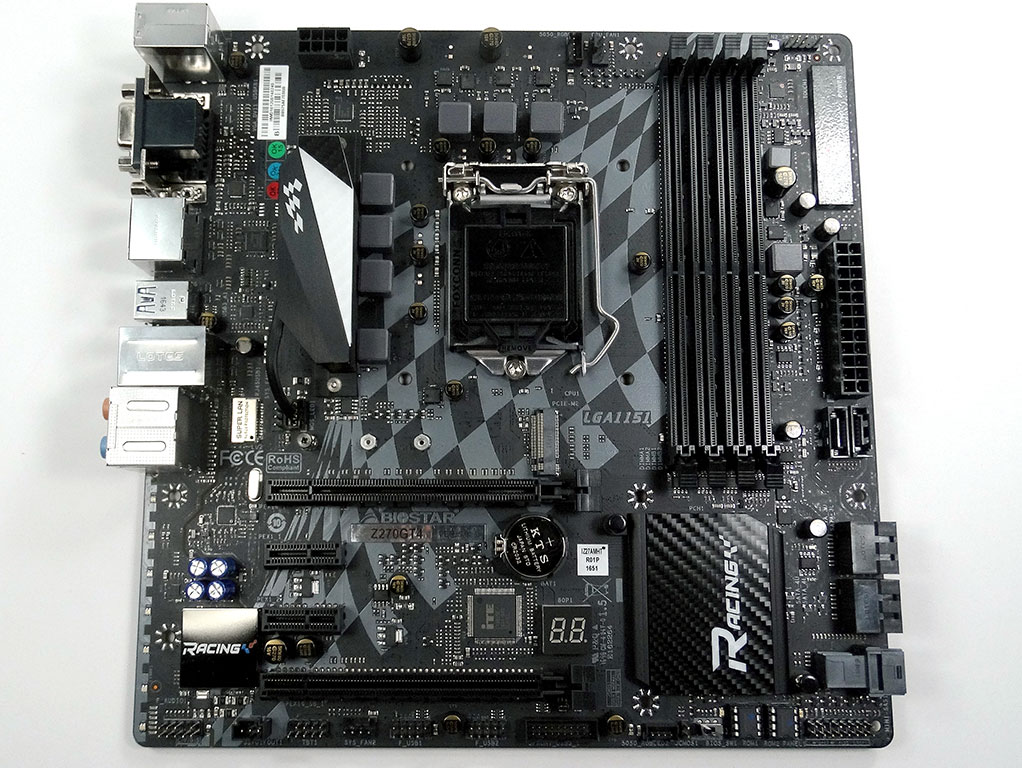
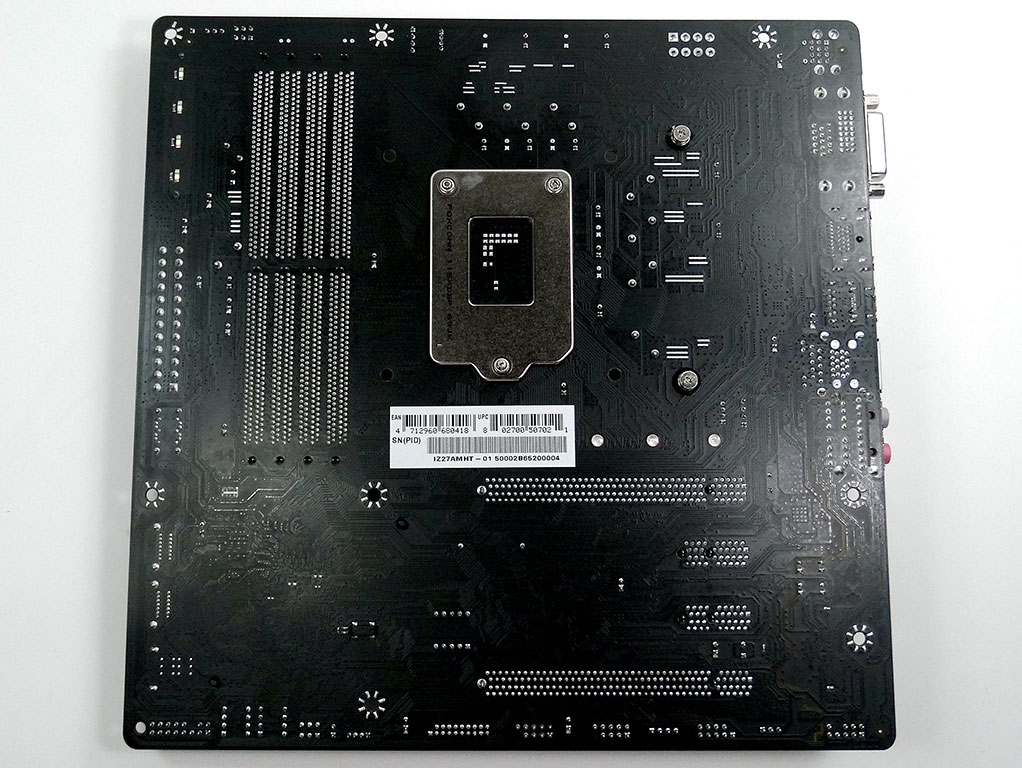
Other than the obvious checkered flag across the front of the Biostar Gaming Z270GT4, the way this board looks is muted for sure. There is black all over, with a touch of white here and there. The rear of the board is fairly basic, but Biostar has not neglected to include some solder strips there to help with CPU VRM cooling.
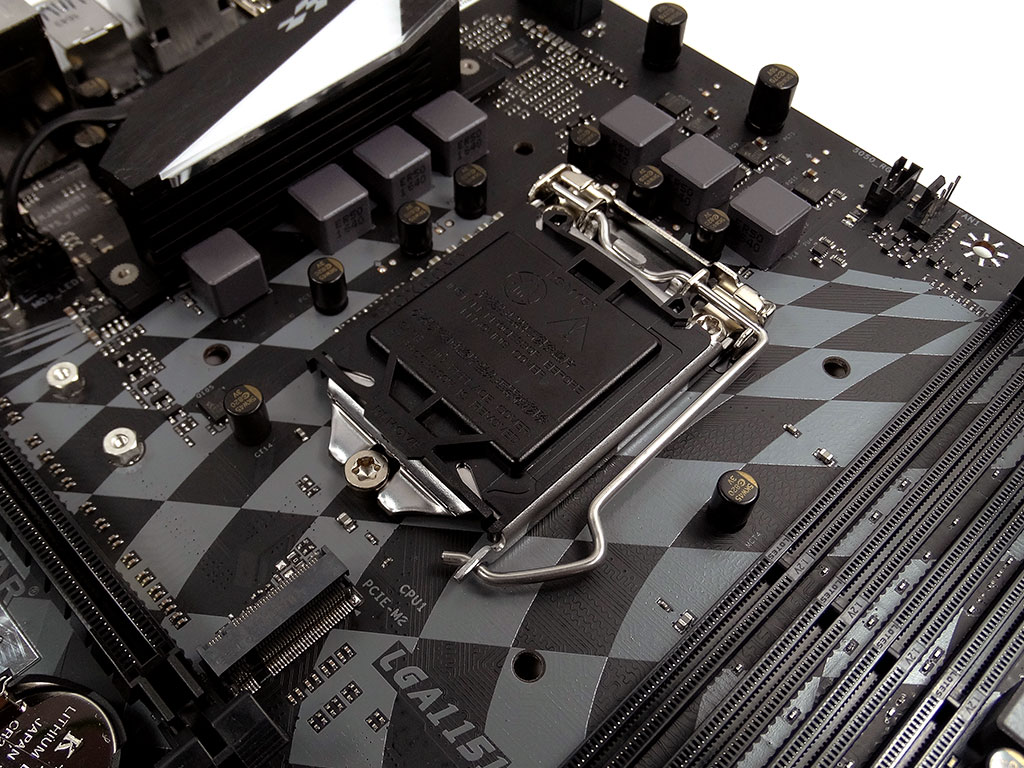
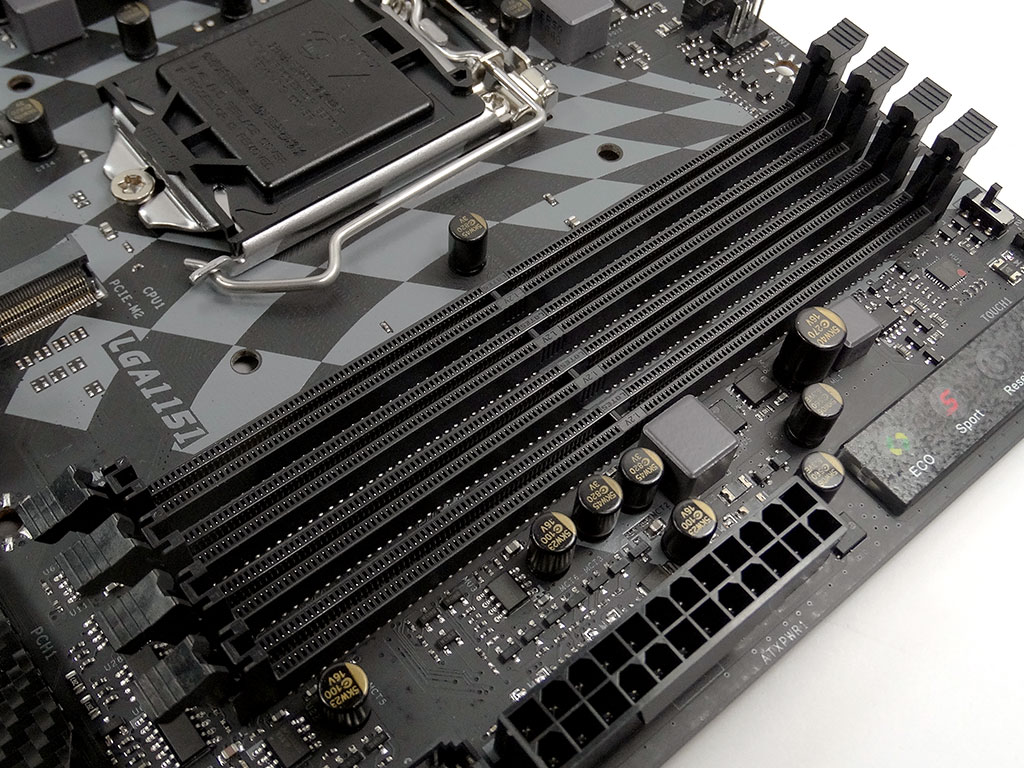
The socket area is nice and open, with no MOSFET cooler above the CPU socket area. There are four DIMM slots next to the socket, rated for speeds up to 3200 MHz. This is a fair bit lower than on some other boards, but when you consider that the default speed for this platform is 2400 MHz, a 33% increase in support is more than ample for most budget-conscious users.
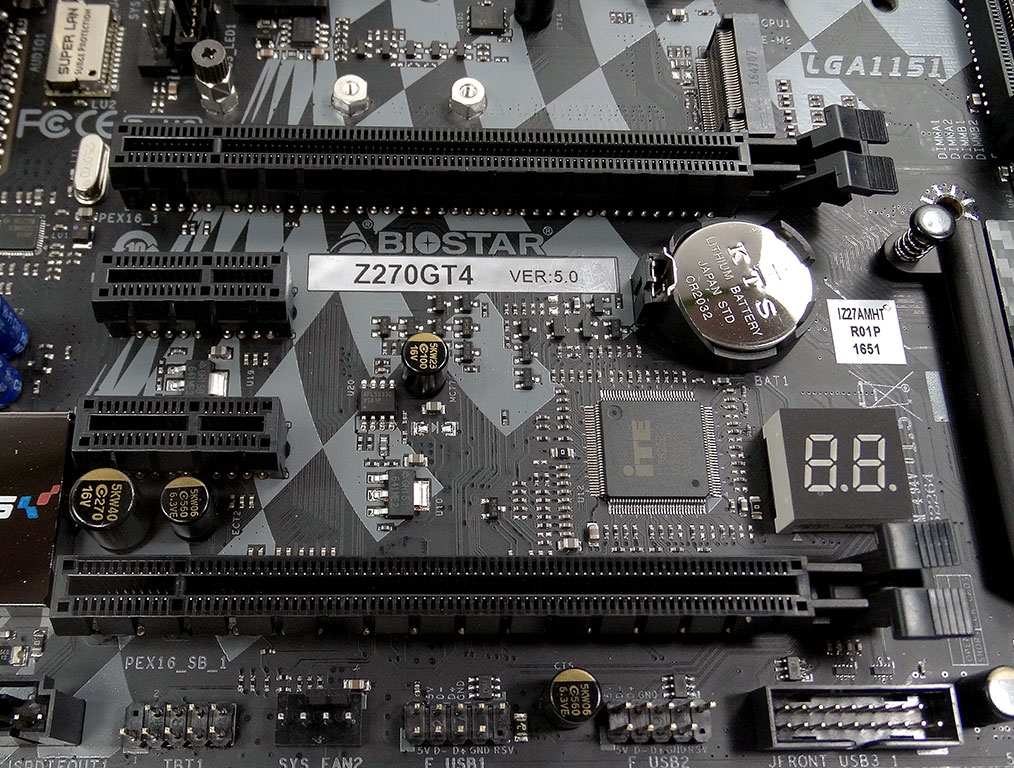
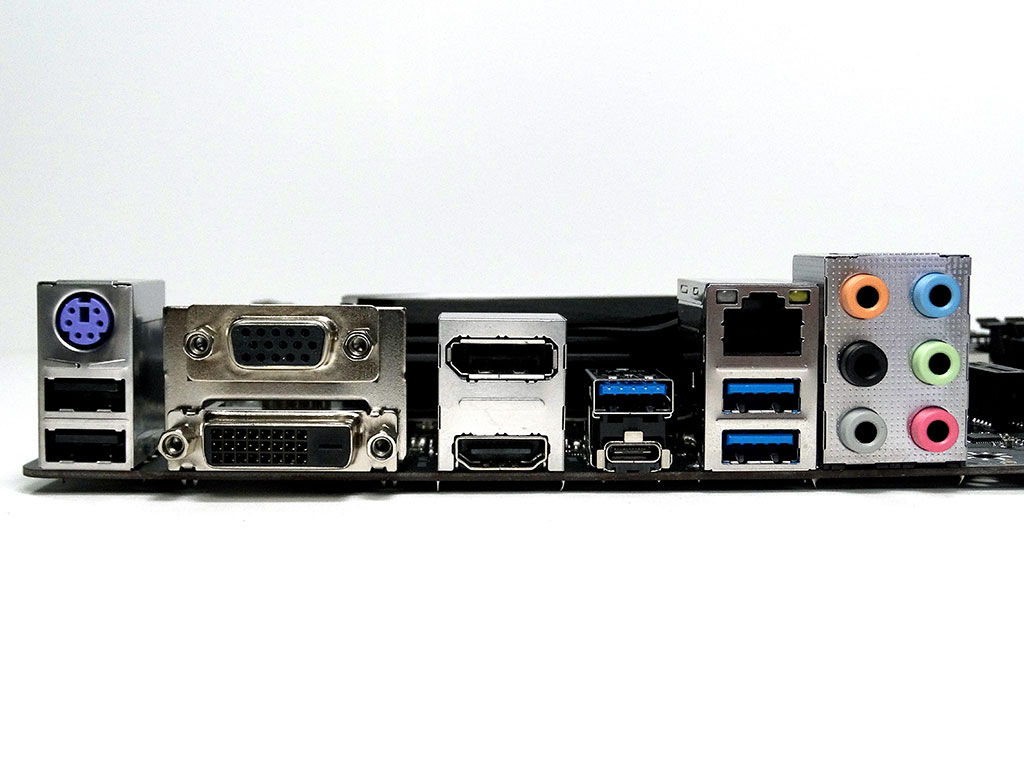
There are two PCIe x16 slots here on the Biostar Racing Z270GT4, with two PCIe x1 slots sandwiched between them. The back panel has every video connector you could want for a PC monitor, along with a splash of USB and audio in various flavors, although I was quick to notice the lack of a dedicated digital audio plug, but such can be had over HDMI for sure. A PS/2 port and LAN plug round out the functionality here.

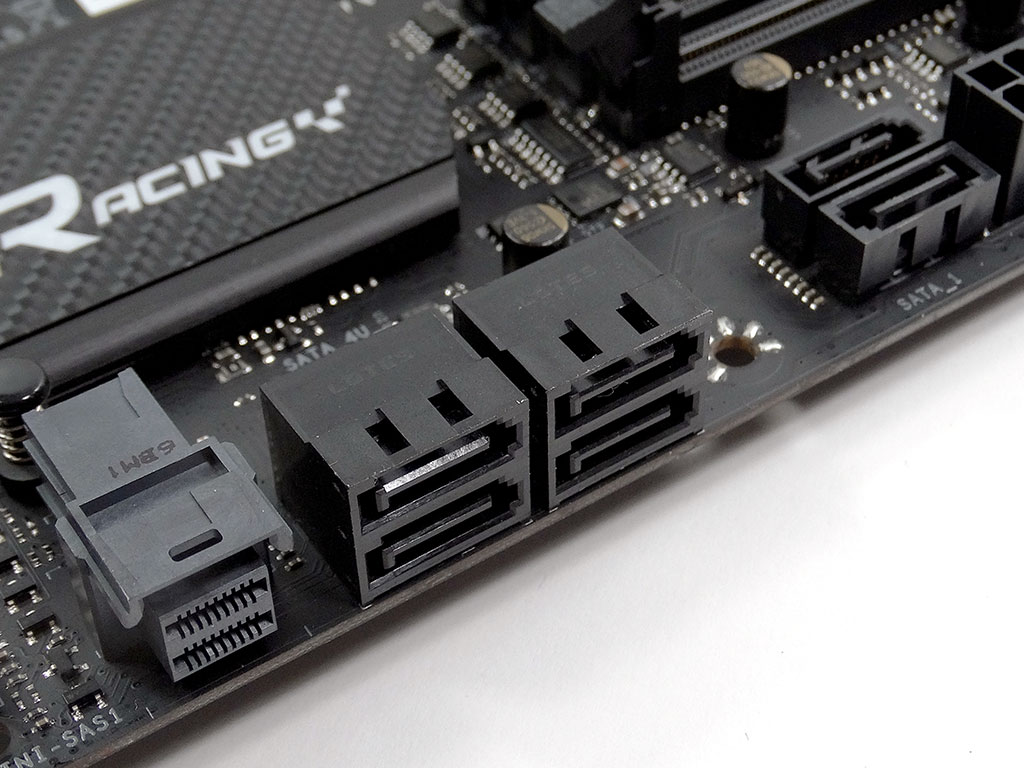
There is a single M.2 port, placed above the PCIe slots. It does support NVME devices such as the Samsung 950 PRO I use in my testing rig. SATA connectivity features six ports total. I was really surprised to see a U.2 port here too!
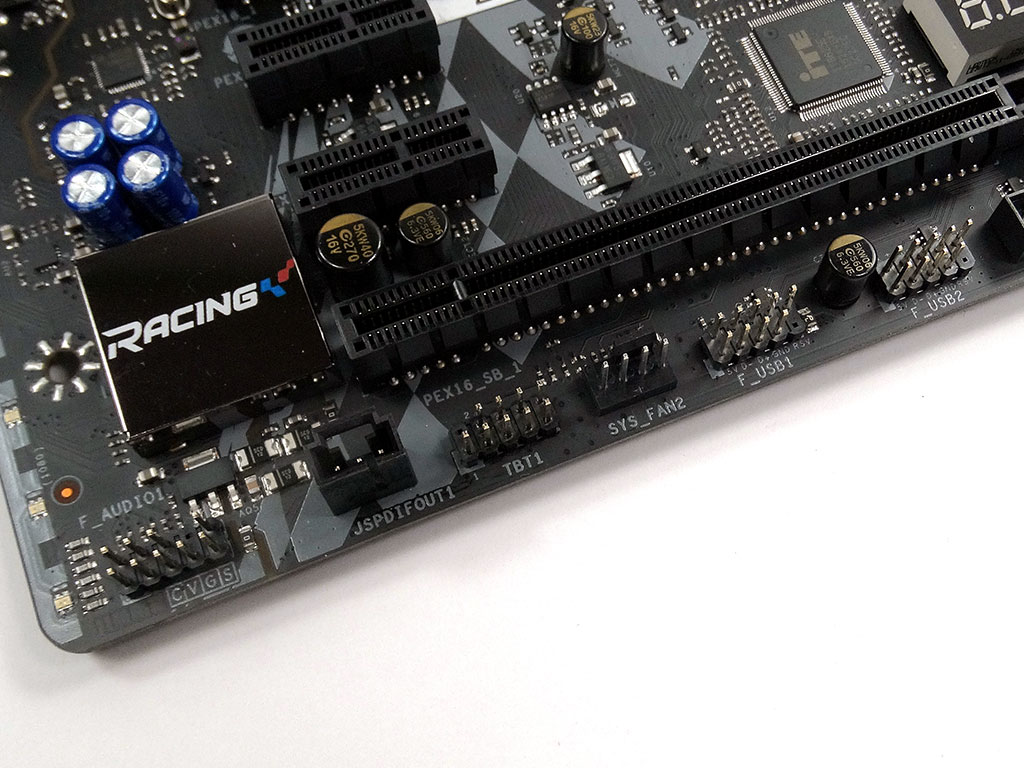

The bottom edge of the board is pretty basic, although you might notice there are two socketed BIOS chips here. You couldn't really ask for more.


LAN connectivity on the Biostar Racing Z270GT4 is provided by an Intel controller, while close by the socket is a "LAN Protect" chip to help prevent surges over the LAN port.
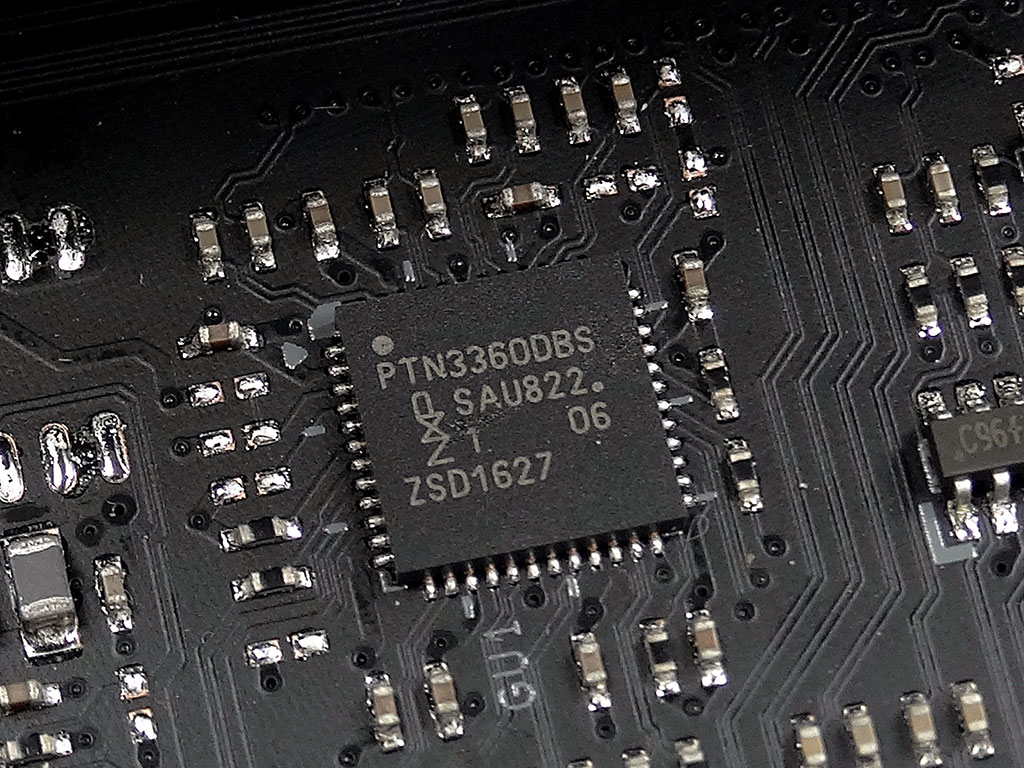
An NXP TMDS chip manages the HDMI.
Our Patreon Silver Supporters can read articles in single-page format.
Nov 16th, 2026 02:29 CST
change timezone
Latest GPU Drivers
New Forum Posts
- GPU Temperatures Rise Very Quickly in FurMark – Is This Normal? (11)
- Your PC ATM (36443)
- Asus Rog Maximus Z890 Extreme. (Various questions). (27)
- Will zen 6 mobos have anything extra vs current ones? (47)
- [Community Benchmark] MrH OpenCL Benchmark 2.0e (Windows Only – CPU & GPU) (3)
- The Official Thermal Interface Material thread (2301)
- It’s been fascinating times in Retro agian r36s isn’t even worth 50-65 dollars no more and newly listed Rm36 64gb 4in IPS models for only 34 dollars. (6)
- Power supply noise stops when I move the mouse (10)
- Can you guess Which game it is? (320)
- What is the latest game you finished or 100% (203)
Popular Reviews
- ASUS ROG Strix B850-I Gaming Wi-Fi7 W Review
- Corsair HX1000i Shift Crystal Review
- AMD Zen 6 Technical Deep Dive
- Upcoming Hardware Launches 2027 (Updated Nov 2026)
- Montech King 95 3D PRO Review
- NZXT C1200 Platinum Review
- Phantom Blade Zero Performance Benchmark Review - 35 GPUs Tested
- AMD Ryzen 7 9800X3D Review - The Best Gaming Processor
- NZXT H7 RGB+ Review
- NZXT H5 Review
TPU on YouTube
Controversial News Posts
- NVIDIA Co-Founder and CEO Jensen Huang Officially Resigns (430)
- Open Letter Asking NVIDIA to Reinstate Jensen Huang Passes 115,000 Signatures (184)
- OpenAI CEO Argues Home PCs Waste the World's Limited DRAM Supply (152)
- NVIDIA Launches Investigation Into Jensen Huang's Relationship With Suspected Chinese Spy (136)
- Intel "Raptor Lake Next" 16-Core and 20-Core CPUs Surface (130)
- Legendary Game Studio BioWare Shuts Down Following EA Layoffs (104)
- Dell CEO Says the Memory Shortage Will Get Worse in 2027 (95)
- NVIDIA GeForce RTX 50-Series Scheduled for up to $500 Price Hike This Week (89)