 0
Blacklyte Atlas Lite Standing Desk Review - Rock-solid choice
Value & Conclusion »User Experience
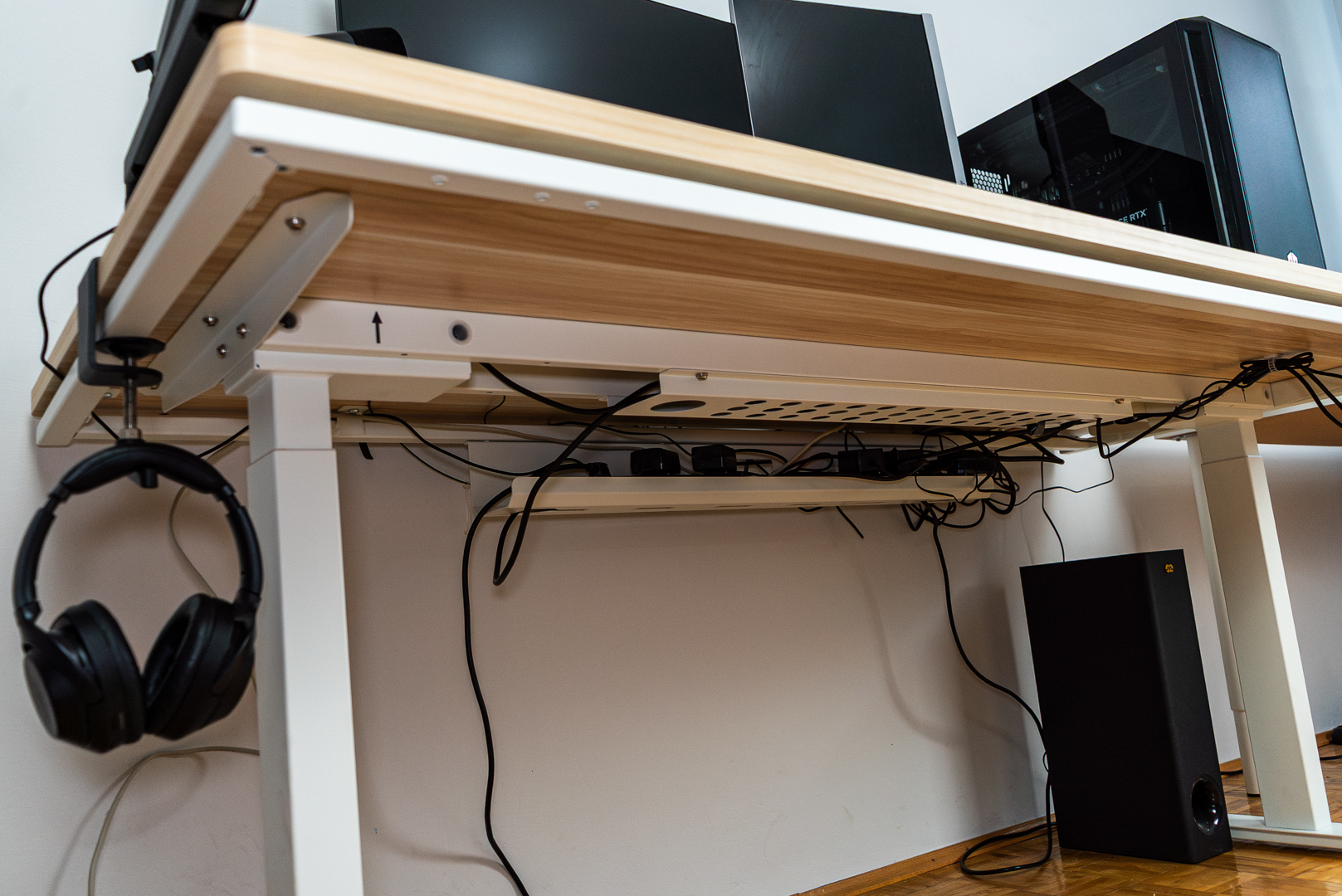
Cable management is definitely one of the strong suits of the Blacklyte Atlas Lite, and it really shows in day-to-day use. With a setup full of cables—dual monitors, a soundbar, DCA, USB hub, charging station, and of course the PC itself—things can easily get messy. The rear shelf makes a world of difference here. It's large enough to fit two power strips, which means plenty of sockets and no more awkward stretching to reach outlets.
Compared to traditional desks, where you're left improvising routes and fighting tangles, the Atlas Lite's design feels like a relief. Running the controller cables and then everything else through the shelf and wire slot, was straightforward, and while it still took some time to properly route everything, the end result looks tidy and quite professional. The included adhesive clips also come in handy, especially for guiding cables outside the main slots and keeping them secured against the underside of the tabletop.
Perhaps most importantly, the system works smoothly with desk's height adjustment. As long as you plan ahead and use cables of sufficient length, nothing snags or pulls when raising or lowering the desk. That's something my previous desk consistently struggled with, and here it feels solved by design. In short, it's one of those features you appreciate more and more the longer you use the desk.
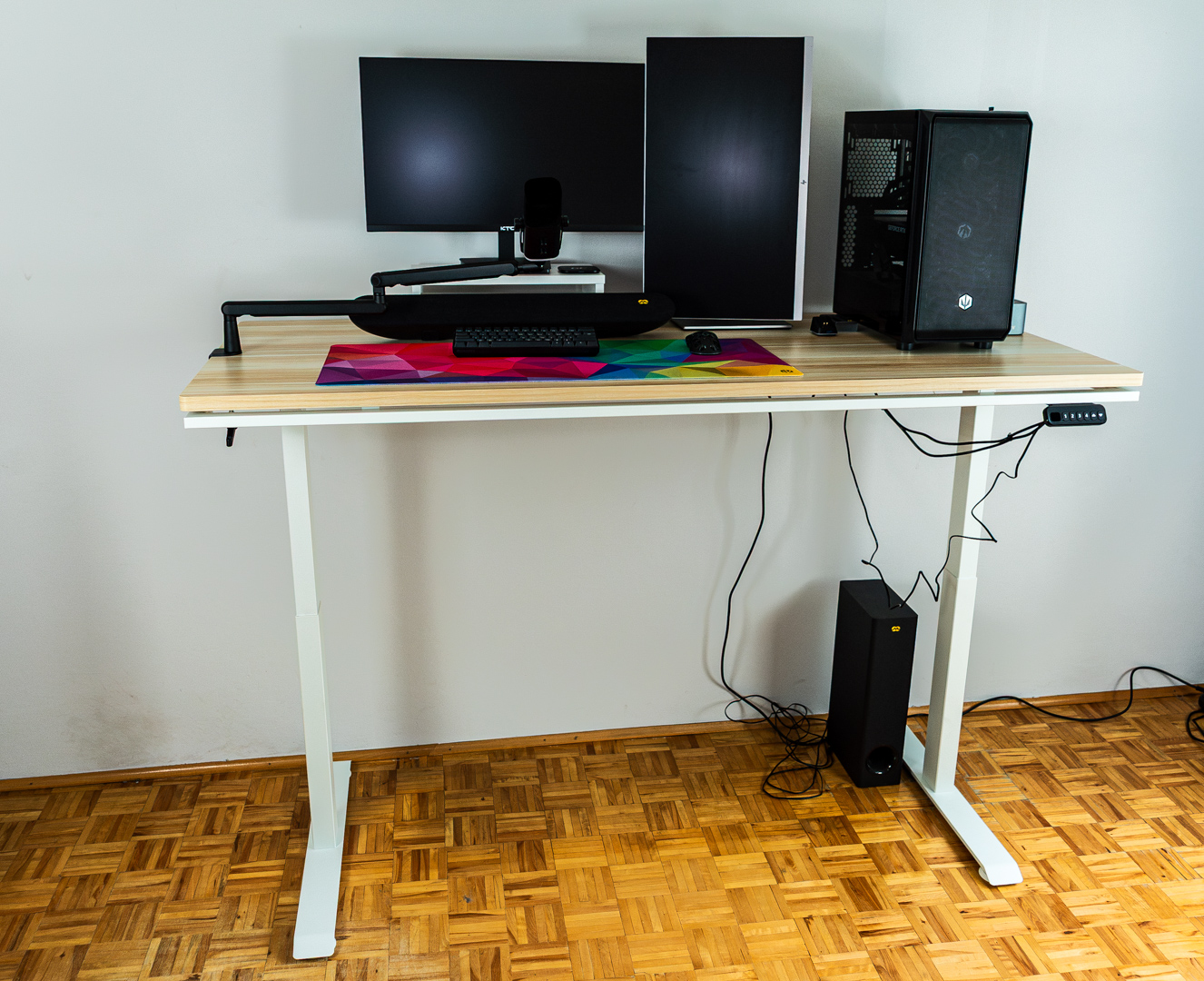
The Extra Large version of the Blacklyte Atlas lite definitely delivers when it comes to usable workspace. Two 27" monitors fit side by side without crowding, leaving enough room for the PC tower to stand comfortably on the desk rather than underneath it. Even with a large mousepad, keyboard, and a range of accessories, the tabletop doesn't feel cramped, which is exactly what you'd expect from a desk in this size category.
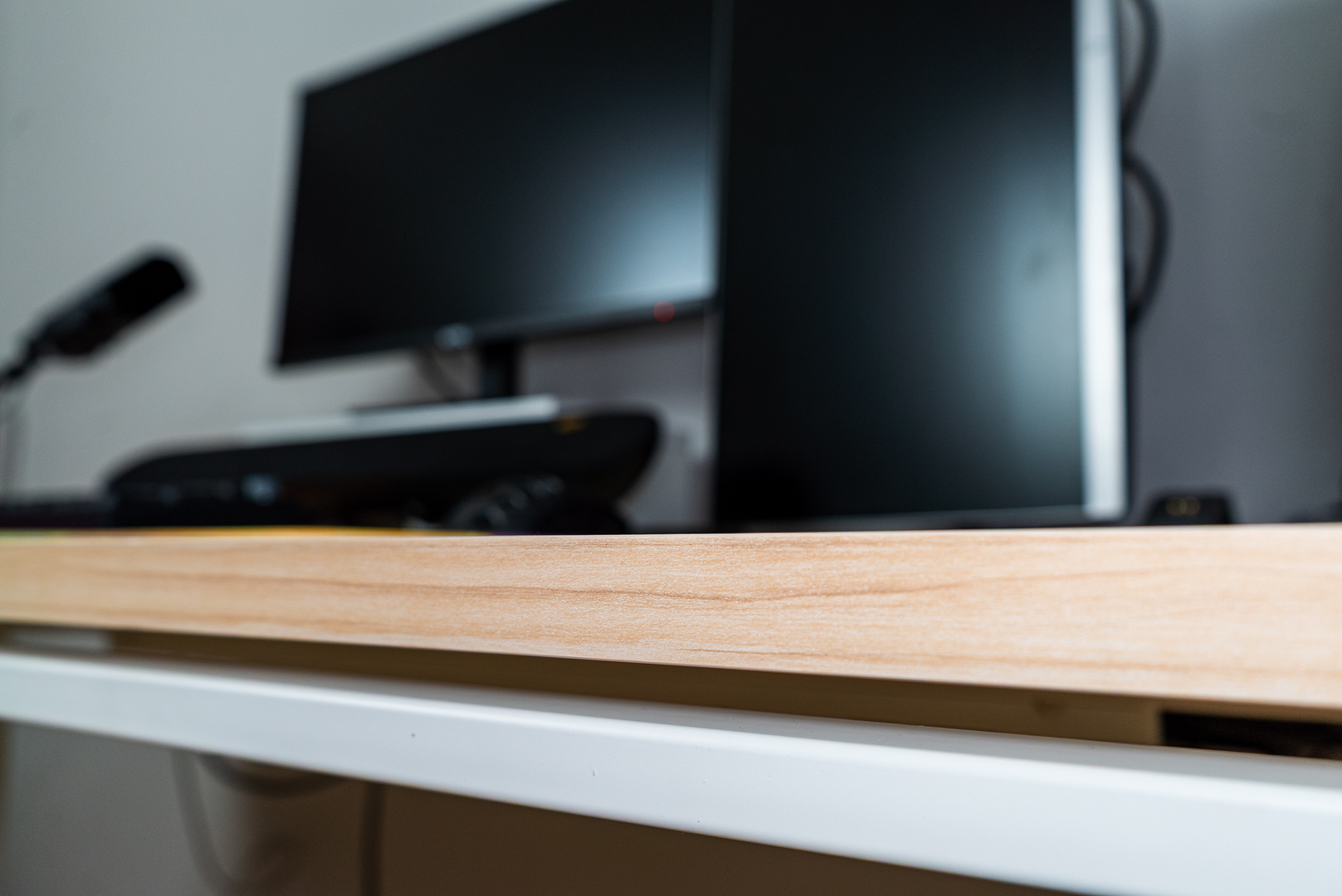
That said, the reinforced frame under the tabletop introduces a limitation worth noting. Because the rear baffle and the control panel is mounted to this frame, not every monitor arm or clamp-style accessory will be compatible. This means you may need to be selective when choosing mounts, or look for solutions designed with thicker or reinforced desktops in mind. It's not a dealbreaker, but it does affect customization.
Despite its heavy weight, the desk remains surprisingly manageable if you want to adjust its position in a room—it's stable, yet not impossible to shift closer to or away from a wall. The controller itself is straightforward and functional: pressing a button raises or lowers the desk by exactly 1 cm (0.4 in), making fine-tuning the height easy. You can also switch between centimeters and inches, which is a nice detail for different users. The only drawback here is the control panel build—as mentioned earlier, the ABS casing flexes slightly under pressure, but it doesn't interfere with usability.

The motors in the Blacklyte Atlas Lite do their job well. They raise and lowered the desk smoothly, though not silently. With a sound level peaking around 50 dB (measured with a Voltcraft SL-100), they're about as loud as a gaming laptop under load. Depending on whether you're standing above or sitting below the desk while adjusting, the perception of the noise changes, but it never reaches a level that feels disruptive. It's noticeable, yes, but far from intolerable—and definitely not the noisiest motorized desk out there.
Stability is another strong point. With over 20 kg (44 lbs) of equipment placed on top, the structure remains stable. There are no alarming creaks, bends, or wobbles, and the desk clearly has capacity to handle more weight with its rating of 100 kg. Leaning on the edge in the middle could create a small, visible flex, but nothing that suggests structural weakness. Even with a glass of water or coffee on the surface, you don't need to worry about spillage when adjusting the height—the movement is steady and controlled.
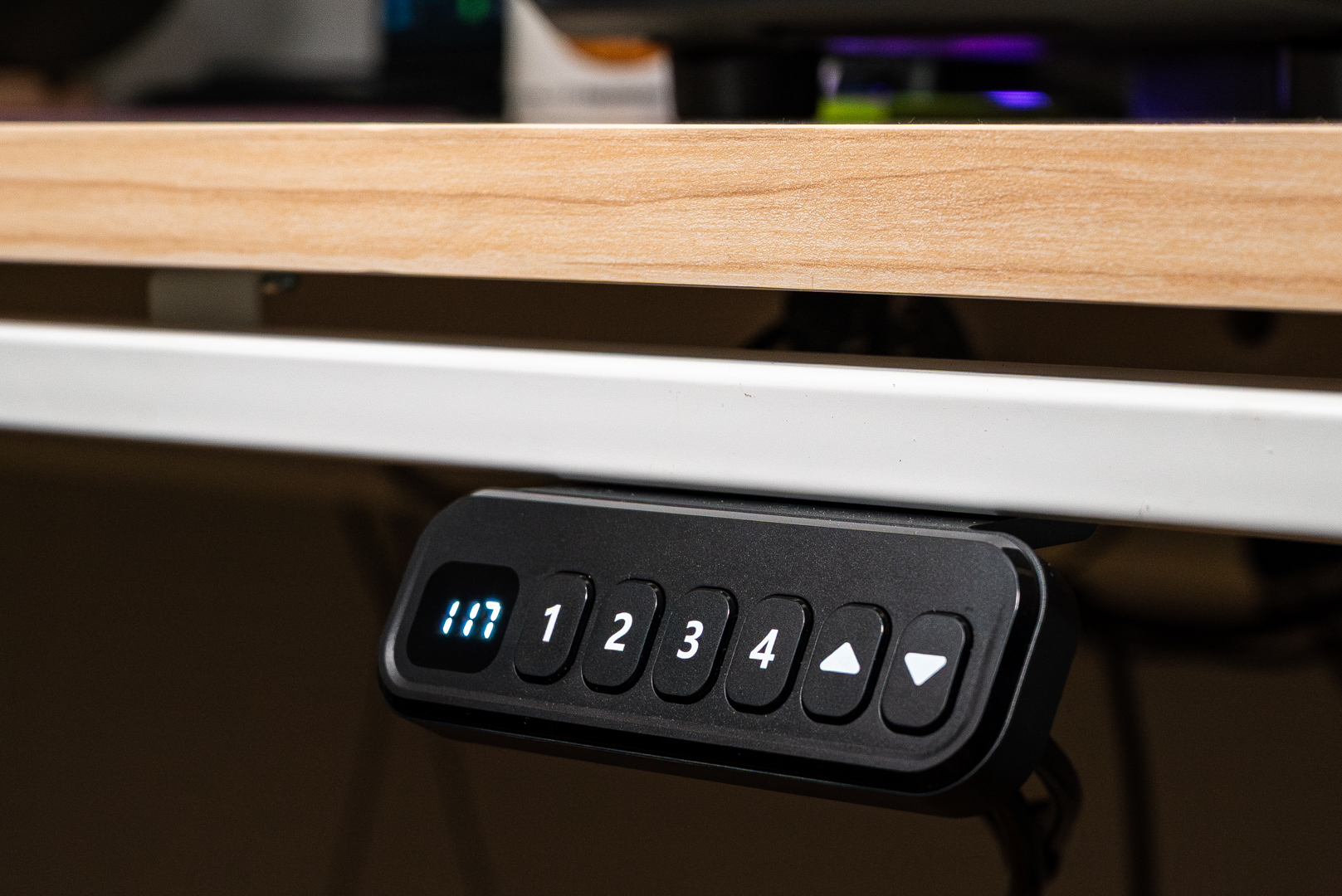
Turning back to the control panel of the Blacklyte Atlas Lite—it's surprisingly versatile for this price range. By holding either of the two outer buttons, you can smoothly adjust the desk's height, and for everyday convenience, you can save up to four preset positions. Switching between them is just a matter of pressing the corresponding numbered button, so you can quickly go from sitting to standing without fuss.
Beyond these basics, the panel also includes several thoughtful features. You can fine-tune the sensitivity of the anti-collision system, which ensures the desk stops moving if it encounters resistance—useful for avoiding accidents with cables, drawers or anything else. The controller also has a built-in speaker that gives audio feedback when you use it, though you can turn it off. On top of that, there's a child-lock function to disable the controls entirely, preventing younger family members from accidentally adjusting the desk. Everything you need to know about using its functions can be found in the user manual.
Nov 26th, 2026 09:57 CST
change timezone
Latest GPU Drivers
New Forum Posts
- What's your main Black Friday / Cyber Monday purchase? (18)
- Wireless Internet sharing between PC and router both-ways, is it possible? (24)
- Can you guess Which game it is? (366)
- Post your CrystalDiskMark speeds (658)
- Making a game in Godot engine (20)
- X79 and/or rampage IV OC'ing thread for those of us still left.... (2459)
- Exploring Local LLMs: Models, Hardware and Setup Experiences (4)
- Linpack Xtreme Released (513)
- Claude credits purchased on or after Dec. 7 now have an expiry date (20)
- Acer TravelMate P414-51 (i5-1135G7): CPU stuck at x4 / ~200 MHz effective under 100% load, no throttle flags. How to find who's clamping it? (1)
Popular Reviews
- ASRock X870E Challenger Wi-Fi White Review
- VZMORE AX9 Max Review
- Upcoming Hardware Launches 2027 (Updated Nov 2026)
- Microsoft Surface Laptop Ultra Review - The Next-gen Arm Laptop
- AMD Ryzen 7 9800X3D Review - The Best Gaming Processor
- AMD Zen 6 Technical Deep Dive
- Corsair RM1200e (Second Generation) Review
- Phantom Blade Zero Performance Benchmark Review - 35 GPUs Tested
- Montech CyberFlow ARGB 360 Review
- Pulsar Office Tour & First Look at P1 Dual-Sensor Mouse
TPU on YouTube
Controversial News Posts
- Jensen Huang Reinstated as CEO of NVIDIA (585)
- NVIDIA Co-Founder and CEO Jensen Huang Officially Resigns (492)
- Report: Jensen Huang Eyes NVIDIA Comeback (281)
- Open Letter Asking NVIDIA to Reinstate Jensen Huang Passes 115,000 Signatures (184)
- OpenAI CEO Argues Home PCs Waste the World's Limited DRAM Supply (152)
- NVIDIA Launches Investigation Into Jensen Huang's Relationship With Suspected Chinese Spy (136)
- Intel "Raptor Lake Next" 16-Core and 20-Core CPUs Surface (130)
- Intel Razor Lake Gets a 12 P-Core bLLC Chip With No E-Cores, Per Leak (94)