 25
Chieftec The Cube Review
A Closer Look - Inside »A Closer Look - Outside
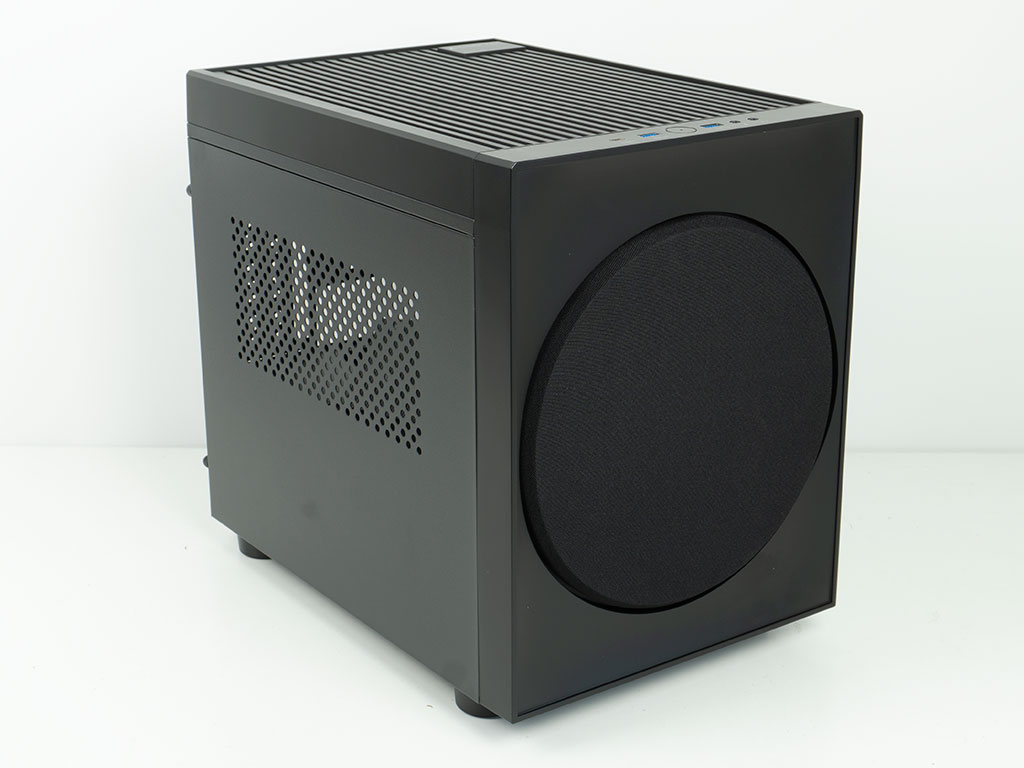
The Cube is meant to look like a speaker or subwoofer, so it would blend into a home theater environment seamlessly. To that end it manages to do just that. With a nylon covered circular panel in front of the 200 mm fan and otherwise no other markings in the front, it looks like a piece of audio equipment. It is taller than previous cases with this body, not because the frame has grown, but because Chieftec has made the top cover taller.
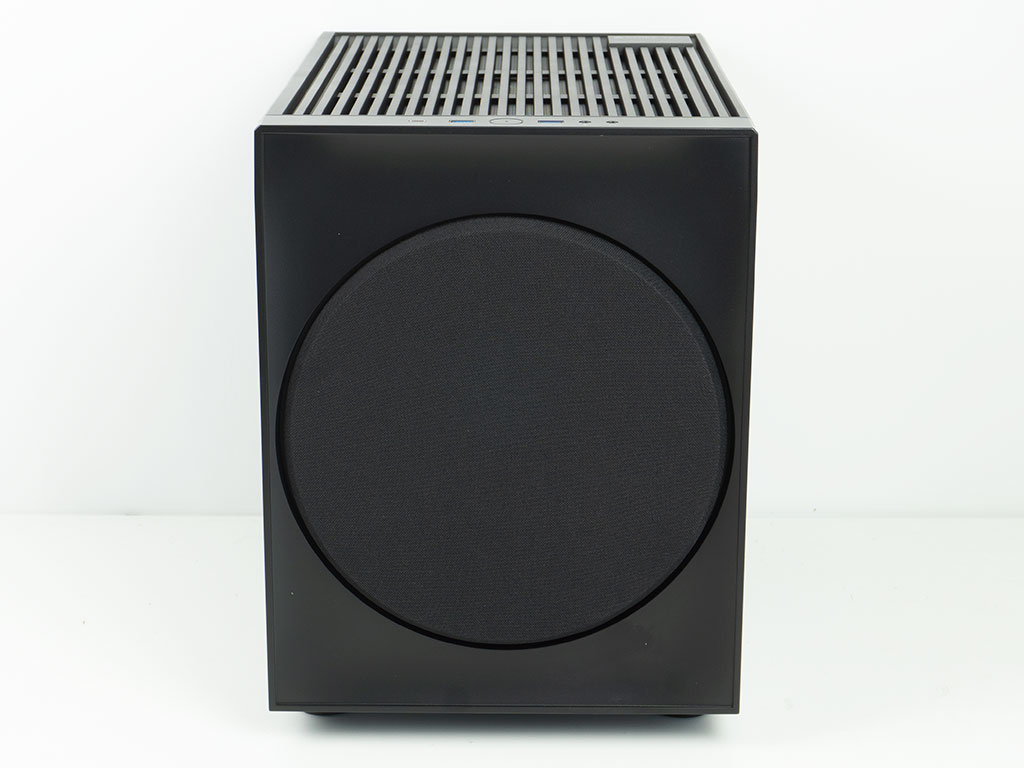
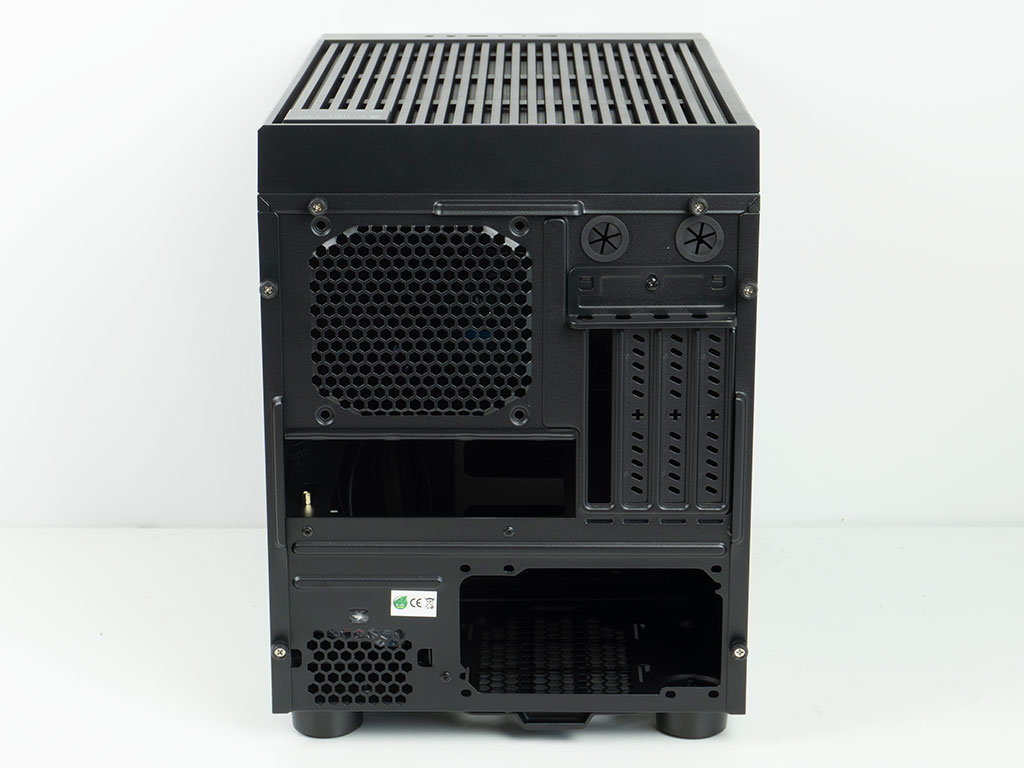
The front is made of plastic and the circular cloth cover is recessed slightly - just like a speaker cover would be. In the rear, the layout and overall tooling hasn't changed since 2022, so we know the interior layout is going to be the same.
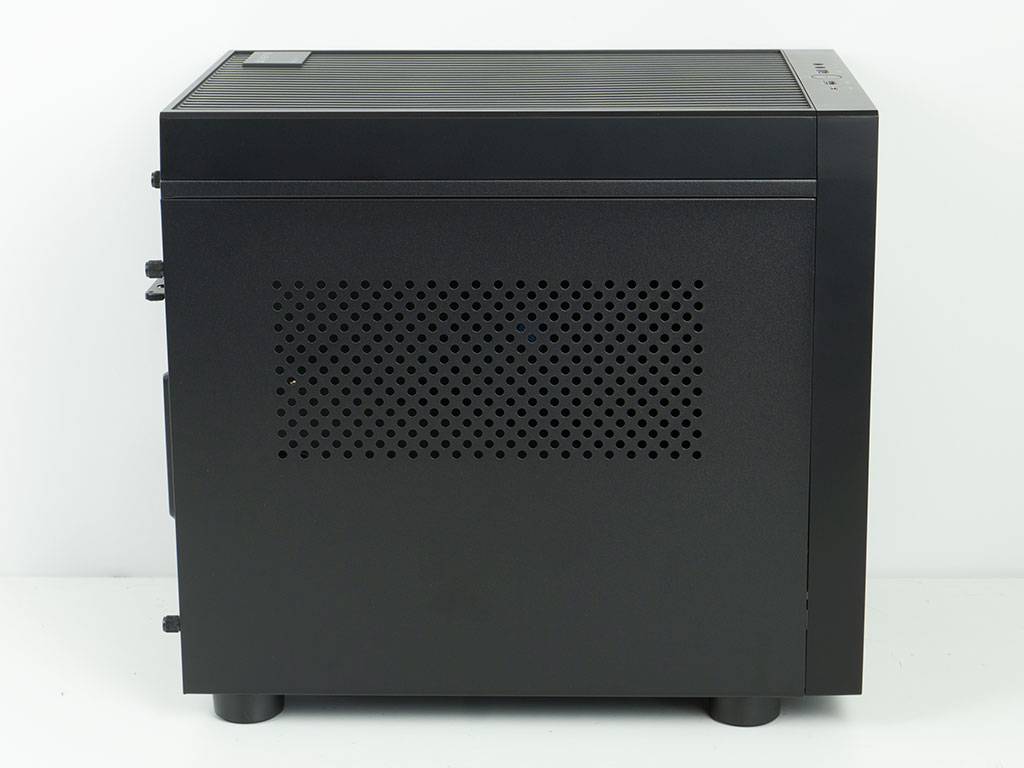
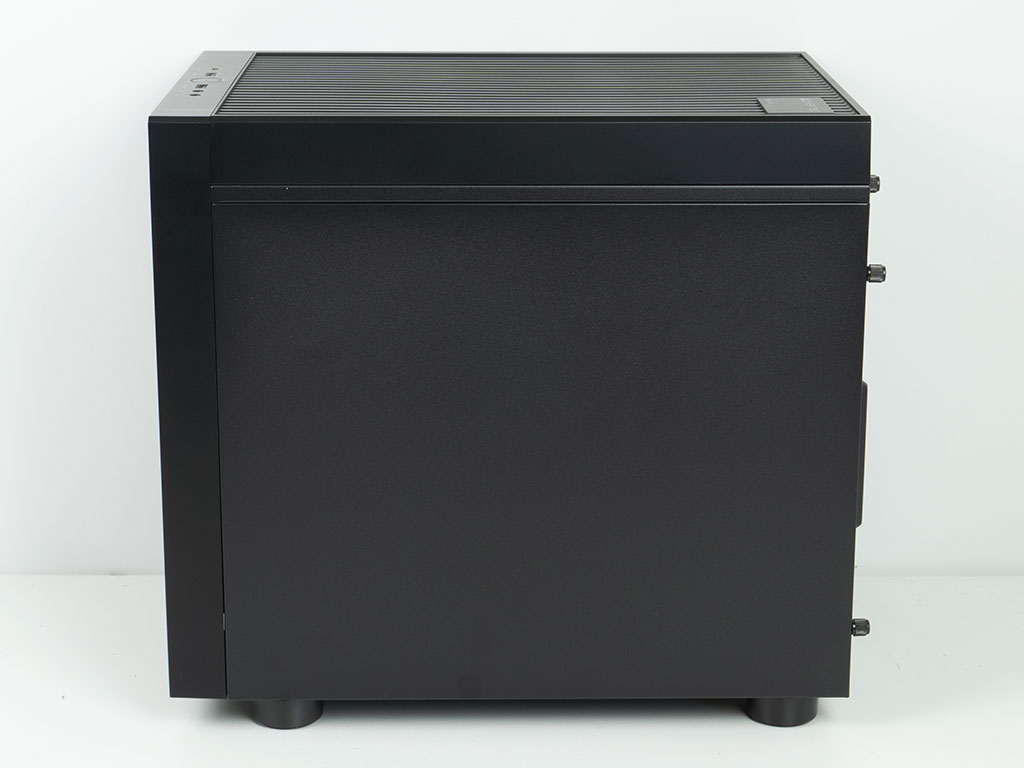
The main side panel of The Cube sports an air vent, which is further protected from the inside by a magnetic mesh cover. Turning it over, the opposite one is completely solid. In terms of thermals, it would have been beneficial for the case to have a vent on this side as well. This is also something we mentioned three years ago, but unfortunately didn't make the cut for improvements.

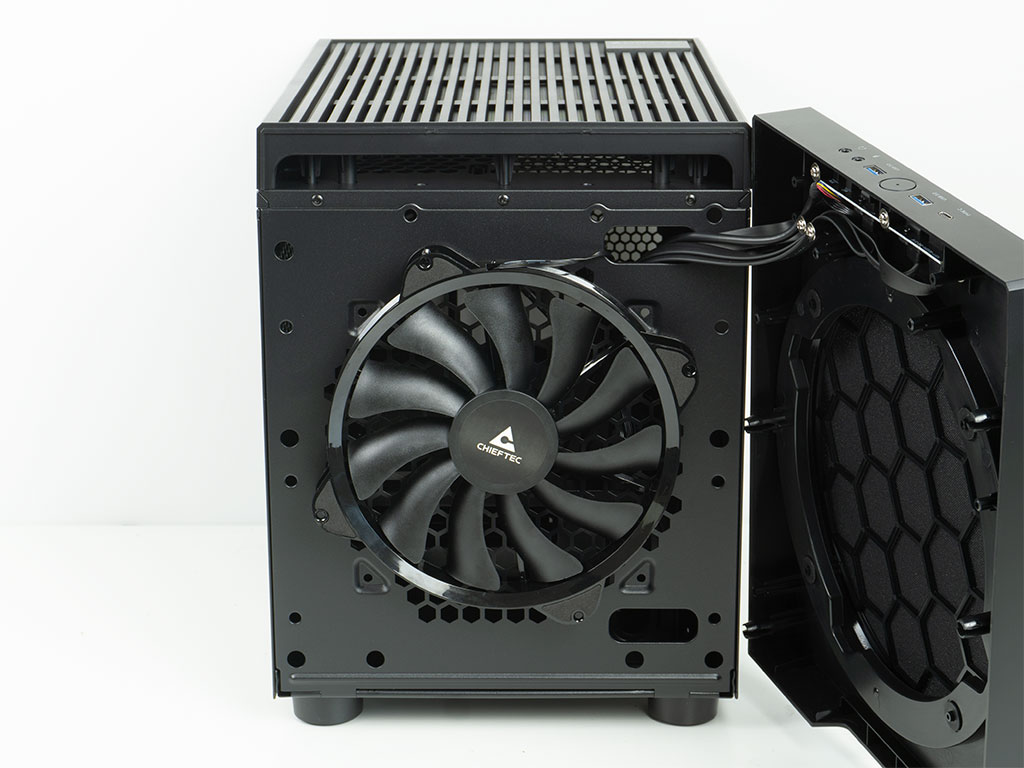
The circular cover is held in place by friction between the plastic pins and rubber openings on the case front. This is exactly the type of setup you would find on speakers as well. Behind it, there is a 200 mm fan set to pull in fresh air from the front. It has rubber pads on the corners and is secured in a slightly rotated orientation. You don't have to pull off the actual plastic cover, but can do so with a firm tug, which allows access to the two cable routing holes as well.
In the rear, the bottom half holds the ATX PSU bay which comes with two sets of mounting holes. Above that, the space is reserved for the motherboard and any expansion cards. The Cube also features two round openings—which we used to see more frequently—for those wanting to route external liquid cooling tubing to the chassis. Lastly, the expansion slots are protected by breakout covers, which is unfortunate. Again, this is something Chieftec could have easily improved upon.
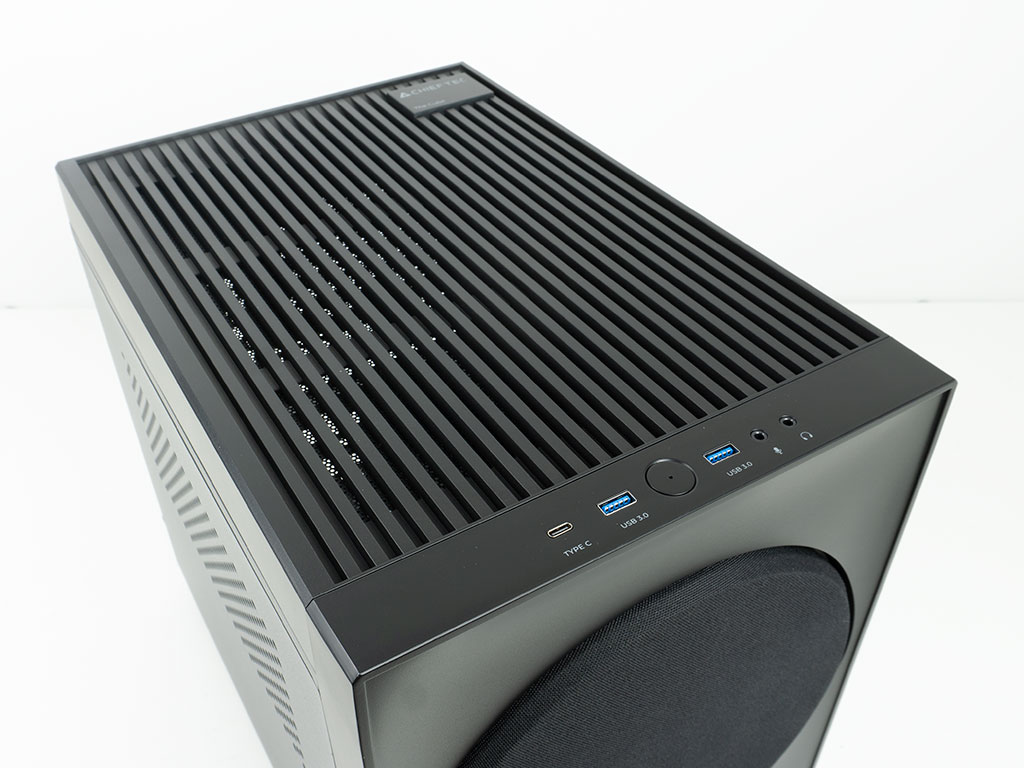

An area that did change is the top. The fairly tall plastic cover should provide enough room for you to install fans on top of the frame, if you like to do so. The overall design of this looks great, but is a bit restrictive to airflow. Pulling the top off, you can see another update in form of better fan or AIO capabilities over previous cases with this body. You may now install a 200 mm fan in the ceiling or two 120 mm units. This is also where a 240 mm AIO will fit now. While Chieftec no longer mentions it in the specifications table, the Pro Cube variant from 2022 could hold a 120 mm AIO in the rear of the chassis, and that would still hold true today as well.

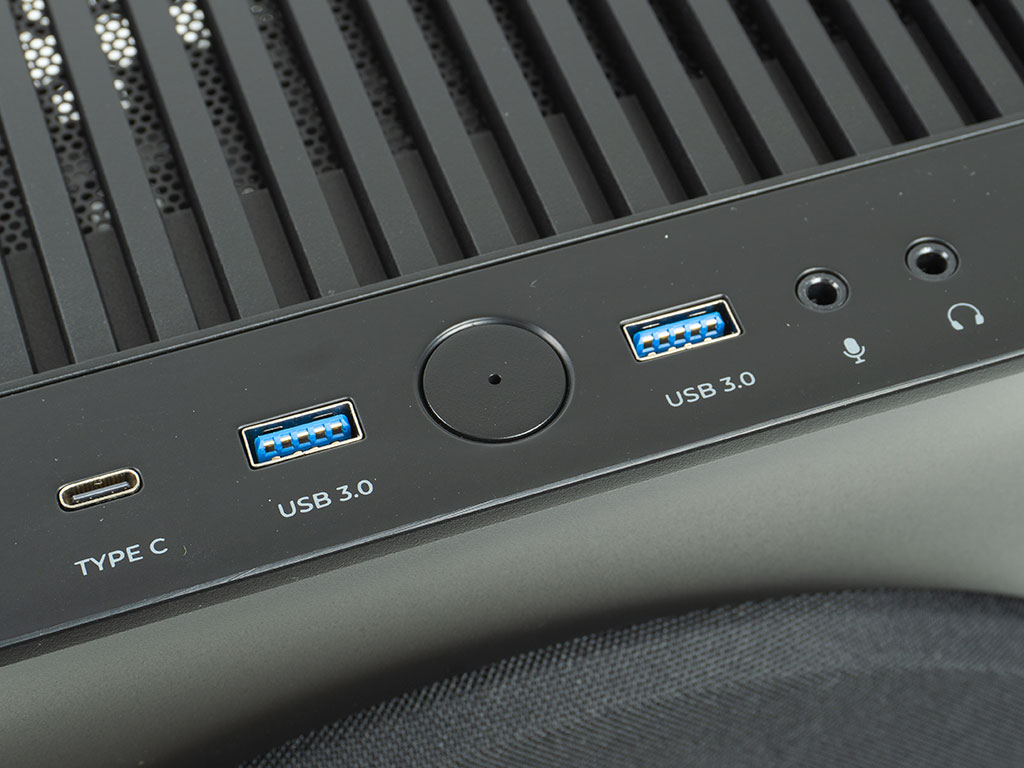
At the back right corner of the top cover, you will not only find the company branding, but also the model name of the chassis. In the front edge of the chassis, the next update can be found in form of a modern I/O panel. The Cube features a USB-C port alongside the two USB-A variants and the usual audio plugs. A circular power button at the center also has a power LED at its center. The Pro Cube actually had a really nice looking power button, which did not make it to this iteration, unfortunately. On top of that Chieftec has eliminated the reset button.
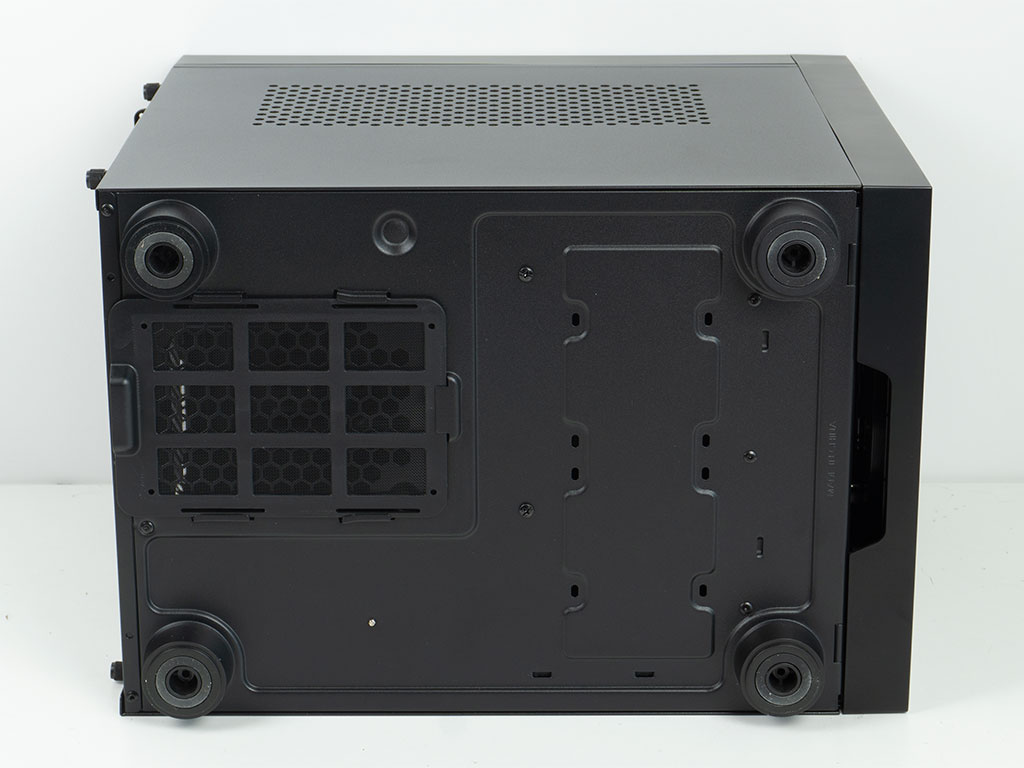
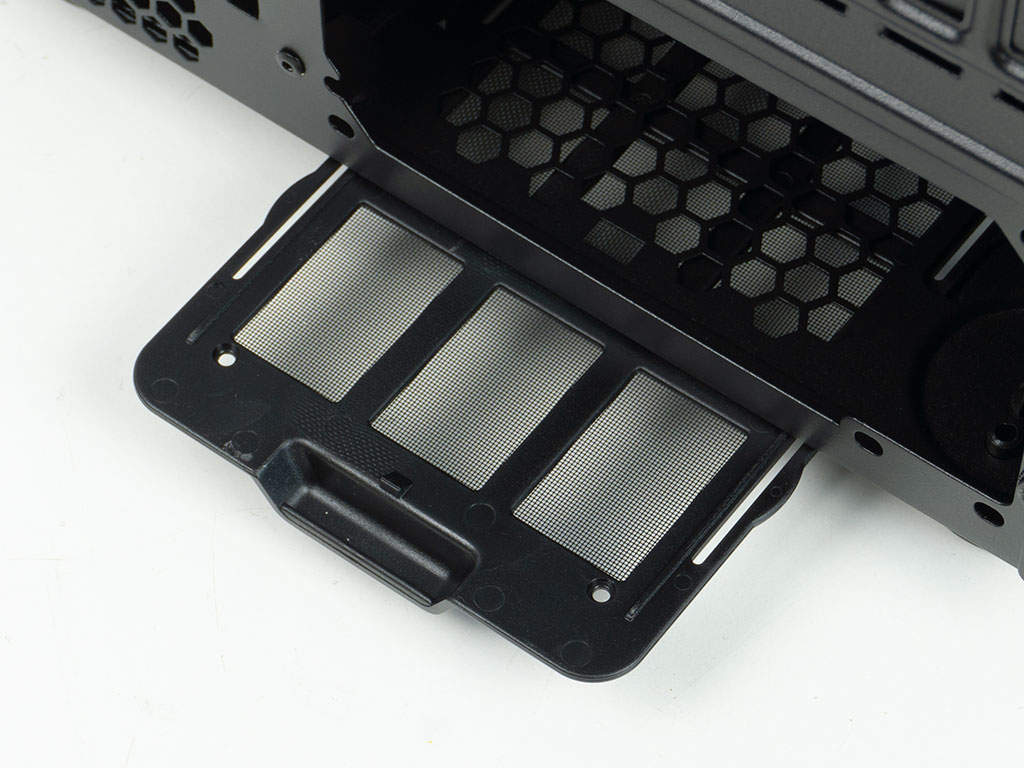
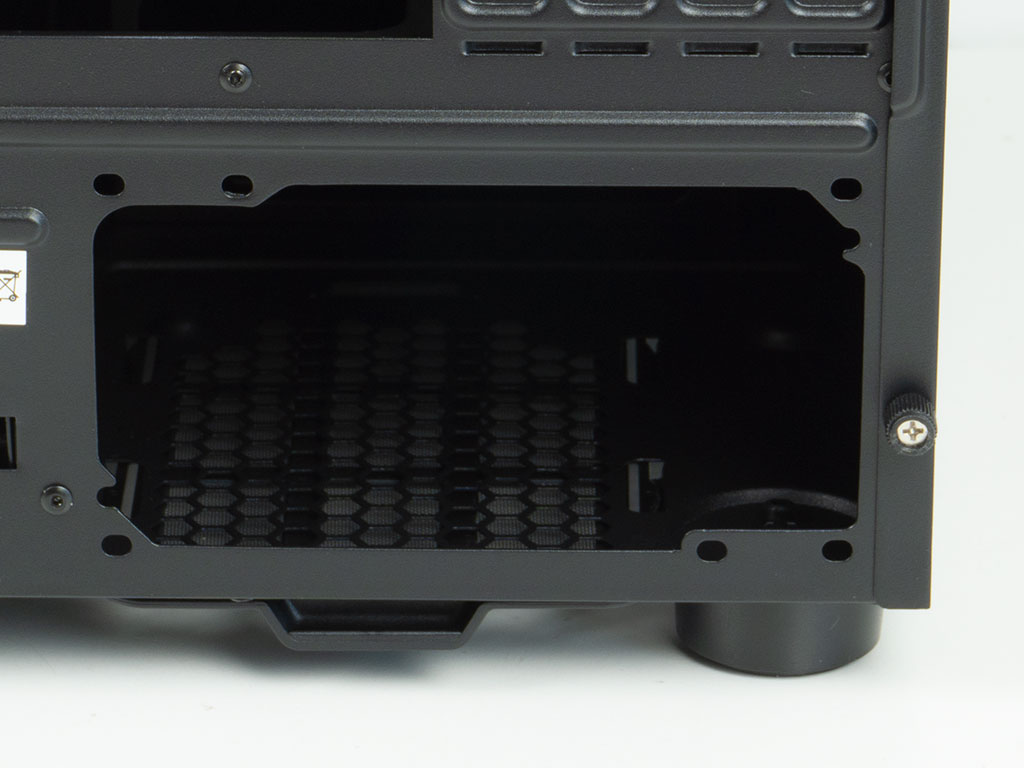
Tipping the chassis over, you will find an easily removable dust filter for the PSU. Looking closely, you can see where the 3.5" hard drive cage is secured. Chieftec has also placed two mounting positions for 2.5" drives on the floor of The Cube.
Nov 21st, 2026 05:49 PST
change timezone
Latest GPU Drivers
New Forum Posts
- Differences i might've missed between these ultrawides to decide which to buy during BF. (0)
- UPS what one to get? (2)
- Honestly, do you care about GTA VI? (220)
- Anthrophics IPO (31)
- Without Jensen, PC gaming will be (53)
- WarpCoreBench scores! (88)
- What's your latest tech Freebie? (86)
- TPU's Nostalgic Hardware Club (22179)
- [Poll] 12V-2x6 Connector Protection: What Are You Using? (WireView / Ampinel / Equalizer / Other / Nothing) (50)
- RX 9000 series GPU Owners Club (2252)
Popular Reviews
- Microsoft Surface Laptop Ultra Review - The Next-gen Arm Laptop
- Ugreen NASync DXP4800 GT Review
- Corsair RM1200e (Second Generation) Review
- Pulsar Office Tour & First Look at P1 Dual-Sensor Mouse
- Upcoming Hardware Launches 2027 (Updated Nov 2026)
- Acemagic Retro X3 Review
- Biwin Black Opal NV7400 2 TB Review
- AMD Ryzen 7 9800X3D Review - The Best Gaming Processor
- AMD Zen 6 Technical Deep Dive
- Chieftec Iceberg PRO 360 DARK Review
TPU on YouTube
Controversial News Posts
- NVIDIA Co-Founder and CEO Jensen Huang Officially Resigns (491)
- Report: Jensen Huang Eyes NVIDIA Comeback (258)
- Open Letter Asking NVIDIA to Reinstate Jensen Huang Passes 115,000 Signatures (184)
- OpenAI CEO Argues Home PCs Waste the World's Limited DRAM Supply (152)
- NVIDIA Launches Investigation Into Jensen Huang's Relationship With Suspected Chinese Spy (136)
- Intel "Raptor Lake Next" 16-Core and 20-Core CPUs Surface (130)
- Legendary Game Studio BioWare Shuts Down Following EA Layoffs (104)
- NVIDIA GeForce RTX 50-Series Scheduled for up to $500 Price Hike This Week (89)