 20
Cooler Master Cosmos Alpha Review
Thermal Stress Test »Assembly

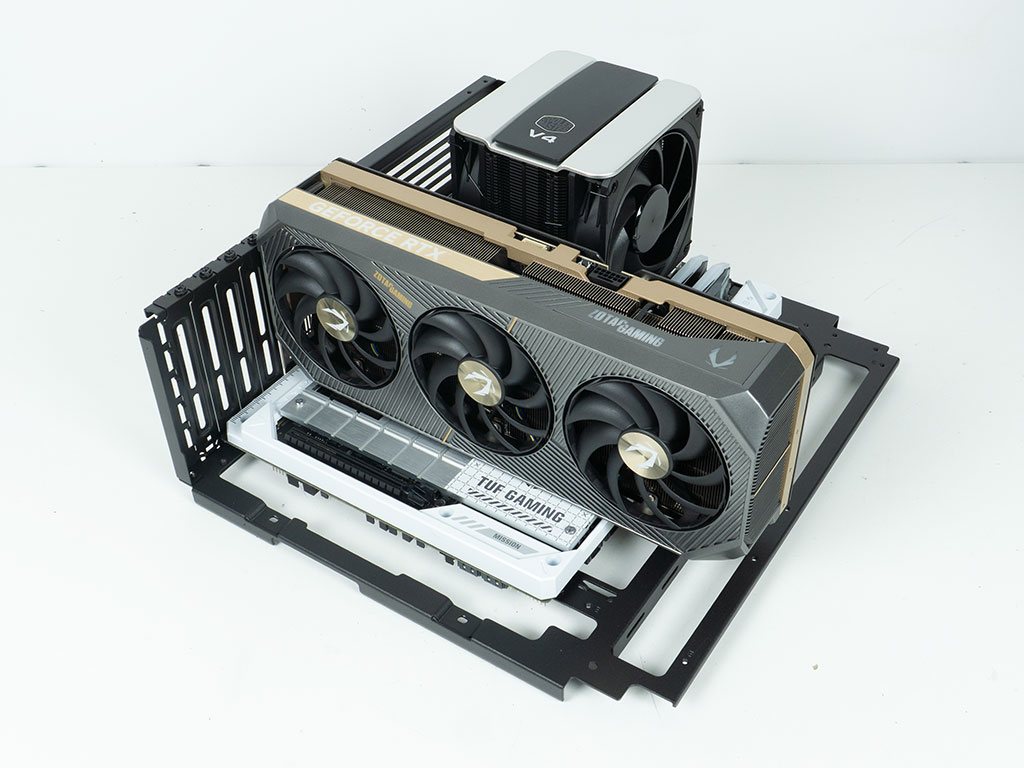
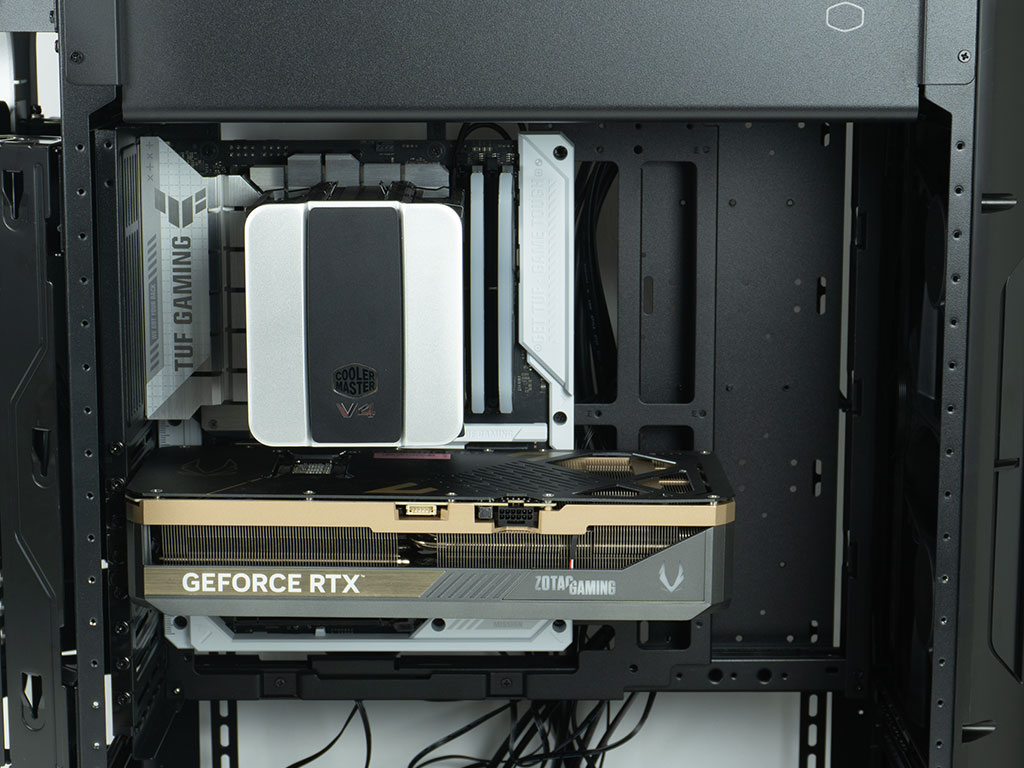
To add your motherboard, Cooler Master once again lists two ways of going about it. You may install your board directly into the case, or you can detach the tray and assemble the core of your system outside the confines of the chassis. We opted for that latter method and secured our V4 Alpha 3DHP Black equipped BTF board and GPU to the tray before popping the whole thing back into the chassis. We did also remove the bottom shroud to make our lives a little bit easier. You may notice we were unable to use the smaller cable cover, as the ASUS motherboard has cover elements which extend ever so slightly beyond the boards edges, which then made it impossible to use that cover.
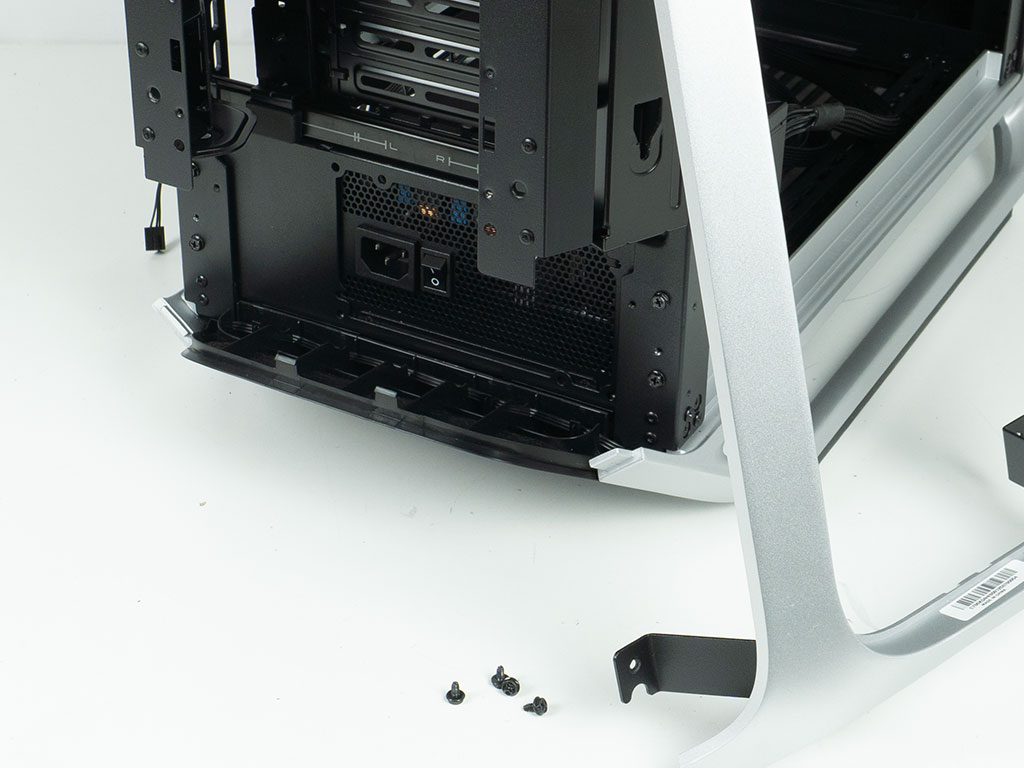
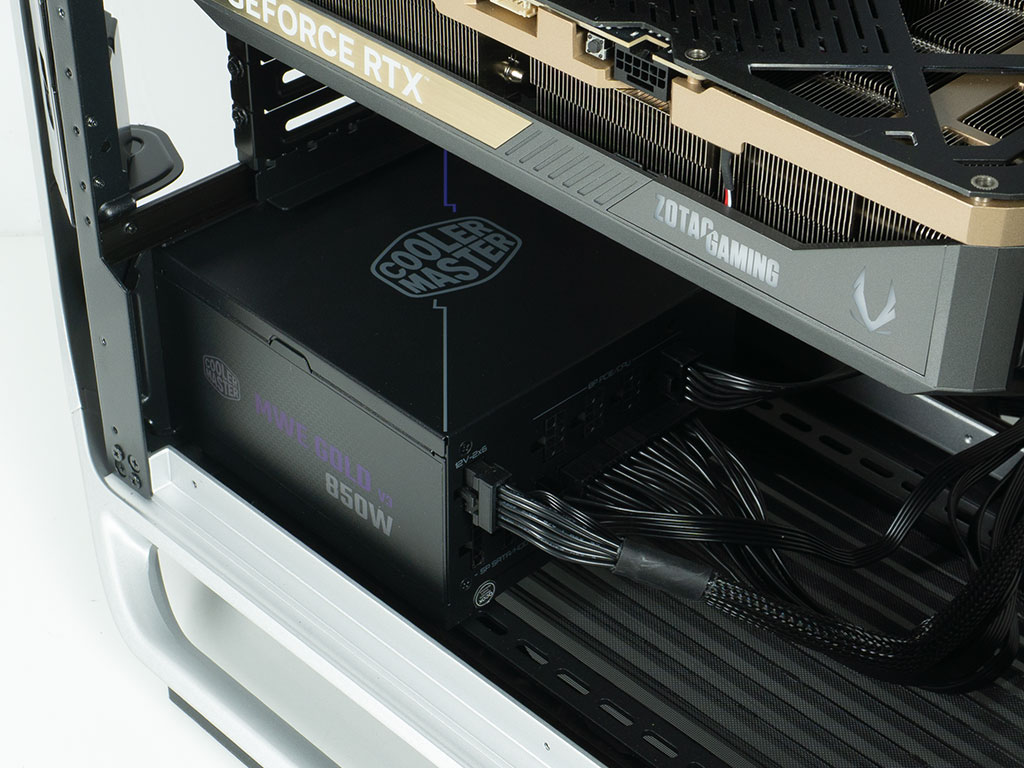
As that shroud was already removed the PSU was installed next. We opted to go for the variant that requires removal of the rear frame element. Mostly because we were curious to take a closer look at those metal parts. These are die-cast, as there is a very subtle seam visible on the parts where the two halves of the cast meet. While Cooler Master communicates a maximum length of 250 mm for your PSU, there really isn't a tangible limit, so you can pick whatever unit you want.
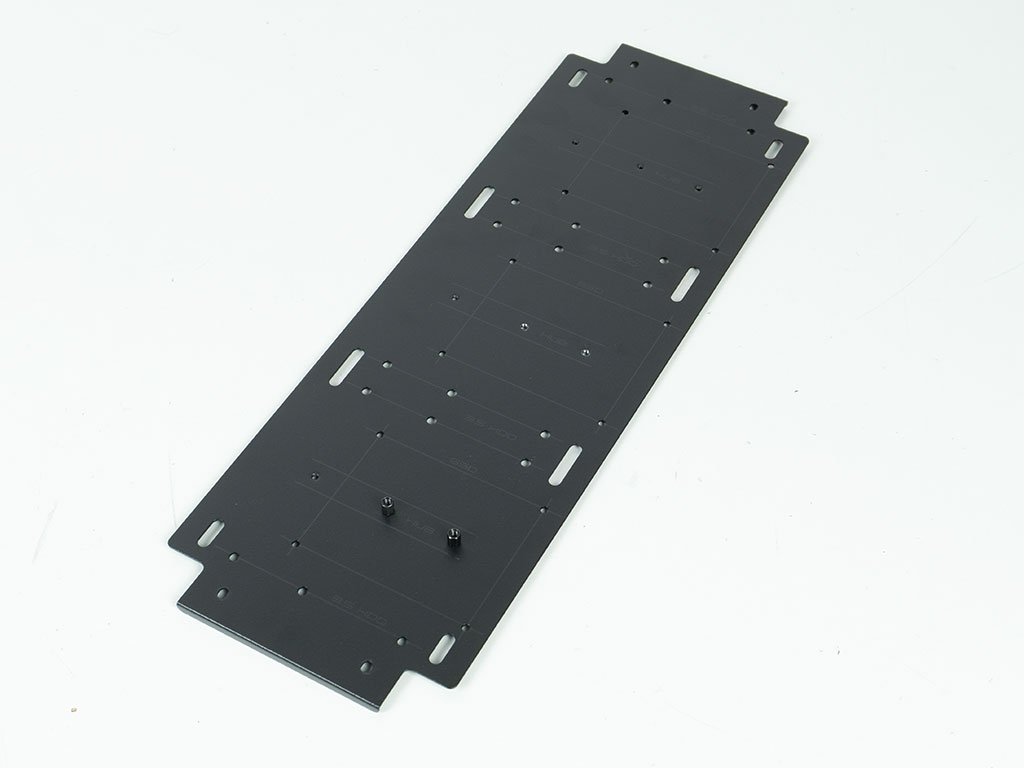
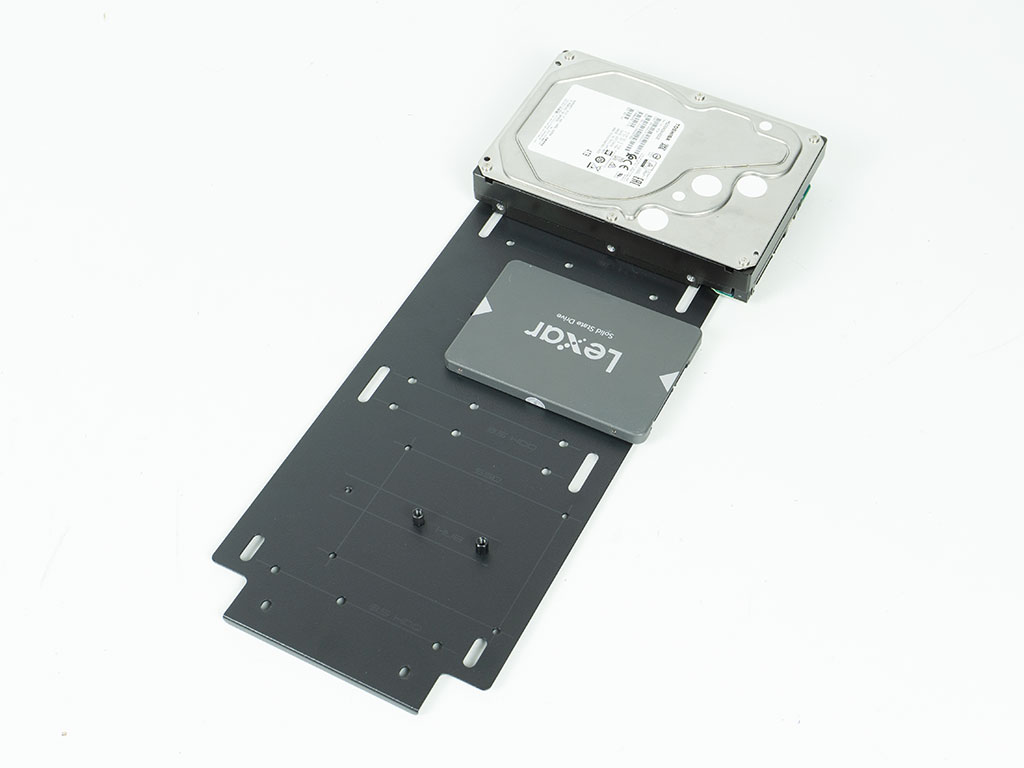
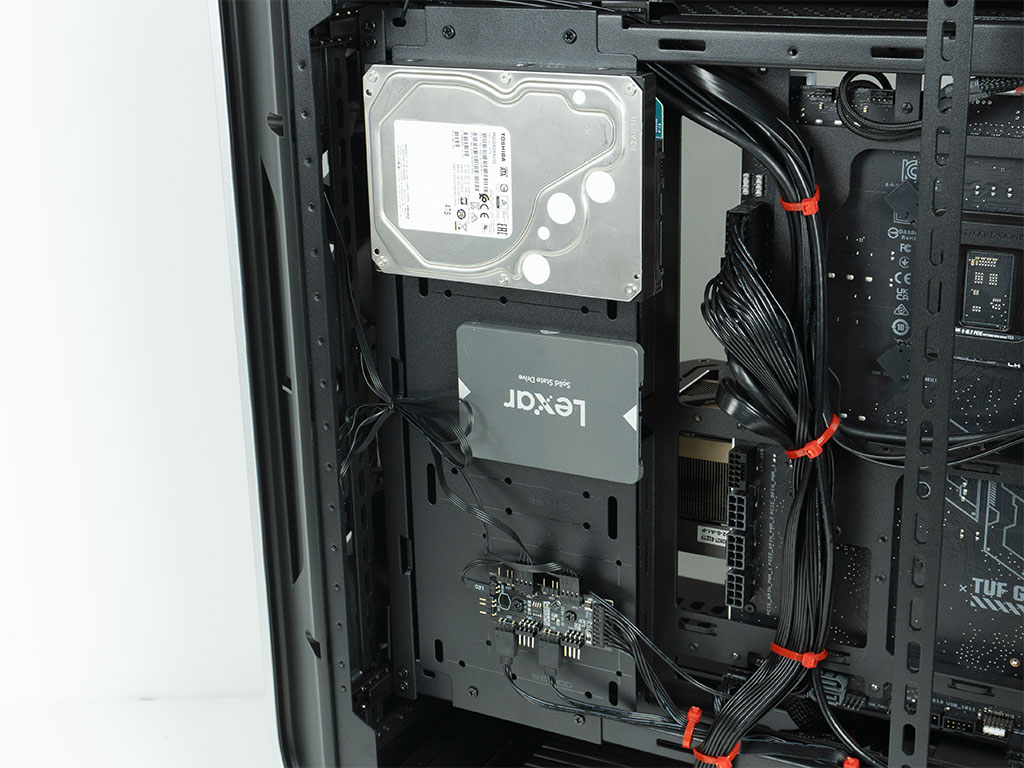
Adding storage to the mounting plate requires you to either pop the cable cover off to reach the screw holes, or you may simply unscrew the plate itself and secure drives unto it outside the chassis walls. We opted for the latter method, and simply unscrewed the controller as it was already cable managed in place at that point. Thus, that PCB simply stayed in place in the case. Adding any storage drive requires the use of classic screws, and each of the positions can hold either a 2.5" or 3.5" unit. Once filled, you may screw the plate back into place.
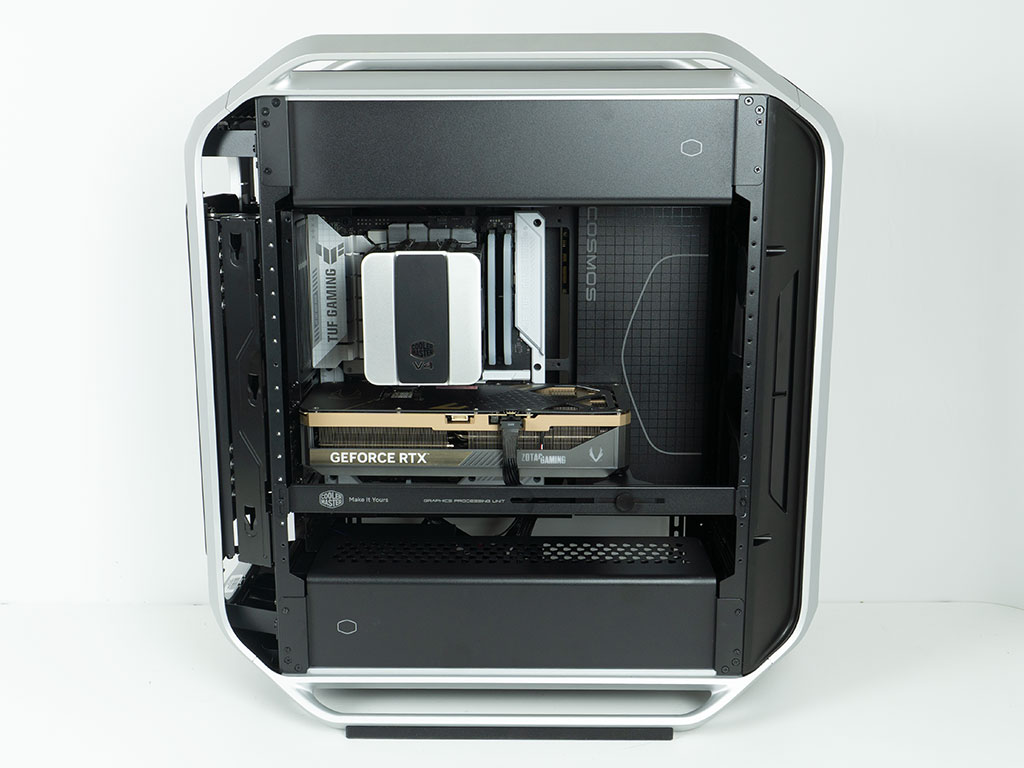
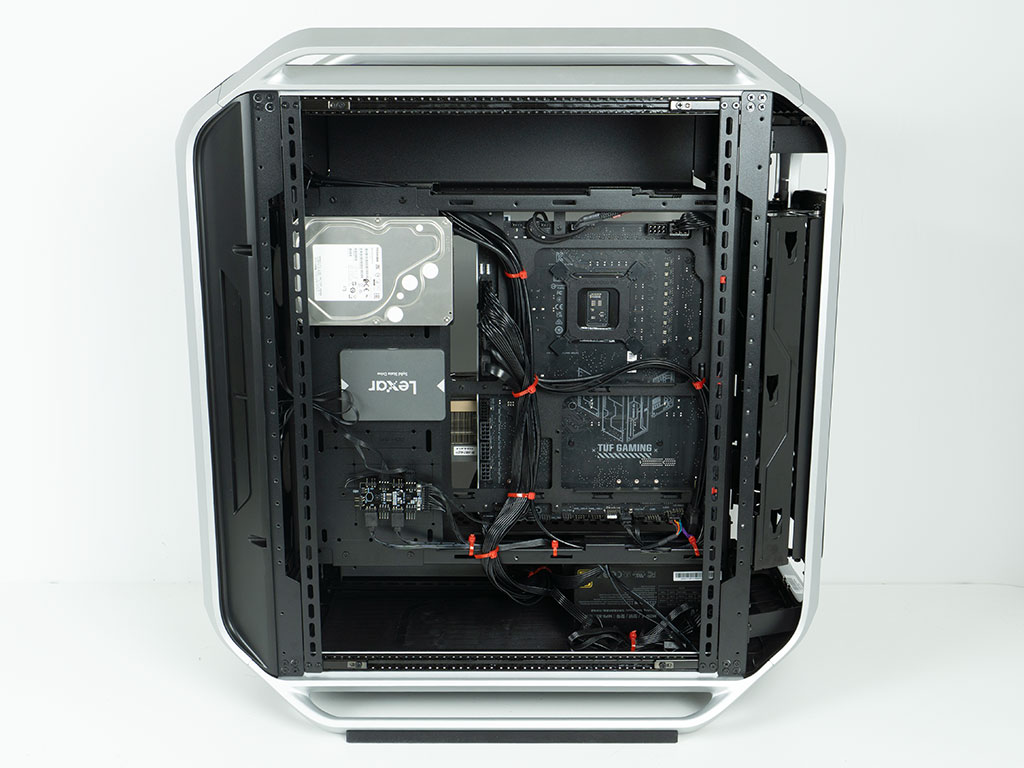
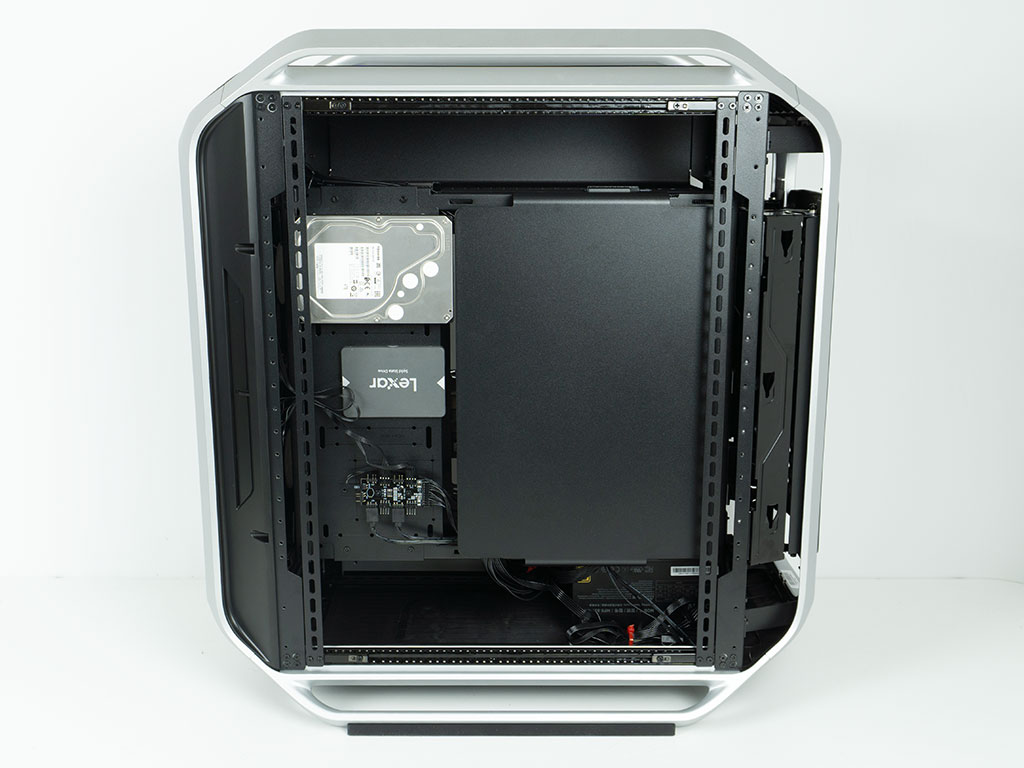
With everything installed, the interior of the Cooler Master Cosmos Alpha Looks nice and clean around the motherboard, but you won't be able to hide the wiring between the board and PSU very well. The GPU support worked flawlessly, and we could have even opted to use the provided plates in the accessories kit which would allow us to screw into the heatsink, but since that only applies to specific cards, we wanted to show how you could support your pixel pusher regardless of brand.
We also stayed clear of the cable routing holes with our cable management, as they lack grommets. We have seen cases with grommets that were cut in half, so you could use any board type and still have the ability to keep things as clean as possible. Thanks to the large number of hooks for zip ties inside the Cosmos Alpha, we were able to spread the wiring out. The only somewhat odd moments were when it came to finding a way to route the PSU wiring. On one hand we tried to minimize any visible noise, but on the other hand we were forced to run it where we did, because the internal cover would not fit otherwise. Cooler Master could really just redesign that cover to better support the cleanest wiring best practices of the case.
Finished Looks
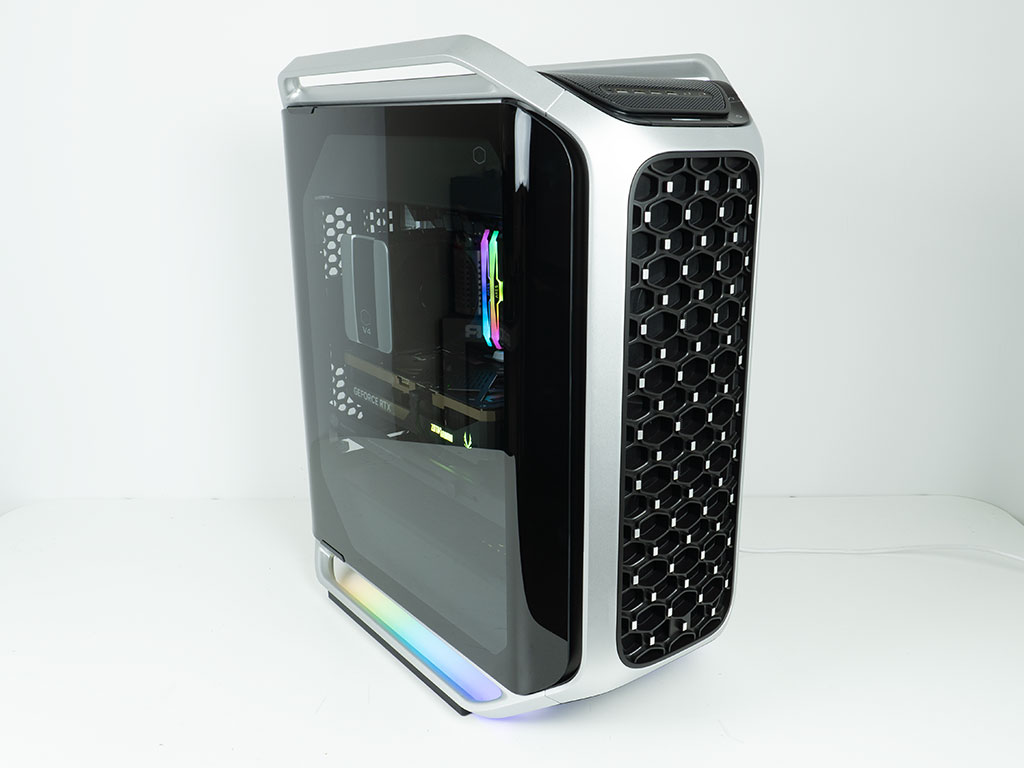
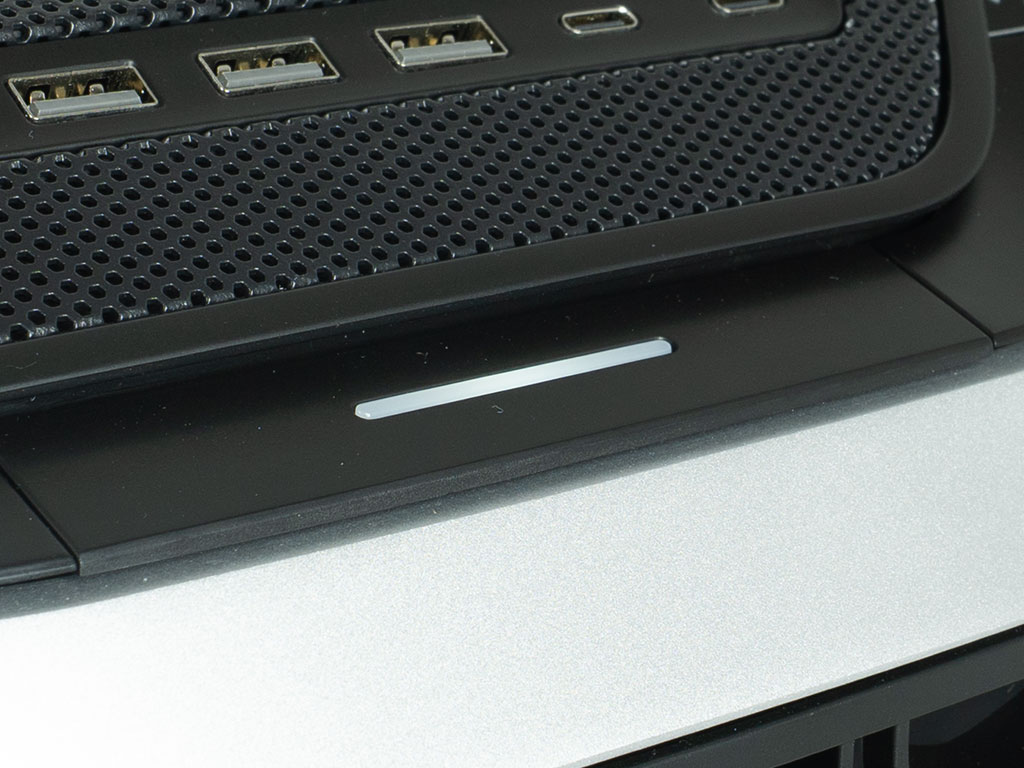
Once the system is turned on, the Cooler Master Cosmos Alpha lights up with the noticeable power LED at the top of the case. The two ARGB strips on the underside are also nice and strong and provide yet another signature element from the Cosmos series, known for undercarriage illumination.
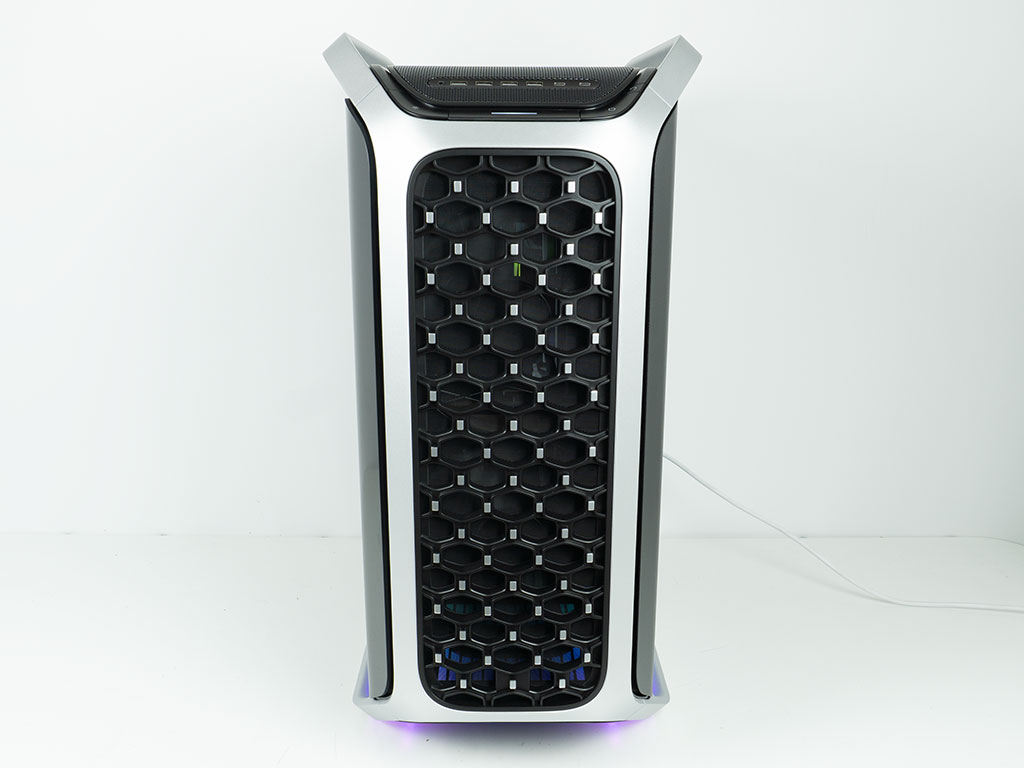
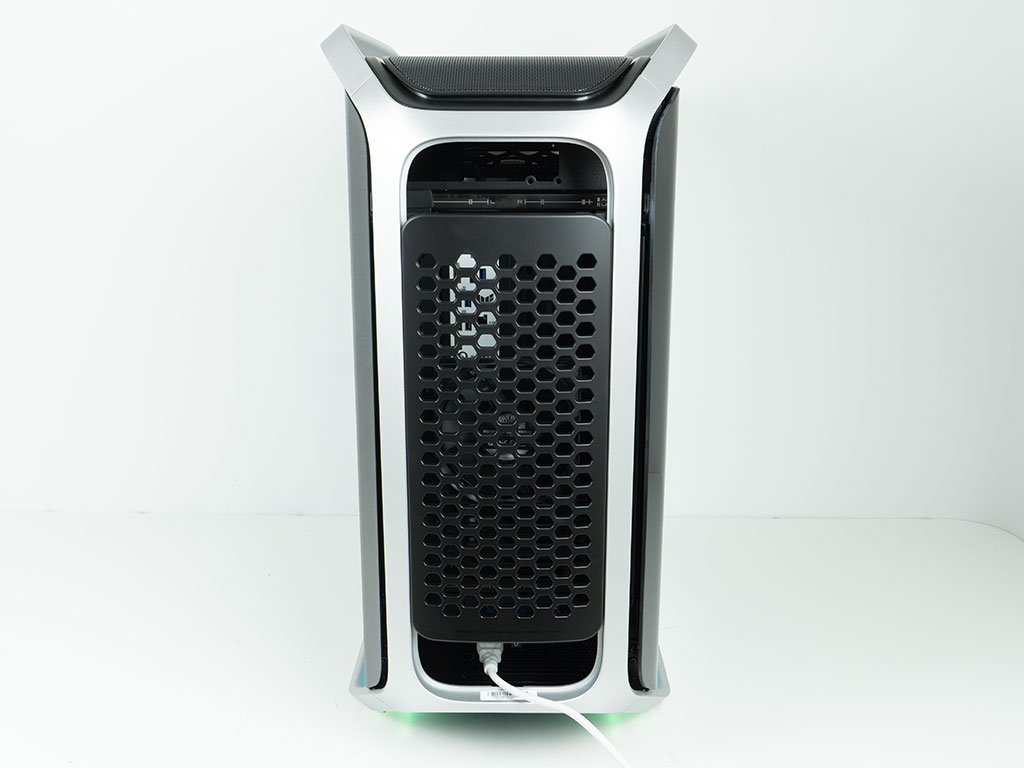
In the front, you can see some of the interior lighting shine through, past the two 200 mm intake fans. In the rear, the cover hides all the cable mess, but the two openings at the top and bottom will allow you to route your cables out as needed.
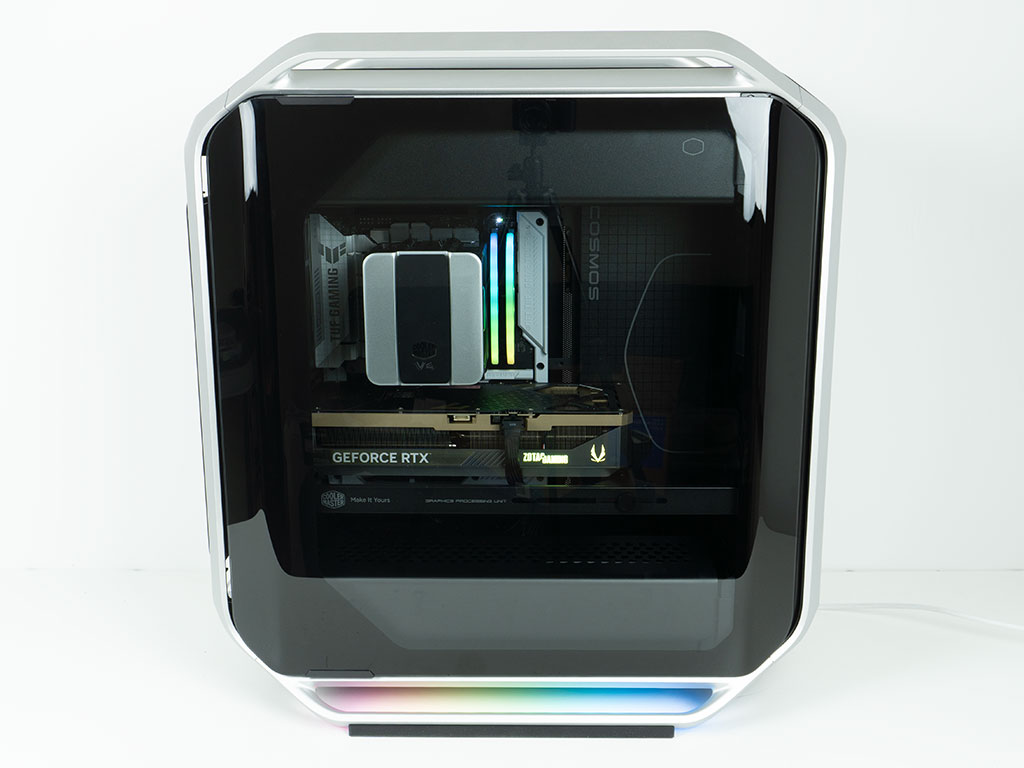
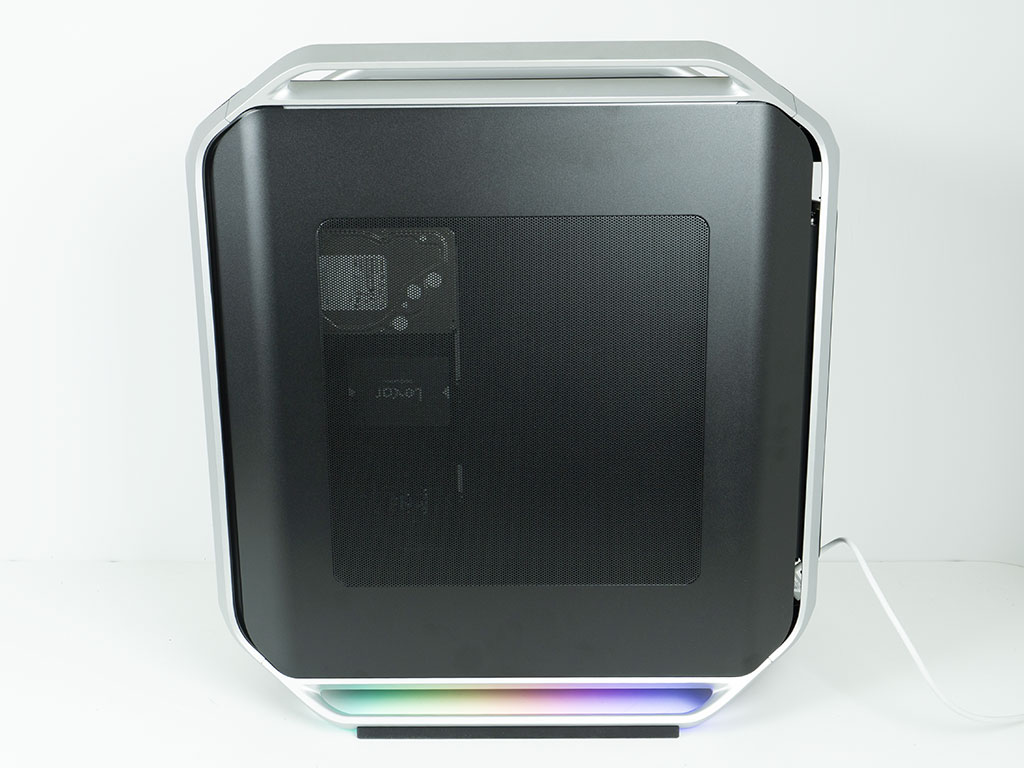
Thanks to the gentle tint of the glass and the nice black framing it comes with, you get a very clean window to view your hardware within. We adjusted the divider to perfectly accommodate the air cooler while giving us as much room behind the motherboard tray as possible. On the opposite side, you can see the storage drives through the mesh center, while the cable mess is hidden behind the internal cover.
Nov 19th, 2026 01:13 PST
change timezone
Latest GPU Drivers
New Forum Posts
- Without Jensen, PC gaming will be (48)
- Time to upgrade CPU and MOBO (43)
- 3DMARK "LEGENDARY" (475)
- [Poll] 12V-2x6 Connector Protection: What Are You Using? (WireView / Ampinel / Equalizer / Other / Nothing) (43)
- Windows HDR on = Tinted colors (5)
- WarpCoreBench scores! (68)
- Honestly, do you care about GTA VI? (155)
- Very unusual two gaming-pc scenarios. (13)
- TPU's Nostalgic Hardware Club (22168)
- Dual B70 or Dual R9700 Pro on Linux (7)
Popular Reviews
- Acemagic Retro X3 Review
- Ugreen NASync DXP4800 GT Review
- Upcoming Hardware Launches 2027 (Updated Nov 2026)
- AMD Zen 6 Technical Deep Dive
- Pulsar Office Tour & First Look at P1 Dual-Sensor Mouse
- Biwin Black Opal NV7400 2 TB Review
- Sapphire Radeon RX 7700 XT Pure Review
- Sapphire Radeon RX 7700 XT Pulse Review
- Chieftec Iceberg PRO 360 DARK Review
- ASUS ROG Strix B850-I Gaming Wi-Fi7 W Review
TPU on YouTube
Controversial News Posts
- NVIDIA Co-Founder and CEO Jensen Huang Officially Resigns (483)
- Report: Jensen Huang Eyes NVIDIA Comeback (196)
- Open Letter Asking NVIDIA to Reinstate Jensen Huang Passes 115,000 Signatures (184)
- OpenAI CEO Argues Home PCs Waste the World's Limited DRAM Supply (152)
- NVIDIA Launches Investigation Into Jensen Huang's Relationship With Suspected Chinese Spy (136)
- Intel "Raptor Lake Next" 16-Core and 20-Core CPUs Surface (130)
- Legendary Game Studio BioWare Shuts Down Following EA Layoffs (104)
- Dell CEO Says the Memory Shortage Will Get Worse in 2027 (95)