 78
Cooler Master Mobius 120 Fan Review
(78 Comments) »Introduction

Anyone reading this review and not knowing about Cooler Master may be in the wrong place. The brand is as mainstream as it gets in the PC DIY industry and we here at TechPowerUp have reviewed over 100 Cooler Master products since the website started! These include cases, coolers, PSUs, peripherals, and fans, among other things. I've tested a few Cooler Master fans over the years, including the MasterFan MF120 Halo nearly three years ago—an eternity in the PC space! As it turns out, Cooler Master also thought as much when company representatives reached out to put forth the new Mobius fans for review.

The Cooler Master Mobius 120 comes in a few different options depending on whether you want an RGB version or not, and even with the former there are a few special editions! This review will focus on the Mobius 120 without any LEDs or first-party software/controllers to worry about. It's all about how well the fan does its basic job in pushing air through your case. Cooler Master claims the new Mobius fans use a ring blade design that has been optimized for a variety of use cases including as case fans or as part of air or liquid coolers too. This makes me think the fan is intended to be a hybrid one for both airflow-optimized and static pressure-optimized scenarios. Thanks to Cooler Master for providing review samples to TechPowerUp as we put this fan to the test today, beginning with a look at the product specifications in the table below.
Specifications
| Cooler Master Mobius 120 Fan | |
|---|---|
| Dimensions: | 120 x 120 x 25 mm |
| Rated Speed: | 0 – 2050 RPM ±10% |
| Maximum Airflow: | 63.1 CFM (107.2 m³/h) |
| Noise: | 22.6 dBA |
| Static Pressure: | 2.69 mm H₂O |
| Fan Control: | 4-pin PWM control |
| Power Draw: | 1.44 W |
| Warranty: | Five years |
Packaging and Accessories


When Cooler Master informed me about these new fans coming out, I was asked whether I'd be up for testing both the Mobius 120 and the Mobius 120 RGB. I wanted to see how the new fan design worked before committing to both and thus asked them to send along two units of the non-RGB model. Instead, and I am sure this is more to do with how press samples work, I was originally sent a press parcel containing one each of both fans inside a fancier box, without having the retail packaging. The photos above are just so you can see how it looked and to also ask readers whether they'd be interested in a review of the Mobius 120 RGB after all—let me know in the comments section.

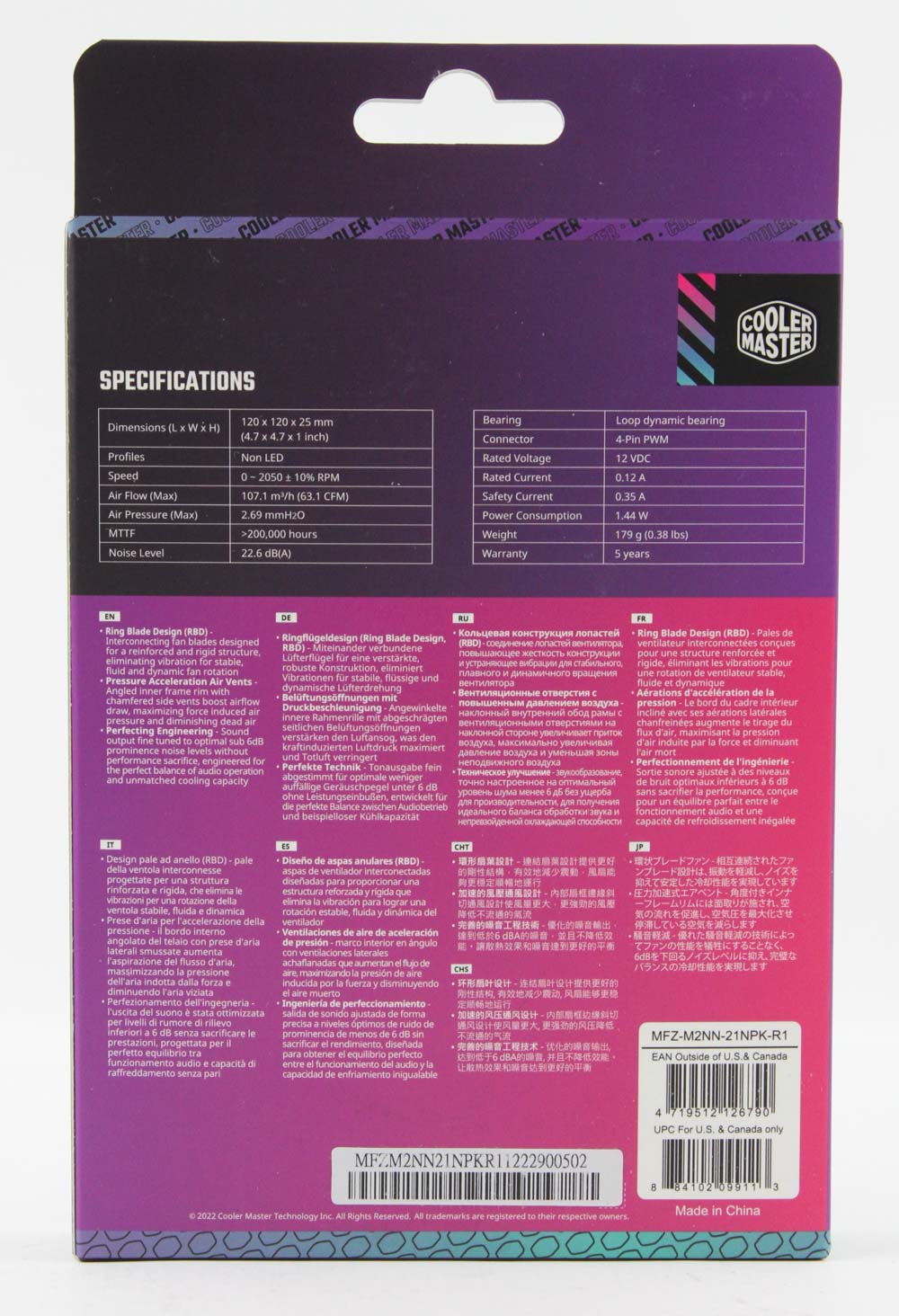


Cooler Master then sent over another Mobius 120 in its retail packaging so I could go through the normal unboxing process while also having two samples for testing. The fan product box is flat and tall in profile while employing bold colors that we also see used on the product page itself. The Cooler Master logo shows up in a couple of different places along with a render of the fan and salient features listed on the front. Product specs are tabulated on the back along with marketing features in a few different languages and side flaps on the top help keep the contents in place during transit. Inside is a plain white cardboard inlay that is folded on one side to conceal the fan cable, as well as the only accessories here in the form of a set of four metal self-tapping screws to allow for use of the Mobius 120 as a case fan.
Our Patreon Silver Supporters can read articles in single-page format.
Nov 12th, 2026 21:46 PST
change timezone
Latest GPU Drivers
New Forum Posts
- Microsoft Exchange/365 outages? (18)
- Any other old-timers here planning to play WoW Forever? (149)
- Your PC ATM (36413)
- I won't download games that are larger than 30–40 GB. (99)
- Lenovo Legion R27fc-30 vs AOC c27g4h2 which one wins ? (0)
- AI generated images... (223)
- Classic Blizzard games (WarCraft 1-2, Diablo 1-2, StarCraft 1) (7)
- WarpCoreBench scores! (26)
- Ryzen 7 8700G OC (5)
- When you could finally run Crysis maxed out? (61)
Popular Reviews
- AMD Zen 6 Technical Deep Dive
- NZXT C1200 Platinum Review
- Upcoming Hardware Launches 2027 (Updated Nov 2026)
- Corsair HX1000i Shift Crystal Review
- NZXT H7 RGB+ Review
- Montech King 95 3D PRO Review
- NZXT H5 Review
- Phantom Blade Zero Performance Benchmark Review - 35 GPUs Tested
- XPG NIMBUS PLUS Review - Mid-range Chair With Strong Competitors
- Gigabyte Z890I Aorus Ultra Review
TPU on YouTube
Controversial News Posts
- NVIDIA Co-Founder and CEO Jensen Huang Officially Resigns (294)
- OpenAI CEO Argues Home PCs Waste the World's Limited DRAM Supply (152)
- NVIDIA Launches Investigation Into Jensen Huang's Relationship With Suspected Chinese Spy (136)
- Intel "Raptor Lake Next" 16-Core and 20-Core CPUs Surface (130)
- Legendary Game Studio BioWare Shuts Down Following EA Layoffs (104)
- Dell CEO Says the Memory Shortage Will Get Worse in 2027 (95)
- NVIDIA GeForce RTX 50-Series Scheduled for up to $500 Price Hike This Week (89)
- Modder Fits RTX 5090 With Four 8-Pin Connectors, Halving Current per Wire (80)