 7
Corsair 3200D RS ARGB Review
Review System Setup »A Closer Look - Inside
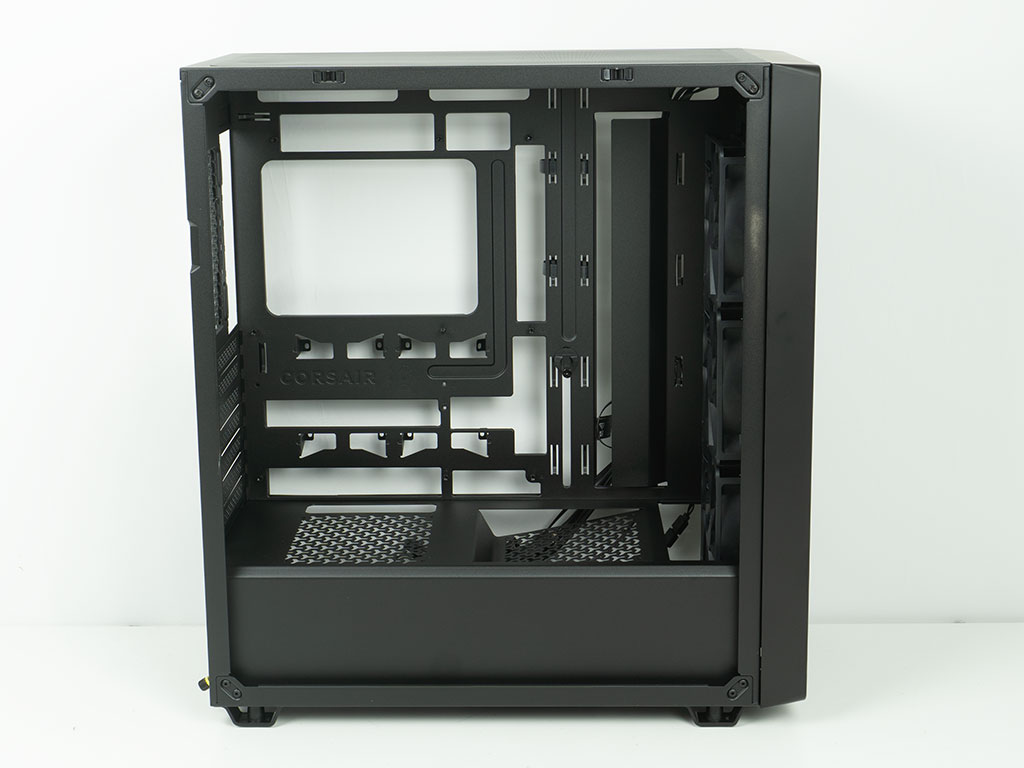
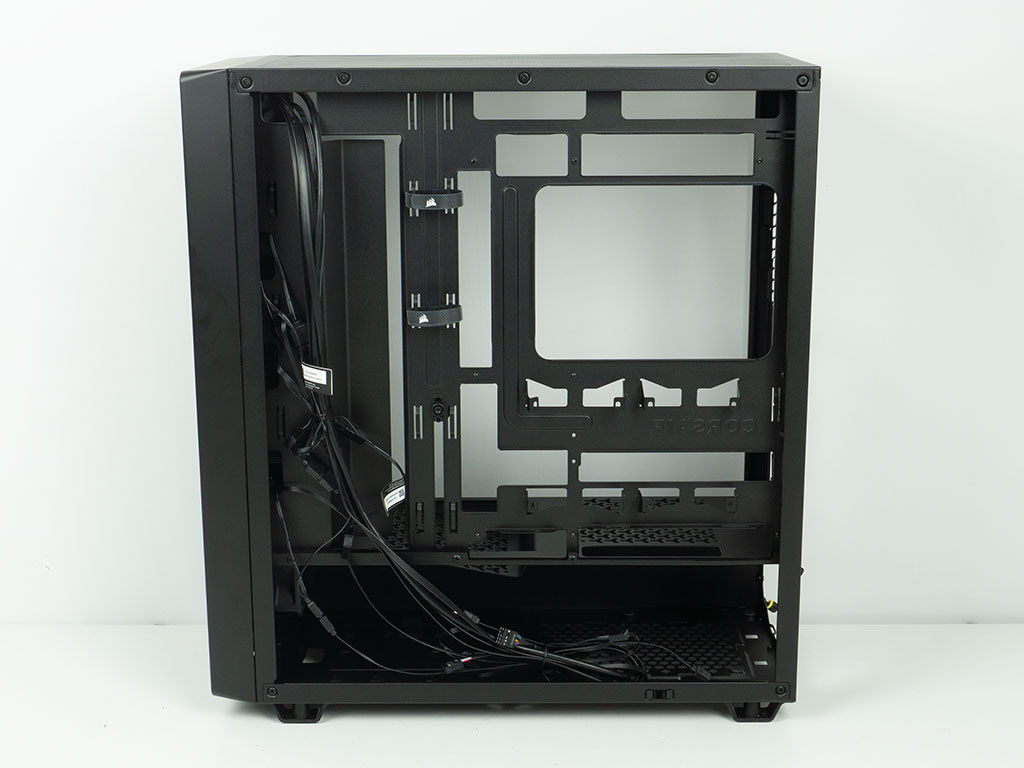
The interior of the Corsair 3200D RS ARGB is traditionally laid out, with a metal shroud at the bottom. A simple cable channel on the right side of the motherboard area is present instead of classic openings that would require grommets. On the backside, you can clearly see the many cutouts, as the chassis supports BTF based motherboards. The metal feels a bit thin, as the whole contraption flexes easily. On a positive note, you will find plenty of hooks for cable management.
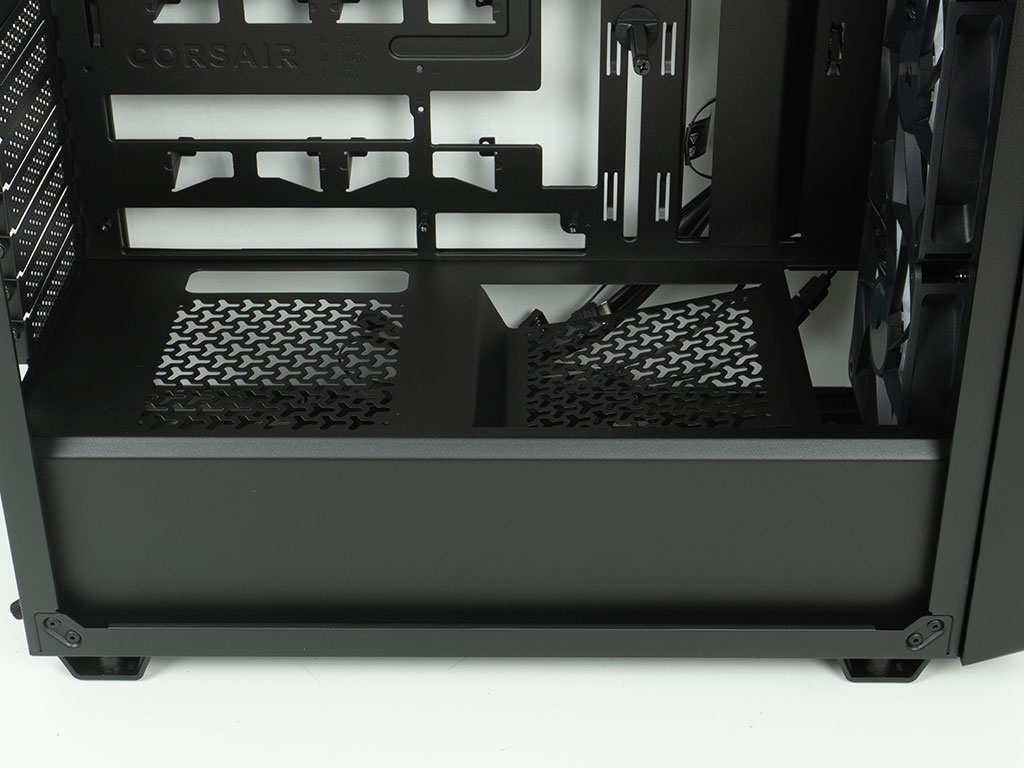
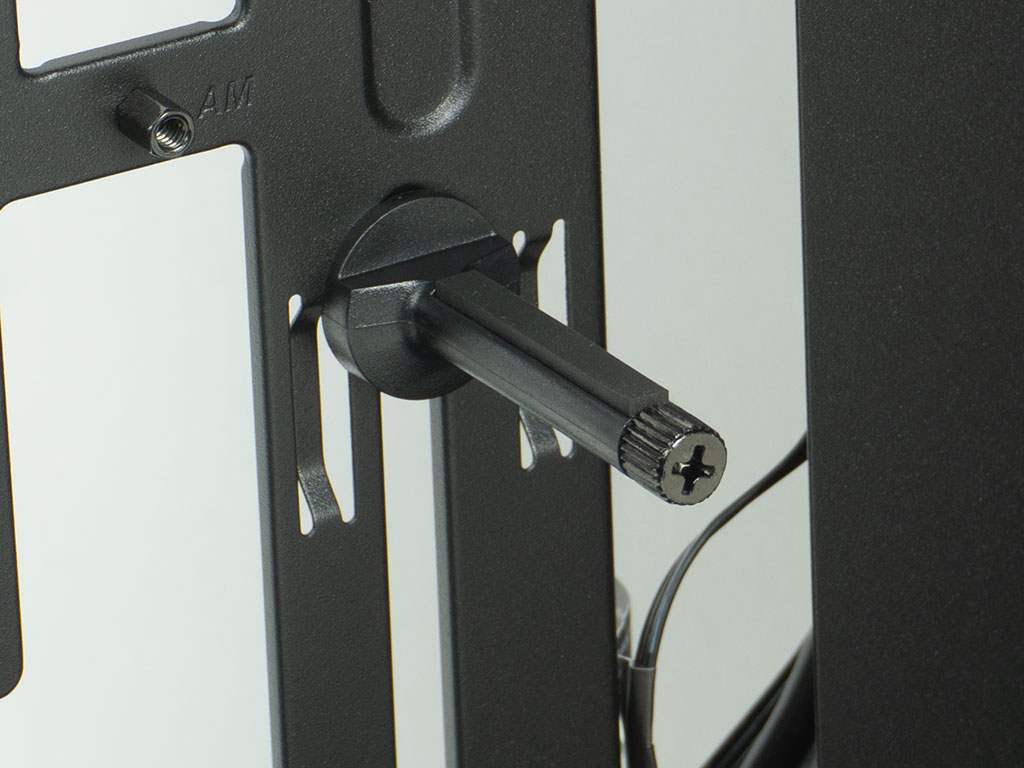
The shroud comes equipped with two fan mounting locations, with one being angled, so that airflow would be directed towards the GPU. Towards the back, there are simple openings for cable routing. The 3200D RS ARGB also comes equipped with Corsair's signature GPU support pin, which we know will work well from previous reviews.
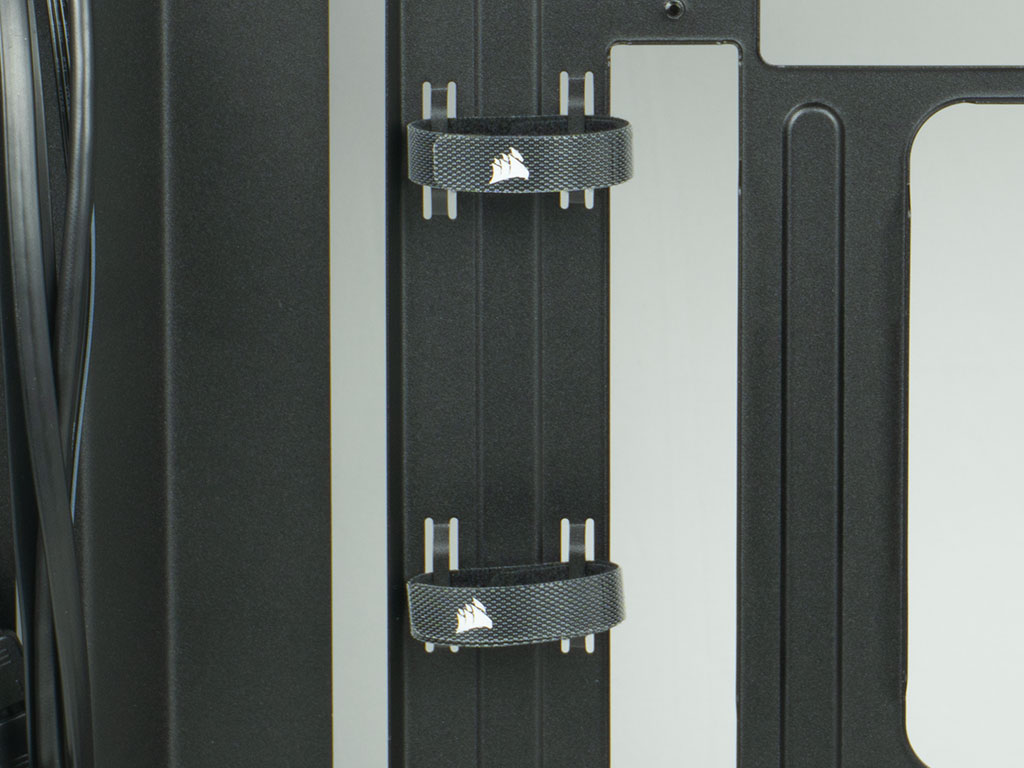
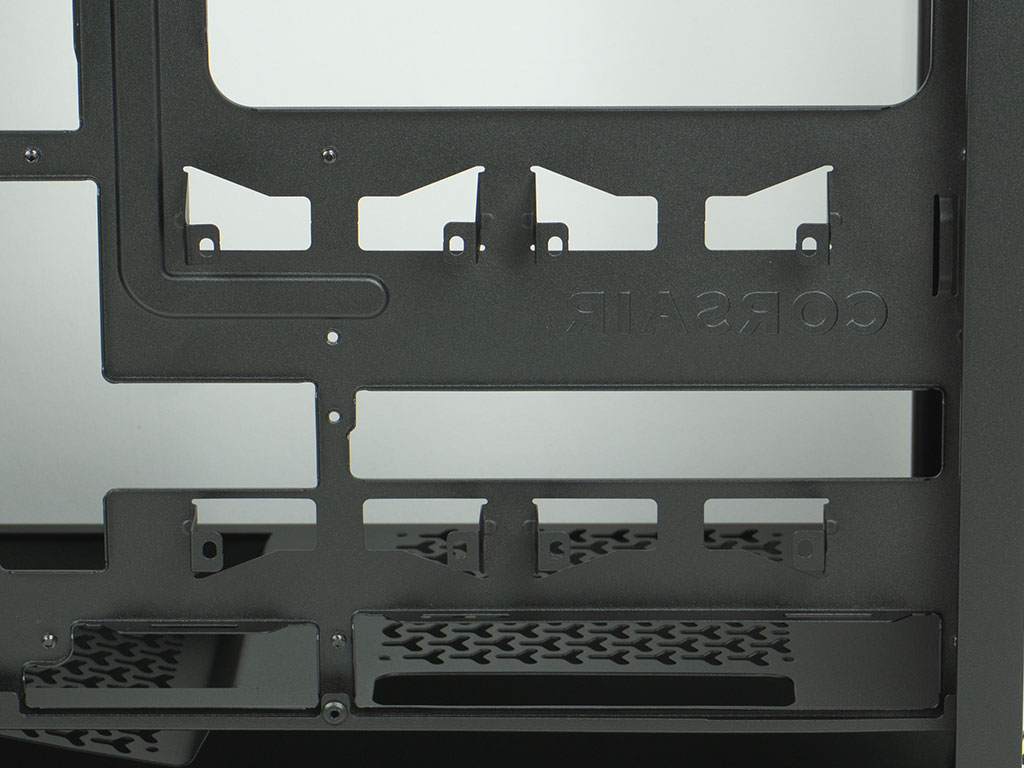
Two simple Velcro strips have also been added to the backside of the chassis. While this is nice, Corsair has employed better variants in the past. At the very least, it would have been nice to have a few more. You will also find two mounting possibilities for 2.5" drives on the motherboard tray. These have been punched out of the tray itself, and we actually had to bend one of them back into shape before talking the picture you see. While this will work, it is the absolute simplest way of engineering a 2.5" drive bay and is usually found on budget cases, not one that retails for $90.
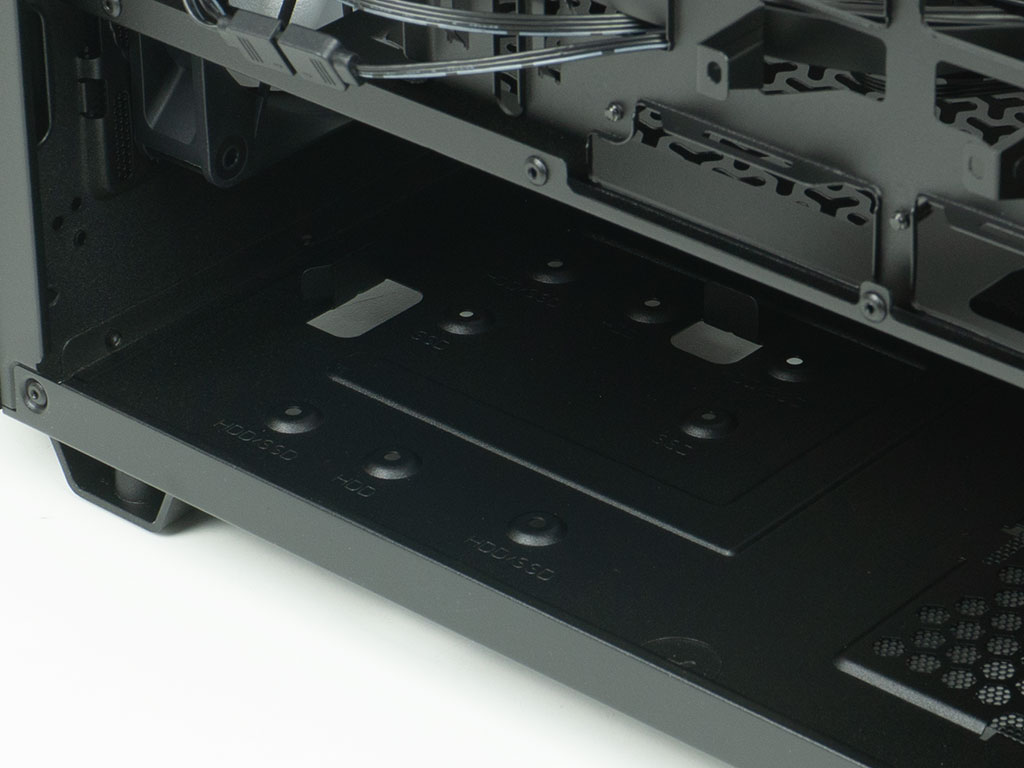
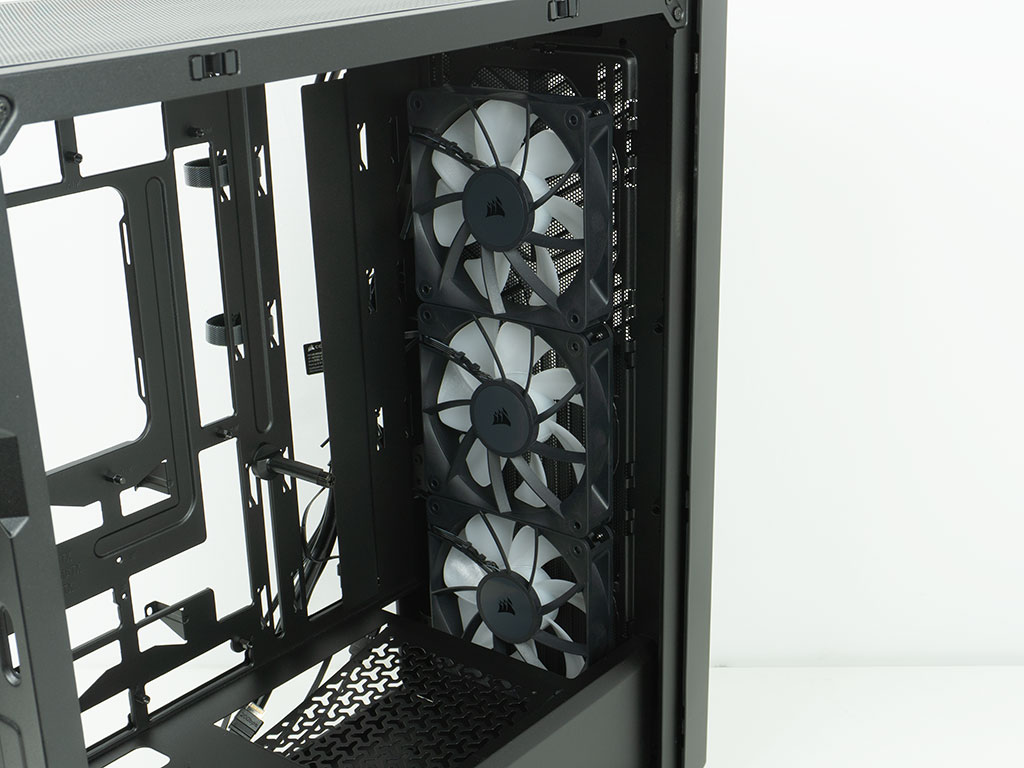
In the front, the floor of the case is intended for one 2.5" or 3.5" drive. The connector of a drive will face towards the PSU. Corsair has added two tabs so you can easily align a 3.5" unit with the mounting holes in the floor, which is a nice touch, even if we prefer a setup that doesn't require tipping over the system. Above that, the three RS120 mm fans are installed on the interior of the case body, as the front cover design eliminates any room you could otherwise have to install them differently. It is nice to see that Corsair actually prepares the wiring a bit, so that you only have to focus on plugging one set of ARGB and PWM headers into the motherboard.
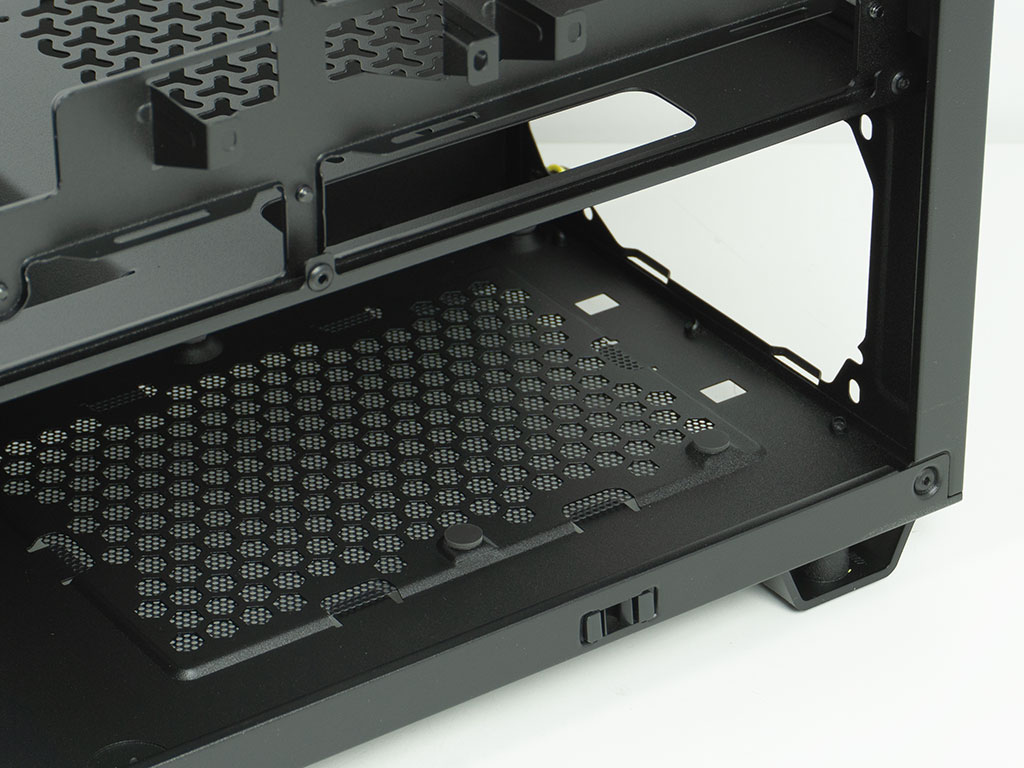
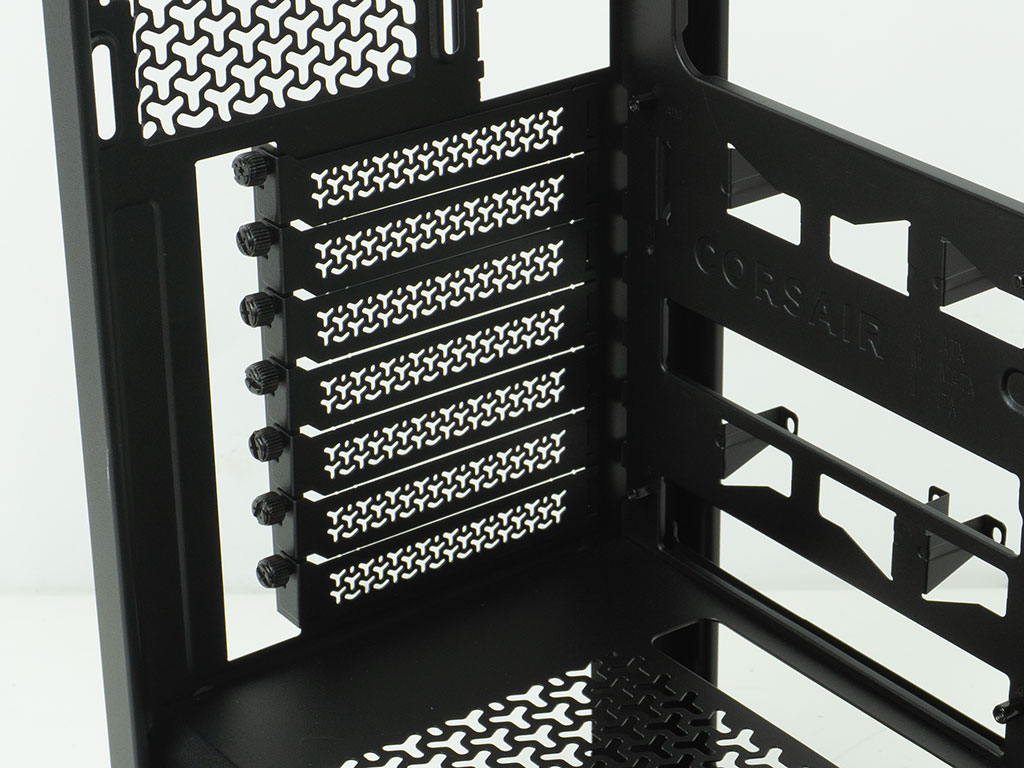
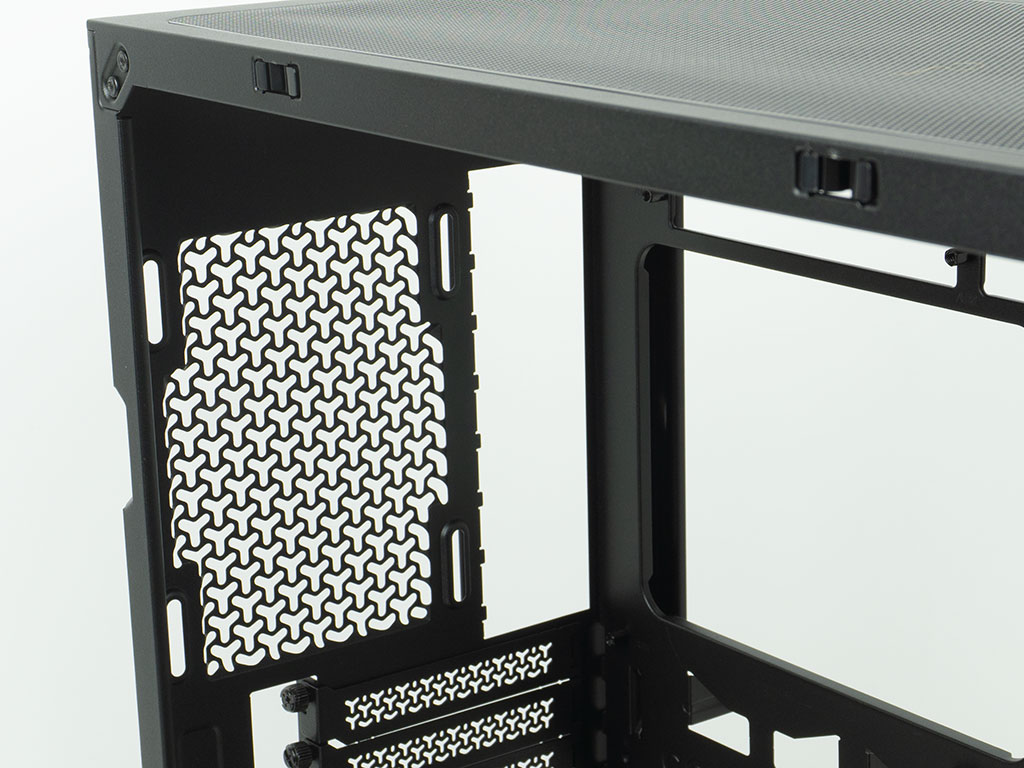
In the rear, the PSU bay is equipped with four foam pads and can hold units of up to 180 mm length. That is plenty for the target audience the 3200D RS ARGB is geared towards. The seven expansion slots have the screws located outside, as that is the simplest way to implement this part of the chassis and also reduces the overall dimensions slightly, reducing the amount of metal needed. The covers are sturdy and sport Corsair's signature vent design. As there are no bridges between the covers, you will easily be able to install a vertical GPU mounting bracket. The very top has just enough room for a 120 mm fan. This slimness of the chassis also means that air coolers have to max out at 165 mm - again, this is more than enough for those this chassis is meant for.
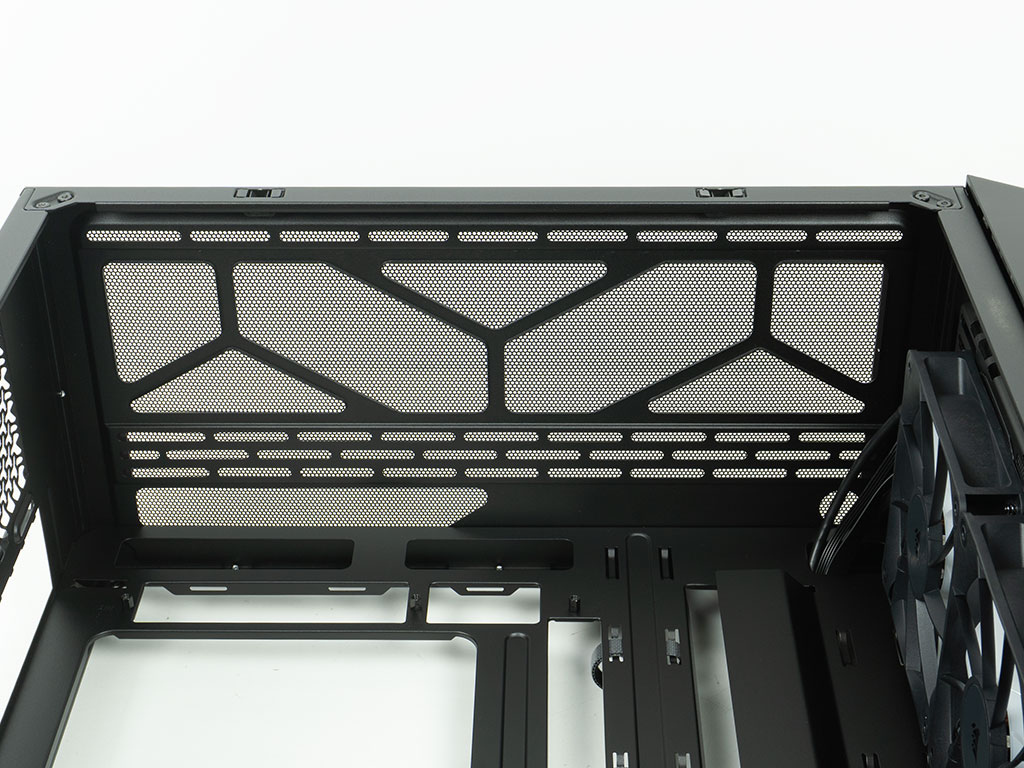
Looking at the ceiling from within, you can clearly see the opening to aid with cable routing at the bottom left. In the right bottom corner, the fill port for liquid cooling setups will likely interfere with the I/O wiring. The mounting cutouts for fans or a radiator are offset, so that you should have no issues with liquid coolers colliding with the motherboard or tall memory.
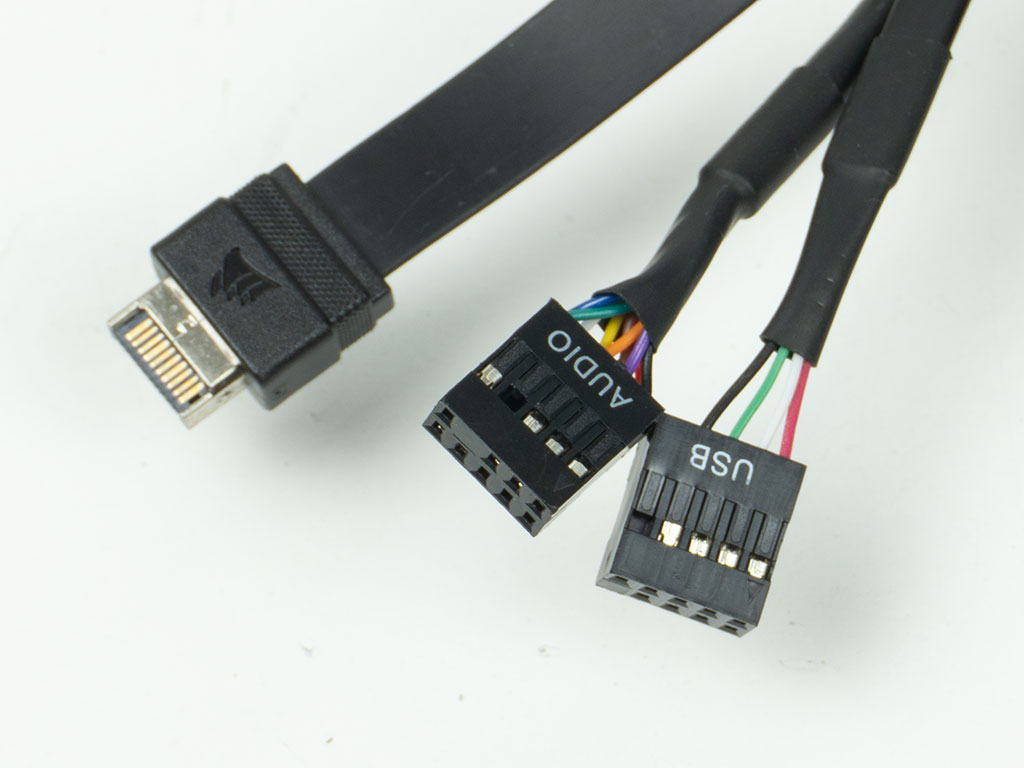
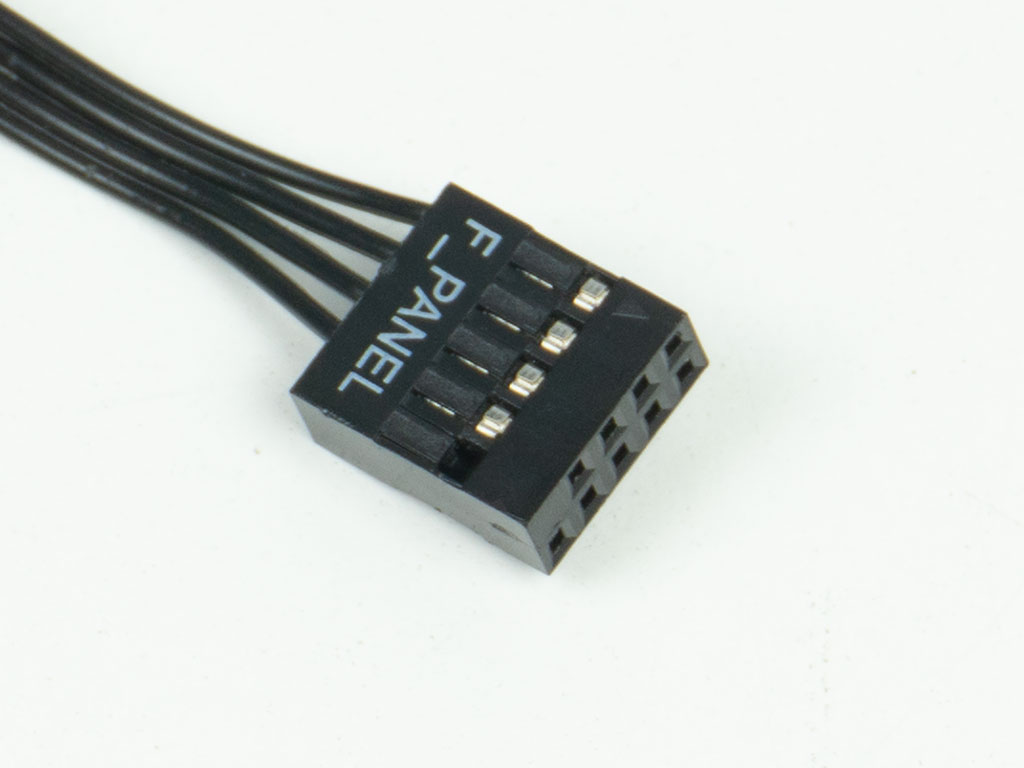
The I/O wiring in the case is all black to match the Corsair 3200D RS ARGB. Thanks to flat USB cables, you should have no issues with BTF based setups. It is the first time for us seeing a flat-band USB 2.0 cable like this in a modern chassis, but then again, we actually haven't seen that generation of port in a while either. The unified front panel connector is nice to see, as it makes that step of assembly as easy as can be.
Nov 20th, 2026 13:57 PST
change timezone
Latest GPU Drivers
New Forum Posts
- Honestly, do you care about GTA VI? (208)
- When you could finally run Crysis maxed out? (63)
- WarpCoreBench scores! (80)
- GTA VI (20)
- Anthrophics IPO (25)
- GeekMagic Ultra Smart WiFi Weather Station (8)
- Very unusual two gaming-pc scenarios. (35)
- Can i play GTA 6 now? (Joke) (14)
- How to prevent OLED burn damage due to PC freezes or power outtages? (47)
- Zen 3 IF/IMC degradation (239)
Popular Reviews
- AMD Zen 6 Technical Deep Dive
- Ugreen NASync DXP4800 GT Review
- Microsoft Surface Laptop Ultra Review - The Next-gen Arm Laptop
- Corsair RM1200e (Second Generation) Review
- Acemagic Retro X3 Review
- Upcoming Hardware Launches 2027 (Updated Nov 2026)
- Pulsar Office Tour & First Look at P1 Dual-Sensor Mouse
- Biwin Black Opal NV7400 2 TB Review
- AMD Ryzen 7 9800X3D Memory Performance Scaling
- AMD Ryzen 7 9800X3D Review - The Best Gaming Processor
TPU on YouTube
Controversial News Posts
- NVIDIA Co-Founder and CEO Jensen Huang Officially Resigns (490)
- Report: Jensen Huang Eyes NVIDIA Comeback (255)
- Open Letter Asking NVIDIA to Reinstate Jensen Huang Passes 115,000 Signatures (184)
- OpenAI CEO Argues Home PCs Waste the World's Limited DRAM Supply (152)
- NVIDIA Launches Investigation Into Jensen Huang's Relationship With Suspected Chinese Spy (136)
- Intel "Raptor Lake Next" 16-Core and 20-Core CPUs Surface (130)
- Legendary Game Studio BioWare Shuts Down Following EA Layoffs (104)
- Dell CEO Says the Memory Shortage Will Get Worse in 2027 (95)