 28
Corsair FRAME 5000D RS Review
Review System Setup »A Closer Look - Inside
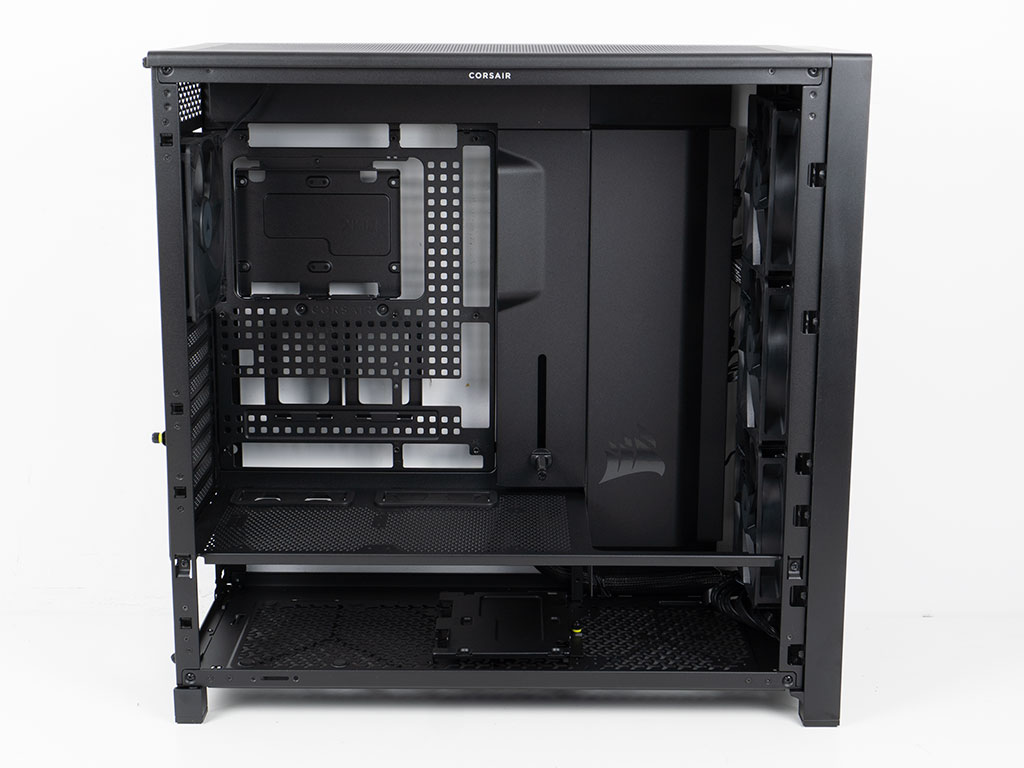
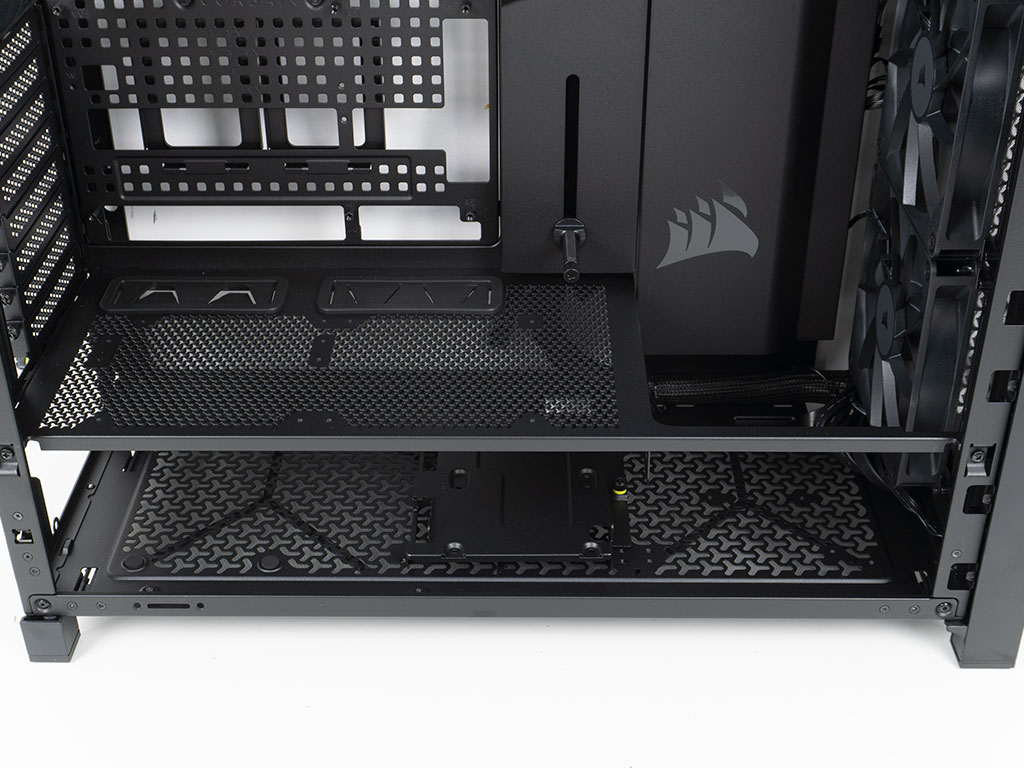
The interior layout of the Frame 5000D RS is pretty traditional overall. Out-of-the-box, the chassis ships with the three cable channels covers pre-installed, which also includes the GPU support beam. The shroud is two-part, with the side cover and top panel. There is room for two 120 mm fans if you are going for a traditional GPU setup. Corsair has included two mounting possibilities for vertical GPUs to attach the spacers for a PCIe slot too. The large opening from the Frame 4000D has also made it into the 5000D model. While this does give you the possibility to go with any type of thick liquid cooling setups, it would have been nice if Corsair has included some sort of cover. On the upside, the cable routing holes are now equipped with grommets.
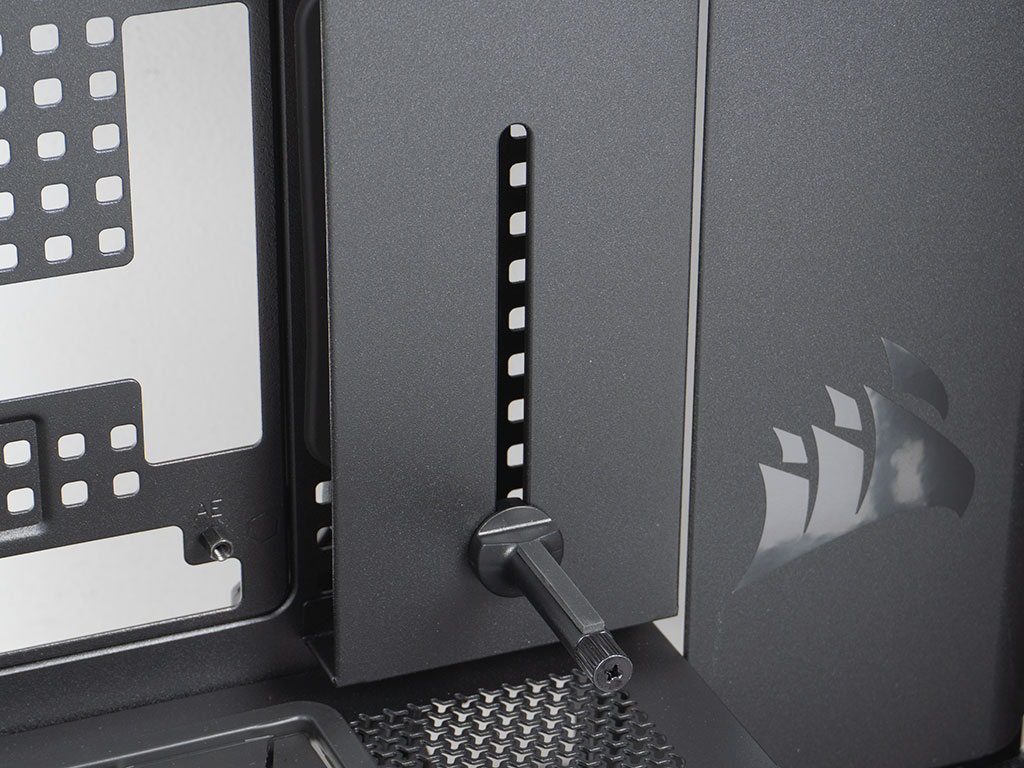
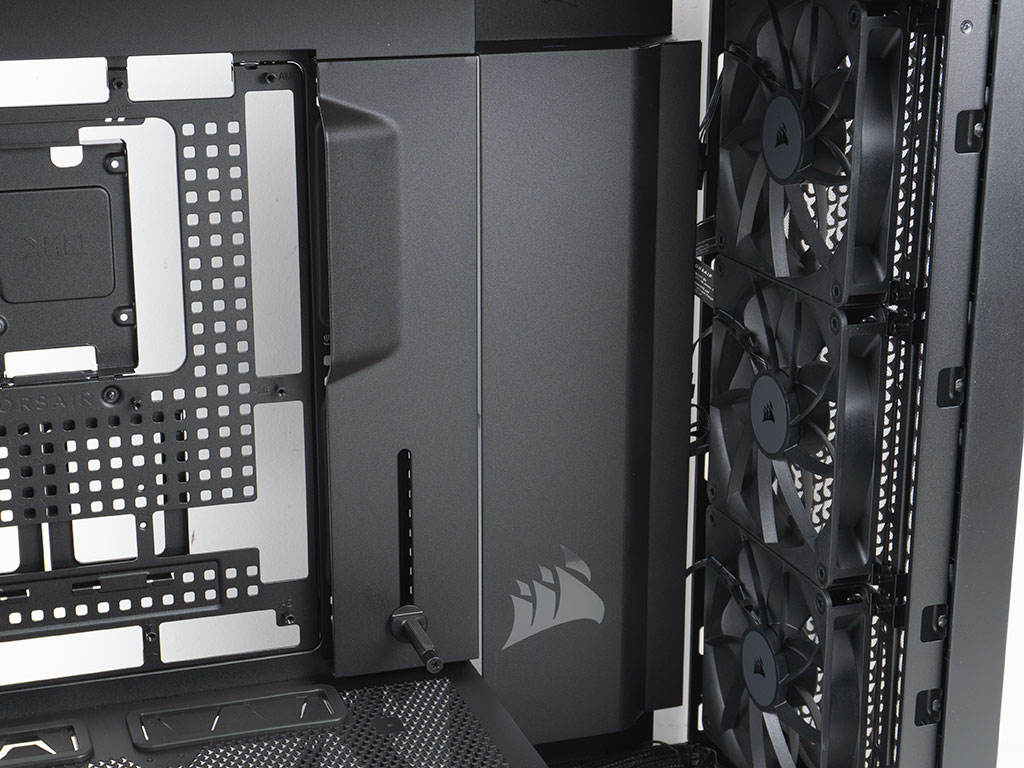
The GPU beam may look simple but is actually extremely sturdy. This well-designed bar has a long metal screw within to hold it in place, so big and heavy GPUs will not be an issue. As the Corsair 5000D RS is longer than the 4000D variant, Corsair has redesigned the cover to come in two pieces. This means that even users of larger motherboards still have the benefit of hidden cable management, while those opting for a classic ATX setup aren't left out. Thanks to the included alternative GPU support beam bracket in the accessories box, you will not lose out on that functionality regardless of what your motherboard size is either.
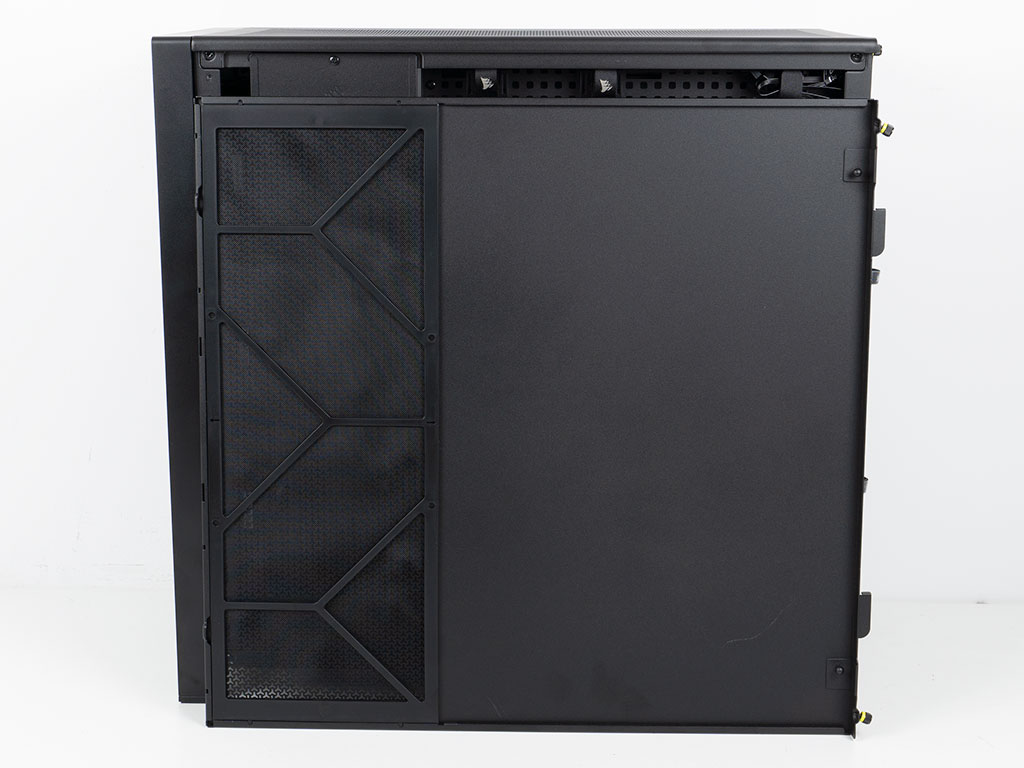
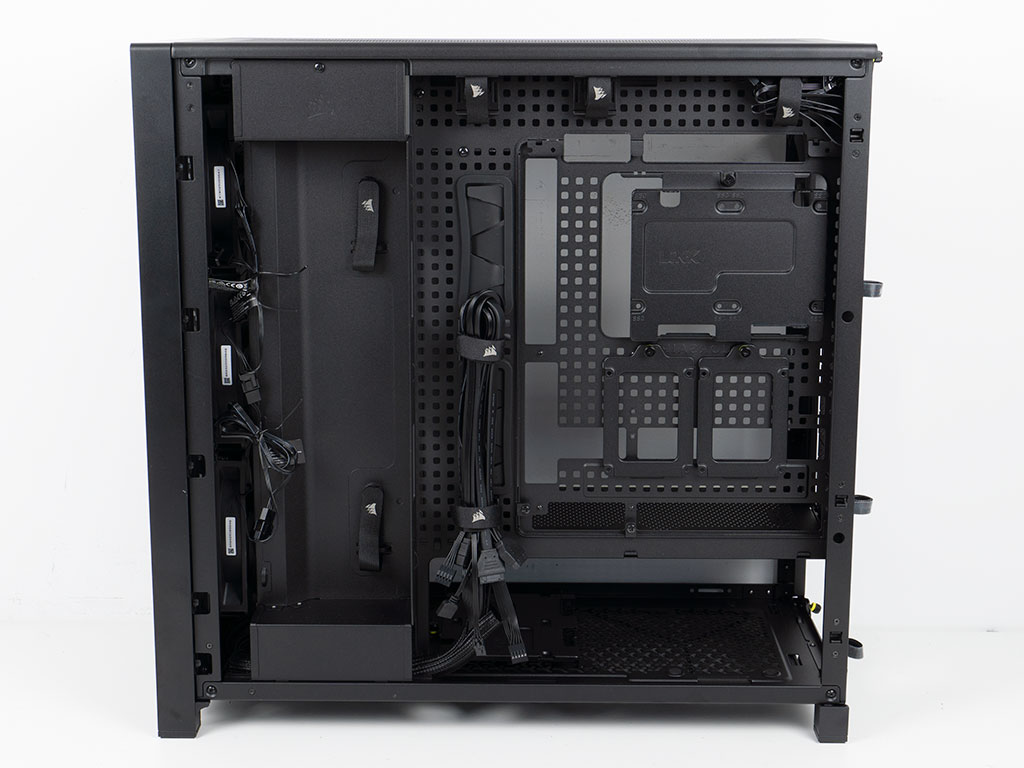
Corsair has also improved the dust filter that has been placed on the side panel, which is nice to see. It is also worth mentioning that the side panel itself is thicker and feels much sturdier, whereas we had an issue with the thinness of the panels on the Frame 4000D. Looking at the backside of the chassis, it is apparent that the Frame 5000D also continues to allow for BTF based boards, but Corsair has really evolved lots of details.
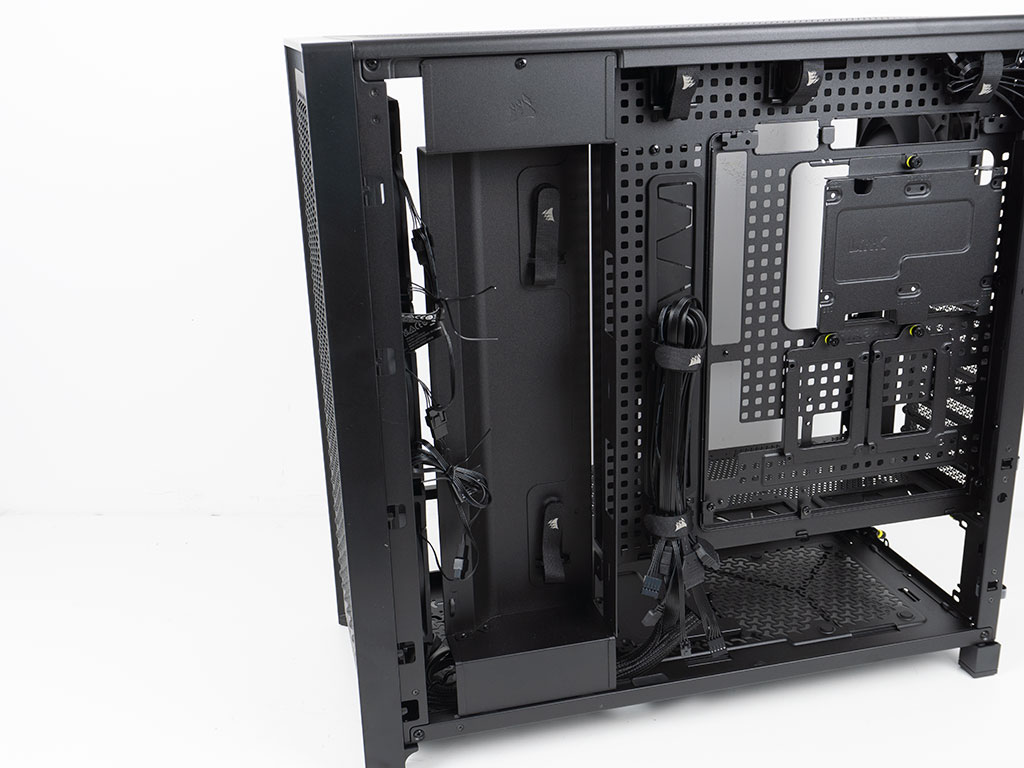
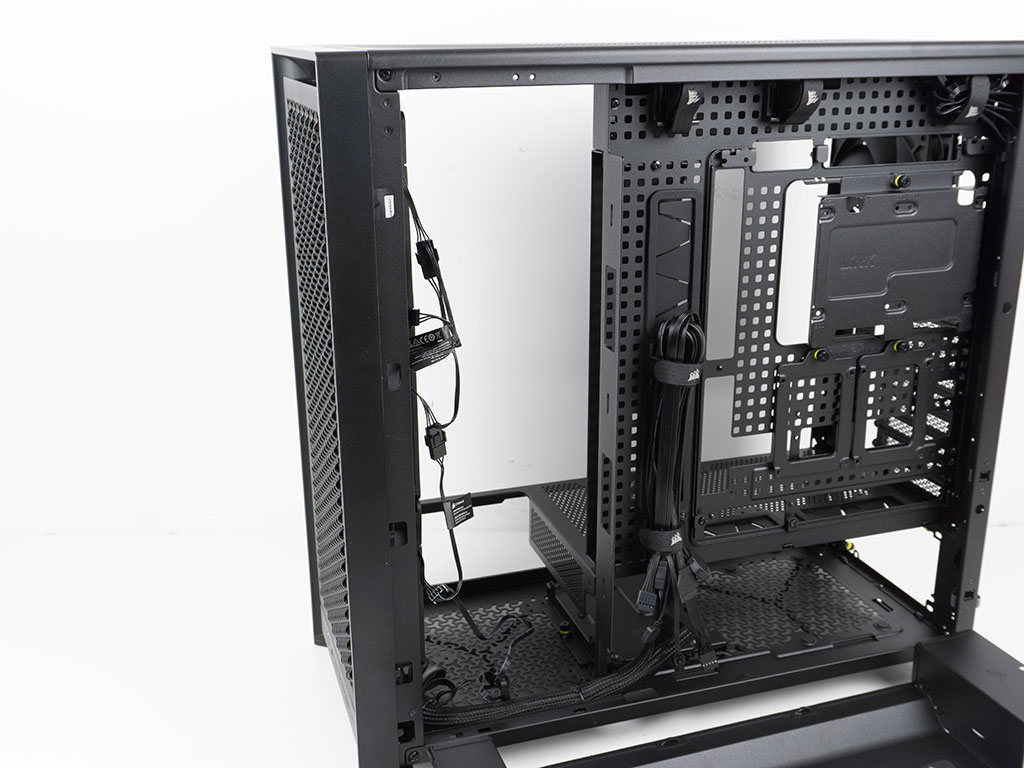

You may remove the solid cover on the side and replace it with the included mounting frame for intake cooling. Doing so is easy and only requires you to remove a single screw.
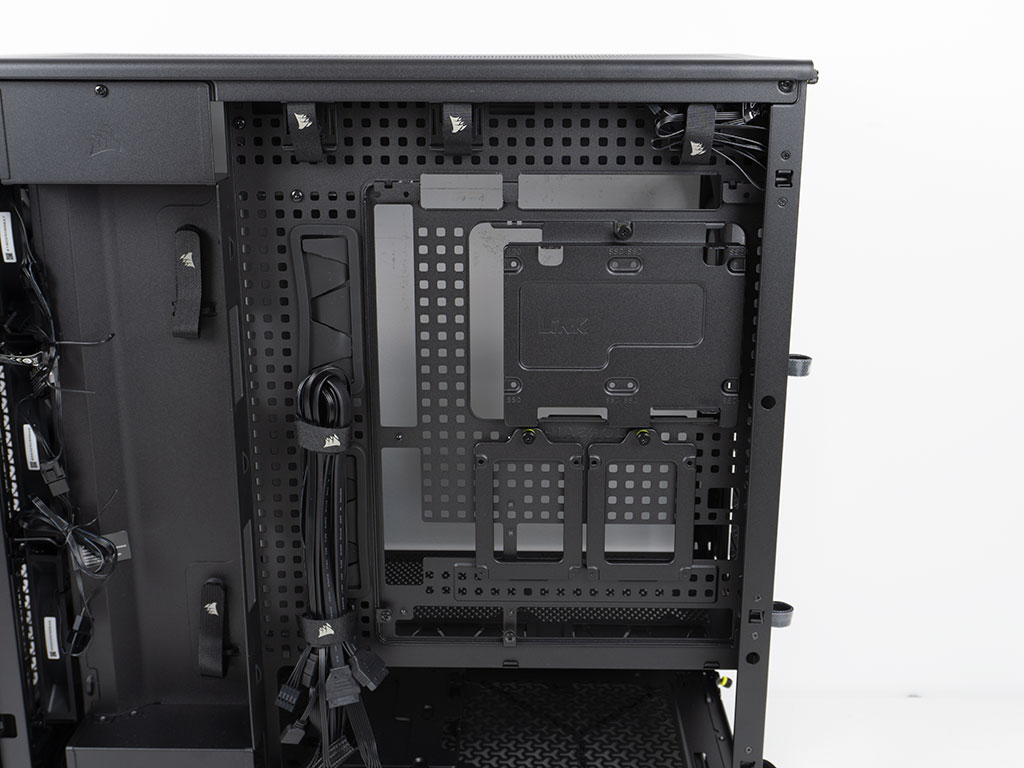
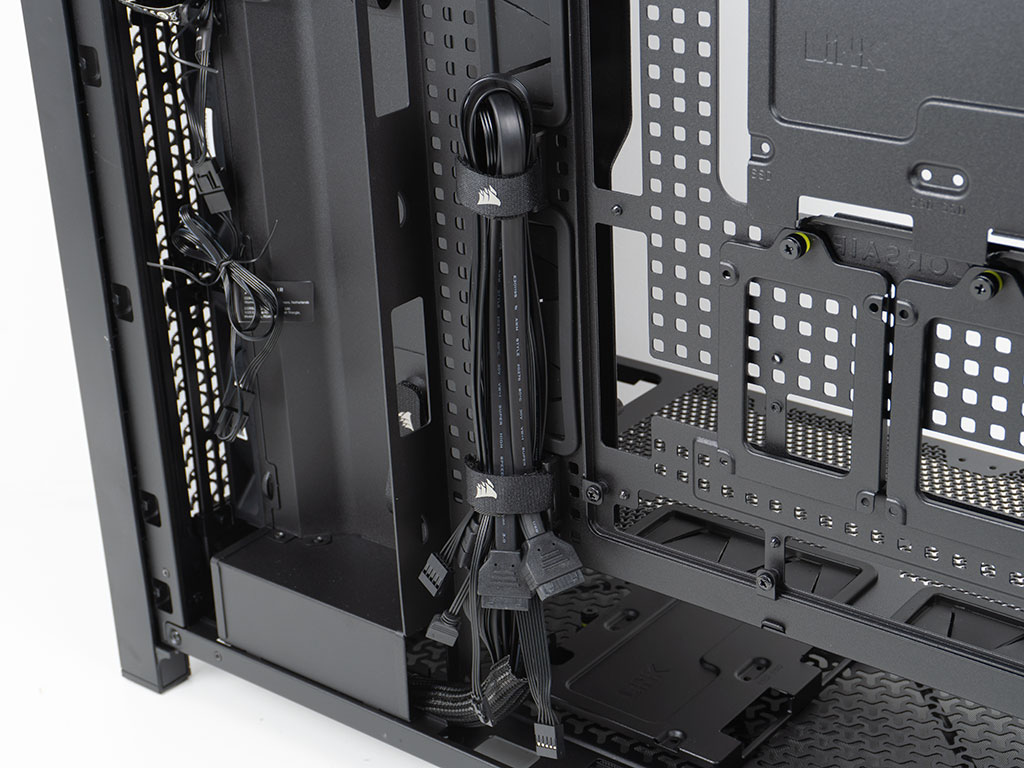

The cable management inside the Corsair Frame 5000D RS is one of the major functional changes when compared to the size specific differences otherwise spotted inside the chassis. The new RapidRoute 2.0 relies on a motherboard tray peppered in square holes, so that you may install the clips for cable management anywhere on those. That is great, but also makes the tray a bit easy to flex in some areas - especially around the BTF cutouts. Another notable change is the HDD tray for two 2.5" and one 3.5" tray. You no longer have to pick between installing either format with these as they can fit a mix of three drives. As such, the Frame 5000D RS can hold up to five drives behind the motherboard.
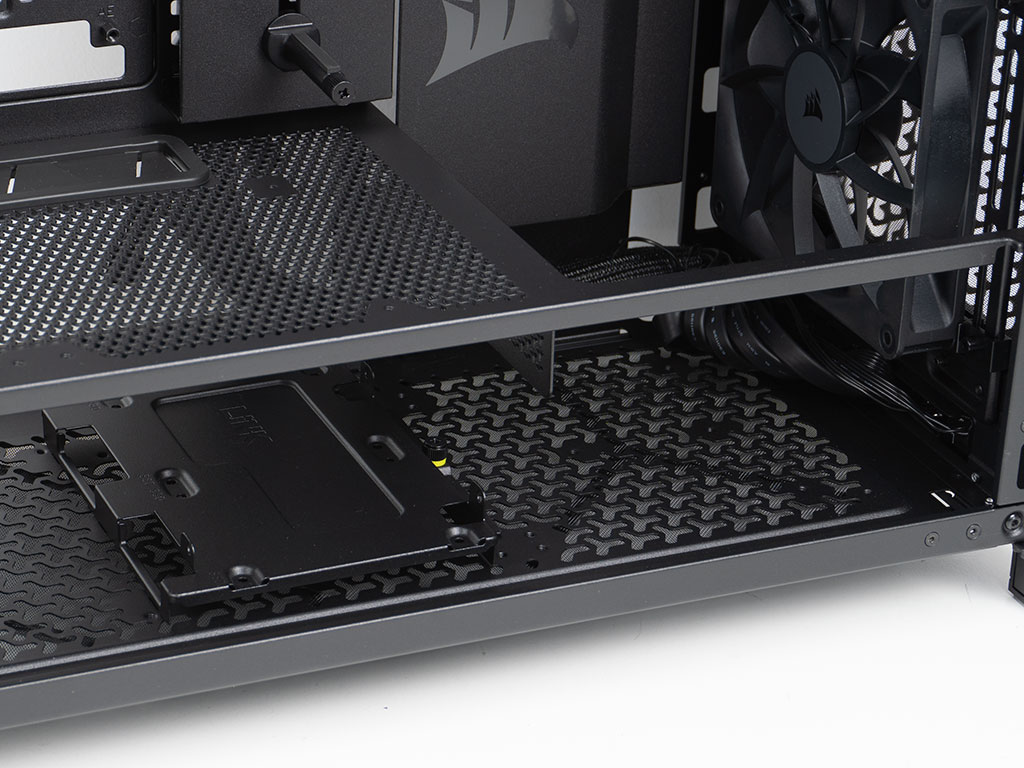
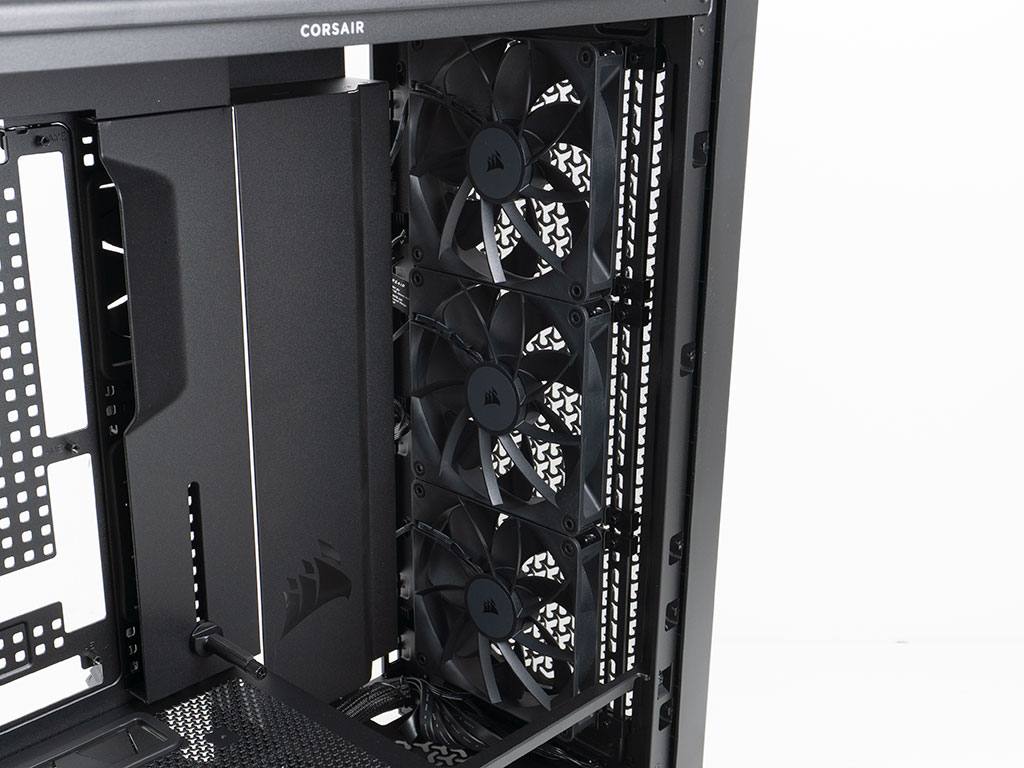
On top of that, you will find one more such tray on the floor of the case, upping the total drive support of the Frame 5000D RS to an excellent eight. Even if you end up installing a link controller in one of these, it only reduces your storage maximum by one. As this is the RS variant, you will find three PWM intake fans of 120 mm in size. One could argue that Corsair could have splurged for 140 mm units instead, to further set the Frame 5000D apart from the smaller 4000D variant.
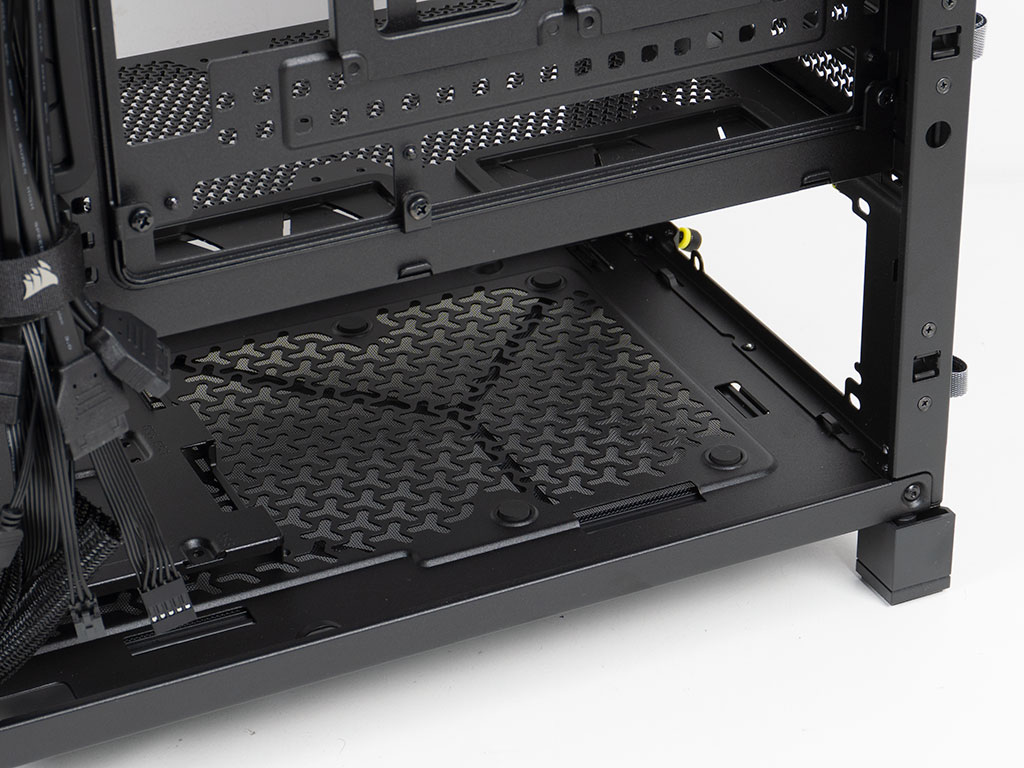

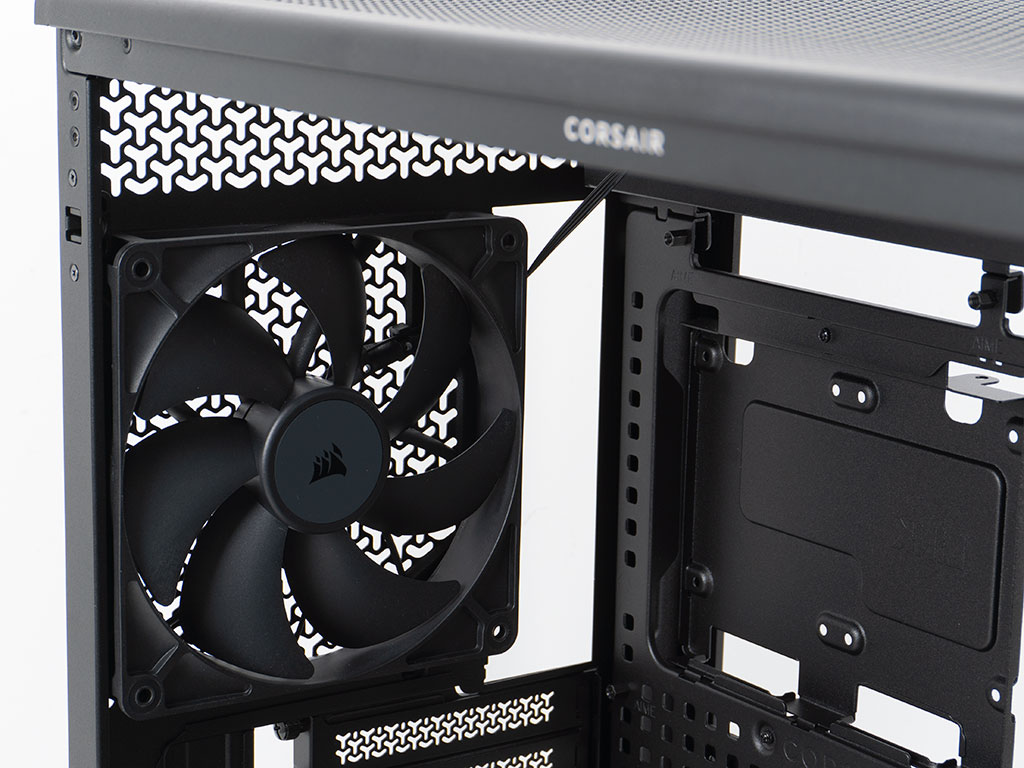
In the rear, the PSU bay allows for sizeable units to be installed even as the shroud actually includes a cover towards the front of the chassis. At the time of writing we did not have the detail on maximum PSU size, but will update this review when we get that information. The PSU will sit on four simple but effective foam spacers and can easily slide in through this side of the chassis. Above the shroud, you will find the eight expansion slots and the fan mounting position which holds a 140 mm, PWM-based exhaust unit. Thanks to the elongated mounting holes, you will have some flexibility to adjust the height of the fan to best suit your setup.
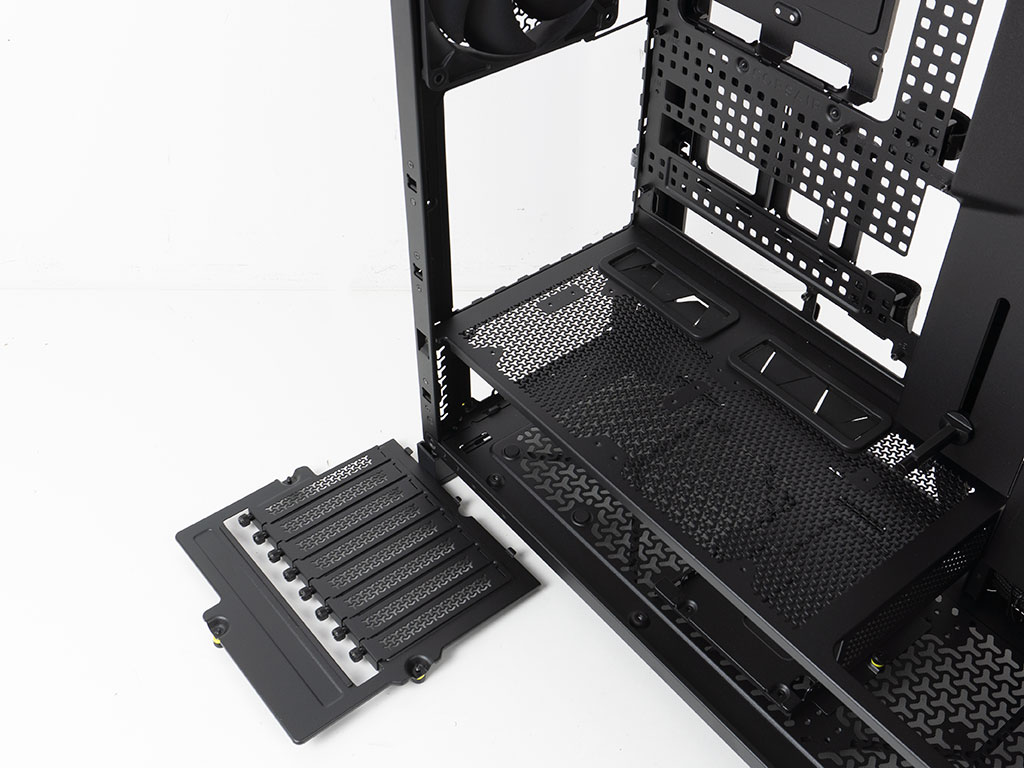
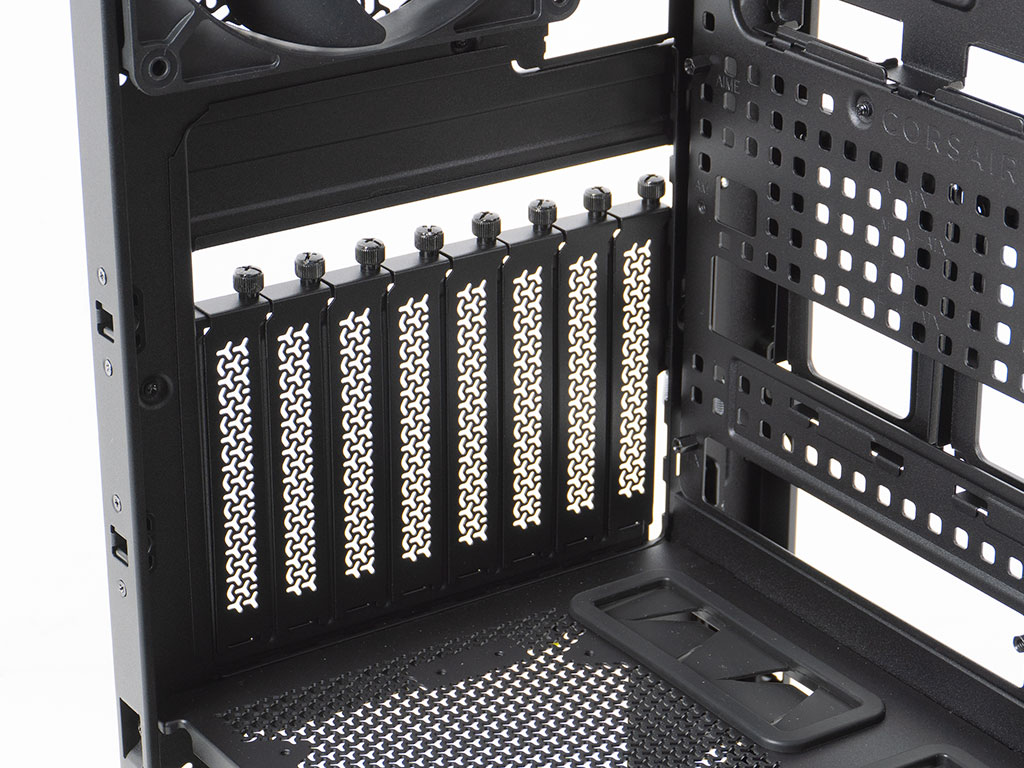
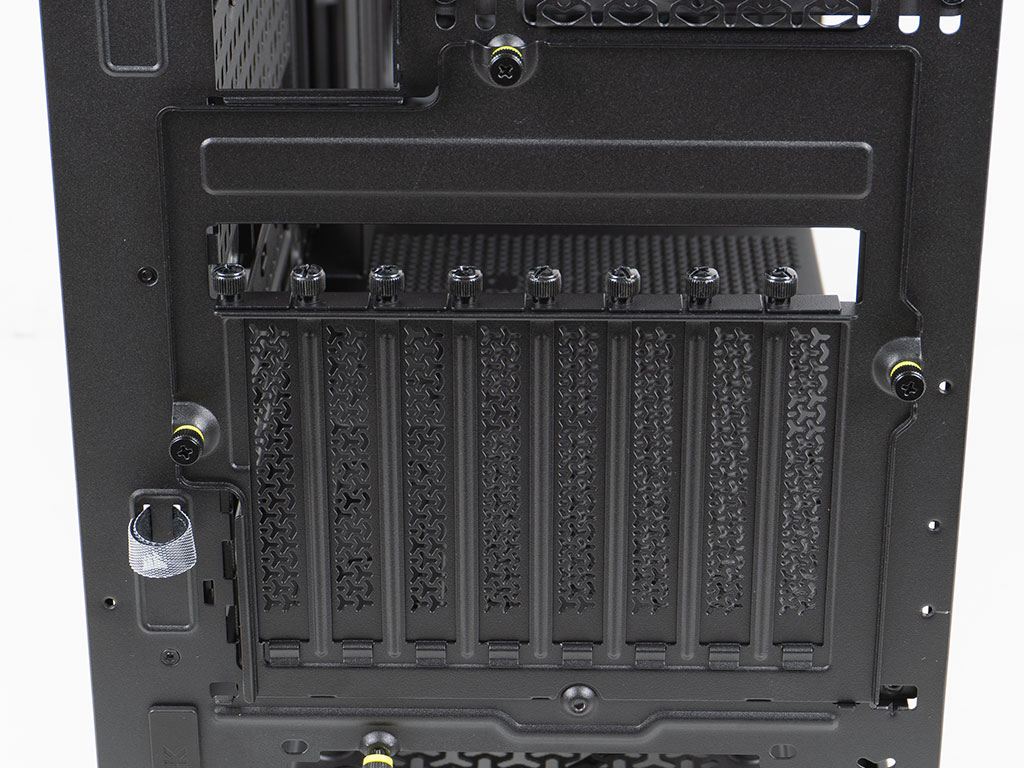
Just like with the Frame 4000D, you may easily rotate the expansion slots by releasing the captive thumb screw which holds this plate in place. Corsair has redesigned it, adding a third such screw to the mix, so that it feels even sturdier. Otherwise, it remains one of the best and easiest engineering implementations out there for those wanting to go from horizontal to vertical expansion slots.
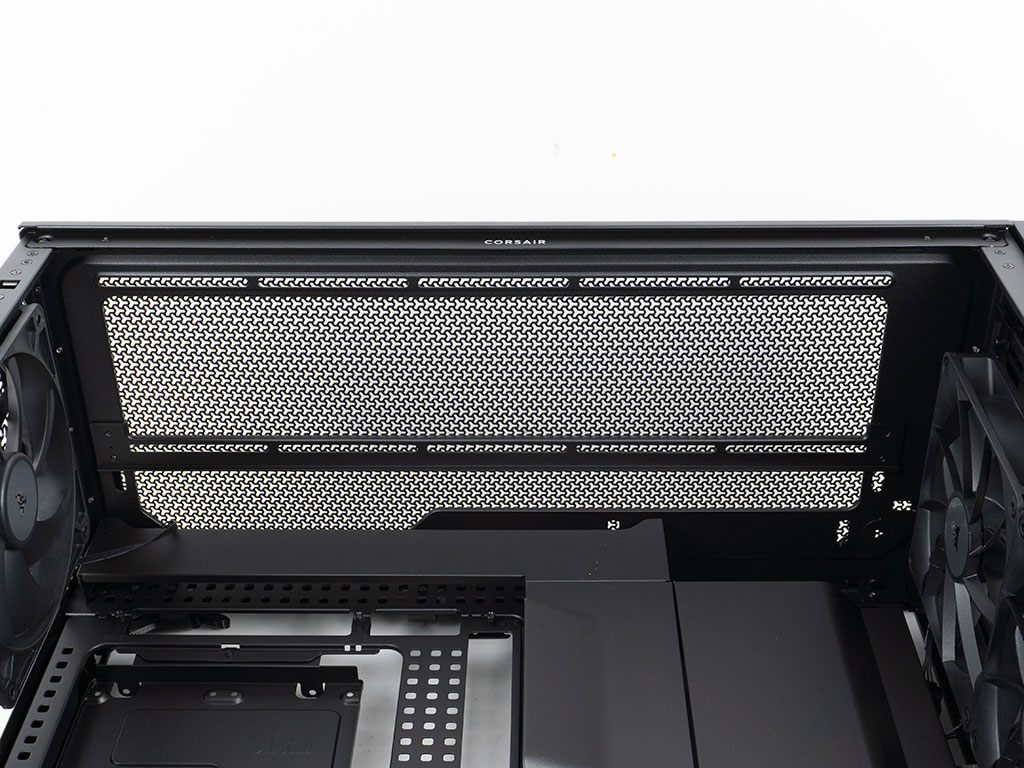
Taking a quick look at the ceiling, it is also obvious that this is where you will likely install your AIO, with plenty of space between the mounting rail and motherboard area so that even wide 420 mm units should easily fit without issue. The fact that you can even install a unit of that size is another difference to the Frame 4000D, as that case maxed out at 360 mm support.
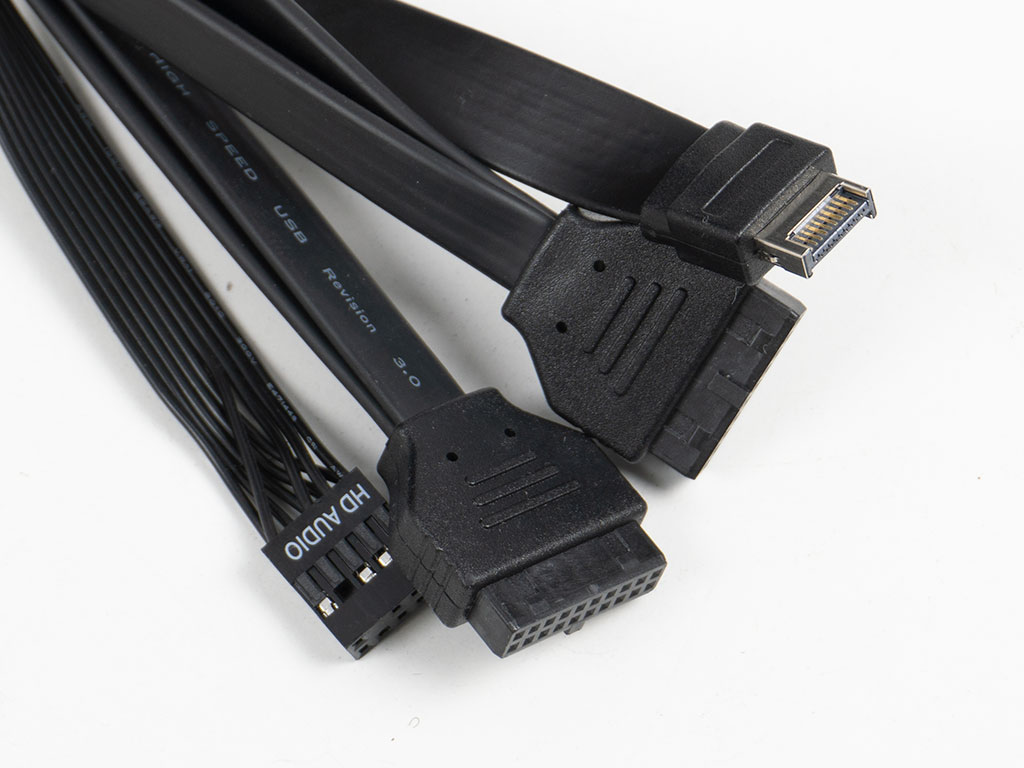
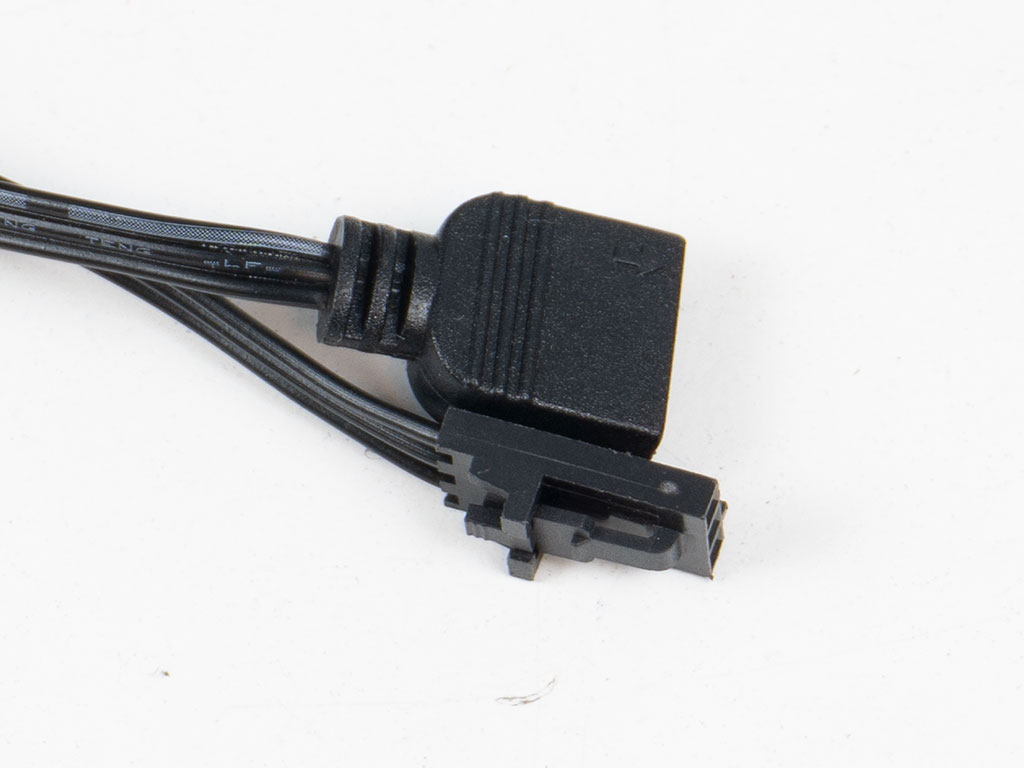
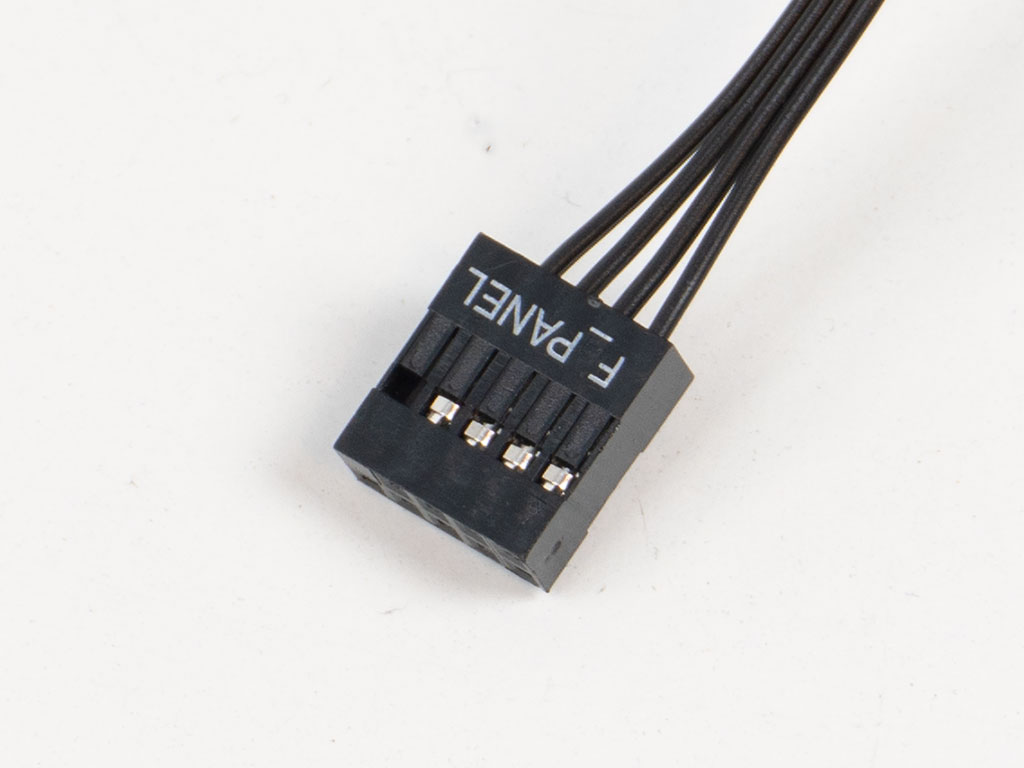
All wires within the Corsair Frame 4000D are sleeved black and of the default variety. There is a pair of 20-pin USB 3.0 Type A connectors as the case has four ports in the front. While there are boards out there with two headers, many don't offer that number, so you may be stuck not using a pair of ports. Corsair does not really have to include so many to start with and could have just offered the same IO configuration as with the Frame 4000D. As the 5000D series also includes a small ARGB element in the front, you will find the right wires to connect it to your motherboard or Corsair's own Link controller. Thanks to the unified motherboard header, that step of the assembly process is as easy as can be.
Nov 22nd, 2026 18:49 CST
change timezone
Latest GPU Drivers
New Forum Posts
- Increasing Power Limit? (6)
- What are you playing? (26240)
- UPS what one to get? (48)
- Honestly, do you care about GTA VI? (265)
- Your PC ATM (36458)
- Gacha Games - Discussions, Pulls, Updates, etc. (1157)
- Last game you purchased? (1414)
- Making a game in Godot engine (19)
- Intel D270 (5)
- X870E AORUS ELITE WIFI7 thread with setting and OC (69)
Popular Reviews
- Microsoft Surface Laptop Ultra Review - The Next-gen Arm Laptop
- Corsair RM1200e (Second Generation) Review
- Upcoming Hardware Launches 2027 (Updated Nov 2026)
- Pulsar Office Tour & First Look at P1 Dual-Sensor Mouse
- Ugreen NASync DXP4800 GT Review
- AMD Ryzen 7 9800X3D Review - The Best Gaming Processor
- AMD Zen 6 Technical Deep Dive
- AMD Ryzen 7 5800X3D 10th Anniversary Review
- Phantom Blade Zero Performance Benchmark Review - 35 GPUs Tested
- Biwin Black Opal NV7400 2 TB Review
TPU on YouTube
Controversial News Posts
- NVIDIA Co-Founder and CEO Jensen Huang Officially Resigns (492)
- Report: Jensen Huang Eyes NVIDIA Comeback (266)
- Open Letter Asking NVIDIA to Reinstate Jensen Huang Passes 115,000 Signatures (184)
- OpenAI CEO Argues Home PCs Waste the World's Limited DRAM Supply (152)
- NVIDIA Launches Investigation Into Jensen Huang's Relationship With Suspected Chinese Spy (136)
- Intel "Raptor Lake Next" 16-Core and 20-Core CPUs Surface (130)
- NVIDIA GeForce RTX 50-Series Scheduled for up to $500 Price Hike This Week (89)
- Intel Razor Lake Gets a 12 P-Core bLLC Chip With No E-Cores, Per Leak (86)