 5
Corsair iCUE XC7 RGB Elite LCD CPU Water Block Review
(5 Comments) »Introduction

Our most recent round of CPU water block reviews saw an entry each from Corsair, Bykski, and Granzon. One could argue that Granzon should be considered part of Bykski, but they are different brands nonetheless. Today we commence the second part of this same roundup with the same three brands represented one more time. The common theme is that all three blocks coming up are more expensive than the previous equivalent offerings, and the newly tested models all have integrated displays.

Corsair's entry is the iCUE XC7 RGB Elite LCD. Notice the absence of iCUE Link in the product name—this is surprisingly not part of Corsair's new ecosystem that uses a USB bus to allow for more products to be powered and connected off a single control hub. Instead, the iCUE XC7 RGB Elite LCD has its own direct connection to a motherboard USB header, presumably to ensure it has all the bandwidth necessary to make the most of the 2.1" 30 FPS 480 x 480 pixels LCD screen that has a full 16.8 M colors on offer. We've seen this display used in a pre-iCUE Link AIO CPU cooler before, so it is also equally likely that Corsair decided to re-use certain components. Regardless, expect to see iCUE-based software customization along with an integrated thermal sensor to help set custom fan/pump curves. Let's examine the block further in our review today which begins with a look at the product specifications in the table below. Thanks to Corsair for providing a review sample to TechPowerUp!
Specifications
| Corsair iCUE XC7 RGB Elite LCD CPU Block | |
|---|---|
| Top: | Gray or white plastic trim around 2.1" LCD and nylon top |
| Cold Plate: | Nickel-plated copper |
| CPU Socket Compatibility: | Intel LGA 1200/1700; AMD AM4/AM5 |
| Ports: | Two, BSP G1/4" threaded |
| Lighting: | Yes, integrated ARGB lighting |
| Warranty: | Three years |
Packaging and Accessories


Packaging for the Corsair iCUE XC7 RGB Elite LCD CPU block is in line with other recent Corsair Hydro X Series products, with a yellow and black cardboard box that comes wrapped in plastic. On the front is the company logo and product name along with a render of the block to show you how it looks. The CPU socket compatibility is also listed at the bottom in addition to confirmation of the integrated RGB LEDs, the display, and the temperature sensor. On the back we see another product render as well as more of these marketing features in multiple languages. Seals on both the top and bottom help keep the contents in place during transit.

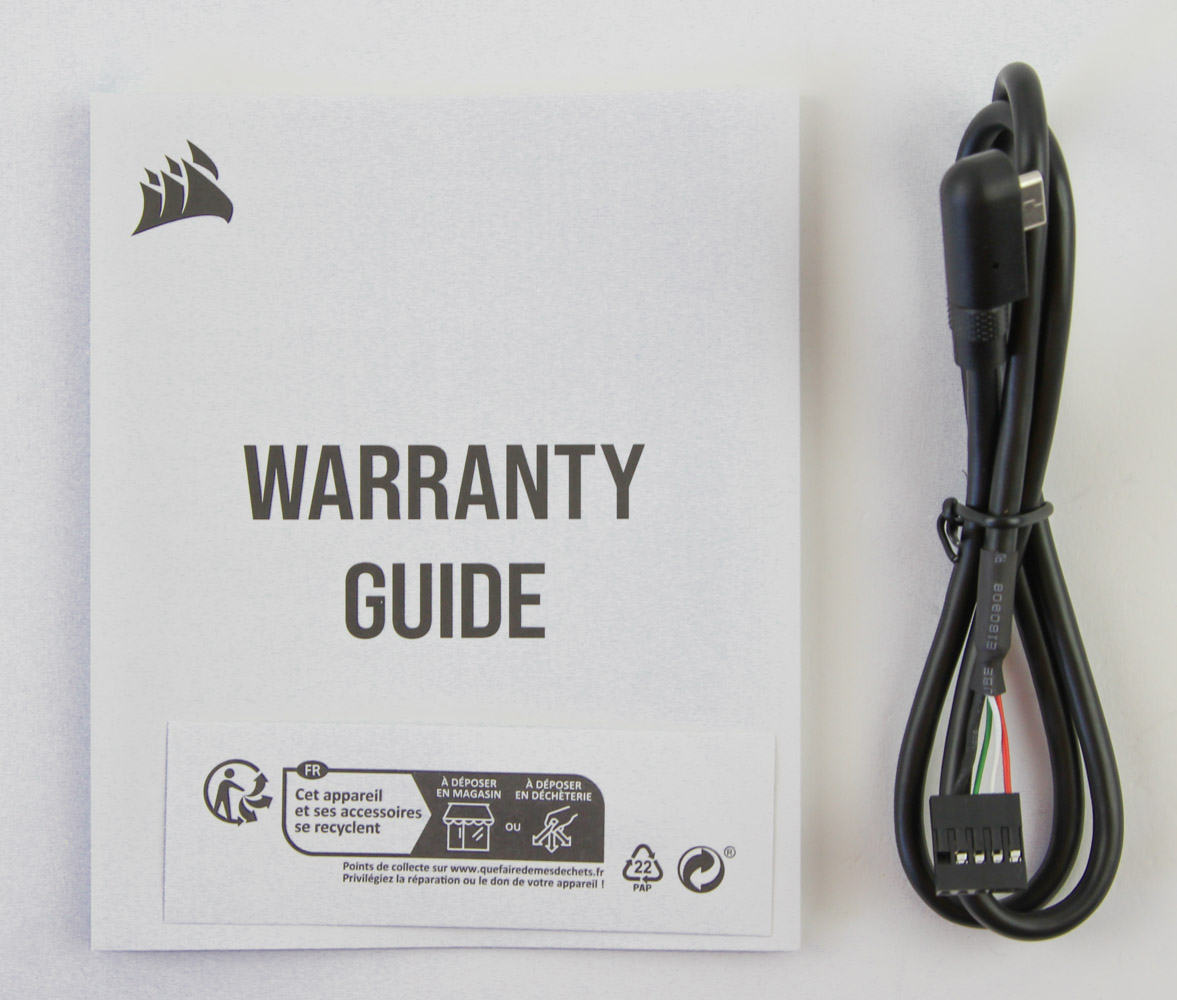
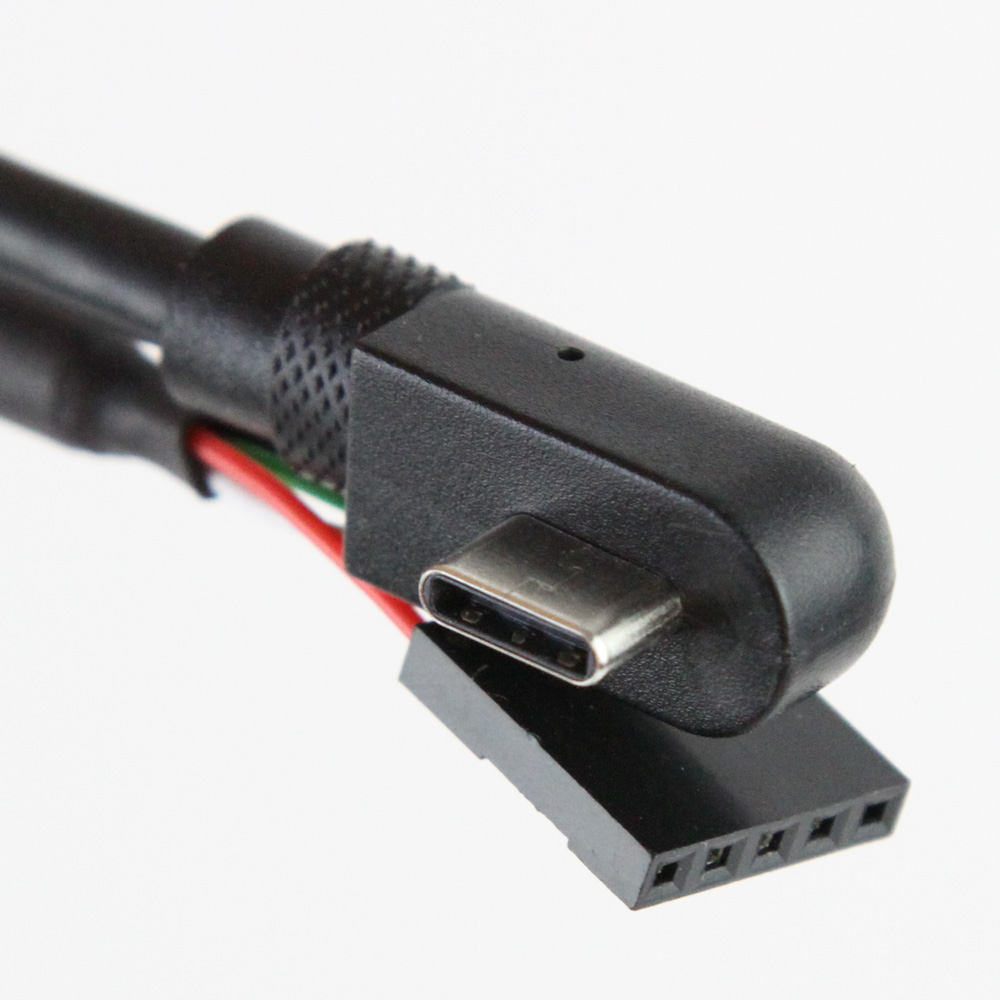

Open the outer box from either side to pull out a two piece plastic clamshell that houses the various items inside. We get a warranty guide—there is no printed quick start guide anymore—in addition to a 60 cm long right-angled USB Type-C to straight 5-pin internal USB 2.0 connector. The CPU block comes placed inside the plastic clamshell for added protection. Also protected is the installation hardware that includes Intel and AMD socket mounting brackets, an Intel backplate with specific locations marked for the locking nuts to be positioned at depending on whether you will be cooling a CPU on the LGA 1200 or LGA 1700 platform, and an insulating film to prevent the metal backplate from shorting out the PCB. The mounting brackets have the installation hardware already attached on the corners, so Corsair continues to be user-friendly in this regard. No thermal paste to be seen here but, if our experience with previous Corsair water blocks is anything to go by, it is likely pre-installed on the block already.
Our Patreon Silver Supporters can read articles in single-page format.
Nov 19th, 2026 22:16 PST
change timezone
Latest GPU Drivers
New Forum Posts
- Anthrophics IPO (10)
- WarpCoreBench scores! (78)
- How to prevent OLED burn damage due to PC freezes or power outtages? (39)
- Honestly, do you care about GTA VI? (177)
- TPU's Nostalgic Hardware Club (22172)
- RX 7600 + Ryzen 5 5600GT getting the same FPS as my old RX 6500 XT – What am I missing? (5)
- GTA VI (11)
- GPU Temperatures Rise Very Quickly in FurMark – Is This Normal? (18)
- Time to upgrade CPU and MOBO (72)
- Dual B70 or Dual R9700 Pro on Linux (13)
Popular Reviews
- AMD Zen 6 Technical Deep Dive
- Ugreen NASync DXP4800 GT Review
- Acemagic Retro X3 Review
- Upcoming Hardware Launches 2027 (Updated Nov 2026)
- Pulsar Office Tour & First Look at P1 Dual-Sensor Mouse
- Corsair RM1200e (Second Generation) Review
- Biwin Black Opal NV7400 2 TB Review
- Chieftec Iceberg PRO 360 DARK Review
- AMD Ryzen 7 9800X3D Memory Performance Scaling
- AMD Ryzen 7 9800X3D Review - The Best Gaming Processor
TPU on YouTube
Controversial News Posts
- NVIDIA Co-Founder and CEO Jensen Huang Officially Resigns (490)
- Report: Jensen Huang Eyes NVIDIA Comeback (224)
- Open Letter Asking NVIDIA to Reinstate Jensen Huang Passes 115,000 Signatures (184)
- OpenAI CEO Argues Home PCs Waste the World's Limited DRAM Supply (152)
- NVIDIA Launches Investigation Into Jensen Huang's Relationship With Suspected Chinese Spy (136)
- Intel "Raptor Lake Next" 16-Core and 20-Core CPUs Surface (130)
- Legendary Game Studio BioWare Shuts Down Following EA Layoffs (104)
- Dell CEO Says the Memory Shortage Will Get Worse in 2027 (95)