 4
Corsair Scimitar Elite Wireless SE Review
Sensor & Performance »Build Quality
Overall build quality is solid. When shaking the mouse, a rattle comes from an indeterminable location. When applying lateral pressure, no creaking or flexing of the shell can be observed. Lastly, accidental clicks when slamming down the mouse do not occur, provided that Button Response Optimization is enabled within iCUE.Buttons

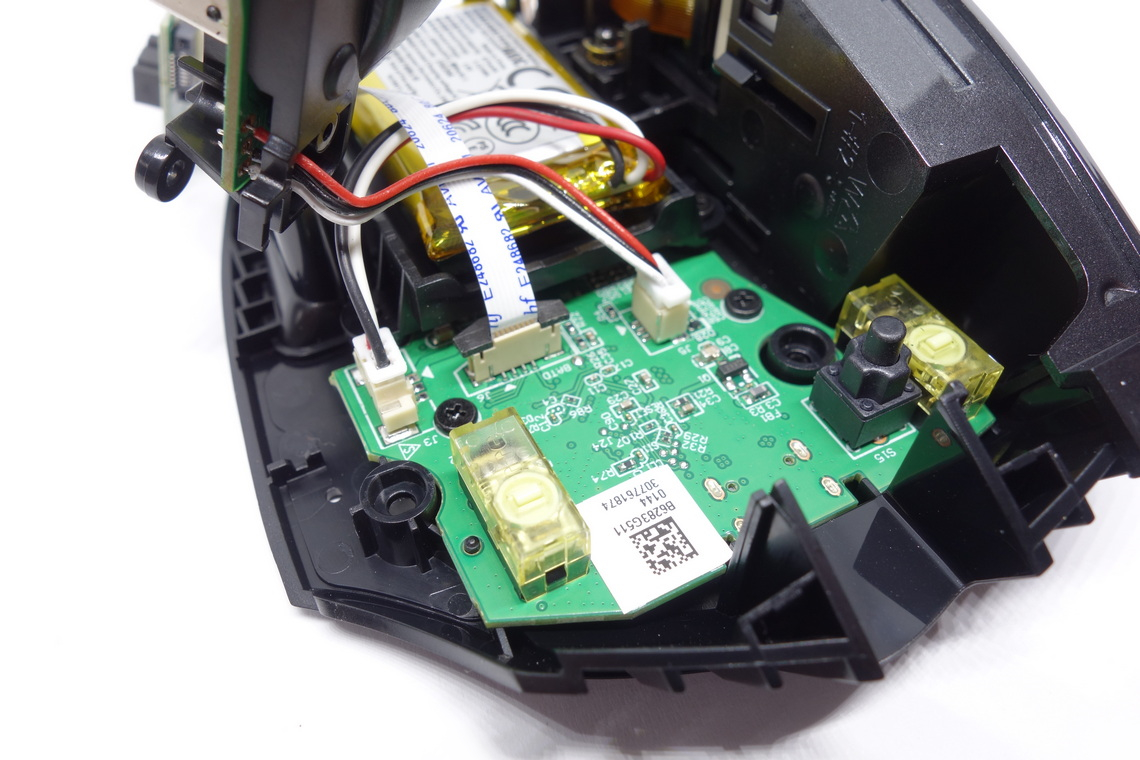
Main buttons on the Scimitar Elite Wireless SE are good. Pre-travel is moderate, whereas post-travel is very low on the left and low on the right button. Button response is fairly snappy, and the buttons are reasonably easy to spam. Being visually separated from the shell, button movement is moderate when provoked. Button stiffness is medium. A pair of TTC optical switches (100 M) are used.
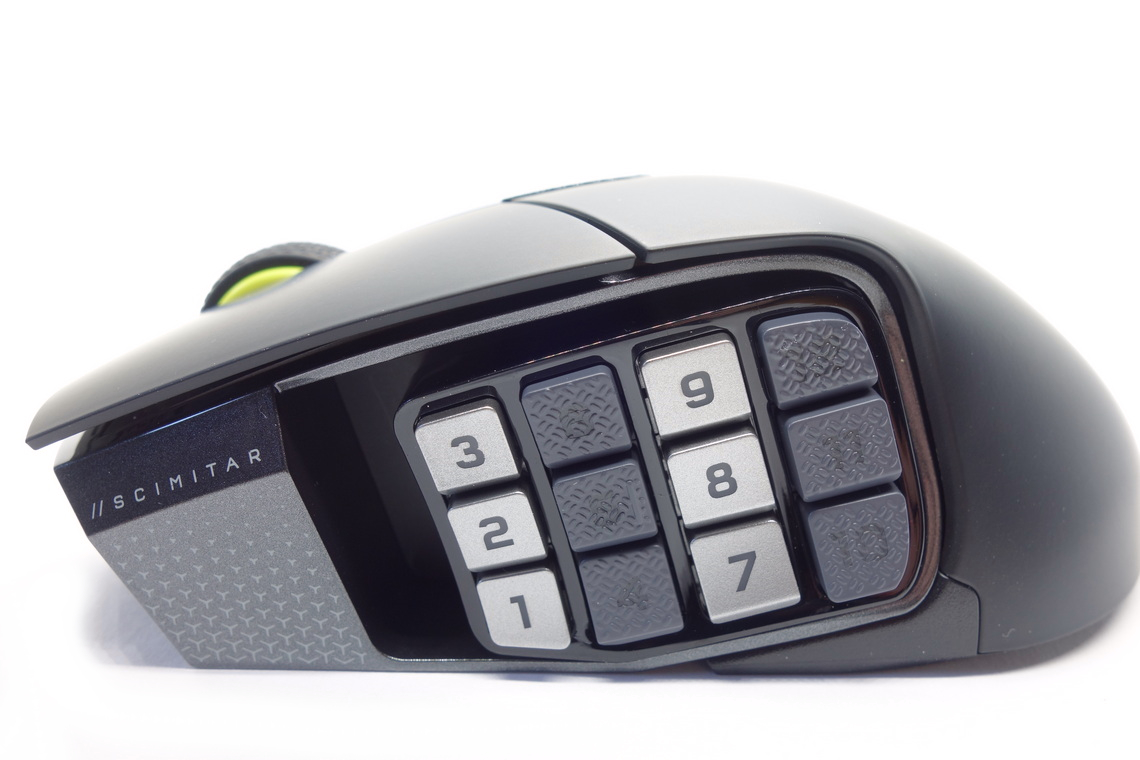
Side buttons are good. Pre-travel is low across the board, but most buttons can be pressed in a decent bit past actuation, and several of them aren't exactly firm or stable. Distinguishing the buttons from each other by feel is quite easy, as every other row has a riffled texture.
At the top of the mouse is a single button for cycling through the set CPI steps, which works just fine. A 2-pin switch from TTC (black plunger) is used for this one. At the bottom of the mouse is an additional button which is hard-mapped to cycling through the available hardware profiles, which also works fine. A seemingly unbranded tactile switch is used for this one. The slider at the bottom switches between 2.4 GHz mode, Bluetooth, and off-state, and also works just fine.
Scroll Wheel

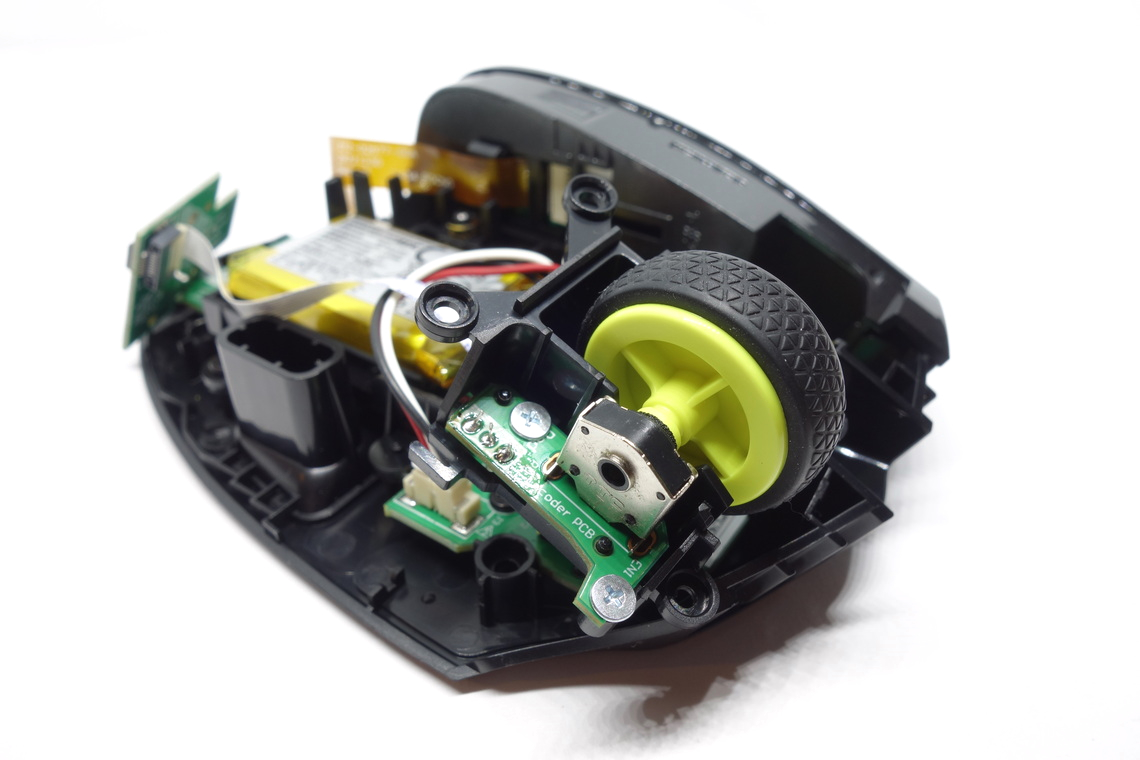
The scroll wheel is decent. Noise levels are high, especially when scrolling up, and tactility is at most average, as the individual steps lack separation. That said, the resulting light scrolling may be desirable for MMOs or MOBAs. The encoder comes from TTC (black) and has a height of 7 mm. Actuating the middle (scroll wheel) click requires medium force. A seemingly unbranded tactile switch is used here.
Surface
The Scimitar Elite Wireless SE has a smooth matte surface all over, with the exception of the ring finger/pinky rest on the right side, which consists of textured, hardened rubber. The coating is pleasingly soft to the touch, but does attract fingerprints, dirt, or the likes quite a bit. It is easy to clean, and there are hardly any signs of wear left after doing so. All in all, good materials.Button Sound Test
Disassembly
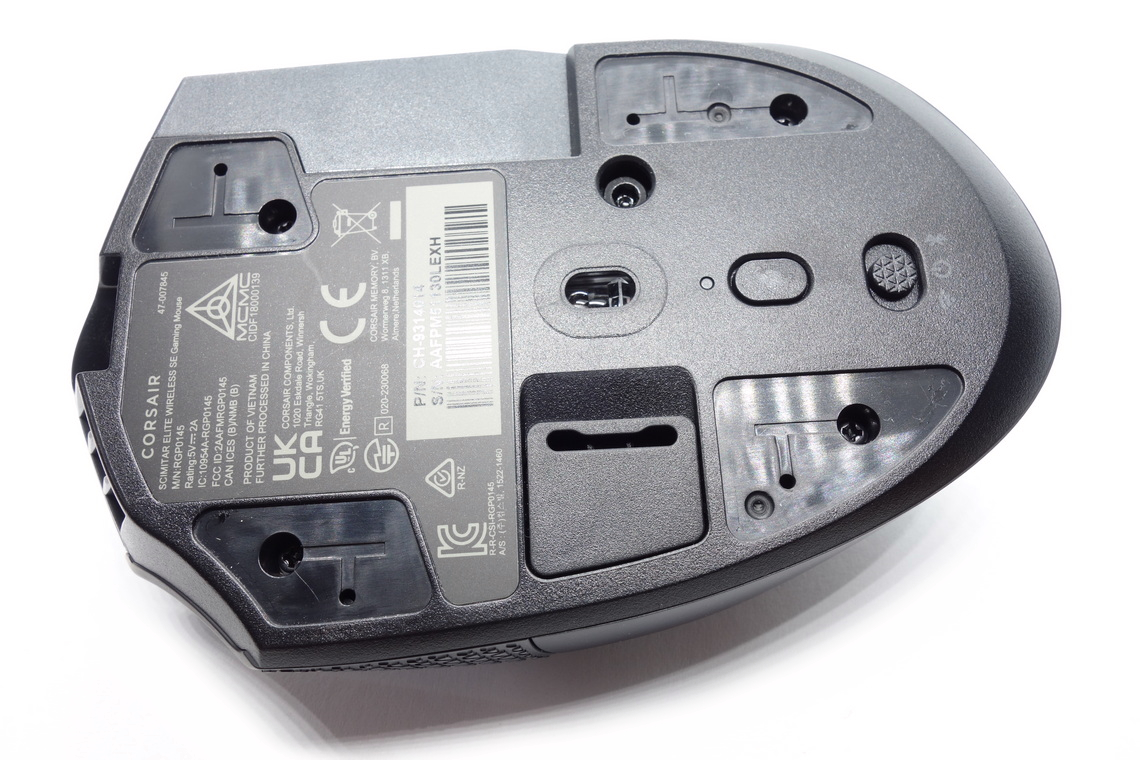
Disassembling the Scimitar Elite Wireless SE is fairly easy. First, all skates and the screws beneath them need to be removed. Separating the top and bottom shell may require some extra effort, possibly by wedging a credit card or something similar in between.
The internal design is relatively straightforward. The CPI button sits on its own PCB, screwed to the top shell and connected through a ribbon cable to the main PCB. The scroll wheel encoder likewise has its own PCB, which is encased in a plastic shell and screwed to the top shell, and connected through a 3-pin connector. The side buttons also have their own PCB, which is connected through an FFC to the main PCB. The battery sits on a plastic assembly mounted above the main PCB. Everything else sits on the main PCB, which is affixed to the bottom by three screws. The MCU is a rear-mounted Nordic nRF52840, whose datasheet can be found here. Production date for the main PCB is the 50th week of 2024, whereas the top-button PCB has been manufactured during the 52nd week of 2024.
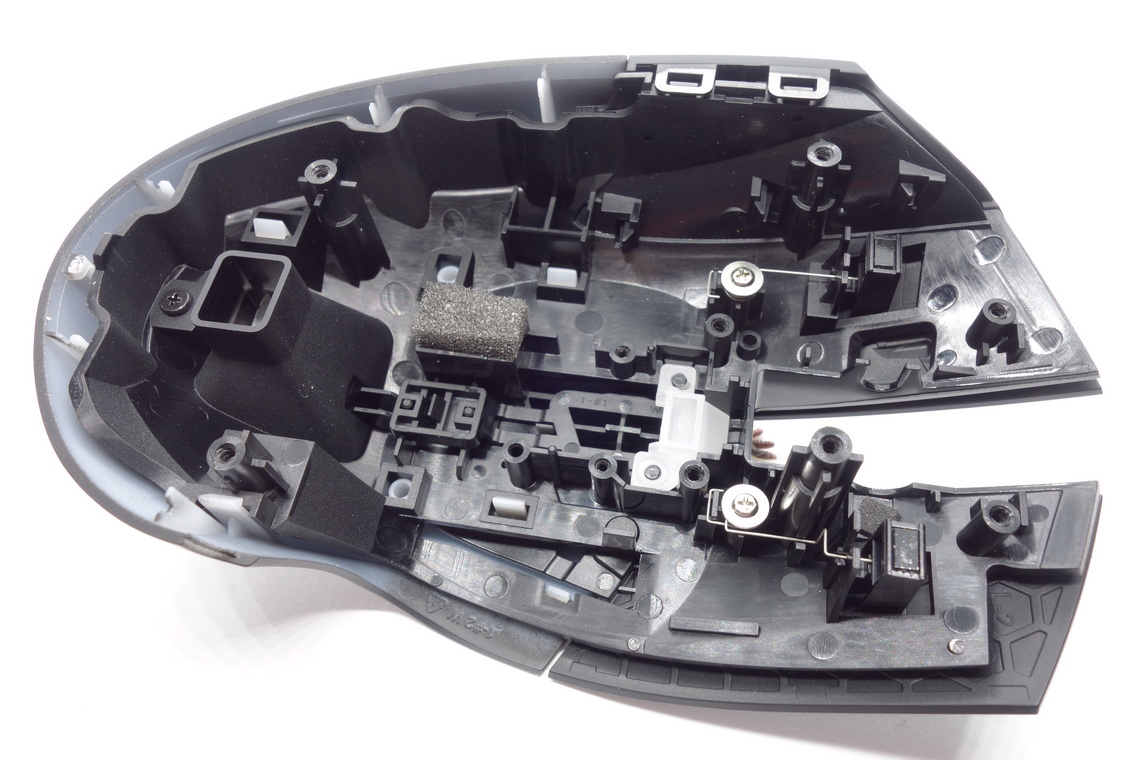
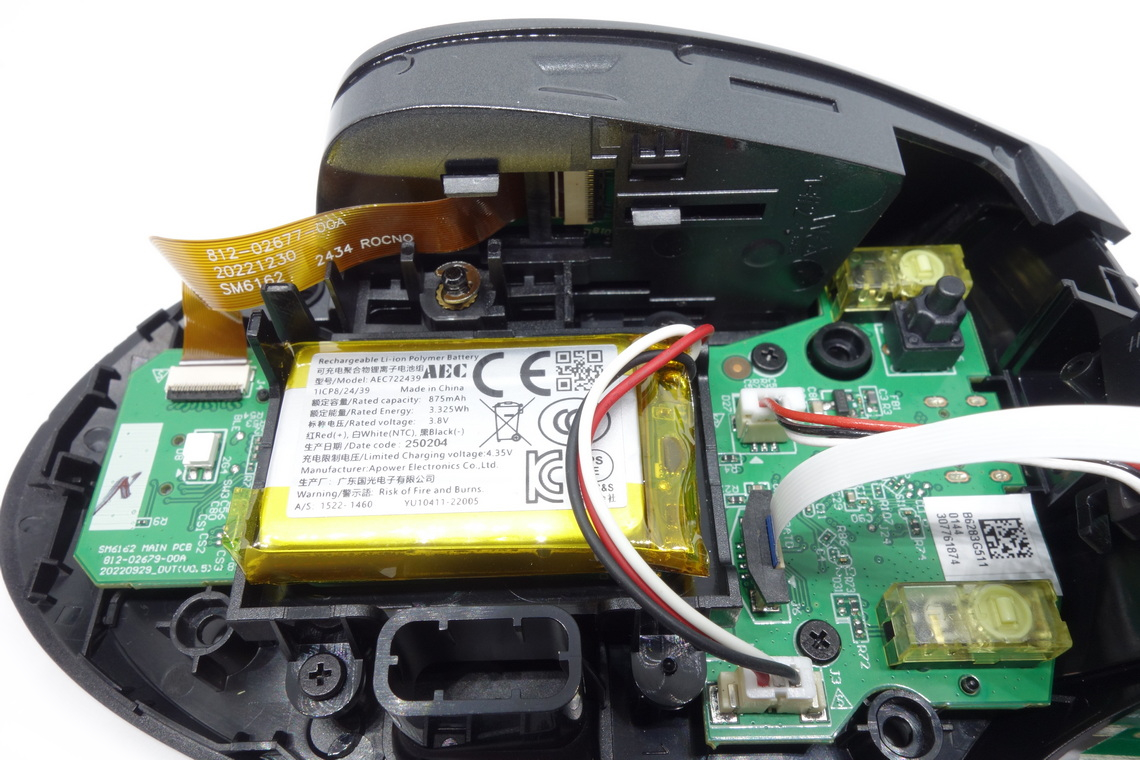
As for the soldering and general quality of the PCB, I'm unable to find any noteworthy flaws.
Nov 26th, 2026 02:26 CST
change timezone
Latest GPU Drivers
New Forum Posts
- DTS DCH Driver for Realtek HDA [DTS:X APO4 + DTS Interactive] (2820)
- What's your main Black Friday / Cyber Monday purchase? (12)
- Claude credits purchased on or after Dec. 7 now have an expiry date (18)
- AI generated images... (239)
- TPU's Nostalgic Hardware Club (22209)
- Can you guess Which game it is? (365)
- Strange PC issues with Z690 setup (5)
- RTX 5080 problems, random troubleshooting "log" (8)
- Slow boot, can't launch monitoring software, general lag (38)
- Linpack Xtreme Released (512)
Popular Reviews
- ASRock X870E Challenger Wi-Fi White Review
- VZMORE AX9 Max Review
- Upcoming Hardware Launches 2027 (Updated Nov 2026)
- Microsoft Surface Laptop Ultra Review - The Next-gen Arm Laptop
- AMD Ryzen 7 9800X3D Review - The Best Gaming Processor
- AMD Zen 6 Technical Deep Dive
- Corsair RM1200e (Second Generation) Review
- Phantom Blade Zero Performance Benchmark Review - 35 GPUs Tested
- Pulsar Office Tour & First Look at P1 Dual-Sensor Mouse
- Ocypus lota P1000 Review
TPU on YouTube
Controversial News Posts
- Jensen Huang Reinstated as CEO of NVIDIA (574)
- NVIDIA Co-Founder and CEO Jensen Huang Officially Resigns (492)
- Report: Jensen Huang Eyes NVIDIA Comeback (281)
- Open Letter Asking NVIDIA to Reinstate Jensen Huang Passes 115,000 Signatures (184)
- OpenAI CEO Argues Home PCs Waste the World's Limited DRAM Supply (152)
- NVIDIA Launches Investigation Into Jensen Huang's Relationship With Suspected Chinese Spy (136)
- Intel "Raptor Lake Next" 16-Core and 20-Core CPUs Surface (130)
- Intel Razor Lake Gets a 12 P-Core bLLC Chip With No E-Cores, Per Leak (94)