 2
Corsair Void Wireless v2 Review - Reborn and Better Than Ever
Microphone Performance »Sound Quality

The Corsair Void Wireless v2 features custom-tuned 50-millimeter dynamic speaker drivers. To sum up the sound quality in short: this is the best-sounding gaming headset ever released under the Void name.
For gaming headset frequency response measurements I'm using the miniDSP EARSheadphone test fixture, probably the least expensive such device on the market. It consists of two miniDSP UMIK-1 microphones placed inside a pair of silicone ears and affixed to a steel headphone stand. It's a USB-powered device, perfectly integrated with the fantastic Room EQ Wizard (REW) software, which is used for headphone and microphone calibration, as well as doing the measurements themselves. Every single miniDSP EARS unit comes with its own microphone calibration files, which are loaded into REW before doing the measurements. The miniDSP EARS certainly has its quirks. The artificial ear canals aren't particularly deep, so I wouldn't consider it a viable option for IEM testing. The integrated microphones are exceptionally sensitive to headphone positioning, partially because of the screws affixing the silicone ears to the stand, which aren't perfectly flush with the silicone surface. Some users also claim that the fixture is too narrow for very large Hi-fi headphones, so they have to use rubber bands to tighten the clamping force. The latter isn't something I ever had an issue with, though; all my headsets and headphones fit perfectly.
Because of all that, the miniDSP EARS is prone to user error. Whoever is using it has to know how to interpret the results and, even more importantly, how to spot those that are clearly flawed. After getting rid of the bad data, assuming the initial configuration and calibration were done properly, the resulting frequency response measurements are usable and in line with what one would hear from the headphones (or headset) in question. Once I got to where the frequency response plots corresponded to what I heard from the headphones and headsets I measured, I knew it was time to bring the results into my reviews. My testing methodology mostly follows the best practices of using the miniDSP EARS as covered in great detail in this article on Headphonesty. The most significant difference is that I'm using the updated HEQ compensation, where a subjectively neutral headphone would measure approximately flat. To compensate for minor seal variances, I'm measuring each ear until I get 10 usable results and reseat the headphones, or headset, between runs. After I have my results for one ear, I apply a 1/12 octave smoothing and average the measured responses. I then repeat the process for the other ear for an idea of whether any channel imbalance exists. It's important to keep in mind that my results cannot be directly compared to anyone else's, as only an identical methodology conducted on my exact sample of the miniDSP EARS would yield directly comparable results. Still, we now have a relevant visual representation of the sound characteristics of the headphones or headset under review, so I hope you find it useful.
For the Corsair Void Wireless v2, I used the supplied 2.4 GHz wireless dongle as the source, as that best represents the experience future owners of the headset are going to have when listening to it.
You can explore my gaming headset frequency measurement database and follow its progress on my personal Squiglink. Let's take a look at the frequency response measurement of the Corsair Void Wireless v2.
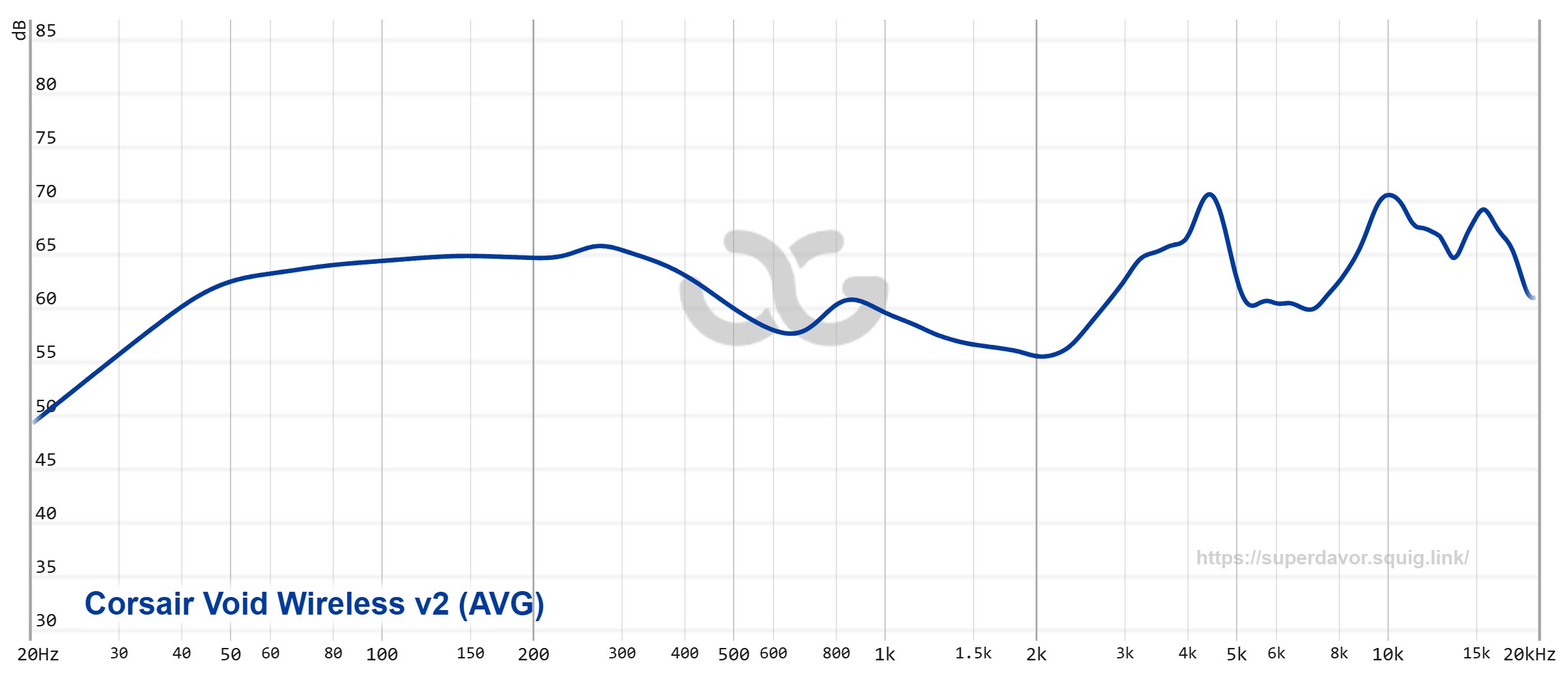
The Corsair Void Wireless v2 leans heavily into an exciting, V-shaped sound signature. Its frequency response graph clearly shows how the headset is tuned: emphasized bass and treble with somewhat recessed mids. This sonic profile is designed primarily for a fun listening experience, rather than reference-level accuracy.
Starting with the bass, the Void Wireless v2 delivers a robust and commanding low-end. The pronounced bass response gives explosions, engine roars, and musical basslines plenty of weight and presence. While the sub-bass rumble is modest compared to the strong mid-bass presence, the overall bass performance is impactful without being overly boomy. The bass has substantial volume but also packs a pleasant punch - one that's sure to put a smile on your face.
In the midrange, there is a broad dip from around 300 Hz through 2 kHz, causing vocals, strings, and many instruments to take a backseat in the overall mix. While this softens harshness and lets the bass and treble shine through more clearly, it also means the Void Wireless v2 doesn't deliver the most natural or articulate vocal performance. For critical listening or vocal-heavy content, this could be a drawback. However, for games and action-heavy content, this dip contributes to a more dramatic effect.
Despite the midrange dip, the Void Wireless v2 provides excellent spatial awareness. In games like Delta Force and Warzone, I was able to track my virtual targets with ease, giving me a competitive edge over opponents with lesser headsets. This is partly due to the boosted 4 kHz range, which enhances clarity, sharpness, and detail retrieval.
Overall, the Corsair Void Wireless v2 provides an engaging listening experience, well-suited for gaming and general multimedia use. It excels at creating a sense of space, energy, and immersion, making it a great choice for gamers who want an exciting soundstage with meaty lows and sparkling highs. If you're into gaming or bass-heavy music and want a lively, punchy sound, the Void Wireless v2 delivers – more so than any other headset Corsair currently has to offer, I'd dare to say. However, if you're looking for more neutral-sounding headphones, you should continue with your search.

The only aspect of the factory tuning I have an issue with is the bump in the lower midrange, which can make the Void Wireless v2 sound slightly muddy. You can adjust the 125 Hz and 250 Hz bands to control this; lowering them by 3-4 dB can yield great results.
Dolby Atmos
The Corsair Void Wireless v2 comes with an official Dolby Atmos license, meaning you don't have to pay the usual $15 fee to use it. Just to clarify, while you can use Dolby Atmos with any headphones, the free trial lasts only 30 days - after that, you'll need to decide if you want to pay for continued use.Dolby Atmos is arguably the most advanced surround sound technology available today. Its key advantage over traditional 5.1 and 7.1 surround sound systems - whether physical or virtual - is that it uses object-based audio. This means each sound is assigned metadata that directs the system on where to position the sound within the sound field. Another important distinction is that Dolby Atmos distributes sound not only around you but also above you. In speaker systems, this is achieved by adding in-ceiling or upward-firing "Atmos" speakers. While adding extra drivers isn't possible with headphones, you can still experience a portion of the Dolby Atmos effect, provided the necessary conditions are met.
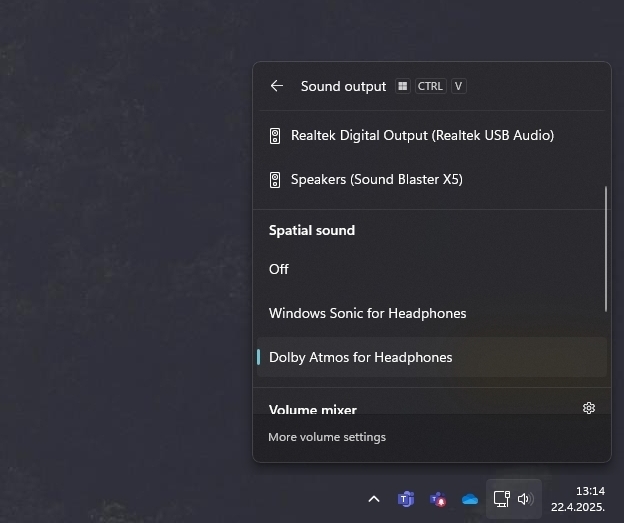
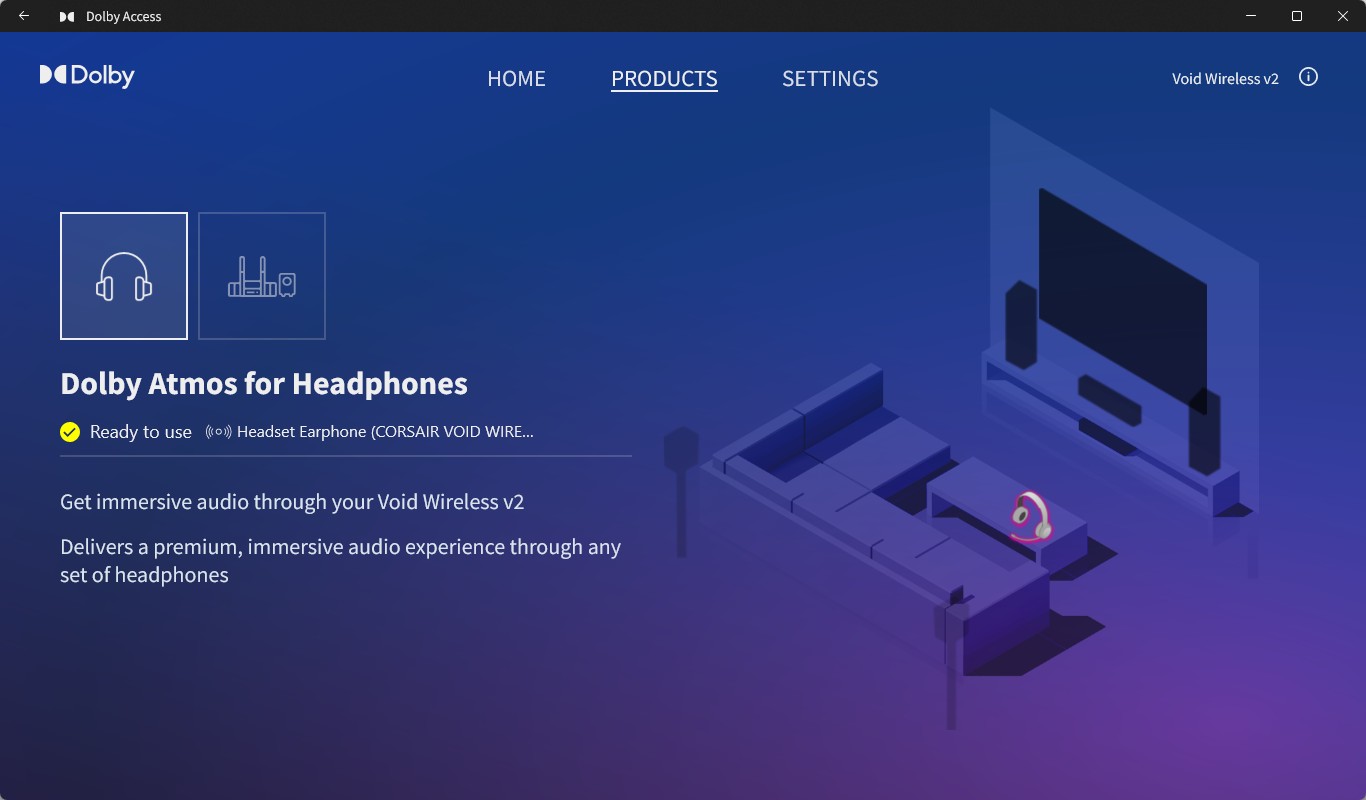
First and foremost, you have to visit the Microsoft Store and install the Dolby Access app. This app will instantly recognize the Corsair Void Wireless v2 headset. Then you have to open the sound settings in Windows and select "Dolby Atmos for Headphones" in the Spatial sound section.
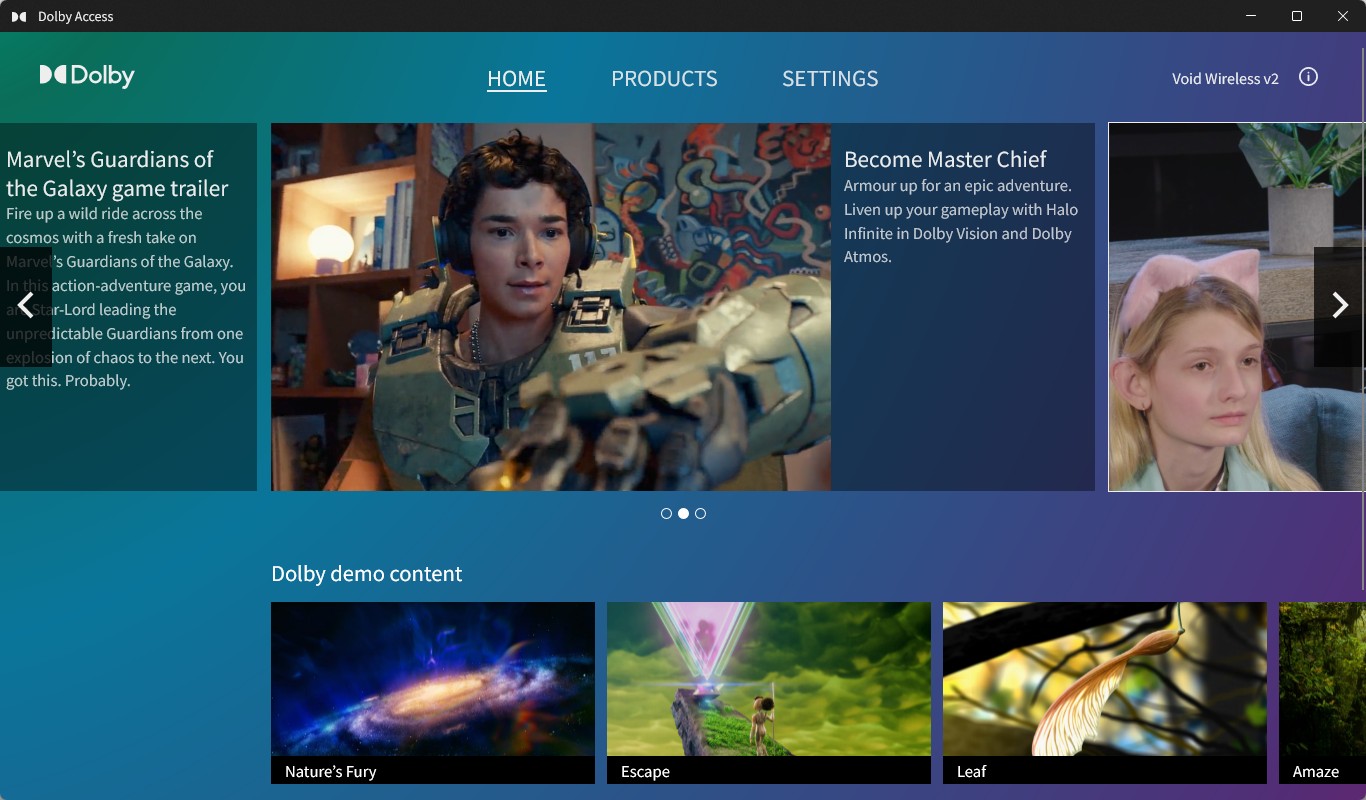
In the Home tab you can browse and watch/listen to various Dolby Atmos samples. The most impressive ones are found in the Dolby Demo Content section so do give those a try. I especially recommend the clips called Leaf and Amaze.
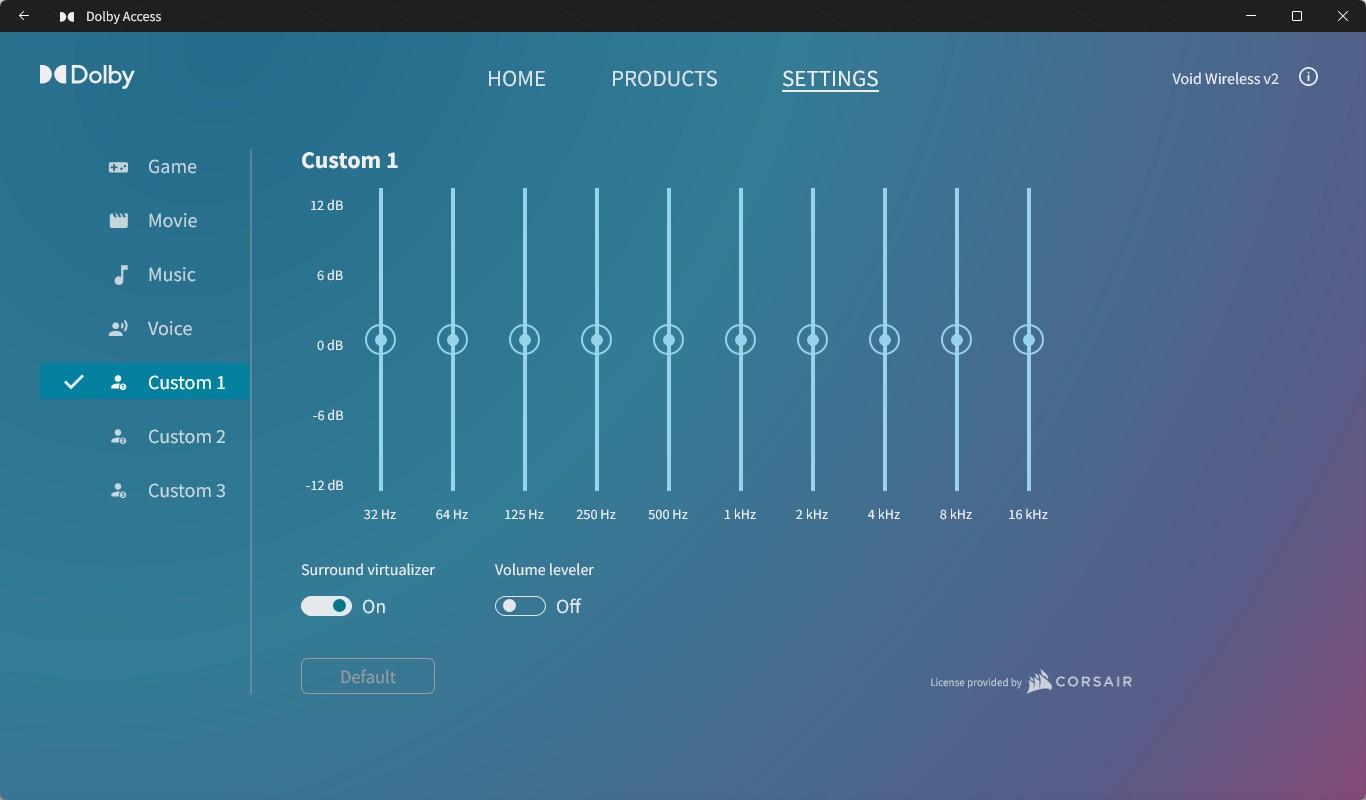
The Settings tab is where you'll spend most of your time. Here you can pick between various types of content (Game, Movie, Music, Voice), or play with a 10-band equalizer, with or without surround sound. This is where you'll decide if you'll use Dolby Atmos or stereo mode.
The second important ingredient for a true Dolby Atmos experience is content. It needs to be supported within a game, as its engine has to have the object-based audio information baked in. A complete list of games that support Dolby Atmos can be found on Dolby's official website.
When playing an Atmos-capable game, the Corsair Void Wireless v2, much like other Corsair headsets supporting the same technology, delivers an impressive surround sound experience. It preserves the headset's natural sound quality, without introducing echo, reverb, or artificial effects, while adding a deep level of immersion. You'll feel as if you've been placed inside the game world, with sounds coming from a sphere surrounding your head rather than a flat plane. Dolby Atmos operates in a refined and meaningful way - if, for example, you hear a sound that seems to come from behind your left shoulder, that's exactly where the sound source will be positioned. To get a rough idea of what I'm describing, you can check out this Dolby Atmos demo. One of the Atmos-supported games I've played is Battlefield 2042, which I tested in both stereo and Dolby Atmos modes. The experience was entirely different, not only in terms of immersion but also in my ability to hear enemy movements, assess their position, and engage them more effectively.
Nov 28th, 2026 01:16 CST
change timezone
Latest GPU Drivers
New Forum Posts
- Wireless Internet sharing between PC and router both-ways, is it possible? (35)
- -18C on GPU by moving it to the front of the case. (22)
- Rare GPUs / Unreleased GPUs (2273)
- Mouse Pad advice - Shidenkai out of production? (22)
- Unigine Superposition GPU Benchmark (1080P Extreme) (463)
- What's your main Black Friday / Cyber Monday purchase? (43)
- Unigine Superposition on Linux (21)
- CPU Database (305)
- Exit Adobe - PDF reader, and PDF editor recommendations (11)
- TPU's WCG/BOINC Team (34815)
Popular Reviews
- Upcoming Hardware Launches 2027 (Updated Nov 2026)
- AMD Ryzen 7 9800X3D Review - The Best Gaming Processor
- VZMORE AX9 Max Review
- Moaiplay Ora Pro G1 850 Review
- Montech CyberFlow ARGB 360 Review
- ASRock X870E Challenger Wi-Fi White Review
- AMD Zen 6 Technical Deep Dive
- ORICO Obook15 AI Review
- Microsoft Surface Laptop Ultra Review - The Next-gen Arm Laptop
- Phantom Blade Zero Performance Benchmark Review - 35 GPUs Tested
TPU on YouTube
Controversial News Posts
- Jensen Huang Reinstated as CEO of NVIDIA (627)
- NVIDIA Co-Founder and CEO Jensen Huang Officially Resigns (492)
- Report: Jensen Huang Eyes NVIDIA Comeback (281)
- Open Letter Asking NVIDIA to Reinstate Jensen Huang Passes 115,000 Signatures (184)
- OpenAI CEO Argues Home PCs Waste the World's Limited DRAM Supply (152)
- NVIDIA Launches Investigation Into Jensen Huang's Relationship With Suspected Chinese Spy (136)
- Intel Razor Lake Gets a 12 P-Core bLLC Chip With No E-Cores, Per Leak (94)
- NVIDIA GeForce RTX 50-Series Scheduled for up to $500 Price Hike This Week (89)