 6
Cougar CFV235 Mesh Vision Review
Review System Setup »A Closer Look - Inside

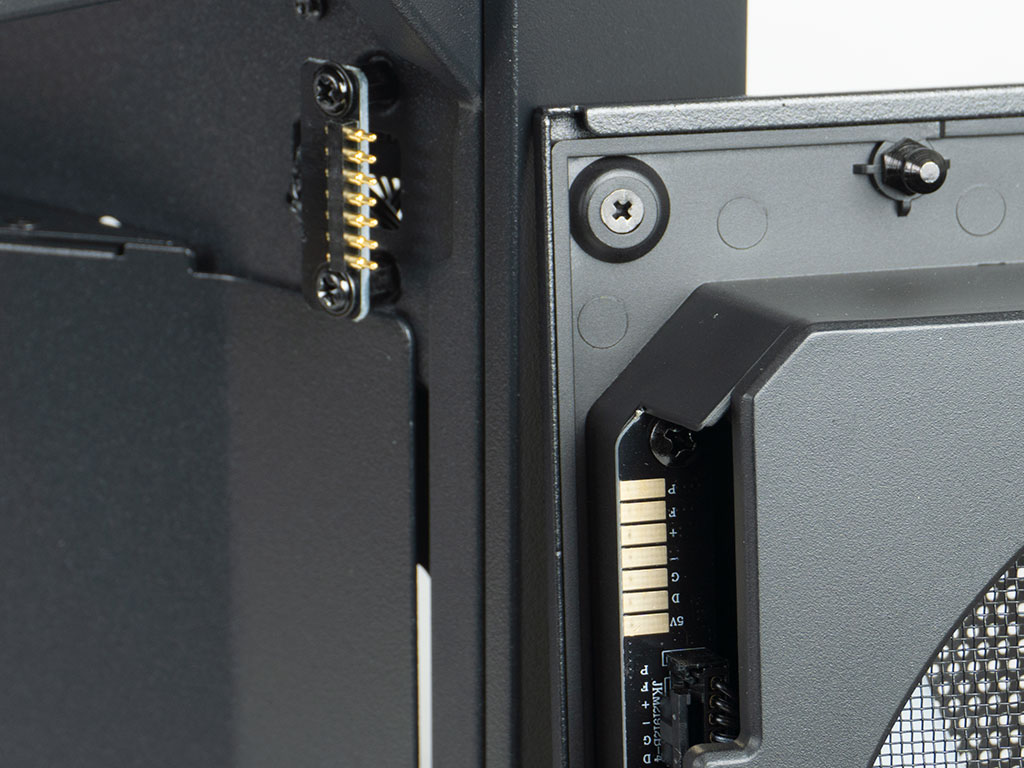
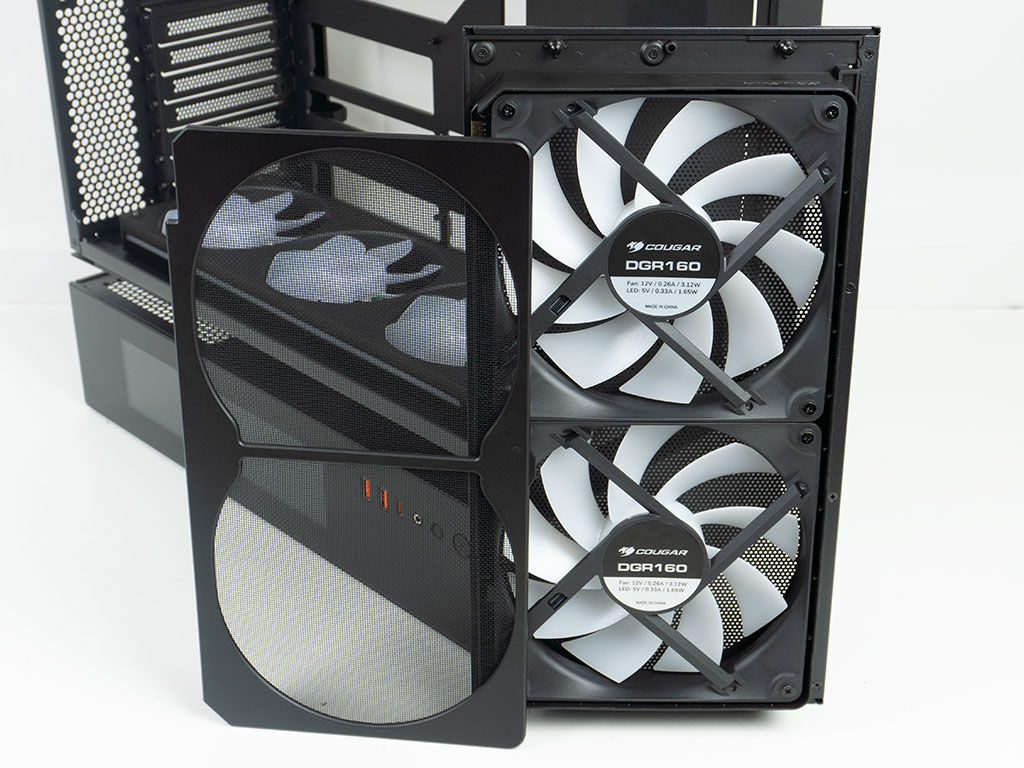
Besides the side panels, you may also pop off the front fan assembly easily, thanks to a push-pin connection. The only downside is the fact that the fans use a proprietary connector, so you will be hard-pressed to find identical replacement units if needed. While the front mesh is already very fine and will act as a barrier against dust, Cougar also includes a secondary fine mesh one on the backside of the fan assembly.
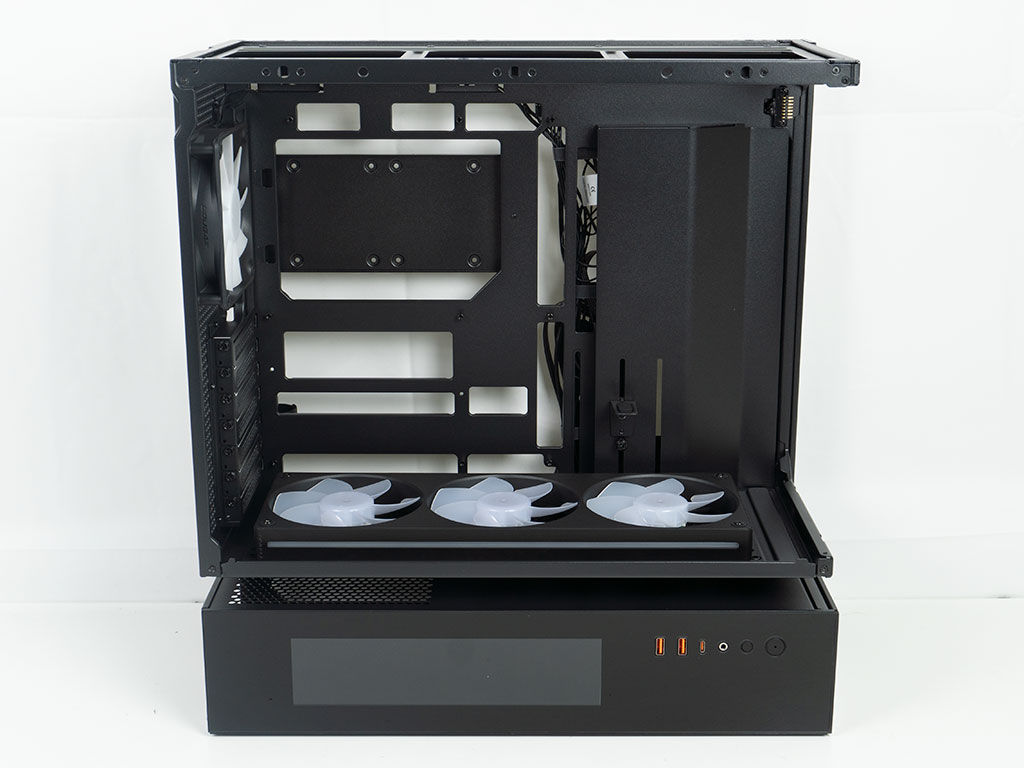
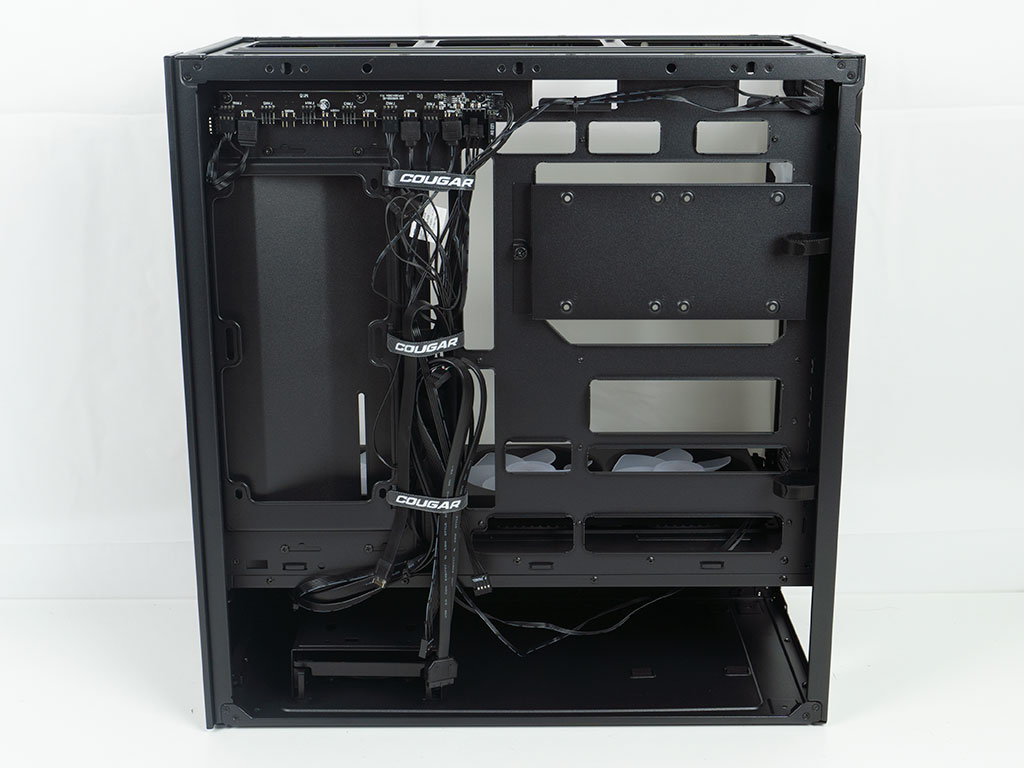
The top compartment is laid out exactly like a modern ATX chassis would be. The CFV235 is BTF capable, thanks to the well-placed cutouts. On the backside of the motherboard tray it becomes apparent that Cougar has pre-wired the fan and ARGB cables, which is a very nice touch.
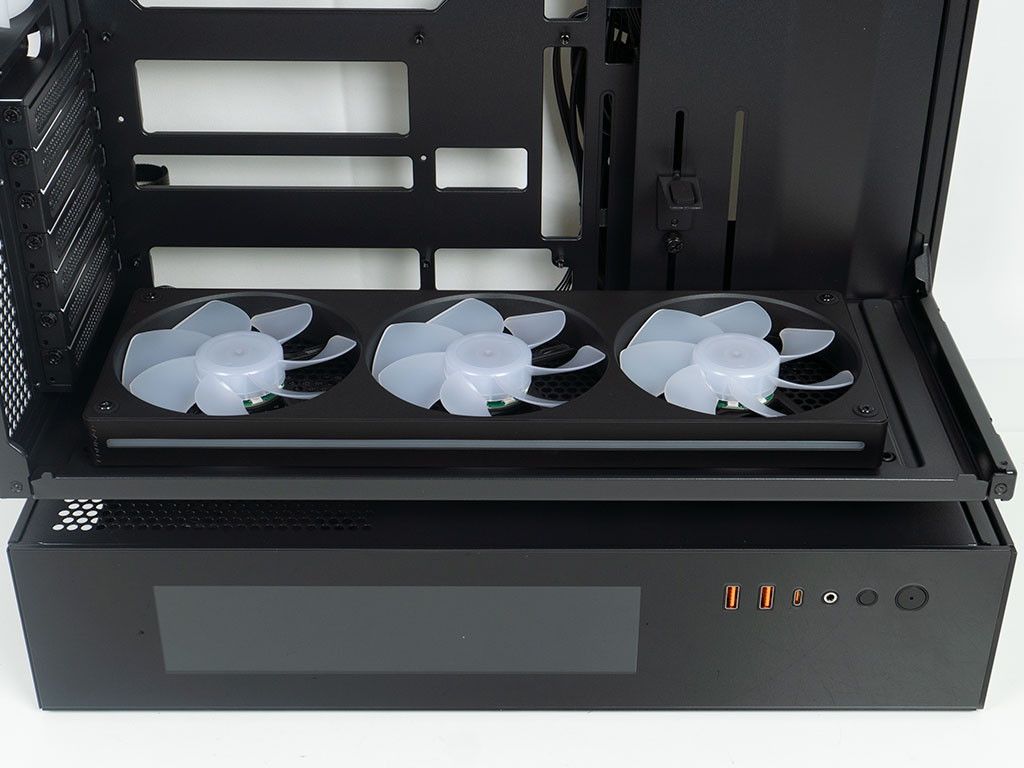
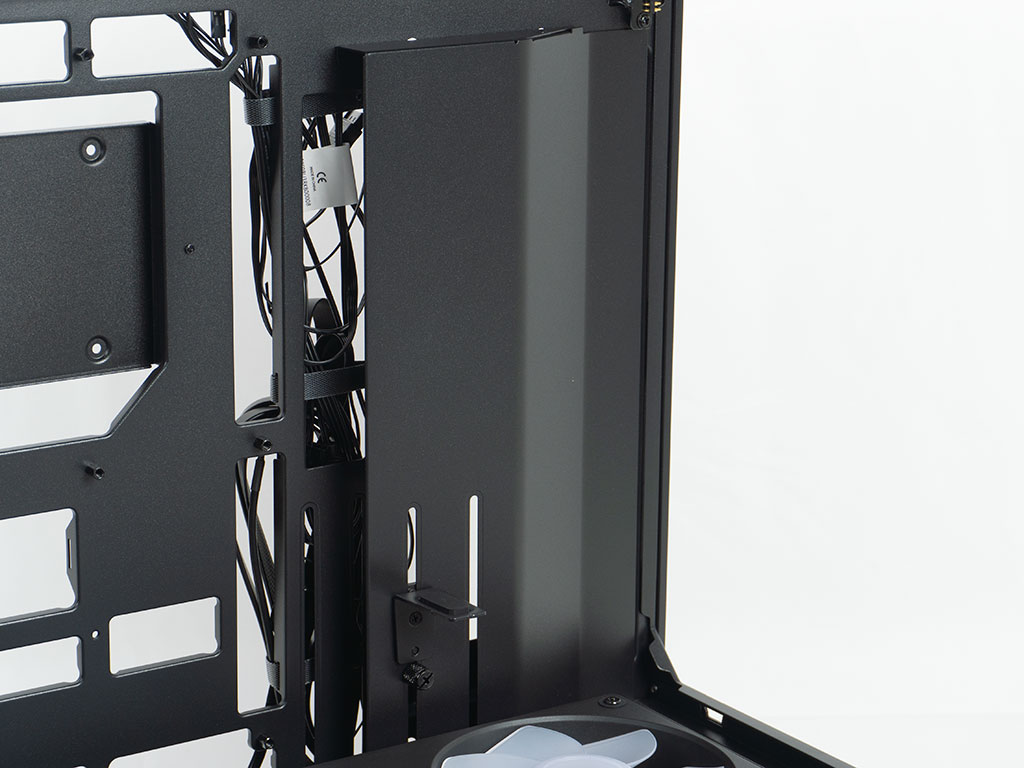
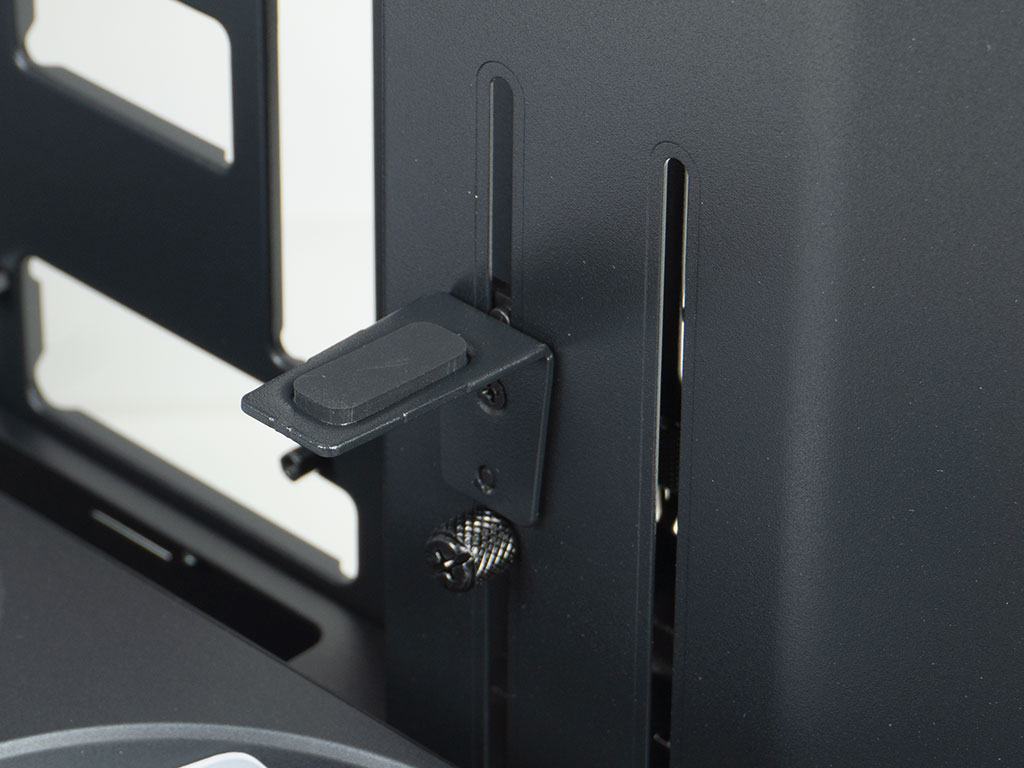
As this version of the CFV is the decked out variant, you will also find a uni-frame consisting of three 120 mm fans on the floor. In addition to the fan hubs, the frame is also ARGB equipped, and the blades are reversed, so you can appreciate their beauty to the fullest extent. Cougar has also included a metal cable cover instead of any grommets. This should do a good job to ensure the interior looks tidy once everything is assembled. A simple GPU bracket has also been included. There are three elongated cutouts for this to be placed on, so hopefully you will always have an option that doesn't interfere with the fans of your GPU.
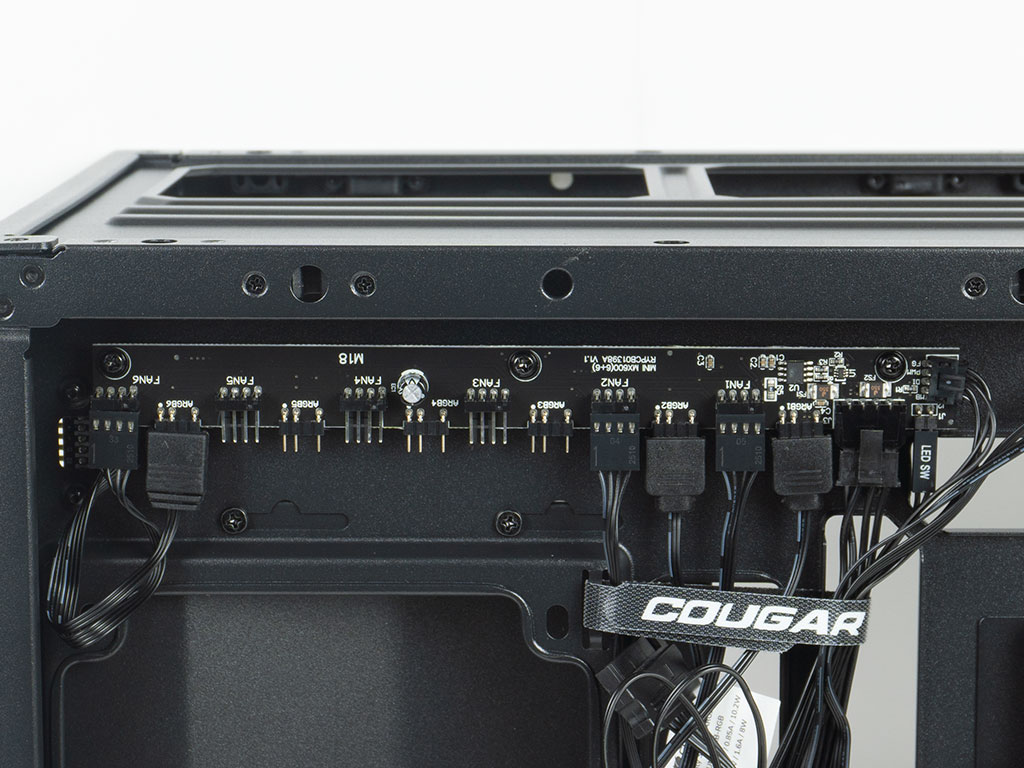
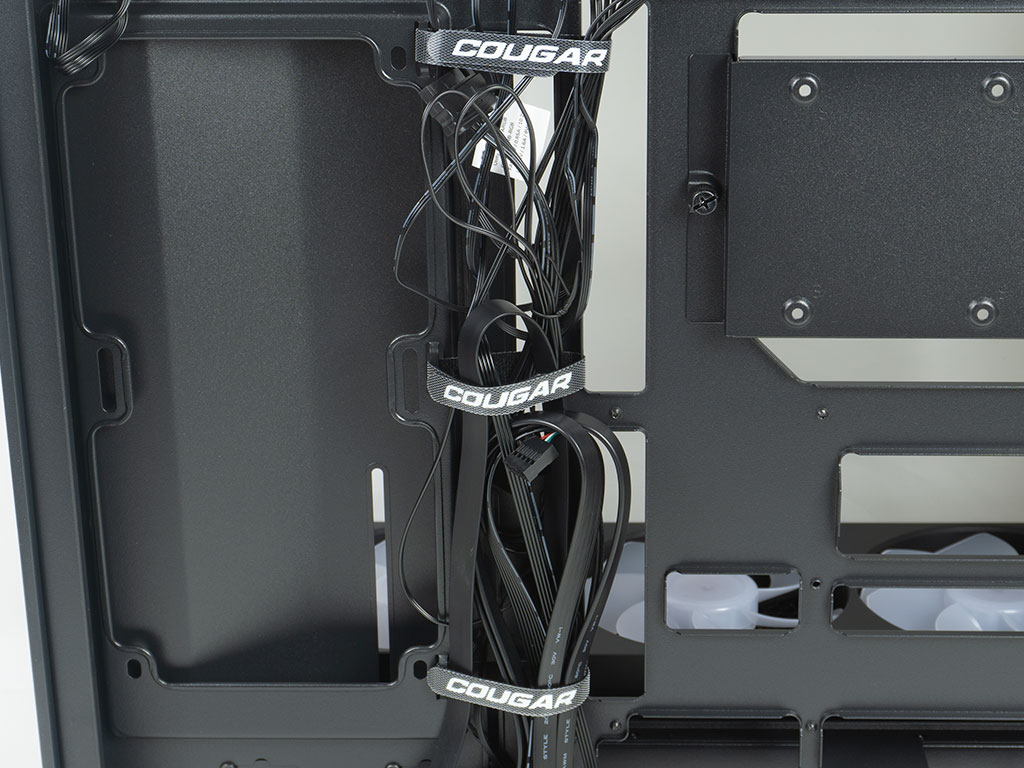
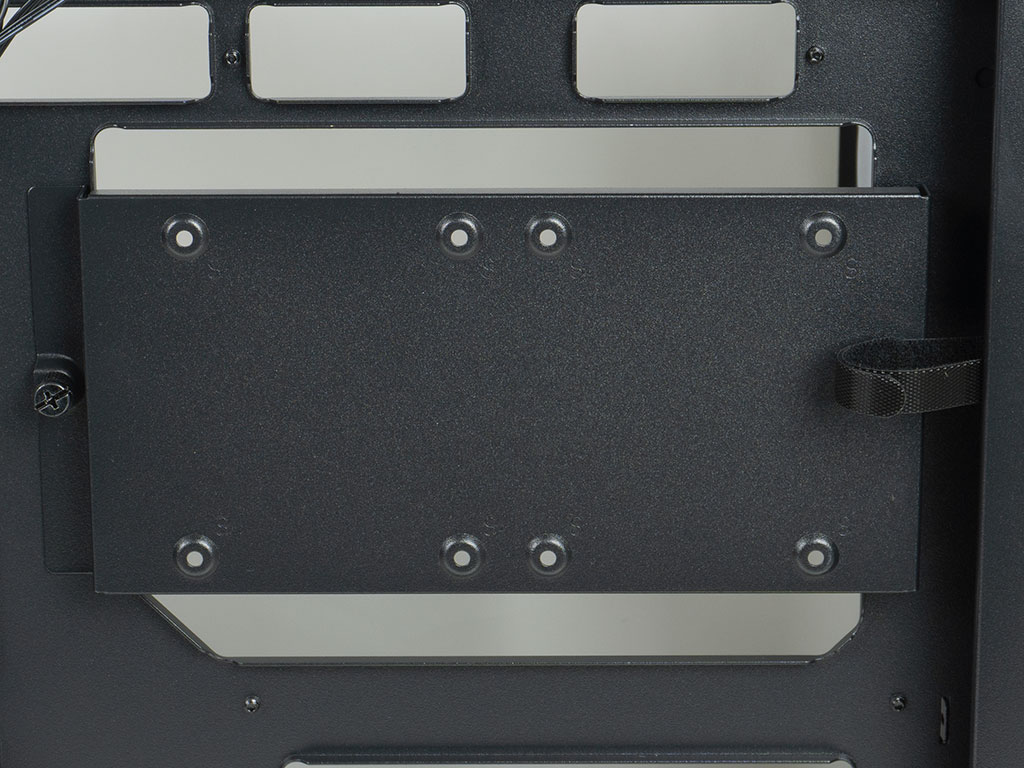
The built-in PCB has been placed at top left corner so that it is out of the way of things, it sports six PWM and ARGB headers. Cougar has also placed two rows of Velcro strips inside the CFV235 Mesh Vision chassis, with the main one utilizing branded strips, while the grouping at the back edge of the chassis are just basic black variants. On top of the cutout for your CPU cooler, you will find a mounting plate which can hold two 2.5" drives. It is held in place with a thumb screw for easy removal.
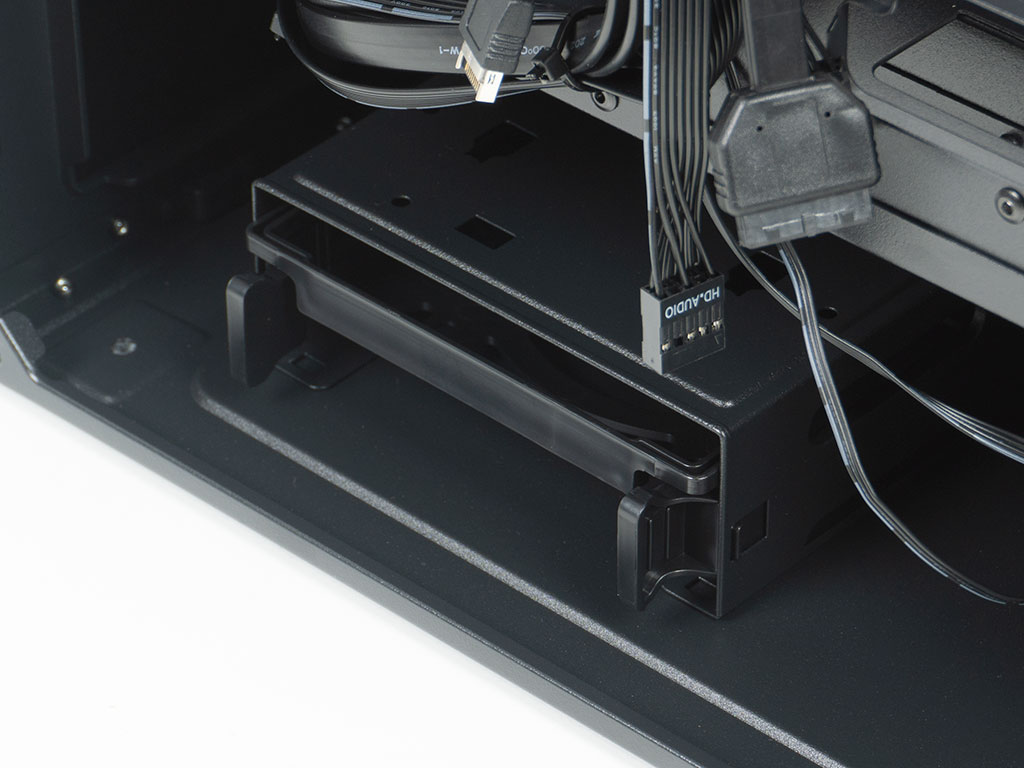
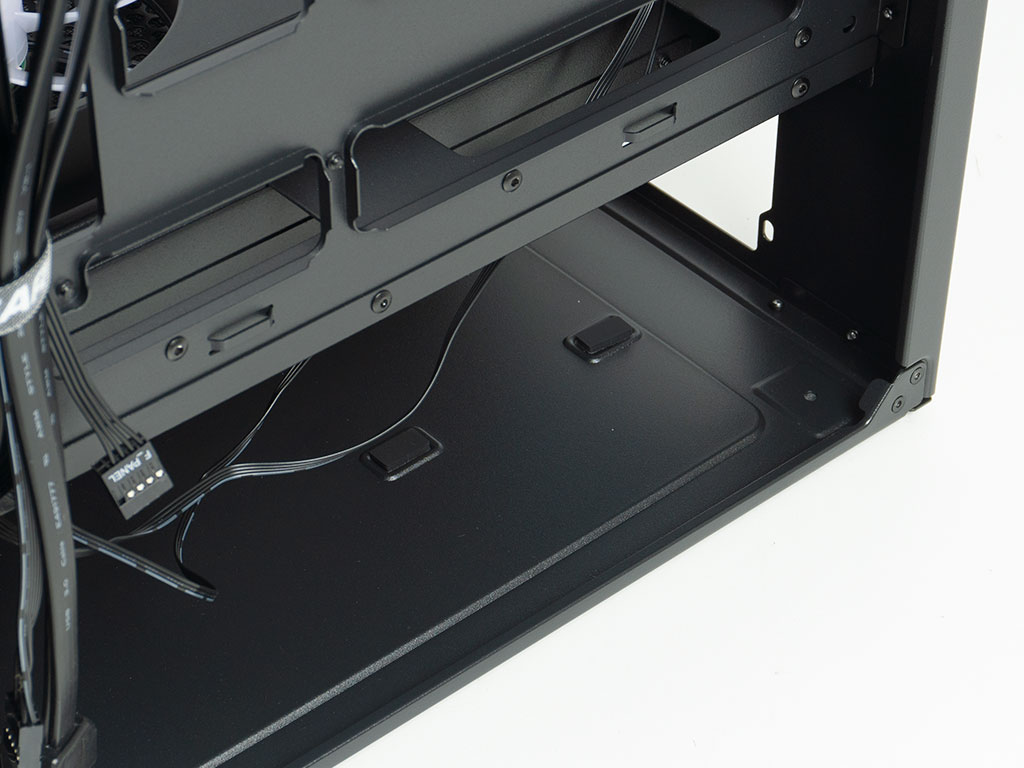
That storage capability is paired with a cage on the floor of the lower compartment which can hold two more 2.5" or 3.5" variants, making for a solid total of four drives of these type that can fit inside the CFV235. Inside the bottom compartment in the rear, the PSU bay comes equipped with foam pads for your power supply to rest on as an anti-vibration measure.
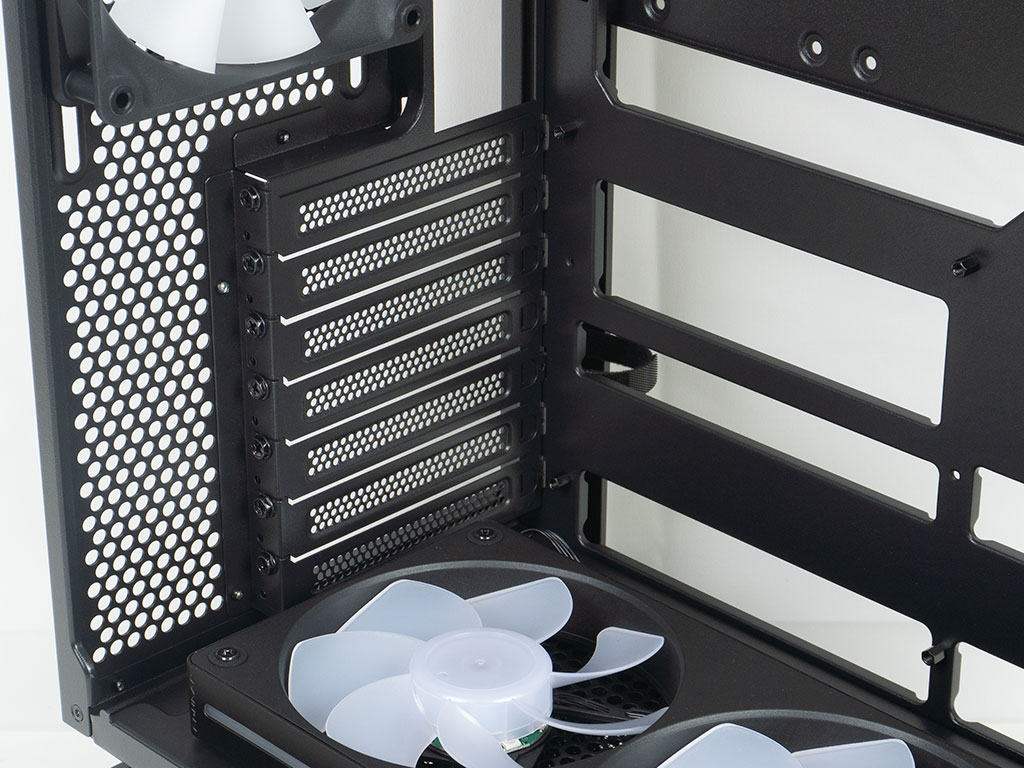
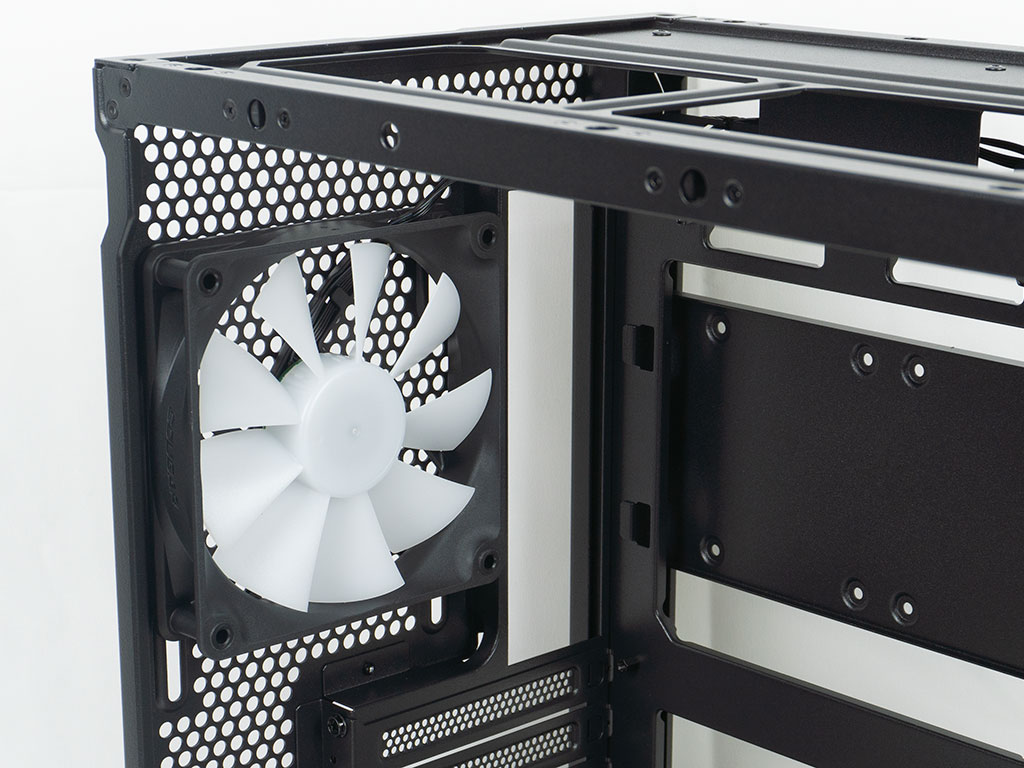
In the upper compartment, the seven expansion slots have individual reusable covers, which are held in place by classic screws. As you can see, the floor fans will block the bottom-most slot, which also means that you will have a hard time securing your board without first removing the fan frame. Above the expansion slots, there is that 120 mm ARGB equipped exhaust fan, set to push air out the back of the chassis.
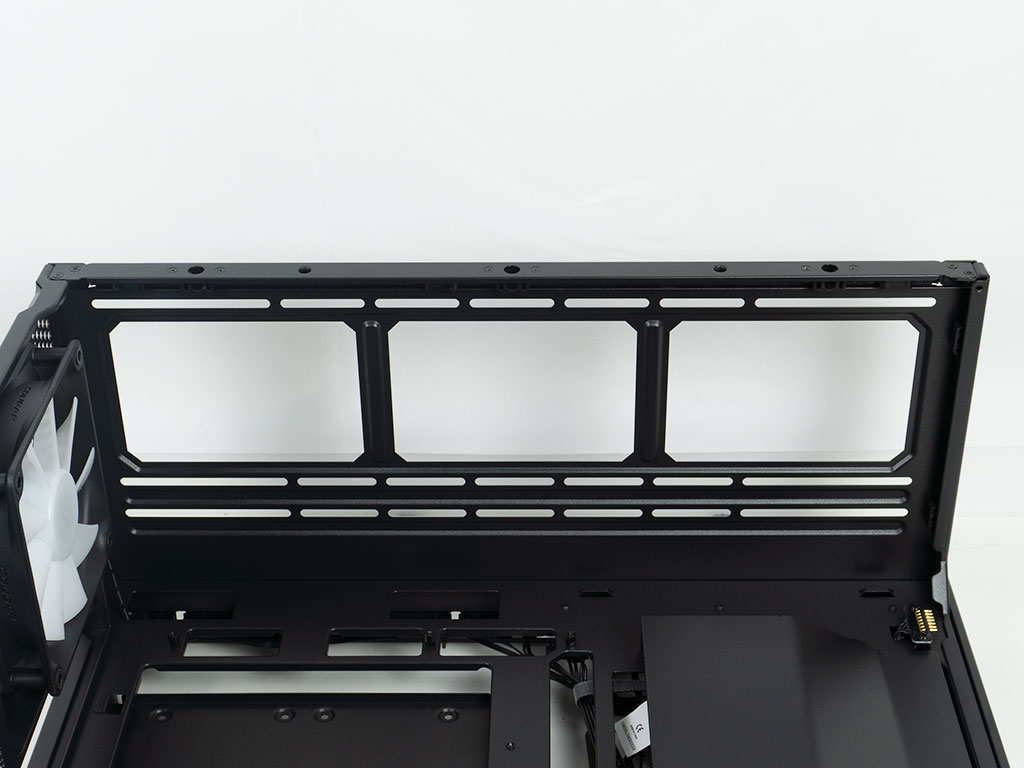
The entire ceiling of the main compartment is intended for cooling purposes. As the IO is located on the side of the lower compartment, there are no components that could get in the way, either. This is where we will install the 360 mm AIO for our review build.
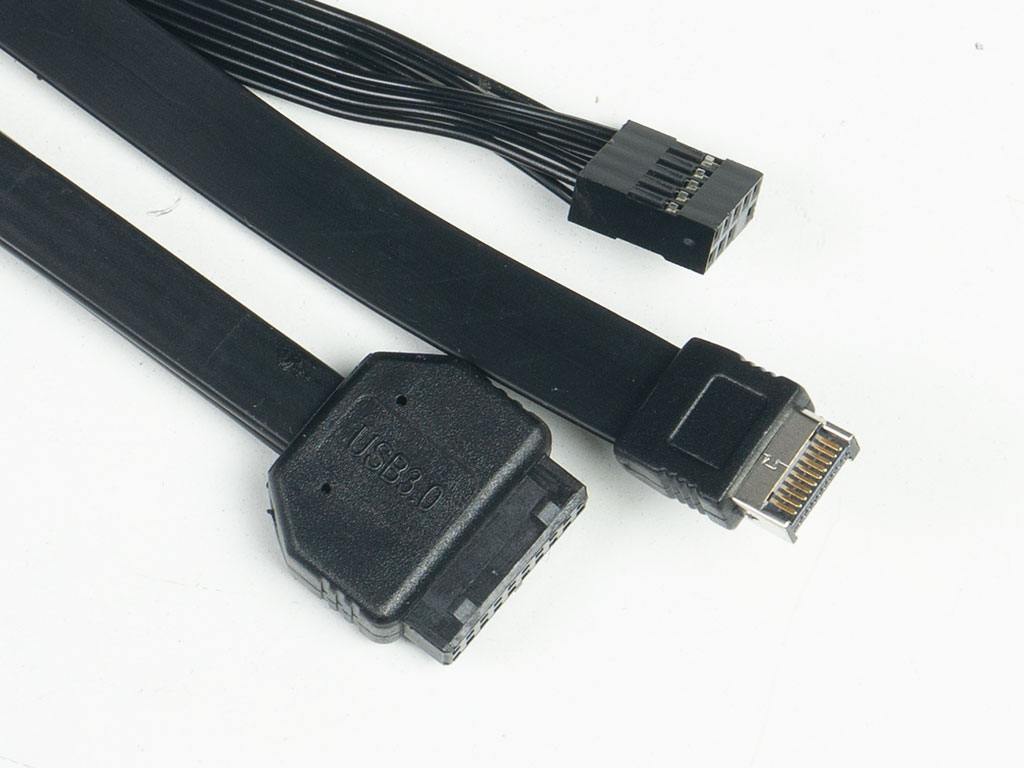
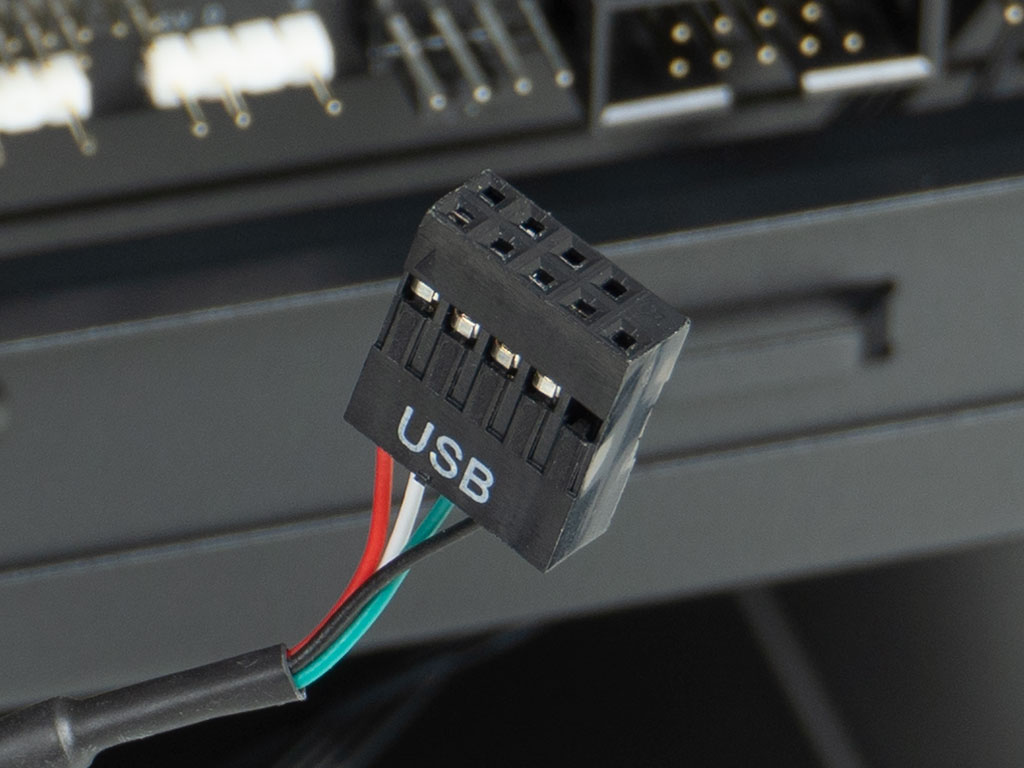
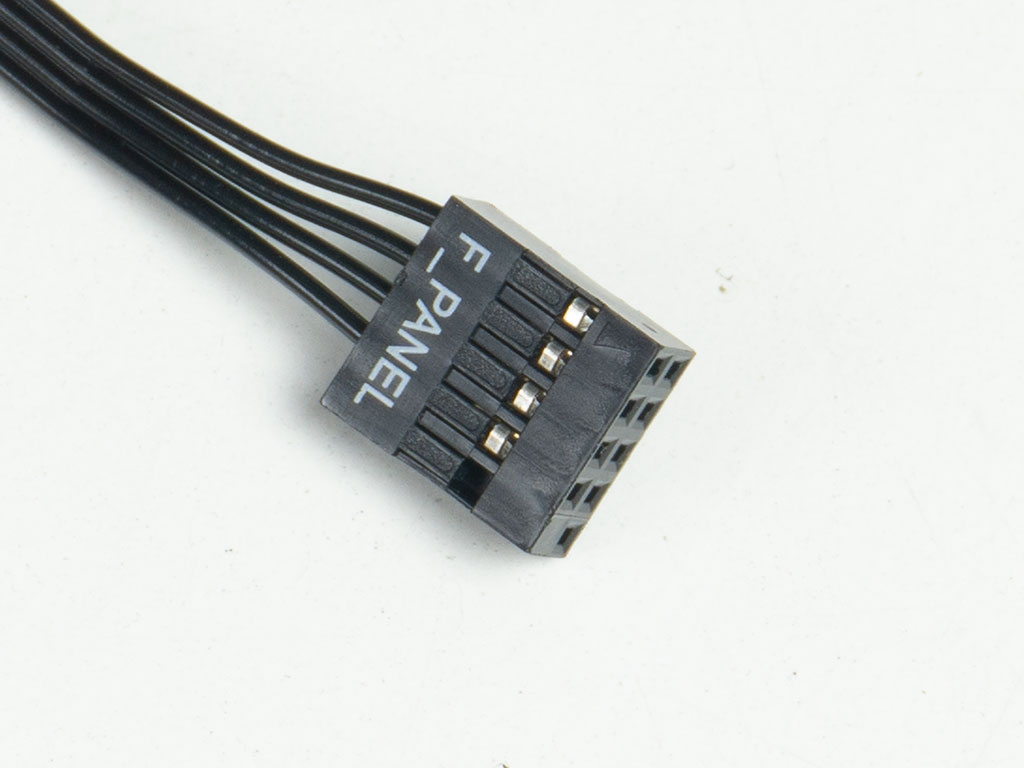
All wires within the Cougar CFV235 Mesh Vision are black, and it is good to see that both USB leads are flat so that you can get a nice and tight bend radius, which makes things a bit easier for BTF based setups. The internal display utilizes a USB 2.0 interface for both power and data. Last but not least, the chassis features a unified motherboard header connector, thus simplifying that assembly step as much as possible.
Nov 20th, 2026 23:40 PST
change timezone
Latest GPU Drivers
New Forum Posts
- How to prevent OLED burn damage due to PC freezes or power outtages? (50)
- Anthrophics IPO (27)
- RX 9000 series GPU Owners Club (2251)
- Cpu waterblock water shows some tinting = Bad? (17)
- WarpCoreBench scores! (87)
- What are you playing? (26238)
- TPU's Nostalgic Hardware Club (22174)
- Intel Core Ultra 5 processor 250K Plus (14)
- Honestly, do you care about GTA VI? (219)
- SATA drive 1.4 GBps with Intel X25-E on Windows 98! (37)
Popular Reviews
- Microsoft Surface Laptop Ultra Review - The Next-gen Arm Laptop
- Ugreen NASync DXP4800 GT Review
- Corsair RM1200e (Second Generation) Review
- Pulsar Office Tour & First Look at P1 Dual-Sensor Mouse
- Upcoming Hardware Launches 2027 (Updated Nov 2026)
- Acemagic Retro X3 Review
- Biwin Black Opal NV7400 2 TB Review
- AMD Ryzen 7 9800X3D Review - The Best Gaming Processor
- AMD Zen 6 Technical Deep Dive
- Chieftec Iceberg PRO 360 DARK Review
TPU on YouTube
Controversial News Posts
- NVIDIA Co-Founder and CEO Jensen Huang Officially Resigns (491)
- Report: Jensen Huang Eyes NVIDIA Comeback (257)
- Open Letter Asking NVIDIA to Reinstate Jensen Huang Passes 115,000 Signatures (184)
- OpenAI CEO Argues Home PCs Waste the World's Limited DRAM Supply (152)
- NVIDIA Launches Investigation Into Jensen Huang's Relationship With Suspected Chinese Spy (136)
- Intel "Raptor Lake Next" 16-Core and 20-Core CPUs Surface (130)
- Legendary Game Studio BioWare Shuts Down Following EA Layoffs (104)
- NVIDIA GeForce RTX 50-Series Scheduled for up to $500 Price Hike This Week (89)