 19
Cougar OmnyX Review
Review System Setup »A Closer Look - Inside
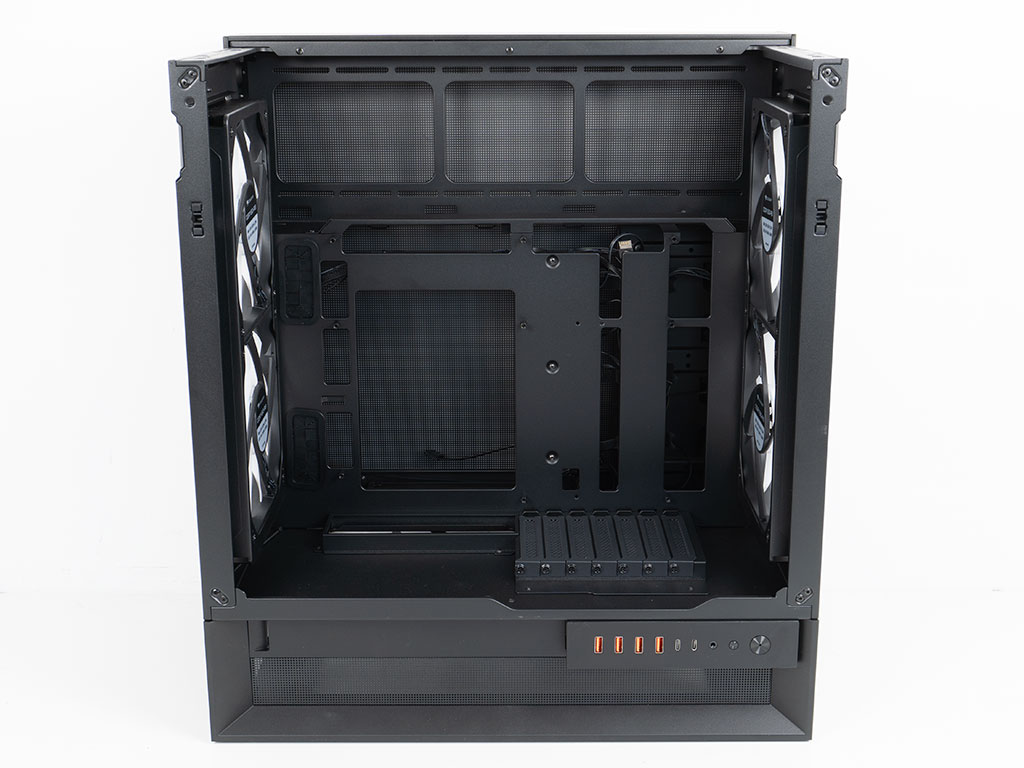
Gaining access to the interior is completely tool-less, but you do have to follow a correct order of removal for the panels, which has been illustrated on the stickers visible after unboxing the OmnyX. The case layout is essentially a mid-tower with top and bottom fans as well as a front side mounting for cooling element - but rotated on its back 90°. By then raising it off the ground, it is able to give you that benefit of top and bottom cooling, and an area to place your AIO above the motherboard. Thanks to the cutouts in the motherboard tray, the OmnyX is also BTF compatible and the cable routing holes on the left side are also grommet equipped to keep things as clean as possible if you opt for a classic ATX board instead.
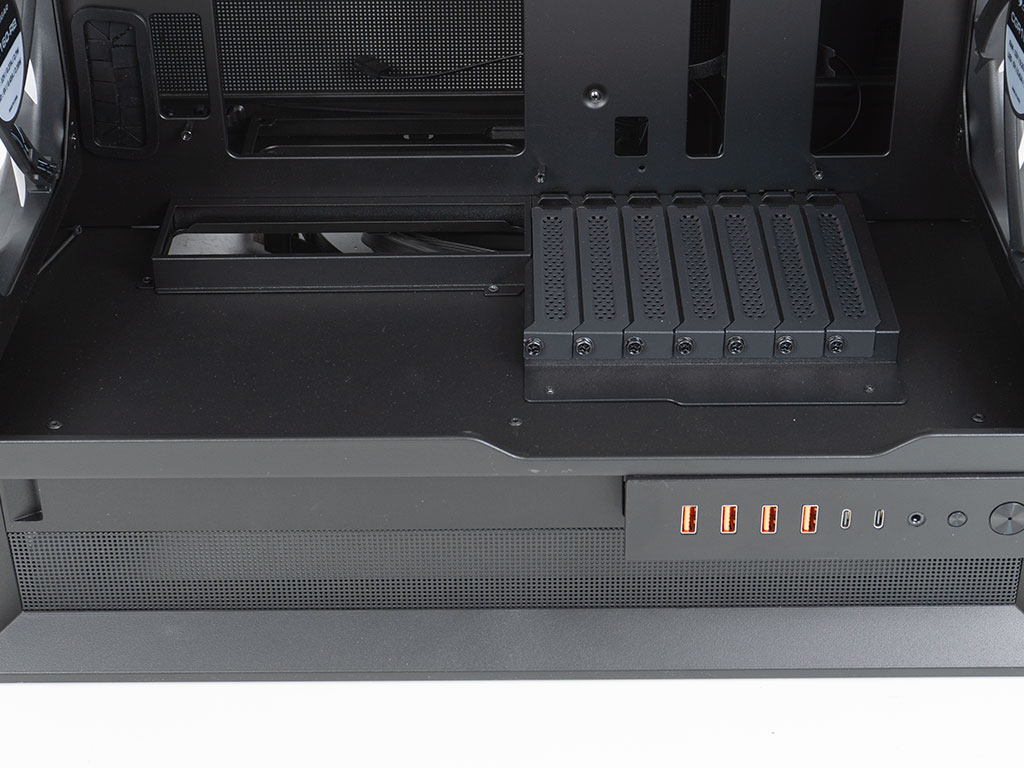
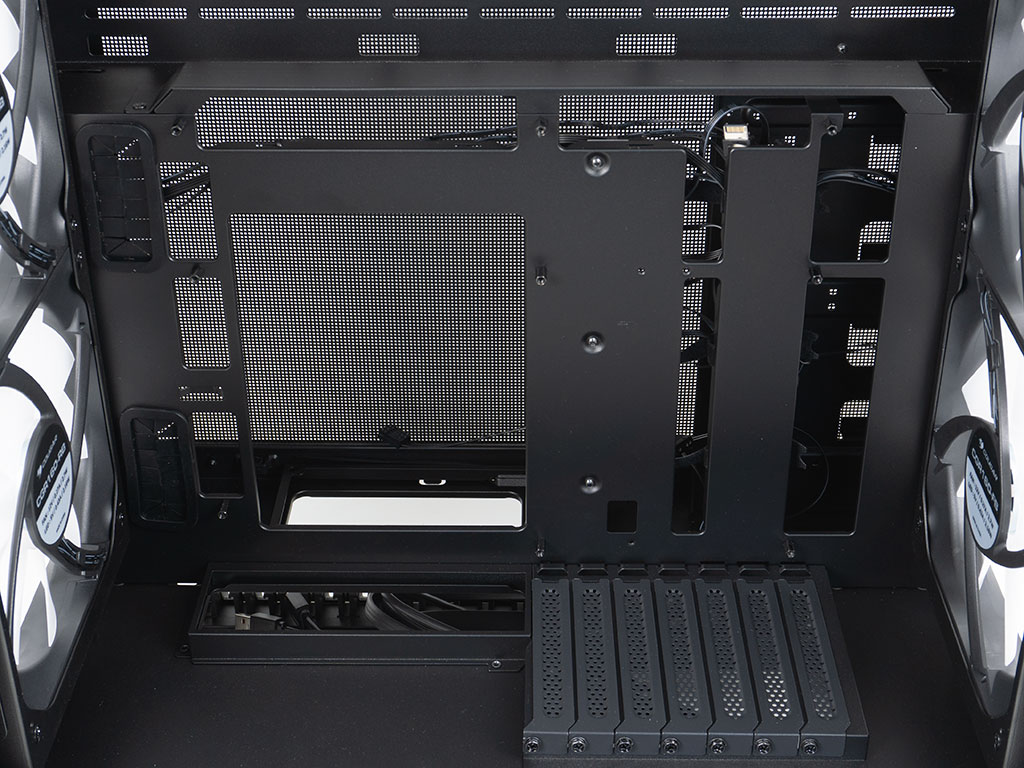
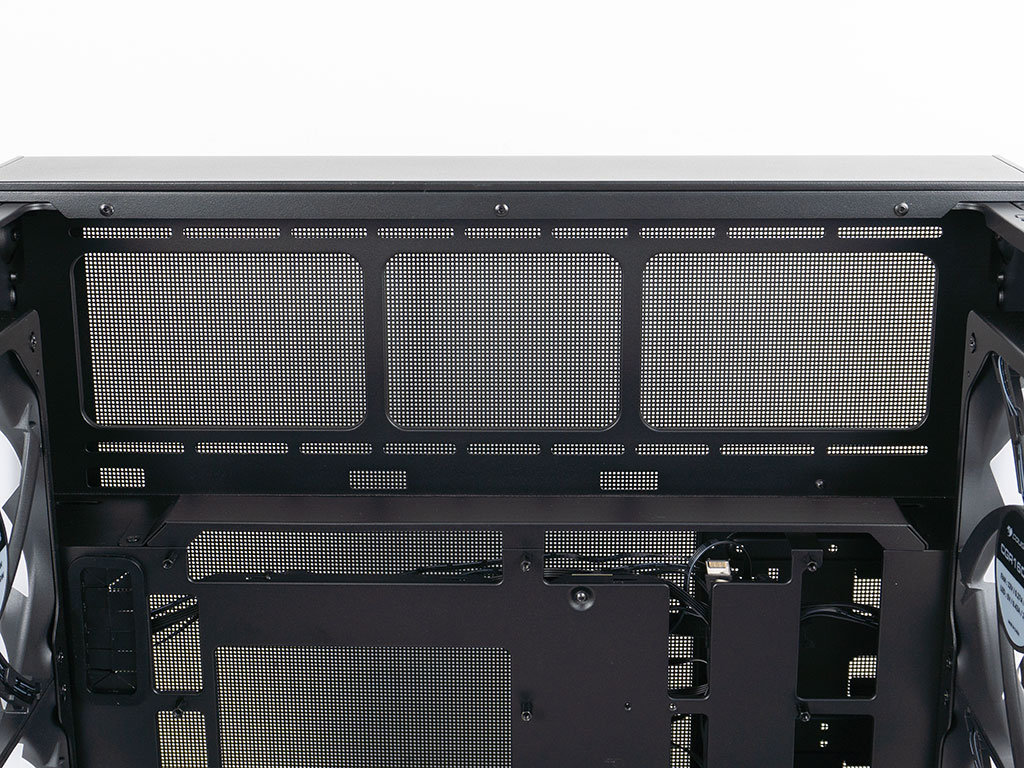
The raised floor of the chassis is completely solid with reusable expansion slot covers held in place by classic screws. There is quite a bit of unused space here, and Cougar could have simply provided cutout to mount pumps or reservoirs here to cater to those planning for custom liquid cooling loops. Unfortunately, we did not notice the single loose zip tie wedged into the bottom left corner for this entire review. Taking a closer look at the motherboard tray, there is a compact, metal, removable cable cover along the top edge, which you may remove to provide a larger opening for ATX based wiring if needed. Cougar has placed individual, smaller openings right underneath the fan or radiator mounting location as well, so that you can easily run any wires down the back of the motherboard in a clean fashion.
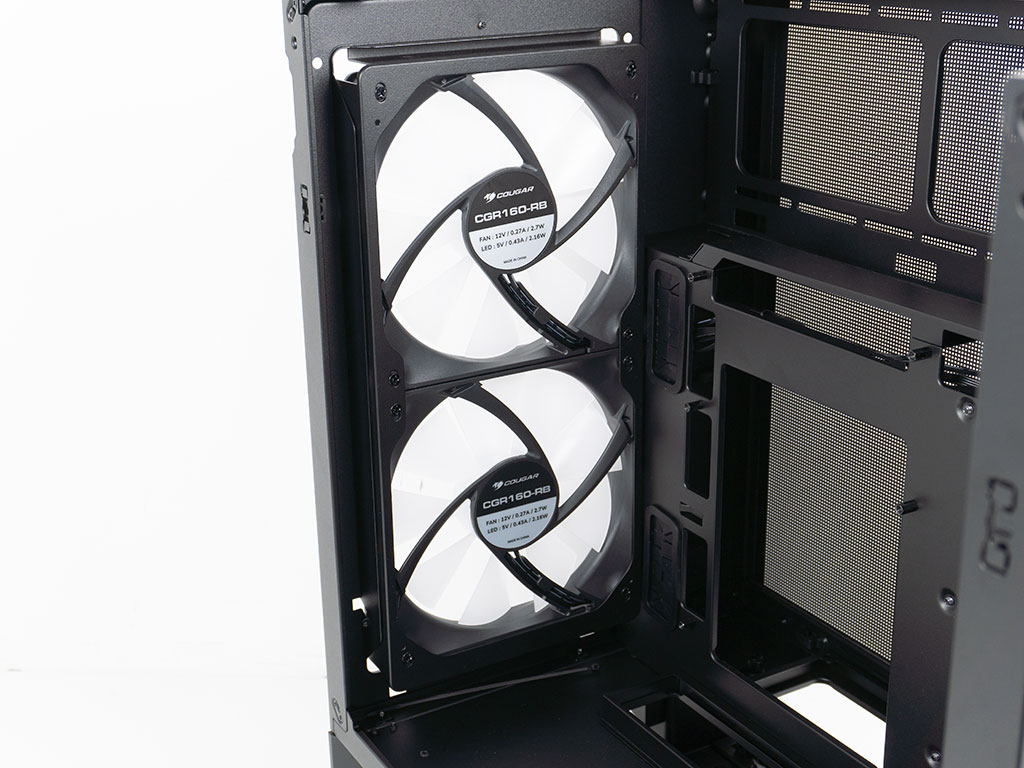
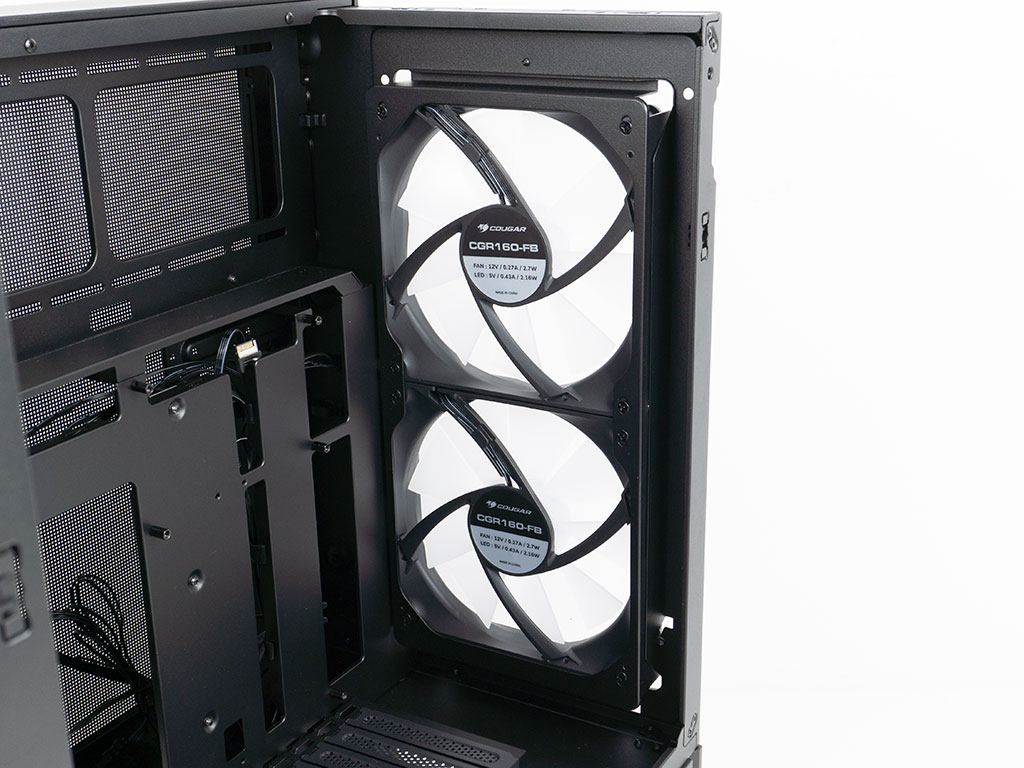
All four pre-installed 160 mm ARGB fans are identical and as such pull air in from both sides. One side sports those inverse blades, so that the exterior of the case looks flawless, but the air is pulled out of the system. As each pair is mounted on a removable frame, you could swap them around easily if you want to reverse the overall airflow, so that the CPU gets the cool intake air instead.
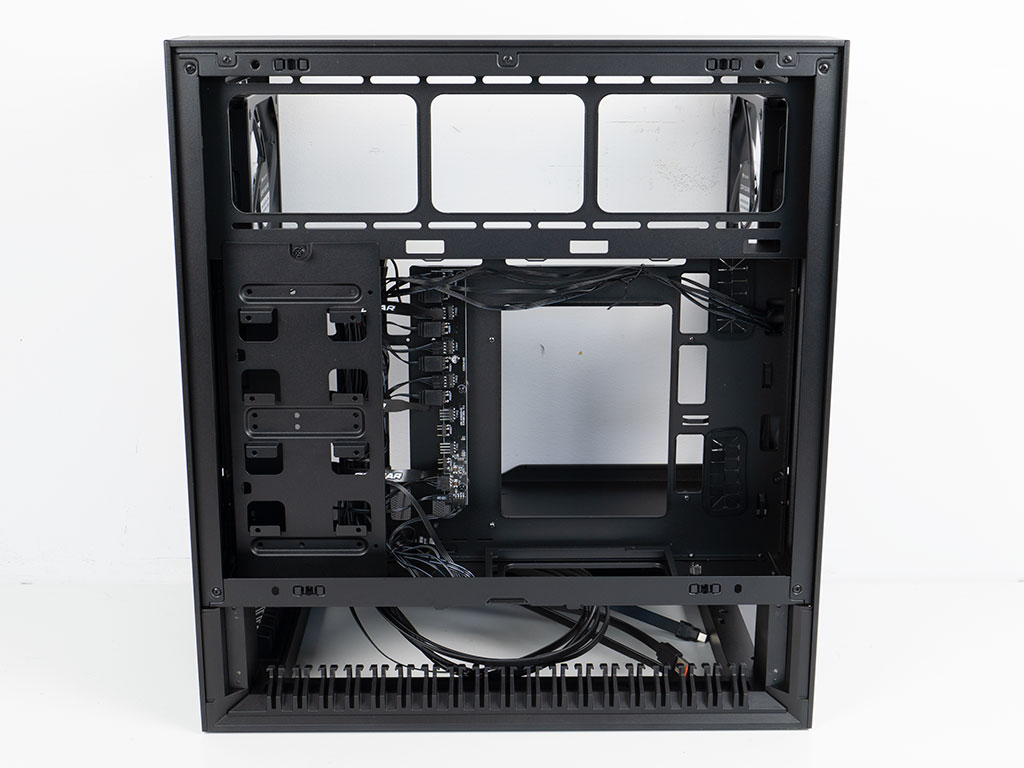
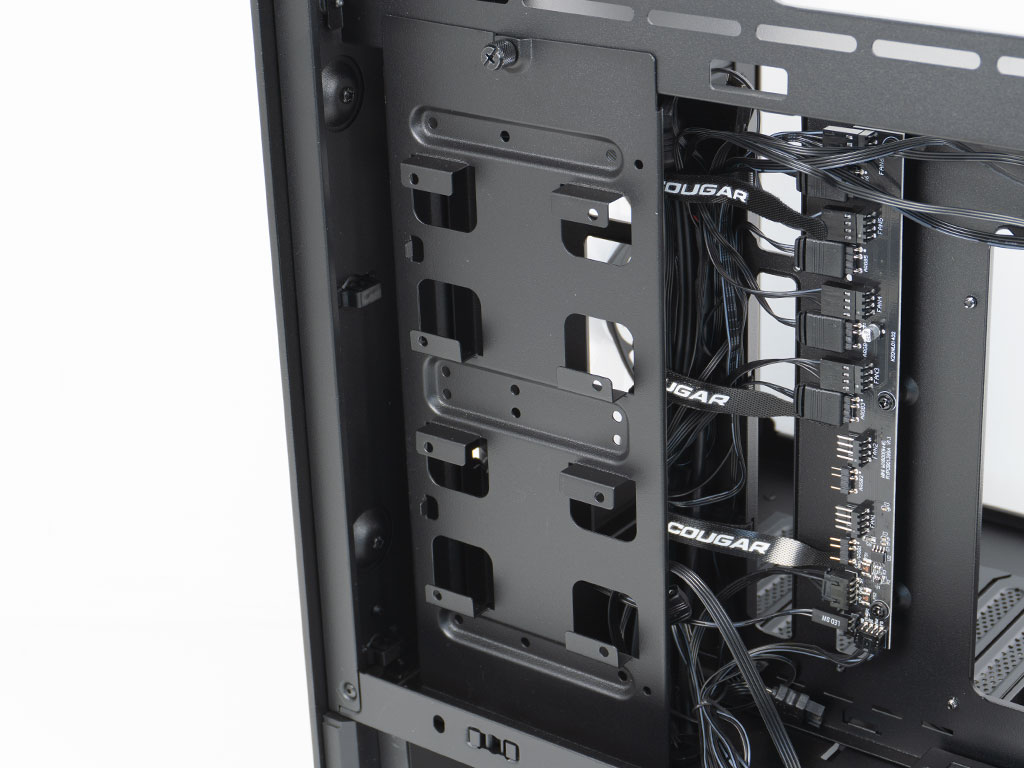
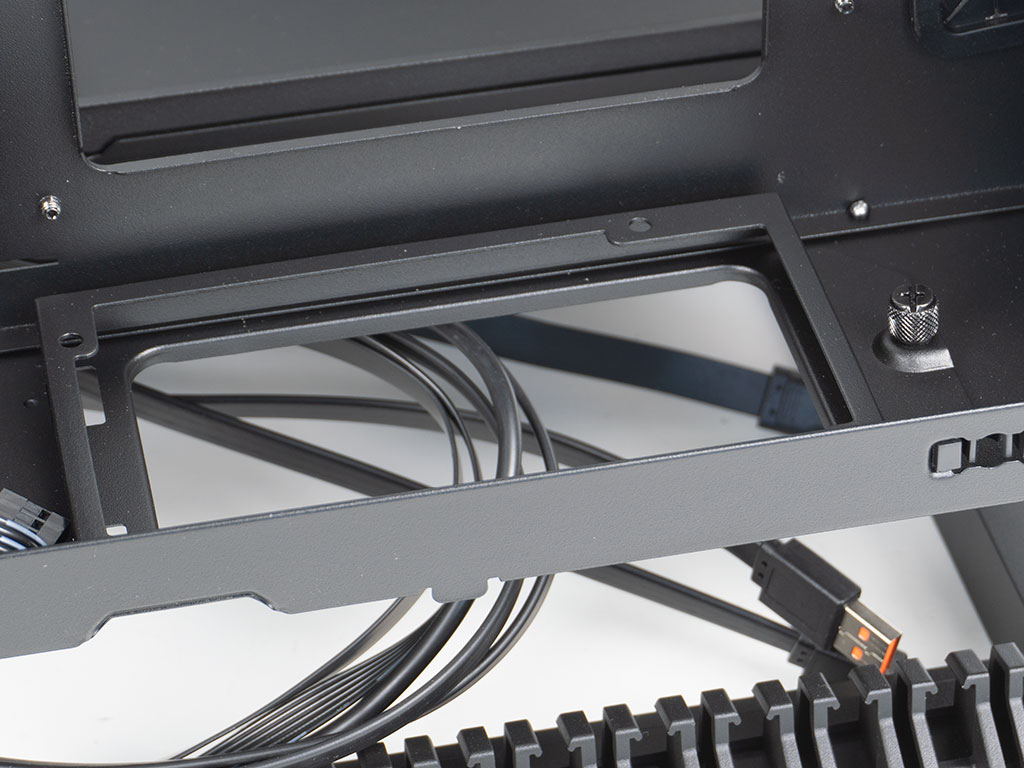
Behind the motherboard tray of the OmnyX, things are engineered in a simple but effective fashion. As there is no storage underneath the bottom the chassis as would be the case for any modern one with a traditional layout, Cougar has placed a storage mounting plate here. It can hold up to four drive in form of two 2.5" and two 3.5" units. This is plenty by today's standards for the vast majority of build scenarios. The PSU is meant to be installed upright with the exterior connector pointing downward and the internal ones leading out the top. It is good to see the easily removable mounting frame as that will also give you the flexibility to get to any CPU cooler mounting plate without having to disassemble your whole wiring setup.
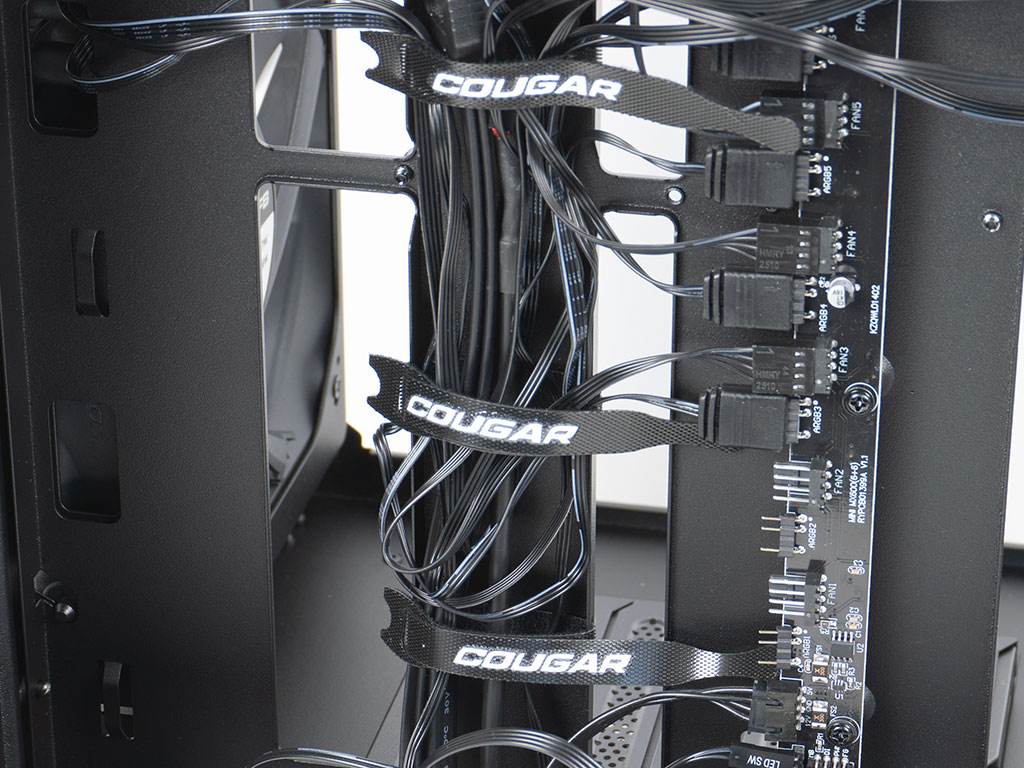
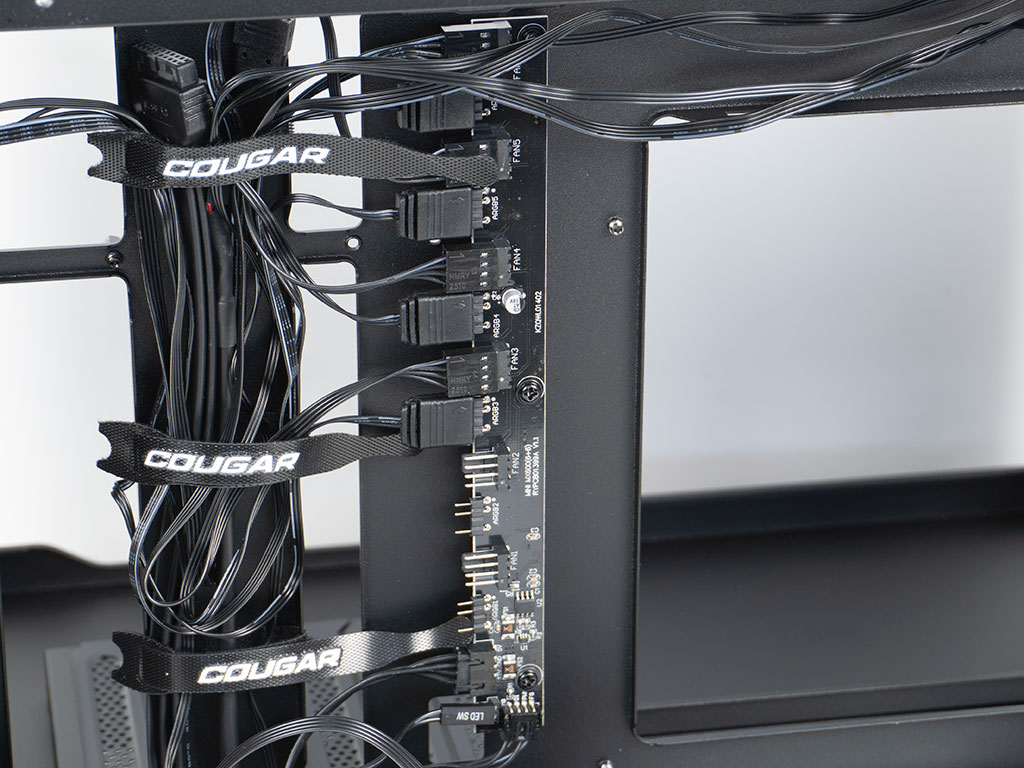
The main cable channel is toward the front of the chassis, with three Cougar branded Velcro strips. In addition to these, there are plenty of hooks for additional zip ties. A fully fledged PCB with room for six ARGB elements as well as PWM fans is located right next to these strips. Out of the box, the included fans are wired up, so you could just focus on building your system, but we will try to clean things up a little in the process. The ARGB controller is connected to the small button on the IO panel with a 2-pin connector for case control.
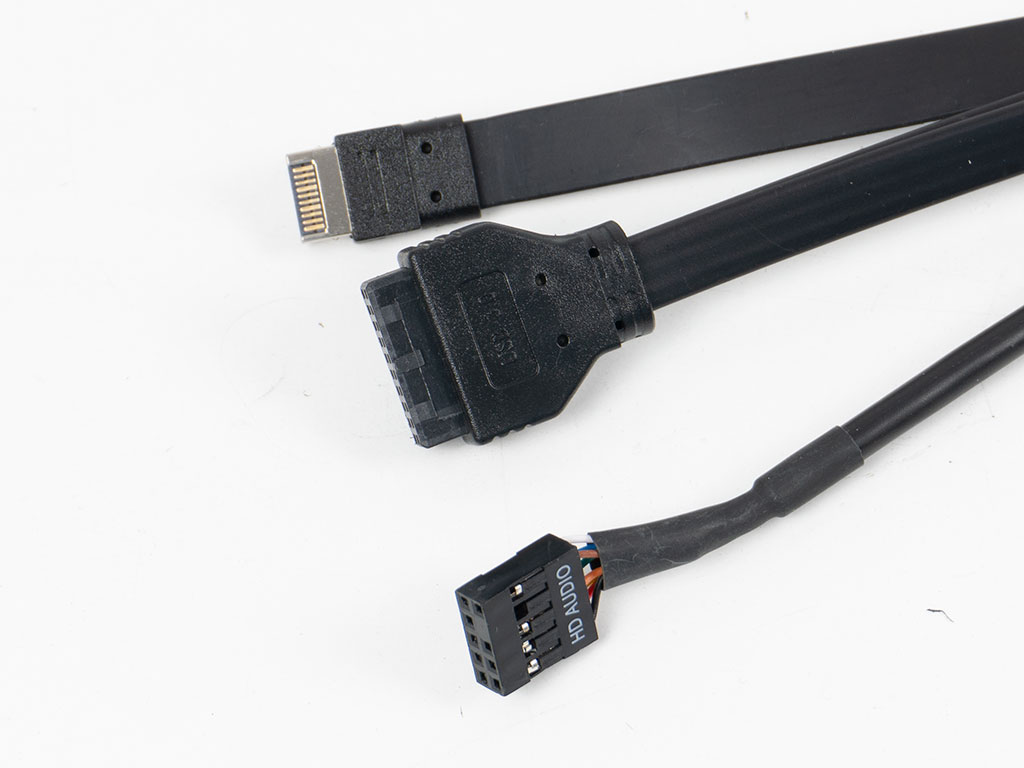
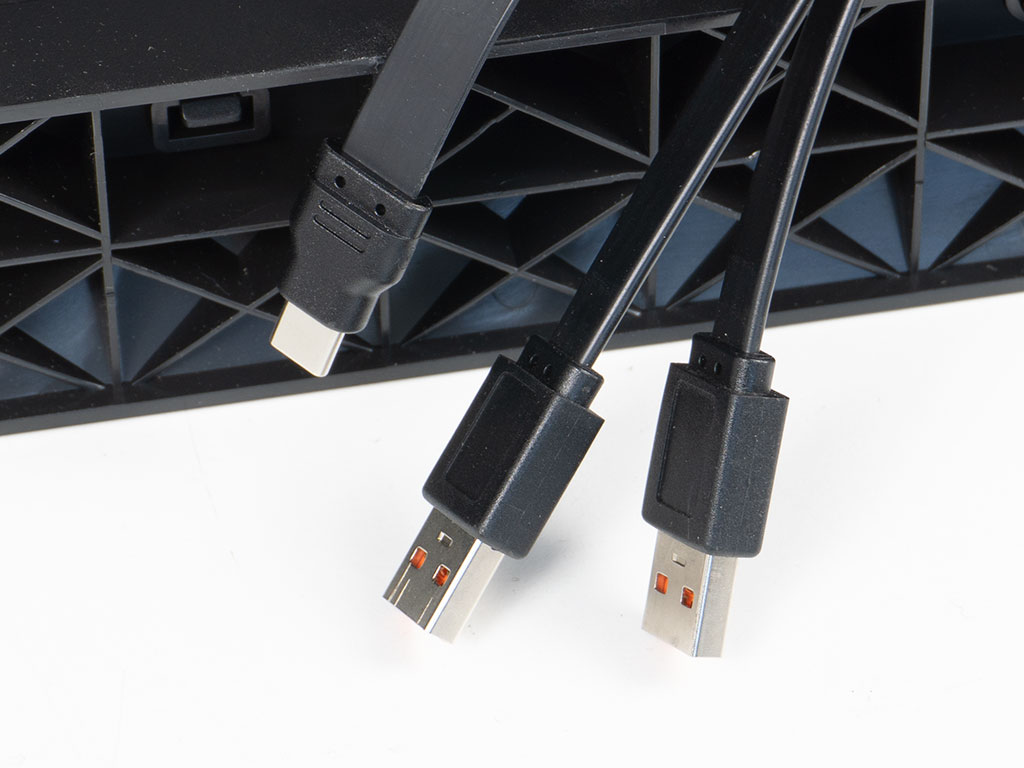
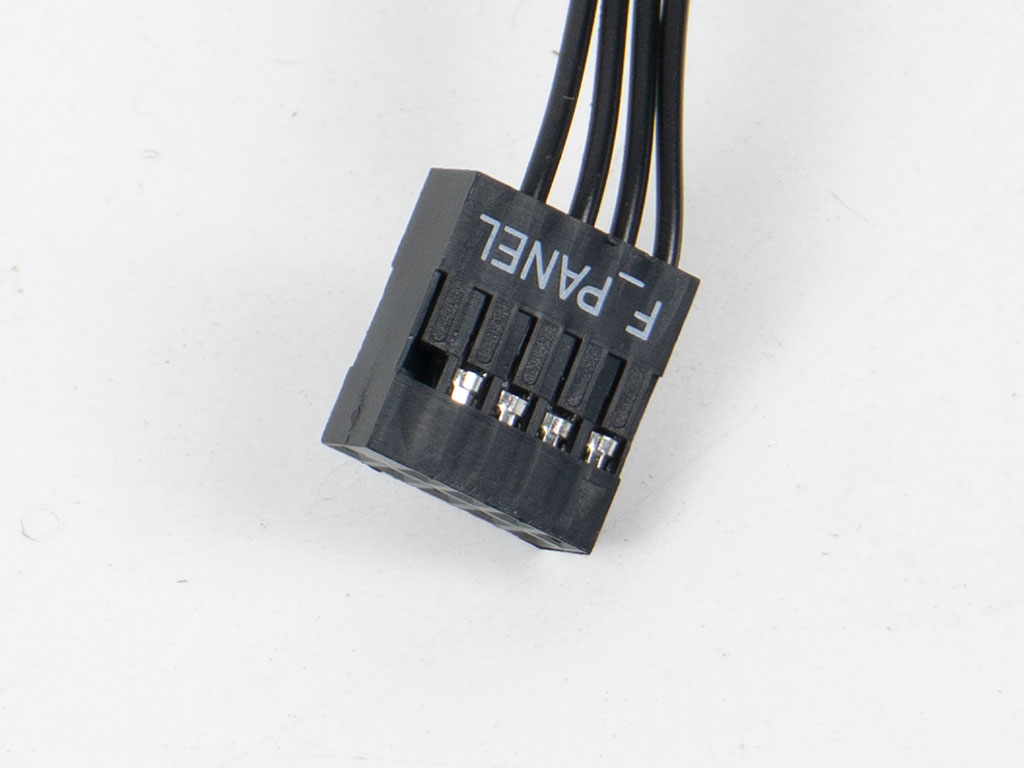
Cougar really pulled a big brain move by offering twice the usual USB IO and then offering the usual half and audio port as internal connectors while relying on external a set of one USB-C and two USB-A external plugs for the other half. That means, you have the freedom to pick any of the more affordable and plentiful motherboards with just one set of internal USB-C and USB-A 3.0 headers, but also take advantage of routing some of the usually easily accessible backplate connections to the IO of the chassis. The front panel connector is unified, which is also a great thing, but is also the reason why you will not be able to repurpose the LED SW wire to act as reset when using motherboard ARGB control for the PCB, unfortunately.
Nov 20th, 2026 00:38 PST
change timezone
Latest GPU Drivers
New Forum Posts
- Intel Core Ultra 5 processor 250K Plus (1)
- How to prevent OLED burn damage due to PC freezes or power outtages? (41)
- WarpCoreBench scores! (79)
- RX 7600 + Ryzen 5 5600GT getting the same FPS as my old RX 6500 XT – What am I missing? (7)
- What are you playing? (26236)
- Warning for Windows 10 and 11 users running newer AMD GPU drivers (65)
- Honestly, do you care about GTA VI? (178)
- Anthrophics IPO (10)
- Upgrade Considerations: CPU (12/13/14) and Motherboard (B660/B760 and Z690/Z790) (62)
- TPU's Nostalgic Hardware Club (22172)
Popular Reviews
- AMD Zen 6 Technical Deep Dive
- Ugreen NASync DXP4800 GT Review
- Acemagic Retro X3 Review
- Corsair RM1200e (Second Generation) Review
- Upcoming Hardware Launches 2027 (Updated Nov 2026)
- Pulsar Office Tour & First Look at P1 Dual-Sensor Mouse
- Biwin Black Opal NV7400 2 TB Review
- Chieftec Iceberg PRO 360 DARK Review
- AMD Ryzen 7 9800X3D Memory Performance Scaling
- AMD Ryzen 7 9800X3D Review - The Best Gaming Processor
TPU on YouTube
Controversial News Posts
- NVIDIA Co-Founder and CEO Jensen Huang Officially Resigns (490)
- Report: Jensen Huang Eyes NVIDIA Comeback (224)
- Open Letter Asking NVIDIA to Reinstate Jensen Huang Passes 115,000 Signatures (184)
- OpenAI CEO Argues Home PCs Waste the World's Limited DRAM Supply (152)
- NVIDIA Launches Investigation Into Jensen Huang's Relationship With Suspected Chinese Spy (136)
- Intel "Raptor Lake Next" 16-Core and 20-Core CPUs Surface (130)
- Legendary Game Studio BioWare Shuts Down Following EA Layoffs (104)
- Dell CEO Says the Memory Shortage Will Get Worse in 2027 (95)