 9
CPS PCCooler K101 Mesh Review
Review System Setup »A Closer Look - Inside


To gain access to the interior, simply pull off the covers on either side. The interior layout of the K101 Mesh is similar to other modern SFF enclosures, with one side dedicated to the GPU while the other is mostly intended for the PSU and ITX motherboard. The spine dividing both halves is secured in place permanently, so there is no flexibility to allocate more room for one or the other side.


Thanks to the triple-slot design you can fit potent GPUs inside the K101 Mesh. Even though this chassis in not explicitly listed to be compatible with NVIDIA's SFF-Ready initiative, the K101 Mesh meets all the requirements. Naturally, that also means any brand's GPU with similar dimensions will also fit. Towards the front, if you look really closely, you can see a pair of mounting holes on the spine where you can secure a 2.5" drive upright using two screws. Even with that in place you have 310 mm of length available to the GPU, meaning it doesn't suddenly severely limit your choices. The backside of the motherboard tray can also take a single 3.5" drive or two 2.5" units flat on its surface. While this will limit your GPU length to 160 mm, you could potentially simply space out a dual-slot GPU to use the second and third expansion slots to clear 2.5" drives here and still go for a longer graphics card. CPS PC Cooler should really just include those hexagonal spacer screws with the case to provide that option out of the box.

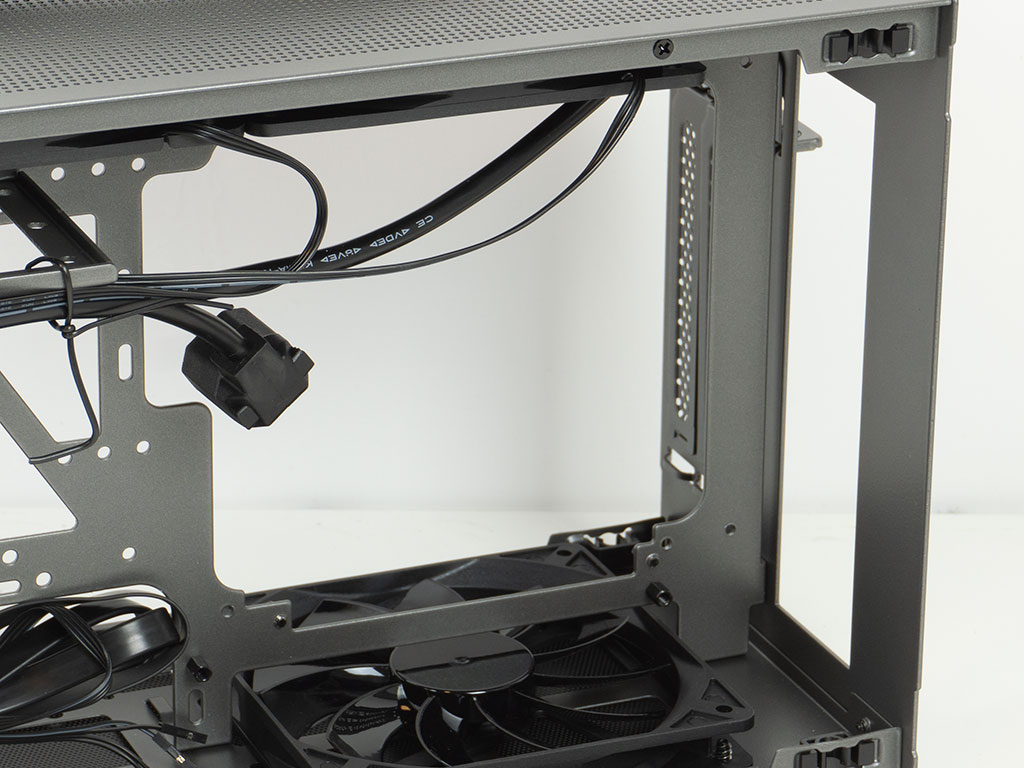
The K101 Mesh can hold an SFX or SFX-L unit on the other side of the spine in the front. CPS PCCooler makes use of every bit of volume here with a mounting frame that is just far enough away from the fans to allow for the power plug to fit. If you do plan to install a 2.5" drive at the front on the GPU side, you will have to secure it before you install the power supply. Even though CPS PCCooler communicates that you can only fit a single 2.5" drive standing up between the motherboard and PSU, the spine actually offers three sets of mounting holes, so the case seems capable of holding more. It looks like they are referring to a single pair of mounting holes that is slightly lower than the rows of three. The motherboard mounting area is pretty simple but functional. As is the case with most SFF sandwich enclosures, you will be mounting your board upside down, so the PCIe slot will be at the top.
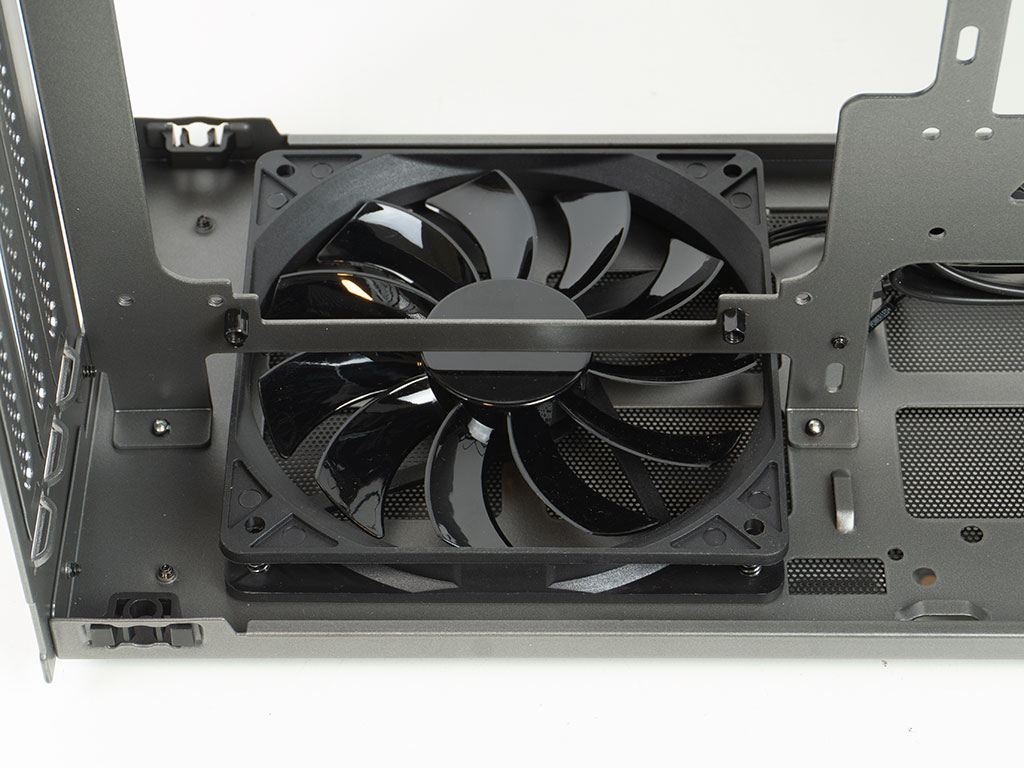
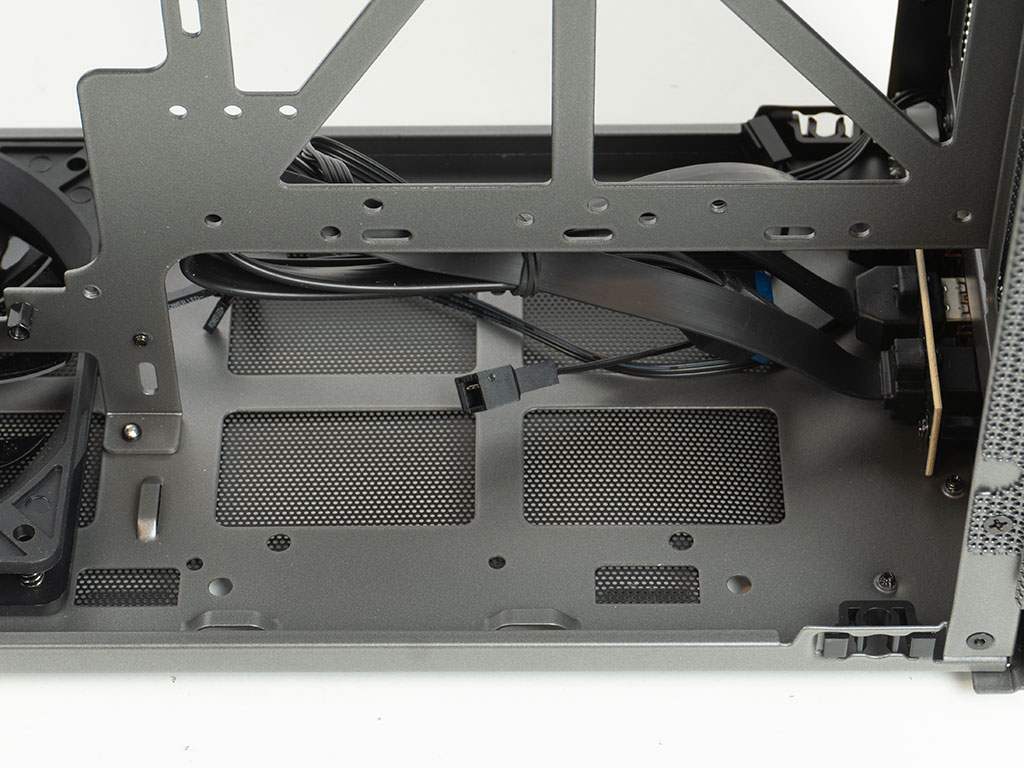

On the floor towards the rear, you will find a pre-installed 120 mm fan. It is of the slim kind as that is all that will fit. Interestingly enough, it features a reverse blade design, so you see the clean side when looking at it. You could install one more of the same sort at the front, or opt to go for another 2.5" drive here instead. It is good to see all that flexibility for storage, and a focus on allowing the user to utilize every bit of room inside the K101 Mesh. That said, if you opt to install an SFX-L PSU, you will realistically be limited to installing a 2.5" drive but no fan, as that really requires the more compact SFX power supply format. In the ceiling there are two more 120 mm slim fans. These are also reverse bladed, so the chassis is set to pull air in from the bottom and push it out the top. It is interesting to see that CPS PC Cooler has opted for reverse bladed fans instead of just using ones with the classic layout. All that would result in is the label being visible on the bottom fans, but not the top ones instead. All three fans inside the case are RPM based with 3-pin connectors and can be daisy-chained, which is important as ITX boards tend to have a limited number of fan headers.

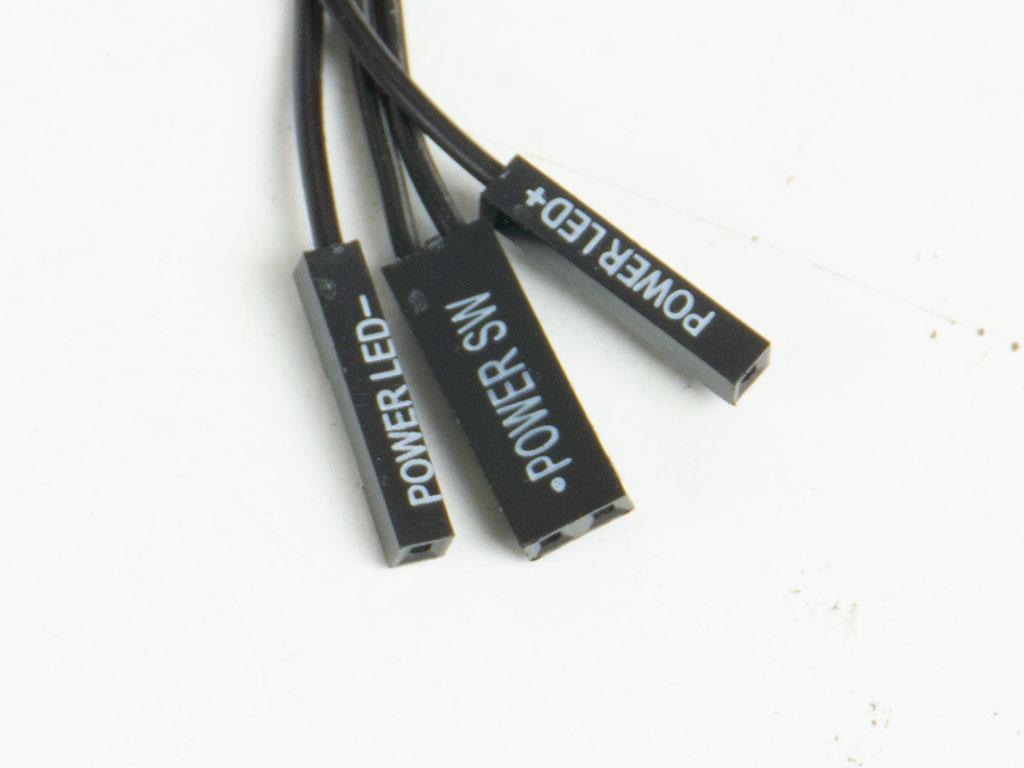
Both USB ports use a flat-band cable, which is great as it allows for tighter bend radii. The front panel wiring comes with individual plugs. While this is perfectly useable, having a unified connector would have been nice as things are always a bit harder to wire up in an SFF chassis.
Nov 18th, 2026 13:30 CST
change timezone
Latest GPU Drivers
New Forum Posts
- Honestly, do you care about GTA VI? (143)
- Very unusual two gaming-pc scenarios. (8)
- WarpCoreBench scores! (65)
- All Final Fantasy Discussion Thread (123)
- [Poll] 12V-2x6 Connector Protection: What Are You Using? (WireView / Ampinel / Equalizer / Other / Nothing) (38)
- Wireless Internet sharing between PC and router both-ways, is it possible? (18)
- ProArt X870E-CREATOR WIFI - Bifurcation~Complication (15)
- My Final Barrier to Exclusively Using Linux has Fallen (Azure Virtual Desktops) (9)
- Ghetto Mods (4883)
- [Intel AX1xx/AX2xx/AX4xx/AX16xx/BE2xx/BE17xx] Intel Modded Wi-Fi Driver with Intel® Killer™ Features (633)
Popular Reviews
- Acemagic Retro X3 Review
- Upcoming Hardware Launches 2027 (Updated Nov 2026)
- AMD Zen 6 Technical Deep Dive
- ASUS ROG Strix B850-I Gaming Wi-Fi7 W Review
- Corsair HX1000i Shift Crystal Review
- Biwin Black Opal NV7400 2 TB Review
- Chieftec Iceberg PRO 360 DARK Review
- AMD Ryzen 7 9800X3D Review - The Best Gaming Processor
- Phantom Blade Zero Performance Benchmark Review - 35 GPUs Tested
- Pulsar Office Tour & First Look at P1 Dual-Sensor Mouse
TPU on YouTube
Controversial News Posts
- NVIDIA Co-Founder and CEO Jensen Huang Officially Resigns (477)
- Report: Jensen Huang Eyes NVIDIA Comeback (186)
- Open Letter Asking NVIDIA to Reinstate Jensen Huang Passes 115,000 Signatures (184)
- OpenAI CEO Argues Home PCs Waste the World's Limited DRAM Supply (152)
- NVIDIA Launches Investigation Into Jensen Huang's Relationship With Suspected Chinese Spy (136)
- Intel "Raptor Lake Next" 16-Core and 20-Core CPUs Surface (130)
- Legendary Game Studio BioWare Shuts Down Following EA Layoffs (104)
- Dell CEO Says the Memory Shortage Will Get Worse in 2027 (95)