 9
CPS PCCooler K101 Mesh Review
Thermal Stress Test »Assembly


We initially remove the ceiling fan bracket to route the PCIe wiring, but there is really no reason to do so unless you want to install different cooling units. The motherboard fits well, even if clearances are a bit tight, so you have to make sure to take the assembly process slowly and to connect everything up as soon as possible, instead of trying to do so later.


As such, adding the SFX-L PSU is the prudent next step. To do so, you have to remove the mounting bracket—which is held in place by screws—first and then attach the power supply to it. As you can see, the connectors at the bottom take up all the room for a fan or storage on the floor, which you would otherwise have if you were to opt for an SFX unit instead. To the right, in between the PSU and motherboard, there is clearly still room for those three storage drives instead of just a single one, which is nice to see.

The Zotac GeForce 5070 GPU easily fits as well as it is also included in NVIDIA's list as SFF-Ready. You have plenty of room for even more powerful variants, as long as they are true triple-slot at most.


With everything connected, you still get easy and immediate access to your graphics card as that space is dedicated to the pixel pusher. On the other side of the spine, you will have to spend a little time zip tying loose wiring into place. We were able to route the CPU power along the floor of the chassis. Naturally if you also include 2.5" drives, you will have to consider the SATA power and data cables, but the CPS PCCooler K101 Mesh has ample room for those as well. Cable management with SFF cases is focused on keeping clear of moving elements like fans and not so much on beauty.
Finished Looks


With everything turned on, an LED at the center of the power button also lights up to let you know your system is up and running. As the K101 Mesh doesn't sport any glass panels, having the LED is a useful visual indicator.


Even up and running, the front and rear of the case aren't much different, as the case has no ARGB elements or front intake fans to speak of. In the rear, the power cable hovers over the expansion slots, which isn't unusual for a case of this format either. That said, CPS PCCooler could have added external zip tie hooks on the left so that you can bundle your wiring up nicely.
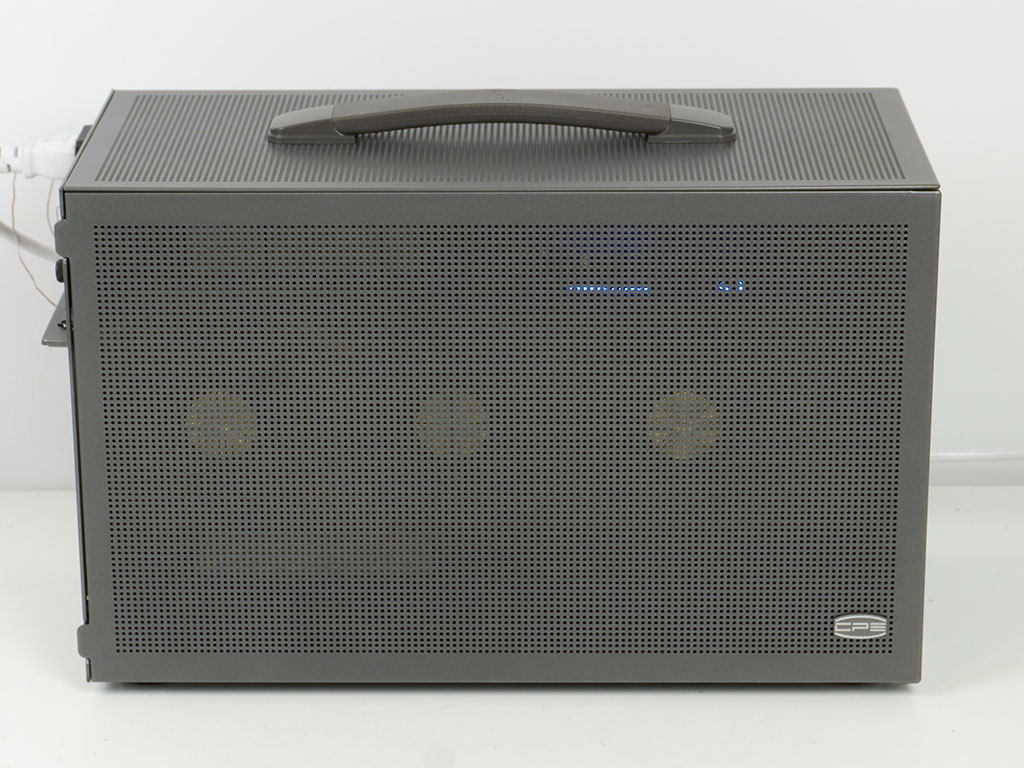

Thanks to the mesh panels on both sides, you can see a glimmer of the GPU and other components. If you have lots of ARGB equipped components, you would clearly see the glow of those as well.
Nov 18th, 2026 13:52 CST
change timezone
Latest GPU Drivers
New Forum Posts
- Free Games Thread (5382)
- WarpCoreBench scores! (66)
- RX 580 2048SP 8GB Samsung – Black Screens in Games, Looking for a Compatible BIOS (3)
- DTS DCH Driver for Realtek HDA [DTS:X APO4 + DTS Interactive] (2813)
- Honestly, do you care about GTA VI? (143)
- Very unusual two gaming-pc scenarios. (8)
- All Final Fantasy Discussion Thread (123)
- [Poll] 12V-2x6 Connector Protection: What Are You Using? (WireView / Ampinel / Equalizer / Other / Nothing) (38)
- Wireless Internet sharing between PC and router both-ways, is it possible? (18)
- ProArt X870E-CREATOR WIFI - Bifurcation~Complication (15)
Popular Reviews
- Acemagic Retro X3 Review
- Upcoming Hardware Launches 2027 (Updated Nov 2026)
- AMD Zen 6 Technical Deep Dive
- ASUS ROG Strix B850-I Gaming Wi-Fi7 W Review
- Corsair HX1000i Shift Crystal Review
- Biwin Black Opal NV7400 2 TB Review
- Chieftec Iceberg PRO 360 DARK Review
- AMD Ryzen 7 9800X3D Review - The Best Gaming Processor
- Phantom Blade Zero Performance Benchmark Review - 35 GPUs Tested
- Pulsar Office Tour & First Look at P1 Dual-Sensor Mouse
TPU on YouTube
Controversial News Posts
- NVIDIA Co-Founder and CEO Jensen Huang Officially Resigns (477)
- Report: Jensen Huang Eyes NVIDIA Comeback (186)
- Open Letter Asking NVIDIA to Reinstate Jensen Huang Passes 115,000 Signatures (184)
- OpenAI CEO Argues Home PCs Waste the World's Limited DRAM Supply (152)
- NVIDIA Launches Investigation Into Jensen Huang's Relationship With Suspected Chinese Spy (136)
- Intel "Raptor Lake Next" 16-Core and 20-Core CPUs Surface (130)
- Legendary Game Studio BioWare Shuts Down Following EA Layoffs (104)
- Dell CEO Says the Memory Shortage Will Get Worse in 2027 (95)