 7
Dream Machines DM8 Mini Pro Review
(7 Comments) »Value and Conclusion
- The Dream Machines DM8 Mini Pro is available for $24.99.
- Decent sensor performance
- Low click latency
- High button quality
- Decent scroll wheel
- Decent choice of components
- Lightweight
- Flexible, detachable cable
- Base sensor delay
- Barebones software
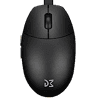
To this day, StarCraft: Brood War is considered to be one of the most mechanically demanding RTS games of all time, requiring quick and precise mouse movement. Back when StarCraft started to gain traction as an esport in the early 2000s, one mouse in particular proved to be highly regarded: the Logitech Mini Optical. Its small, round shape lent itself to rapid adjustments without tiring one's hands even during tense sessions lasting upwards of ten hours per day. While Logitech has seemingly forgotten they ever released that mouse, other manufacturers still occasionally make attempts to release modern renditions of this classic shape. The DM8 Mini Pro is one such attempt, and it succeeds at recreating the shape and feel of the Mini Optical as faithfully as possible. The design is essentially fully retained, even including the rear-oriented sensor position, the only meaningful adjustment is the addition of two side buttons, which are small and narrow enough to not interfere with the original design of the Mini Optical. At 42 g, the DM8 Mini Pro also ends up being far lighter than the Mini Optical, even without having been optimized for weight as much as it would have been possible. Build quality is also in a good spot: there is no rattle when shaking the mouse, no creaking or flexing of the shell when applying lateral pressure, and actuating the side buttons by pressing below them cannot be done regardless of force. Interestingly enough, and despite the fact that the DM8 Mini Pro is a wired mouse, the cable is USB Type-C and detachable, allowing one to opt for a more flexible model, or one of a different design or length. That said, the included cable already is quite flexible, at least to where it doesn't interact negatively with the lightweight stature of the DM8 Mini Pro.
The Mini Optical has always been known for its light and easy to spam main buttons, which is why the choice of main button switches for the DM8 Mini Pro raises some eyebrows. A pair of Kailh GM 8.0 is used, which elicit a highly snappy and firm button response, though also are a decent bit stiffer than what would like to have on a mouse used for rapid clicking in an RTS. I'd say the main buttons still aren't overly stiff, but coming from the Mini Optical, these likely will take a bit getting used to. Pre- and post-travel aren't uniform between the left and right button: whereas the left button has very low pre- and moderate post-travel, the right one has it the other way around. In addition, the buttons can be moved laterally to a moderate degree, though I didn't notice this during actual use. Interestingly enough, despite being so miniscule, the side buttons have been outfitted with full-sized mechanical switches from Huano. Pre- and post-travel are low on these for the most part, and the actuation point is surprisingly even. The scroll wheel encoder comes from F-Switch, more specifically of the black/orange core variety. Tactility is quite good on this one, but scrolling up in particular proves really noisy, not to mention that it sounds a bit shabby. The feet are made of black-dyed PTFE, and neither their glide properties nor their below average thickness are anything to write home about.
The DM8 Mini Pro comes with PixArt's PAW3395 along with a Holtek HT68FB560. The last time we've seen this MCU here on TechPowerUp was on the Gamesense MVP back in 2022, and remarkably enough, performance hasn't really improved since. There is nothing to complain about in terms of CPI deviation, which is kept to a minimum, and general tracking likewise warrants no criticism. Polling is also stable across the board, which is a rather rare sight on Holtek MCUs. Rather, the issue lies with motion delay. While still using a PMW3389, the Gamesense MVP showed a motion delay differential of 1.5 ms relative to the Logitech G403 (control subject). Three years later, the DM8 Mini Pro shows the same delay, but since its PAW3395 has MotionSync permanently enabled, another ms worth of delay comes on top at 1000 Hz, amounting to a total delay of 2.5 ms. Of course, this falls short not just of other wired mice, but even many budget wireless mice these days, which can offer less than 1 ms with no problem. Accordingly, the DM8 Mini Pro is quite literally lagging behind the competition in this regard. Click latency looks a bit better, but not by much. When set to the lowest debounce time of 0 ms, 1.5 ms are averaged, though since slam-clicking, which describes inadvertent button actuation upon resetting the mouse, can occur at this debounce time, one may be inclined to opt for 1 ms debounce time, in which case click latency increases to 2.3 ms.
At best, the software for the DM8 Mini Pro can be called "basic," which is both a good and a bad thing. The good thing is that it is really lightweight, but the bad part is that it also lacks functionality. As mentioned, MotionSync cannot be disabled, lift-off distance adjustment is wholly absent, leaving one with an LOD of somewhere between one and two DVDs (1.2 mm height each), and CPI adjustment is bugged: when dragging the slider, some values such as 3200 are simply skipped over, and since manual input isn't possible, one is left with many values that cannot be input at all.
With the mentioned issues in mind, the DM8 Mini Pro is at least reasonably priced at $24.99. At this budget price, one can expect a budget mouse, although that isn't necessarily a bad thing. Fans of the Logitech Mini Optical at least may appreciate any sort of release bringing this classic shape into current times, and while the DM8 Mini Pro may "only" be decent, value for money is good nevertheless. As such, the DM8 Mini Pro gets our Budget award.

The Mini Optical has always been known for its light and easy to spam main buttons, which is why the choice of main button switches for the DM8 Mini Pro raises some eyebrows. A pair of Kailh GM 8.0 is used, which elicit a highly snappy and firm button response, though also are a decent bit stiffer than what would like to have on a mouse used for rapid clicking in an RTS. I'd say the main buttons still aren't overly stiff, but coming from the Mini Optical, these likely will take a bit getting used to. Pre- and post-travel aren't uniform between the left and right button: whereas the left button has very low pre- and moderate post-travel, the right one has it the other way around. In addition, the buttons can be moved laterally to a moderate degree, though I didn't notice this during actual use. Interestingly enough, despite being so miniscule, the side buttons have been outfitted with full-sized mechanical switches from Huano. Pre- and post-travel are low on these for the most part, and the actuation point is surprisingly even. The scroll wheel encoder comes from F-Switch, more specifically of the black/orange core variety. Tactility is quite good on this one, but scrolling up in particular proves really noisy, not to mention that it sounds a bit shabby. The feet are made of black-dyed PTFE, and neither their glide properties nor their below average thickness are anything to write home about.
The DM8 Mini Pro comes with PixArt's PAW3395 along with a Holtek HT68FB560. The last time we've seen this MCU here on TechPowerUp was on the Gamesense MVP back in 2022, and remarkably enough, performance hasn't really improved since. There is nothing to complain about in terms of CPI deviation, which is kept to a minimum, and general tracking likewise warrants no criticism. Polling is also stable across the board, which is a rather rare sight on Holtek MCUs. Rather, the issue lies with motion delay. While still using a PMW3389, the Gamesense MVP showed a motion delay differential of 1.5 ms relative to the Logitech G403 (control subject). Three years later, the DM8 Mini Pro shows the same delay, but since its PAW3395 has MotionSync permanently enabled, another ms worth of delay comes on top at 1000 Hz, amounting to a total delay of 2.5 ms. Of course, this falls short not just of other wired mice, but even many budget wireless mice these days, which can offer less than 1 ms with no problem. Accordingly, the DM8 Mini Pro is quite literally lagging behind the competition in this regard. Click latency looks a bit better, but not by much. When set to the lowest debounce time of 0 ms, 1.5 ms are averaged, though since slam-clicking, which describes inadvertent button actuation upon resetting the mouse, can occur at this debounce time, one may be inclined to opt for 1 ms debounce time, in which case click latency increases to 2.3 ms.
At best, the software for the DM8 Mini Pro can be called "basic," which is both a good and a bad thing. The good thing is that it is really lightweight, but the bad part is that it also lacks functionality. As mentioned, MotionSync cannot be disabled, lift-off distance adjustment is wholly absent, leaving one with an LOD of somewhere between one and two DVDs (1.2 mm height each), and CPI adjustment is bugged: when dragging the slider, some values such as 3200 are simply skipped over, and since manual input isn't possible, one is left with many values that cannot be input at all.
With the mentioned issues in mind, the DM8 Mini Pro is at least reasonably priced at $24.99. At this budget price, one can expect a budget mouse, although that isn't necessarily a bad thing. Fans of the Logitech Mini Optical at least may appreciate any sort of release bringing this classic shape into current times, and while the DM8 Mini Pro may "only" be decent, value for money is good nevertheless. As such, the DM8 Mini Pro gets our Budget award.
Nov 15th, 2026 08:55 CST
change timezone
Latest GPU Drivers
New Forum Posts
- budget home NAS – X79, X99 or another platform? (149)
- WireView Pro II GPU Alignment: Wired | Variant: Black (1)
- Planning for Prolonged High Prices and Maintaining What You Already Have (74)
- Technical Issues - TPU Main Site & Forum (2026) (409)
- What generation of Wi-Fi do you use at home (98)
- I'll flash a ASUS ROG Strix RX480 O8G in Cause of Code 43, as a Newbie (5)
- Honestly, do you care about GTA VI? (58)
- Recommendations Wanted - Affordable Enterprise SSD for Boot (4)
- Is this anyhow possible, that a GPU (ROG Strix RX480 O8G) can crash the whole PC after "ReFlash" in normal Mode? (2)
- WarpCoreBench scores! (47)
Popular Reviews
- AMD Zen 6 Technical Deep Dive
- ASUS ROG Strix B850-I Gaming Wi-Fi7 W Review
- Corsair HX1000i Shift Crystal Review
- Upcoming Hardware Launches 2027 (Updated Nov 2026)
- Montech King 95 3D PRO Review
- NZXT C1200 Platinum Review
- NZXT H7 RGB+ Review
- NZXT H5 Review
- Phantom Blade Zero Performance Benchmark Review - 35 GPUs Tested
- AMD Ryzen 7 9800X3D Review - The Best Gaming Processor
TPU on YouTube
Controversial News Posts
- NVIDIA Co-Founder and CEO Jensen Huang Officially Resigns (412)
- OpenAI CEO Argues Home PCs Waste the World's Limited DRAM Supply (152)
- NVIDIA Launches Investigation Into Jensen Huang's Relationship With Suspected Chinese Spy (136)
- Intel "Raptor Lake Next" 16-Core and 20-Core CPUs Surface (130)
- Open Letter Asking NVIDIA to Reinstate Jensen Huang Passes 115,000 Signatures (109)
- Legendary Game Studio BioWare Shuts Down Following EA Layoffs (104)
- Dell CEO Says the Memory Shortage Will Get Worse in 2027 (95)
- NVIDIA GeForce RTX 50-Series Scheduled for up to $500 Price Hike This Week (89)