 5
Dying Light: The Beast Handheld Performance Review
Conclusion »ASUS ROG Ally X Optimized Settings
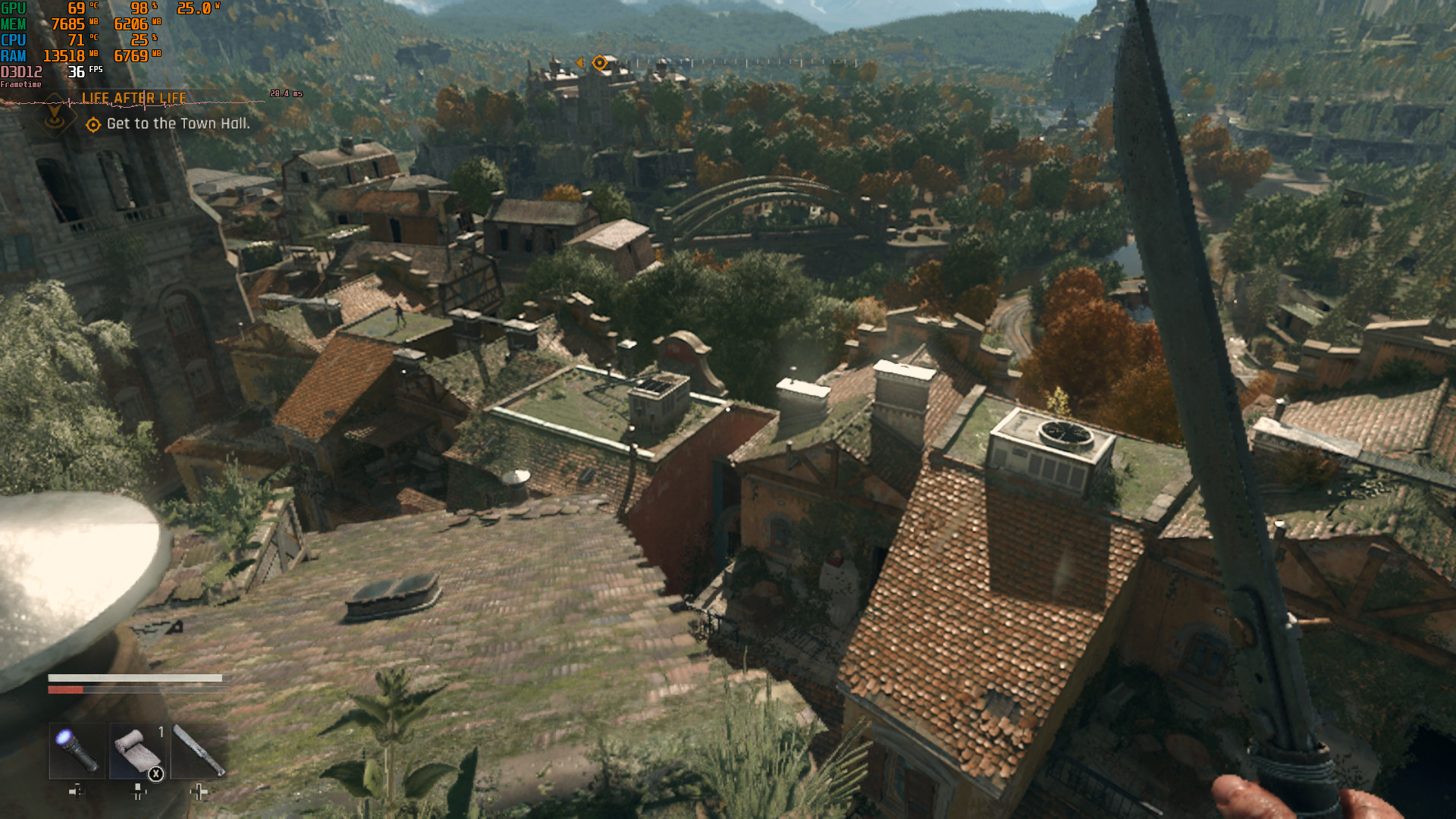
The ASUS ROG Ally X can run Dying Light: The Beast at 900p with the upscaler of your choice set to "Performance." We used TAAU during our testing, but you can opt instead for FSR or XeSS if you personally find them better-looking. You need to set TDP to 25 W. At 30 W, the game achieves a frame or two higher performance. Not much, but enough to set TDP to 30 W when hooked to a charger.

You just need to set the visual preset to "Medium" and that's pretty much it. The result is performance that varies between 40+ FPS and 30 FPS, with the only drops below 30 FPS we noticed happening when driving a car and mowing down large groups of zombies, and during explosions.

Alternatively, you can drop the resolution to 720p and use "Balanced" upscaling to increase performance by a few frames in case you find our optimized settings not performant enough. Lastly, you can drop the preset to "Low" or "Very Low" in combination with 900p and upscaling set to "Performance" if you don't want to see any sub-30 FPS drop. But since the "Low" and "Medium" presets perform almost the same, we recommend either sticking to "Medium" or switching to "Very Low."

The same can be said about the regular ROG Ally running SteamOS, with the only difference being dropping textures to "Medium" due to the non-X Ally not having enough memory to handle high quality textures.
The battery should last you more than two hours on the ROG Ally X and less than an hour on the original ROG Ally.
Nov 22nd, 2026 18:53 CST
change timezone
Latest GPU Drivers
New Forum Posts
- Increasing Power Limit? (6)
- What are you playing? (26240)
- UPS what one to get? (48)
- Honestly, do you care about GTA VI? (265)
- Your PC ATM (36458)
- Gacha Games - Discussions, Pulls, Updates, etc. (1157)
- Last game you purchased? (1414)
- Making a game in Godot engine (19)
- Intel D270 (5)
- X870E AORUS ELITE WIFI7 thread with setting and OC (69)
Popular Reviews
- Microsoft Surface Laptop Ultra Review - The Next-gen Arm Laptop
- Corsair RM1200e (Second Generation) Review
- Upcoming Hardware Launches 2027 (Updated Nov 2026)
- Pulsar Office Tour & First Look at P1 Dual-Sensor Mouse
- Ugreen NASync DXP4800 GT Review
- AMD Ryzen 7 9800X3D Review - The Best Gaming Processor
- AMD Zen 6 Technical Deep Dive
- AMD Ryzen 7 5800X3D 10th Anniversary Review
- Phantom Blade Zero Performance Benchmark Review - 35 GPUs Tested
- Biwin Black Opal NV7400 2 TB Review
TPU on YouTube
Controversial News Posts
- NVIDIA Co-Founder and CEO Jensen Huang Officially Resigns (492)
- Report: Jensen Huang Eyes NVIDIA Comeback (266)
- Open Letter Asking NVIDIA to Reinstate Jensen Huang Passes 115,000 Signatures (184)
- OpenAI CEO Argues Home PCs Waste the World's Limited DRAM Supply (152)
- NVIDIA Launches Investigation Into Jensen Huang's Relationship With Suspected Chinese Spy (136)
- Intel "Raptor Lake Next" 16-Core and 20-Core CPUs Surface (130)
- NVIDIA GeForce RTX 50-Series Scheduled for up to $500 Price Hike This Week (89)
- Intel Razor Lake Gets a 12 P-Core bLLC Chip With No E-Cores, Per Leak (86)