 10
Einarex Pulse PM400 Review
Review System Setup »A Closer Look - Inside
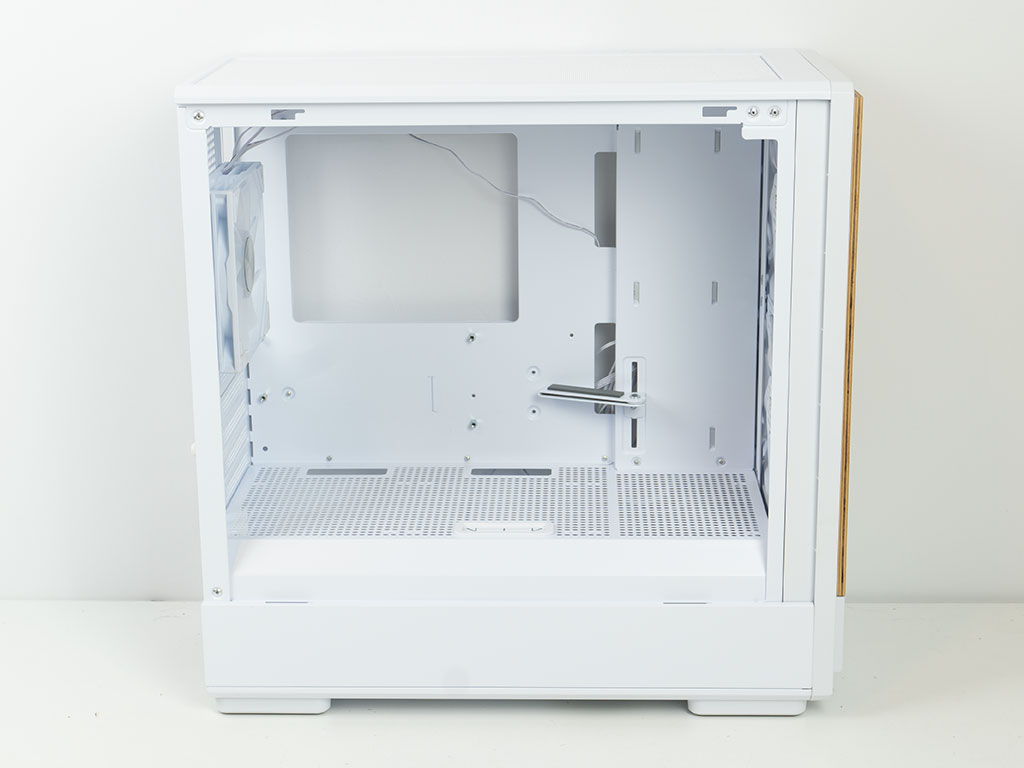
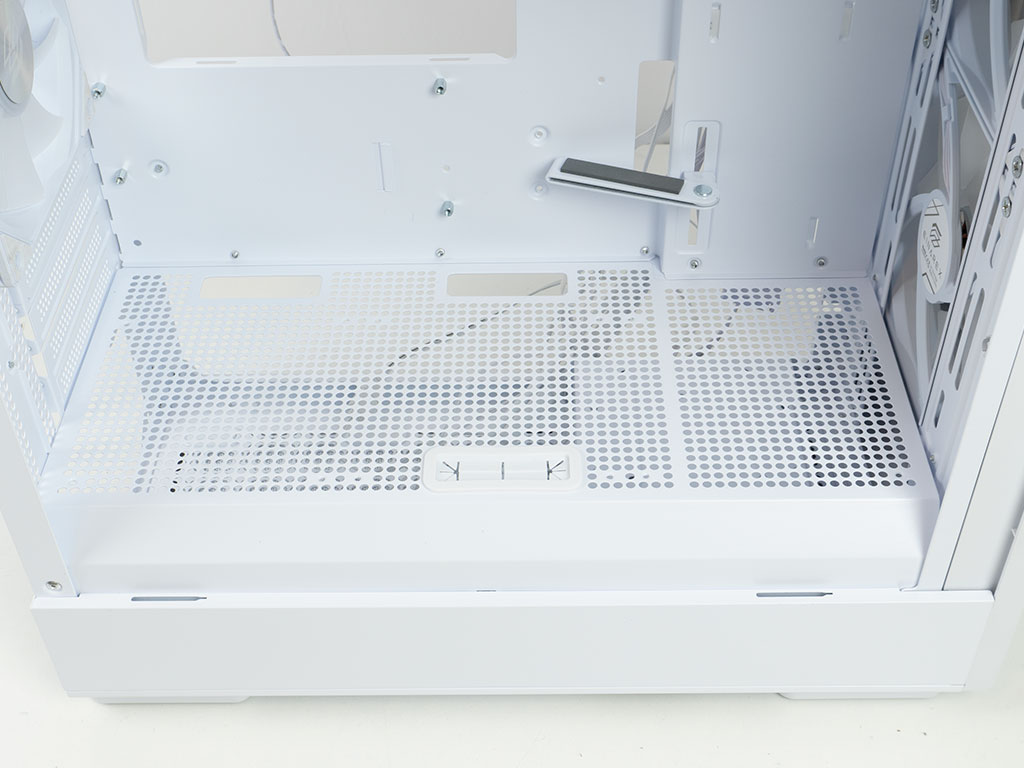
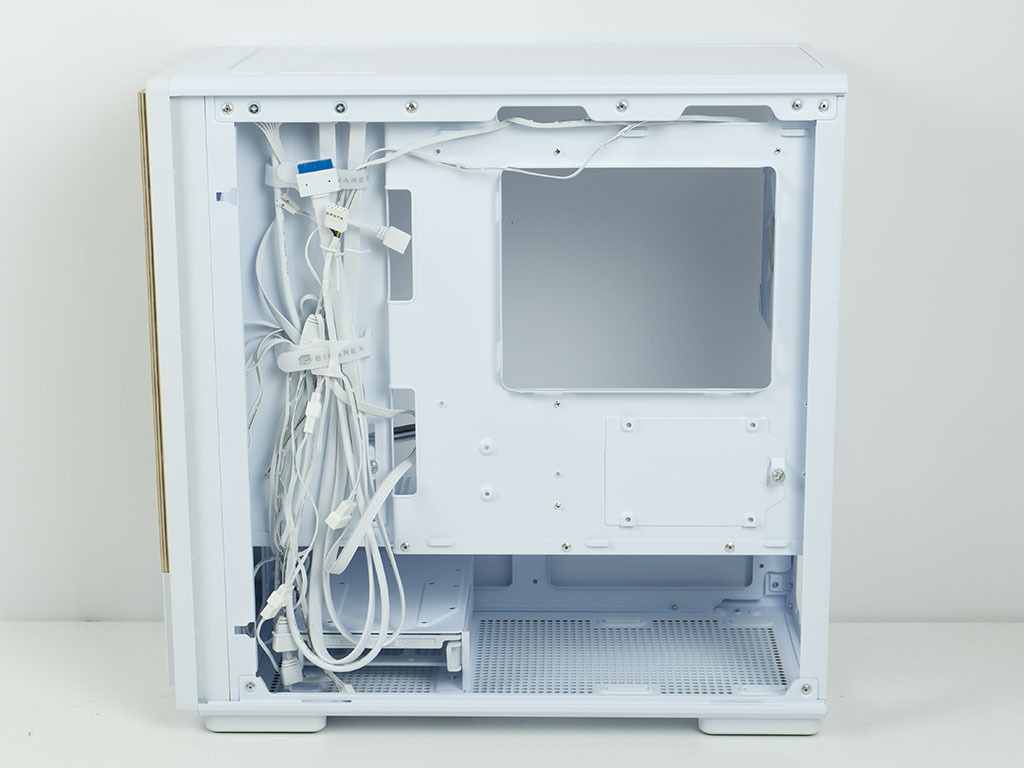
To gain access to the interior, simply unscrew the pair of captive thumb screws holding each panel in place. The layout of the Pulse PM400 is traditional as Einarex has focused on trusted & true engineering details with this chassis. That does also mean that you won't get BTF compatibility, and it lacks grommets on the cable management openings around the motherboard area. Fortunately, Einarex has placed one cutout meant for clean GPU power cable routing. You may also install up to three 120 mm fans on the floor of the chassis, with sufficient clearance towards the motherboard and its cable routing holes. Rotating the chassis around, it sticks to being simple but functional as well, with plenty of hooks for zip ties on the motherboard tray and around the main cutout for the CPU cooler.
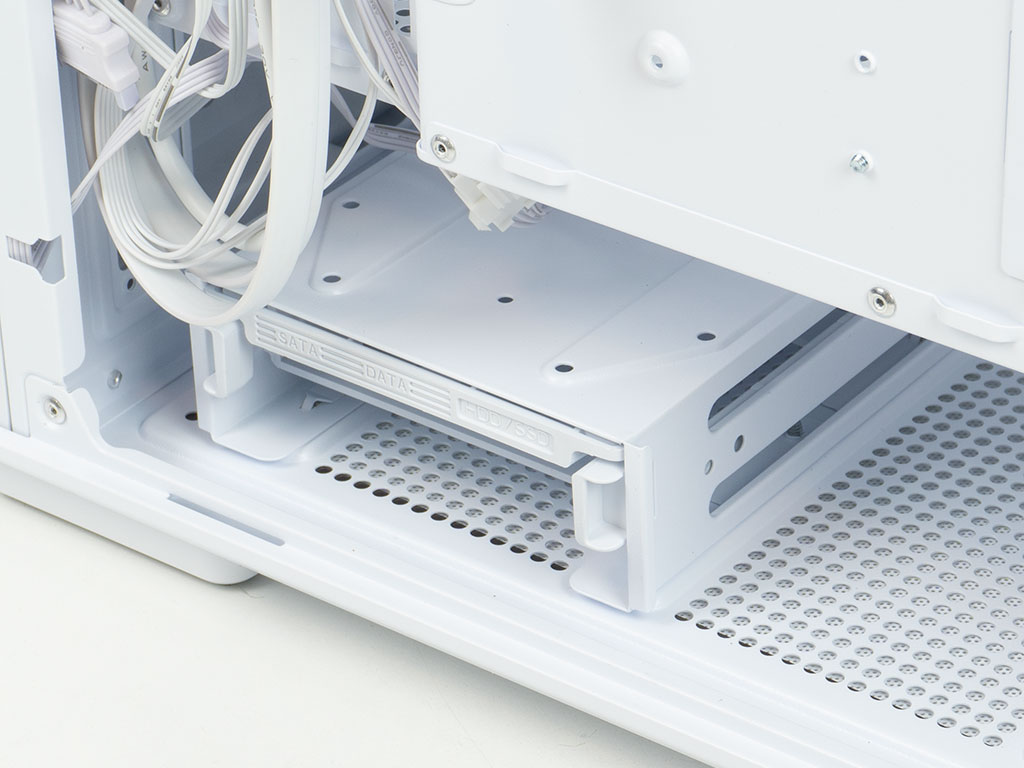
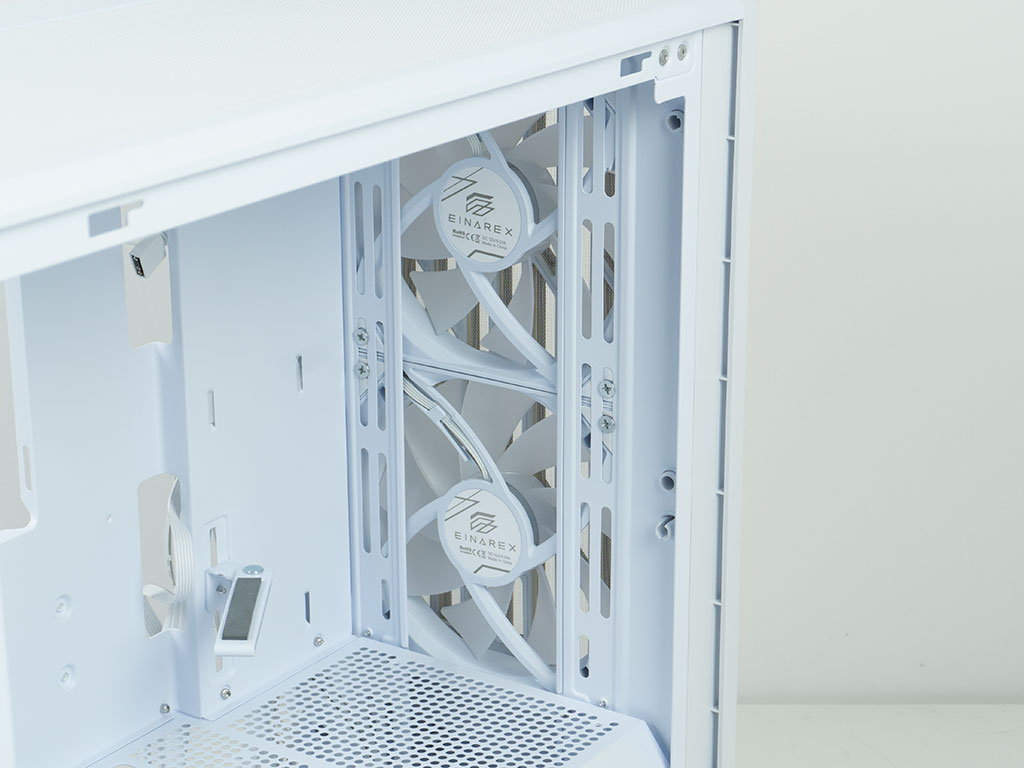
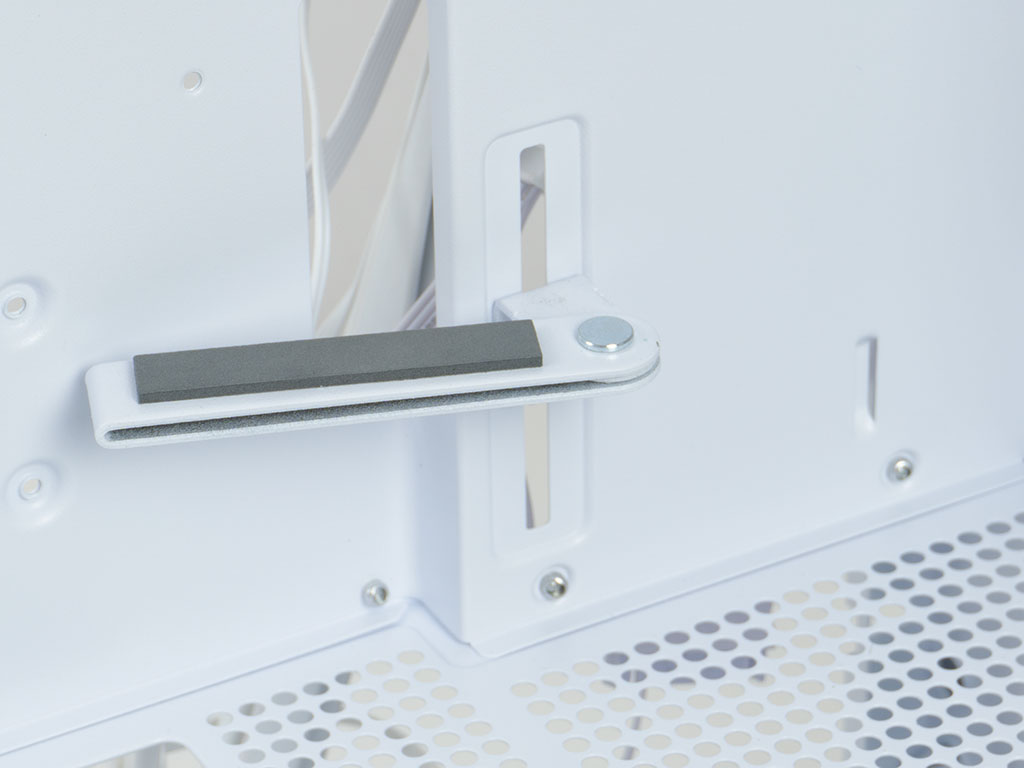
Taking a closer look at the front area of the Pulse PM400, the HDD cage further underscores the simple but effective theme. It can be pulled out once you remove the two screws on the underside of the chassis and can hold either two 2.5" or 3.5" drives. The top placement requires you to take it out and secure the drive with screws, while the bottom is a tray, which is tool-less for 3.5" variants but requires screws for any 2.5" storage device. Above that are the two 140 mm fans. As these are secured on the exterior of the frame, you get all the interior for long graphic cards for example. Einarex has also included a GPU support bracket with a rubber liner, which could really come in handy. Unfortunately, it will likely get in the way of the fans of a GPU due to the way it is constructed and how close the GPU will be to the case body the bracket is secured to.
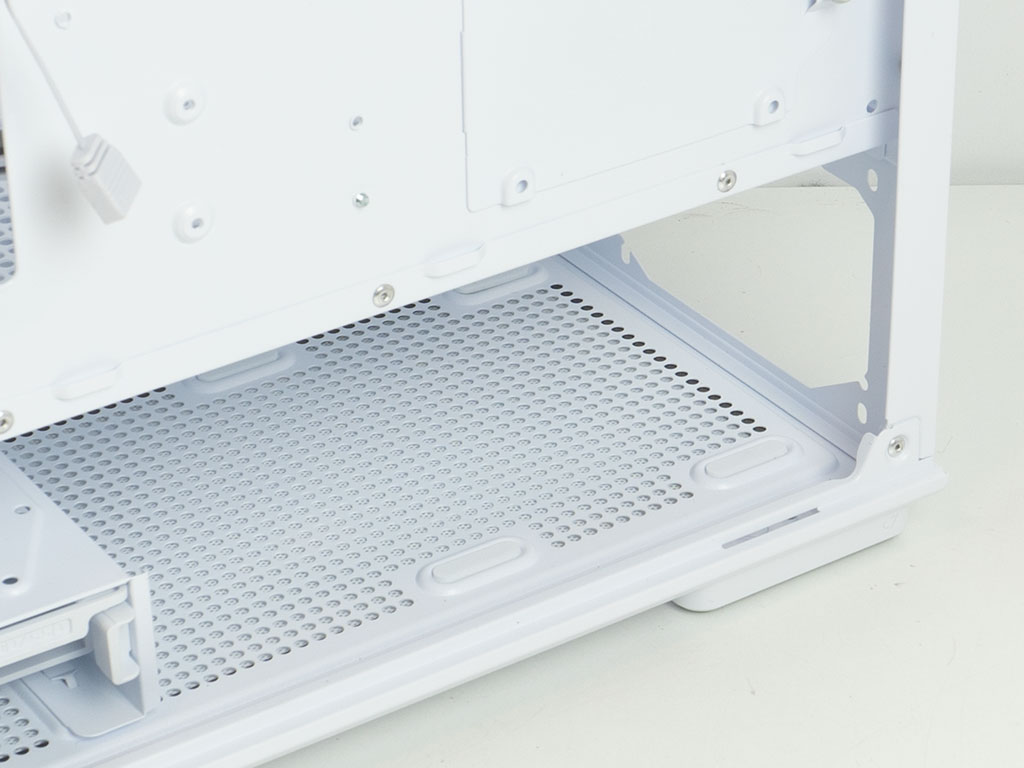
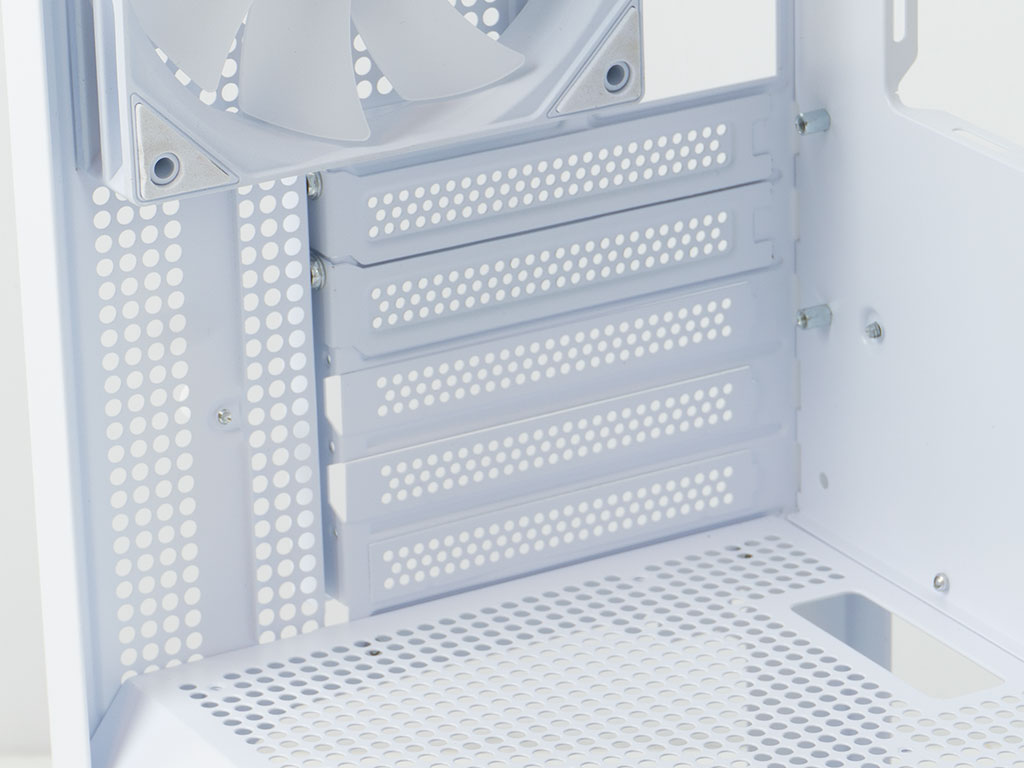
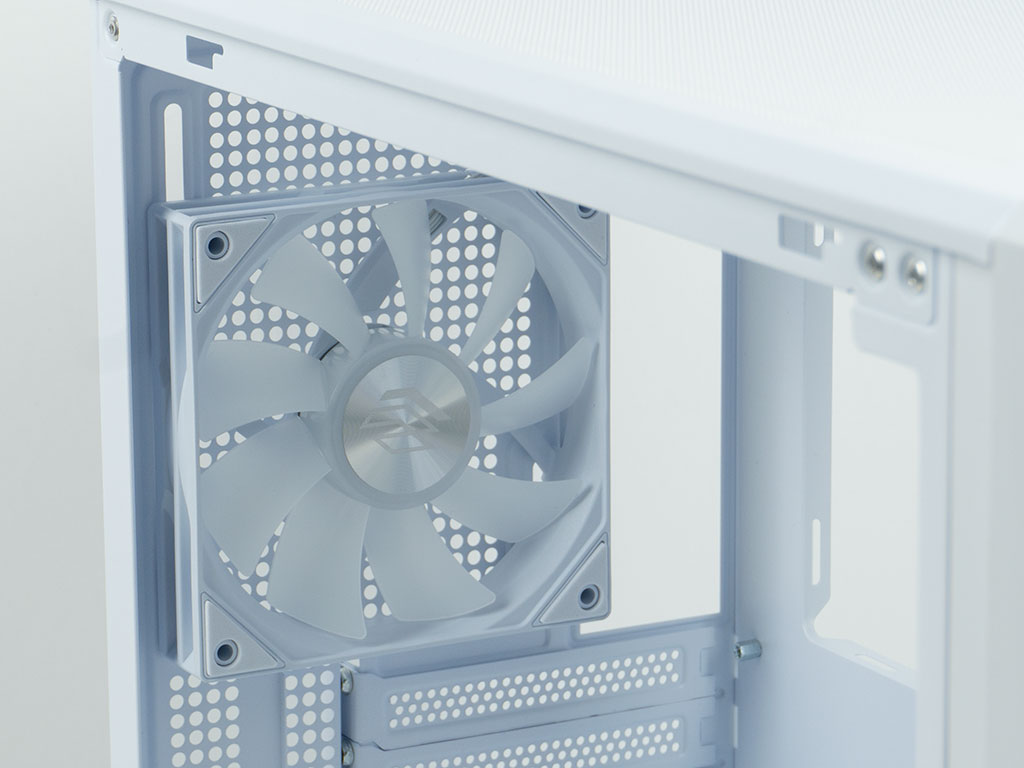
In the rear, the PSU bay is spacious, with four pads to decouple the power supply from the chassis frame. Above that are the five expansion slots of which only two have removable covers. That is an odd configuration out-of-the-box, but likely will accommodate most if not all gamers out there. Most GPUs these days are at least of dual-slot thickness and considering the case is microATX, you won't really have a lot of room to install much more than that into the system anyway. In other words, it is highly unlikely that you end up switching your configuration in such a way that could result in uncovered slots. In the very top, there is the 120 mm exhaust fan. The fans inside the Pulse PM400 are generally well constructed, and look good with their all white wiring.
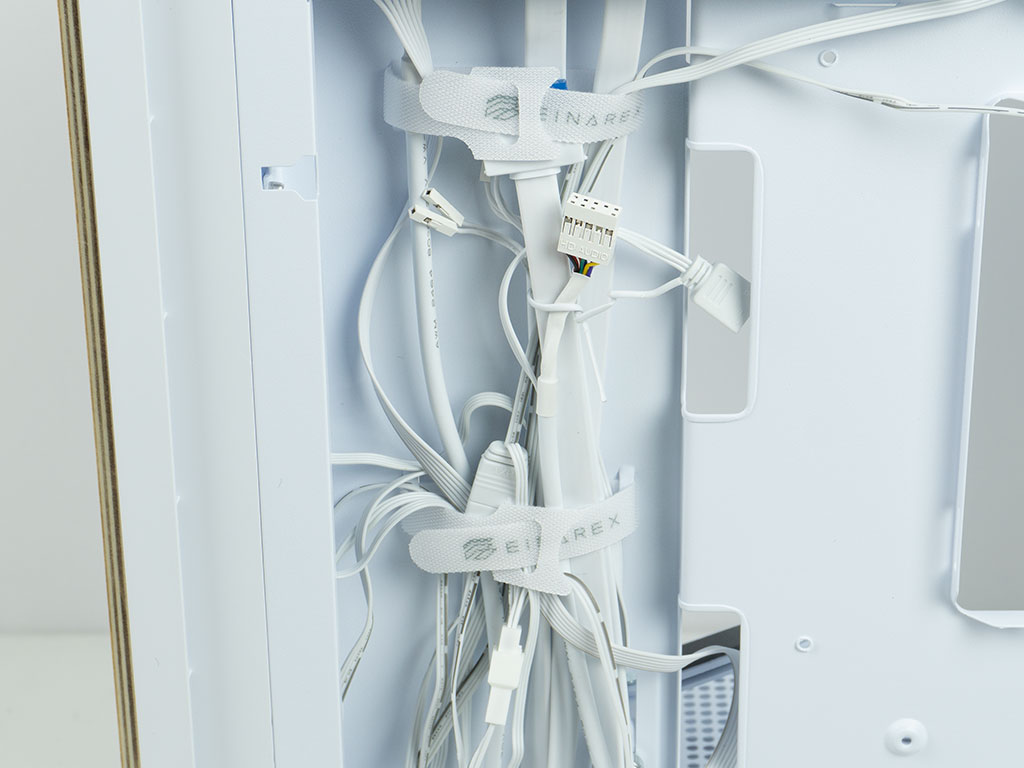
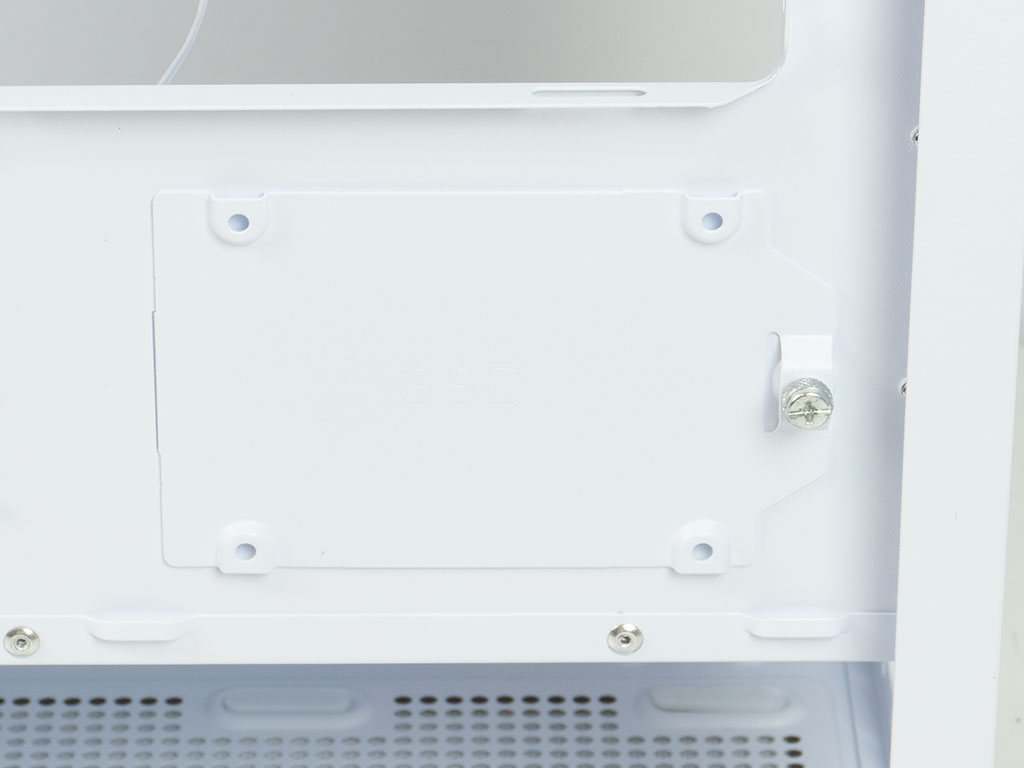
Einarex also includes two branded Velcro strips on the interior of the case for easier cable management. While these are a welcome sight, a third one further down would have been helpful, but had to be omitted due to the GPU support bracket getting in the way. Besides the hard drive bay, you may install a third drive of 2.5" size directly unto the storage tray that is located below the CPU cooler cutout on the motherboard tray.
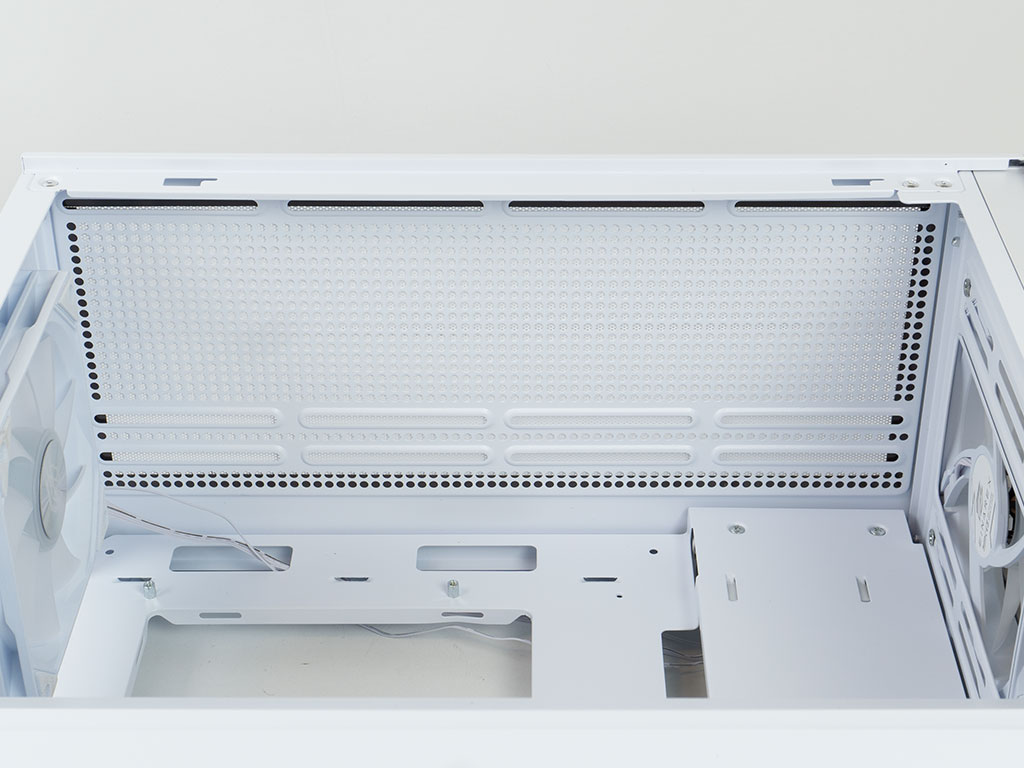
Looking at the ceiling, you can see how tight-fitting everything is, with very little room above the motherboard. This is the clear reason why you can only go for a 240 mm AIO, but could still fit two 140 mm fans without a radiator, for just air cooling instead. Overall, the tooling of the chassis shows its age a bit, as other microATX cases have more ceiling clearance and some are just long enough for 360 mm AIOs as well.

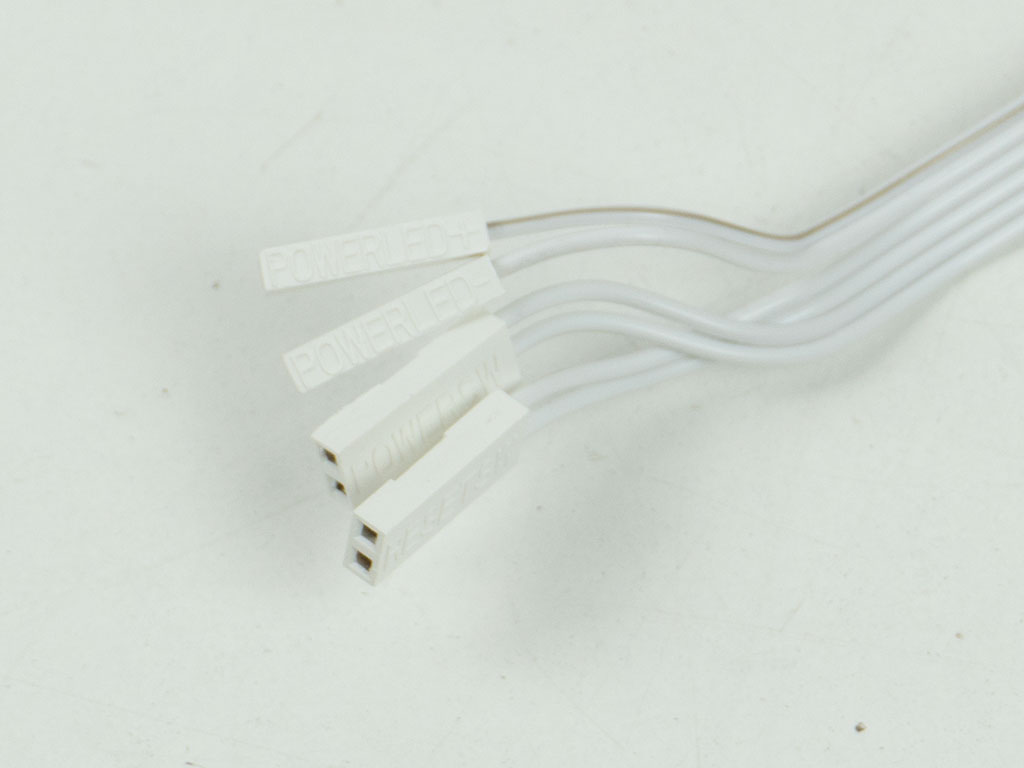
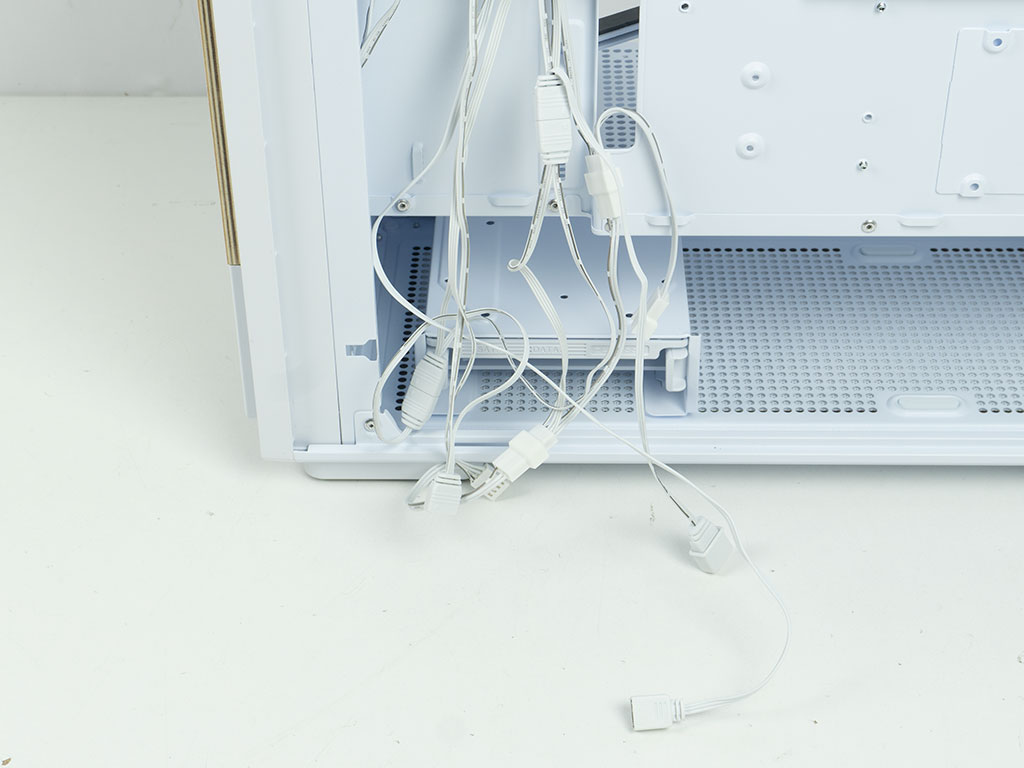
The wires inside the white Pulse PM400 match the case in color and the USB wire is of the flat-band kind, which will make routing it a little easier. As previously mentioned, both the exterior ports use the one USB 3.0 header. The general case connection wires for the front panel consist of separate plugs. Unlike most other white cases which have black print on these, on the Pulse PM400 these labels are molded into the plastic of the connector. This makes this harder to read during assembly. The chassis fans are pre-wired together, so you could theoretically skip this step and plug them all into one single fan header.
Nov 26th, 2026 09:57 CST
change timezone
Latest GPU Drivers
New Forum Posts
- What's your main Black Friday / Cyber Monday purchase? (18)
- Wireless Internet sharing between PC and router both-ways, is it possible? (24)
- Can you guess Which game it is? (366)
- Post your CrystalDiskMark speeds (658)
- Making a game in Godot engine (20)
- X79 and/or rampage IV OC'ing thread for those of us still left.... (2459)
- Exploring Local LLMs: Models, Hardware and Setup Experiences (4)
- Linpack Xtreme Released (513)
- Claude credits purchased on or after Dec. 7 now have an expiry date (20)
- Acer TravelMate P414-51 (i5-1135G7): CPU stuck at x4 / ~200 MHz effective under 100% load, no throttle flags. How to find who's clamping it? (1)
Popular Reviews
- ASRock X870E Challenger Wi-Fi White Review
- VZMORE AX9 Max Review
- Upcoming Hardware Launches 2027 (Updated Nov 2026)
- Microsoft Surface Laptop Ultra Review - The Next-gen Arm Laptop
- AMD Ryzen 7 9800X3D Review - The Best Gaming Processor
- AMD Zen 6 Technical Deep Dive
- Corsair RM1200e (Second Generation) Review
- Phantom Blade Zero Performance Benchmark Review - 35 GPUs Tested
- Montech CyberFlow ARGB 360 Review
- Pulsar Office Tour & First Look at P1 Dual-Sensor Mouse
TPU on YouTube
Controversial News Posts
- Jensen Huang Reinstated as CEO of NVIDIA (585)
- NVIDIA Co-Founder and CEO Jensen Huang Officially Resigns (492)
- Report: Jensen Huang Eyes NVIDIA Comeback (281)
- Open Letter Asking NVIDIA to Reinstate Jensen Huang Passes 115,000 Signatures (184)
- OpenAI CEO Argues Home PCs Waste the World's Limited DRAM Supply (152)
- NVIDIA Launches Investigation Into Jensen Huang's Relationship With Suspected Chinese Spy (136)
- Intel "Raptor Lake Next" 16-Core and 20-Core CPUs Surface (130)
- Intel Razor Lake Gets a 12 P-Core bLLC Chip With No E-Cores, Per Leak (94)