 10
Einarex Pulse PM400 Review
Thermal Stress Test »Assembly

Installing an microATX board uses the classic spacers and screws. You will have to add two spacers yourself to fit boards of full-width. The cable routing holes line up well around the board, but may be a bit tight to get a clean bend radius on stiff 24-pin ATX power cables.
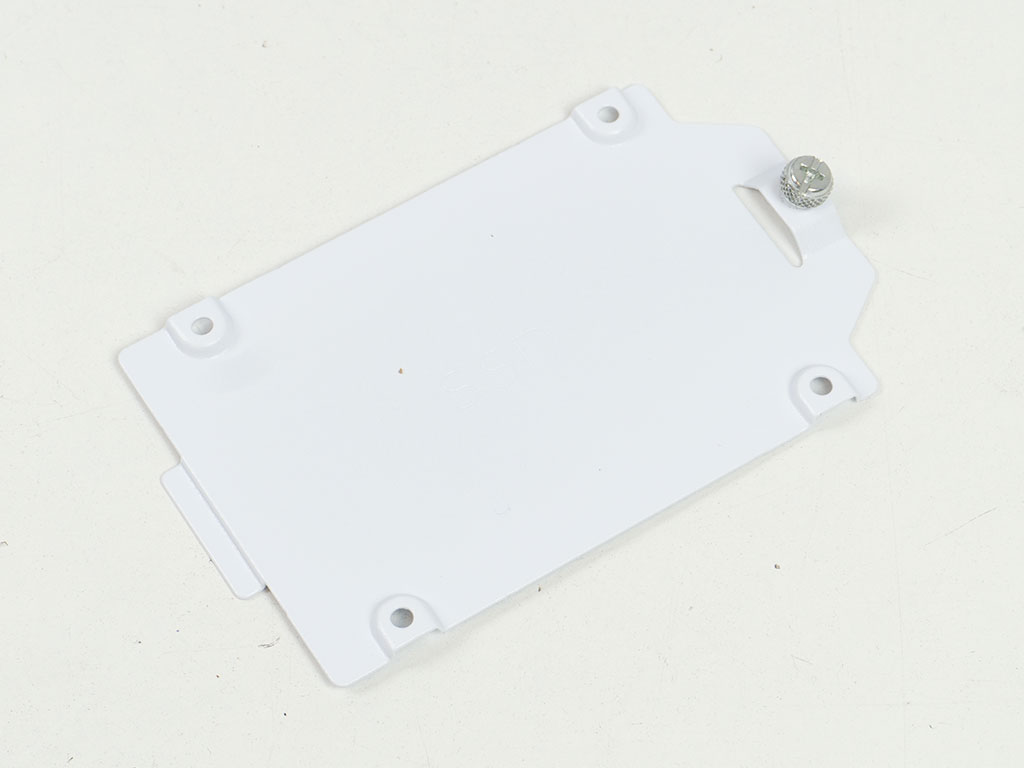
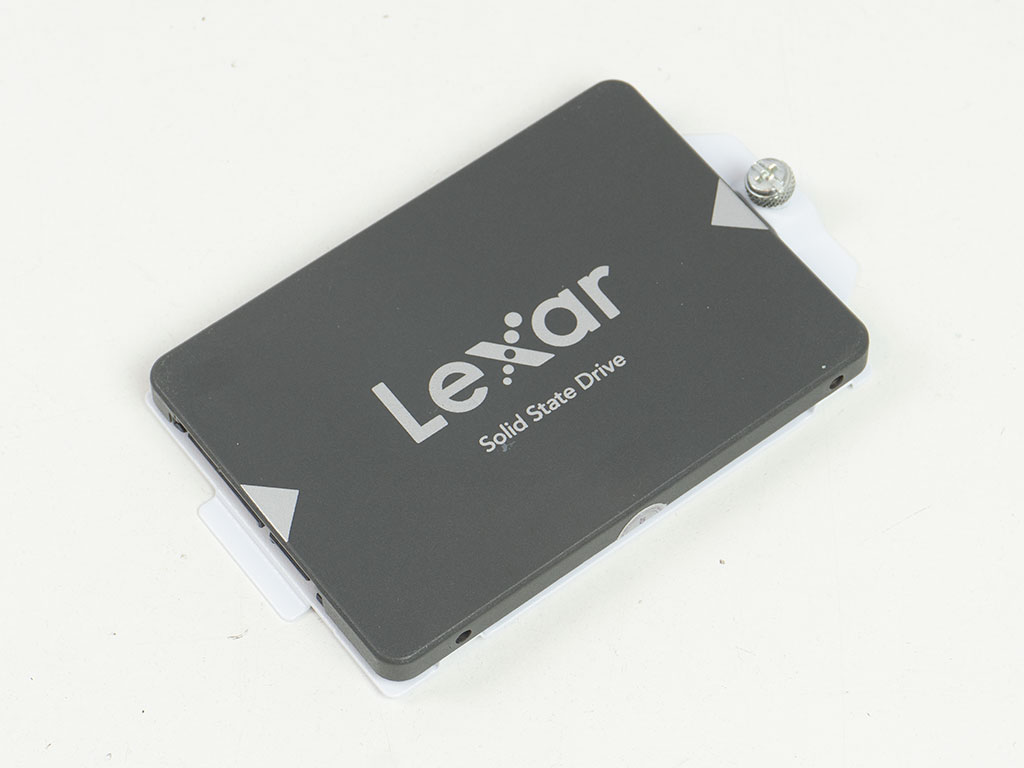
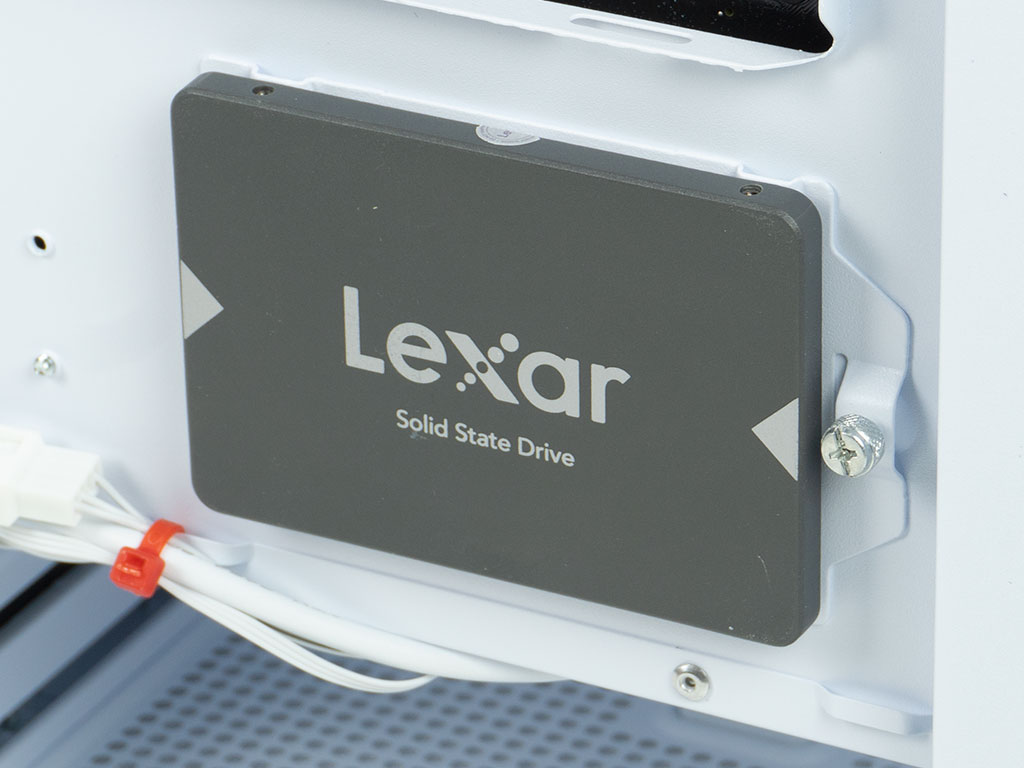
Adding an SSD to the dedicated tray is simple and uses screws as well. Once you remove it from the frame by releasing the captive thumb screw pinning it down, you can screw in the drive of your choices. The connectors of the storage unit will face towards the front of the case, making it easy to wire up.
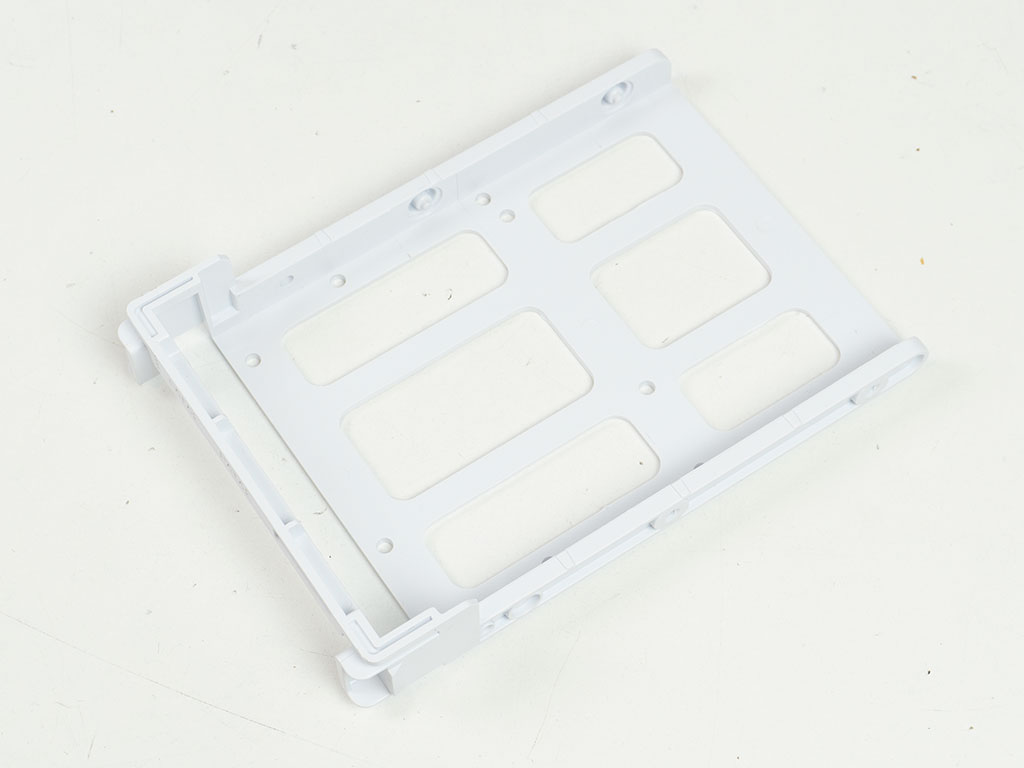
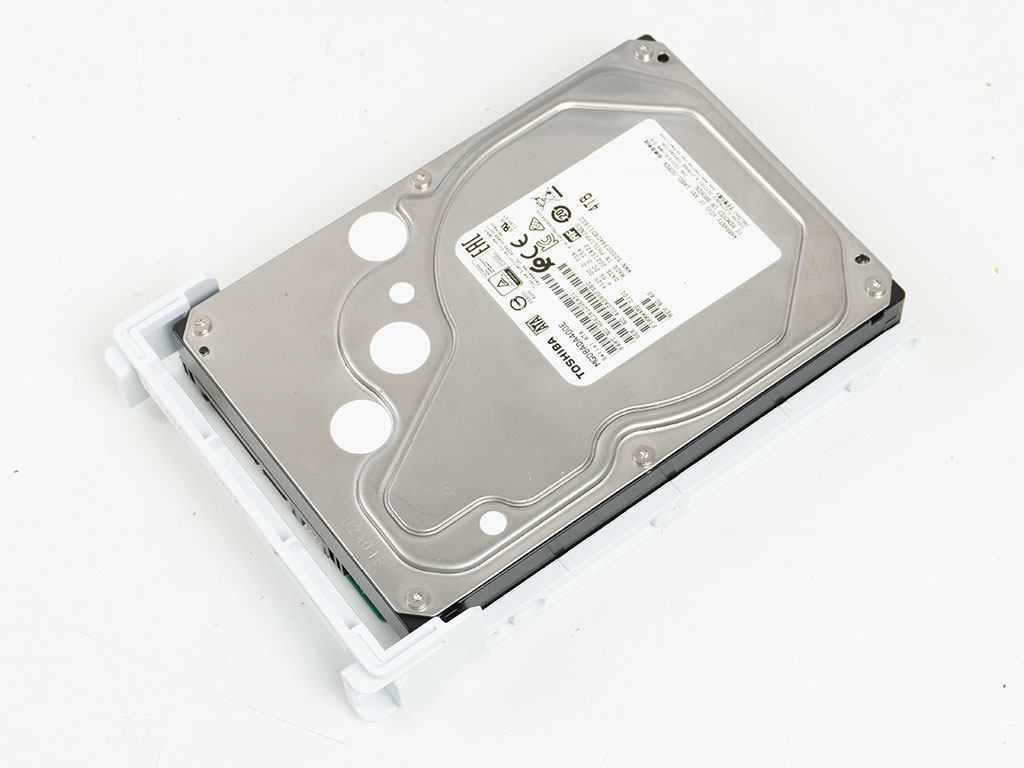
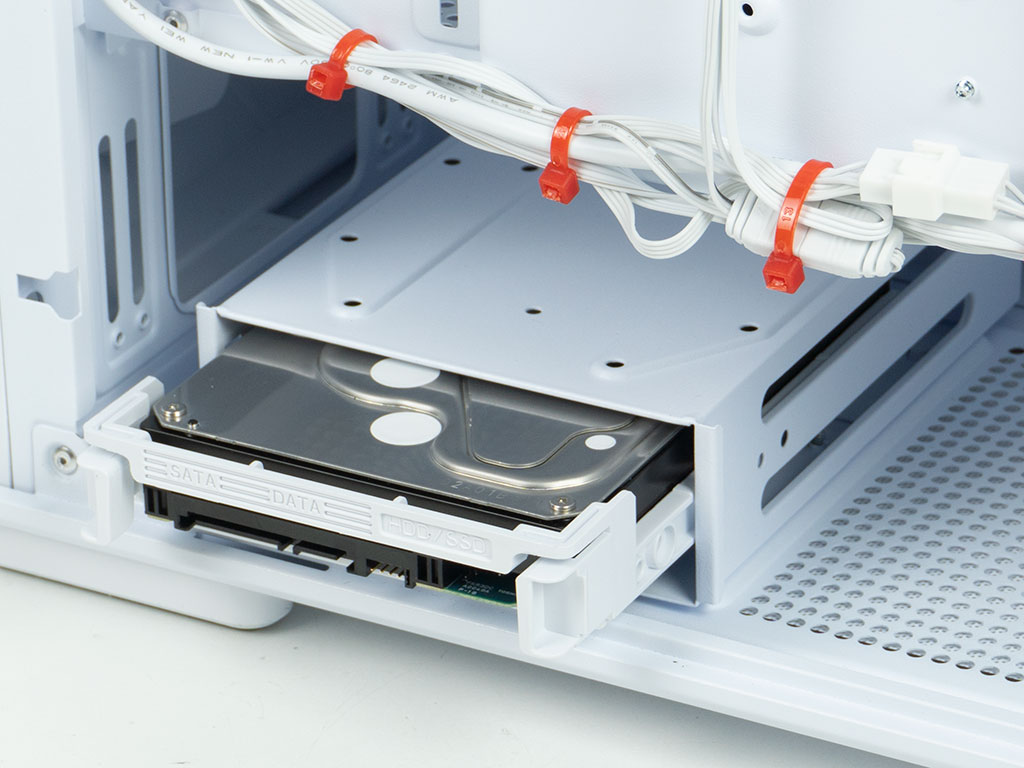
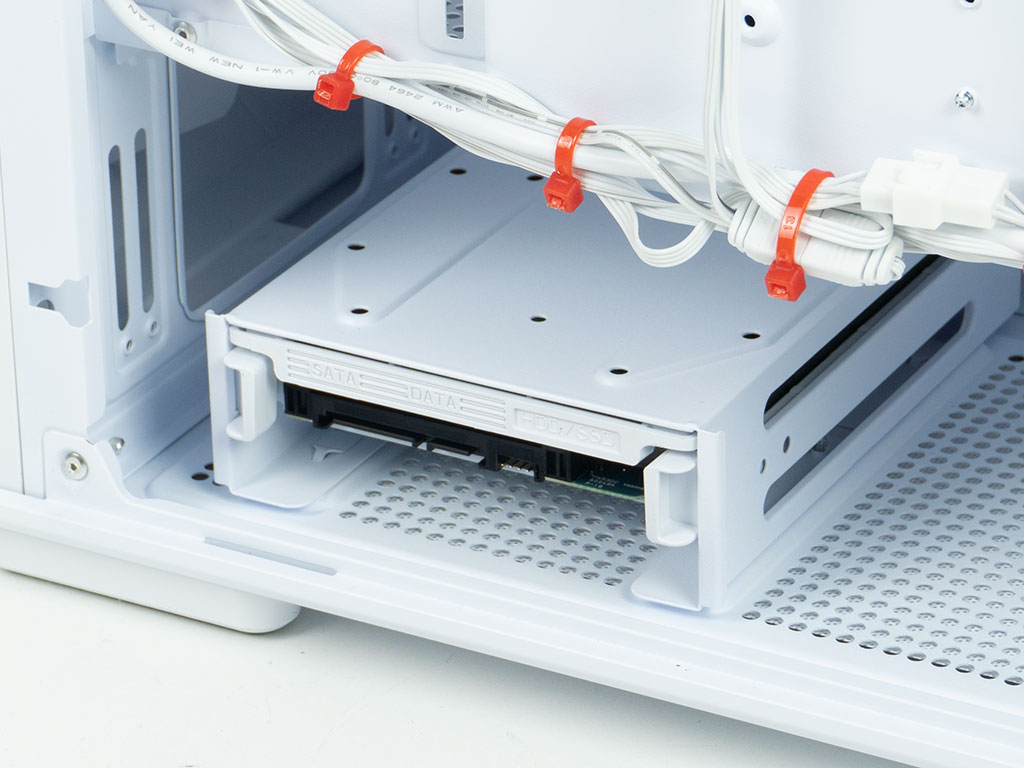
While you could also pull out the whole, larger hard drive cage with a little bit of effort to install a drive on top of it, you can go completely tool-less for a 3.5" drive when using the plastic tray instead. Simply pop the drive into the tray, and then slide it back into place until it snaps in securely.
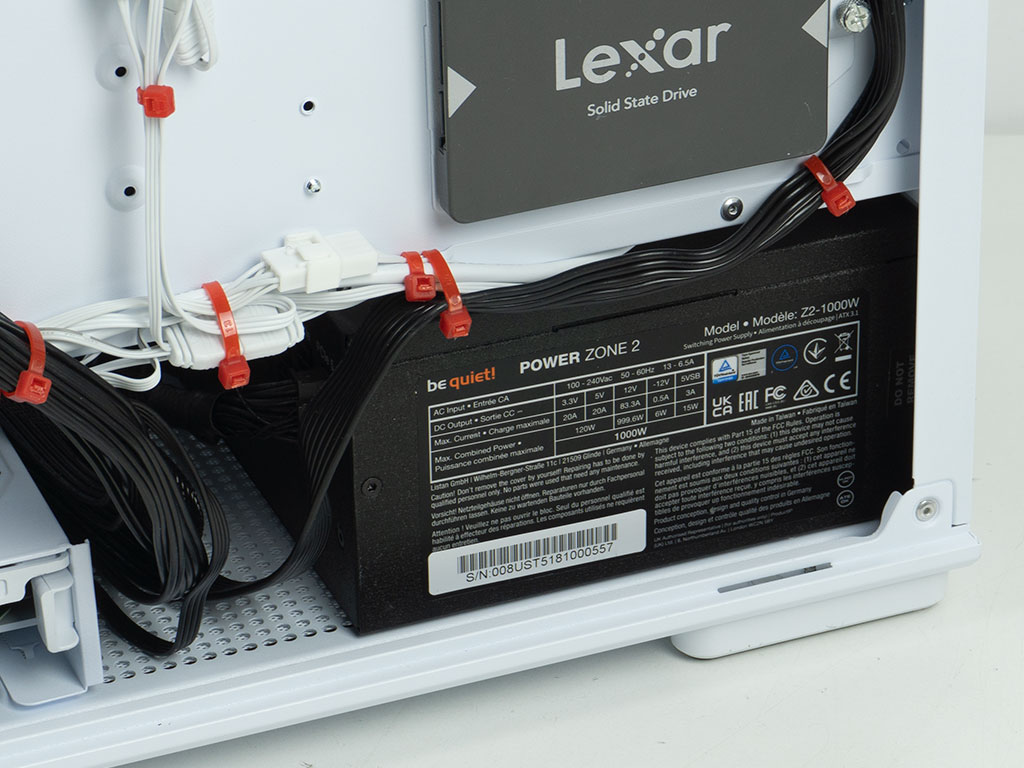
The Pulse PM400 has lots of room for your standard PSU. That said, the 230 mm length advertised for this case seems overly optimistic. Our unit has a body that is 160 mm long, and then you have to consider the cables and connectors. A more realistic number is probably 200 mm maximum without having to sacrifice the HDD cage.

Adding a big and powerful GPU to the system within the Pulse PM400 is no issue. On paper, the case provides room for a unit of up to 370 mm in length, but that does not take into account the frame restricting your insertion space a little bit. As such you will have to go in at an angle. So while our GeForce RTX 5070Ti is not that long, maneuvering it into the case was a bit tight, especially as it is so thick. As you can see it also buds up right against the metal wall to the right of the motherboard tray so we were unable to use the GPU support bracket, for two reasons. On one hand, staying upright it did not go low enough to allow for the thick GPU to fit. Even when flipping it around, which is not its intended setup, to clear the GPU vertically, the rubber lined bar would block the rear fan from turning. As such, we had to remove it completely.
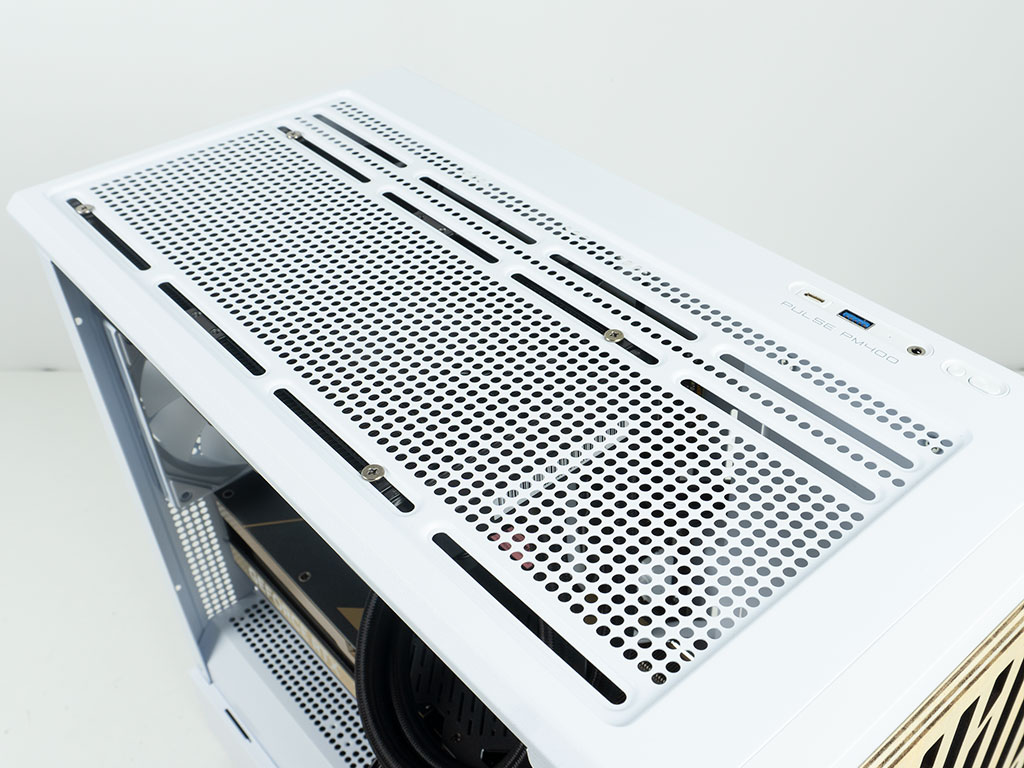
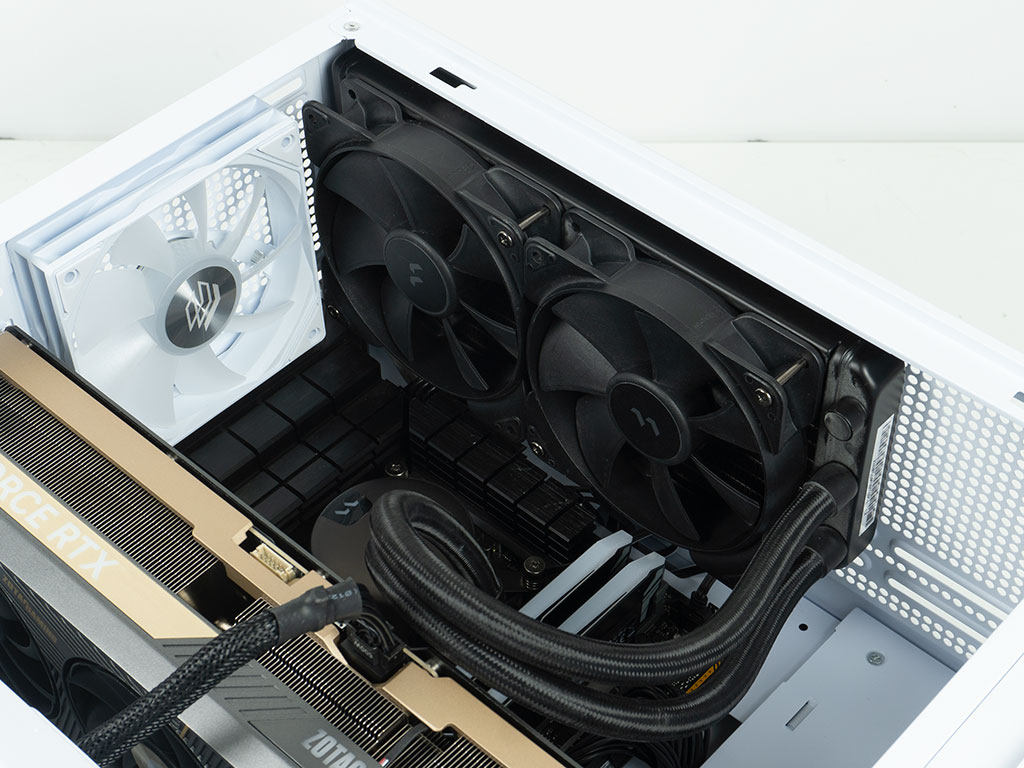
Adding the 240 mm AIO is straightforward as there is lots of depth so you have the flexibility in that dimension. If your motherboard has a heatsink at the top edge of the board, you will be blocked from accessing the headers along that side once the liquid cooler is in place, so you should really plan ahead and pre-connect everything.
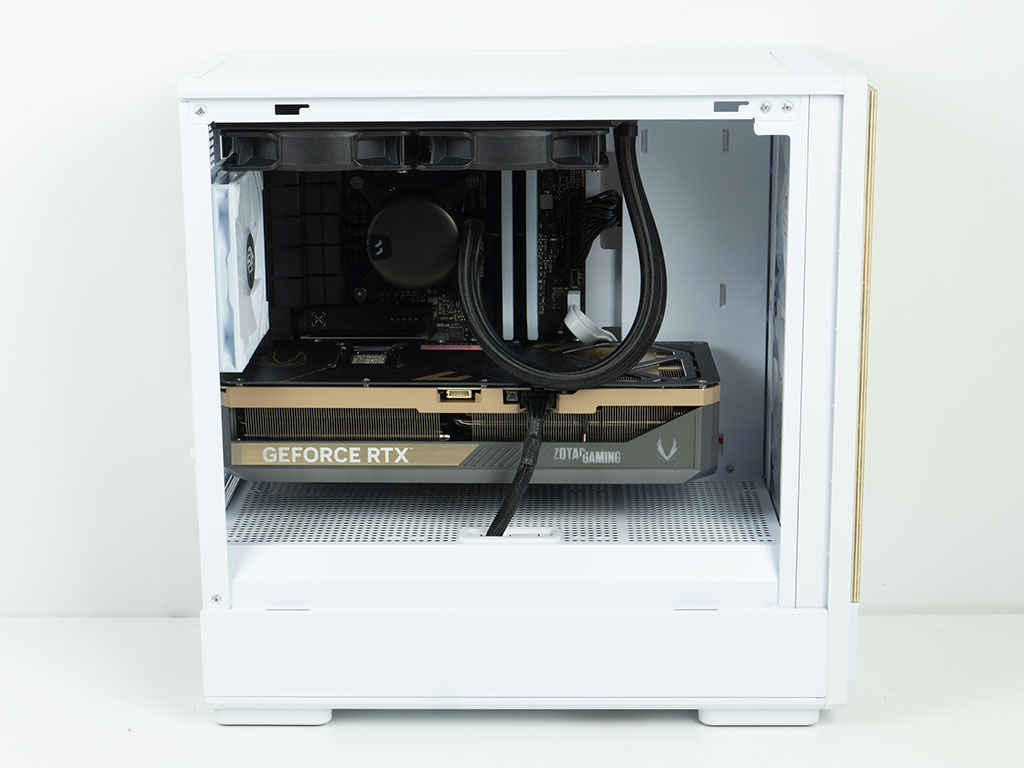
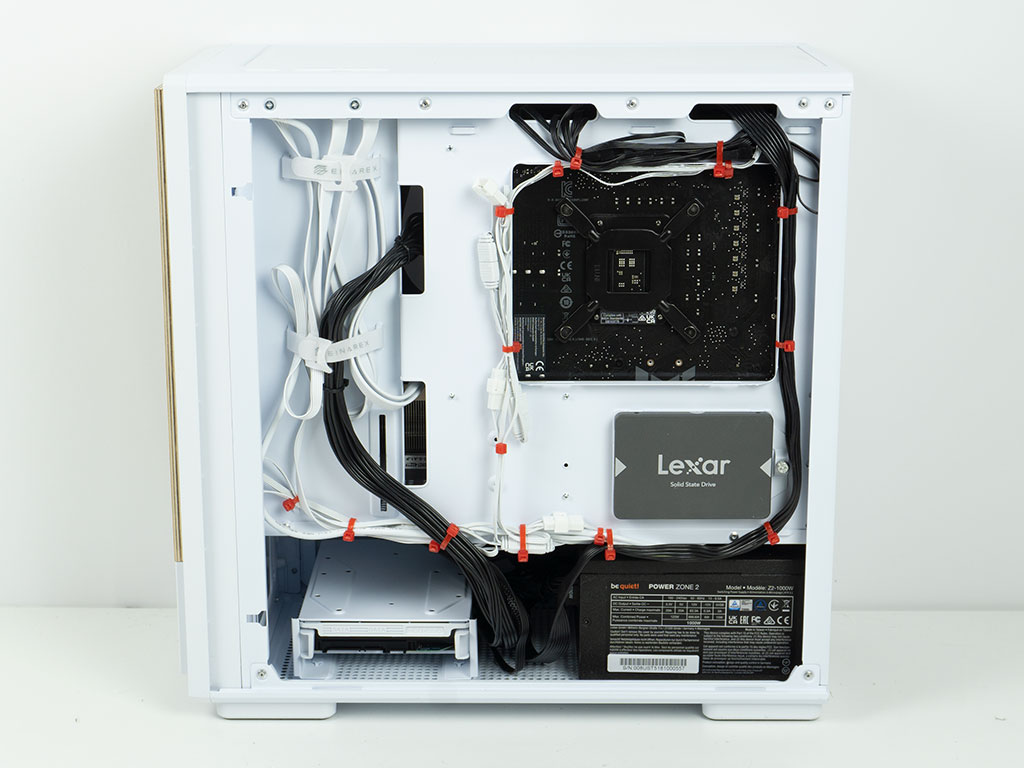
With everything in place, you can see the very little wires poking out of the routing holes. But, the AIO tubing is too long and resting on the GPU. Once again a sign that the body of this case has been around since when air cooling was still king, especially for more compact enclosures, as those took a bit longer to evolve with room for mainstream liquid cooling. On the backside, we managed to use a considerable number of zip ties alongside the two Velcro strips to not only spread the cable routing nicely, but also to keep both storage areas easily accessible, while keeping wires away from the cable routing holes so they would not be visible in the backdrop when looking into the running system.
Finished Looks


Turning the system on, the ARGB fans manage to illuminate the interior and exterior of the case nicely, with the ARGB strip adding a bit of a fun visual element as well. At the top of the Pulse PM400, a blue LED lights up as soon as the system is powered on.

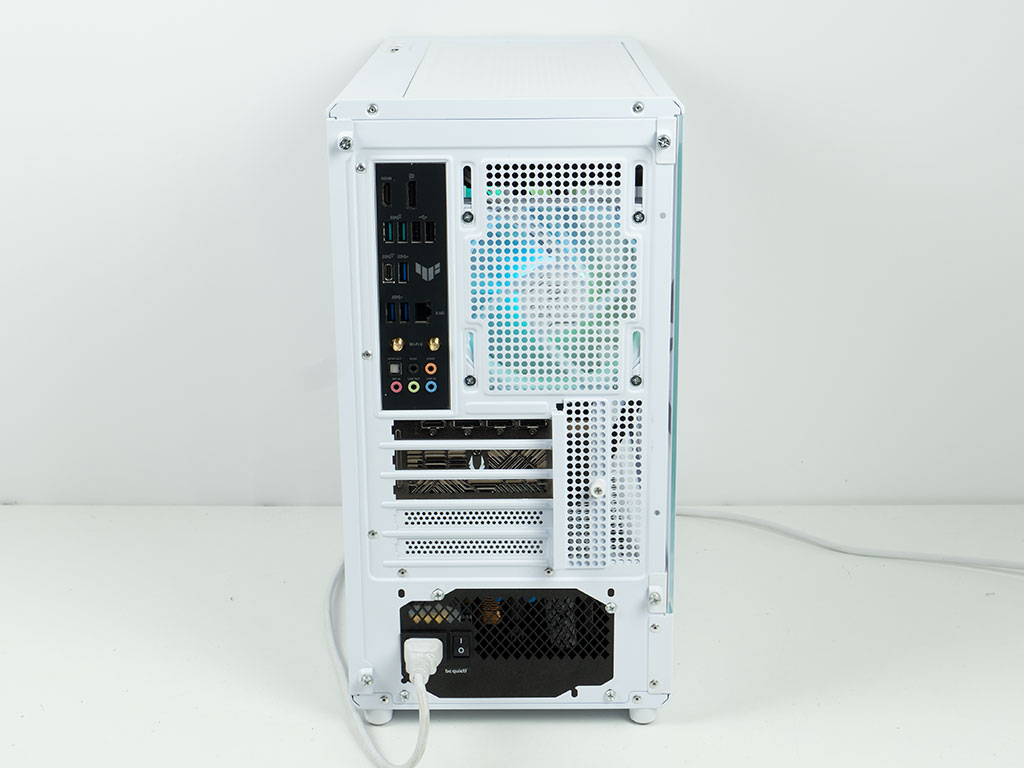
The light colored wood looks great on the white case. Einarex was mindful to have a darker stain on the wooden element for the black chassis to make that fit better too, so having the lighter hue on this one is clearly a deliberate choice. In the rear, everything is where you would expect to see it.
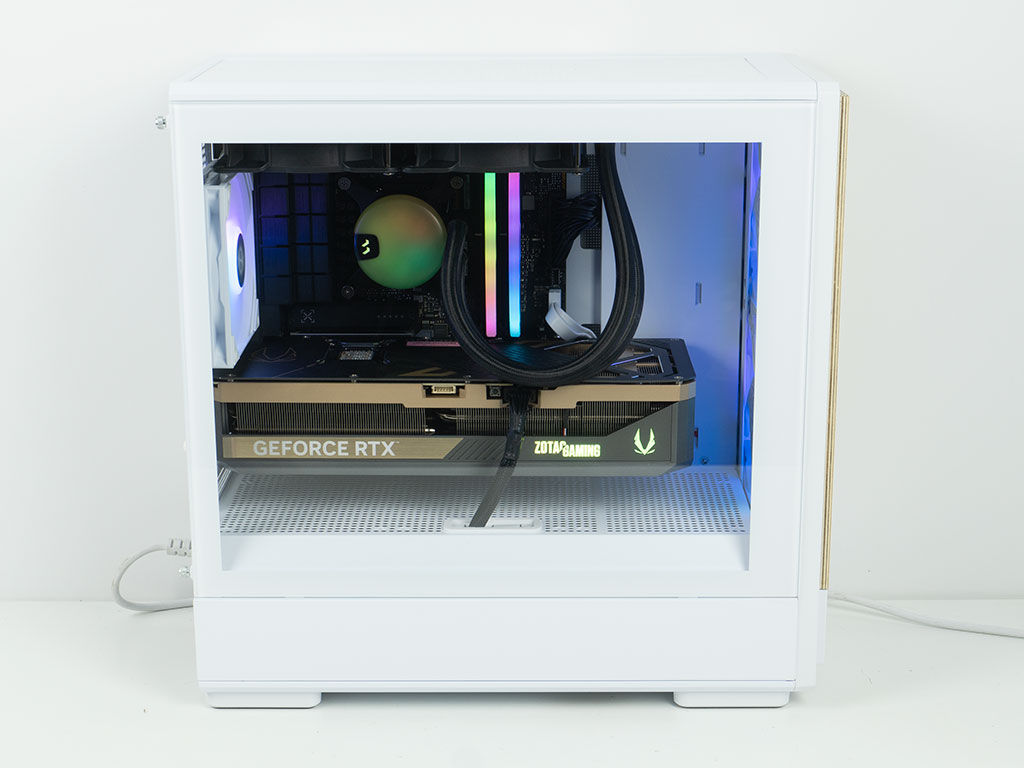
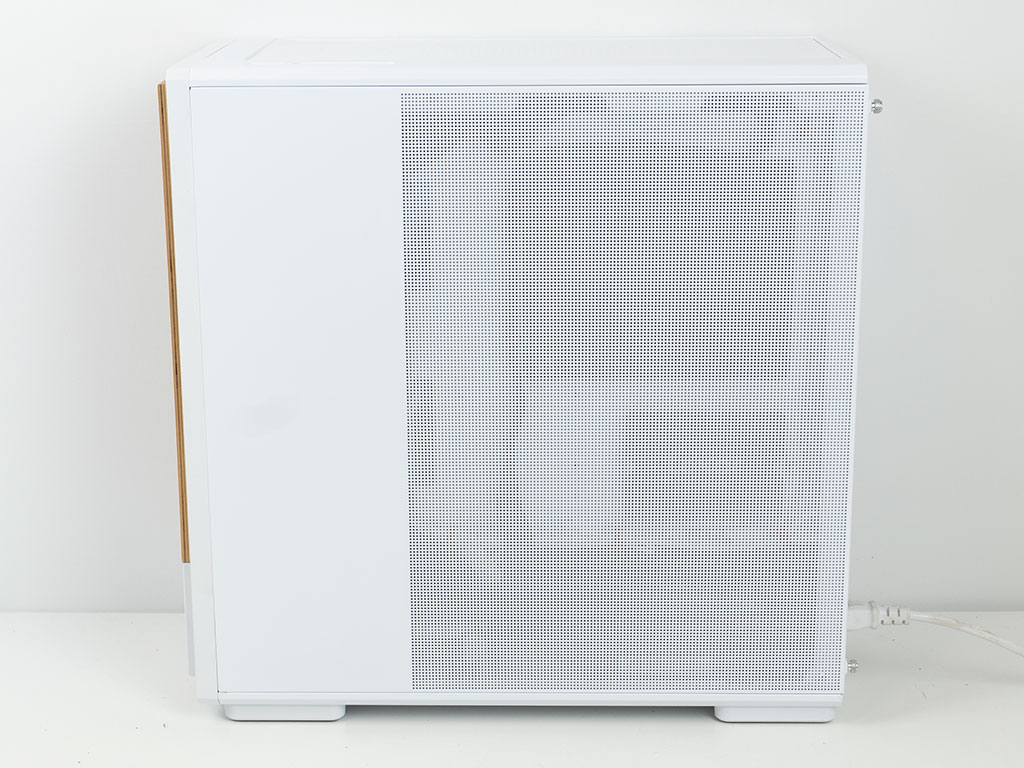
Thanks to the clear glass, you can view all your hardware and the ARGB elements of the fans are nice and bright, still managing to provide a glow against the bright studio lighting. The way the ARGB wiring works, you will need a splitter cable to integrate additional lighting components or ARGB fans, so be mindful of that additional cost. Einarex could have easily provided that as part of the adapter wire for example.
Nov 26th, 2026 10:20 CST
change timezone
Latest GPU Drivers
New Forum Posts
- What's your main Black Friday / Cyber Monday purchase? (18)
- Wireless Internet sharing between PC and router both-ways, is it possible? (24)
- Can you guess Which game it is? (366)
- Post your CrystalDiskMark speeds (658)
- Making a game in Godot engine (20)
- X79 and/or rampage IV OC'ing thread for those of us still left.... (2459)
- Exploring Local LLMs: Models, Hardware and Setup Experiences (4)
- Linpack Xtreme Released (513)
- Claude credits purchased on or after Dec. 7 now have an expiry date (20)
- Acer TravelMate P414-51 (i5-1135G7): CPU stuck at x4 / ~200 MHz effective under 100% load, no throttle flags. How to find who's clamping it? (1)
Popular Reviews
- ASRock X870E Challenger Wi-Fi White Review
- VZMORE AX9 Max Review
- Upcoming Hardware Launches 2027 (Updated Nov 2026)
- Microsoft Surface Laptop Ultra Review - The Next-gen Arm Laptop
- AMD Ryzen 7 9800X3D Review - The Best Gaming Processor
- AMD Zen 6 Technical Deep Dive
- Corsair RM1200e (Second Generation) Review
- Phantom Blade Zero Performance Benchmark Review - 35 GPUs Tested
- Montech CyberFlow ARGB 360 Review
- Pulsar Office Tour & First Look at P1 Dual-Sensor Mouse
TPU on YouTube
Controversial News Posts
- Jensen Huang Reinstated as CEO of NVIDIA (586)
- NVIDIA Co-Founder and CEO Jensen Huang Officially Resigns (492)
- Report: Jensen Huang Eyes NVIDIA Comeback (281)
- Open Letter Asking NVIDIA to Reinstate Jensen Huang Passes 115,000 Signatures (184)
- OpenAI CEO Argues Home PCs Waste the World's Limited DRAM Supply (152)
- NVIDIA Launches Investigation Into Jensen Huang's Relationship With Suspected Chinese Spy (136)
- Intel "Raptor Lake Next" 16-Core and 20-Core CPUs Surface (130)
- Intel Razor Lake Gets a 12 P-Core bLLC Chip With No E-Cores, Per Leak (94)