 16
EIZO FlexScan EV2795 Review
(16 Comments) »Introduction

Back in 2018, I reviewed the EIZO FlexScan EV2785, a 27-inch office monitor equipped with a high-quality 4K IPS panel and a nice set of productivity-oriented features. Judging by the model number, you'd expect the FlexScan EV2795 to be its direct successor, but this is a completely different beast in more ways than one.

While it shares some features with the EV2785, it's still a productivity-oriented monitor with a 27-inch screen diagonal. The FlexScan EV2795 comes with a 2,560x1,440 (so-called "2K") IPS panel, USB-C port, which transforms it into a capable docking station for modern USB-C laptops, an additional USB-C output for daisy-chaining, which is a great way to reduce cable clutter in dual-monitor setups, a three-port USB 3.1 hub, and various technologies aimed at reducing eye strain and lowering power consumption. It even has a built-in KVM switch together with an integrated Ethernet port, so it will happily connect to your work and home computers simultaneously with a single set of connected peripherals and switch between them seamlessly.
If you're an avid gamer, the EIZO FlexScan EV2795 won't interest you since it has no such aspirations. Even though it offers a reasonable 5 ms response time, it's equipped with a 60 Hz panel and doesn't use any kind of adaptive synchronization.
The FlexScan EV2795 is available in black (EV2795-BK) or white (EV2795-WT), with matching black or white cables.
Specifications
| Eizo FlexScan EV2795 | |
|---|---|
| Screen Size | 27" |
| Native Resolution | 2,560x1,440 (16:9) |
| Panel Technology | IPS, 8-bit (10-bit LUT) |
| Refresh Rate | 60 Hz |
| Brightness | 350 nits |
| Contrast | 1,000:1 (static) |
| Viewing Angles | 178° (horizontal) / 178° (vertical) |
| Response Time | 5 ms (GtG) |
| Adjustability | Tilt (-5° to 35°), height (176,6 mm), pivot (90°, both directions), swivel (344°) |
| Video Inputs | 1x DisplayPort 1.3, 1x HDMI 1.4, 1x USB-C 3.1 Gen 1 (DisplayPort Alt Mode, 70 W Power Delivery) |
| Video Outputs | 1x USB-C (daisy chain) |
| USB Upstream Ports | 1x USB-C 3.1 Gen 1 (DisplayPort Alt Mode, 70 W Power Delivery), 1x USB 3.1 Gen 1 Type-B |
| USB Downstream Ports | 1x USB-C 3.1 Gen 1 (DisplayPort Alt Mode, 15 W Power Delivery), 3x USB 3.1 Gen 1 Type-A |
| Other Ports | Ethernet (10/100/1000 Gbps), 3.5-mm audio output (headphones) |
| Audio | Built-in 1 W stereo speakers, 3.5-mm audio output |
| VESA Mounting | Supported (100x100 mm) |
| Extras | Auto EcoView ambient light sensor, EcoView Optimizer 2, KVM switch |
Design and Ergonomics
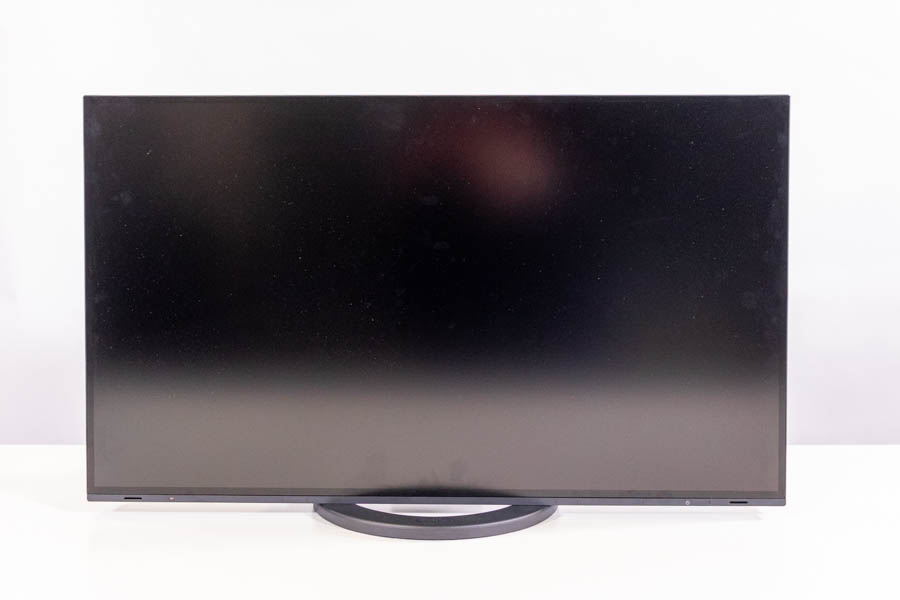
As far as design and ergonomics go, the EIZO FlexScan EV2795 is almost identical to the FlexScan EV2785, which I've reviewed back in 2018. There's nothing wrong with that as there was absolutely no need to change the winning formula. The entire look of the monitor is mainly made up of its thin bezels and still feels fresh, and this monitor can move pretty much any way you might think of.


Its narrow bezels are the most attractive aspect of the EIZO FlexScan EV2795. They're 7 mm thin, which can be compared to the bezels of some of the best gaming monitors on the market. Thin bezels are less distracting in everyday usage, make the screen feel bigger, and work great in multi-monitor setups.
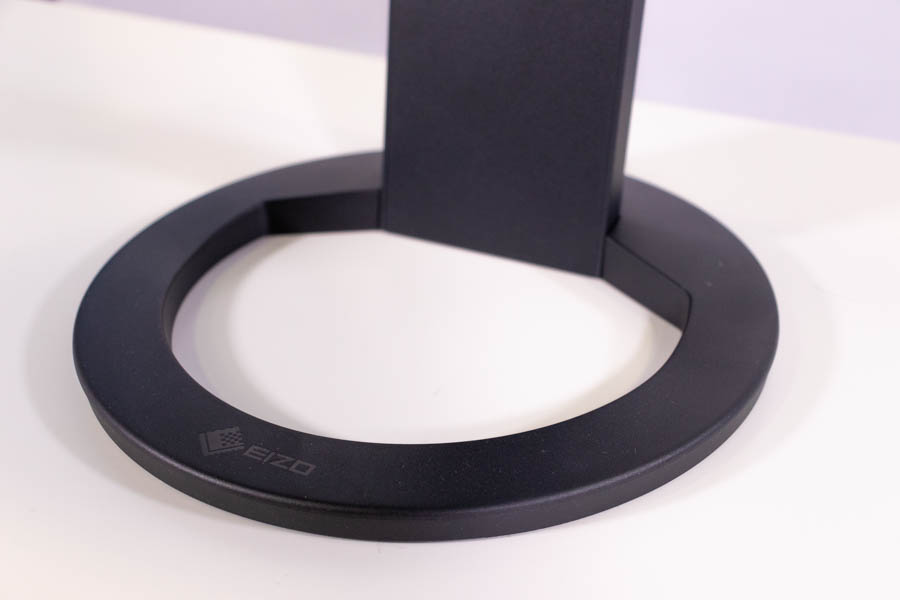
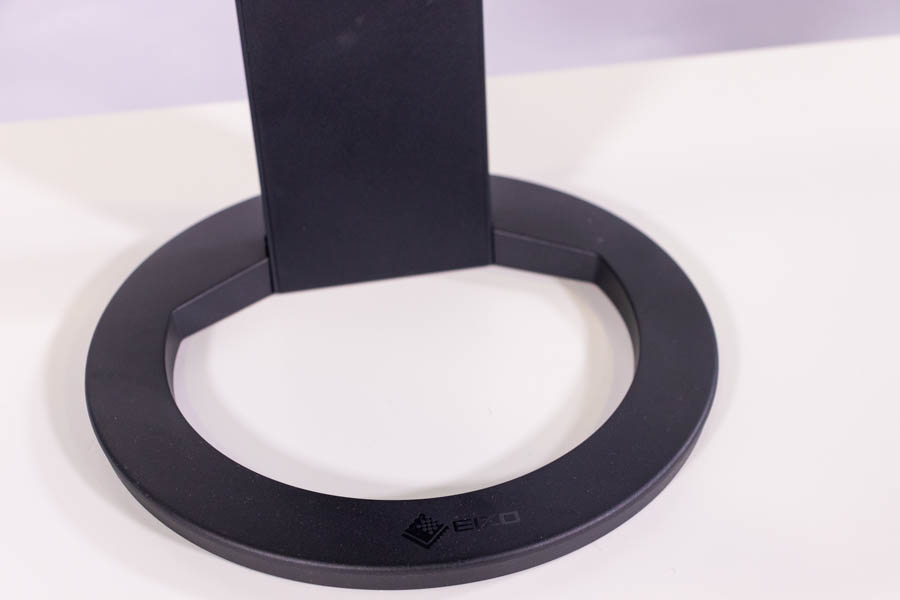
The base is almost the only point of differentiation between the EIZO FlexScan EV2795 and EV2785. It still consists of a metal core covered in plastic, but this time around, the base has a large cutout, so it looks somewhat cleaner. I prefer this design to the old one, primarily because I felt comfortable putting stuff like my phone stand, pens, and post-its into the cutout—something I didn't do with the perfectly round base of the FlexScan EV2785.


The base is perfectly stable and capable of swiveling the screen almost a full 360°. If you want to show something on your screen to someone sitting across from you, you'll be able to do so with a single movement of your hand.

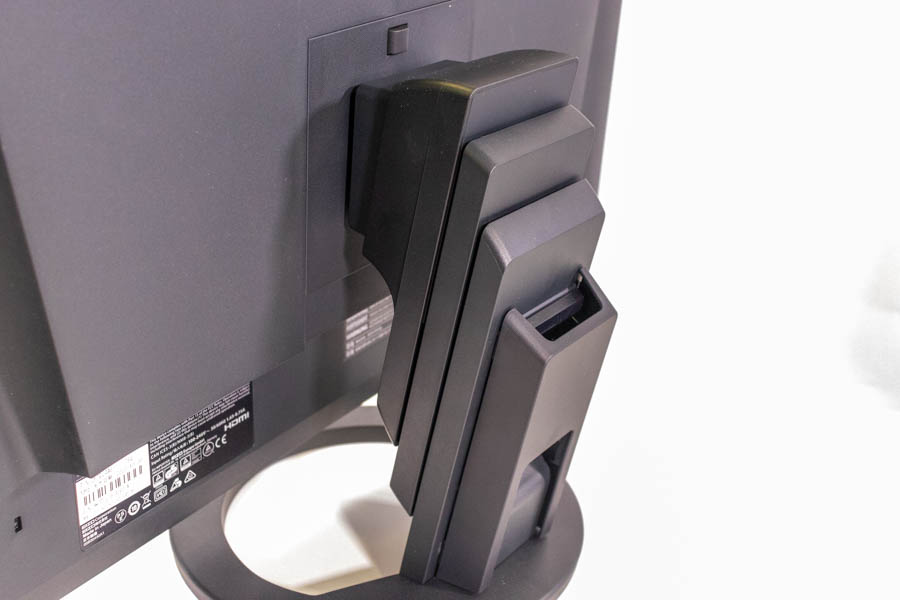
The stand is well made and allows us to adjust the screen pretty much any way you'd like.
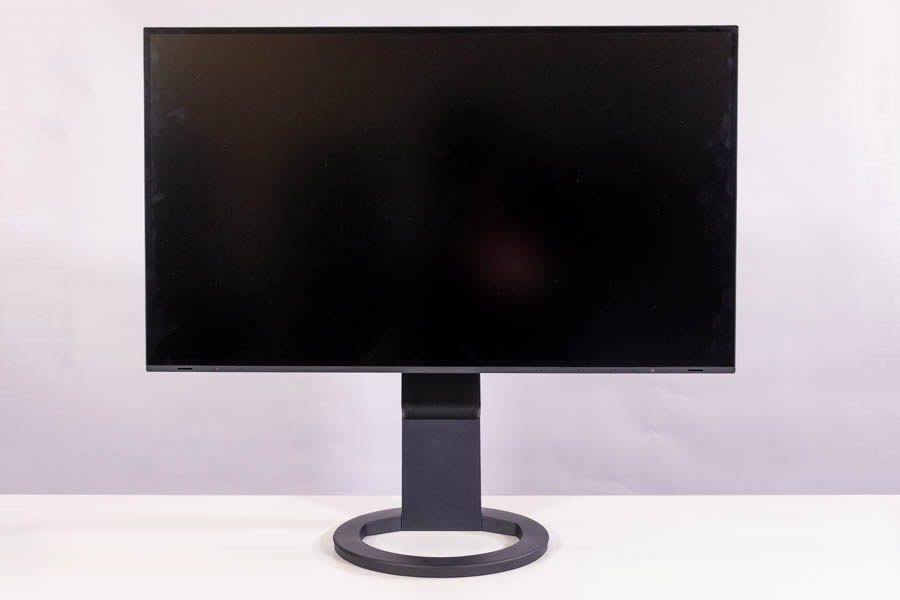
The panel can be adjusted in height. When pushed all the way down, the distance between the screen's bottom edge and the table's surface is around 1.9 centimeters—the screen touches the base. If you pull it all the way up, said distance goes up to 19 centimeters. Thanks to a hole on the rear of the panel, the height of the screen can be adjusted with one hand.
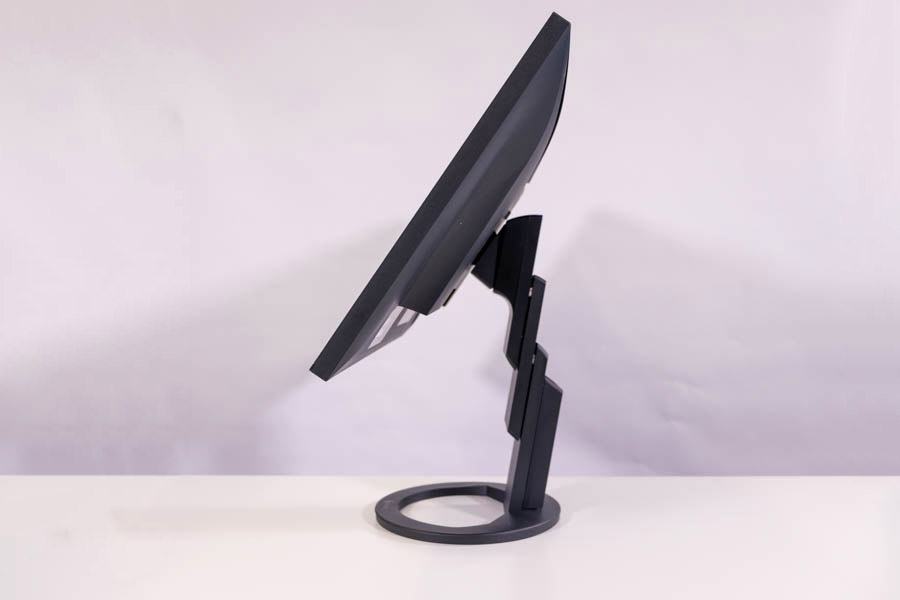
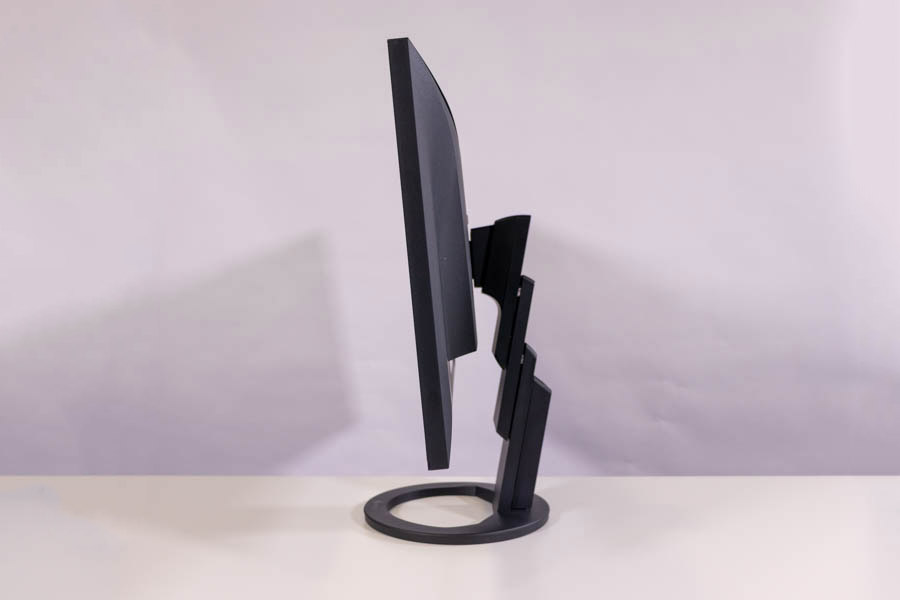
The angle the screen can be tilted in ranges from -5° to 35°, which is somewhat of a standard. Both hands are again needed to adjust the tilt, but the entire range of motion is smooth.

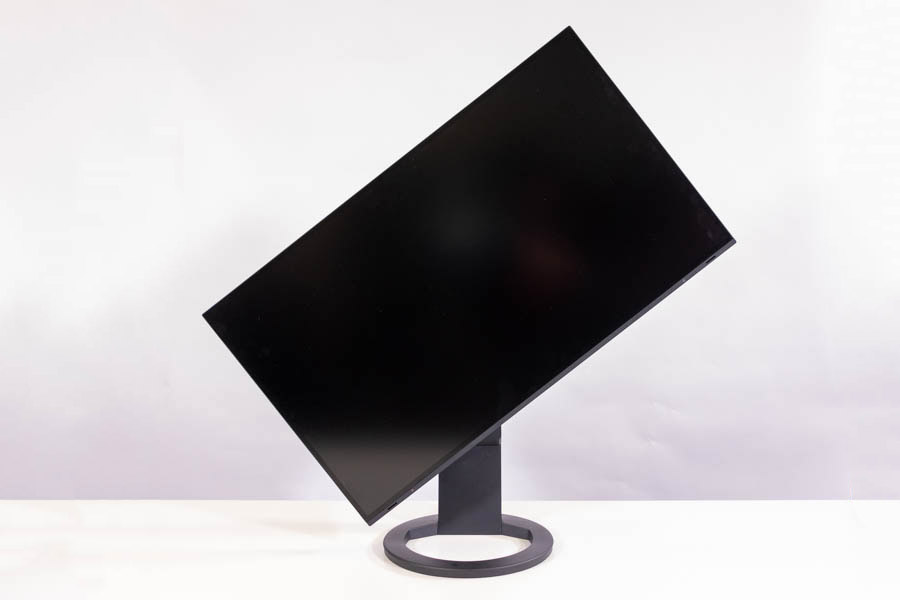
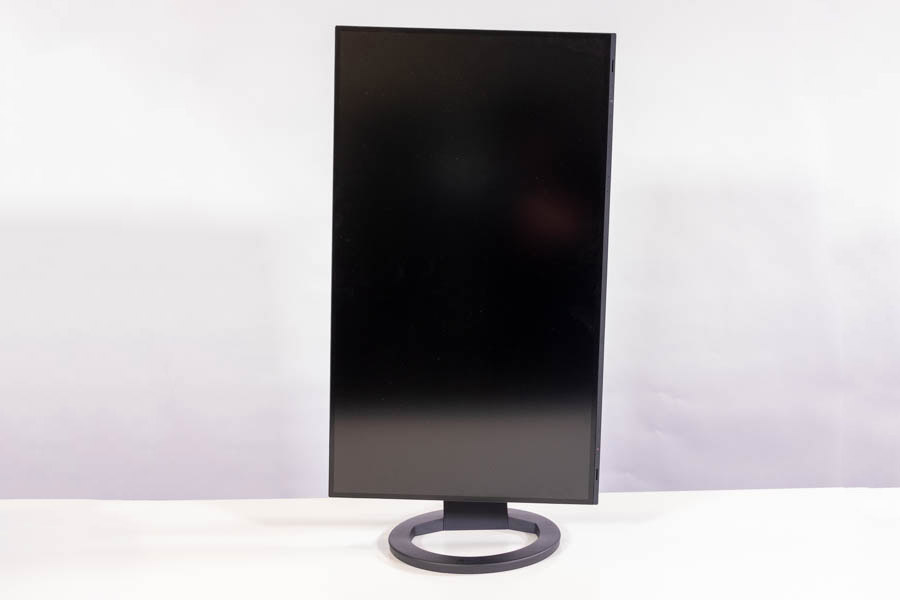
The stand allows for the screen to be pivoted by 90° in either direction. There's no tactile feedback of any kind to let you know you've leveled the monitor. You'll have to eyeball it, which will be a slight annoyance to anyone who plans to switch between portrait and landscape viewing modes regularly.
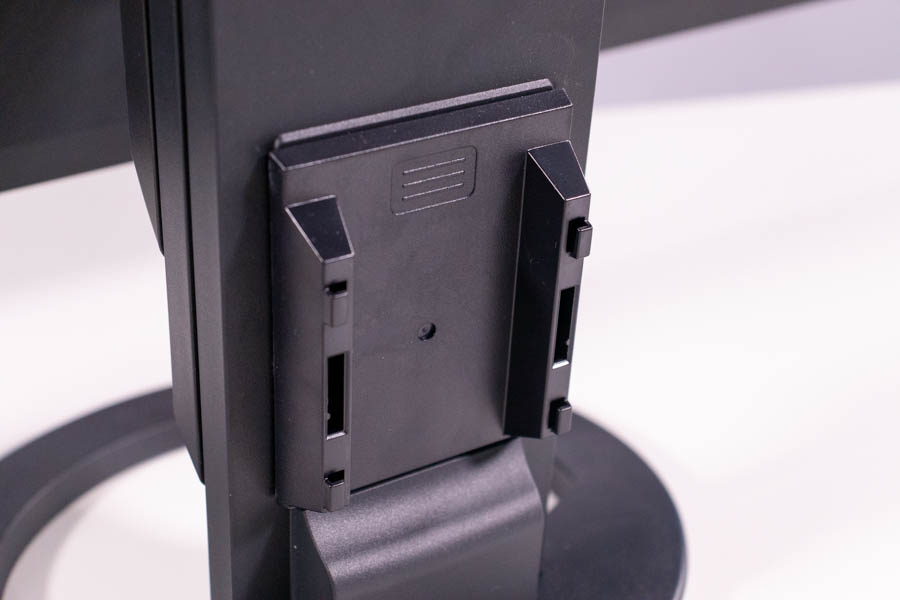

In terms of cable management, the EIZO FlexScan EV2795 uses a plastic cable cover located at the bottom of its stand. You can fit many cables through, and it has no trouble staying in place even if you accidentally tug on any of the cables.

The monitor can be mounted on a desk arm or a wall stand by simply removing the entire stand and affixing the screen to any standard VESA 100x100 mount.
Our Patreon Silver Supporters can read articles in single-page format.
Nov 20th, 2026 00:08 PST
change timezone
Latest GPU Drivers
New Forum Posts
- WarpCoreBench scores! (79)
- RX 7600 + Ryzen 5 5600GT getting the same FPS as my old RX 6500 XT – What am I missing? (7)
- How to prevent OLED burn damage due to PC freezes or power outtages? (40)
- What are you playing? (26236)
- Warning for Windows 10 and 11 users running newer AMD GPU drivers (65)
- Honestly, do you care about GTA VI? (178)
- Anthrophics IPO (10)
- Upgrade Considerations: CPU (12/13/14) and Motherboard (B660/B760 and Z690/Z790) (62)
- TPU's Nostalgic Hardware Club (22172)
- GTA VI (11)
Popular Reviews
- AMD Zen 6 Technical Deep Dive
- Ugreen NASync DXP4800 GT Review
- Acemagic Retro X3 Review
- Corsair RM1200e (Second Generation) Review
- Upcoming Hardware Launches 2027 (Updated Nov 2026)
- Pulsar Office Tour & First Look at P1 Dual-Sensor Mouse
- Biwin Black Opal NV7400 2 TB Review
- Chieftec Iceberg PRO 360 DARK Review
- AMD Ryzen 7 9800X3D Memory Performance Scaling
- AMD Ryzen 7 9800X3D Review - The Best Gaming Processor
TPU on YouTube
Controversial News Posts
- NVIDIA Co-Founder and CEO Jensen Huang Officially Resigns (490)
- Report: Jensen Huang Eyes NVIDIA Comeback (224)
- Open Letter Asking NVIDIA to Reinstate Jensen Huang Passes 115,000 Signatures (184)
- OpenAI CEO Argues Home PCs Waste the World's Limited DRAM Supply (152)
- NVIDIA Launches Investigation Into Jensen Huang's Relationship With Suspected Chinese Spy (136)
- Intel "Raptor Lake Next" 16-Core and 20-Core CPUs Surface (130)
- Legendary Game Studio BioWare Shuts Down Following EA Layoffs (104)
- Dell CEO Says the Memory Shortage Will Get Worse in 2027 (95)