 3
Endgame Gear OP1 8K V2 Review
(3 Comments) »Value and Conclusion
- The Endgame Gear OP1 8K V2 is available for $89.99 in the US, and generally for $79.99 elsewhere.
- True 8000 Hz polling
- Excellent sensor performance
- Ultra-low click latency
- Very high button quality
- Good scroll wheel
- Great choice of components
- Lightweight
- Flexible cable
- Nicely gliding mouse feet
- Full software customizability
- Set of replacement feet included
- Set of grip tape included
- Somewhat pricey (US only)
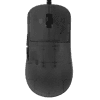
Released roughly one and a half years ago, the OP1 8K emerged as the best performing wired mouse on the entire market, and still holds this title today. Essentially, the OP1 8K is as fast as it gets, which is why it comes as no surprise that the OP1 8K V2 has a hard time improving on this, and that the changes made to the V2 rather lie in the details. Most notably, the OP1 8K V2 utilizes a PixArt PAW3950 sensor instead of the OP1 8K's PAW3395, and more specifically a custom variant with the designation U+1F95A. The main benefits afforded by this custom variant are the ability to adjust CPI in increments of 10 for steps below 10,000 CPI, along with the lift-off distance being adjustable in 11 steps. CPI accuracy in general already has been improved on the OP1 8K V2, as instead of a positive deviation of 3.8% like on the OP1 8K, the V2 has a negative deviation of 1.9%, which is very easily corrected owing to the ability to adjust CPI in increments of 10 CPI.
Another novelty introduced on the OP1 8K V2 concerns the sensor framerate, which has been permanently locked to the maximum value of roughly 20,500, though this can be done on any 3950. On a wired mouse such as the OP1 8K V2, the increased power draw brought about by the increased sensor framerate of course isn't relevant. The main benefit of a higher framerate is marginally lowered motion delay, though this is only in the range of microseconds, whereas the main drawbacks are twofold: accuracy for low-velocity motion may be lowered, which in turn is linked to a higher level of jitter in general. As such, the OP1 8K V2 exhibits a higher base level of jitter both when compared to the 3395-equipped OP1 8K and when compared to other 3950-equipped mice running default sensor framerates. To reduce jitter at higher CPI levels, one could enable the ripple control setting in the software, but since that one applies averaging across a fixed number of frames, its power is effectively almost halved compared to the OP1 8K by virtue of the almost doubled framerate, reducing its effectiveness in the process. As such, using higher CPI steps is less desirable on the OP1 8K V2, though on the latest firmware at least, this has been addressed by adding a toggle for the increased sensor framerate.
The aforementioned items aside, the OP1 8K V2 basically is the same mouse as the OP1 8K. The main PCB has been re-designed and now occupies slightly less real estate, though this has no meaningful effect on the weight. At 50 g, the OP1 8K V2 weighs essentially the same as its predecessor, and build quality is on the same, very high level: there is no rattle when shaking, no creaking or flexing of the shell when applying lateral pressure, and activating the side buttons by pressing below them is plain impossible. The cable is still the same, providing great flexibility without being overly floppy, and the feet likewise are the same, being made of pure PTFE and offering excellent glide. As on the OP1 8K before, the main button switches are placed on separate PCBs, facilitating easy swapping to a different set of switches, several of which are offered by Endgame Gear.
Whether one would want to change the default main button switches is a different question, however, for multiple reasons. Much like the OP1 8K, the V2 utilizes Kailh GX switches for the main buttons. This switch is a so-called SPDT switch, which means that instead of only having a single bottom contact, it also has a top contact that can be used for various things. One possible use is to employ this contact as an additional layer of hardware debouncing, in that a click will only be registered if the bottom contact is closed and the top contact not closed. Another and arguably more thrilling use case is the so-called GX Speed mode, by virtue of which a click will be registered already when the top contact is no longer closed instead of waiting for the bottom contact to close, reducing physical latency in the process. In my testing, enabling GX Speed Mode reduces click latency by 1.4 ms compared to non-Speed modes, which is a highly substantial reduction.
In terms of feel, the GX switches are also great. Actuation is very firm and snappy, although also on the stiffer side, despite the actuation force rating of 55-60 gf. The button design likewise is sound, as lateral movement is minimal even when provoked, pre-travel is very low, and post-travel low. For the side buttons, another set of switches from Kailh is used, although these are GM 2.0. Pre- and post-travel are very low, actuation is even, and button response highly pleasing. For the scroll wheel, Endgame Gear has opted for a new encoder, namely a gray one from Kailh instead of the OP1 8K's TTC Silver. The Kailh one is noisier when scrolling up, whereas tactility is roughly on the same level, though the Kailh encoder may have slightly less defined steps. Overall, they're fairly similar, although I'd give the nod to the OP1 8K's TTC encoder.
Performance is just as stellar as on the OP1 8K. General tracking is great, polling stable all the way to 8000 Hz, and smoothing disabled by default, such that motion delay is the same across the entire CPI range. Speaking of, as long as MotionSync stays disabled, motion delay will be the same regardless of polling rate, sitting at a fantastic 1.2 ms advantage over the Logitech G403 (control subject). Enabling MotionSync adds motion delay of various degrees depending on polling rate, with 1000 Hz having the highest negative impact and 8000 Hz the lowest. Click latency likewise is unaffected by polling rate and comes out at an average of 0.1 ms, which is on par with the 8000 Hz wired offerings from Razer (DeathAdder V3/Viper 8K) or Zaunkoenig (M2K/M3K). Do keep in mind, however, that this number only accounts for firmware-level latency, as by enabling GX Speed mode, physical latency can be lowered by another 1.4 ms, placing the OP1 8K V2 far ahead of the competition. As an aside, and somewhat curiously, click latency is marginally (10 us) lower with sensor motion than without.
The software is another strong point of the OP1 8K V2. Not only does it utilize no more than 2 MB of RAM, which in itself is a masterclass in efficient coding, it also doesn't require installation, all while having all the necessary options included. In fact, the range of settings goes beyond the standard, as one can also define the minimum click duration, which can be useful when trying to maximize CPS (clicks per second) for games such as Minecraft. In addition, CPI values can be set for x- and y-values independently, and the slam-click filter, which prevents inadvertent clicks upon resetting the mouse, may be turned off as well. Further options include 3950-specific settings such as the forcing of the 3950's glass mode for clear glass surfaces and sensor angle adjustment, which is possible in single-degree steps, unlike on many other competing mice only allowing rather coarse adjustment.
While I wouldn't say that the OP1 8K V2 is a straight improvement over the OP1 8K, as both the increased sensor framerate and the new scroll wheel encoder aren't unequivocally better, the V2 does improve on the OP1 8K overall. In fact, arguably one of the most significant improvements only applies to a specific color and material variant, as the Dark Frost variant (which this review is based on) no longer suffers from worse build quality compared to the black and white ones, while also not being as prone to fingerprints as the black color variant was. This brings us to the question of whom the OP1 8K V2 is for. As mentioned, the OP1 8K's performance already is excellent to where improvement isn't really possible anyway, and other differences aren't particularly meaningful, either. Accordingly, for anyone who already has an OP1 8K, the V2 is a dubious value proposition, and those who don't may still be better served by the OP1 8K, simply by virtue of offering virtually the same performance in practice while costing significantly less. The latter part, however, only applies to the US, where the OP1 8K V2 is priced at $89.99, whereas elsewhere it typically goes for $79.99, and a $5 premium over the original OP1 8K is still reasonable. As such, the OP1 8K V2 once again gets our Editor's Choice.

Another novelty introduced on the OP1 8K V2 concerns the sensor framerate, which has been permanently locked to the maximum value of roughly 20,500, though this can be done on any 3950. On a wired mouse such as the OP1 8K V2, the increased power draw brought about by the increased sensor framerate of course isn't relevant. The main benefit of a higher framerate is marginally lowered motion delay, though this is only in the range of microseconds, whereas the main drawbacks are twofold: accuracy for low-velocity motion may be lowered, which in turn is linked to a higher level of jitter in general. As such, the OP1 8K V2 exhibits a higher base level of jitter both when compared to the 3395-equipped OP1 8K and when compared to other 3950-equipped mice running default sensor framerates. To reduce jitter at higher CPI levels, one could enable the ripple control setting in the software, but since that one applies averaging across a fixed number of frames, its power is effectively almost halved compared to the OP1 8K by virtue of the almost doubled framerate, reducing its effectiveness in the process. As such, using higher CPI steps is less desirable on the OP1 8K V2, though on the latest firmware at least, this has been addressed by adding a toggle for the increased sensor framerate.
The aforementioned items aside, the OP1 8K V2 basically is the same mouse as the OP1 8K. The main PCB has been re-designed and now occupies slightly less real estate, though this has no meaningful effect on the weight. At 50 g, the OP1 8K V2 weighs essentially the same as its predecessor, and build quality is on the same, very high level: there is no rattle when shaking, no creaking or flexing of the shell when applying lateral pressure, and activating the side buttons by pressing below them is plain impossible. The cable is still the same, providing great flexibility without being overly floppy, and the feet likewise are the same, being made of pure PTFE and offering excellent glide. As on the OP1 8K before, the main button switches are placed on separate PCBs, facilitating easy swapping to a different set of switches, several of which are offered by Endgame Gear.
Whether one would want to change the default main button switches is a different question, however, for multiple reasons. Much like the OP1 8K, the V2 utilizes Kailh GX switches for the main buttons. This switch is a so-called SPDT switch, which means that instead of only having a single bottom contact, it also has a top contact that can be used for various things. One possible use is to employ this contact as an additional layer of hardware debouncing, in that a click will only be registered if the bottom contact is closed and the top contact not closed. Another and arguably more thrilling use case is the so-called GX Speed mode, by virtue of which a click will be registered already when the top contact is no longer closed instead of waiting for the bottom contact to close, reducing physical latency in the process. In my testing, enabling GX Speed Mode reduces click latency by 1.4 ms compared to non-Speed modes, which is a highly substantial reduction.
In terms of feel, the GX switches are also great. Actuation is very firm and snappy, although also on the stiffer side, despite the actuation force rating of 55-60 gf. The button design likewise is sound, as lateral movement is minimal even when provoked, pre-travel is very low, and post-travel low. For the side buttons, another set of switches from Kailh is used, although these are GM 2.0. Pre- and post-travel are very low, actuation is even, and button response highly pleasing. For the scroll wheel, Endgame Gear has opted for a new encoder, namely a gray one from Kailh instead of the OP1 8K's TTC Silver. The Kailh one is noisier when scrolling up, whereas tactility is roughly on the same level, though the Kailh encoder may have slightly less defined steps. Overall, they're fairly similar, although I'd give the nod to the OP1 8K's TTC encoder.
Performance is just as stellar as on the OP1 8K. General tracking is great, polling stable all the way to 8000 Hz, and smoothing disabled by default, such that motion delay is the same across the entire CPI range. Speaking of, as long as MotionSync stays disabled, motion delay will be the same regardless of polling rate, sitting at a fantastic 1.2 ms advantage over the Logitech G403 (control subject). Enabling MotionSync adds motion delay of various degrees depending on polling rate, with 1000 Hz having the highest negative impact and 8000 Hz the lowest. Click latency likewise is unaffected by polling rate and comes out at an average of 0.1 ms, which is on par with the 8000 Hz wired offerings from Razer (DeathAdder V3/Viper 8K) or Zaunkoenig (M2K/M3K). Do keep in mind, however, that this number only accounts for firmware-level latency, as by enabling GX Speed mode, physical latency can be lowered by another 1.4 ms, placing the OP1 8K V2 far ahead of the competition. As an aside, and somewhat curiously, click latency is marginally (10 us) lower with sensor motion than without.
The software is another strong point of the OP1 8K V2. Not only does it utilize no more than 2 MB of RAM, which in itself is a masterclass in efficient coding, it also doesn't require installation, all while having all the necessary options included. In fact, the range of settings goes beyond the standard, as one can also define the minimum click duration, which can be useful when trying to maximize CPS (clicks per second) for games such as Minecraft. In addition, CPI values can be set for x- and y-values independently, and the slam-click filter, which prevents inadvertent clicks upon resetting the mouse, may be turned off as well. Further options include 3950-specific settings such as the forcing of the 3950's glass mode for clear glass surfaces and sensor angle adjustment, which is possible in single-degree steps, unlike on many other competing mice only allowing rather coarse adjustment.
While I wouldn't say that the OP1 8K V2 is a straight improvement over the OP1 8K, as both the increased sensor framerate and the new scroll wheel encoder aren't unequivocally better, the V2 does improve on the OP1 8K overall. In fact, arguably one of the most significant improvements only applies to a specific color and material variant, as the Dark Frost variant (which this review is based on) no longer suffers from worse build quality compared to the black and white ones, while also not being as prone to fingerprints as the black color variant was. This brings us to the question of whom the OP1 8K V2 is for. As mentioned, the OP1 8K's performance already is excellent to where improvement isn't really possible anyway, and other differences aren't particularly meaningful, either. Accordingly, for anyone who already has an OP1 8K, the V2 is a dubious value proposition, and those who don't may still be better served by the OP1 8K, simply by virtue of offering virtually the same performance in practice while costing significantly less. The latter part, however, only applies to the US, where the OP1 8K V2 is priced at $89.99, whereas elsewhere it typically goes for $79.99, and a $5 premium over the original OP1 8K is still reasonable. As such, the OP1 8K V2 once again gets our Editor's Choice.
Nov 22nd, 2026 17:12 CST
change timezone
Latest GPU Drivers
New Forum Posts
- UPS what one to get? (48)
- Honestly, do you care about GTA VI? (265)
- Your PC ATM (36458)
- Gacha Games - Discussions, Pulls, Updates, etc. (1157)
- Last game you purchased? (1414)
- Making a game in Godot engine (19)
- Intel D270 (5)
- X870E AORUS ELITE WIFI7 thread with setting and OC (69)
- Gigabyte Aorus Master X570 settings / 7900XTX / 5950x /32GB Samsung B-die (13)
- Asus TUF Gaming X870-PLUS WIFI Optimization (2)
Popular Reviews
- Microsoft Surface Laptop Ultra Review - The Next-gen Arm Laptop
- Corsair RM1200e (Second Generation) Review
- Pulsar Office Tour & First Look at P1 Dual-Sensor Mouse
- Upcoming Hardware Launches 2027 (Updated Nov 2026)
- Ugreen NASync DXP4800 GT Review
- AMD Ryzen 7 9800X3D Review - The Best Gaming Processor
- Biwin Black Opal NV7400 2 TB Review
- AMD Zen 6 Technical Deep Dive
- Phantom Blade Zero Performance Benchmark Review - 35 GPUs Tested
- AMD Ryzen 7 5800X3D 10th Anniversary Review
TPU on YouTube
Controversial News Posts
- NVIDIA Co-Founder and CEO Jensen Huang Officially Resigns (492)
- Report: Jensen Huang Eyes NVIDIA Comeback (266)
- Open Letter Asking NVIDIA to Reinstate Jensen Huang Passes 115,000 Signatures (184)
- OpenAI CEO Argues Home PCs Waste the World's Limited DRAM Supply (152)
- NVIDIA Launches Investigation Into Jensen Huang's Relationship With Suspected Chinese Spy (136)
- Intel "Raptor Lake Next" 16-Core and 20-Core CPUs Surface (130)
- NVIDIA GeForce RTX 50-Series Scheduled for up to $500 Price Hike This Week (89)
- Intel Razor Lake Gets a 12 P-Core bLLC Chip With No E-Cores, Per Leak (86)