 2
FL Esports OG98 Tri-Mode Mechanical Keyboard Review
Value & Conclusion »Software
The FL Esports global website did not mention any software driver support for the OG98 keyboard when I first started testing the keyboard, however I did see the older Chinese website have a page for drivers. Unfortunately, not only is this page extremely confusing with multiple possible driver options, most of which just seem to be different updated versions of the same base driver, but none of these even worked for this keyboard. One link was not working and the rest, while the installation was effortless, simply said there was no compatible keyboard connected. I then reached out to my contact with the global store who then added the software page on the website. Installation happened similar to the WIZMAX CALUX and a few other keyboards in that there was absolutely no option provided, yet afterward I simply could not pull up the software no matter what I did. The representative mentioned they had no issues with the software, so please keep this in mind as it could be an isolated issue. Regardless, at this time I had already spent more time just trying to get working software installed than I do on some entire keyboard reviews, so I decided to just move on saying I am currently unable to verify any software customization for this keyboard. As such, I have thus chosen to combine the Software and Performance pages into one.Lighting and Performance
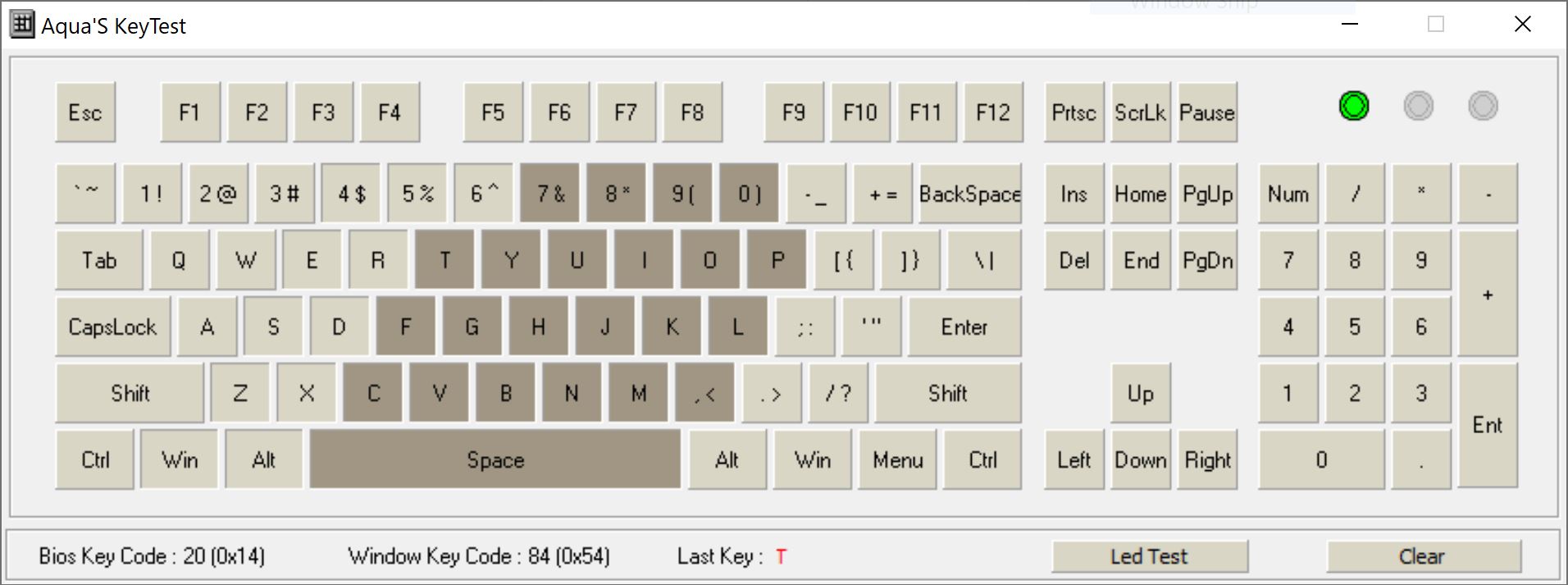
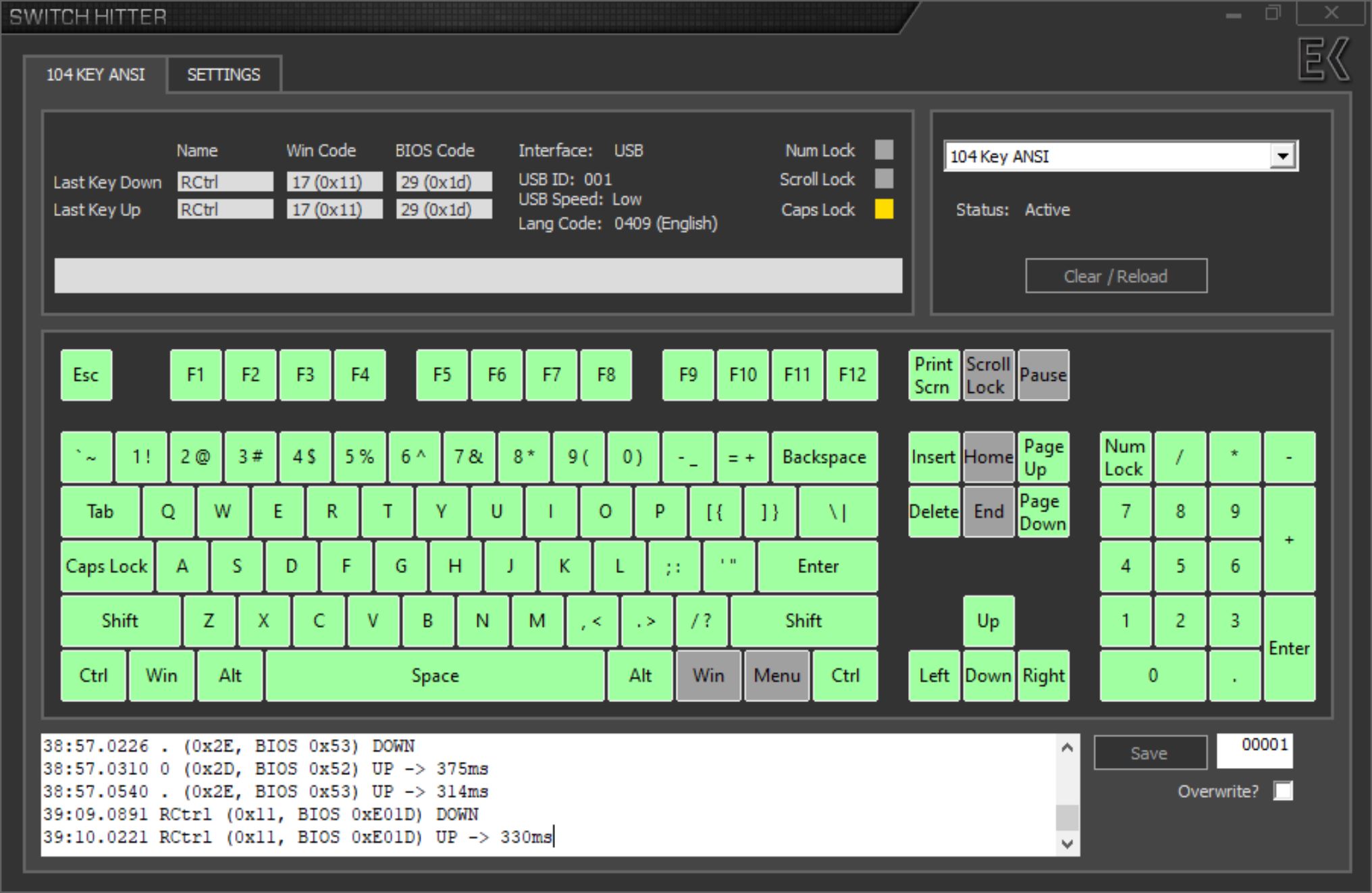
The FL Esports OG98 supports N-key rollover USB and 2.4 GHz which tested successfully using Aqua's test. It defaults to 6KRO with Bluetooth as expected, and note that the polling rate also goes from 1000 Hz over USB/2.4 GHz to 125 Hz with Bluetooth. Switch Hitter confirmed no chatter with these keys either, and seen above are all the functions with dedicated keys on the base layer. This 99-key unit obviously gives you nearly everything you can expect on a keyboard, with only five keys missing from the standard 104-key US ANSI layout as previously discussed. As usual, the R. Win key is replaced by a Fn key so it's not reflected above.

The Fn key is handy here given the issues with software customization, or lack thereof, at this time. The user manual included in the box has the various pre-programmed controls explained clearly, including for various operating systems and in multiple languages. The online manual is quite low in resolution though, so I've shown the equivalent section from the OG87 online manual here. Most the functions are the same on the OG98 too, thus you get an idea of what to expect, including volume and media playback controls, LED controls, and some shortcuts to enhance your quality of life. These are also reflected via the green-colored keycap legends, making it easier to use the keyboard without having the manual on hand each time. If the software drivers work for you, then that will be another venue for fine-tuning and key-mapping/macros too.

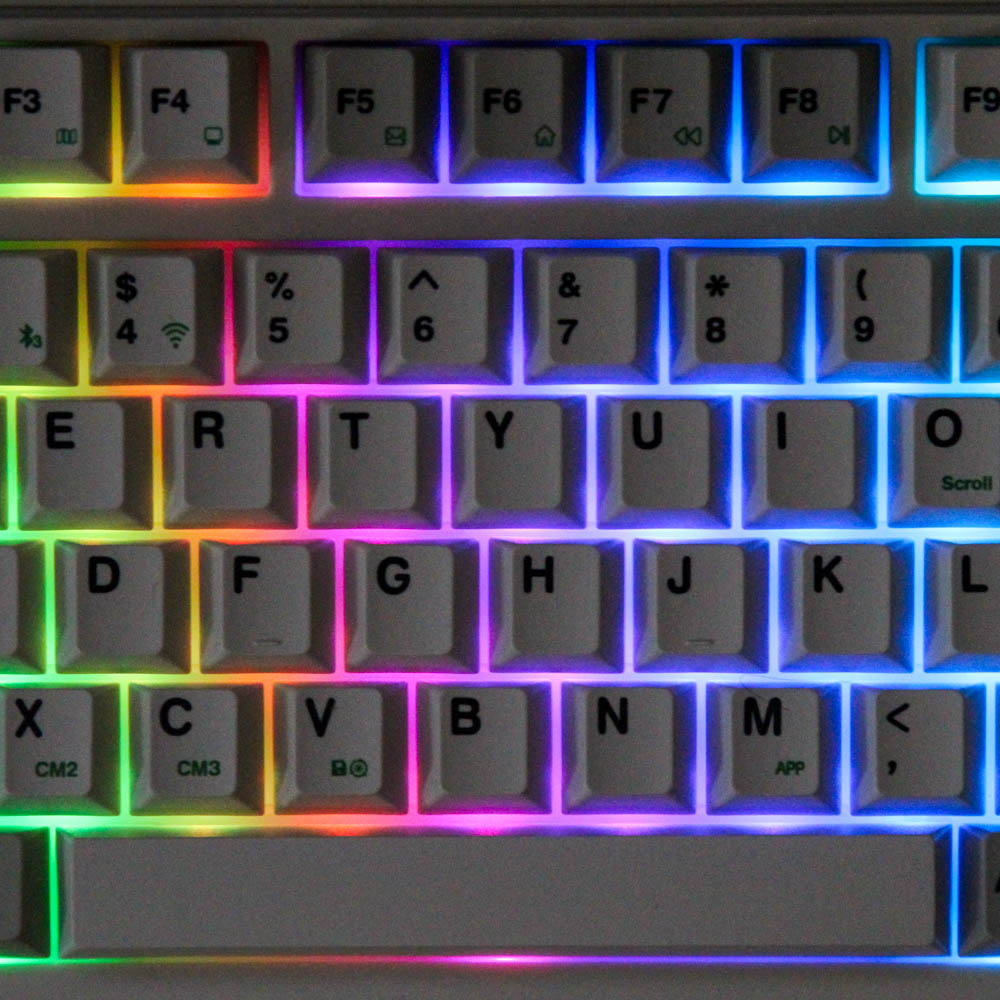
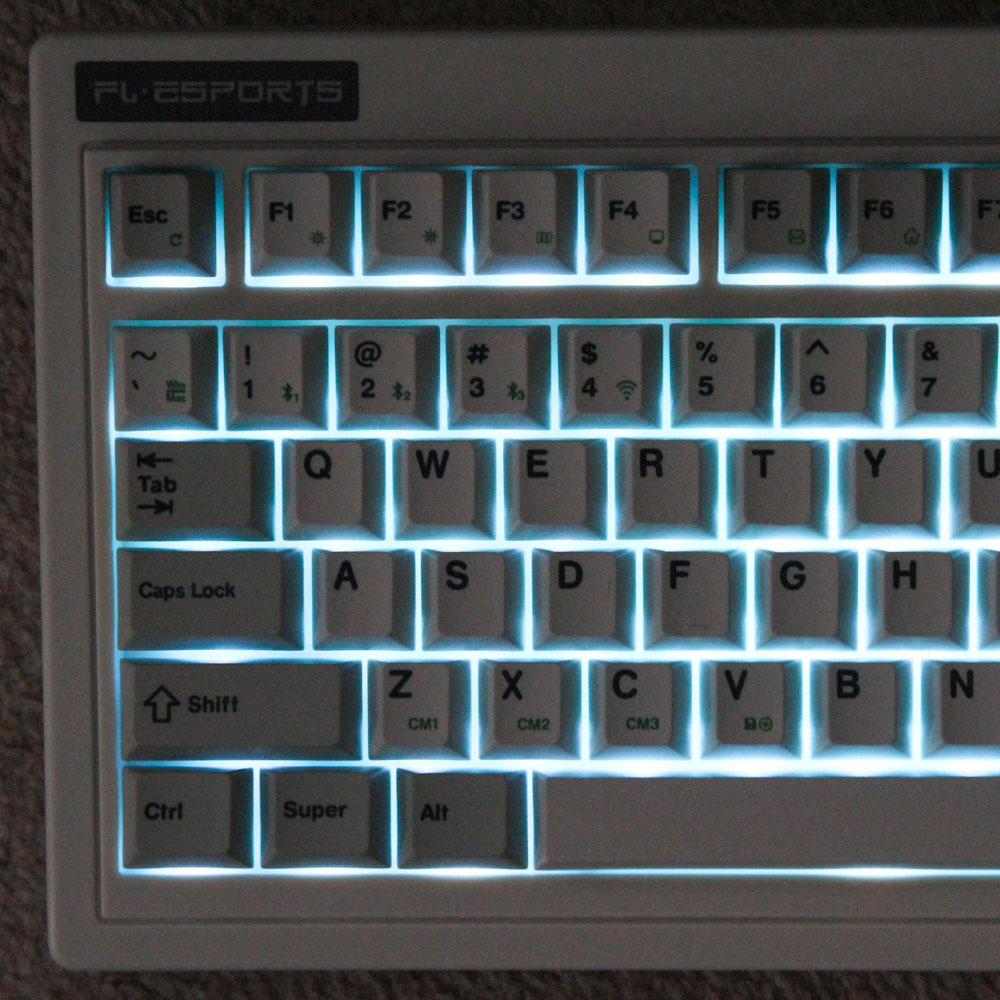
Seen above is the FL Esports OG98 lit up in a few different lighting effects. Given the keycaps are opaque, I think it's fair to say anyone wanting an impressive light show is probably going to look elsewhere. The good news is that the lighter keycaps and case help reflect the lights further, making it plausible to actually pick out the keycap legends if you are not used to touch typing, or simply wish to see what the keyboard-specific legends/controls do. It's not really useful if you are trying to game in a dark room though. Between this and the measly 2000 mAh battery inside, I found it best to preserve battery life by turning the LEDs off entirely. FL Esports has some preset sleeping and LEDs off functions built into the keyboard too, and you can use onboard controls to see the current battery life in 10% increments. I found the keyboard to last ~9-10 hours with the LEDs on at full brightness in Bluetooth mode, which goes to multiple days of regular use with breaks and the default sleep settings with the LEDs off. Bluetooth and 2.4 GHz connectivity both worked without issues, and charging the battery takes ~4-5 hours owing to the absence of quick charging.
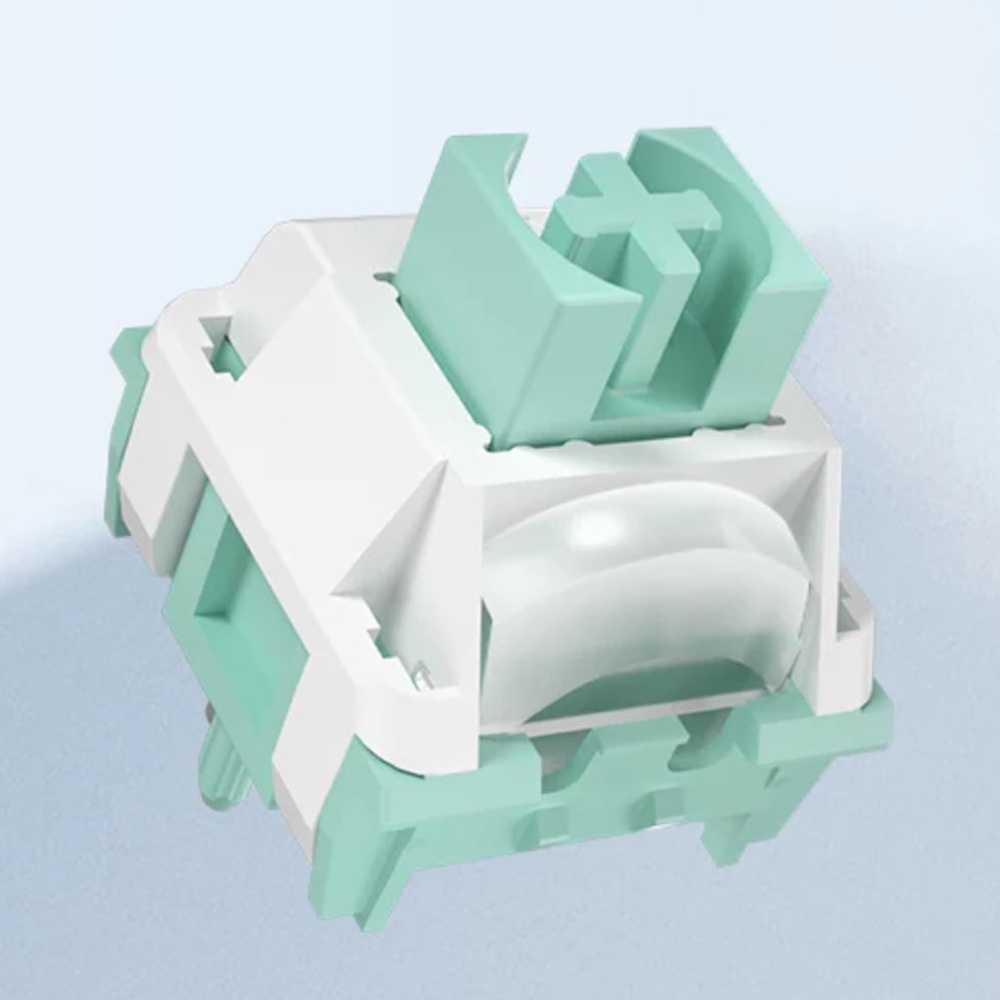
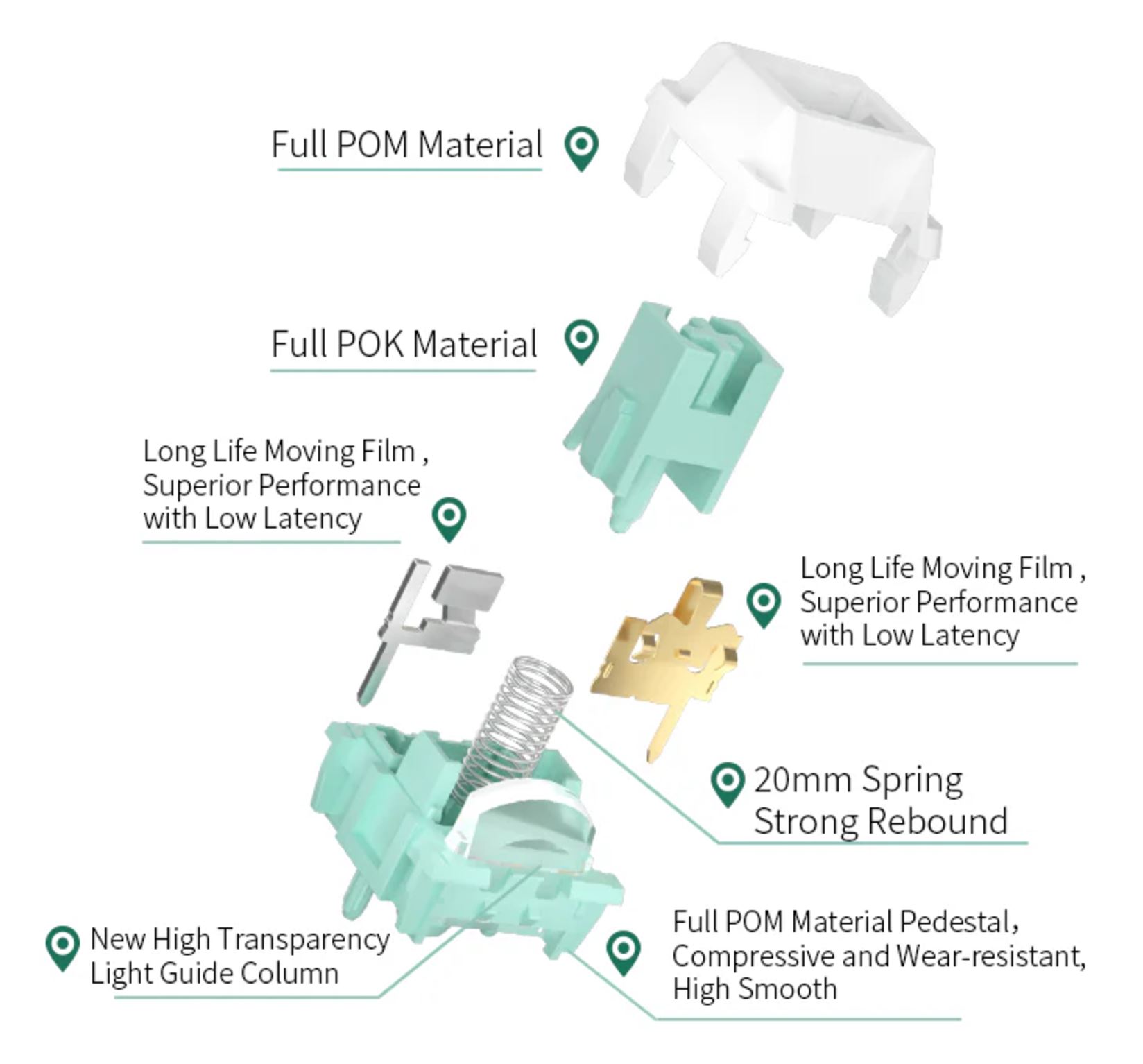
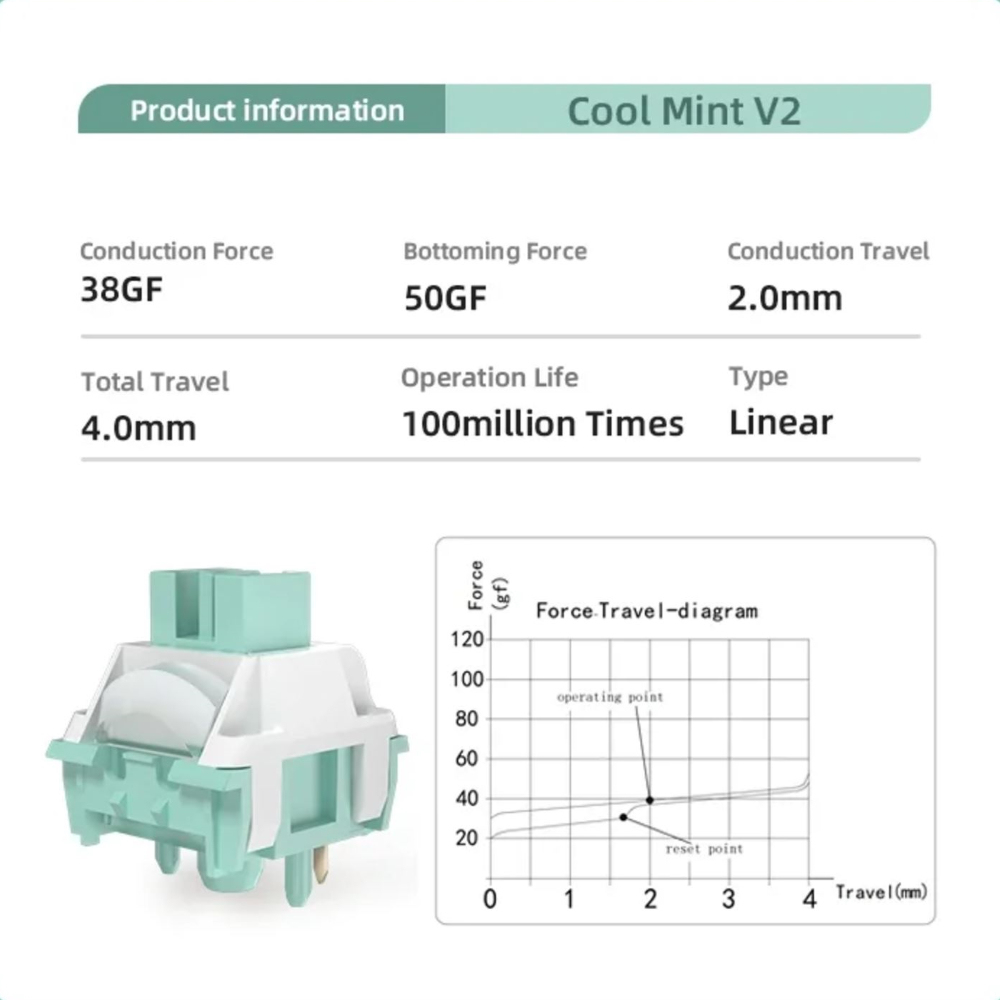
The FL Esports OG98 comes with a single switch option when purchased from the global store, at least as of the time I write this review. This also happens to be a linear switch from Kailh, meaning of course that those who prefer tactile or clicky switches are out of luck unless they purchase their own switches and make use of the hot-swappable switch sockets available on the keyboard. This Kailh Cool Mint V2 is a decent switch for gaming though—lighter than usual, yet not feather-light either. Actuation is still at the usual 2.0 mm compared to some "speed" mechanical switches, and here too I'll mention how magnetic switches have an inherent advantage thanks to their customizable actuation distance, in addition to a few other gaming features. I found the switches used here to be quite consistent in typing feel, including on the larger modifiers, and they are fairly stable and smooth too.
As always, the sound of a keyboard is based on more than just the switch type. So when comparing sound clips, consider the keyboard as a whole. In this case, I have provided above an example sound clip of me typing on the FL Esports OG98 keyboard sample at ~105 WPM as it comes out of the box with these Kailh Cool Mint V2 switches. For context, you can find sound clips from other keyboards here, including those with linear switches. I did bottom out constantly here, which is likely to happen with these lighter linear switches that go from actuation to bottoming out real quick, and this also helps demonstrate the extent of dampening employed. The overall sound is on the deeper side with no high-pitched pings, and again I will point out how even the stabilized keycaps sound more uniform here than on many more expensive keyboards. The gasket mount works fine too when it comes to decoupling a heavy typing hand from the rest of the keyboard. Overall I'd say the keyboard sounds quite satisfactory, and very likely appealing to many.
Nov 21st, 2026 07:56 PST
change timezone
Latest GPU Drivers
New Forum Posts
- TPU's Nostalgic Hardware Club (22180)
- Windows 11 General Discussion (7744)
- Cpu waterblock water shows some tinting = Bad? (19)
- Anthrophics IPO (33)
- Bought MAX-P495 - Which model? (33)
- RX 9000 series GPU Owners Club (2250)
- Honestly, do you care about GTA VI? (221)
- GeekMagic Ultra Smart WiFi Weather Station (9)
- What's your latest tech Freebie? (87)
- UPS what one to get? (3)
Popular Reviews
- Microsoft Surface Laptop Ultra Review - The Next-gen Arm Laptop
- Ugreen NASync DXP4800 GT Review
- Corsair RM1200e (Second Generation) Review
- Pulsar Office Tour & First Look at P1 Dual-Sensor Mouse
- Upcoming Hardware Launches 2027 (Updated Nov 2026)
- Acemagic Retro X3 Review
- Biwin Black Opal NV7400 2 TB Review
- AMD Ryzen 7 9800X3D Review - The Best Gaming Processor
- AMD Zen 6 Technical Deep Dive
- Chieftec Iceberg PRO 360 DARK Review
TPU on YouTube
Controversial News Posts
- NVIDIA Co-Founder and CEO Jensen Huang Officially Resigns (492)
- Report: Jensen Huang Eyes NVIDIA Comeback (259)
- Open Letter Asking NVIDIA to Reinstate Jensen Huang Passes 115,000 Signatures (184)
- OpenAI CEO Argues Home PCs Waste the World's Limited DRAM Supply (152)
- NVIDIA Launches Investigation Into Jensen Huang's Relationship With Suspected Chinese Spy (136)
- Intel "Raptor Lake Next" 16-Core and 20-Core CPUs Surface (130)
- Legendary Game Studio BioWare Shuts Down Following EA Layoffs (104)
- NVIDIA GeForce RTX 50-Series Scheduled for up to $500 Price Hike This Week (89)