 14
Fractal Design Pop 2 Vision RGB Review
Review System Setup »A Closer Look - Inside
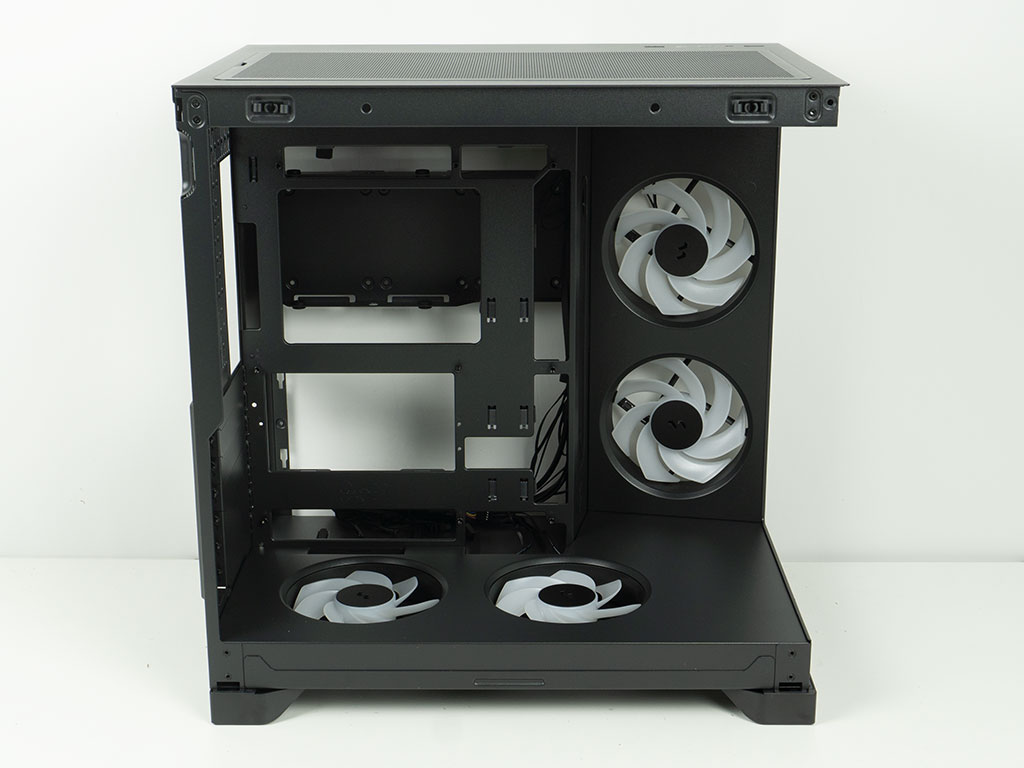
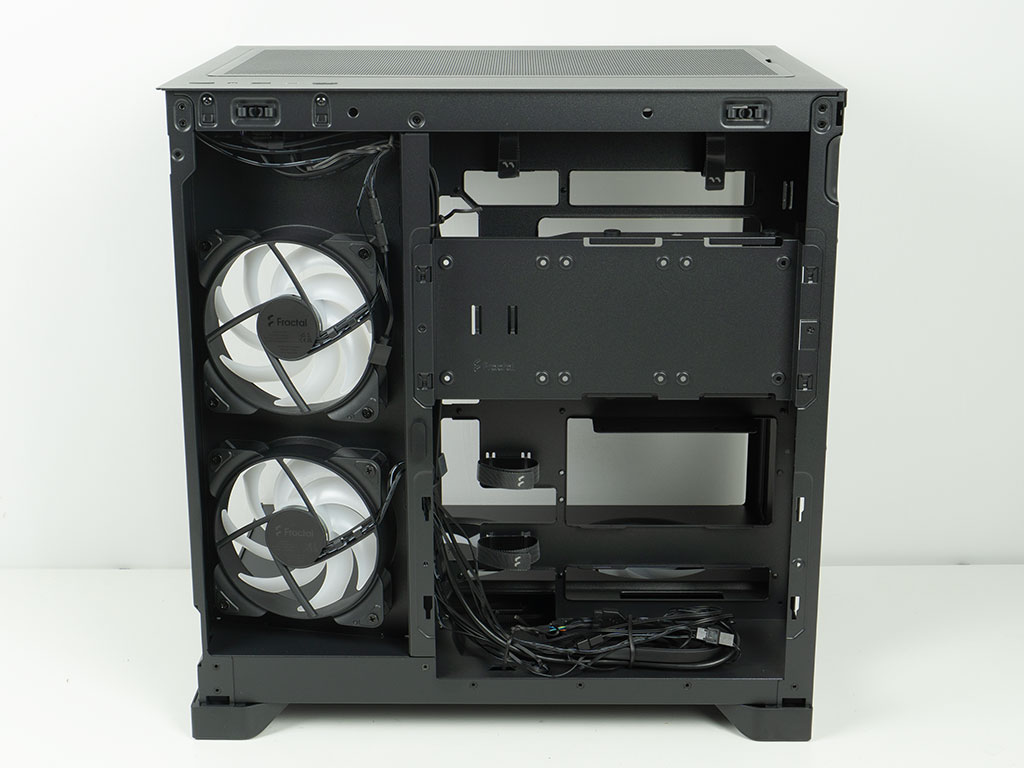
To gain access to the interior of the case, you may simply pull off the panels as they are all held in place by push pins by default. Even so, each of the panels has a little tab so that you may secure each with a screw for added security and peace of mind. The interior of the Pop 2 Vision is laid out pretty traditionally for a dual-glass chassis. Thanks to the numerous cutouts in the motherboard, the chassis also offers full support for BTF based motherboards. Taking a look at the backside of the motherboard area, it becomes apparent why the top PSU cutout in the rear was closed off as this is where the storage is located. If you do use a BTF motherboard, you will have to swap the PSU to use this top spot and thus move the storage to the lower location.
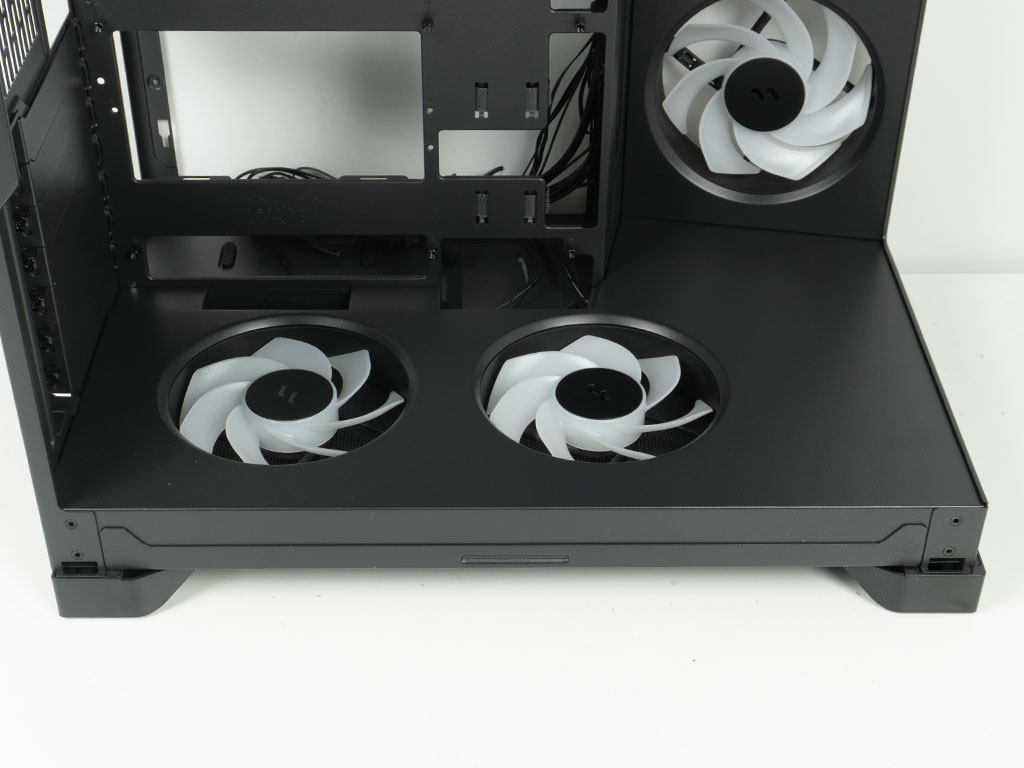
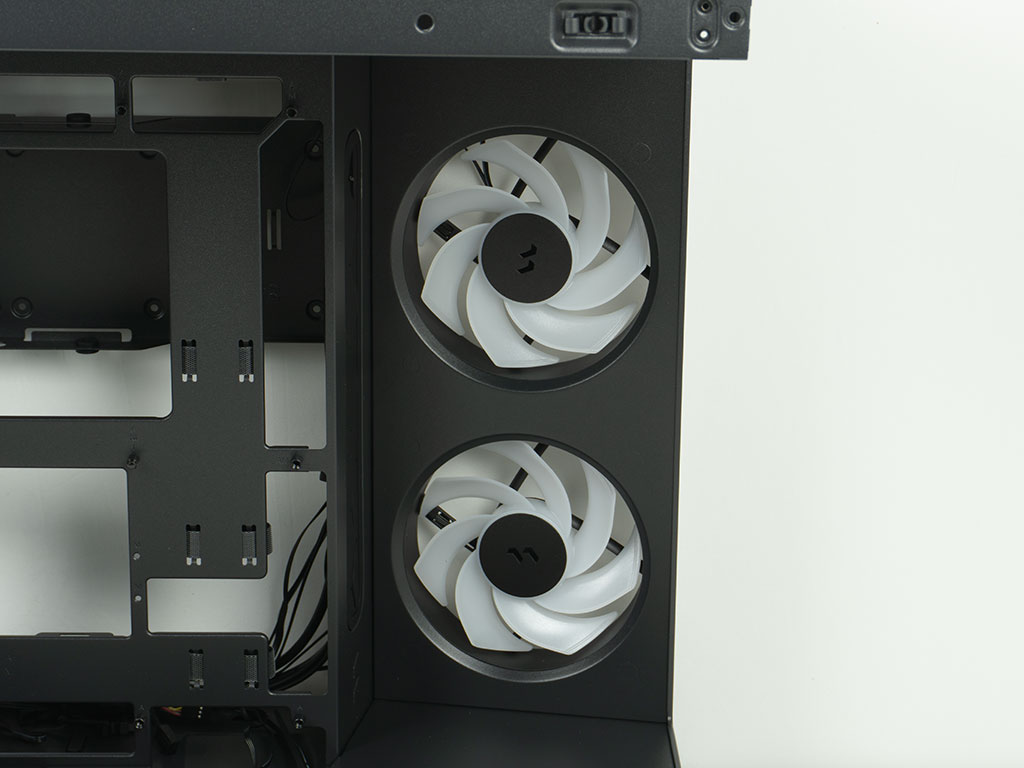
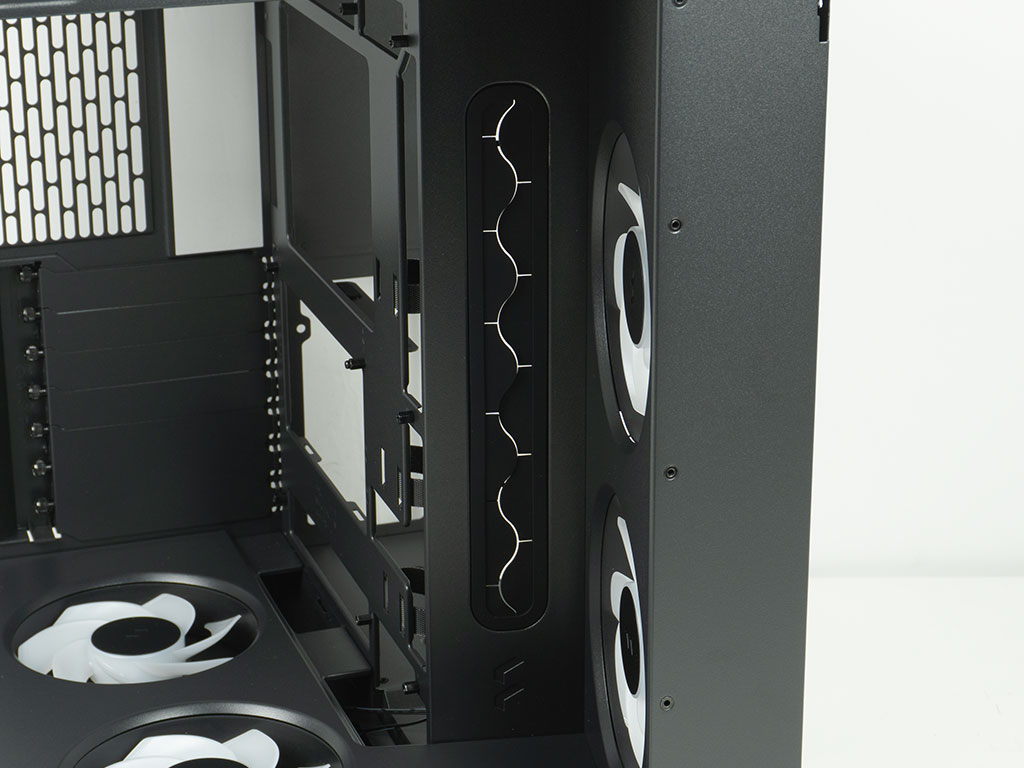
The chassis ships with four 120 mm fans pre-installed. As this is the RGB variant, those cooling units are actually retail-grade Aspect 12X Reverse RGB units. The embedded design means you only really see the blades of the fans, keeping that focus on a clean and understated design. The side intake units are installed at a slight angle giving just enough room for a large, grommet covered cable routing opening to allow those using classic motherboards with front facing headers to route their cables easily and cleanly.
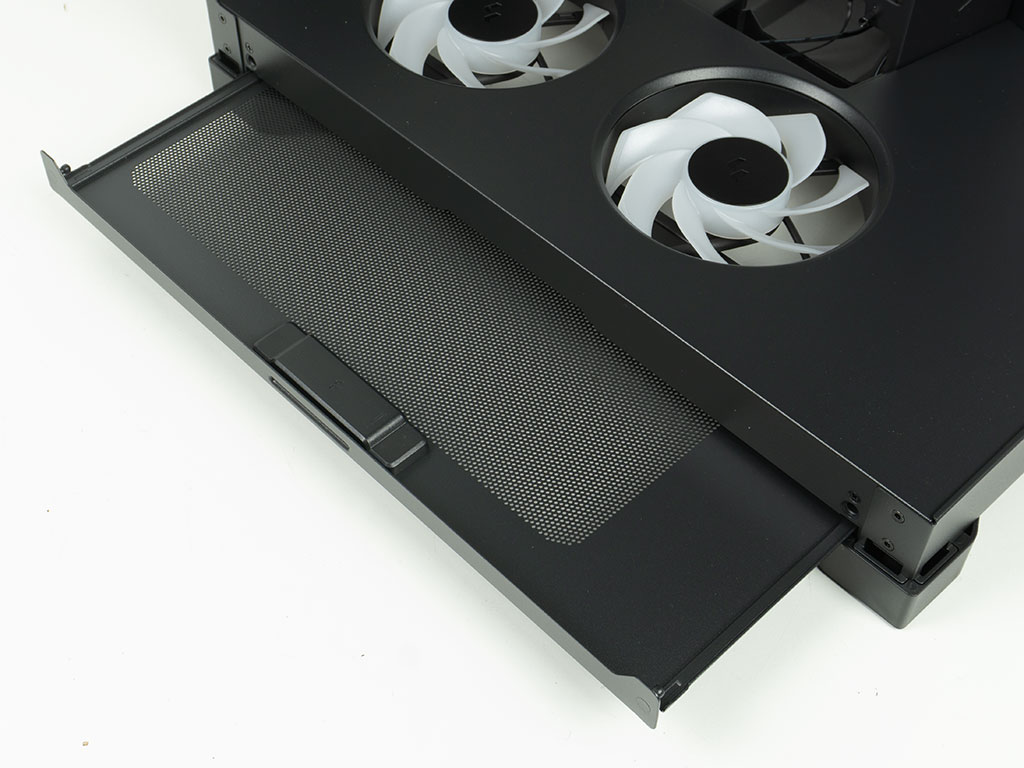
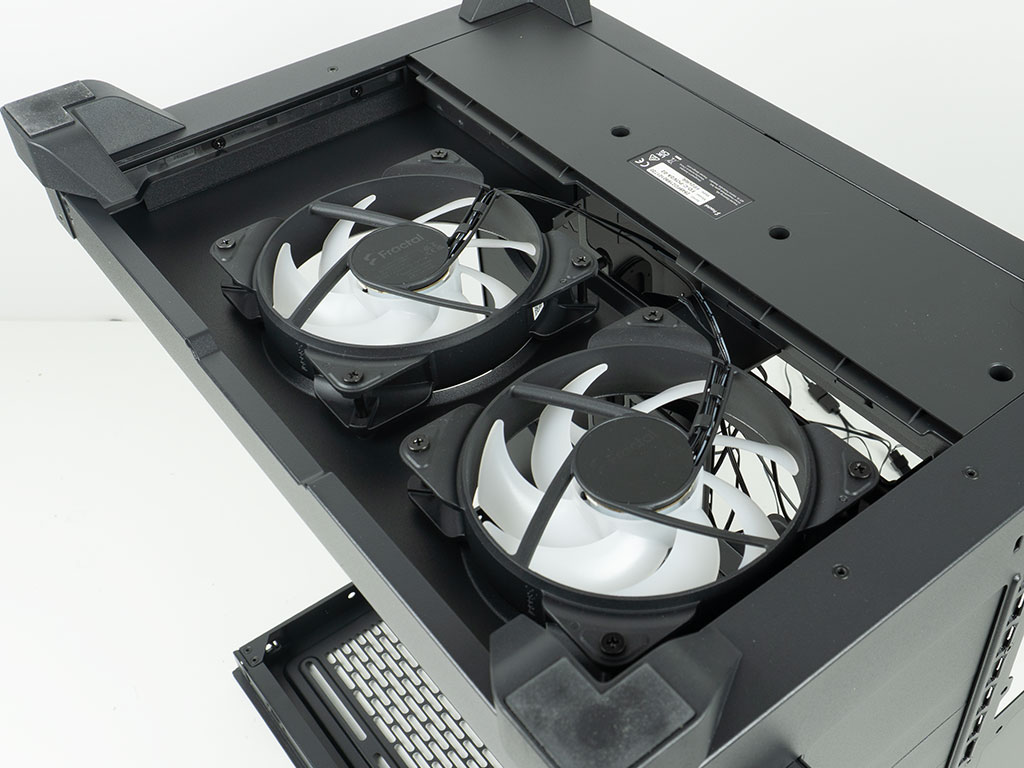
That relentless focus on clean functionality continues with the dust filter tray for the floor mounted intake units as well. Once the glass side panel is removed, you may simply pull it out like a little drawer, which is fantastic. Doing so is required if you want to access not only those fans, but also the hooks for cable management in this area of the chassis.
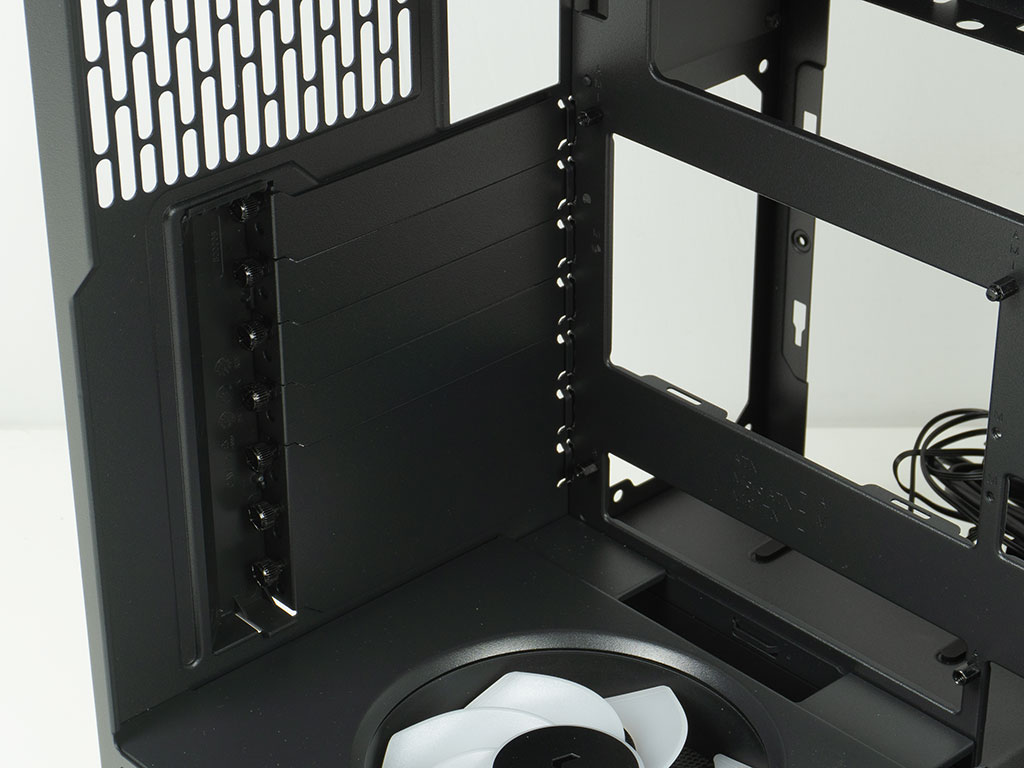
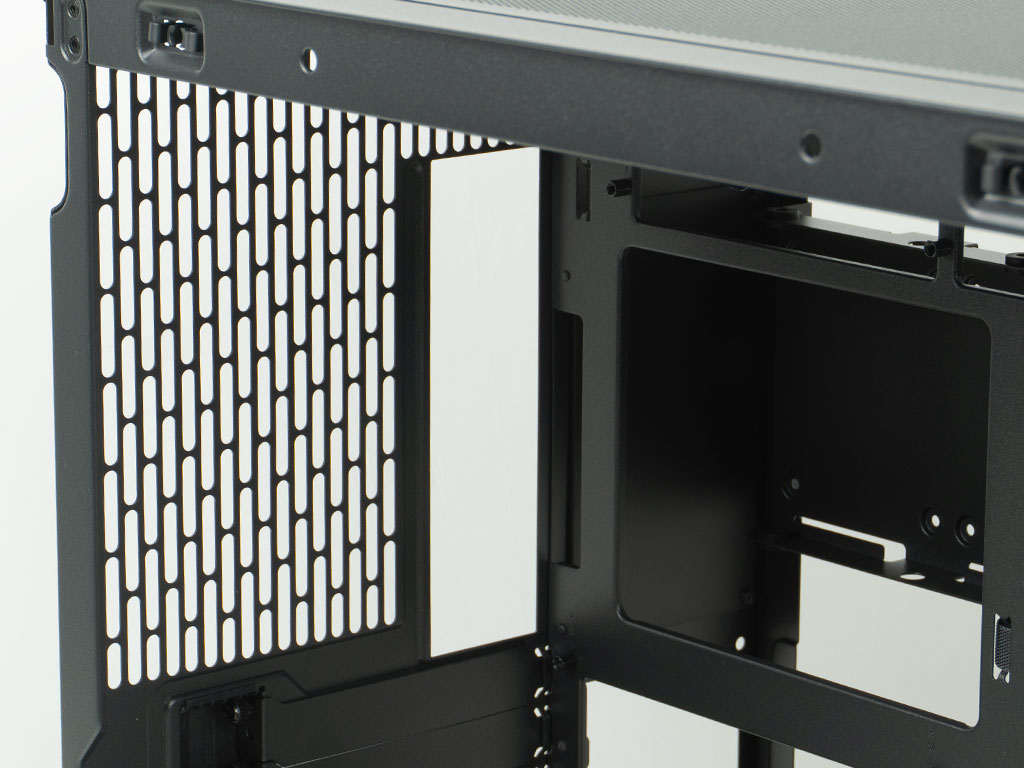
Turning our attention to the main compartment of the Pop 2 Vision, the expansion slots are actually secured by thumb screws underneath that plastic cover. Above that, the vent looks exactly as it does from the exterior.
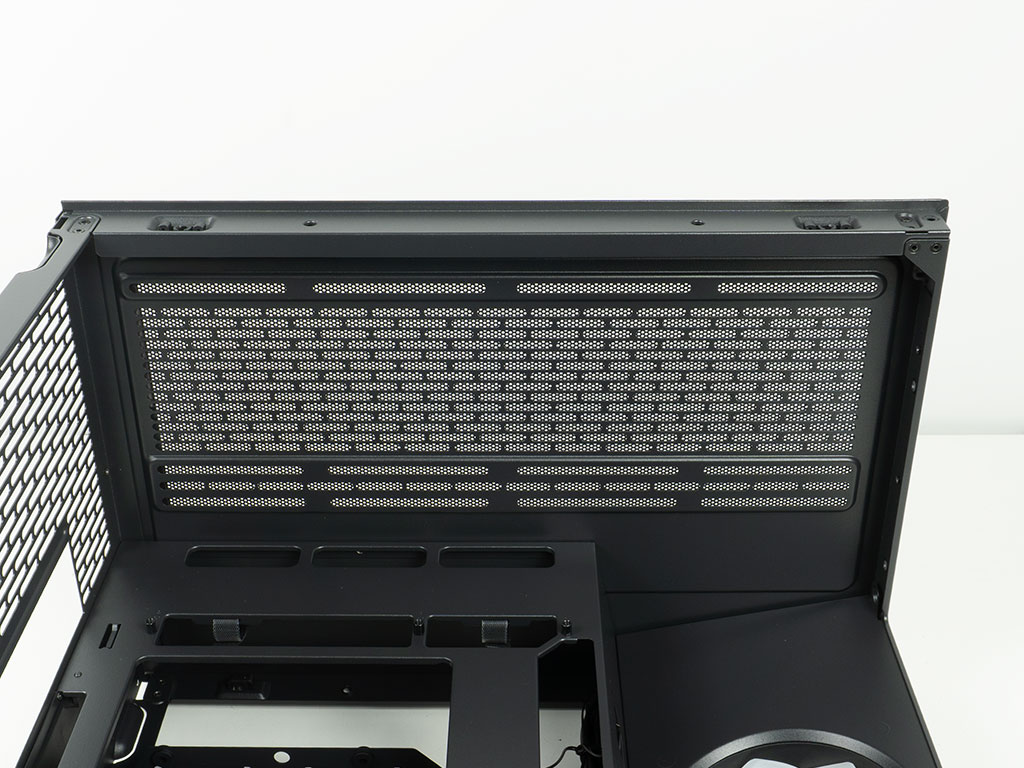
Looking at the ceiling, it becomes apparent that it is completely dedicated to cooling, with lots of clearance above the motherboard area and three smaller cable routing holes for those fan or ARGB wires of any active cooling elements you may install here.
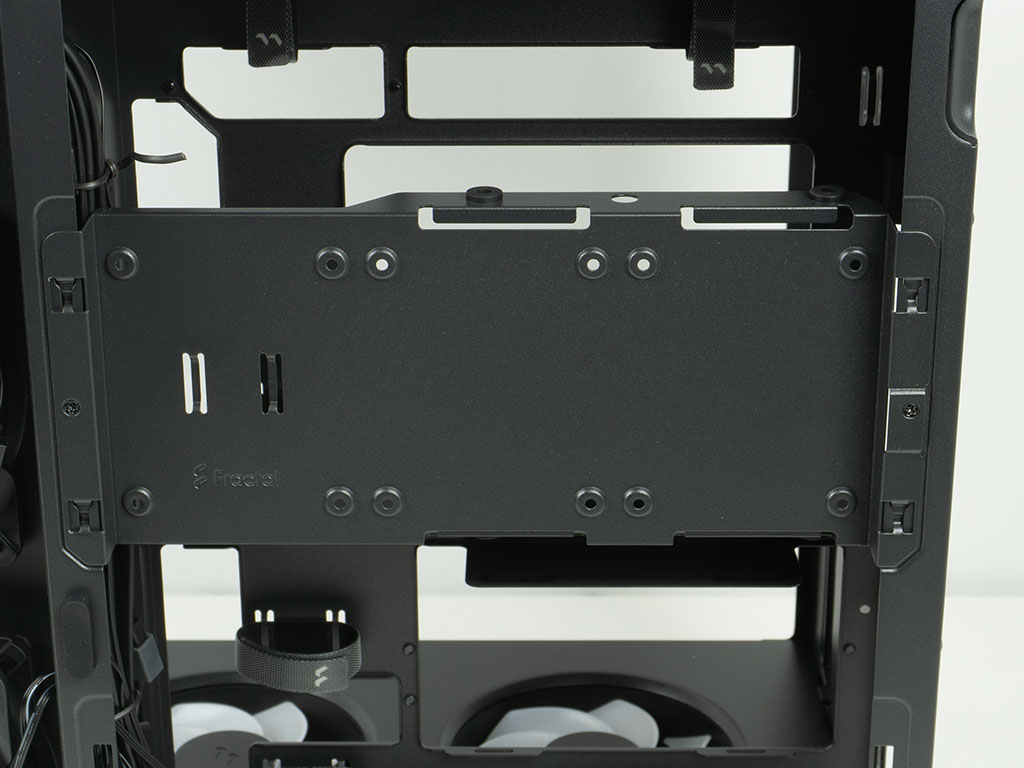
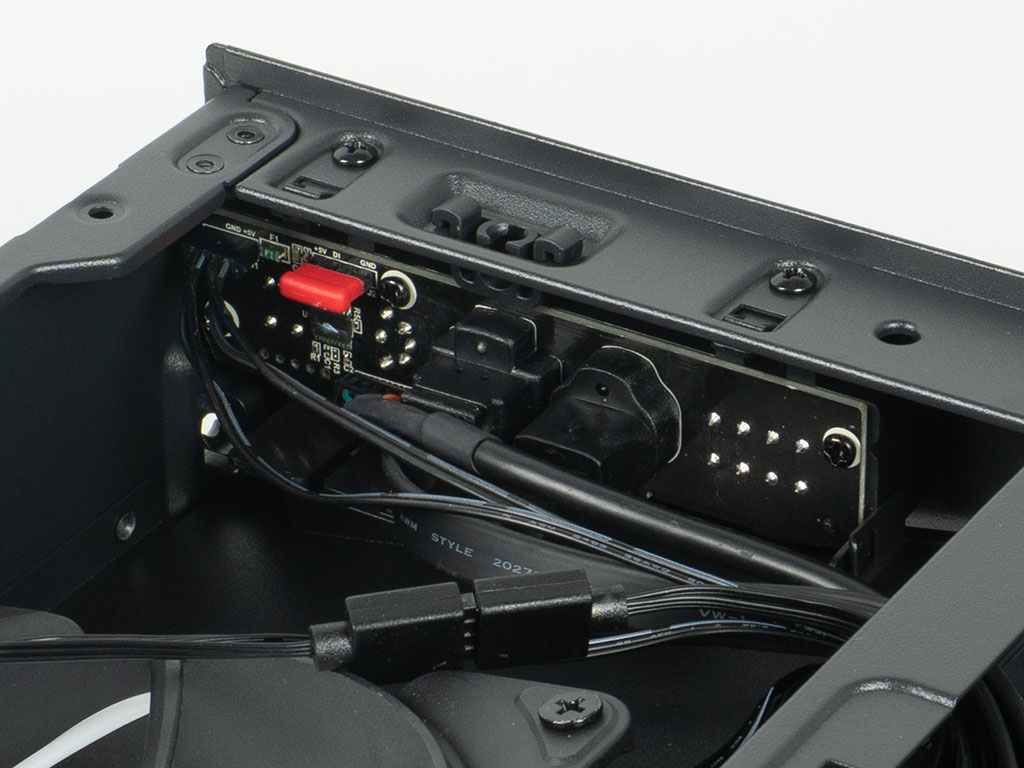
The storage tray offers space for three 2.5" drives as well as a single 3.5" unit. While some may want a second of the spinning rust variant, this is more than enough for most builds these days, with that focus on NVMe storage for the boot drive plus one affordable, larger non-SSD addition for games or media. Another interesting detail is the PCB which not only holds the ports for the case I/O but also acts as an ARGB hub to which the LEDs of the fans and power buttons are connected. It also is equipped with an additional header, allowing you to attach additional lighting elements.
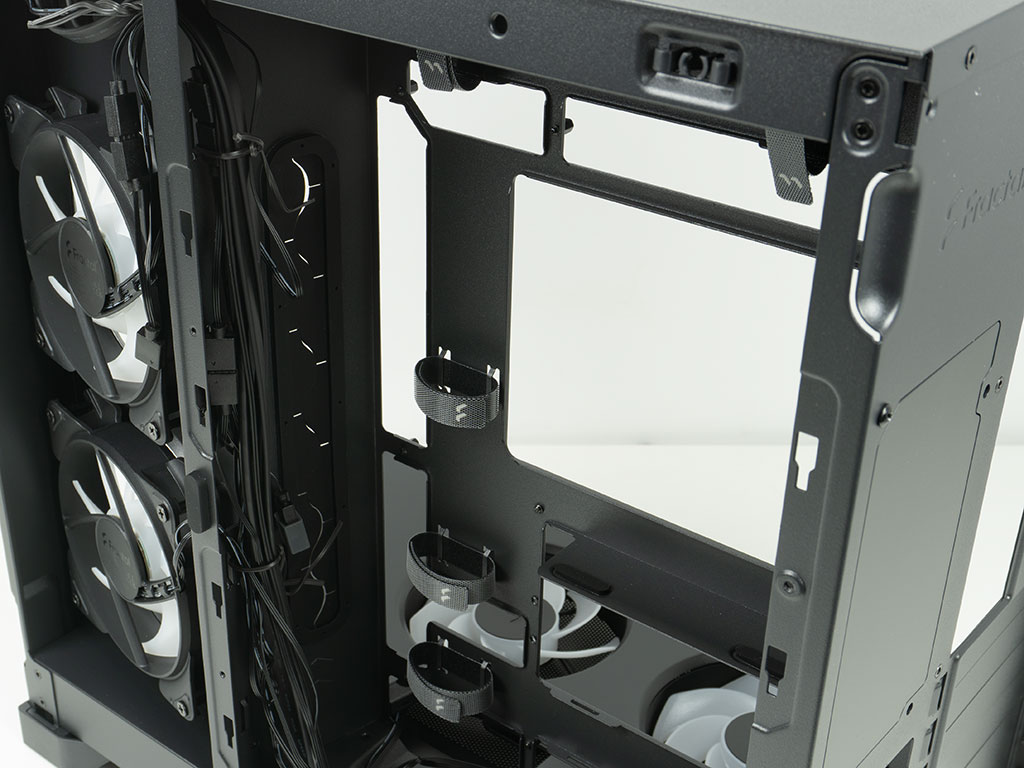
On the backside, there are five simple but long Velcro strips present to help with cable management that remains flexible for any changes in your system configuration that may come up. From this angle, you can also see the main, rubber grommet opening again from the opposite side.
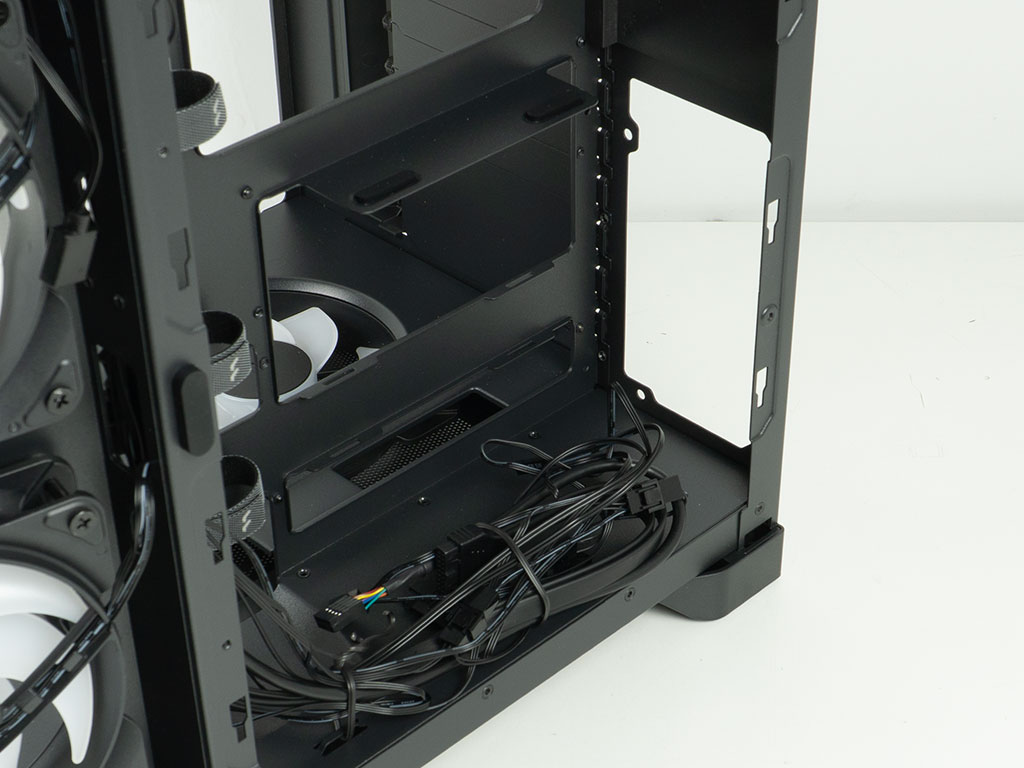
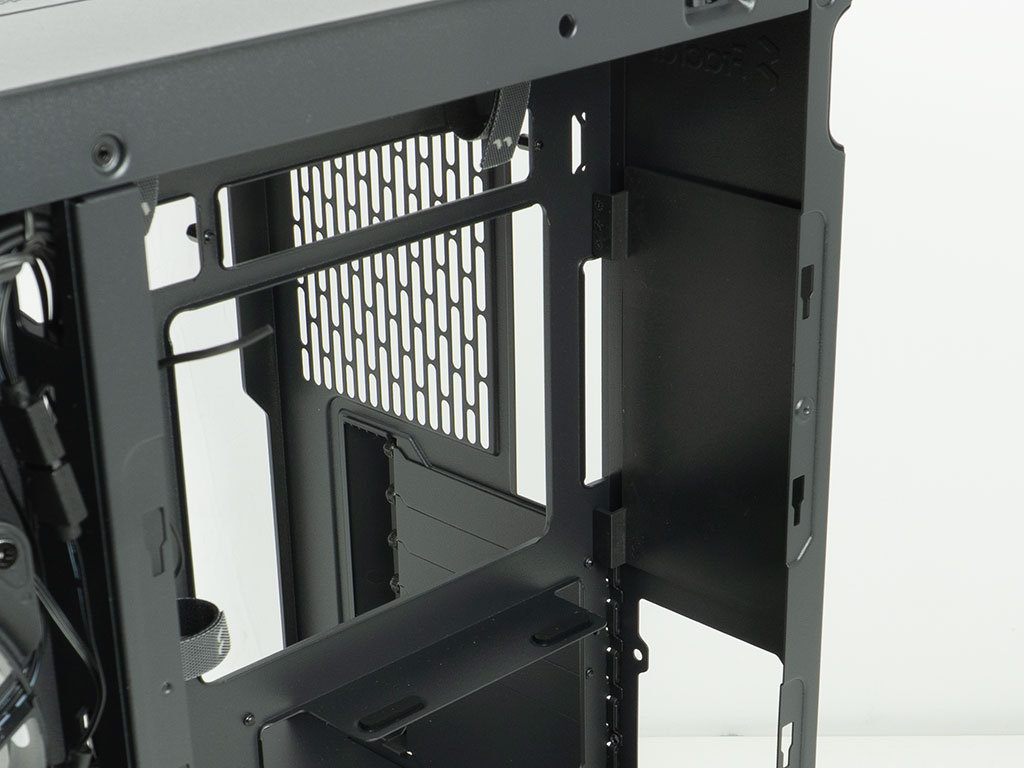
With the HDD tray removed, you can clearly see that both PSU bays are essentially the same, except for a rubber pad equipped ledge for the upper one, offering a strong surface for the power supply to rest on. The cover applied to the top bay in the back of the chassis can easily be popped out and moved as needed.
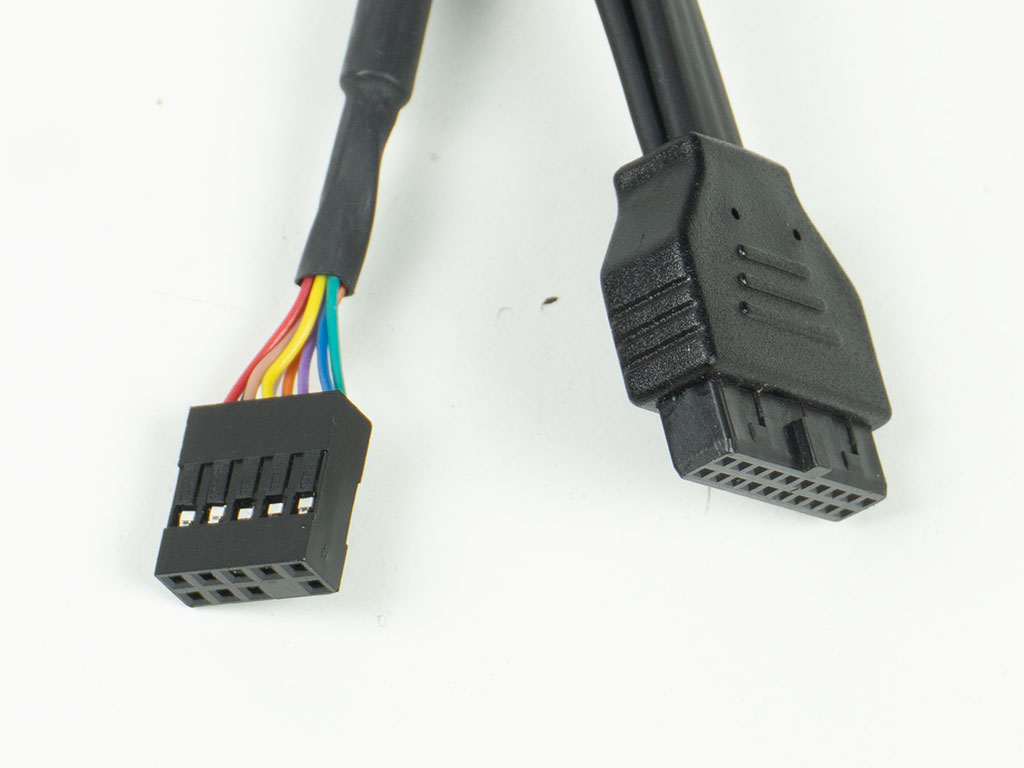
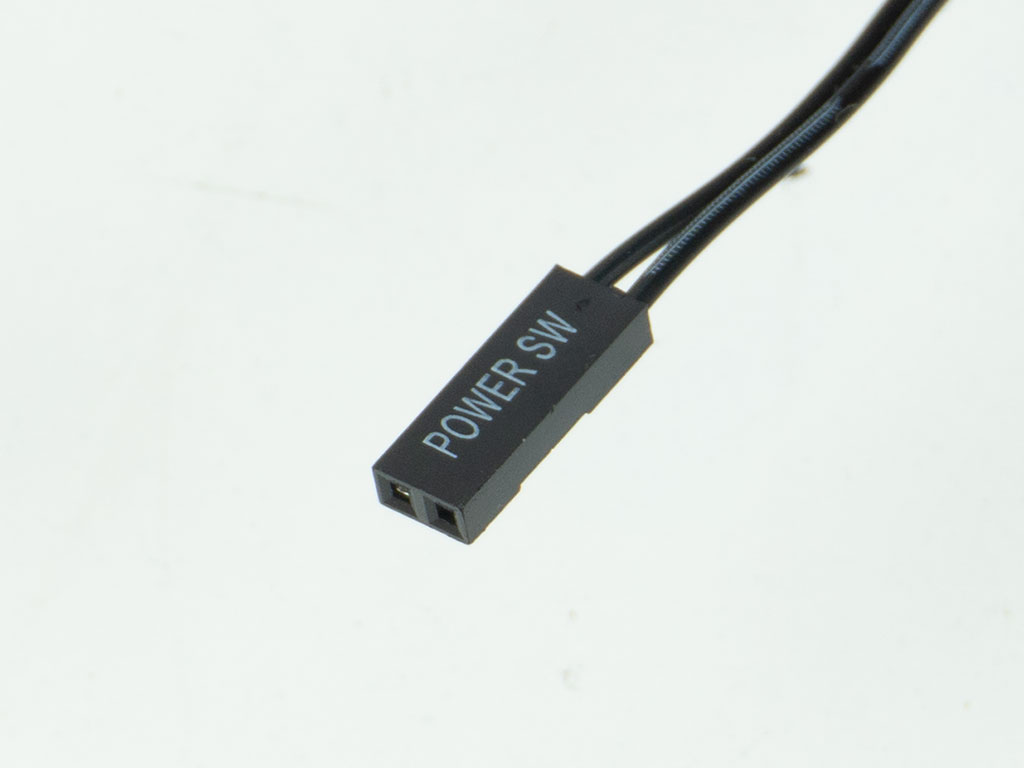
In terms of cabling you will only find two functional wires - one for the audio plug and a 20-pin USB 3.0 header for the USB-A and USB-C port, which is why the latter is limited to a measly 5 Gbps instead of 10, 20, 40 or even 80 Gbps which your motherboard's USB-C header would support. This is unfortunate, but realistically most users will likely just use the USB-C port to charge their gadgets, connect peripherals or that occasional USB stick, while still having that workaround of connecting storage to faster ports on the backplate of the motherboard if needed. Lastly, as the Fractal Design Pop 2 Vision RGB omits a reset button or HDD activity LED and also controls the power LED through RGB, you only get a single wire for the power button to plug into your front panel header connector.
Nov 26th, 2026 09:57 CST
change timezone
Latest GPU Drivers
New Forum Posts
- What's your main Black Friday / Cyber Monday purchase? (18)
- Wireless Internet sharing between PC and router both-ways, is it possible? (24)
- Can you guess Which game it is? (366)
- Post your CrystalDiskMark speeds (658)
- Making a game in Godot engine (20)
- X79 and/or rampage IV OC'ing thread for those of us still left.... (2459)
- Exploring Local LLMs: Models, Hardware and Setup Experiences (4)
- Linpack Xtreme Released (513)
- Claude credits purchased on or after Dec. 7 now have an expiry date (20)
- Acer TravelMate P414-51 (i5-1135G7): CPU stuck at x4 / ~200 MHz effective under 100% load, no throttle flags. How to find who's clamping it? (1)
Popular Reviews
- ASRock X870E Challenger Wi-Fi White Review
- VZMORE AX9 Max Review
- Upcoming Hardware Launches 2027 (Updated Nov 2026)
- Microsoft Surface Laptop Ultra Review - The Next-gen Arm Laptop
- AMD Ryzen 7 9800X3D Review - The Best Gaming Processor
- AMD Zen 6 Technical Deep Dive
- Corsair RM1200e (Second Generation) Review
- Phantom Blade Zero Performance Benchmark Review - 35 GPUs Tested
- Montech CyberFlow ARGB 360 Review
- Pulsar Office Tour & First Look at P1 Dual-Sensor Mouse
TPU on YouTube
Controversial News Posts
- Jensen Huang Reinstated as CEO of NVIDIA (585)
- NVIDIA Co-Founder and CEO Jensen Huang Officially Resigns (492)
- Report: Jensen Huang Eyes NVIDIA Comeback (281)
- Open Letter Asking NVIDIA to Reinstate Jensen Huang Passes 115,000 Signatures (184)
- OpenAI CEO Argues Home PCs Waste the World's Limited DRAM Supply (152)
- NVIDIA Launches Investigation Into Jensen Huang's Relationship With Suspected Chinese Spy (136)
- Intel "Raptor Lake Next" 16-Core and 20-Core CPUs Surface (130)
- Intel Razor Lake Gets a 12 P-Core bLLC Chip With No E-Cores, Per Leak (94)