 25
GEEKOM A7 Max Review
(25 Comments) »Introduction

The GEEKOM A7 Max is meant for buyers who want a Mini-PC with more to offer than basic office-box hardware. Its Ryzen 9 7940HS and Radeon 780M put it above the low-end systems that still make up a lot of this space, giving it enough performance for office work, multitasking, media use, and some lighter gaming. It is a compact desktop for people who want a smaller footprint without dropping too far down the performance ladder.

GEEKOM pairs the CPU and iGPU with DDR5 memory support, Gen 4 NVMe storage, dual 2.5GbE, USB4, dual HDMI, an SD card slot, and a healthy spread of front and rear USB ports. That gives the A7 Max enough I/O for a home office, a living room setup, a small desk setup, or even a light lab environment due to the dual Ethernet ports. The Ryzen 9 7940HS is an 8-core, 16-thread Zen 4 chip that still gives the A7 Max plenty of CPU speed, while Radeon 780M remains a decent integrated graphics option for this class.
Among the GEEKOM systems I've tested, the A7 Max lands in the upper-middle part of the lineup. The AX8 Max is the nearest match, since it uses the same Radeon 780M graphics and DDR5-5600 memory, so the main difference there is processor tier. The A9 Max is the obvious step-up with its Ryzen AI 9 HX 370 and Radeon 890M. On the Intel side, the IT15 pairs a Core Ultra 9 285H with Arc 140T graphics and DDR5-5600, while the IT13 uses an older Core i9-13900HK platform with DDR4-3200 memory and Iris Xe graphics. That leaves the A7 Max as a newer platform than the IT13, closer to the AX8 Max in overall class, and below the newer A9 Max and IT15 models.
Let's take a look at the design and benchmark results.
| Specifications | |
|---|---|
| CPU | AMD Ryzen 9 7940HS 8 cores/16 threads 54 W TDP Up to 5.2 GHz boost |
| GPU | AMD Radeon 780M Graphics RDNA 3 architecture 12 compute units Up to 2.8 GHz |
| Memory | 2× SODIMM slots, up to 64 GB |
| Storage | 1× M.2 2280 PCIe 4.0 x4 NVMe SSD |
| Display Outputs | 2× HDMI 2.0 2× USB4 Type-C |
| Connectivity | 1× Rear USB 3.2 Gen 2 Type-A |
| Networking | 2× 2.5 GbE Ethernet |
| Power | 120 W power adapter 19 V DC input |
| Operating System | Windows 11 Pro 23H2 Supports Modern Standby |
| Dimensions | 5.31 × 5.20 × 1.81 inches |
| Price of this configuration | $989.00 USD (At the time of this review) |
Packaging and Contents
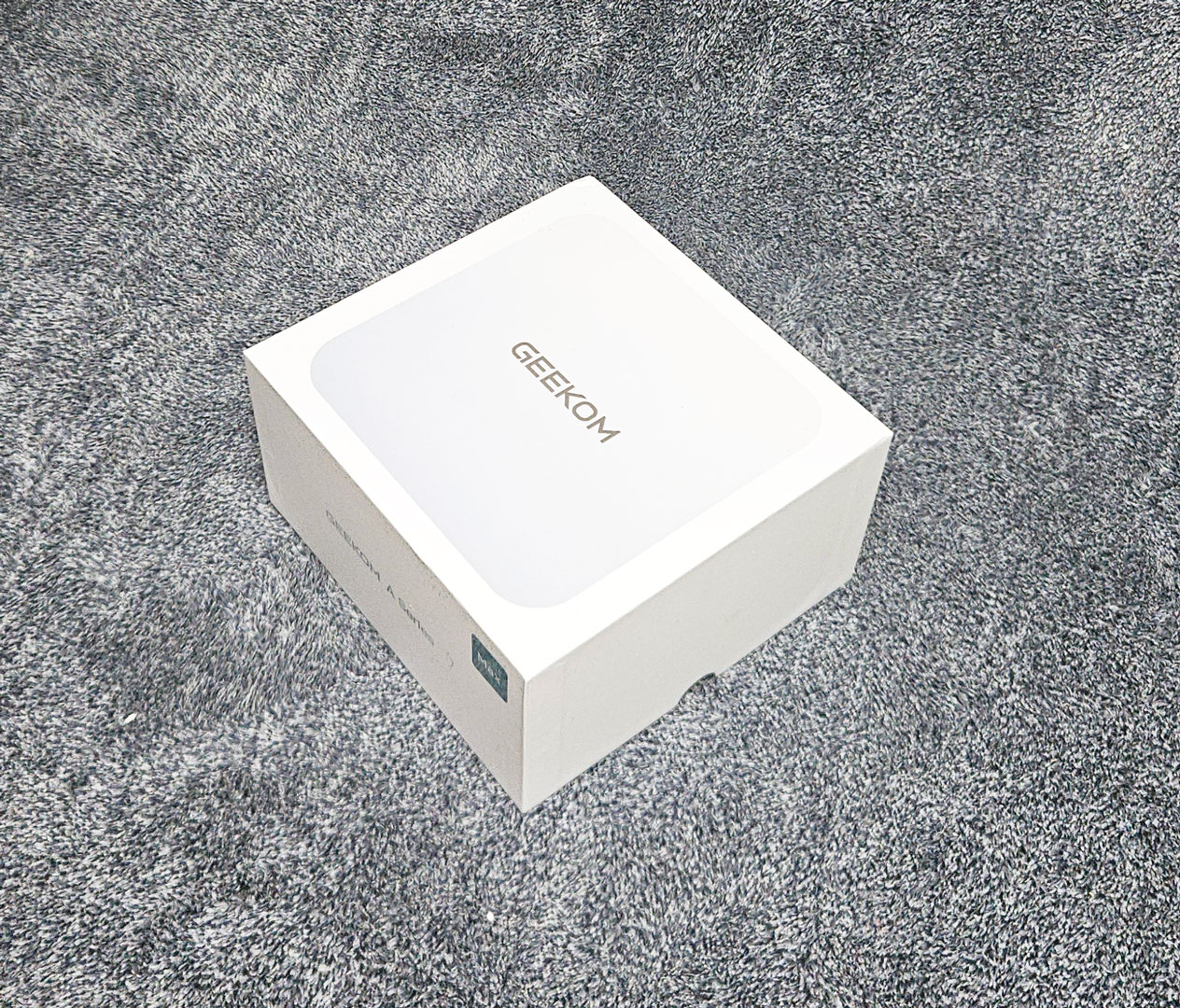
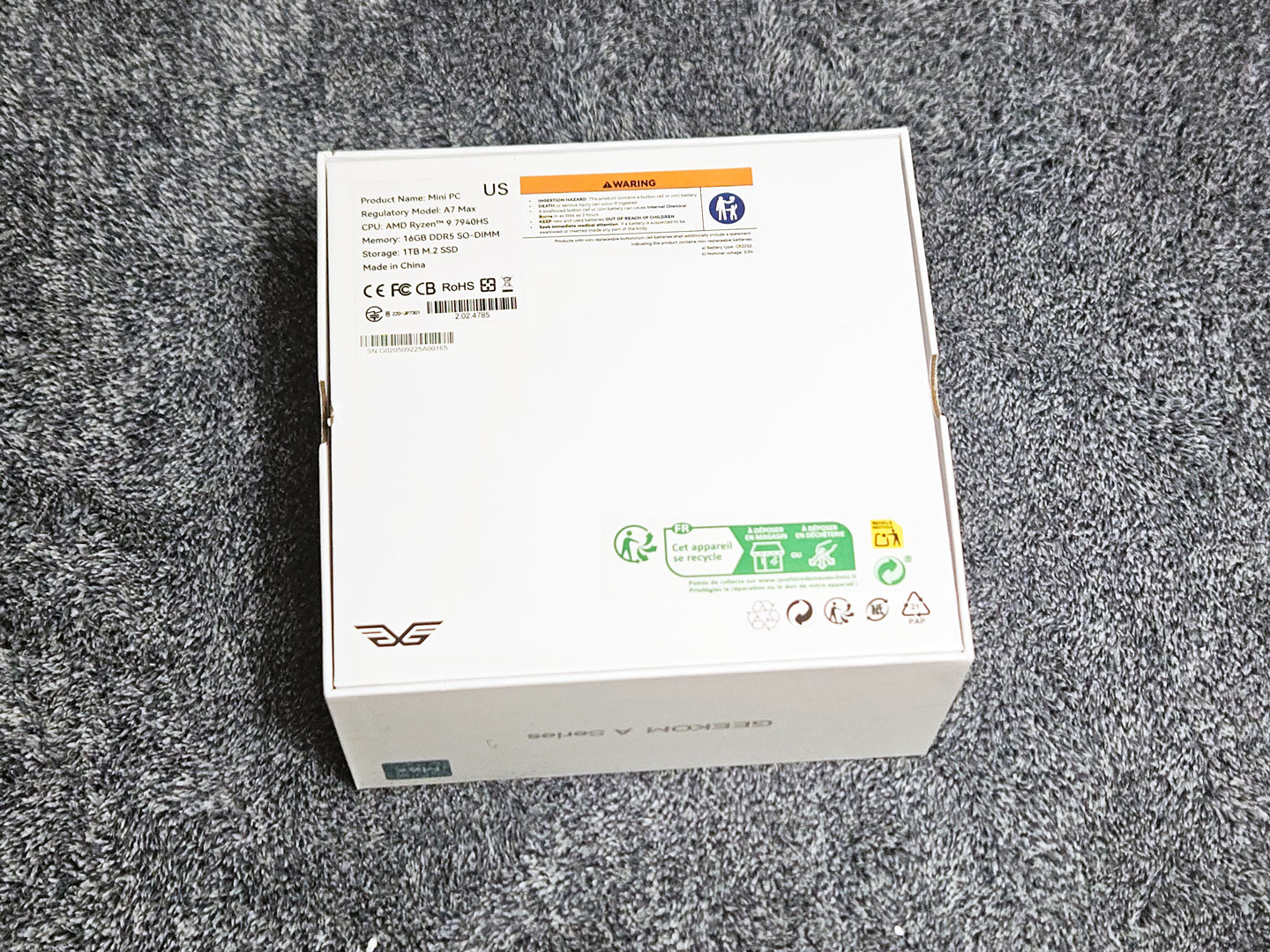
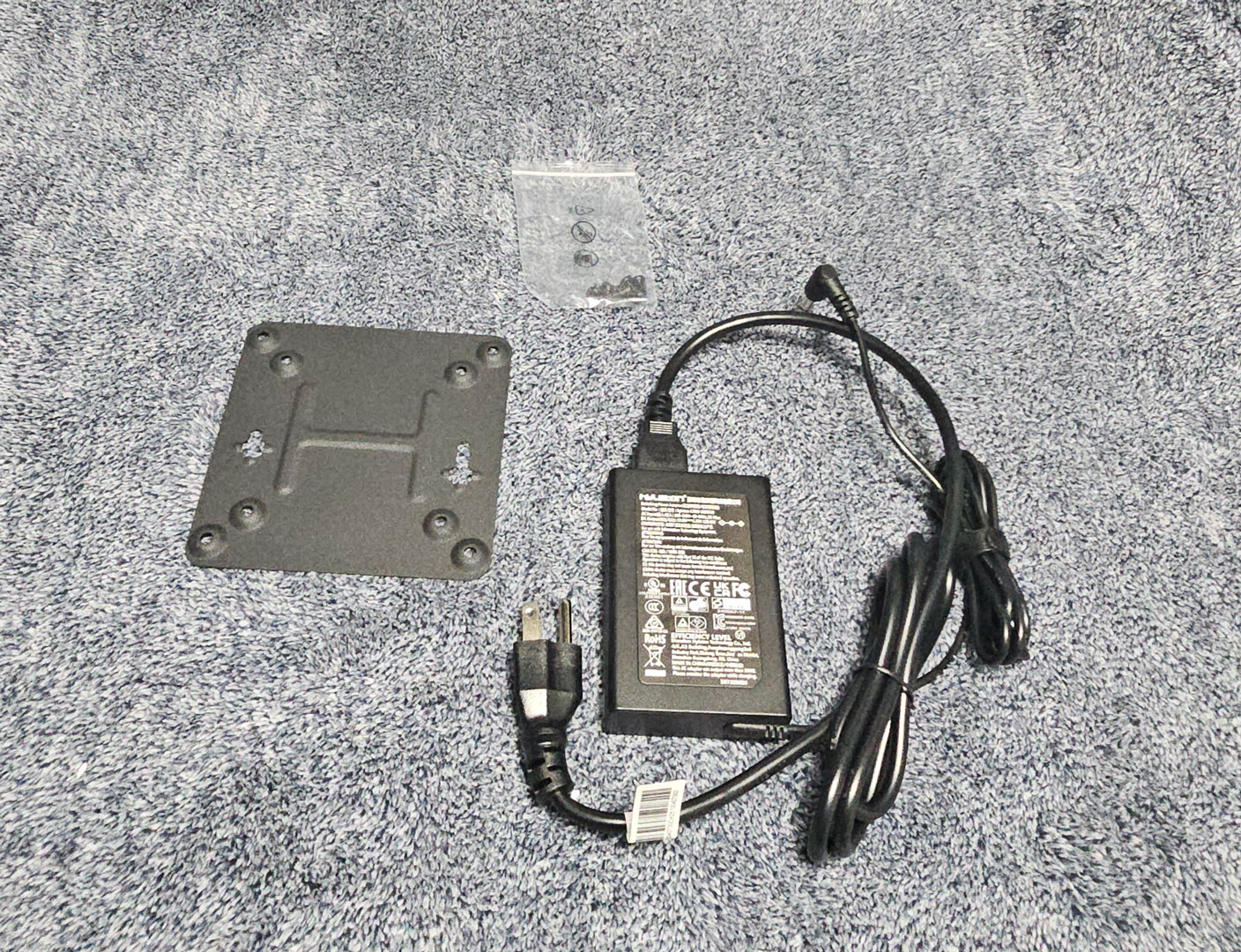
The GEEKOM A7 Max comes in the same simple white box as the other Max models, with snug packaging that keeps everything secure in transit. Inside, the accessory set is pretty standard for a Mini-PC in this range. Along with the system itself, GEEKOM includes a 120 W power adapter, a VESA mounting plate, and the mounting screws, which covers the basics you need to get the system set up on a desk or tucked behind a monitor.
Design and Build
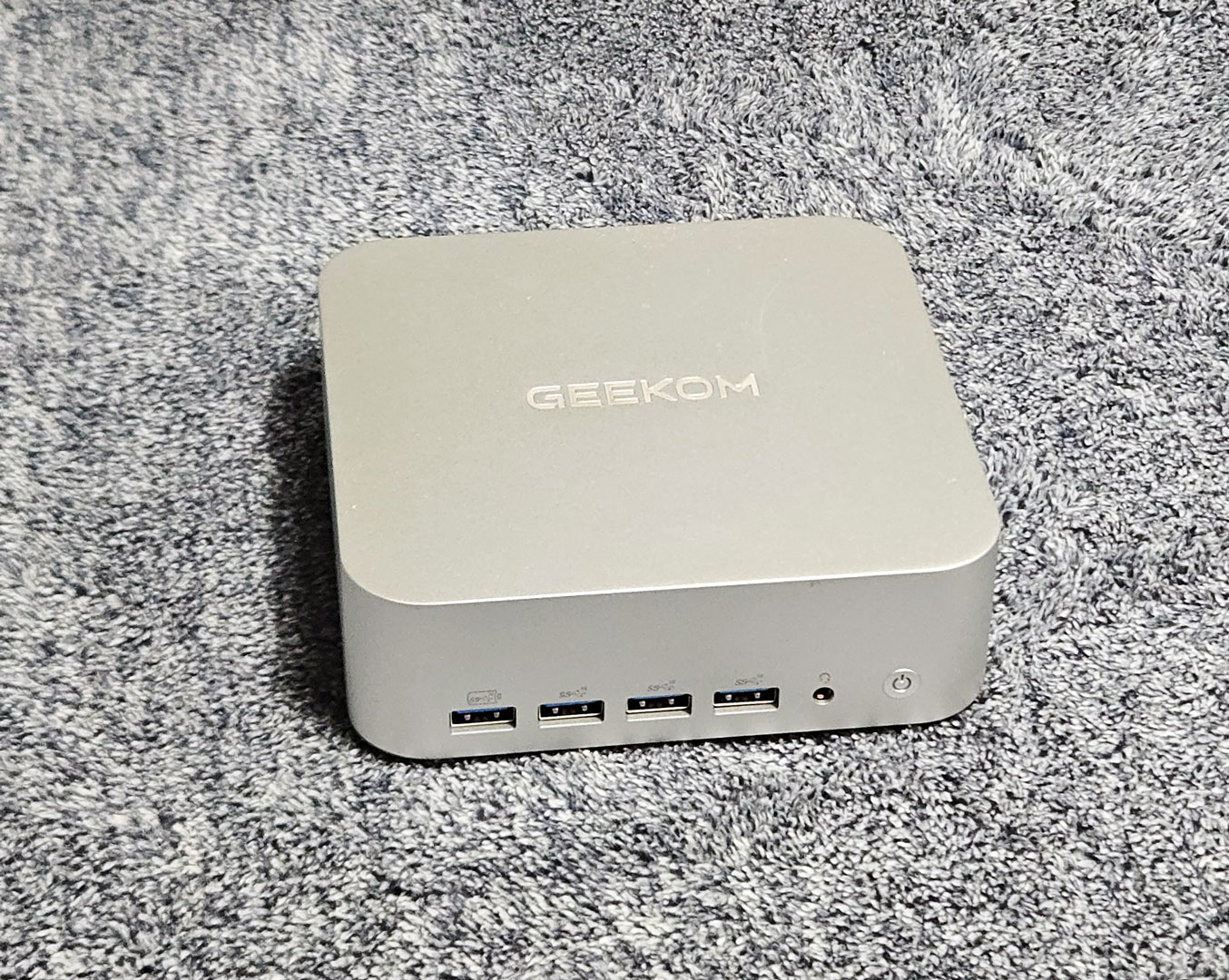
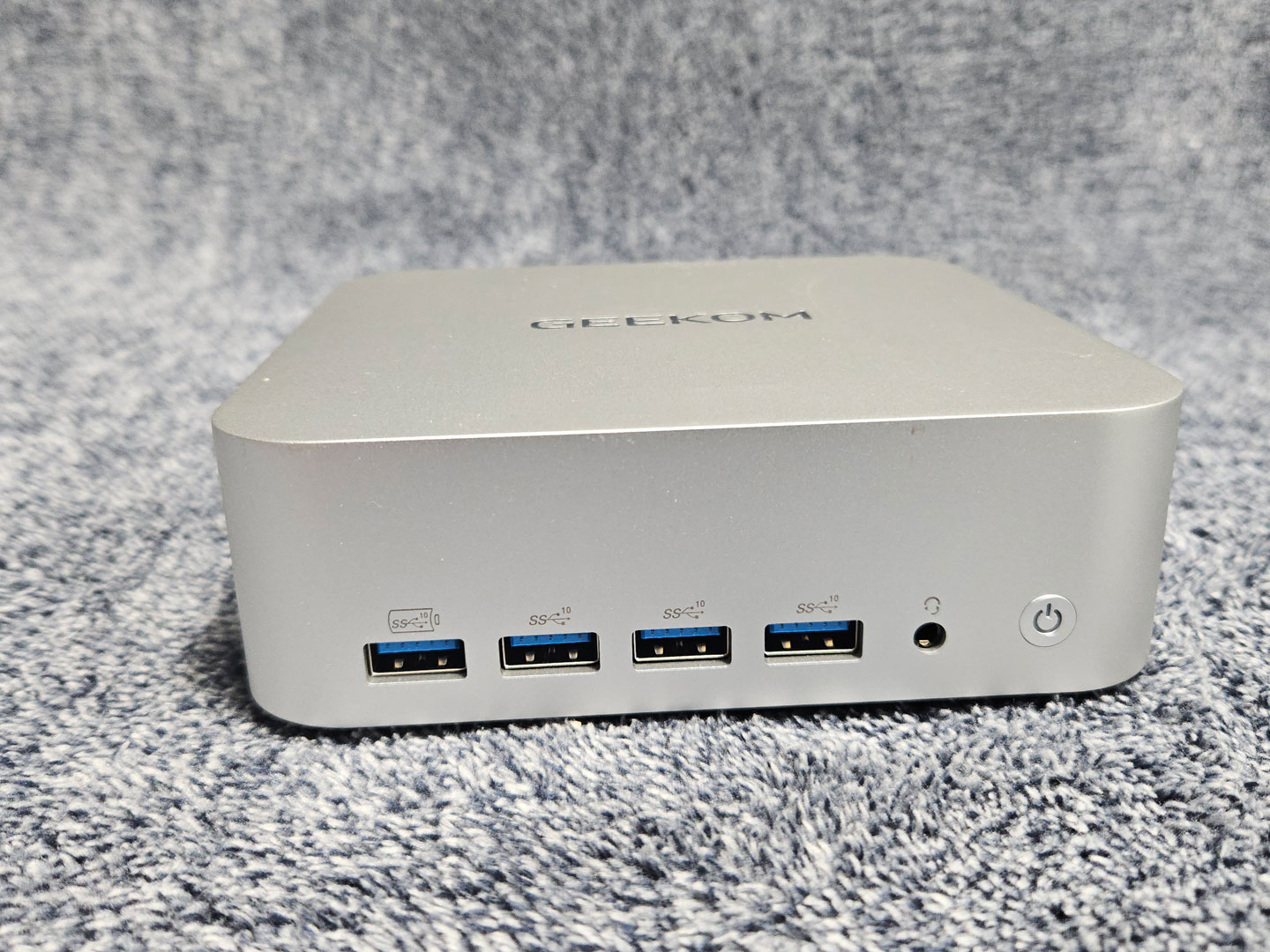
The A7 Max uses the same chassis as the A9 Max, so the design will look familiar right away. It has a compact metal enclosure with rounded corners and a matte silver finish. The shell feels solid in hand, and the fit and finish are good throughout. It looks good in either an office or home setup. The front panel comes with four USB Type-A ports, a 3.5 mm headset jack, and the power button. Around the sides, the perforated venting helps feed airflow into the system, while the bottom panel supports VESA mounting for anyone who wants to install it behind a display.
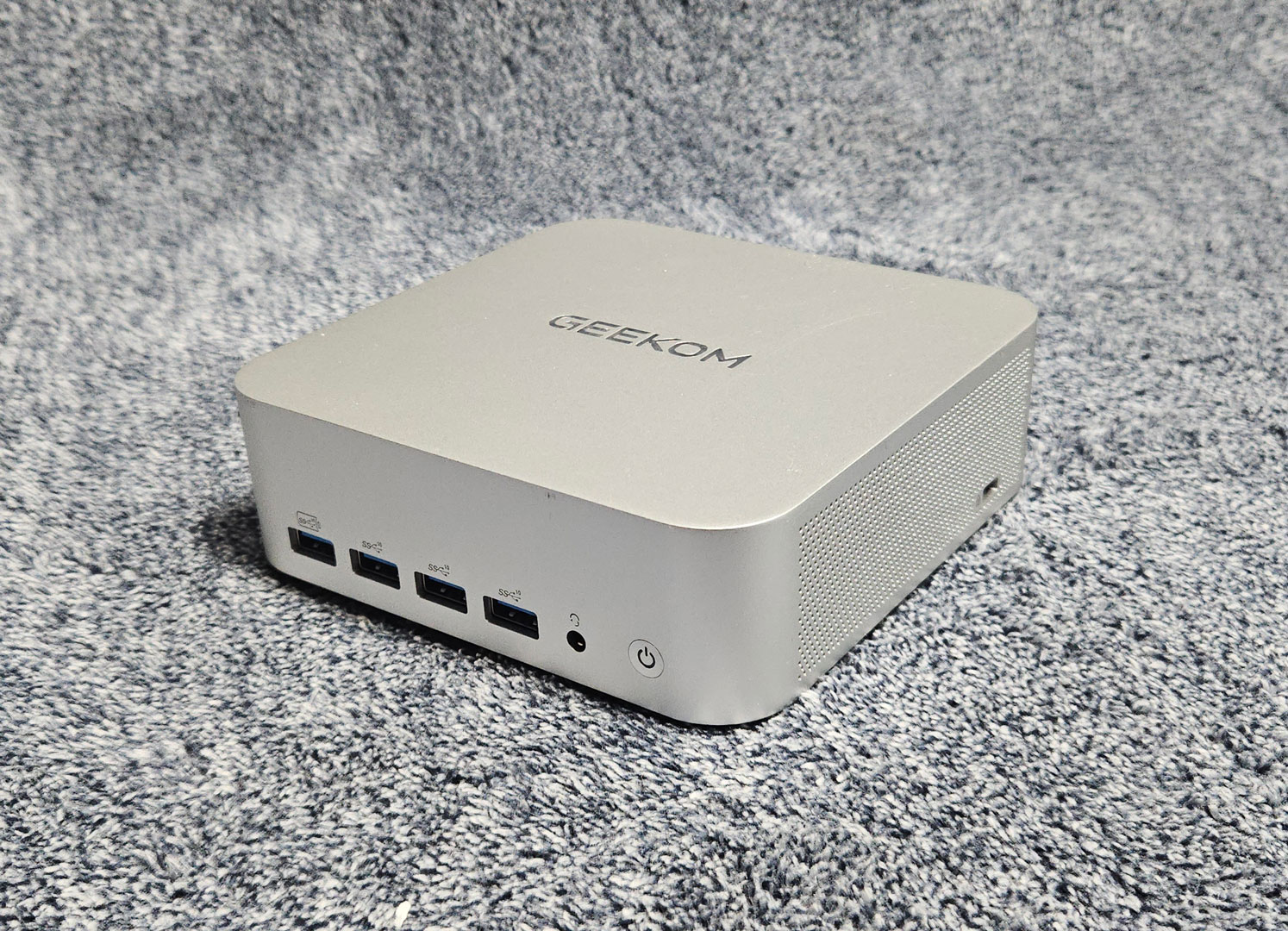
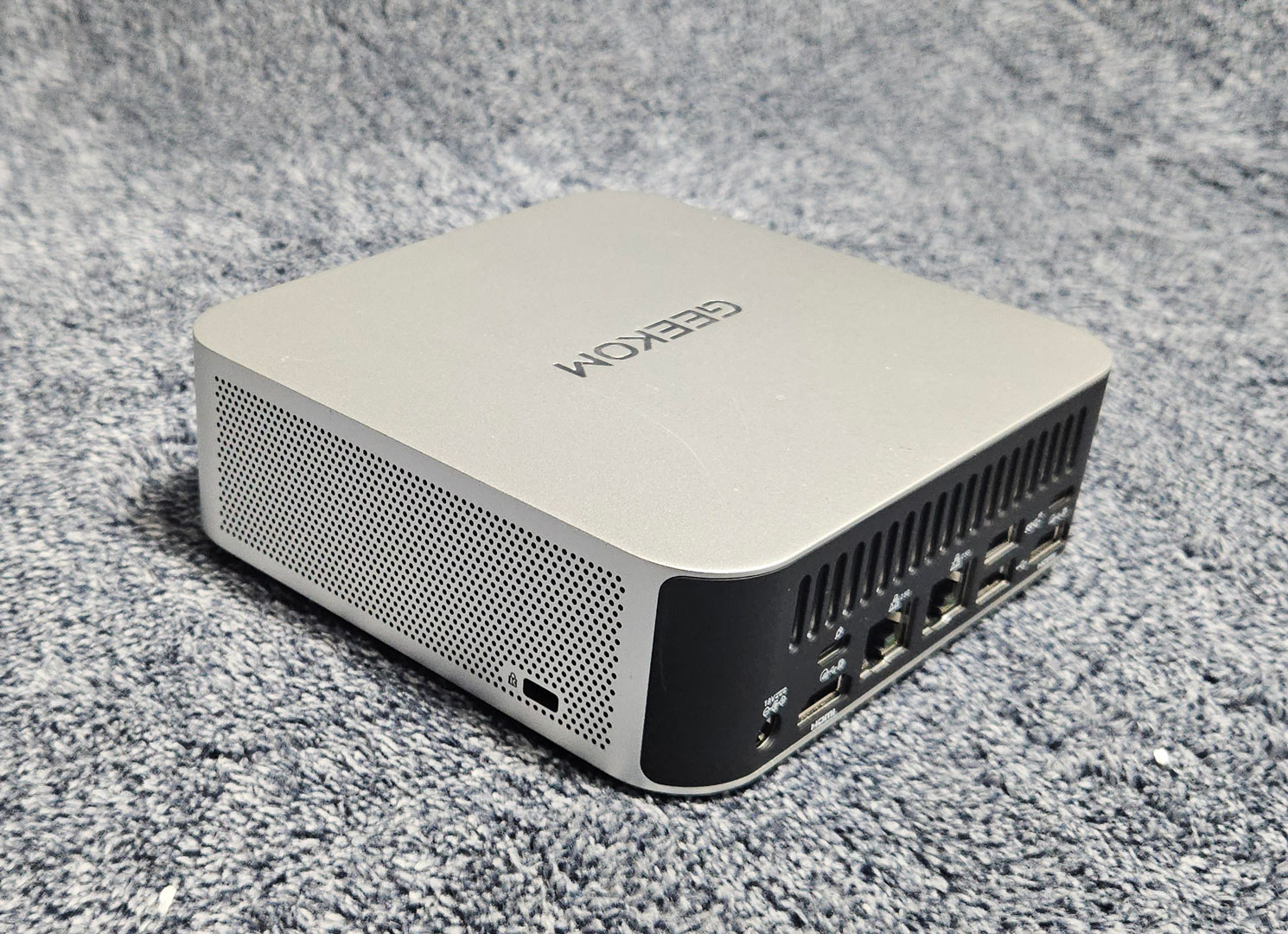
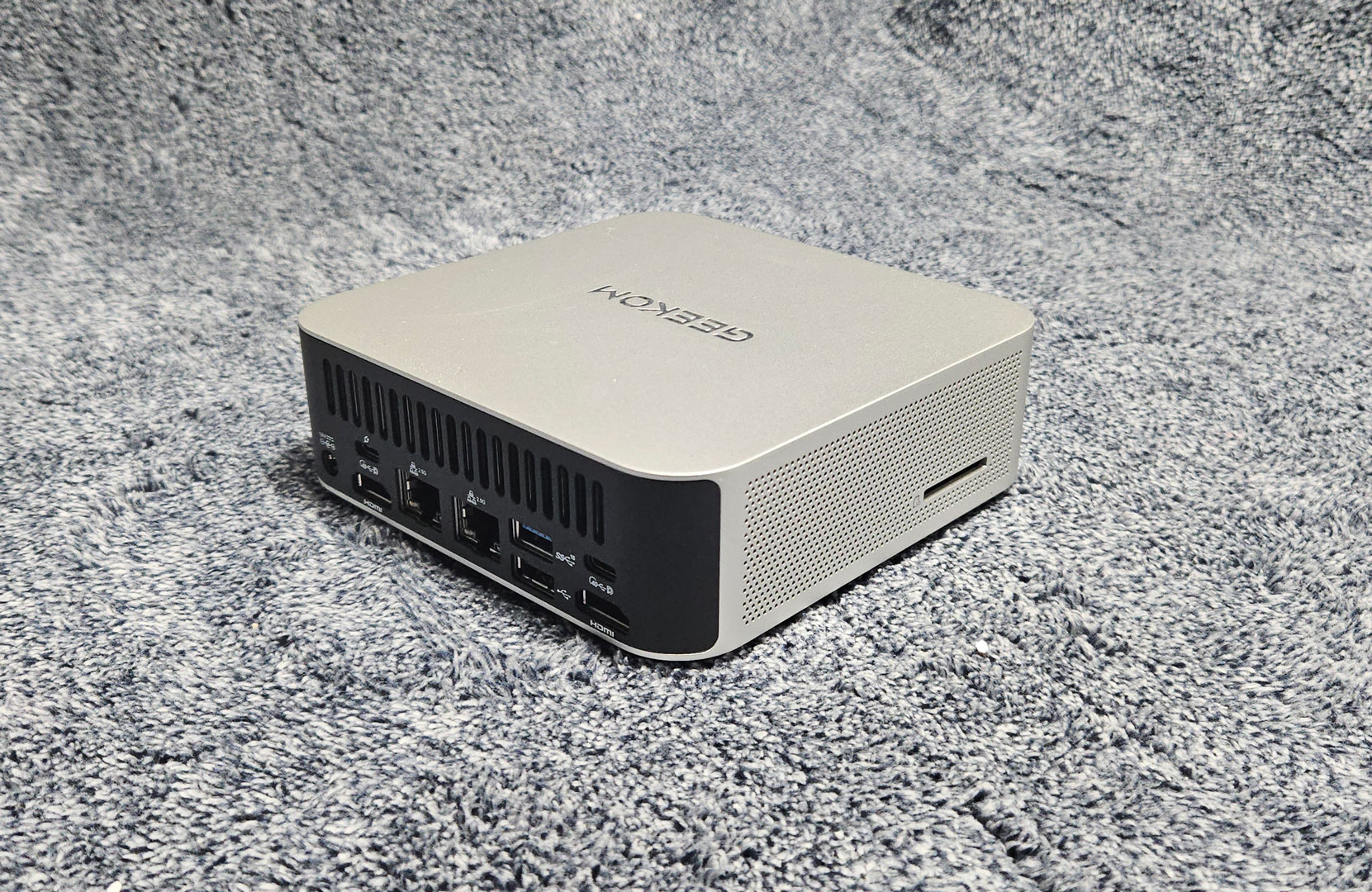
Both side panels are heavily perforated, giving the A7 Max a lot of ventilation area without breaking up the clean look of the chassis. On the right side, GEEKOM also includes a full-size SD card slot, which is a nice extra for a Mini-PC this small.
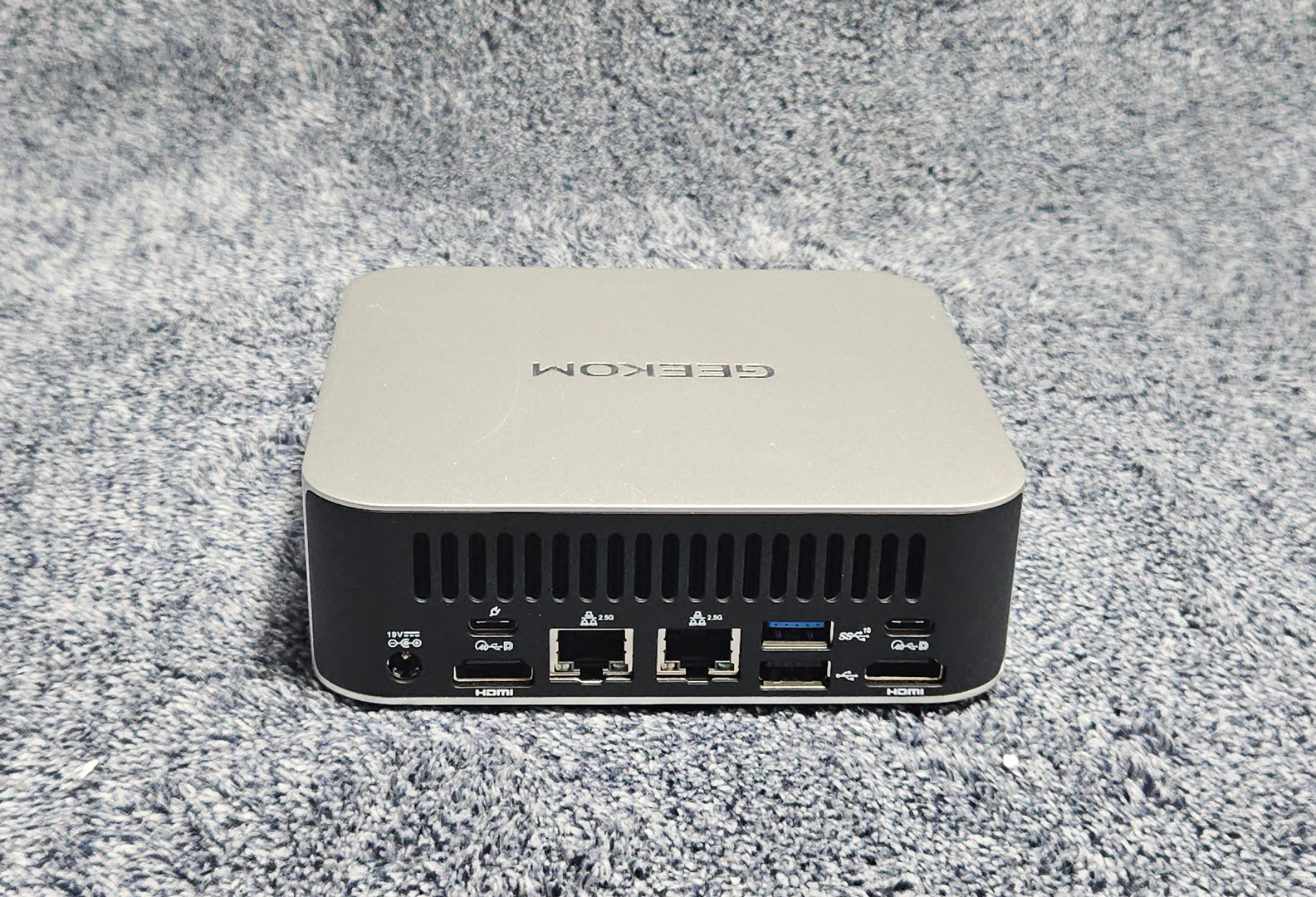
Around back, the layout is identical to the A9 Max chassis, with dual HDMI outputs, dual USB-C ports, two 2.5 GbE LAN ports, one USB 3.2 Gen 2 Type-A port, one USB 2.0 port, and the DC input. It has a solid I/O layout for a system this small, especially with dual Ethernet and dual USB-C on the back.
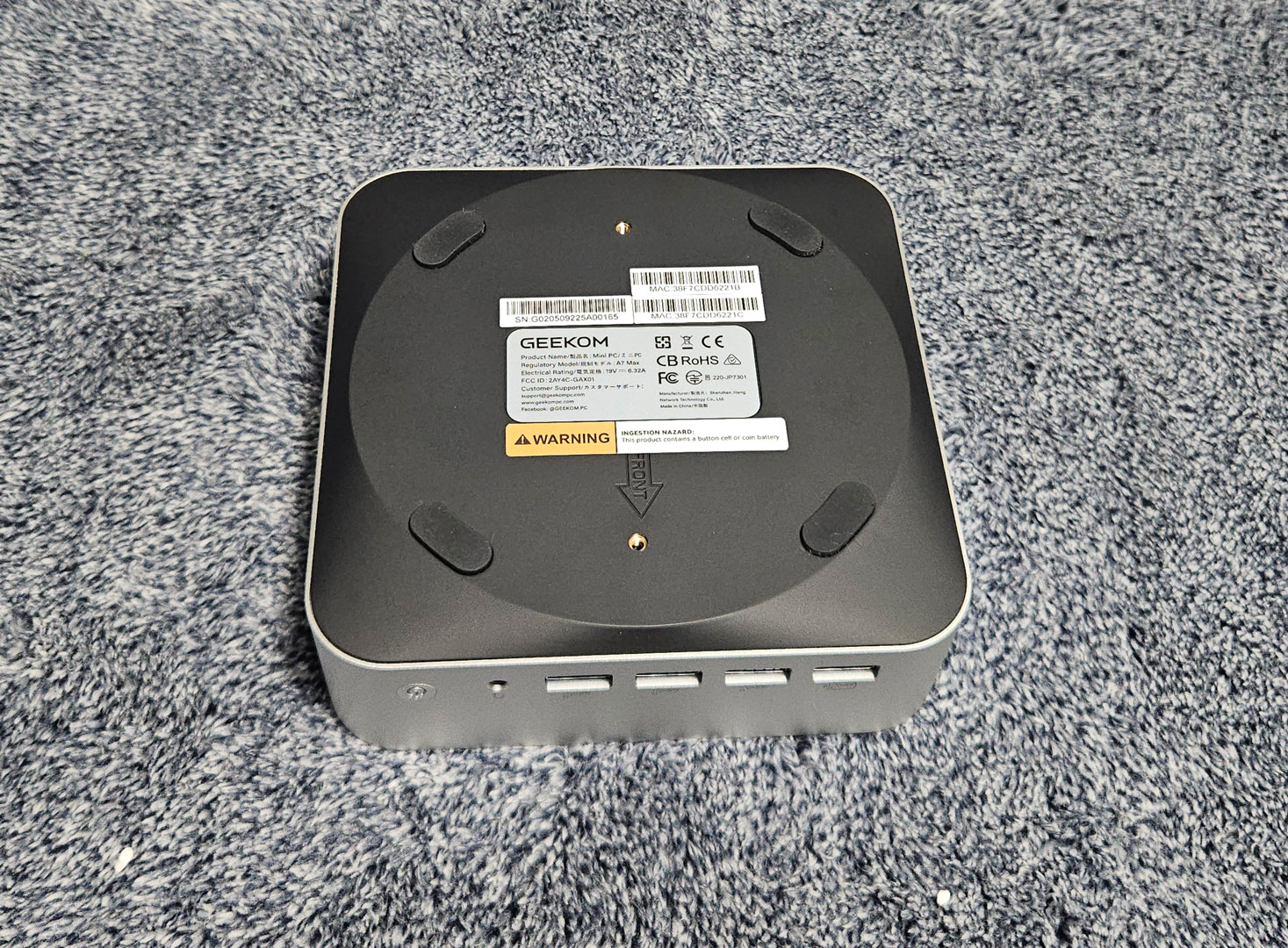
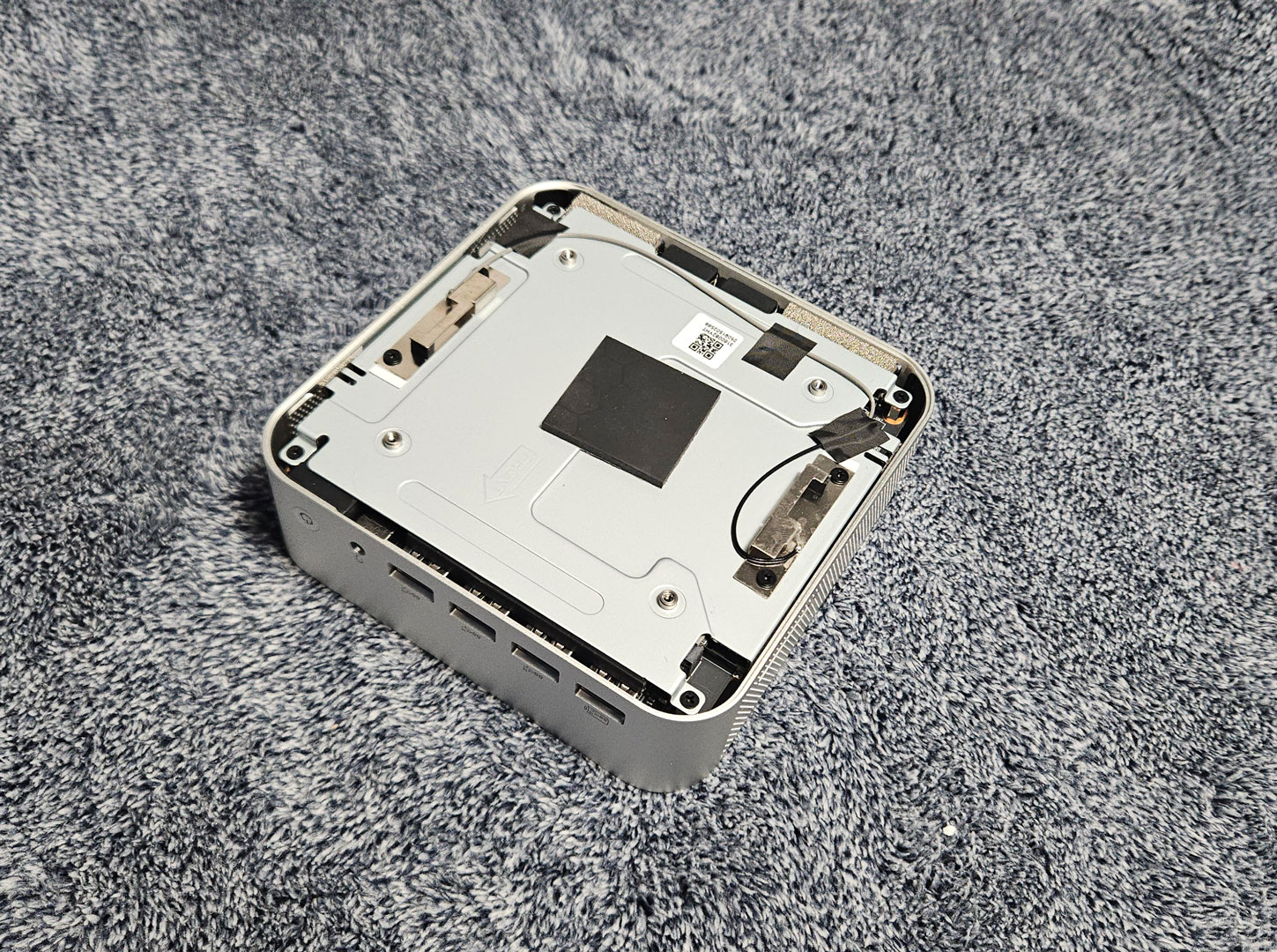
Like the other models from GEEKOM, the A7 Max takes a bit more work to open than many other Mini-PCs. The bottom screws are hidden under the rubber feet, so those have to be peeled back first before the lower panel can come off. Under that, there is a metal service plate covering the main board area. Once you get through those layers, you have access to the internals.
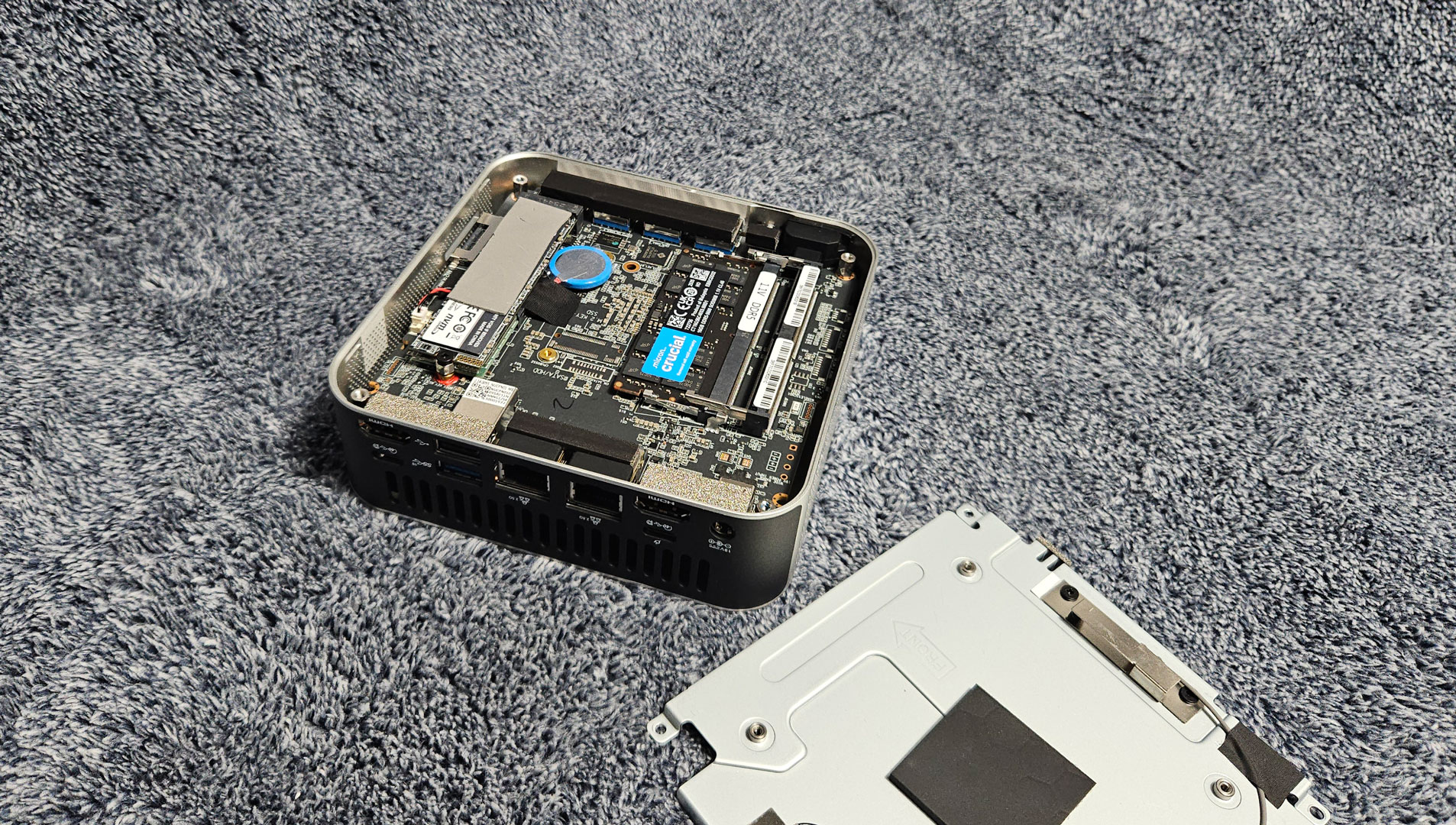
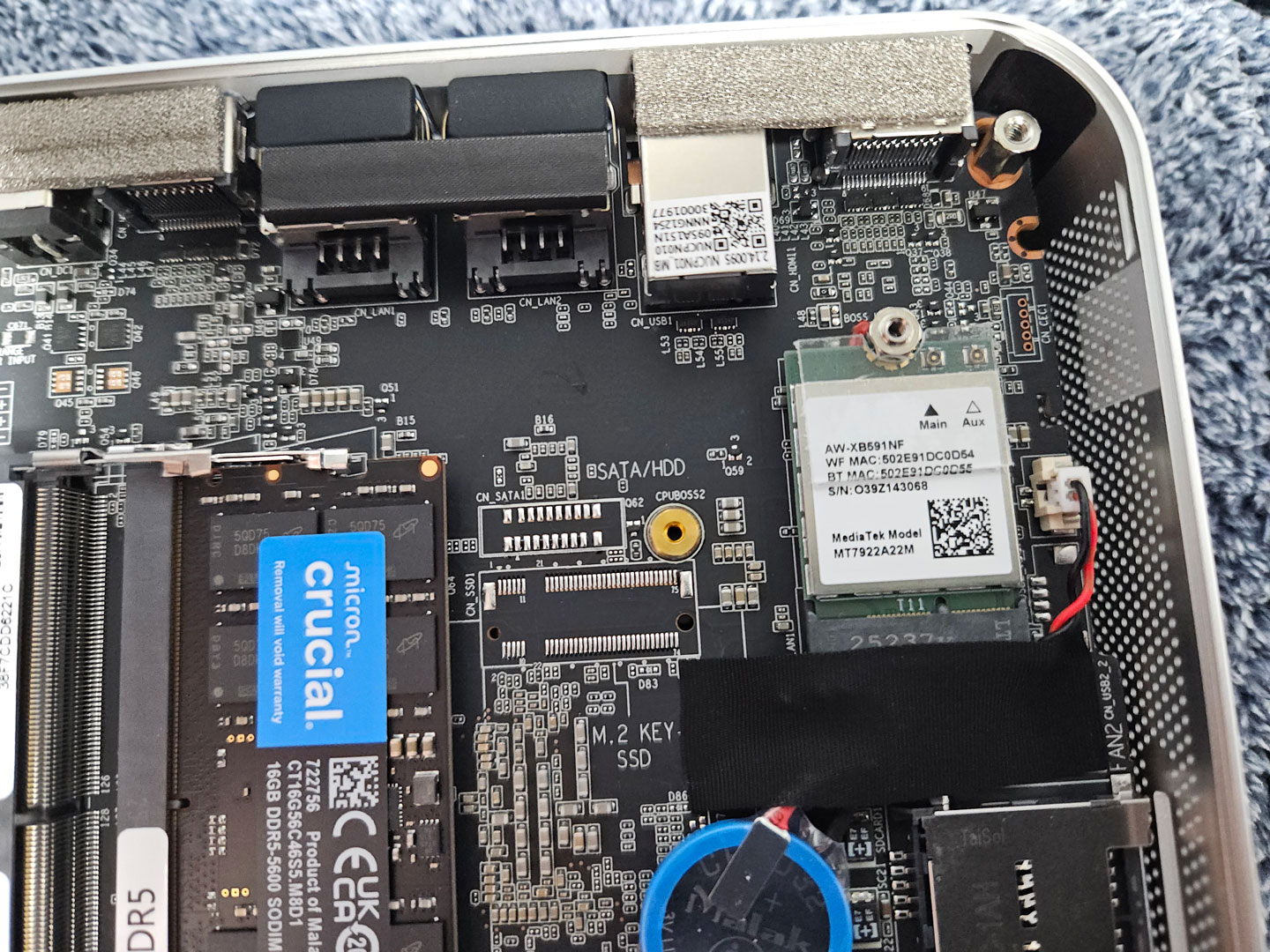
The most annoying part inside is still the wireless antenna wiring. Even with extra care, the antenna leads popped off very easily because there is almost no slack in the cables. Getting those tiny connectors back on took a frustrating amount of time. Anyone opening the system to swap storage or inspect the internals should be very careful when lifting the service plate, but even then, the cables can still come loose.
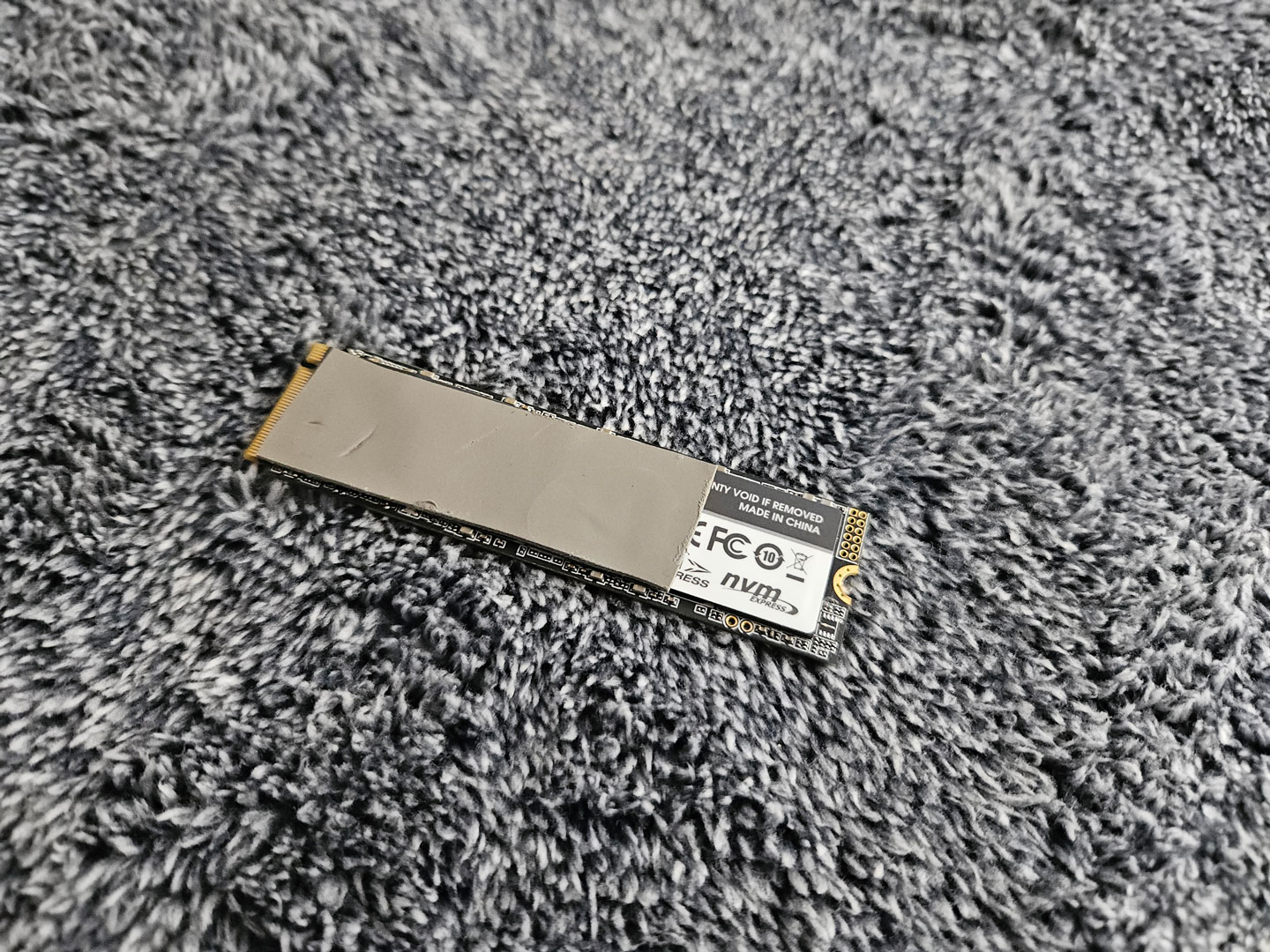
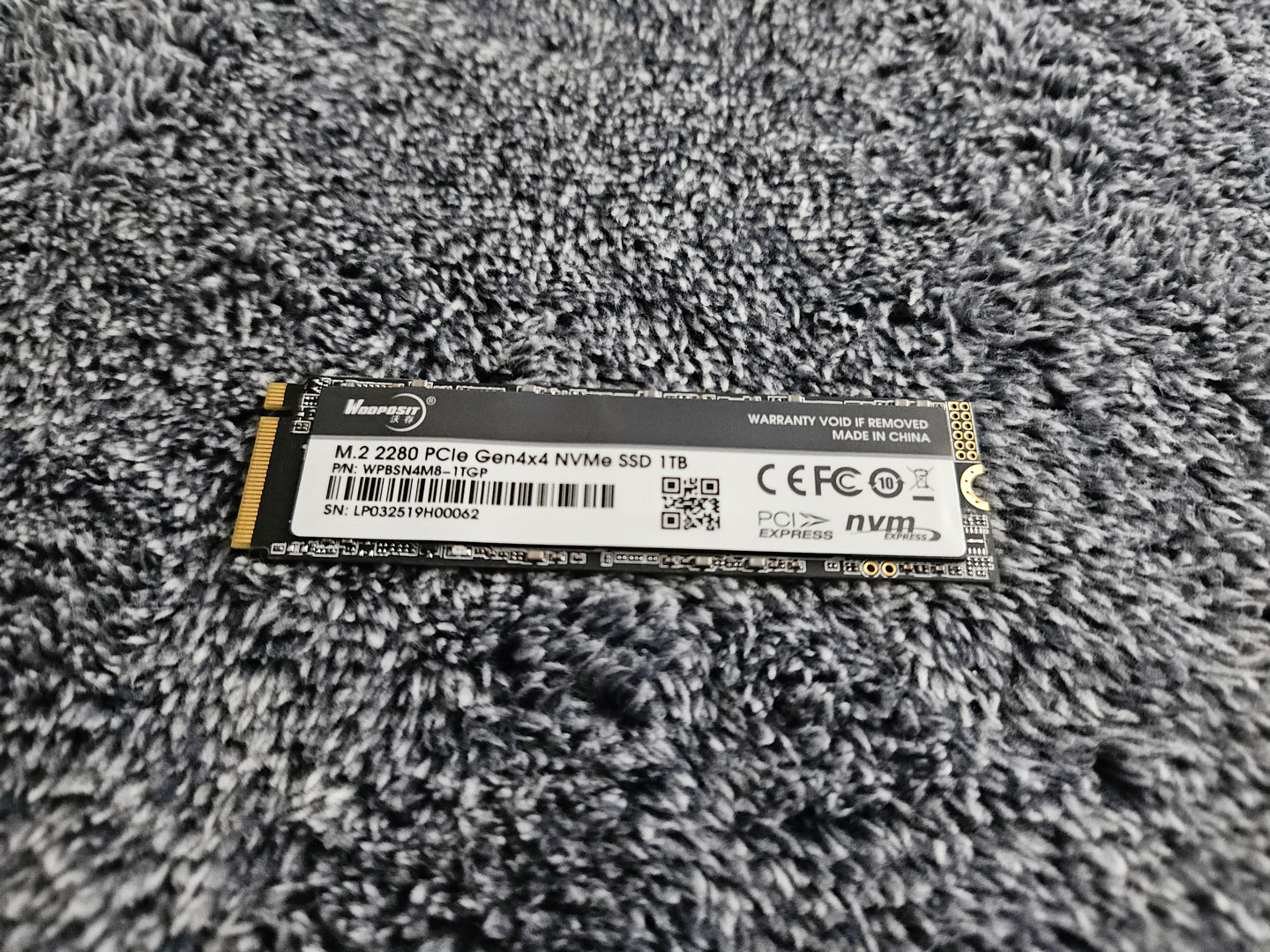
The review unit has a single 16 GB Crucial DDR5-5600 SO-DIMM installed, which leaves the second memory slot free if you want to expand it later. Storage comes from a 1 TB Wopposit M.2 2280 PCIe Gen 4 x4 NVMe SSD, a lesser-known drive brand that is not widely seen in retail channels. For wireless, the system uses a MediaTek MT7922A22M module.
This is a more basic starting configuration, but there is still room to upgrade it. Memory can be expanded by adding a second SO-DIMM, and the internal layout still gives access to the storage and wireless components once you are inside. Even if the included parts are more entry-level than the ones found in the A9 Max, the system still can be upgraded later if you feel like dealing with the wireless antennas.
Our Patreon Silver Supporters can read articles in single-page format.
Nov 20th, 2026 13:49 PST
change timezone
Latest GPU Drivers
New Forum Posts
- Honestly, do you care about GTA VI? (208)
- When you could finally run Crysis maxed out? (63)
- WarpCoreBench scores! (80)
- GTA VI (20)
- Anthrophics IPO (25)
- GeekMagic Ultra Smart WiFi Weather Station (8)
- Very unusual two gaming-pc scenarios. (35)
- Can i play GTA 6 now? (Joke) (14)
- How to prevent OLED burn damage due to PC freezes or power outtages? (47)
- Zen 3 IF/IMC degradation (239)
Popular Reviews
- AMD Zen 6 Technical Deep Dive
- Ugreen NASync DXP4800 GT Review
- Microsoft Surface Laptop Ultra Review - The Next-gen Arm Laptop
- Corsair RM1200e (Second Generation) Review
- Acemagic Retro X3 Review
- Upcoming Hardware Launches 2027 (Updated Nov 2026)
- Pulsar Office Tour & First Look at P1 Dual-Sensor Mouse
- Biwin Black Opal NV7400 2 TB Review
- AMD Ryzen 7 9800X3D Memory Performance Scaling
- AMD Ryzen 7 9800X3D Review - The Best Gaming Processor
TPU on YouTube
Controversial News Posts
- NVIDIA Co-Founder and CEO Jensen Huang Officially Resigns (490)
- Report: Jensen Huang Eyes NVIDIA Comeback (255)
- Open Letter Asking NVIDIA to Reinstate Jensen Huang Passes 115,000 Signatures (184)
- OpenAI CEO Argues Home PCs Waste the World's Limited DRAM Supply (152)
- NVIDIA Launches Investigation Into Jensen Huang's Relationship With Suspected Chinese Spy (136)
- Intel "Raptor Lake Next" 16-Core and 20-Core CPUs Surface (130)
- Legendary Game Studio BioWare Shuts Down Following EA Layoffs (104)
- Dell CEO Says the Memory Shortage Will Get Worse in 2027 (95)