 13
Gigabyte B850 Aorus Elite Wi-Fi7 Review
Component Analysis »Board Layout

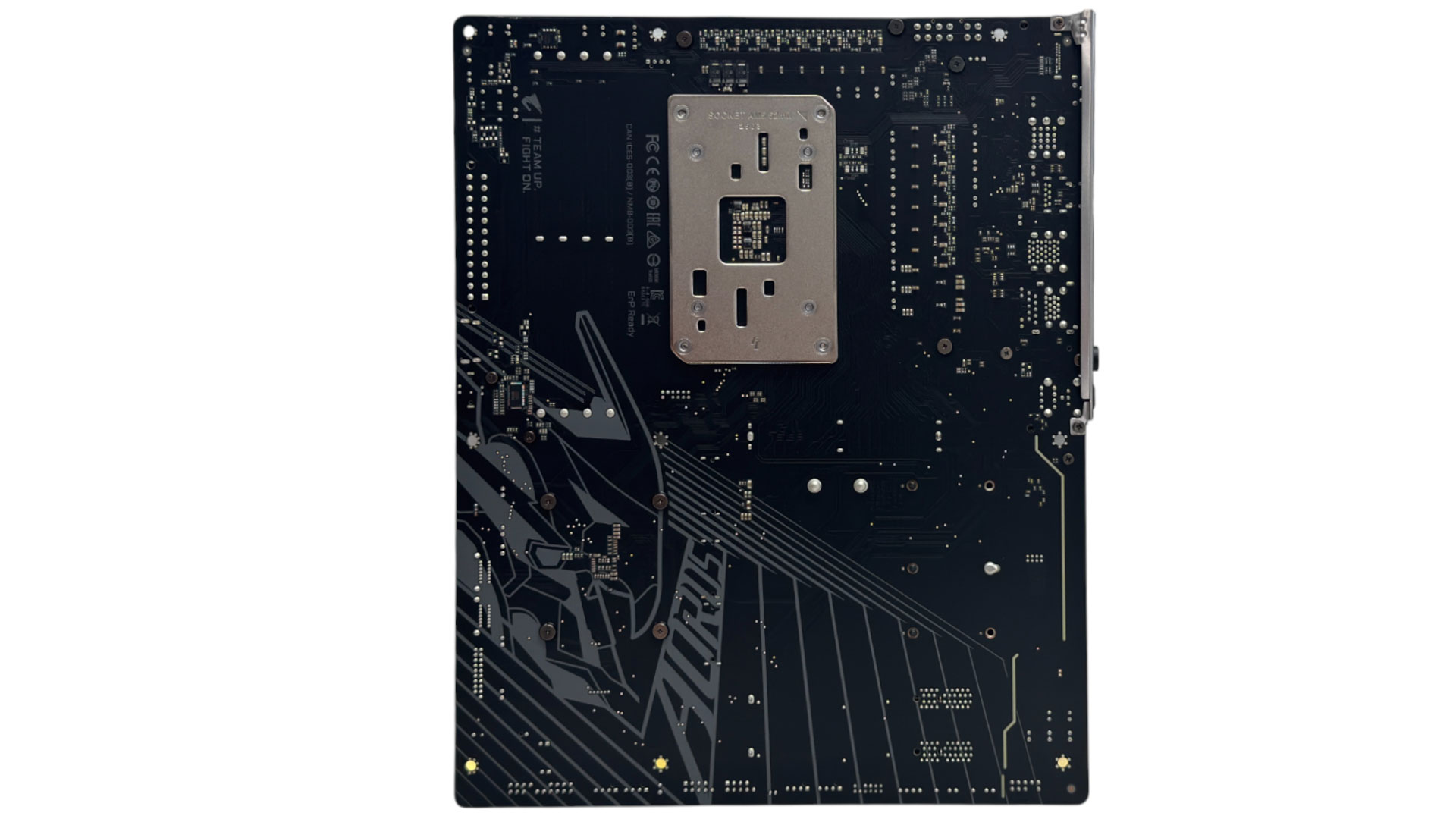
There's a lot of motherboard for your money here, with massive VRM heatsinks that also boast a heatpipe and a single large M.2 heatsink that's tool-free. Sadly, it does sit under your graphics card so you'll need to remove it to get at your SSD, while cooling here is at the mercy of your graphics card too. There's no rear backplate or additional VRM cooling and those snazzy Aorus designs probably won't be visible in your case, but they're a nice touch.
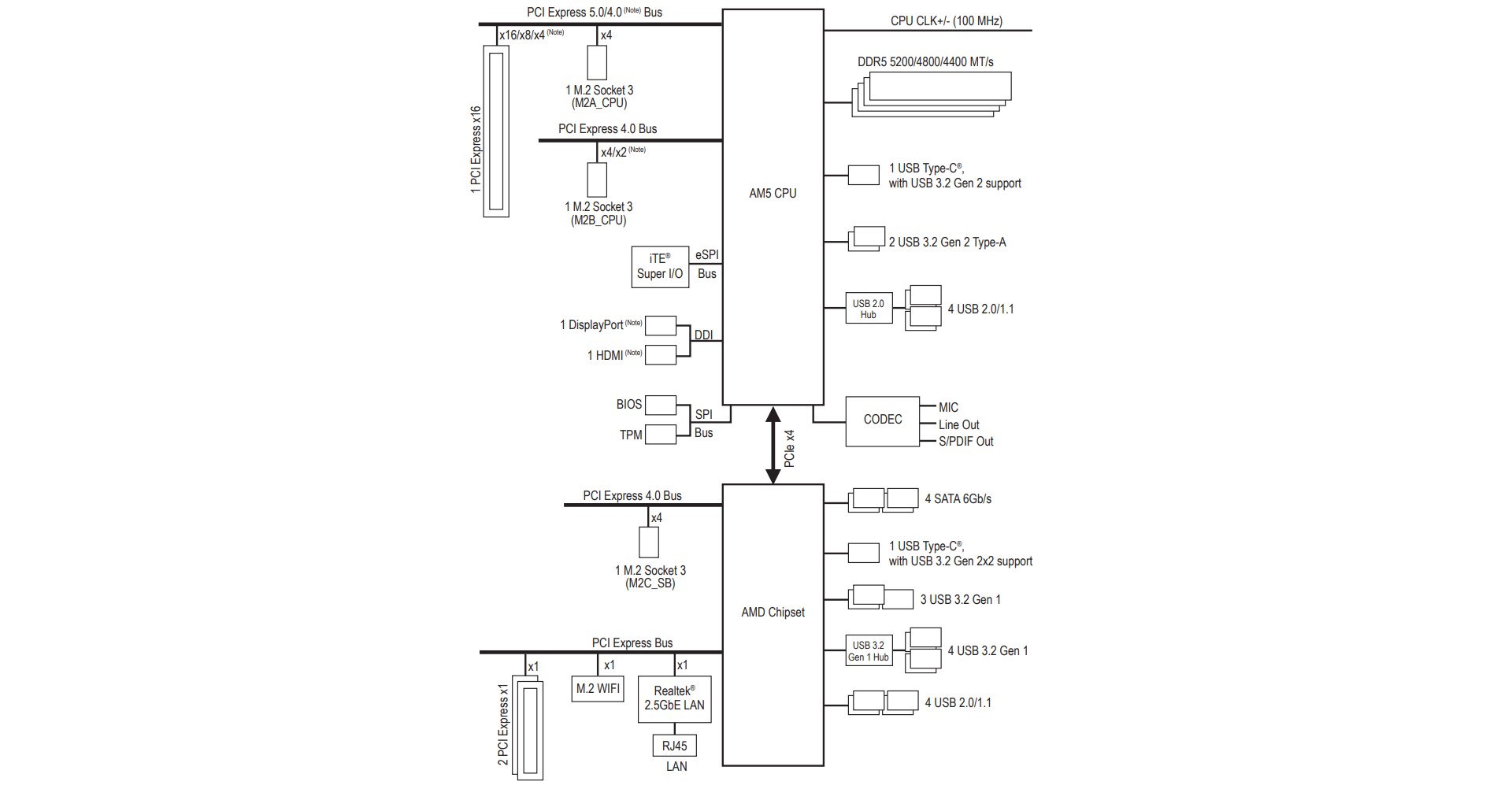

There is no bandwidth sharing on the board, but then the two lower PCIe slots are only Gen 3 and have a single lane each, plus there's no USB4 and only three M.2 ports, which is sensible. There is a fair amount of free space on the PCB due to there only being a single chipset, but this is a good thing as the typical owner of a mid-range B850 board wouldn't likely be using more than two M.2 ports and a single PCIe device.


It only has six fan headers in total, but these are relatively powerful with the CPU_FAN, CPU_OPT and FAN4_PUMP offering 24 W/2 A, more than enough to power a trio of high-power fans to each. The proximity of the two CPU headers could be a bit fiddly and the dedicated pump header is at the other end of the PCB, so if you want to hook up an AIO liquid cooler pump near the CPU socket, you'll need to make sure it's set to full speed if necessary. The top right corner is also home to power and reset buttons, status LEDs and a 3-pin ARGB header.
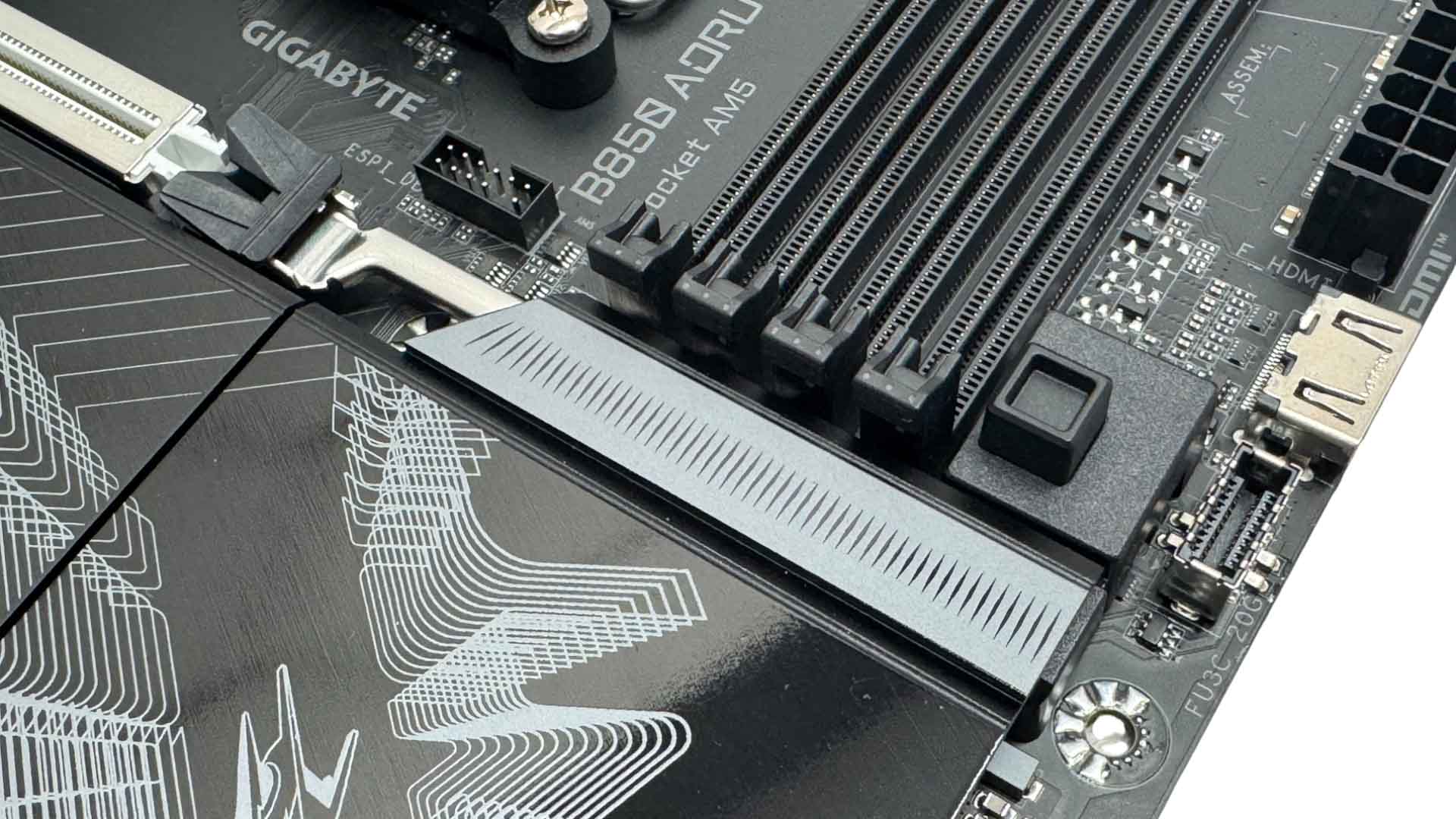

Gigabyte's PCIe EZ Latch Plus is its version of a remote GPU release and it works perfectly. Simply press the button and your GPU is free to pull out. This allows it to push the M.2 heatsink right up to the PCIe slot. Next to this we have a USB 3.2 Gen 2x2 Type-C header and a HDMI port for case displays, although this only supports up to 1,920 x 1,080 and 30 Hz. We also have the usual four SATA ports, which are right-angled along with the USB 3.0 header.


The rest of the fan headers are located at the base of the PCB so are not ideal for front or rear case fans. We also have another pair of 3-pin ARGB headers and also a 4-pin RGB header. The two PCIe slots here are both PCIe Gen 3 and limited to a single lane a piece.


A single large M.2 heatsink covers all three M.2 ports and the top port—which is the only PCIe Gen 5 port—also benefits from underside cooling. Out of the box this is designed to cool double-sided SSDs, but Gigabyte includes a second thermal pad that you can use for extra reach to cool the underside of single-sided SSDs too. There are also rubber supports in the box to prevent SSD warping. The heatsink is tool-free and blissfully easy to install compared to those that have numerous screws. It also seems to apply decent pressure, although your graphics card will obviously sit over the top.

We haven't seen any $200 boards that are particularly short on USB ports on the rear I/O panel, but the B850 Aorus Elite Wi-Fi7 has an impressive 10, with half of these being USB 3.0 and two being USB 3.2 10 Gbps. There's no USB4 here, but if you want to use a 2,000 MB/sec USB 3.2 Gen 2x2 SSD, you can do that on the front panel Type-C port. We also have a DisplayPort output, USB BIOS Flashback button, 2.5 Gbps Ethernet and single-piece Wi-Fi EZ Plug connector for the Wi-Fi 7 module, with the usual dual audio jacks and optical output next to it.
Nov 15th, 2026 17:11 CST
change timezone
Latest GPU Drivers
New Forum Posts
- Local LLM General Discussion (691)
- WarpCoreBench scores! (54)
- What are you playing? (26223)
- Folding Pie and Milestones!! (10205)
- Asus Rog Maximus Z890 Extreme. (Various questions). (25)
- Power supply noise stops when I move the mouse (9)
- TPU's Nostalgic Hardware Club (22165)
- HP Office Jet 7740 Pro - Supply system problem with replacement cartridge (3)
- Recommendations Wanted - Affordable Enterprise SSD for Boot (9)
- What can the FX 8320 do today? Here is the answer. (59)
Popular Reviews
- AMD Zen 6 Technical Deep Dive
- ASUS ROG Strix B850-I Gaming Wi-Fi7 W Review
- Corsair HX1000i Shift Crystal Review
- Upcoming Hardware Launches 2027 (Updated Nov 2026)
- Montech King 95 3D PRO Review
- NZXT C1200 Platinum Review
- NZXT H7 RGB+ Review
- NZXT H5 Review
- Phantom Blade Zero Performance Benchmark Review - 35 GPUs Tested
- AMD Ryzen 7 9800X3D Review - The Best Gaming Processor
TPU on YouTube
Controversial News Posts
- NVIDIA Co-Founder and CEO Jensen Huang Officially Resigns (422)
- Open Letter Asking NVIDIA to Reinstate Jensen Huang Passes 115,000 Signatures (184)
- OpenAI CEO Argues Home PCs Waste the World's Limited DRAM Supply (152)
- NVIDIA Launches Investigation Into Jensen Huang's Relationship With Suspected Chinese Spy (136)
- Intel "Raptor Lake Next" 16-Core and 20-Core CPUs Surface (130)
- Legendary Game Studio BioWare Shuts Down Following EA Layoffs (104)
- Dell CEO Says the Memory Shortage Will Get Worse in 2027 (95)
- NVIDIA GeForce RTX 50-Series Scheduled for up to $500 Price Hike This Week (89)