 17
Gigabyte B850I Aorus Pro Review
Component Analysis »Board Layout


The B850I Aorus Pro goes with a black theme—unlike it's more expensive X870 sibling—with some sizable M.2 and VRM heatsinks, with the latter cooling a single bank of MOSFETs. The M.2 SSD layout is the typical one with top and underside ports, but while there's obviously a topside heatsink, Gigabyte also provides a thermal pad to cool the rear SSD too. There's no onboard RGB lighting, but the board features some fascias sporting various Aorus logos.
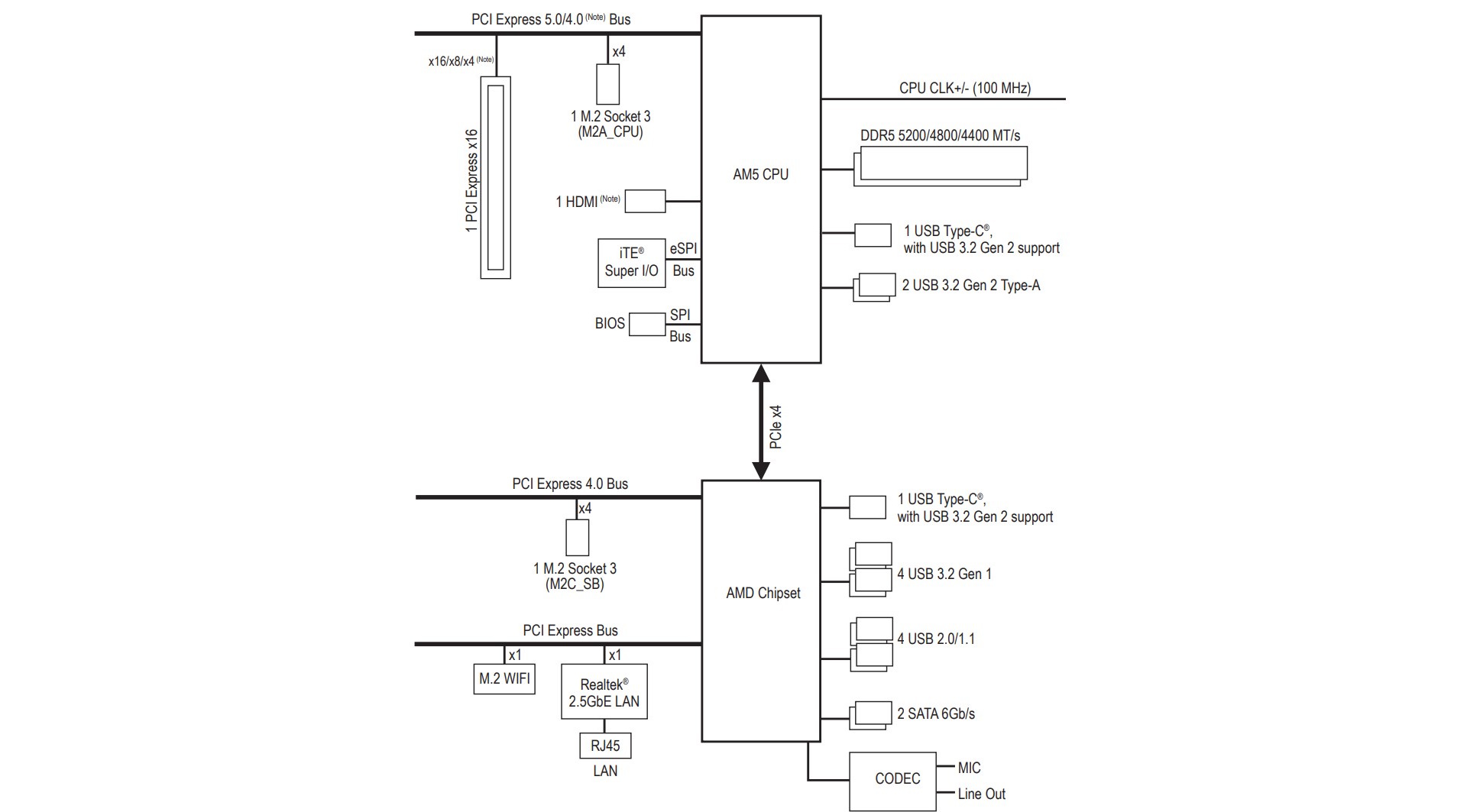

As usual with Mini-ITX, there's no bandwidth sharing to speak of as we're dealing with fewer ports and slots than full size ATX, as well as an absence of USB4 in this particular case, so there's plenty of bandwidth to go around. If you're wondering where all the audio components are, these are housed on a separate PCB that connects using a cable to the main PCB. More on that later. All 11 power phases are located on the left of the PCB and are cooled by a single heatsink.

Gigabyte continues to uses it's mini 4-pin connectors for some of its fan headers. We're still not sure why but maybe the few millimeters saved means more room for a couple of other headers, but we still only get the usual three 4-pin fan headers, two of which need to use included adaptors to convert out to standard 4-pins. These are the same connectors used on some graphics cards and slim fans such as the popular SilverStone Air Slimmer series, but sadly both have female ports so aren't compatible out of the box. If you're worried about losing the adaptors then you can find them online easily by searching for mini 4-pin fan cables. This relatively clear space is also home to two 3-pin ARGB and one 4-pin RGB header.

The third port is a standard full-size 4-pin but while the other two are easily accessible, this one is buried right next to the 8-pin EPS12V connector and VRM heatsink, so might be tricky to get to with the motherboard installed. All three ports offer 24 W/2 A of power, which should be plenty.
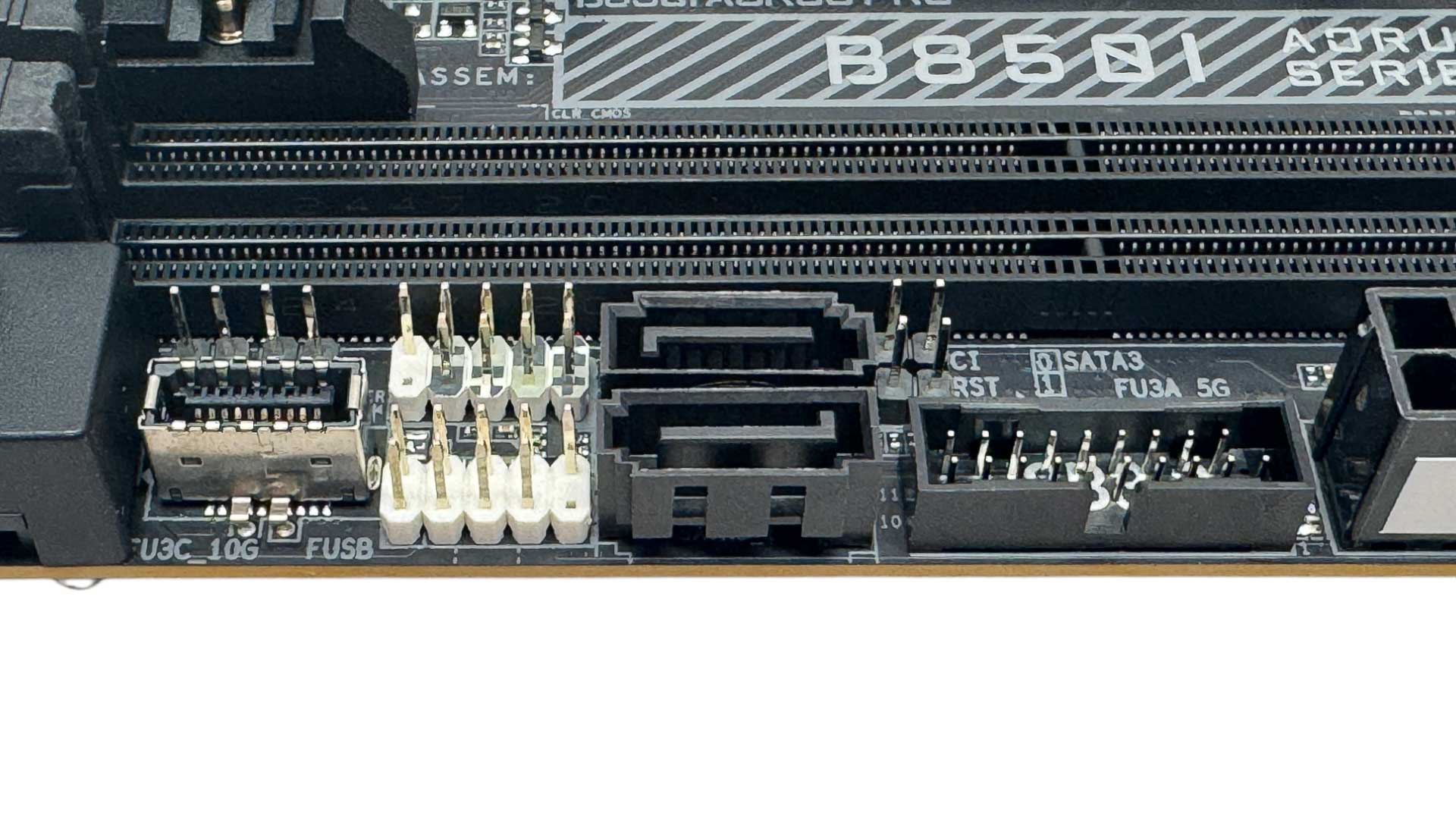
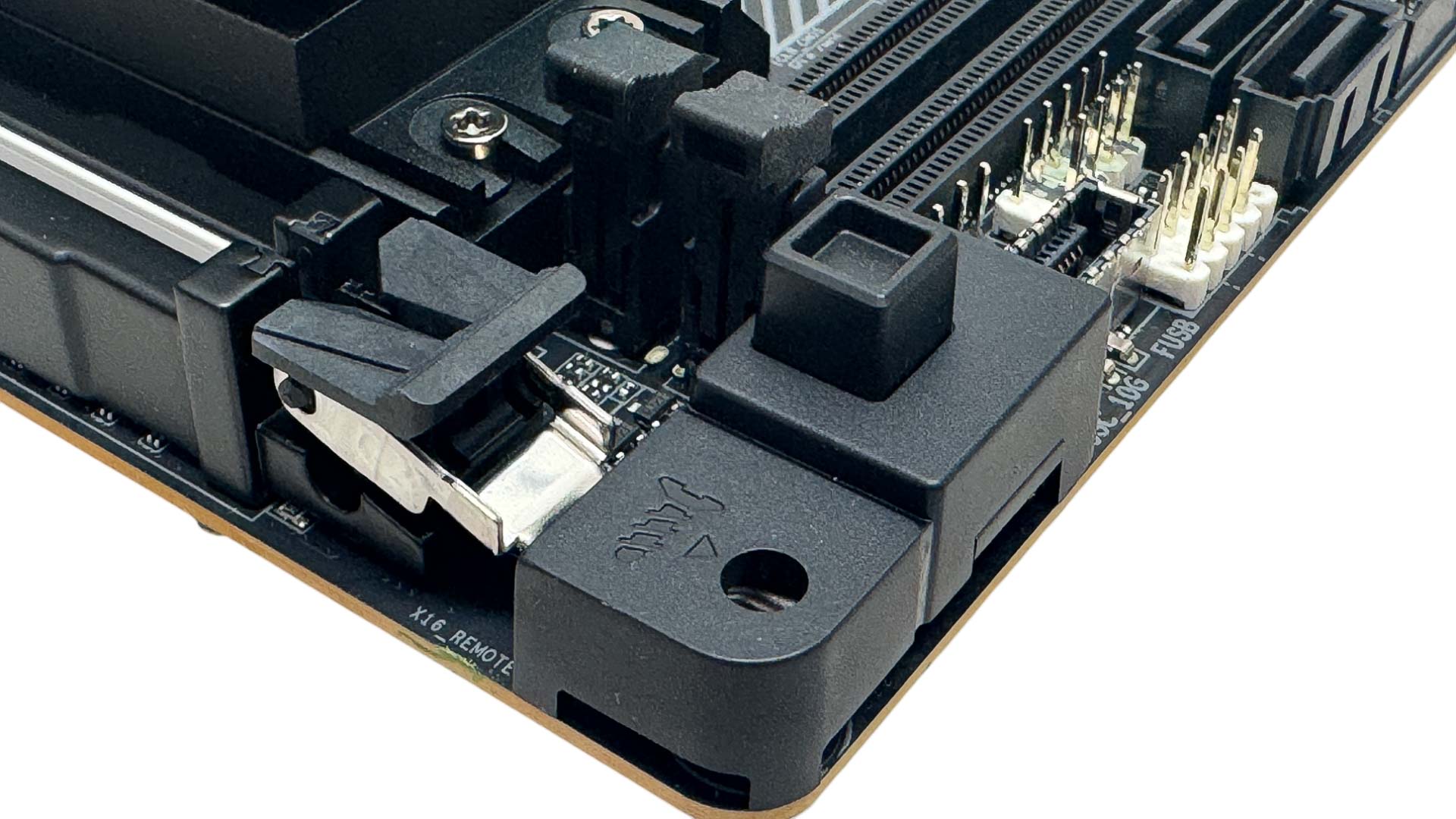
The front panel Type-C port supports USB 3.2 Gen 2 10 Gbps, fairly slow considering current USB standards of 5, 10, 20, 40 and 80 Gbps, but you won't see anything more than this on the front panel any of the current crop of B850 Mini-ITX boards, nor Gigabyte's X870 model either. There are two SATA ports, with the small headers here being the main front panel, USB 2.0, USB 3.0, CMOS clear and also RST, which is an additional reset header that can be configured for other tasks in the EFI. Next to these is the PCIe EZ-Latch Plus—essentially a push-button enhanced GPU release. This is actually particularly useful in Mini-ITX systems as it can be tricky to reach the classic release lever in smaller cases.
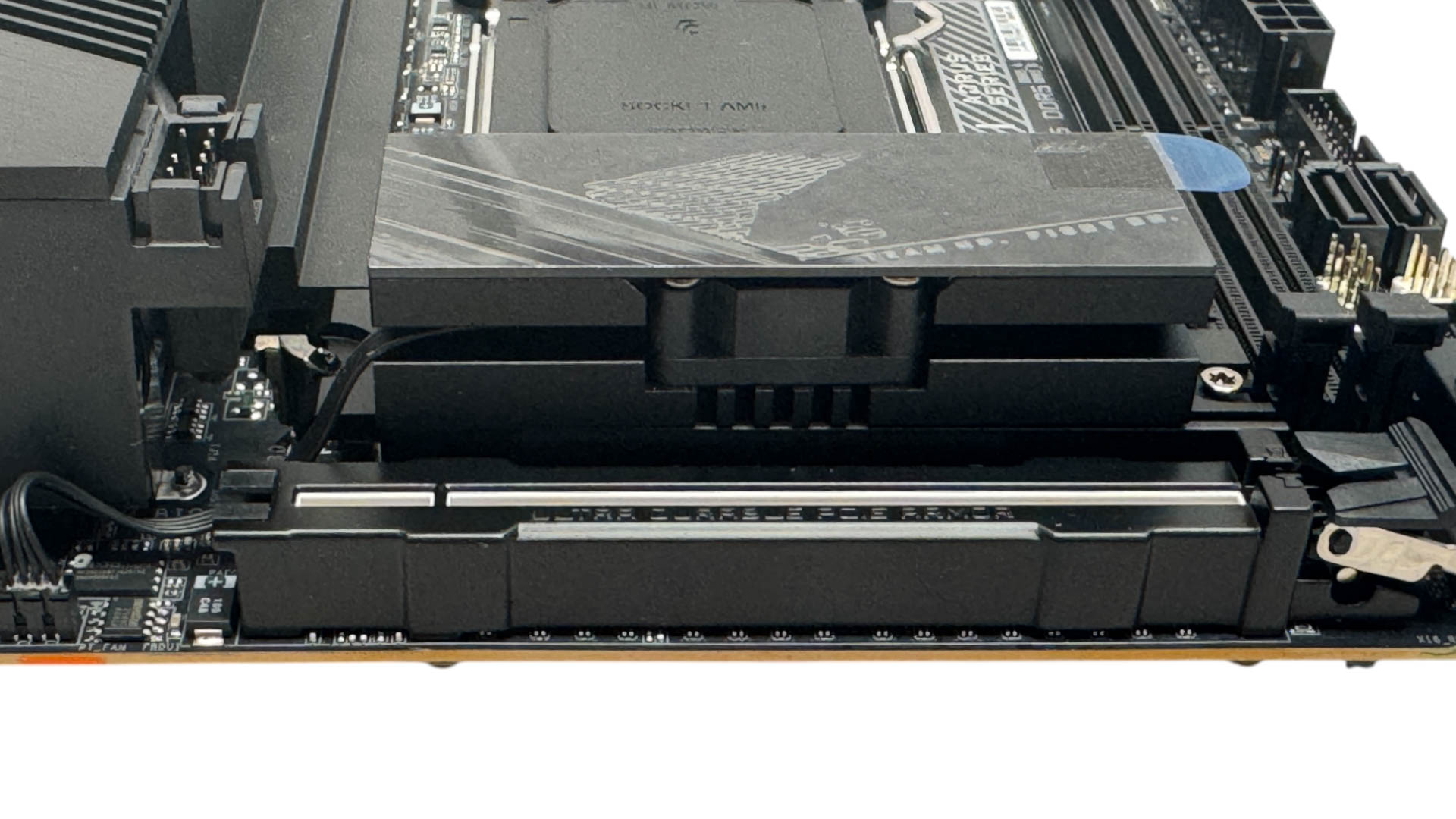
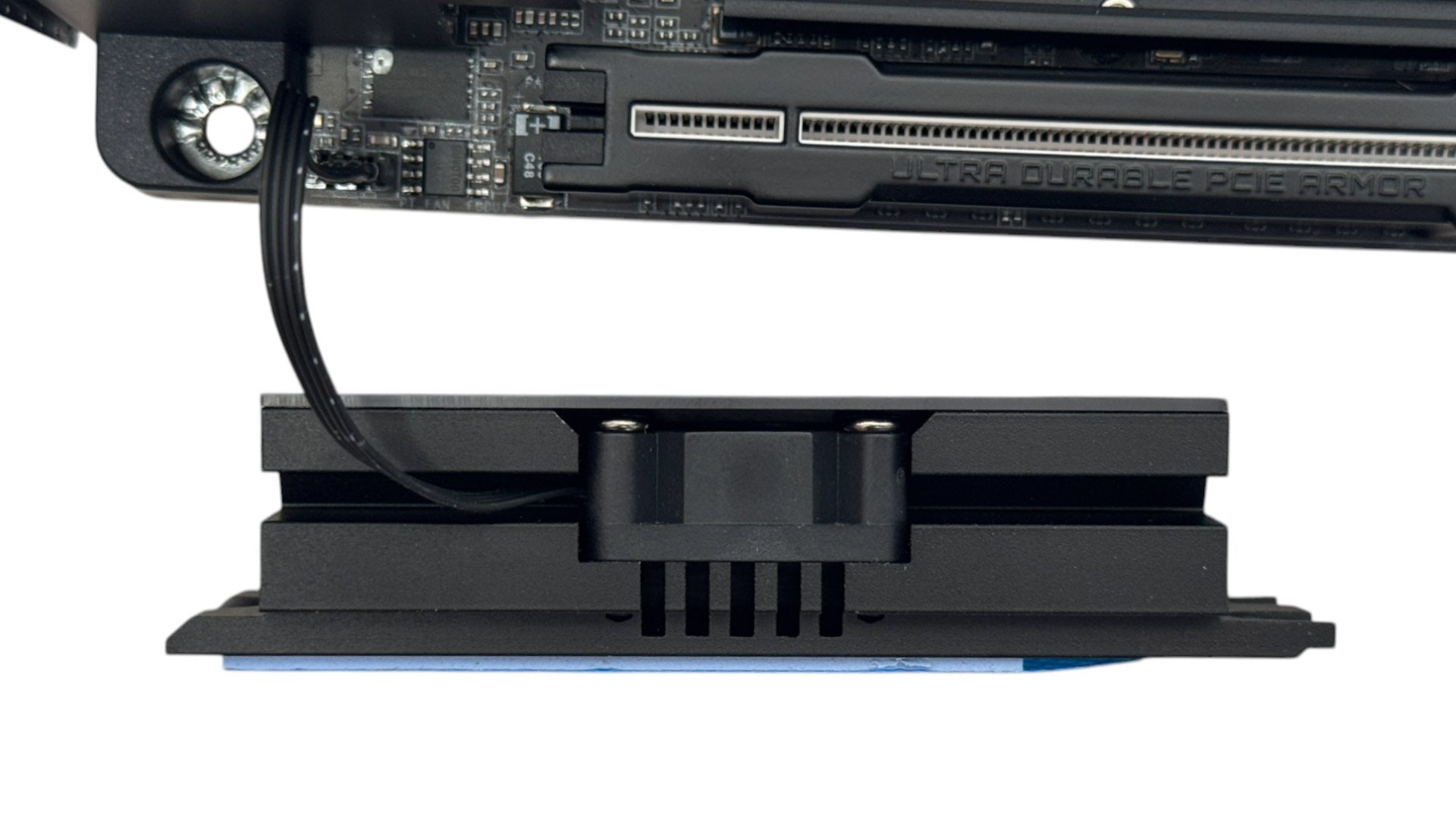
The M.2 cooling arrangement has the single PCIe Gen 5-capable slot on the top of the PCB cooled using both top and bottom heatsinks, with the lower one also cooling the chipset. The top heatsink is actively cooled using a tiny 25 mm fan. This is far smaller than the one included in the MSI MPG B850I Edge Ti Wi-Fi, and will likely shift less airflow and generate more noise, too. We're also not sure about Gigabyte's decision to stick a fascia on top of the heatsink for aesthetic reasons, as it's massively starving the fan of air and there's no vent in it either. Thankfully you can control the fan in the EFI and software. More on that later.
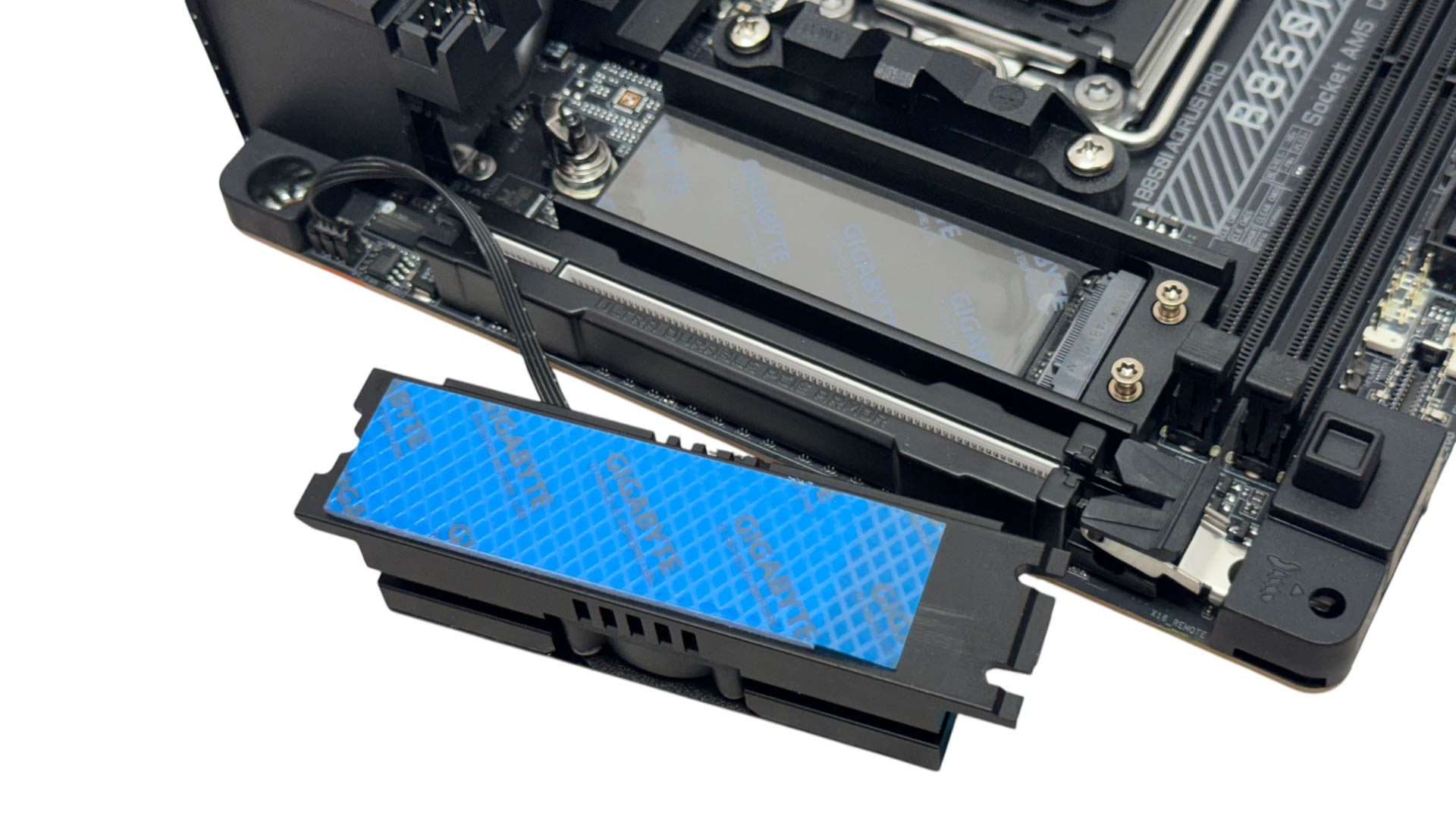
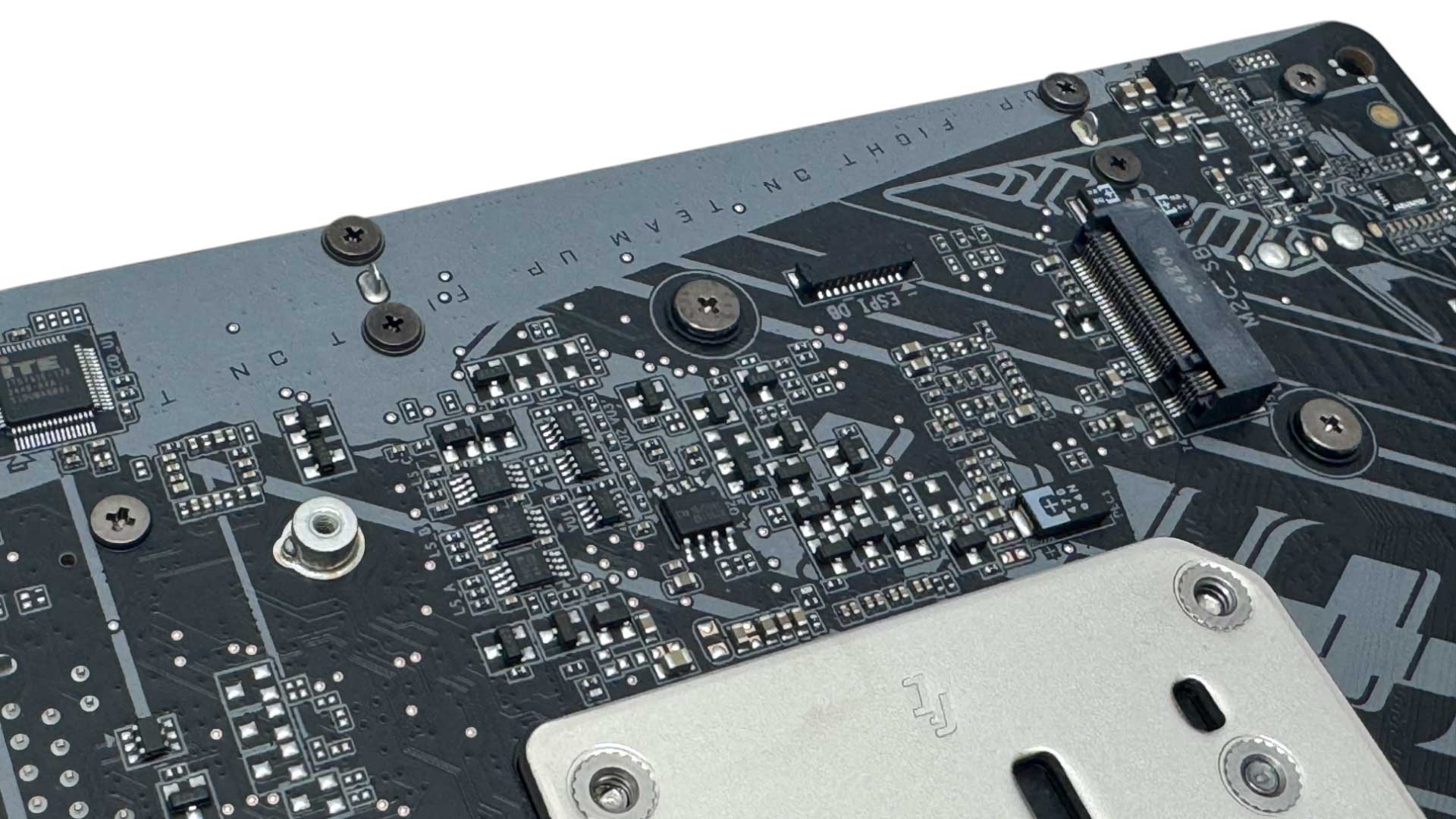
For single-sided SSDs you need to add the additional thin thermal pad on top of the lower gray pad you see above, as it's not thick enough to bridge the gap, it's designed to sit tight up against double-sided SSDs out of the box. For the latter, you'll need to add the same thermal pad to the top heatsink instead. As previously mentioned, the rear M.2 port, which is limited to PCIe Gen 4 SSDs, does have a thicker thermal pad in the box, but this only works if your case has a motherboard tray that sits over the M.2 port so the pad and tray make contact, cooling your SSD. However, of the half dozen or so Mini-ITX cases lying around, all had large CPU area cutouts, rendering the pad useless according the instructions that specifically say the pad needs to make good contact with your case. It's a nice idea in a vacuum, but seems like very few cases will actually be compatible.
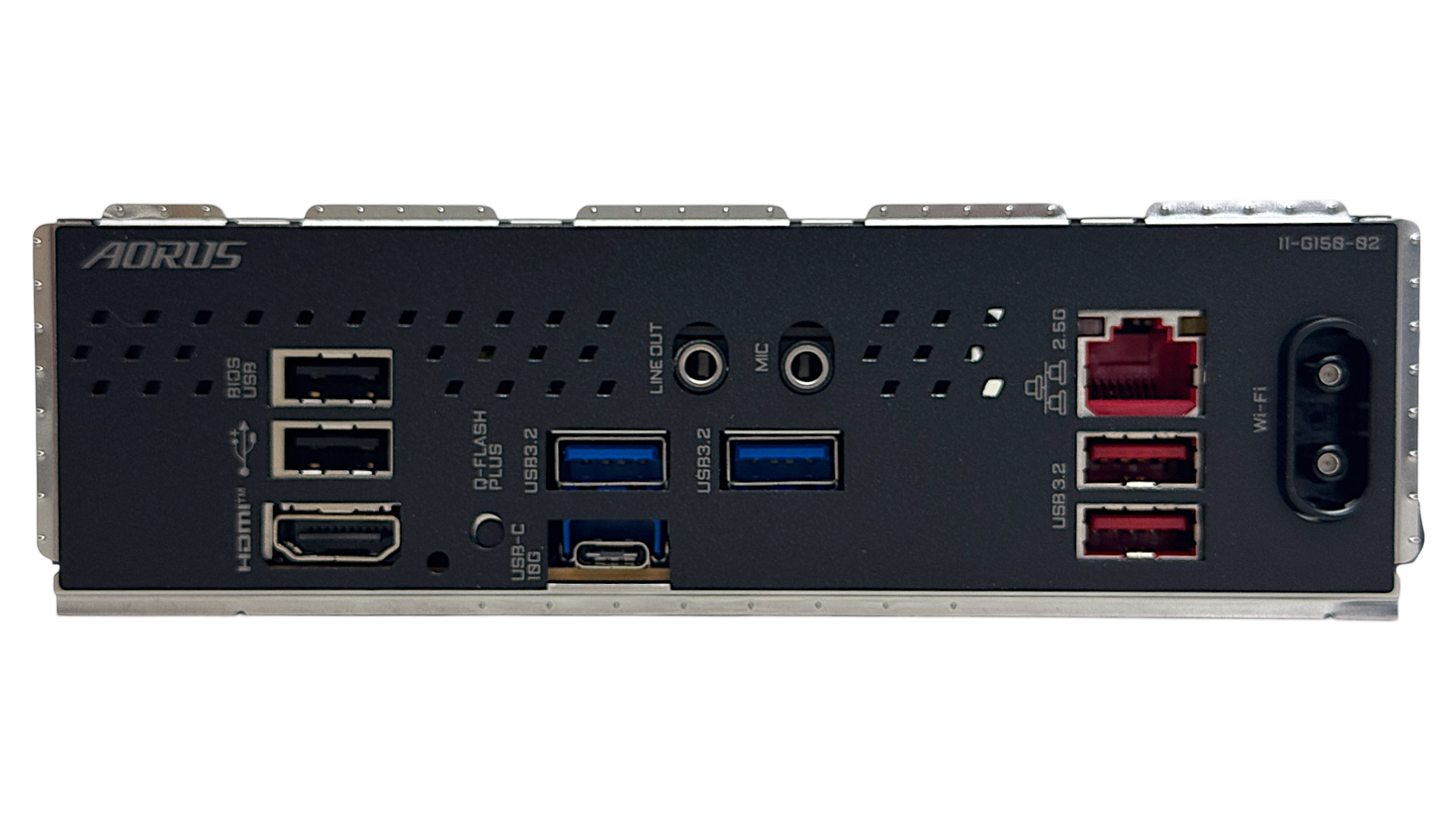
The rear I/O panel looks a little bare, due to the absence of USB4 and frugal amount of ports overall, with the only Type-C port offering USB 3.2 Gen 2 10 Gbps speeds, along with two of the six Type-A ports. The other four Type-A ports are an even split between USB 2.0 and 5 Gbps USB 3.2 Gen 1, with other features including an HDMI port, USB BIOS Flashback button, line out and microphone jacks, 2.5 Gbps Ethernet and the single-piece Wi-Fi EZ-Plug port for the Wi-Fi 7 module.
Nov 19th, 2026 16:14 CST
change timezone
Latest GPU Drivers
New Forum Posts
- Honestly, do you care about GTA VI? (164)
- Windows 11 General Discussion (7736)
- Current Sales, Bundles, Giveaways (10448)
- Last game you purchased? (1409)
- WarpCoreBench scores! (76)
- Got the EOL 32GB TridentZ 6000 CL26 1.4V (12)
- Dell Workstation Owners Club (3516)
- Making a game in Godot engine (4)
- DTS DCH Driver for Realtek HDA [DTS:X APO4 + DTS Interactive] (2815)
- Security Apps (2)
Popular Reviews
- Acemagic Retro X3 Review
- Ugreen NASync DXP4800 GT Review
- Upcoming Hardware Launches 2027 (Updated Nov 2026)
- Pulsar Office Tour & First Look at P1 Dual-Sensor Mouse
- AMD Zen 6 Technical Deep Dive
- Biwin Black Opal NV7400 2 TB Review
- Sapphire Radeon RX 7700 XT Pure Review
- Sapphire Radeon RX 7700 XT Pulse Review
- AMD Ryzen 7 9800X3D Review - The Best Gaming Processor
- Chieftec Iceberg PRO 360 DARK Review
TPU on YouTube
Controversial News Posts
- NVIDIA Co-Founder and CEO Jensen Huang Officially Resigns (489)
- Report: Jensen Huang Eyes NVIDIA Comeback (223)
- Open Letter Asking NVIDIA to Reinstate Jensen Huang Passes 115,000 Signatures (184)
- OpenAI CEO Argues Home PCs Waste the World's Limited DRAM Supply (152)
- NVIDIA Launches Investigation Into Jensen Huang's Relationship With Suspected Chinese Spy (136)
- Intel "Raptor Lake Next" 16-Core and 20-Core CPUs Surface (130)
- Legendary Game Studio BioWare Shuts Down Following EA Layoffs (104)
- Dell CEO Says the Memory Shortage Will Get Worse in 2027 (95)