 12
Gigabyte MO32U24 Review - Penta Tandem Hits Its Stride
(12 Comments) »Introduction

The Gigabyte MO32U24 is a 31.5-inch gaming monitor built around Samsung Display's latest QD-OLED module, that Samsung has branded Penta Tandem. The name refers to the structural change underneath: the light output is distributed across five stacked emissive layers, an evolution of the four-layer structure used in the previous generation, built using Samsung's EL 3.0 electroluminescent technology. Spreading the load means each layer runs at lower drive current for a given brightness target, which improves luminous efficiency, raises the ceiling on both full-screen and peak output, and reduces the per-pixel stress that drives organic material degradation over time. In practical terms it is the reason a 32-inch OLED can now sustain around 300 cd/m² across the entire screen in SDR rather than the 250 cd/m² that earlier generations settled at.
Worth noting before anyone gets carried away: Penta Tandem modules elsewhere in Samsung's catalogue are rated as high as 1,300 cd/m² on small highlights, but Gigabyte specifies this one at 1,000 cd/m² at 3% APL and certifies it under VESA DisplayHDR True Black 500. The monitor's most aggressive HDR profile is called HDR Peak 1000 for exactly that reason. This is a conservatively tuned implementation of the technology rather than the brightest version of it available.

The panel surface uses what Gigabyte calls Advanced ObsidianShield film, which the company claims lifts perceived black level by up to 40% while keeping colors saturated under room lighting. That claim deserves context. QD-OLED panels do not use a circular polarizer, which is why they have historically shown raised blacks and a purple cast when ambient light hits them directly. A low-reflectance film layer is the industry's answer to that structural gap, and while it does not eliminate the issue the way a polarizer would, it meaningfully narrows it. Surface hardness has also gone from 2H to 3H, which Gigabyte translates into roughly 2.5 times better scratch resistance. On a panel you will be wiping down periodically, that is a more useful upgrade than it sounds.
The subpixel arrangement is still triangular rather than a true RGB stripe. Samsung's V-Stripe layout has already reached a new 32-inch 4K 360 Hz QD-OLED panel, but the 240 Hz module used here retains the familiar triangular subpixel arrangement. In daily use the point is largely academic here: at 3840×2160 across 31.5 inches the pixel density works out to roughly 140 PPI, and at that density fringing on text simply does not announce itself. I ran the monitor at 125% Windows scaling despite Windows recommending 150%, and text held up cleanly.
Where the MO32U24 gets harder to defend is the back panel. Video input is handled by two full-bandwidth HDMI 2.1 ports and a single DisplayPort 1.4, which means 4K at 240 Hz always runs through Display Stream Compression. The USB-C port carries DisplayPort Alt Mode but delivers only 18 W, enough for a phone and nothing more. There is a USB hub and an automatic KVM switch, which is more than Gigabyte gave to the GO27Q24G, but at $1,000 the interface package trails what the competition offers at similar money.
Specifications
| Gigabyte MO32U24 | |
|---|---|
| Screen Size | 31.5" |
| Native Resolution | 3840×2160 (16:9), ~140 PPI |
| Panel Technology | QD-OLED (Samsung, 4th gen Penta Tandem, EL 3.0), 10-bit |
| Refresh Rate | 240 Hz |
| Curvature | Flat |
| Screen Coating | Advanced ObsidianShield anti-reflection film, rated 3H hardness |
| Supported Adaptive Synchronization | FreeSync Premium Pro, G-Sync Compatible, 48 to 240 Hz operating range |
| Brightness | 300 cd/m² typical (SDR, 100% APL), 1000 cd/m² typical (HDR, 3% APL) |
| Contrast | 1,500,000:1 (static, OLED native) |
| Viewing Angles | 178/178° |
| Response Time | 0.03 ms GtG |
| HDR | VESA DisplayHDR True Black 500 |
| Motion Clarity | VESA ClearMR 13000 |
| Adjustability | Height (130 mm), tilt (-5° to +21°), swivel (±15°), pivot (90°) |
| Video Inputs | 2× HDMI 2.1 (48 Gbps), 1× DisplayPort 1.4 (HBR3) |
| USB-C | USB-C with DP Alt Mode and 18 W power delivery |
| USB Hub | 2× USB 3.2 Type-A downstream, 1× USB 3.2 Type-B upstream |
| Audio | 1× 3.5 mm headphone jack |
| Speakers | 2× 5 W |
| VESA Mounting | 100x100 mm |
| Dimensions & Weight | 719 × 610 × 240 mm with stand, 7.95 kg |
| Extras | KVM, AI OLED Care, HyperNits, OLED VRR Anti-Flicker, Tactical Switch 2.0, AI Picture Mode, AI Black Equalizer, Night Vision, Game Assist, PiP/PbP, OSD Sidekick |
The Package
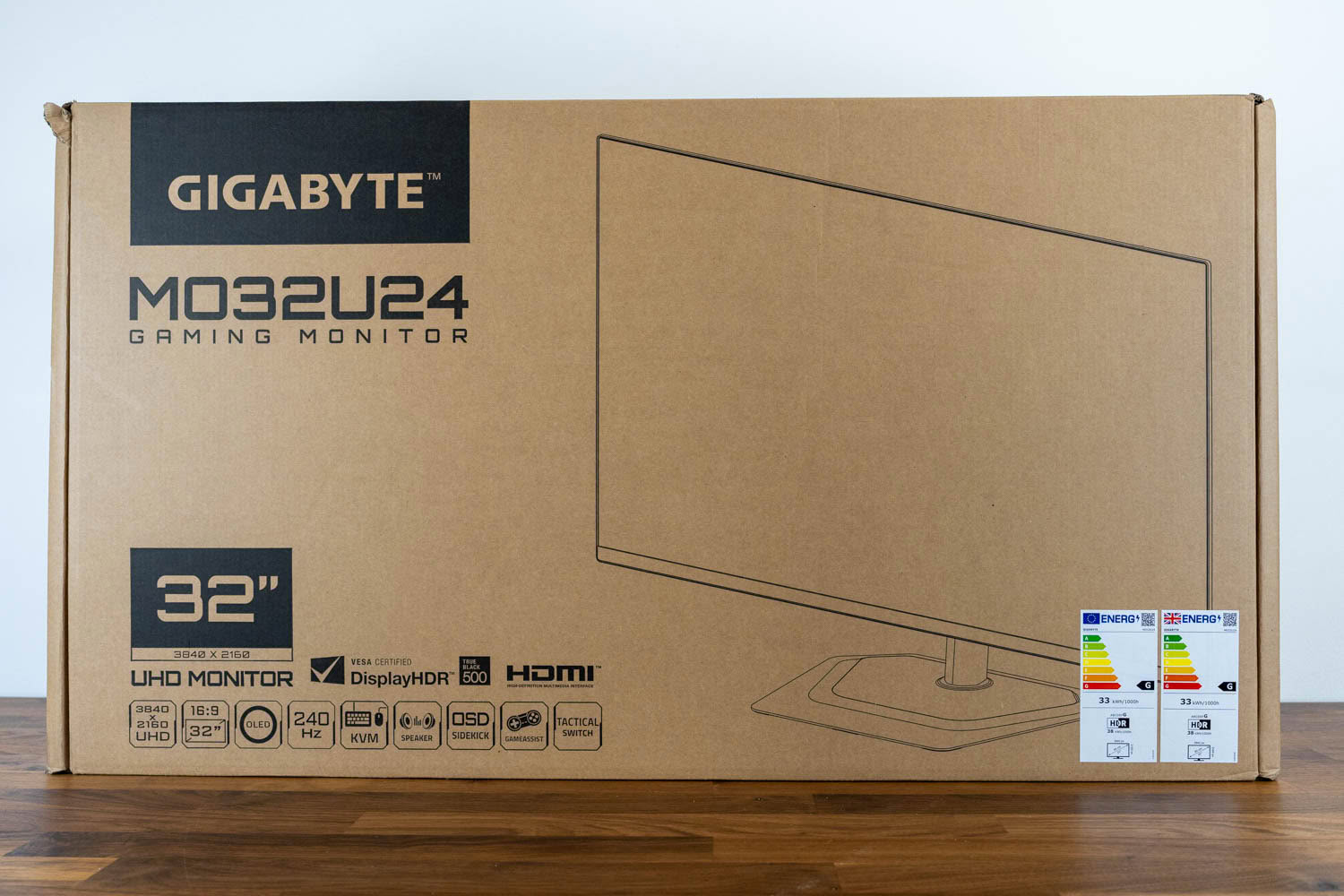
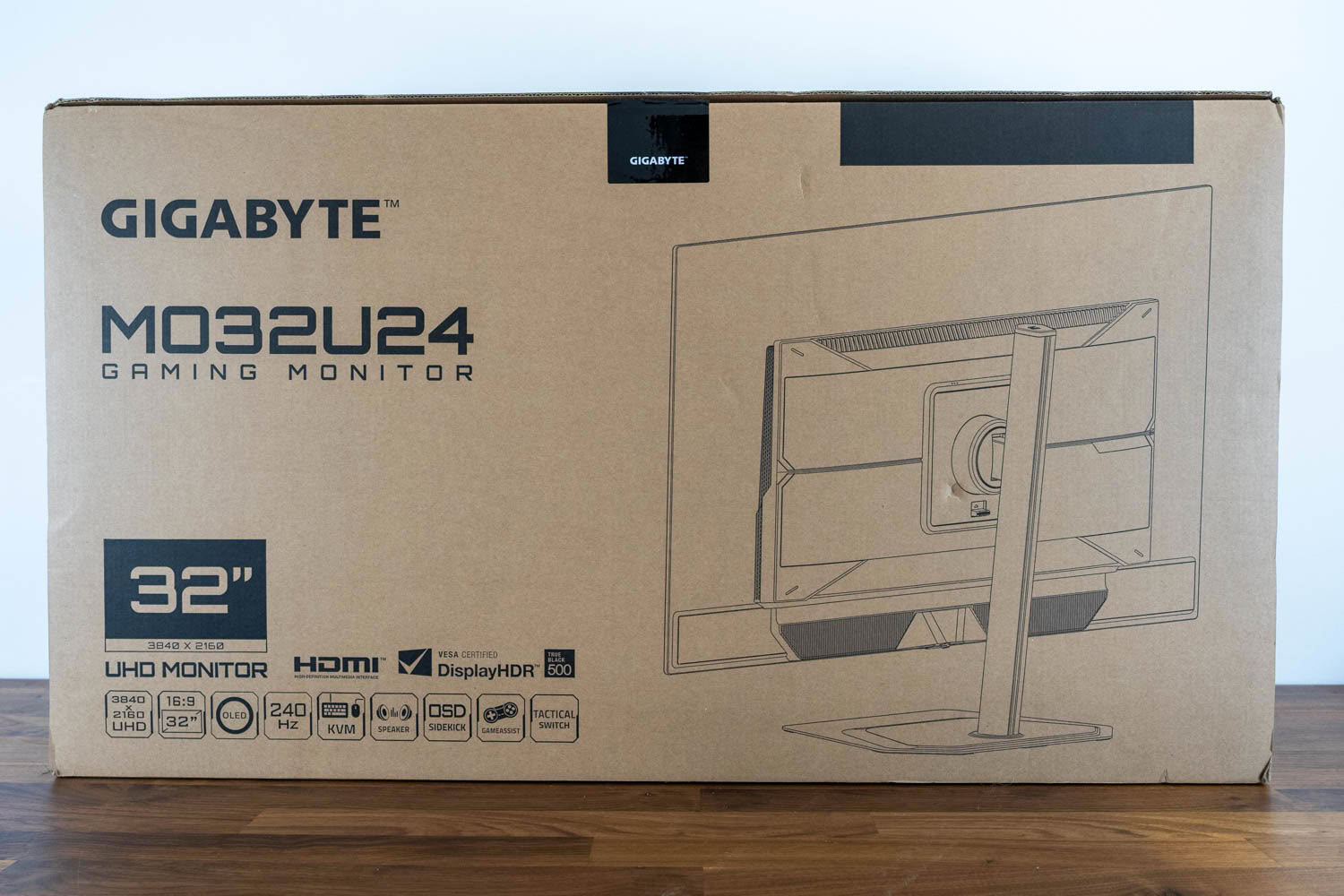
The MO32U24 arrives in plain brown cardboard with single-color line art rather than the printed photography Gigabyte uses for its cheaper models, which reads as deliberately understated rather than cheap. Both large faces carry a wireframe drawing of the monitor, front on one side and rear on the other, along with a row of feature badges covering the 3840×2160 resolution, the OLED panel, 240 Hz, KVM, speakers, OSD Sidekick, GameAssist and Tactical Switch. It is a box that tells you what is inside without shouting about it.
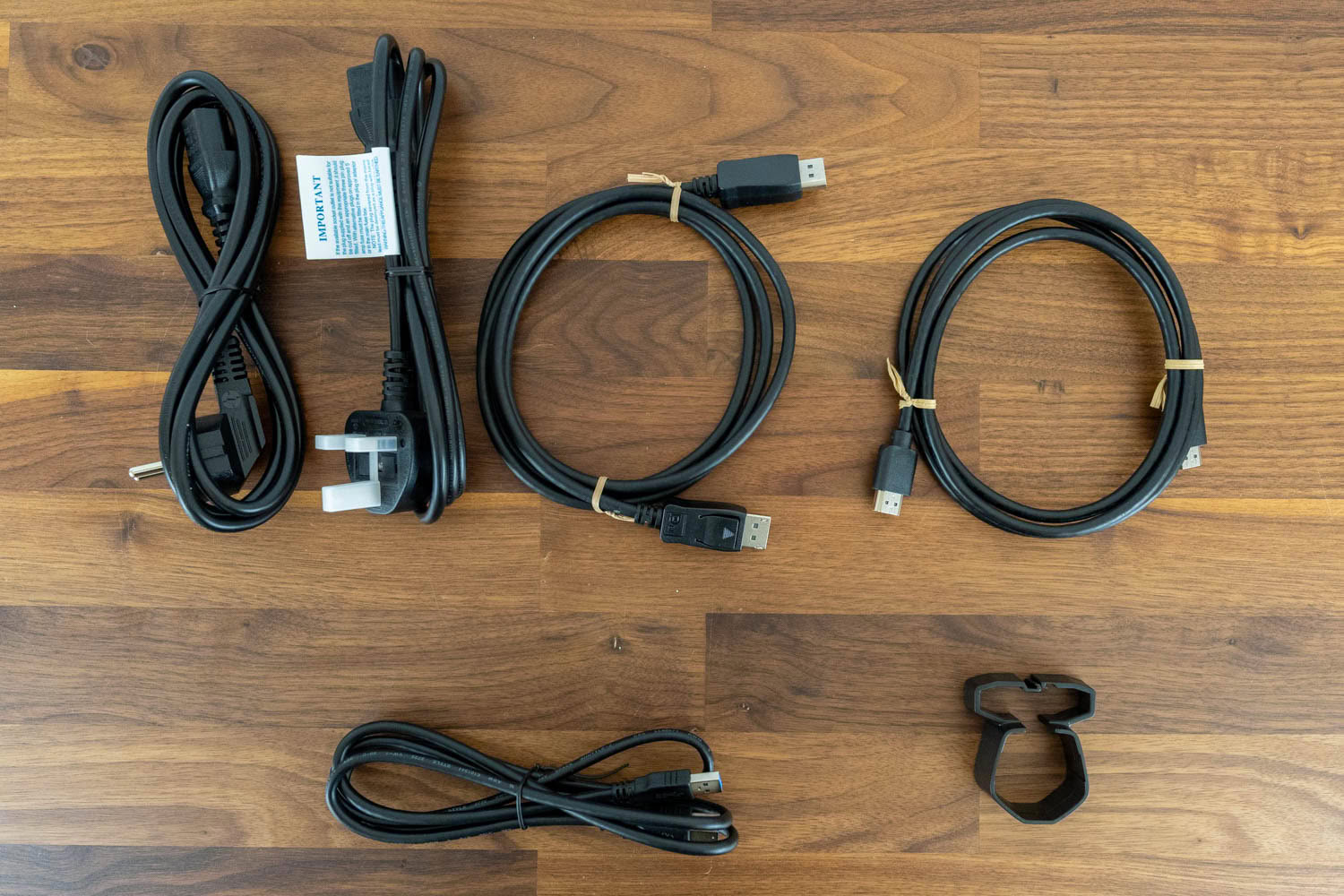
Gigabyte supplies two regional power cords, a DisplayPort cable, an HDMI cable, a USB Type-A to Type-B cable for the hub and KVM, and a plastic clip for cable management. There is no USB-C cable, despite USB-C being one of the three video inputs on the back, so anyone planning to run a laptop over DP Alt Mode will need to supply their own and make sure it is rated for the video bandwidth rather than whatever came with a phone.
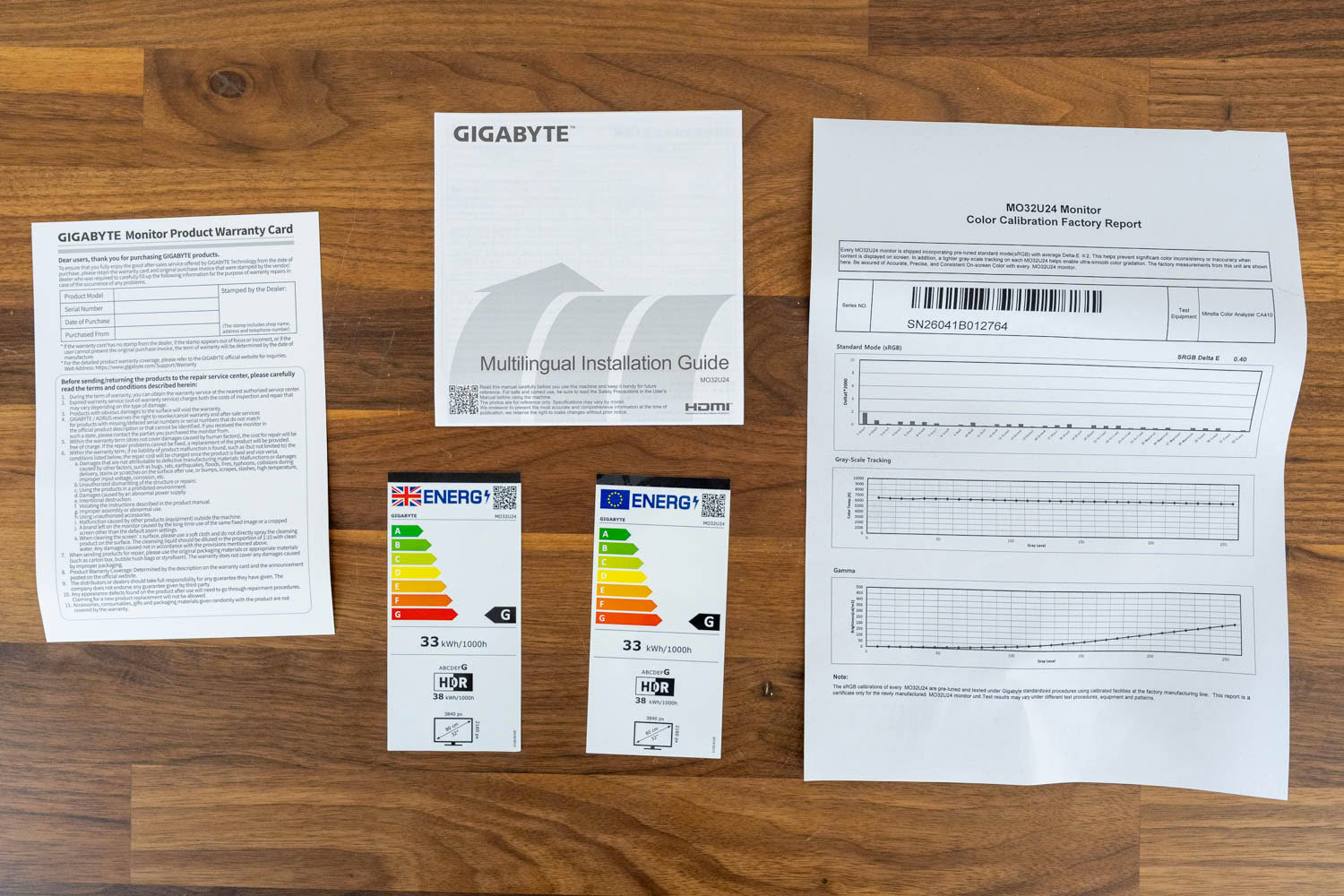
Documentation covers a multilingual installation guide, a warranty card, EU and UK energy labels, and a color calibration factory report specific to this unit, measured on a Minolta CA-410. The report certifies the Standard mode as averaging 0.40 ΔE against sRGB and plots gray-scale tracking and gamma alongside it, which is a more thorough certificate than most manufacturers bother with at any price.
Two things about it are worth knowing. The report describes the panel in Standard mode, while the monitor actually ships with ECO active, so what is certified is not what you see when you first switch it on. The value of 0.40 ΔE is a figure my own measurements do not reproduce anywhere, in any profile, which is normal for factory line certificates but worth keeping in perspective. Treat it as evidence the unit passed Gigabyte's process rather than as a description of the accuracy you get out of the box.
Our Patreon Silver Supporters can read articles in single-page format.
Nov 18th, 2026 11:52 CST
change timezone
Latest GPU Drivers
New Forum Posts
- Honestly, do you care about GTA VI? (139)
- Ghetto Mods (4882)
- My Final Barrier to Exclusively Using Linux has Fallen (Azure Virtual Desktops) (6)
- Very unusual two gaming-pc scenarios. (1)
- RX 580 2048SP 8GB Samsung – Black Screens in Games, Looking for a Compatible BIOS (2)
- DTS DCH Driver for Realtek HDA [DTS:X APO4 + DTS Interactive] (2812)
- Time to upgrade CPU and MOBO (31)
- Primary DisplayPort Monitor Not Waking After Driver Updates 621.01 and 621.14 (9)
- Will zen 6 mobos have anything extra vs current ones? (56)
- Last game you purchased? (1404)
Popular Reviews
- Acemagic Retro X3 Review
- Upcoming Hardware Launches 2027 (Updated Nov 2026)
- AMD Zen 6 Technical Deep Dive
- ASUS ROG Strix B850-I Gaming Wi-Fi7 W Review
- Corsair HX1000i Shift Crystal Review
- Biwin Black Opal NV7400 2 TB Review
- Chieftec Iceberg PRO 360 DARK Review
- AMD Ryzen 7 9800X3D Review - The Best Gaming Processor
- Phantom Blade Zero Performance Benchmark Review - 35 GPUs Tested
- Montech King 95 3D PRO Review
TPU on YouTube
Controversial News Posts
- NVIDIA Co-Founder and CEO Jensen Huang Officially Resigns (476)
- Open Letter Asking NVIDIA to Reinstate Jensen Huang Passes 115,000 Signatures (184)
- Report: Jensen Huang Eyes NVIDIA Comeback (183)
- OpenAI CEO Argues Home PCs Waste the World's Limited DRAM Supply (152)
- NVIDIA Launches Investigation Into Jensen Huang's Relationship With Suspected Chinese Spy (136)
- Intel "Raptor Lake Next" 16-Core and 20-Core CPUs Surface (130)
- Legendary Game Studio BioWare Shuts Down Following EA Layoffs (104)
- Dell CEO Says the Memory Shortage Will Get Worse in 2027 (95)