 14
Gigabyte X870E Aorus Master X3D Ice Review
Component Analysis »Board Layout


The additional extras here are obvious compared to the cheaper X870E Aorus Pro X3D Ice with a large RGB display over the rear I/O panel, dual PCIe release buttons and different heatsink designs, but otherwise the boards are mostly similar. They're also both equipped with rear backplates that cool the back of the VRMs.

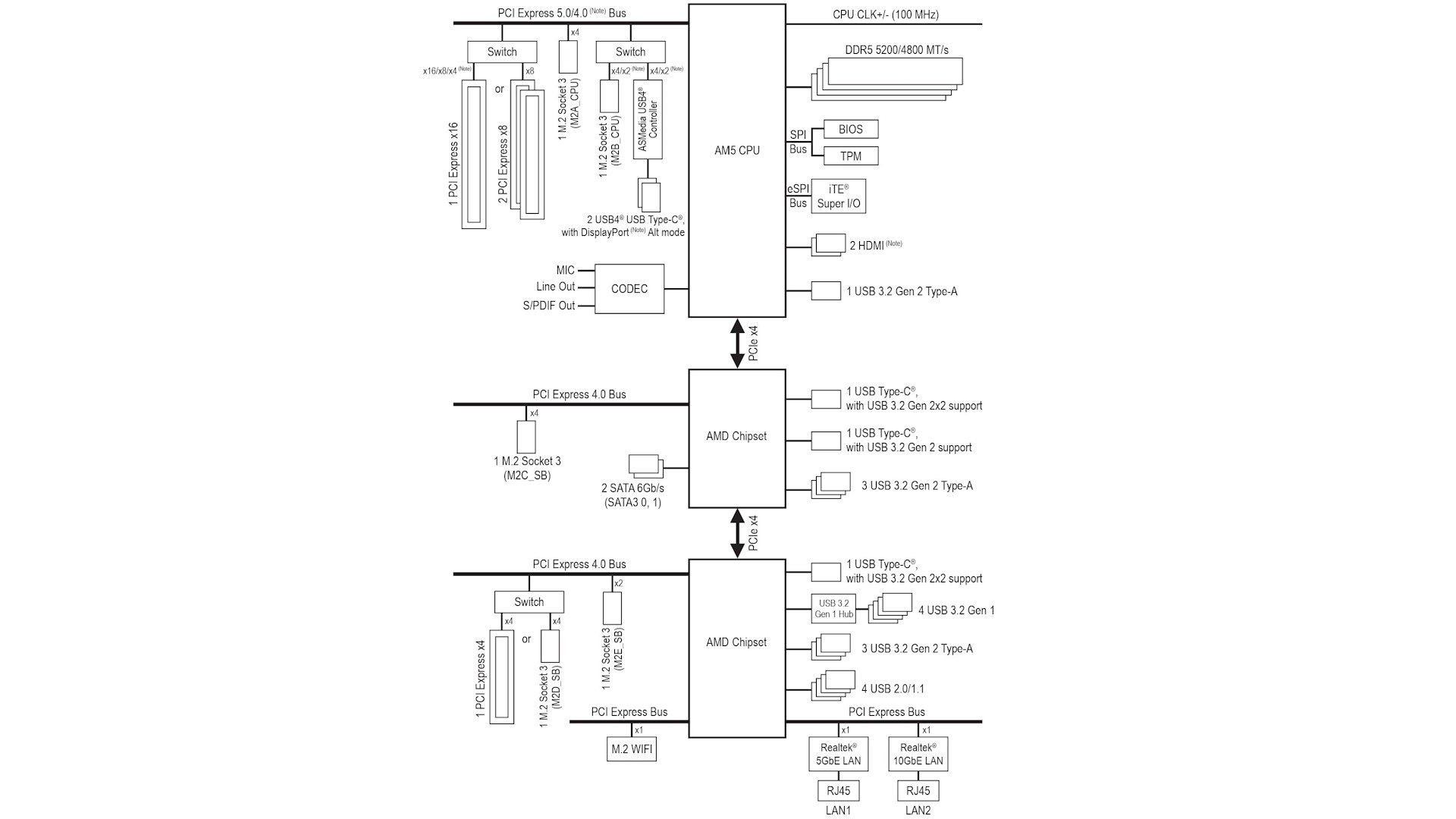
Bandwidth sharing is somewhat similar across both Master and Pro variants of the Aorus X3D Ice range, with the second PCIe Gen 5 M.2 port sharing lanes with the USB4 controller, splitting the four lanes between them or manually forcing full bandwidth to one via the EFI and disabling the other. This is a common feature among refreshed X870/X870E boards, where previously the sharing was done with the GPU. However, an additional M.2 port for the X870E Aorus Master X3D Ice plus extra bandwidth for networking and USB means that the PCIe Gen 4 x16 slot at the bottom shares bandwidth with the fourth M.2 port, while the fifth M.2 port is limited to just two lanes. Yes, there's an impressive number of M.2 ports, but due to the usual limitations of AMD's current X870E platform, they are not without compromise.
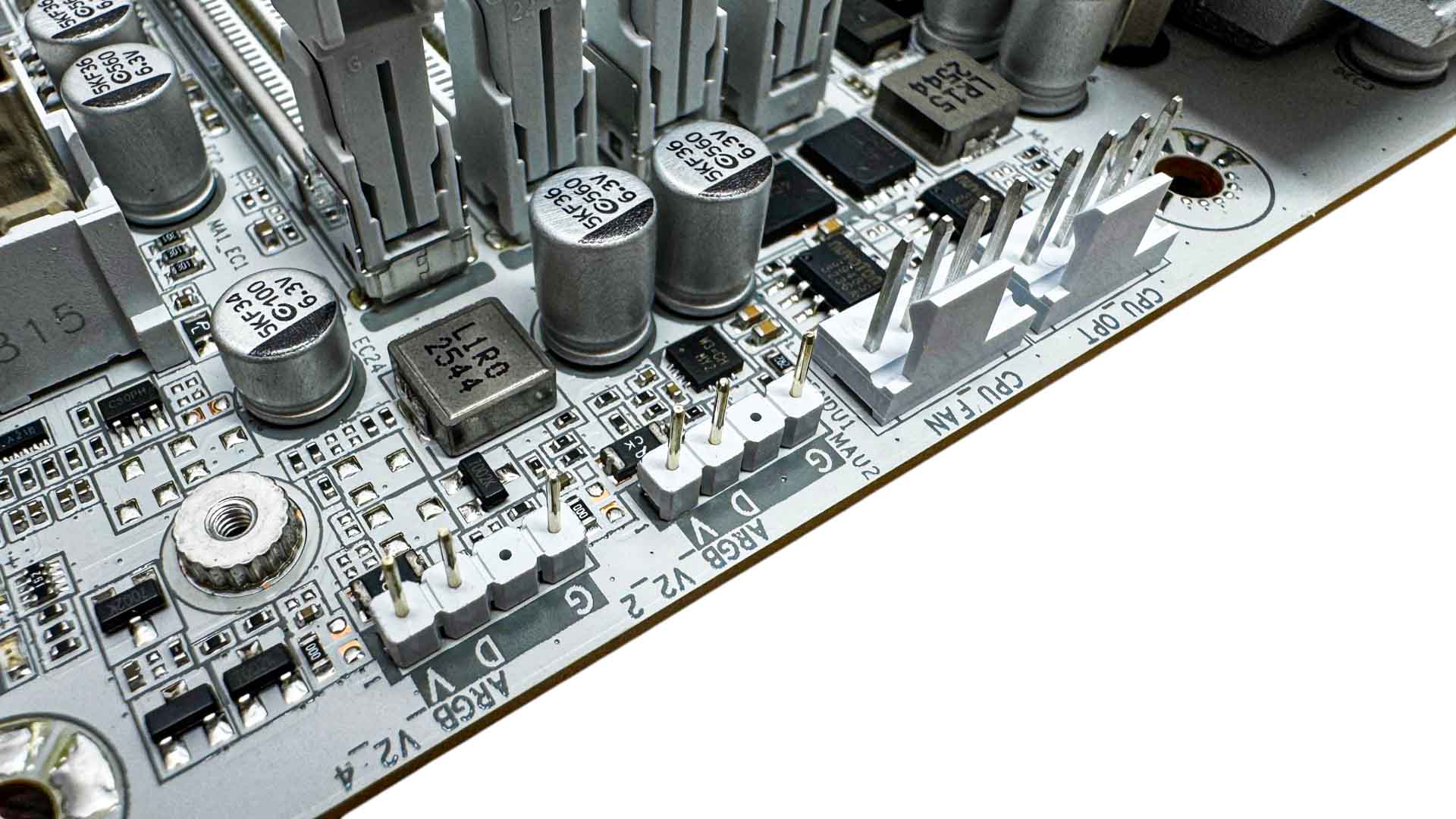
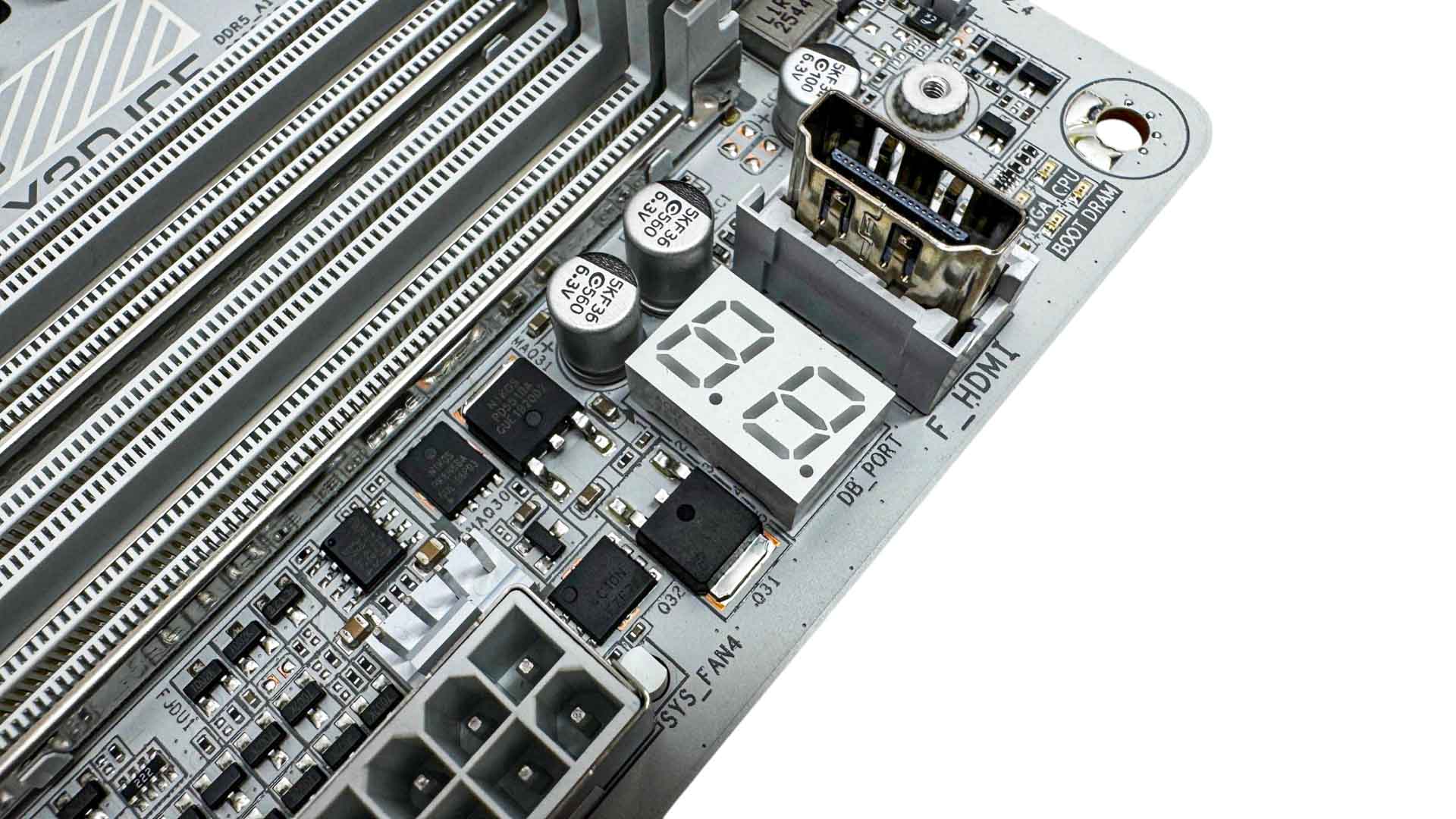
There are eight 4-pin fan headers all with 24 W/2 A to offer your fans, so they should be fine even with four high-power 140 mm fans. Two are located at the top of the PCB next to two 3-pin ARGB headers. The HDMI port is a regular addition to Gigabyte's mid-range and high-end boards and is designed to support case display panels. However, it's a little limited, being capped at 1,920×1,080 and 30 Hz as well as HDMI 1.4. Plenty of higher-end built-in and third party case displays offer higher specifications, so while a unique addition that's no-doubt useful, we'd like to see this upgraded in the future. We also have an LED POST code display and just down from the fan header here are two 2-pin thermistor probe headers.
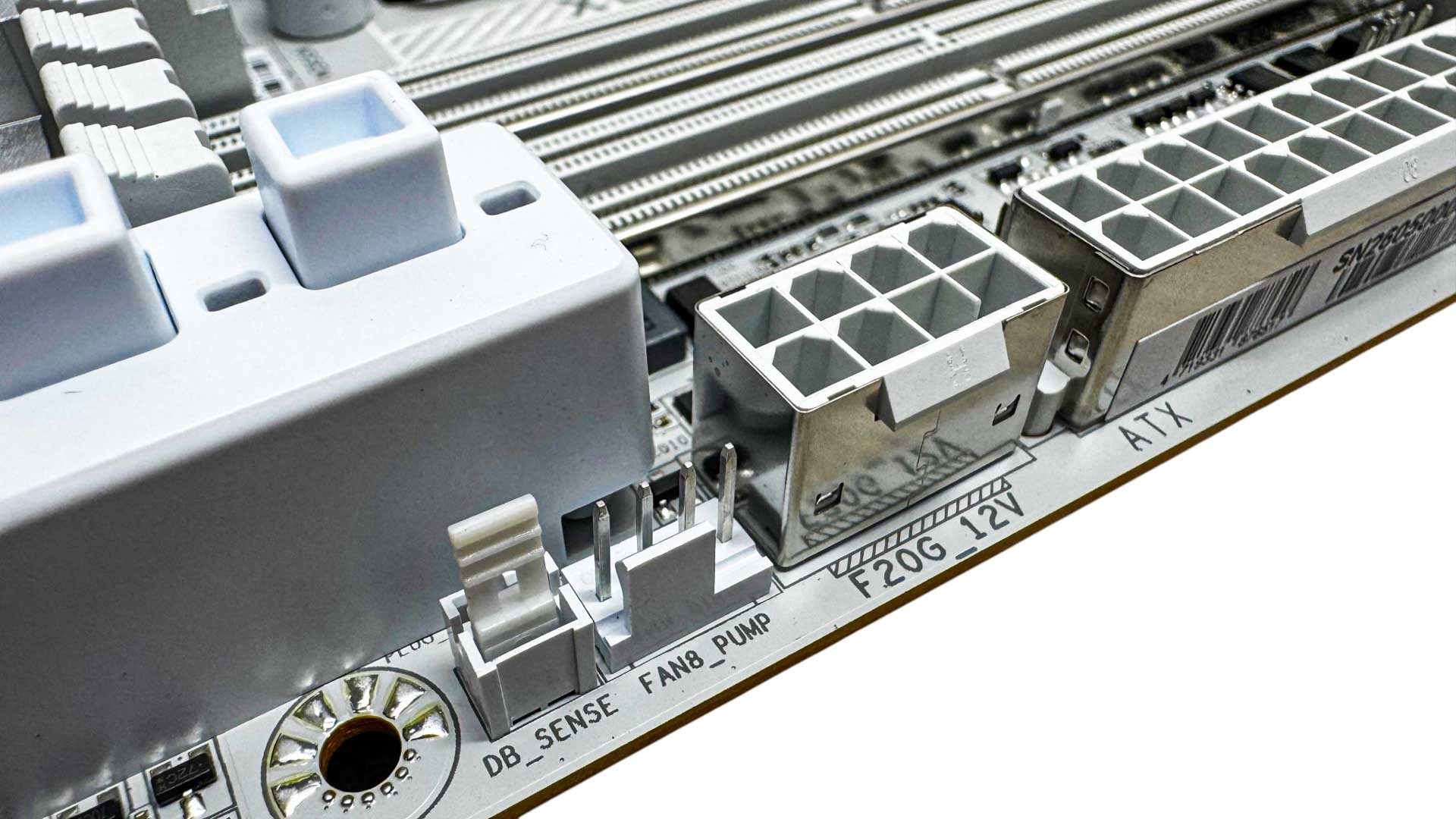
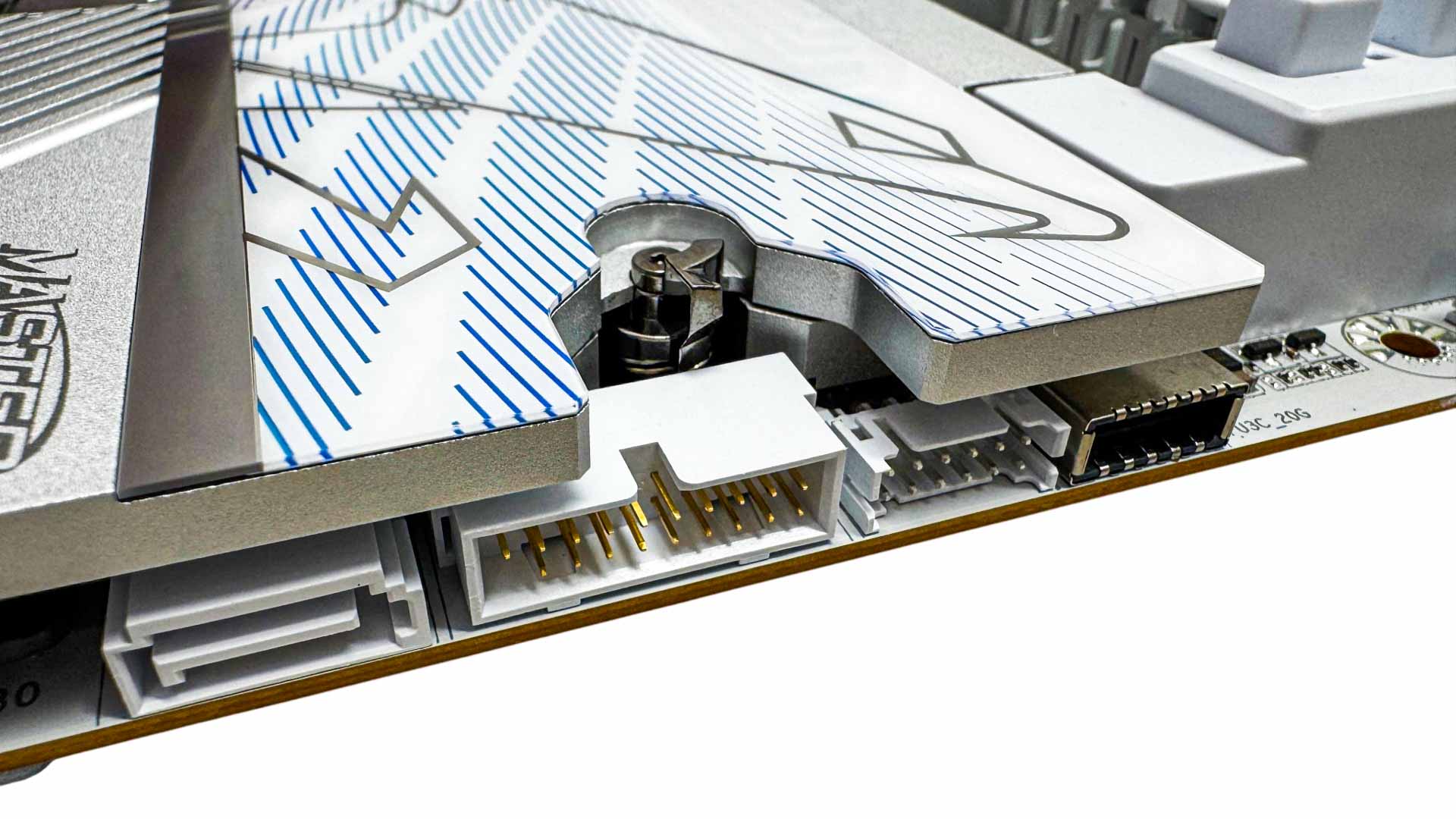
The additional 8-pin power connector here is to provide the additional grunt needed to the Type-C header, which can output a massive 65 W. However, while impressive, Gigabyte did manage to squeeze this feature into the cheaper Pro board too. We also have a DB_Sense header for the included sound meter that can be used in its Control Center software to monitor noise levels. A third fan header is located here, dedicated to AIO liquid cooler pump control. Further along we have the Type-C header and Gigabyte's system fan extension cable header for use with the included cable to provide three more 4-pin fan headers. The board clearly prioritizes M.2 SSD storage with its five ports, but that philosophy has also seen the SATA ports cut from the usual four to just two.
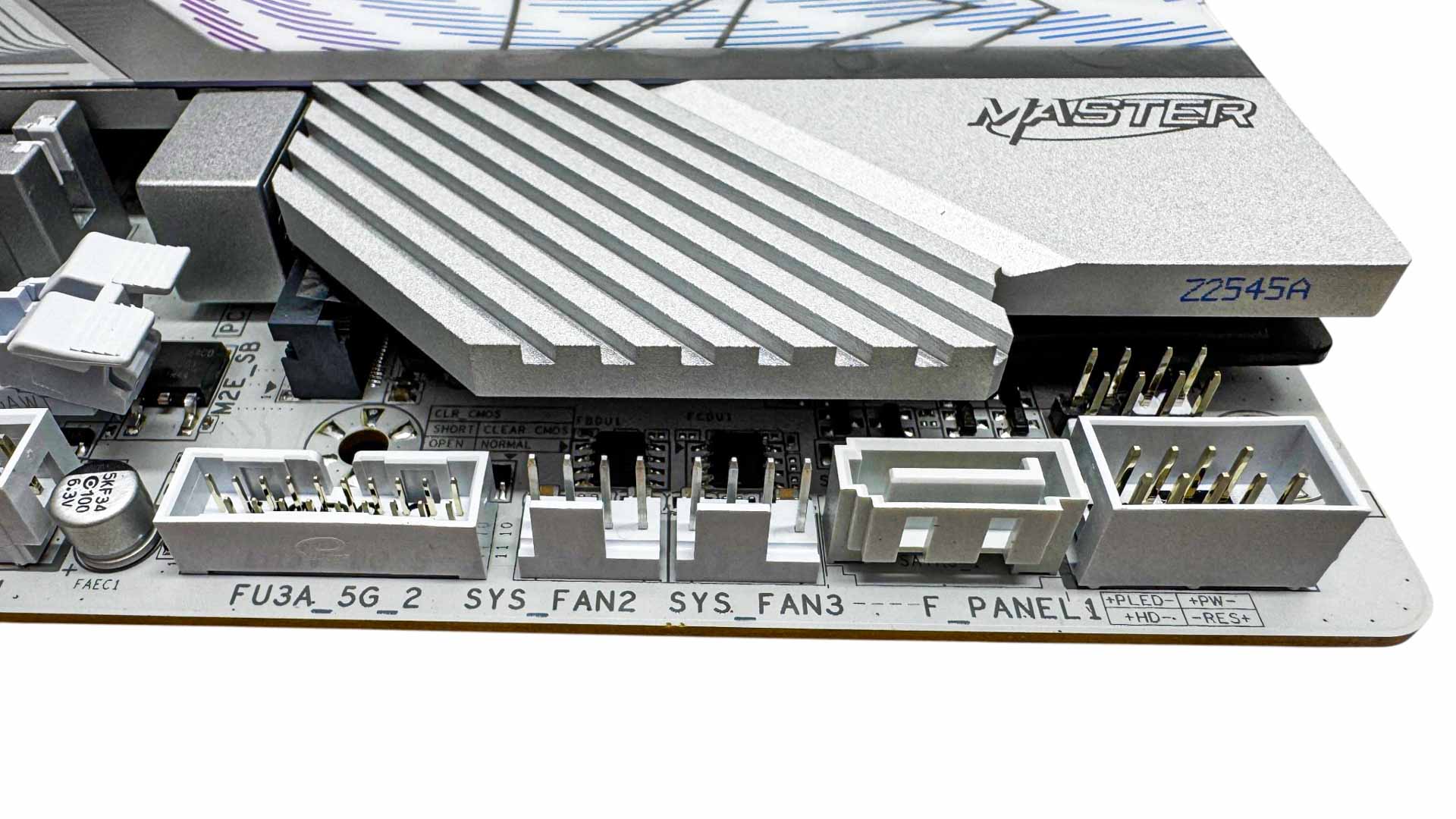
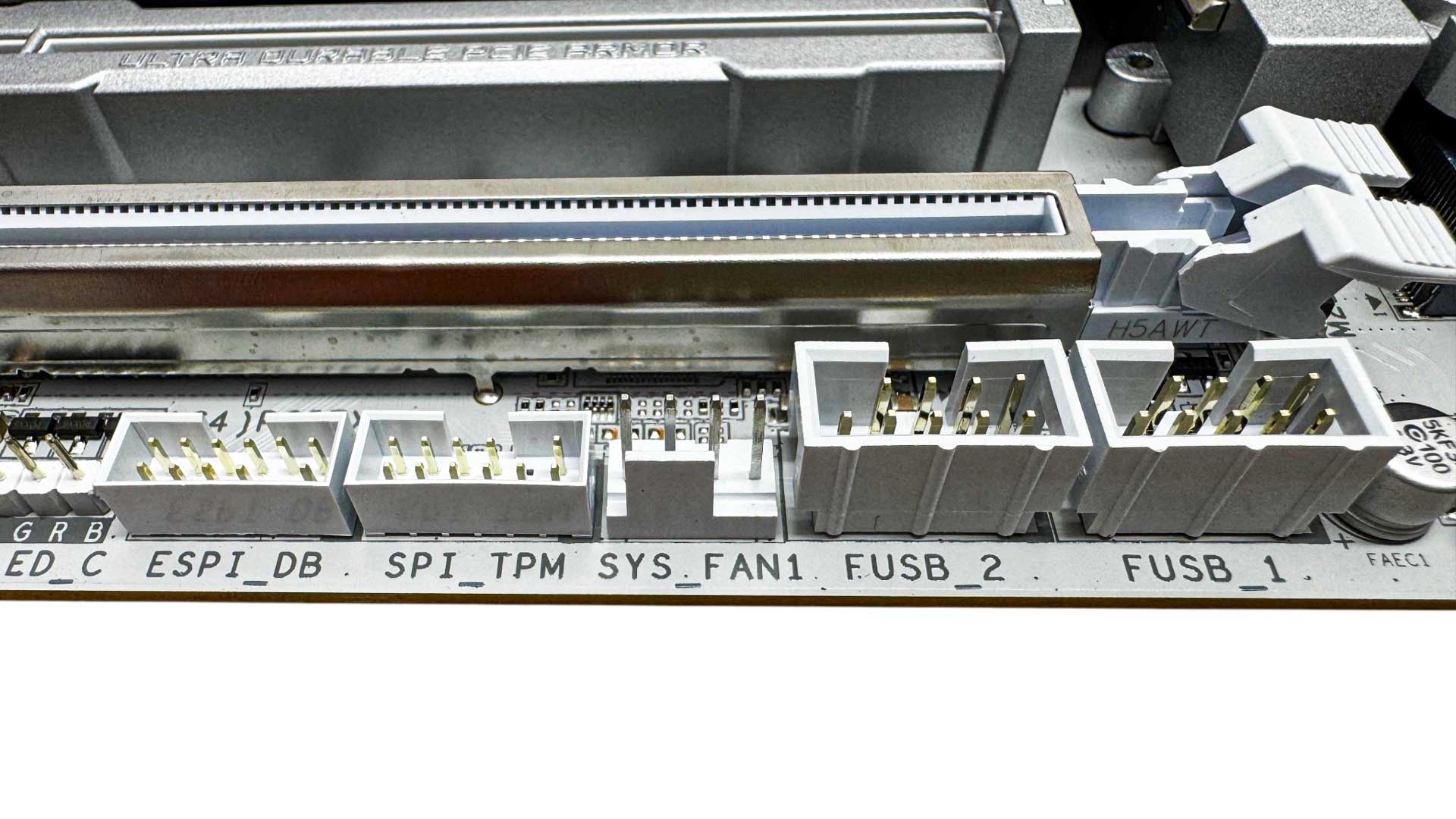
The bottom right corner offers the second SATA port, another USB 3.0 header and two more fan headers. Further along and we have a pair of USB 2.0 header and another system fan header.
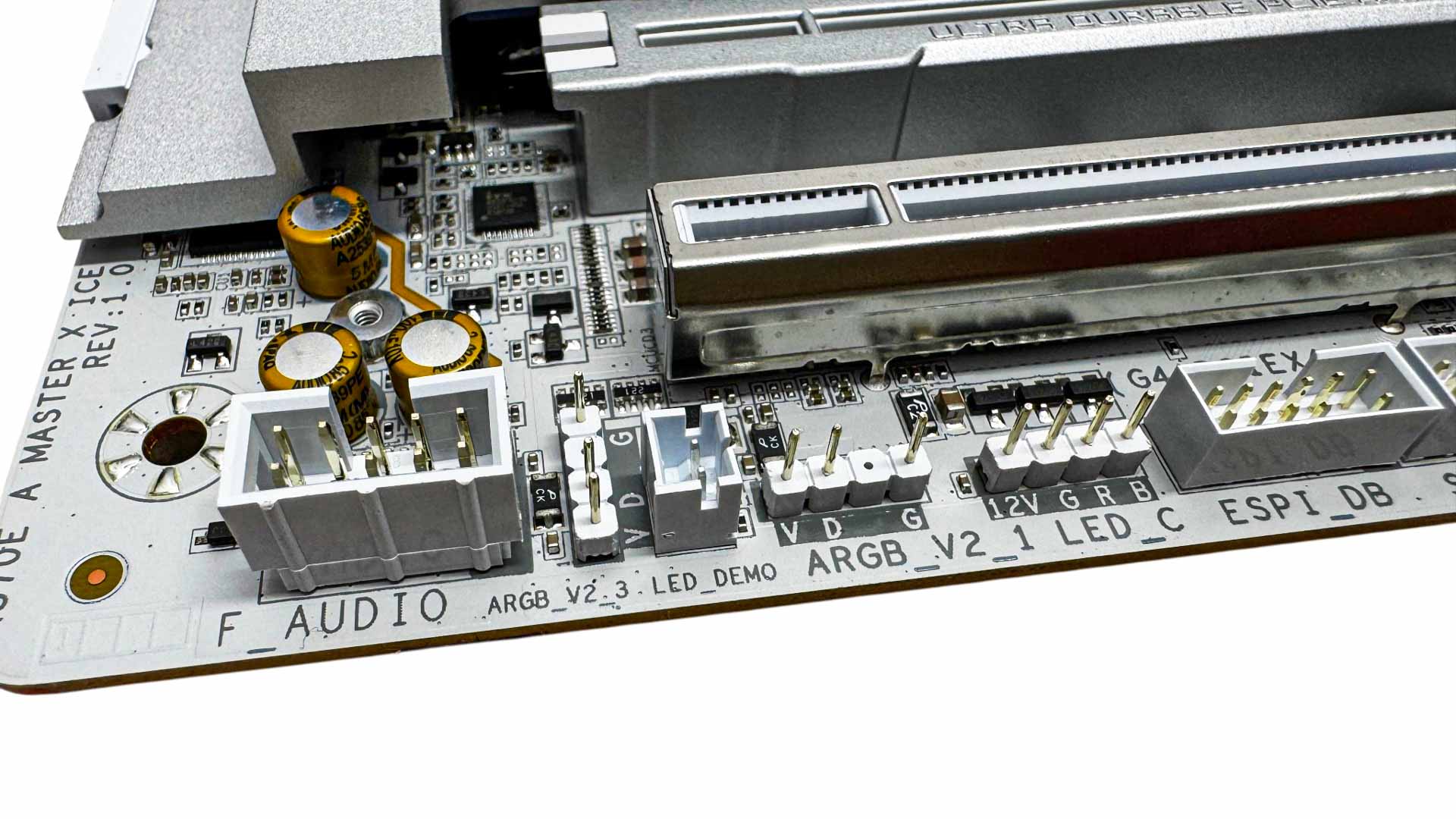
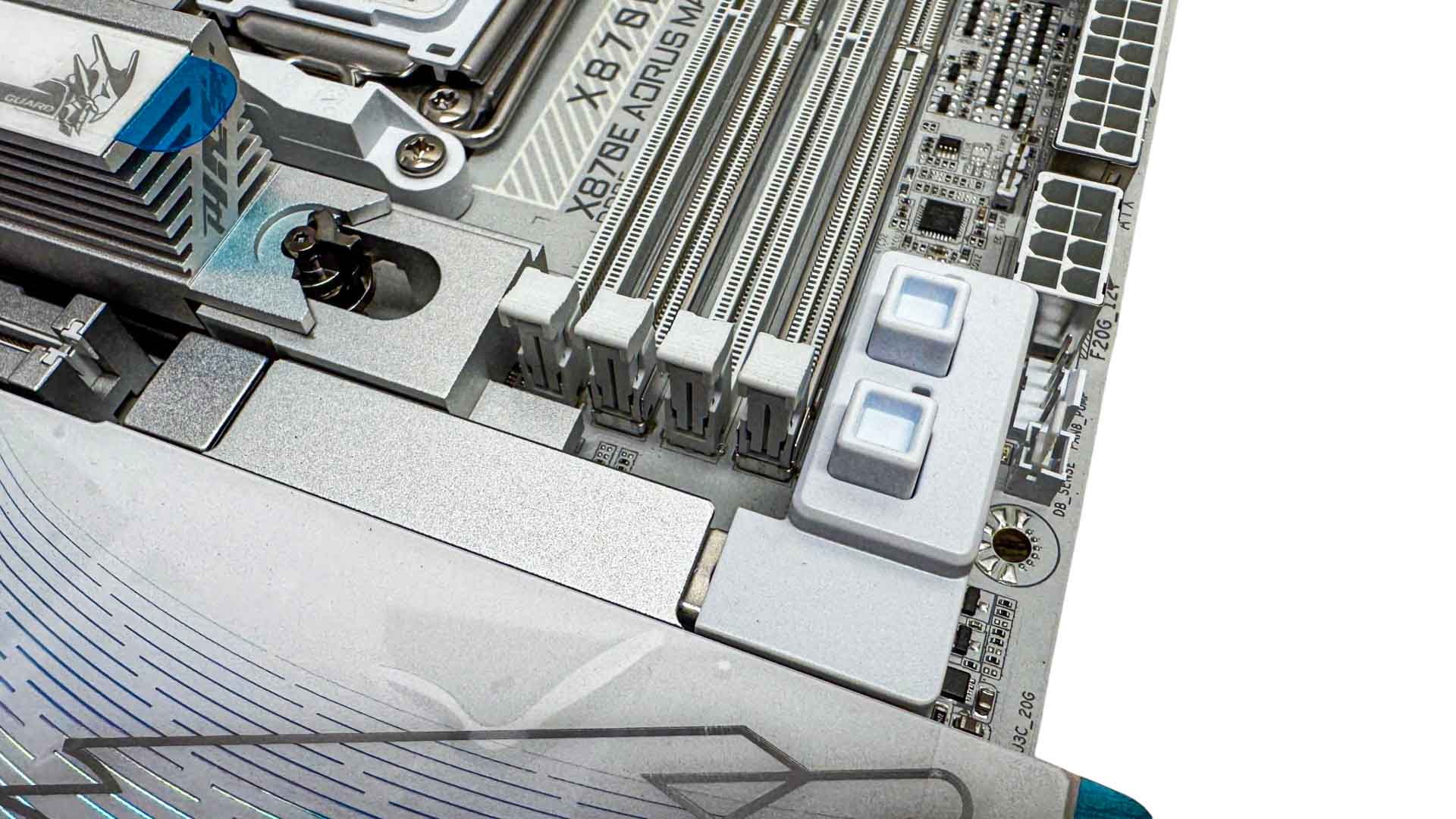
The final corner offers both 4-pin RGB and a pair of 3-pin ARGB headers as well as the front panel audio header. As the board has a pair of PCIe Gen 5 slots, Gigabyte has decided to add dual release buttons with its PCIe EZ-Latch Plus Duo. This is usually reserved for much more expensive boards. For example, we saw it used on the ASUS ROG Crosshair X870E Glacial. Here it's used for the same reason, which is to allow the M.2 heatsink to sit extremely close to the PCIe slot.
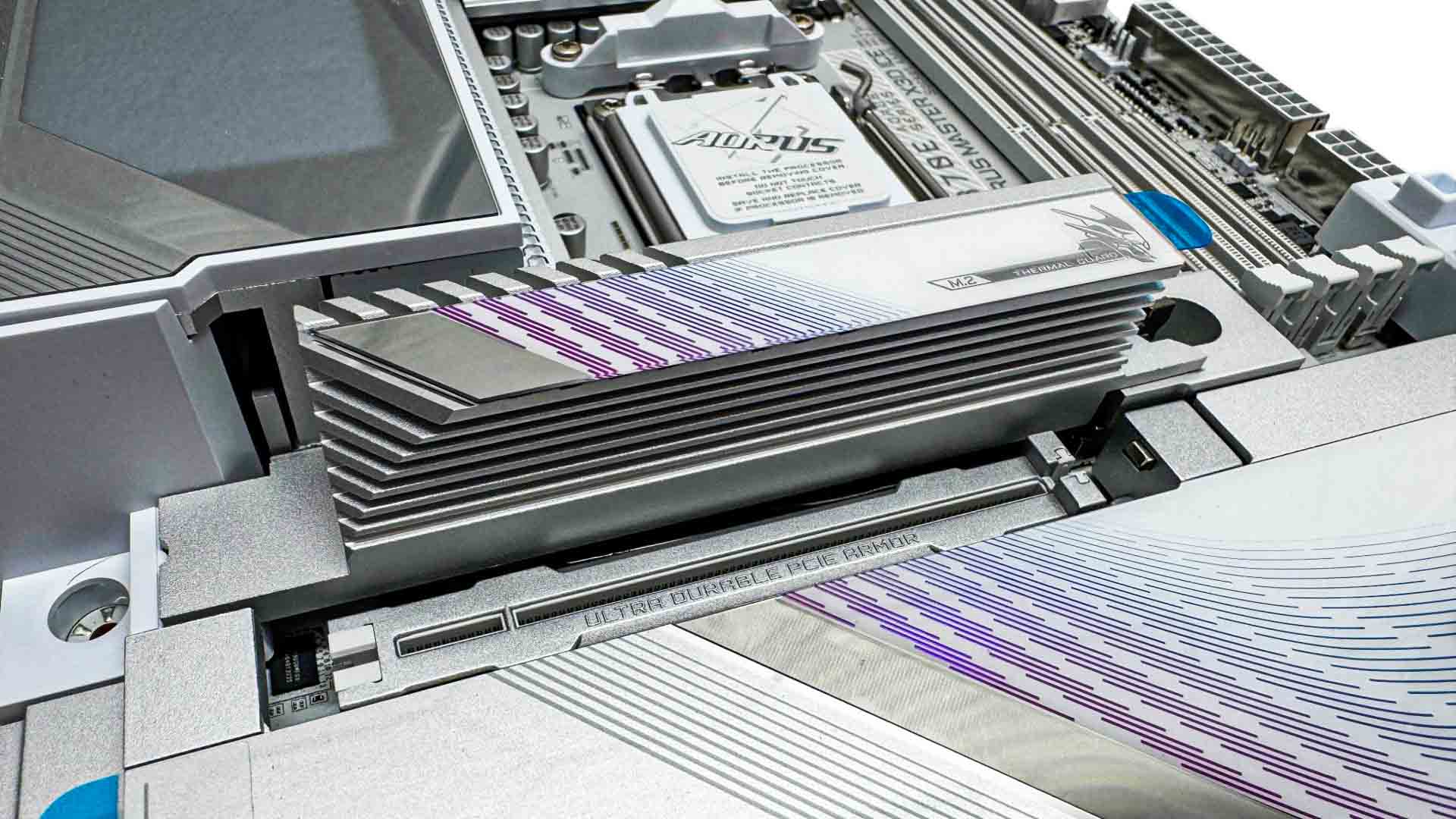
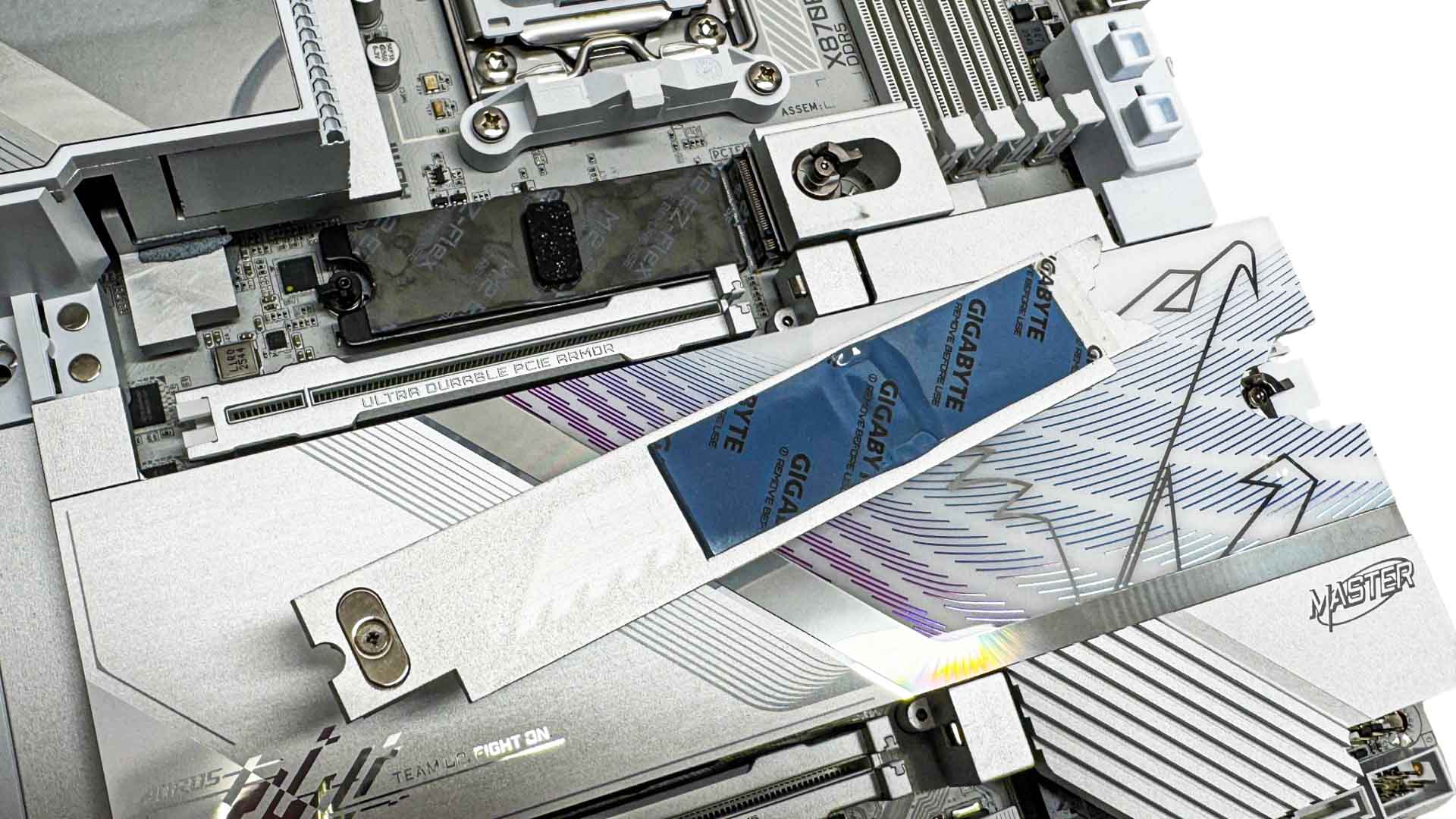
The top M.2 port supports PCIe Gen 5 SSDs and its heatsink is large and features fins to boost surface area. Gigabyte's M.2 EZ-Flex is an automatically adjusting plate that sits underneath the SSD and removes the need for additional supports when using SSDs that are single-sided. This has worked well and removes the guesswork out of getting the best temperatures for your SSD whatever type it is. The underside heatsink's thermal pad also covers the entire length of a 2280 SSD, while some models we've seen from ASUS for example, do not. The heatsink is also tool-free and guided into place using magnets.
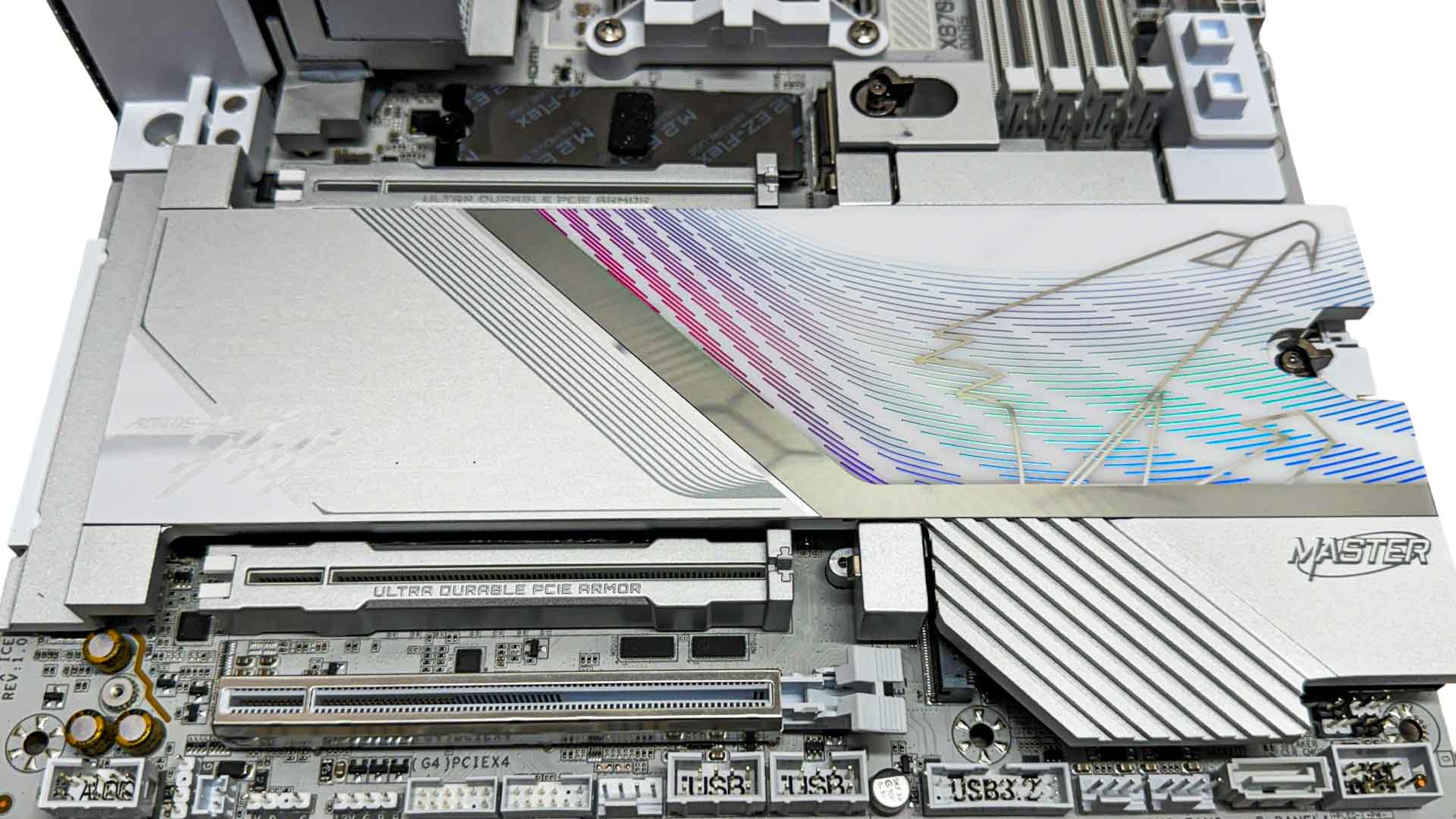
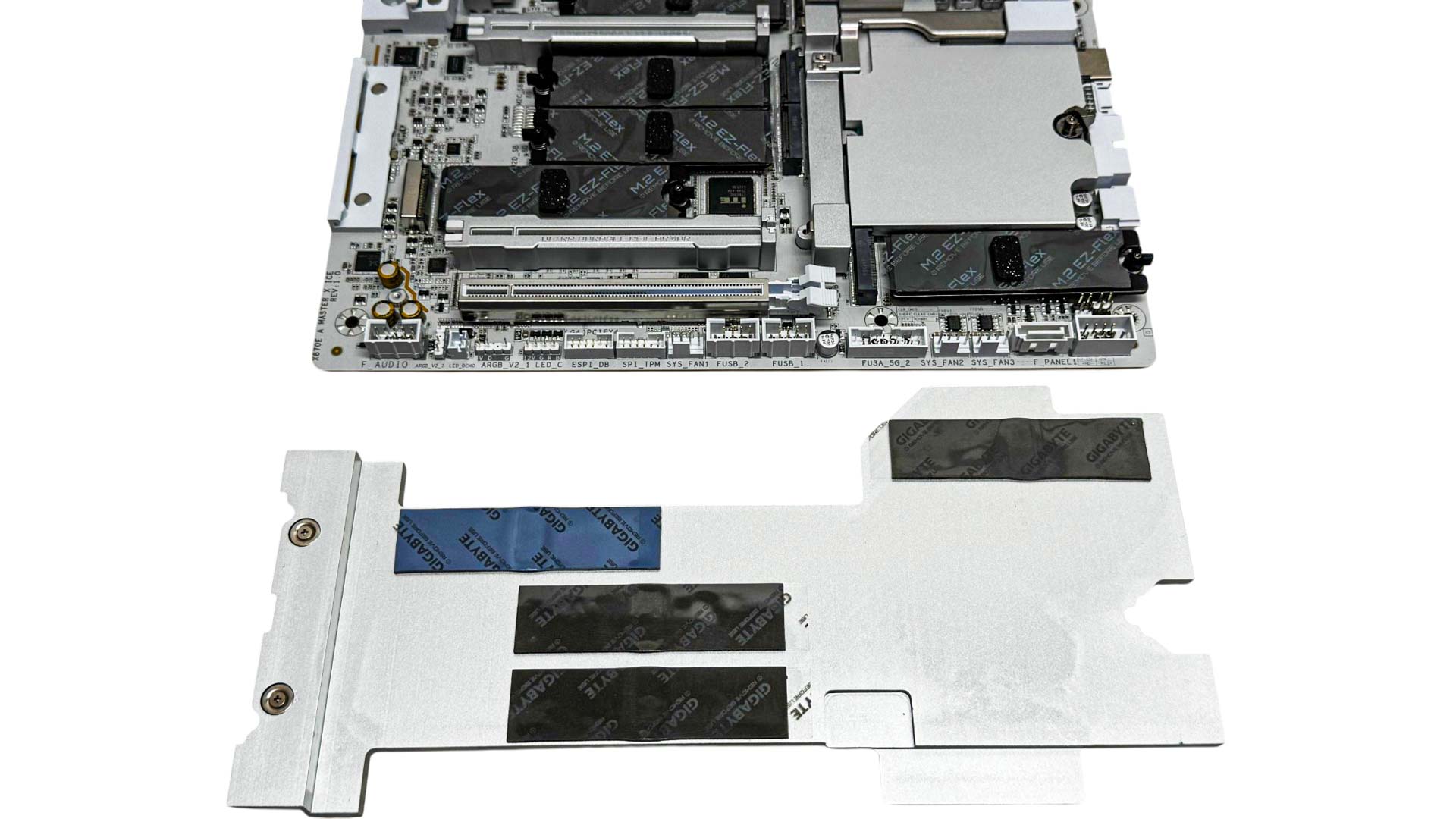
There are four additional M.2 ports with the second and third moving down the board being PCIe Gen 4 and the third being PCIe Gen 5. All are equipped with underside cooling and support. The fifth port in the bottom right corner is limited to two PCIe lanes and a single heatsink cools all four ports. The only change we'd perhaps make is that the final port had four lanes, sacrificing from another port, and having its own heatsink. This would allow you to use two SSDs and be able to remove them without removing your GPU.
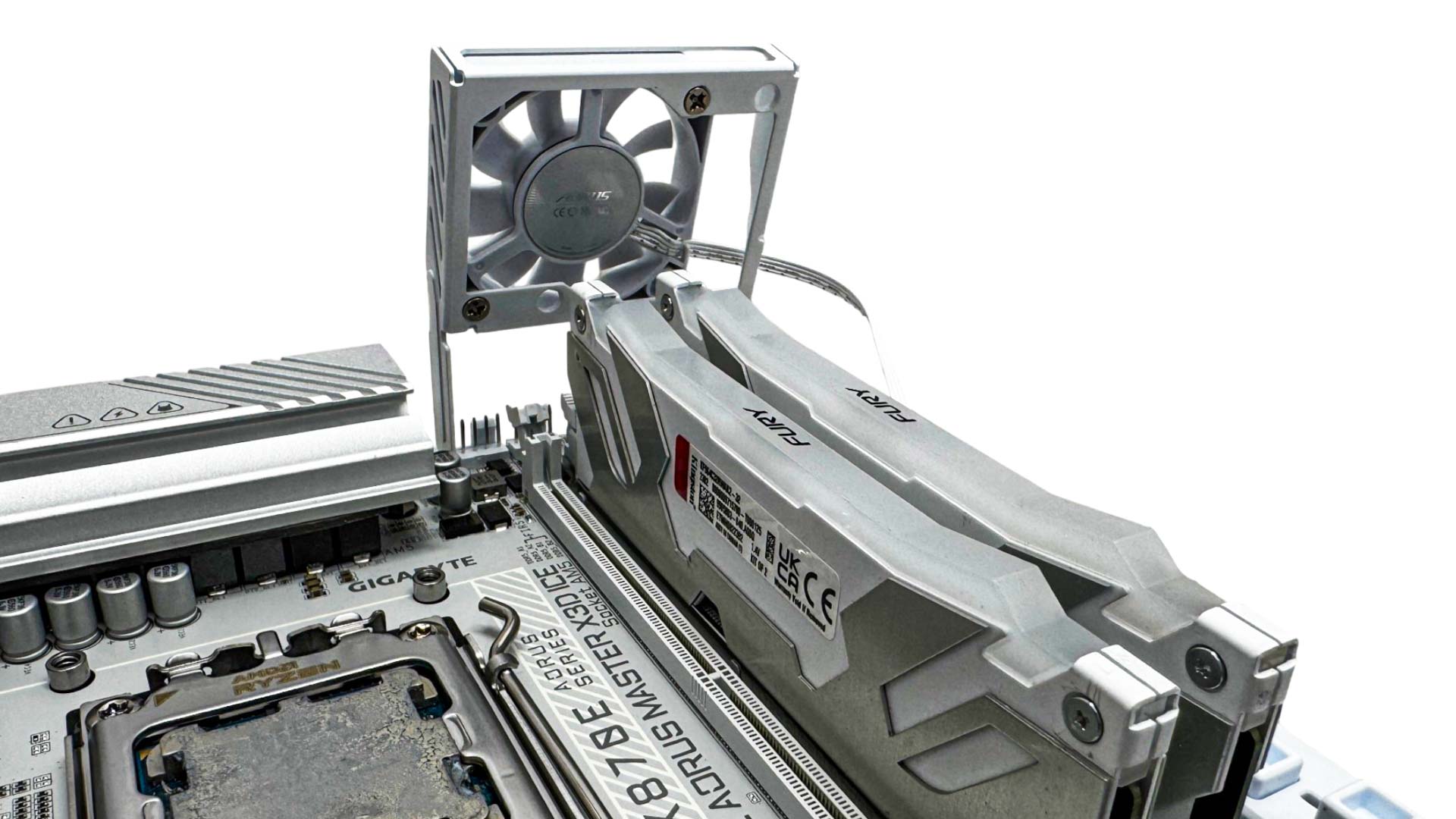
The DDR Wind Blade fan is secured between a motherboard mounting screw and the PCB and due to the shape of its mounting frame, can only really be fixed so it cools the DIMM slots, which is what its main purpose is anyway. Still, it would be nice to be able to have an adjustable frame so you could point it at the VRMs if you weren't going to overclock your memory.

The rear I/O panel actually has one less USB port than the cheaper Pro board with seven in total, but additional overall bandwidth thanks to a USB 3.2 Gen 2x2 20 Gbps Type-C port, with three more Type-C ports including the pair of USB4 40 Gbps ports and a single USB 3.2 Gen 2 10 Gbps port. Other features are USB BIOS flashback, CMOS clear, power and reset buttons, an HDMI port and the usual pair of audio jacks and optical output. We have a WI-FI EZ-Plug-compatible connector, and for wired networking, perhaps the key upgrade over the cheaper Pro board is the addition of 10 Gbps Ethernet in addition to the usual 5 Gbps port too.
Nov 20th, 2026 13:59 PST
change timezone
Latest GPU Drivers
New Forum Posts
- Honestly, do you care about GTA VI? (208)
- When you could finally run Crysis maxed out? (63)
- WarpCoreBench scores! (80)
- GTA VI (20)
- Anthrophics IPO (25)
- GeekMagic Ultra Smart WiFi Weather Station (8)
- Very unusual two gaming-pc scenarios. (35)
- Can i play GTA 6 now? (Joke) (14)
- How to prevent OLED burn damage due to PC freezes or power outtages? (47)
- Zen 3 IF/IMC degradation (239)
Popular Reviews
- AMD Zen 6 Technical Deep Dive
- Ugreen NASync DXP4800 GT Review
- Microsoft Surface Laptop Ultra Review - The Next-gen Arm Laptop
- Corsair RM1200e (Second Generation) Review
- Acemagic Retro X3 Review
- Upcoming Hardware Launches 2027 (Updated Nov 2026)
- Pulsar Office Tour & First Look at P1 Dual-Sensor Mouse
- Biwin Black Opal NV7400 2 TB Review
- AMD Ryzen 7 9800X3D Memory Performance Scaling
- AMD Ryzen 7 9800X3D Review - The Best Gaming Processor
TPU on YouTube
Controversial News Posts
- NVIDIA Co-Founder and CEO Jensen Huang Officially Resigns (490)
- Report: Jensen Huang Eyes NVIDIA Comeback (255)
- Open Letter Asking NVIDIA to Reinstate Jensen Huang Passes 115,000 Signatures (184)
- OpenAI CEO Argues Home PCs Waste the World's Limited DRAM Supply (152)
- NVIDIA Launches Investigation Into Jensen Huang's Relationship With Suspected Chinese Spy (136)
- Intel "Raptor Lake Next" 16-Core and 20-Core CPUs Surface (130)
- Legendary Game Studio BioWare Shuts Down Following EA Layoffs (104)
- Dell CEO Says the Memory Shortage Will Get Worse in 2027 (95)