 16
Gigabyte X870E Aorus Pro X3D Ice Review
Component Analysis »Board Layout

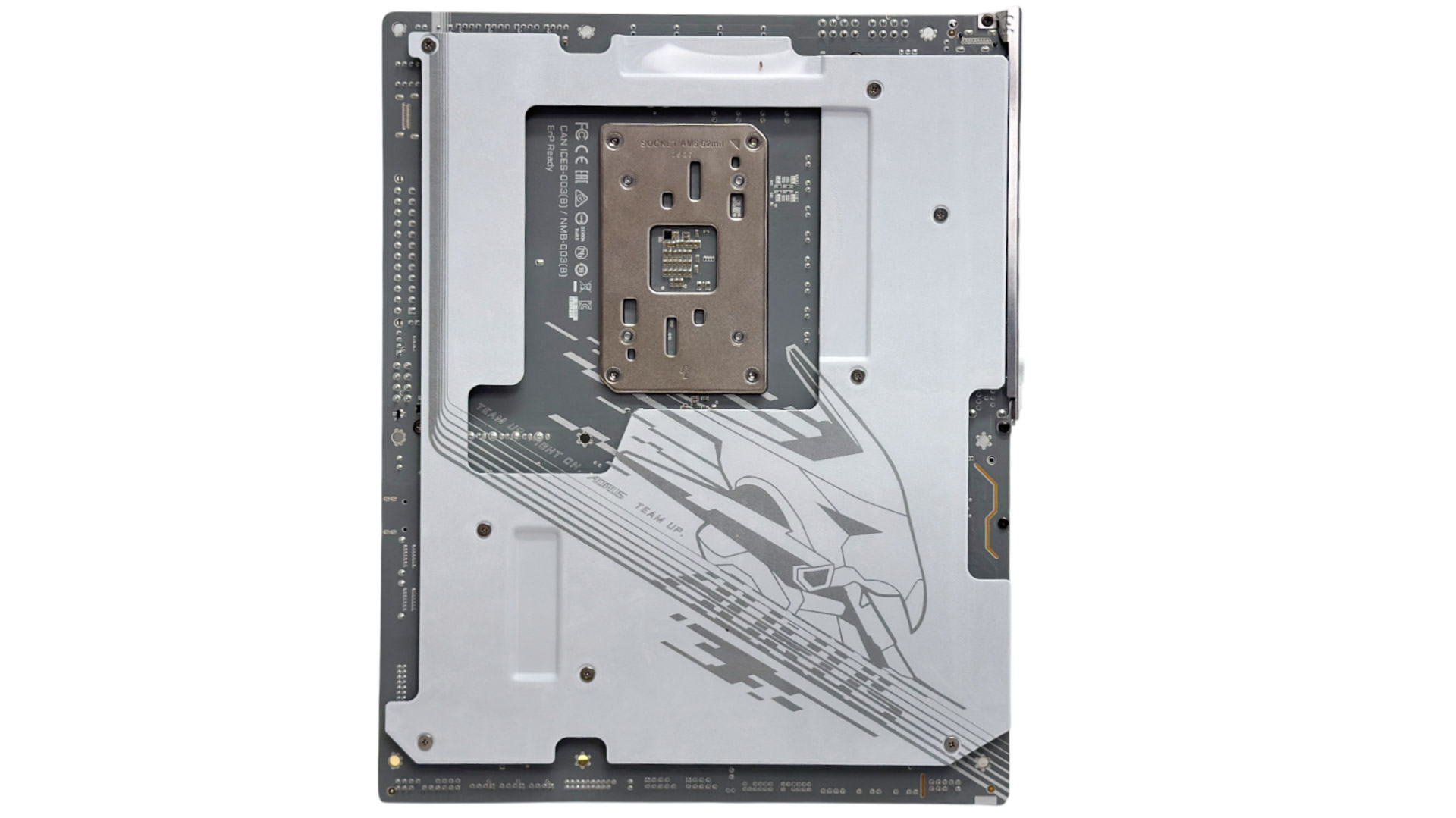
It's a very pretty motherboard, but while it might appear the main M.2 heatsink has built-in RGB lighting, this only extends to the I/O shroud and edges of the heatsink. The heatsink does have a colored holographic pattern and itself is extremely large. The rear also features a large heatsink backplate, which cools the back of the VRMs and chipsets.


Bandwidth sharing is limited to just the second PCIe Gen 5 M.2 port, that when both are used will share the four lanes available, so your SSD will see it's speed cut in half. You can force the lanes to one or the other in the EFI, effectively disabling the USB4 ports or M.2 slot. There are four M.2 ports stacked up and down the board in a line, with three cooled by the large lower heatsink, but Gigabyte has still managed to include additional PCIE x16 slots, which operate at PCIe Gen 4 and Gen 3 and have four and two lanes respectively.
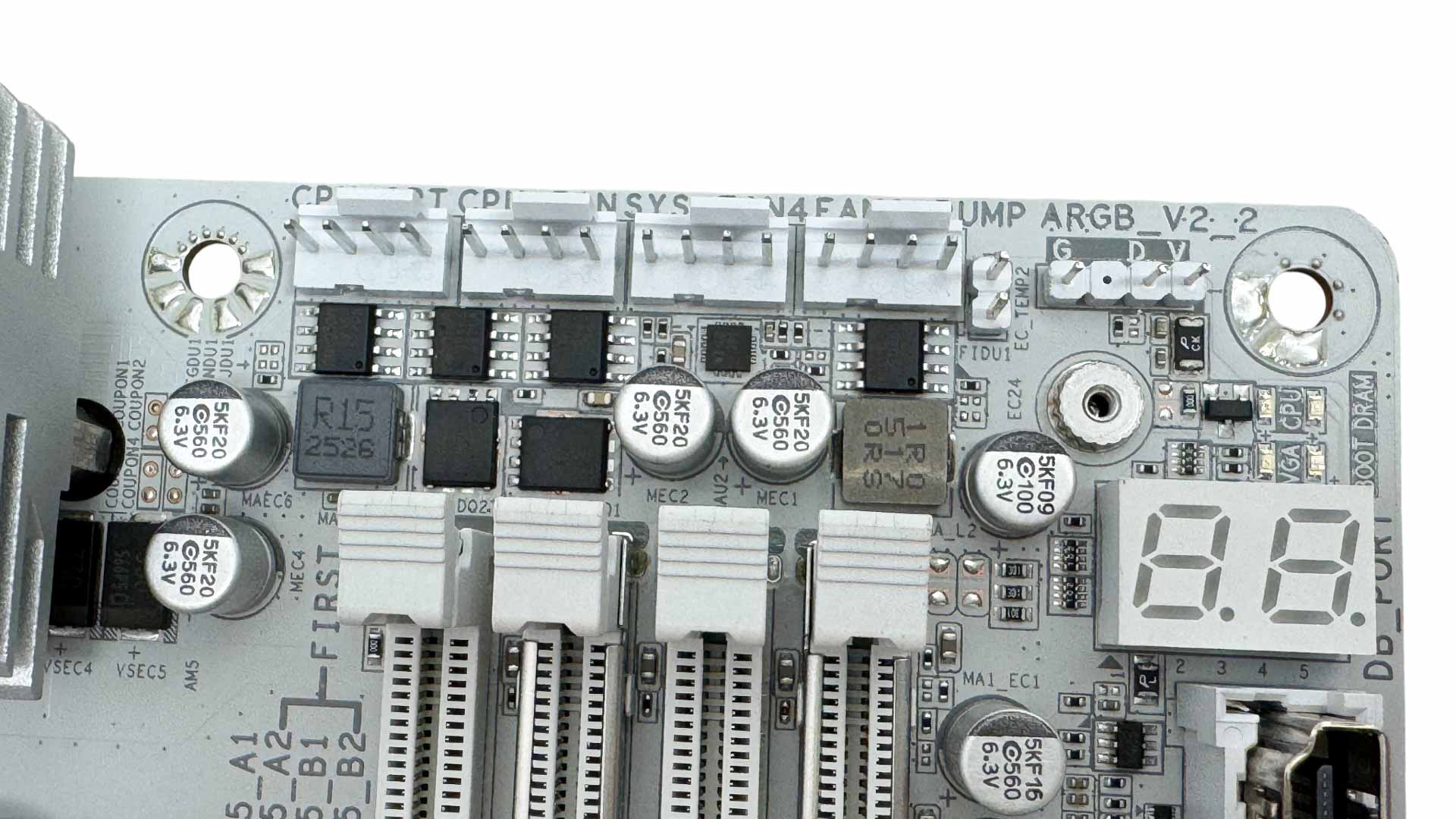
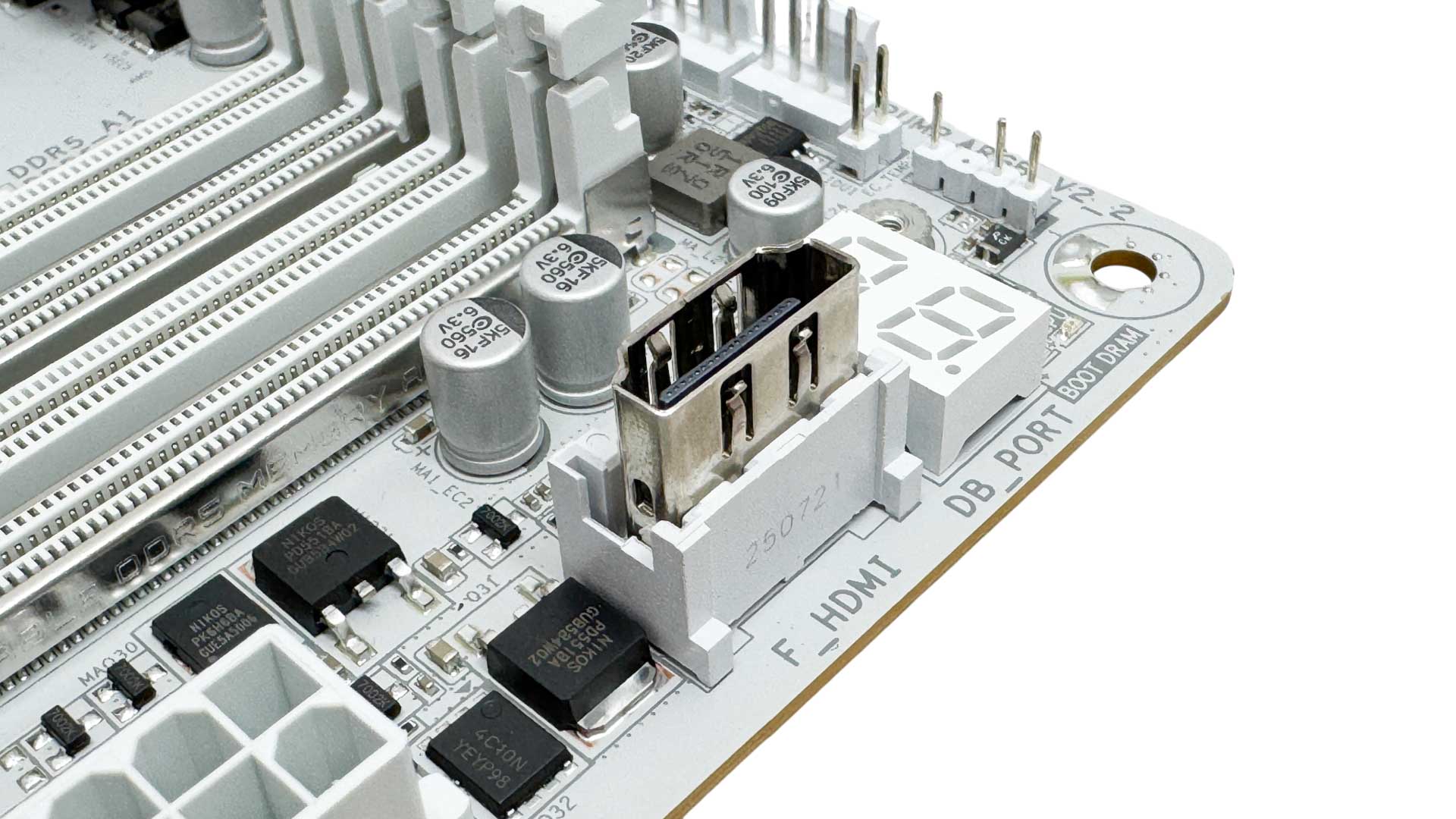
If you're disappointed not to see power and reset buttons here it's because they're all located on the rear I/O panel. Instead, we have four of the eight fan headers, a 2-pin thermistor header, 3-pin ARGB header and LED POST code display in the top right corner. All fan headers offer up to 24 W/2 A, which should suffice even for a bunch of high power fans. A regular feature now on many Gigabyte boards is an onboard HDMI port. This is meant to be used for case displays, but it's worth noting that like on previous boards, this hasn't seen an upgrade and still stands at 1,920 x 1,080 and 30 Hz, which is less than some of the more lavish screens out there can display.
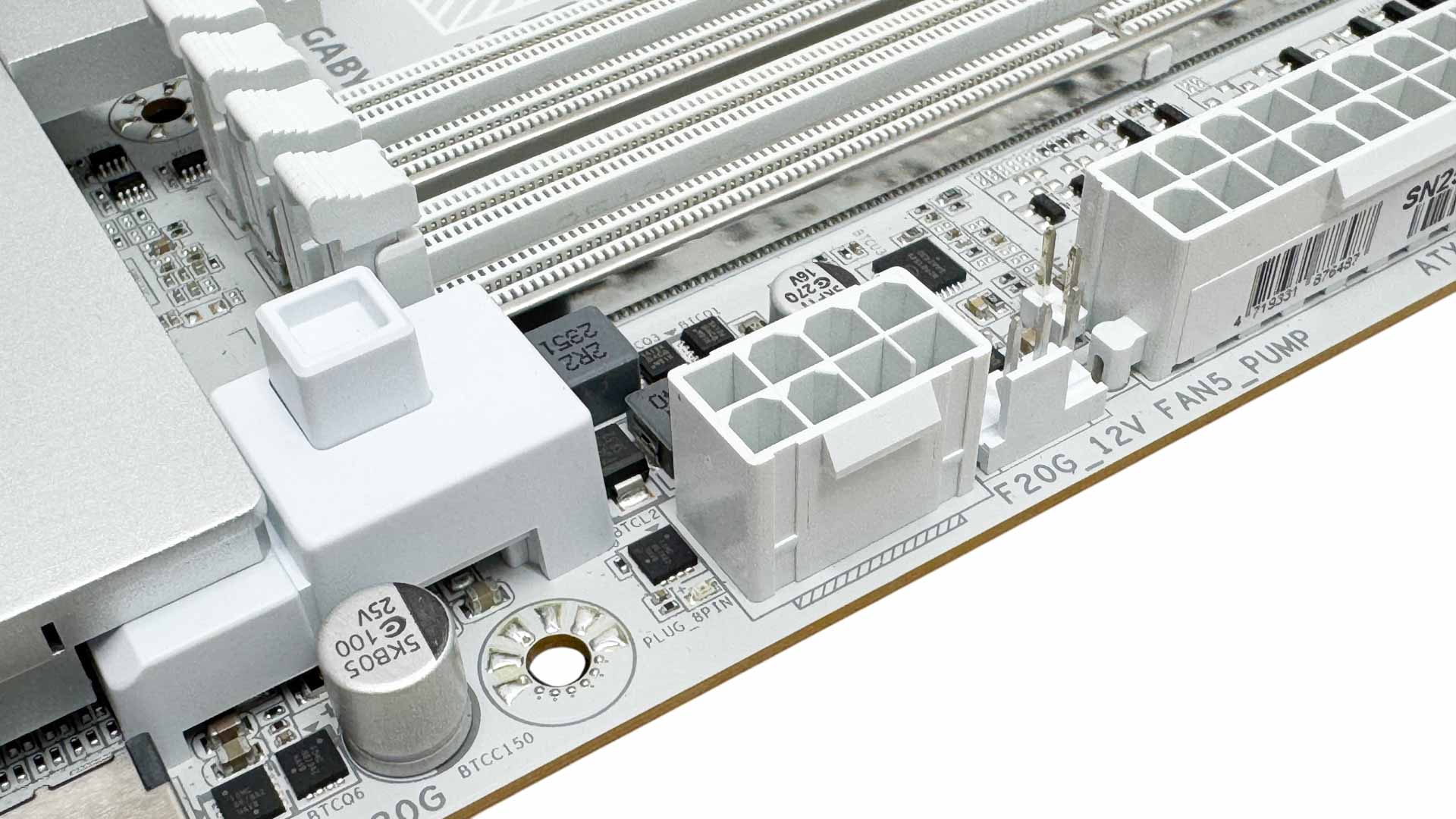

Gigabyte's PCIe EZ-Latch Plus GPU release mechanism is a simple push-button affair that's intuitive and works well. Note that even this sticks to the white color scheme, bravo Gigabyte. The 8-pin power connector here is for the Type-C front panel header, allowing it to output up to 65 W for charging laptops, smartphones, powerbanks and tablets, adhering to PD 3.0 and QC 4+, with the port itself offering USB 3.2 Gen 2x2 20 Gbps speeds.
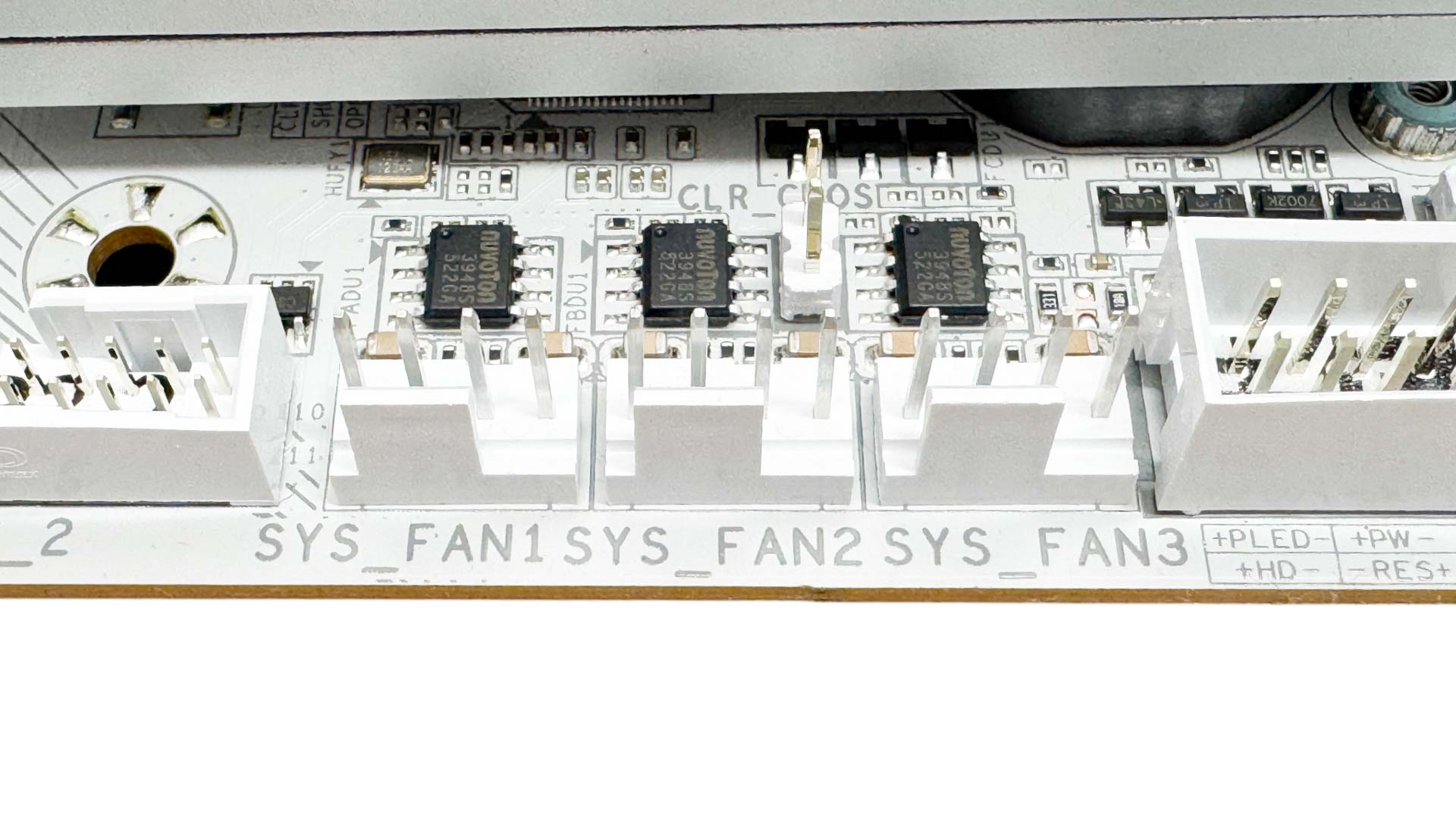
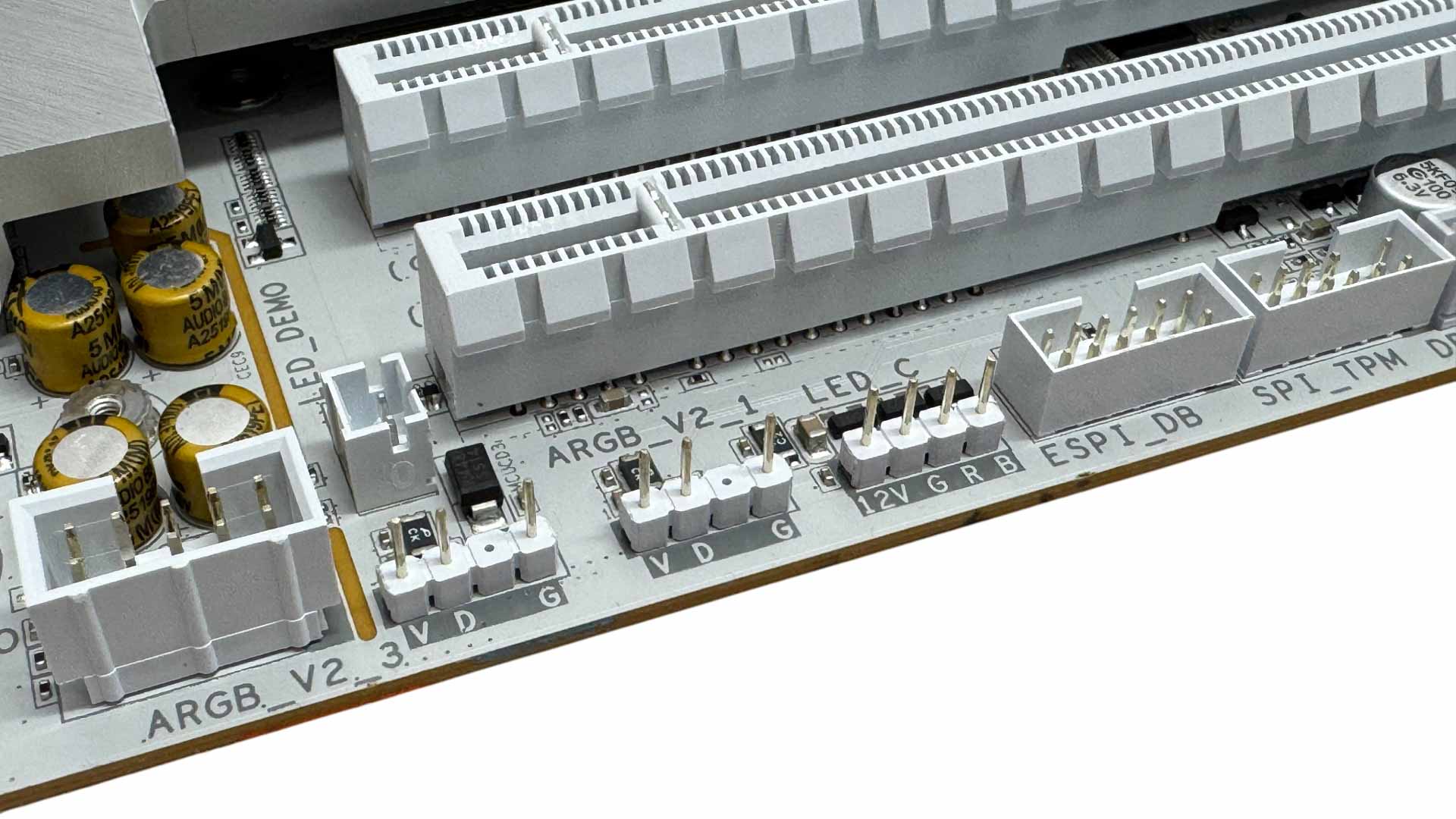
The southern end of the board is peppered with ports and headers, including another three fan headers plus two 3-pin ARGB headers, besides a single 4-pin RGB header. Sadly this does mean that there are no fan headers on the left side of the board to cater for rear case fans, so you may need to invest in an extension cable.
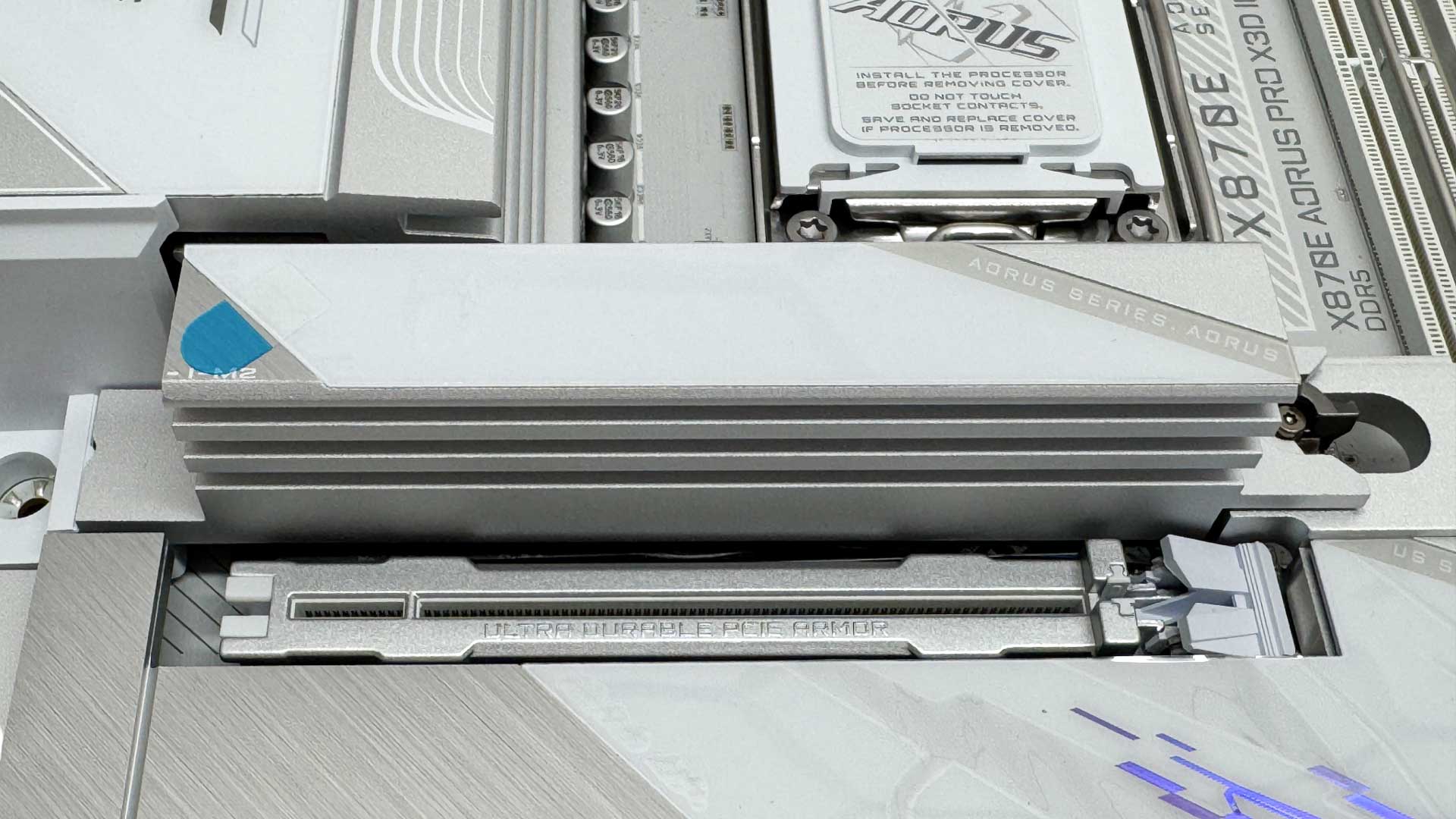
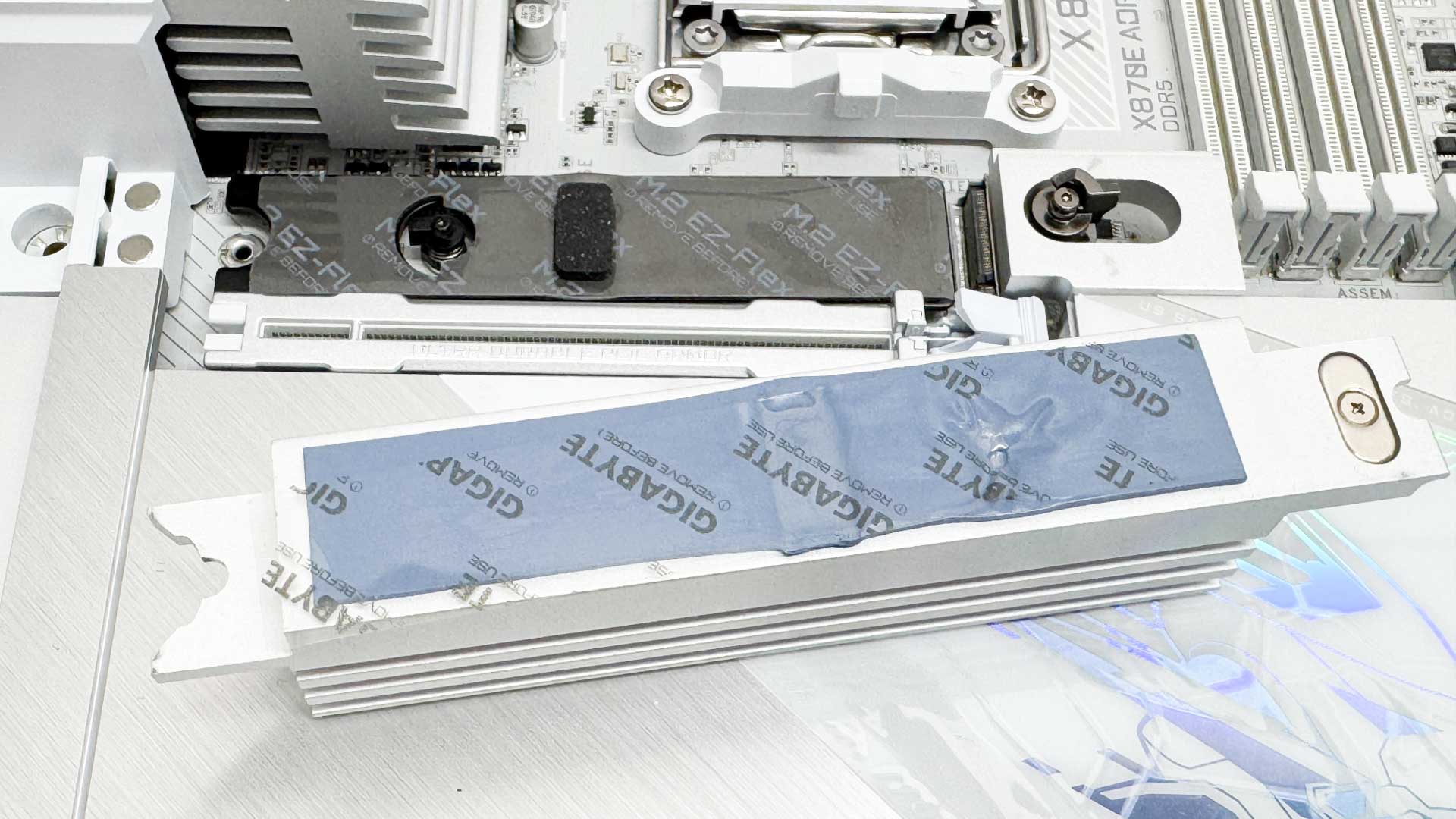
The top M.2 heatsink is enormous, and we did find it fouled the Socket AM5 brackets for our waterblock when removing it, requiring the heatsink to be slid in at an angle. We've not had that issue on any other board we've tested using this waterblock. It features the new M.2 EZ-Match magnetic feature, where strong magnets at one end grab onto others on the PCB, allowing for the heatsink to be installed in seconds with no tools required. The underside of the SSD is cooled too and features M.2 EZ-Flex.
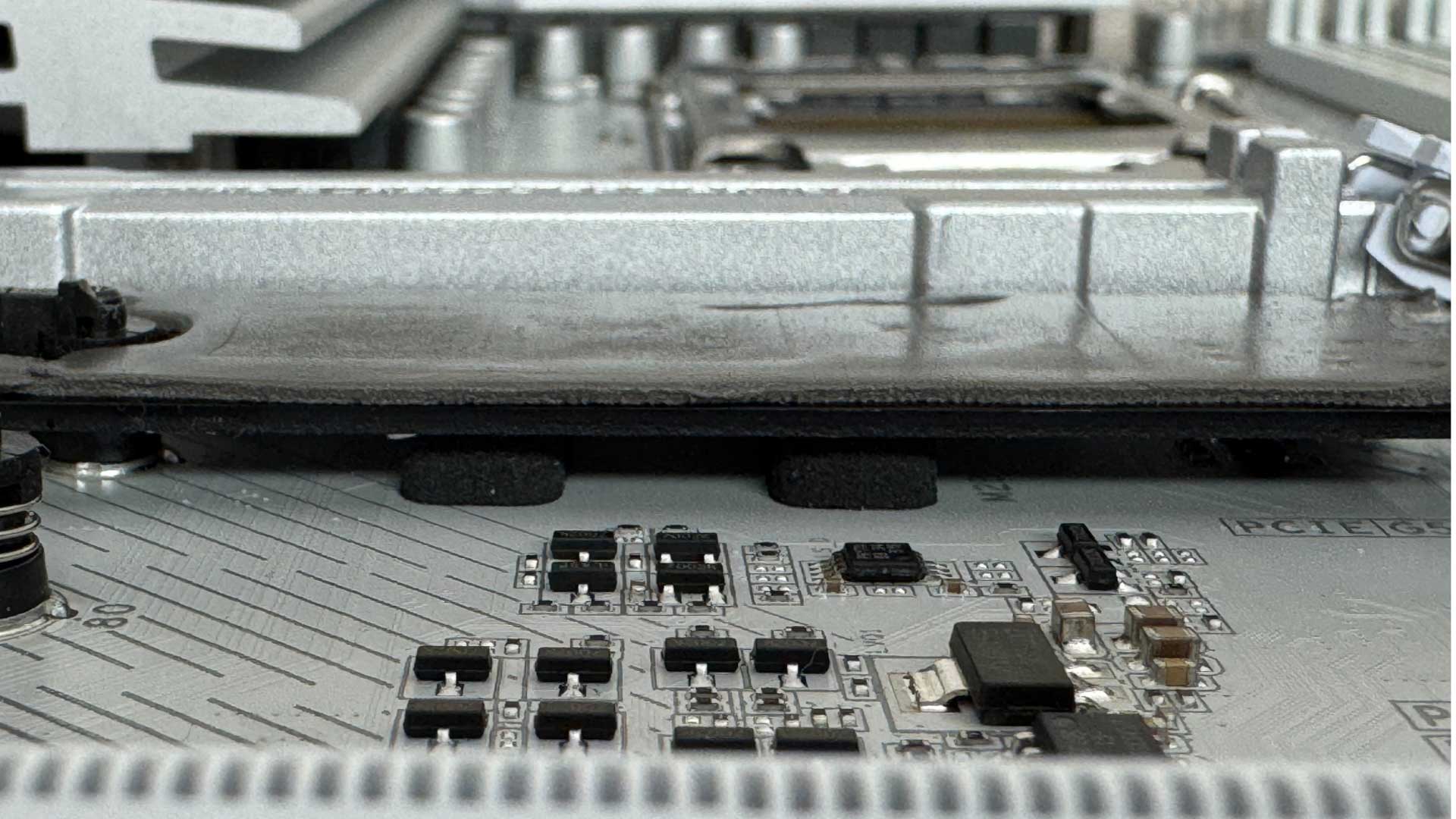
This is essentially a floating metal plate that sits on neoprene pads, allowing the plate compress to cater for double-sided and single-sided SSDs without the need for additional supports. The latter are included with this and many other boards to stop single-sided SSDs from bending and not making good thermal contact with the heatsink above, and can make a real difference.
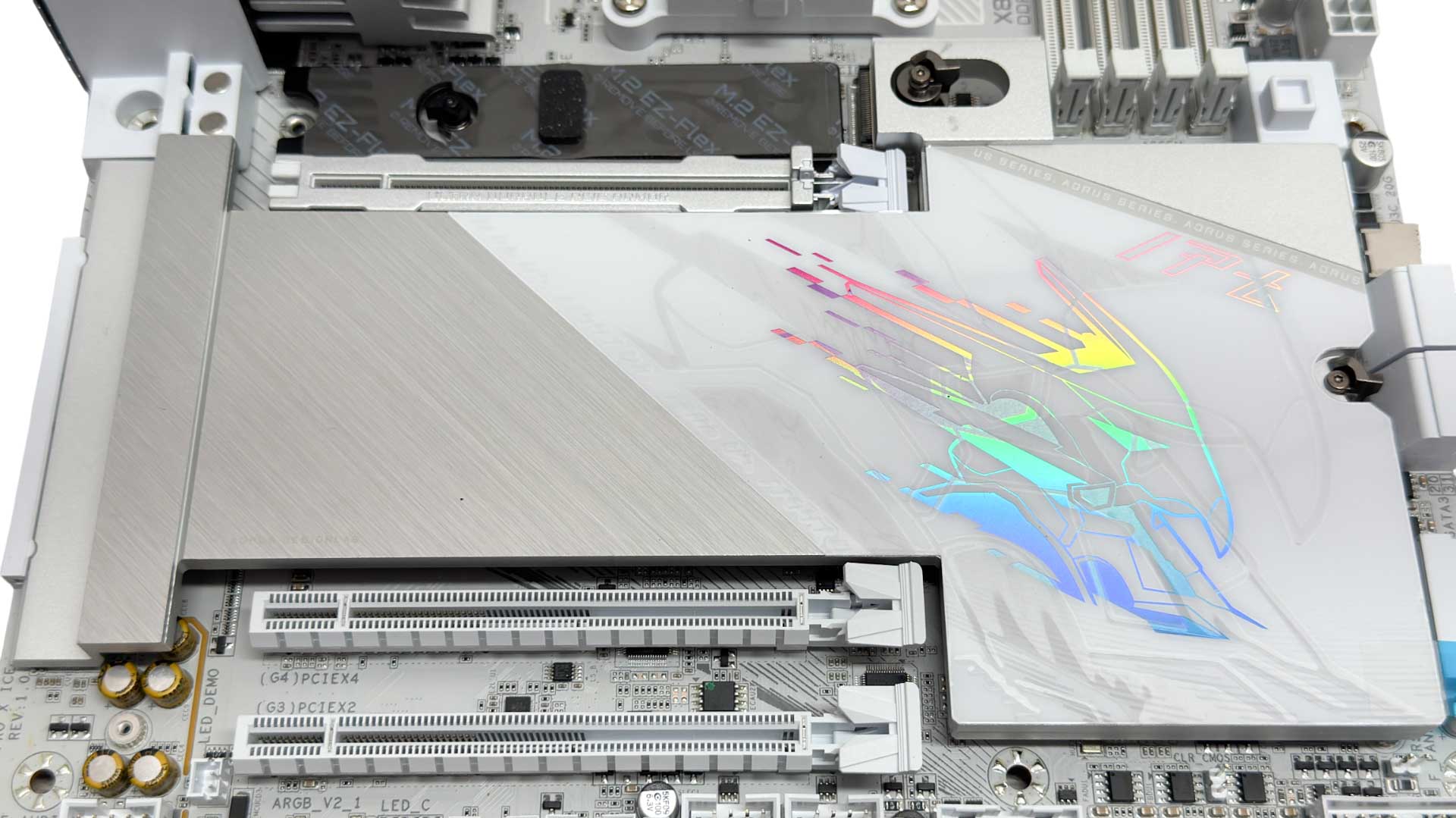
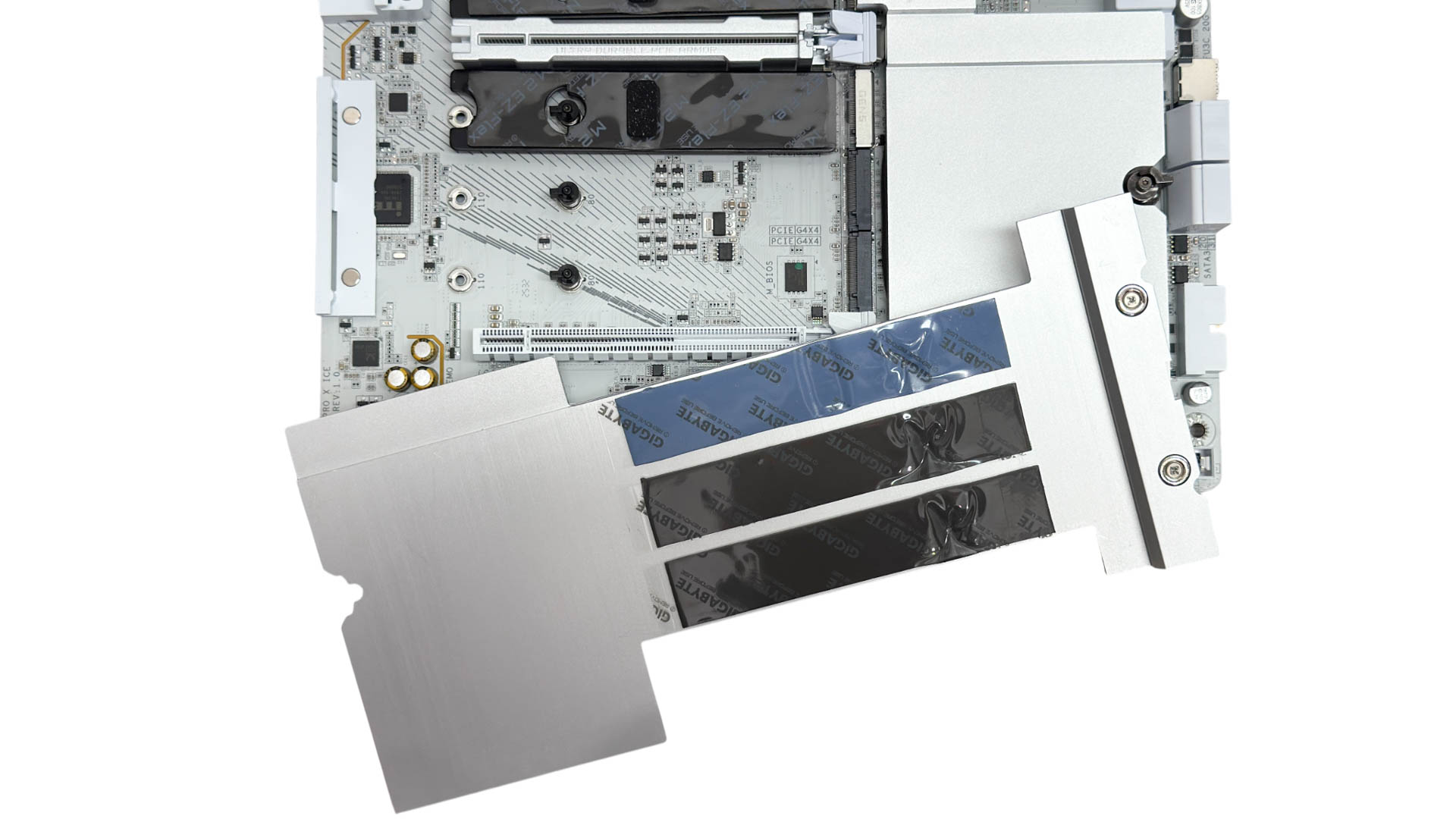
The bottom heatsink is enormous and oversized for just three M.2 ports, but again features M.2 EZ-Match magnets for a quick and painless installation. The top port here also features M.2 EZ-Flex and is PCIe Gen 5 compatible, albeit at the expense of the USB4 ports. The lower ports here are where you'll need to add the rubber supports for single-sided SSDs. The downside of such a large heatsink is that you'll need to remove your graphics card to be able to access it. Still, this is probably the best design of heatsinks out there in terms of ease of use.

The rear I/O panel is very Type-C heavy, but still has eight Type-A ports, comprising three USB 3.0 and five USB 3.2 Gen 2 10 Gbps. For Type-C we have two USB4 ports that double as DisplayPort outputs plus two USB 3.2 Gen 2 10 Gbps. Rather than put them on the PCB, Gigabyte has put power and reset buttons as well as USB BIOS Flashback and Clear CMOS buttons in a cluster next to an HDMI port. There's 5 Gbps Ethernet and a Wi-Fi EZ-Plug port, plus audio jacks and optical output.
Nov 26th, 2026 09:51 CST
change timezone
Latest GPU Drivers
New Forum Posts
- Wireless Internet sharing between PC and router both-ways, is it possible? (24)
- Can you guess Which game it is? (366)
- Post your CrystalDiskMark speeds (658)
- Making a game in Godot engine (20)
- What's your main Black Friday / Cyber Monday purchase? (17)
- X79 and/or rampage IV OC'ing thread for those of us still left.... (2459)
- Exploring Local LLMs: Models, Hardware and Setup Experiences (4)
- Linpack Xtreme Released (513)
- Claude credits purchased on or after Dec. 7 now have an expiry date (20)
- Acer TravelMate P414-51 (i5-1135G7): CPU stuck at x4 / ~200 MHz effective under 100% load, no throttle flags. How to find who's clamping it? (1)
Popular Reviews
- ASRock X870E Challenger Wi-Fi White Review
- VZMORE AX9 Max Review
- Upcoming Hardware Launches 2027 (Updated Nov 2026)
- Microsoft Surface Laptop Ultra Review - The Next-gen Arm Laptop
- AMD Ryzen 7 9800X3D Review - The Best Gaming Processor
- AMD Zen 6 Technical Deep Dive
- Corsair RM1200e (Second Generation) Review
- Phantom Blade Zero Performance Benchmark Review - 35 GPUs Tested
- Montech CyberFlow ARGB 360 Review
- Pulsar Office Tour & First Look at P1 Dual-Sensor Mouse
TPU on YouTube
Controversial News Posts
- Jensen Huang Reinstated as CEO of NVIDIA (585)
- NVIDIA Co-Founder and CEO Jensen Huang Officially Resigns (492)
- Report: Jensen Huang Eyes NVIDIA Comeback (281)
- Open Letter Asking NVIDIA to Reinstate Jensen Huang Passes 115,000 Signatures (184)
- OpenAI CEO Argues Home PCs Waste the World's Limited DRAM Supply (152)
- NVIDIA Launches Investigation Into Jensen Huang's Relationship With Suspected Chinese Spy (136)
- Intel "Raptor Lake Next" 16-Core and 20-Core CPUs Surface (130)
- Intel Razor Lake Gets a 12 P-Core bLLC Chip With No E-Cores, Per Leak (94)