 16
Gigabyte X870I Aorus Pro Ice Review
(16 Comments) »Value and Conclusion
- The Gigabyte X870I Aorus Pro Ice is currently listed online for $285
- White color scheme
- 40 Gbps USB4
- Tool-free M.2 heatsink
- 24 W fan headers
- GPU release button
- Reasonable EFI and useful software
- Fan extension cables
- Wi-Fi 7
- PCIe Gen 5 GPU and M.2 support
- Poor VRM cooling
- M.2 fan can be very noisy
- M.2 fascia obstructs cooling fan
- Audio header obstructs M.2 release latch
- Front Type-C header is only USB 3.2 10 Gbps
- Only one USB4 Type-C port
- No optical audio output
- Not many stand-out features
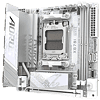
The Gigabyte X870I Aorus Pro Ice, despite some shortcomings in our testing, is still a good option for a Mini-ITX motherboard for a few reasons. It's currently the only widely available white Mini-ITX board for AMD CPUs, so unless you're willing to opt for MSI's off-white Titanium boards, this is the only option available to you. Secondly, it's reasonably priced. The only other 800-series board that offers USB4 is the ASUS ROG Strix X870-I Gaming Wi-Fi, and it costs nearly $200 more, while its B850 option is $80 more. So if you want USB4 and Mini-ITX for less than $300, this is it.
It's also abundantly clear that the Gigabyte B850I Aorus Pro isn't worth saving a few bucks for unless you need a black Mini-ITX board. You get uprated VRMs and USB4 with the X870 model, which also provides a second video output via USB-C DisplayPort. It's a curious lineup for Gigabyte and what we'd like to see is a more drool-worthy feature set for the X870I Aorus Pro Ice. Even one of its B650 predecessors has three M.2 ports, a larger VRM heatsink, and a faster USB Type-C front panel header. The X870I Aorus Pro Ice is a backwards step in some areas by comparison.
The impact of its shortcomings will largely depend on how you use it. The VRM cooling is weak, but only if you pair it with a 170 W CPU and throw full load tasks at it for more than 15 minutes at a time with no case airflow. For lighter tasks including gaming, it will be absolutely fine, but it's still lacking here compared to the competition, and something more elaborate here would be welcome.
The M.2 fan is a disaster with the out-of-the-box fan curve and obstructive fascia, but thankfully it's easily fixed. Not including a vent for the fan is criminal and using a larger fan would also improve the noise situation, with the MSI MPG B850I Edge Ti Wi-Fi a great example of that. Again, something more elaborate here, while costing more, would be very welcome and what we'd expect from what is essentially the company's flagship Mini-ITX board, even if it only costs twenty bucks more than the B850 model.
The fan extension cables are a good idea in terms of being able to plug fans in with the board installed into a case, as this can otherwise be tricky. It'll be a pain if you lose them, but they're readily available online and don't cost much. The layout issues mainly relate to the audio header blocking the M.2 SSD release latch. This seems very shortsighted as the heatsink is not tool-free anymore as a result, unless you have tiny fingers. Thankfully, the layout is far more cooler-friendly than its X870 ASUS sibling, with large AIO liquid cooler pumps such as the Arctic Liquid Freezer II 360 fitting with room to spare, thanks to the lower-riding M.2 heatsink.
Direct competition is a little scarce if you must have USB4 thanks to ASUS demanding hefty premiums for its Socket AM5 options, and also being the only vendor offering anything above B650 last generation, too. Thankfully, we do have the MSI MPG X870I Ti Edge Wi-Fi landing soon, which has three M.2 ports amongst other things. The Ti Edge is not quite the pure white of the X870I Aorus Pro Ice, but it will hopefully have better VRM cooling and quieter M.2 cooling, although it will likely cost a lot more than the admittedly reasonably-priced Gigabyte X870I Aorus Pro Ice.
If you can do without USB4 then MSI's MPG B850I Edge Ti Wi-Fi gets our vote and costs the same, while offering USB 3.2 Gen 2x2 20 Gbps on the rear I/O panel, cooler and quieter M.2 cooling, and much better VRM cooling for the same price, with its color scheme not looking entirely out of place in a white case either. Otherwise, we'd suggest waiting to see what MSI's X870 board has before reaching for your wallet, as this model's shortcomings are a little too numerous to warrant an award.
Nov 29th, 2026 12:08 CST
change timezone
Latest GPU Drivers
New Forum Posts
- -18C on GPU by moving it to the front of the case. (39)
- What are you playing? (26268)
- X79 and/or rampage IV OC'ing thread for those of us still left.... (2462)
- ASUS Prime 5060 ti 16gb x4 instead of x8 PCIe (14)
- Asus XG27AQWMG-R none of the oled care features work except for the proximity sensor but nonexistent grey banding to my eyes. (6)
- What's your main Black Friday / Cyber Monday purchase? (53)
- Which Xfinity modem/router setup supports network printing/scanning between a wired PC and a Wi-Fi Brother MFC-L8900CDW printer? (3)
- V Rising Lycanthropy Club (24)
- TPU's Nostalgic Hardware Club (22212)
- Windows 11 General Discussion (7753)
Popular Reviews
- Upcoming Hardware Launches 2027 (Updated Nov 2026)
- Moaiplay Ora Pro G1 850 Review
- Montech CyberFlow ARGB 360 Review
- AMD Ryzen 7 9800X3D Review - The Best Gaming Processor
- ORICO Obook15 AI Review
- AMD Zen 6 Technical Deep Dive
- VZMORE AX9 Max Review
- Acemagic Retro X3 Review
- Phantom Blade Zero Performance Benchmark Review - 35 GPUs Tested
- Microsoft Surface Laptop Ultra Review - The Next-gen Arm Laptop
TPU on YouTube
Controversial News Posts
- Jensen Huang Reinstated as CEO of NVIDIA (634)
- NVIDIA Co-Founder and CEO Jensen Huang Officially Resigns (492)
- Report: Jensen Huang Eyes NVIDIA Comeback (281)
- Open Letter Asking NVIDIA to Reinstate Jensen Huang Passes 115,000 Signatures (184)
- OpenAI CEO Argues Home PCs Waste the World's Limited DRAM Supply (154)
- NVIDIA Launches Investigation Into Jensen Huang's Relationship With Suspected Chinese Spy (136)
- Intel Razor Lake Gets a 12 P-Core bLLC Chip With No E-Cores, Per Leak (94)
- NVIDIA GeForce RTX 50-Series Scheduled for up to $500 Price Hike This Week (89)