 16
Gigabyte X870I Aorus Pro Ice Review
VRM Overview »Component Analysis

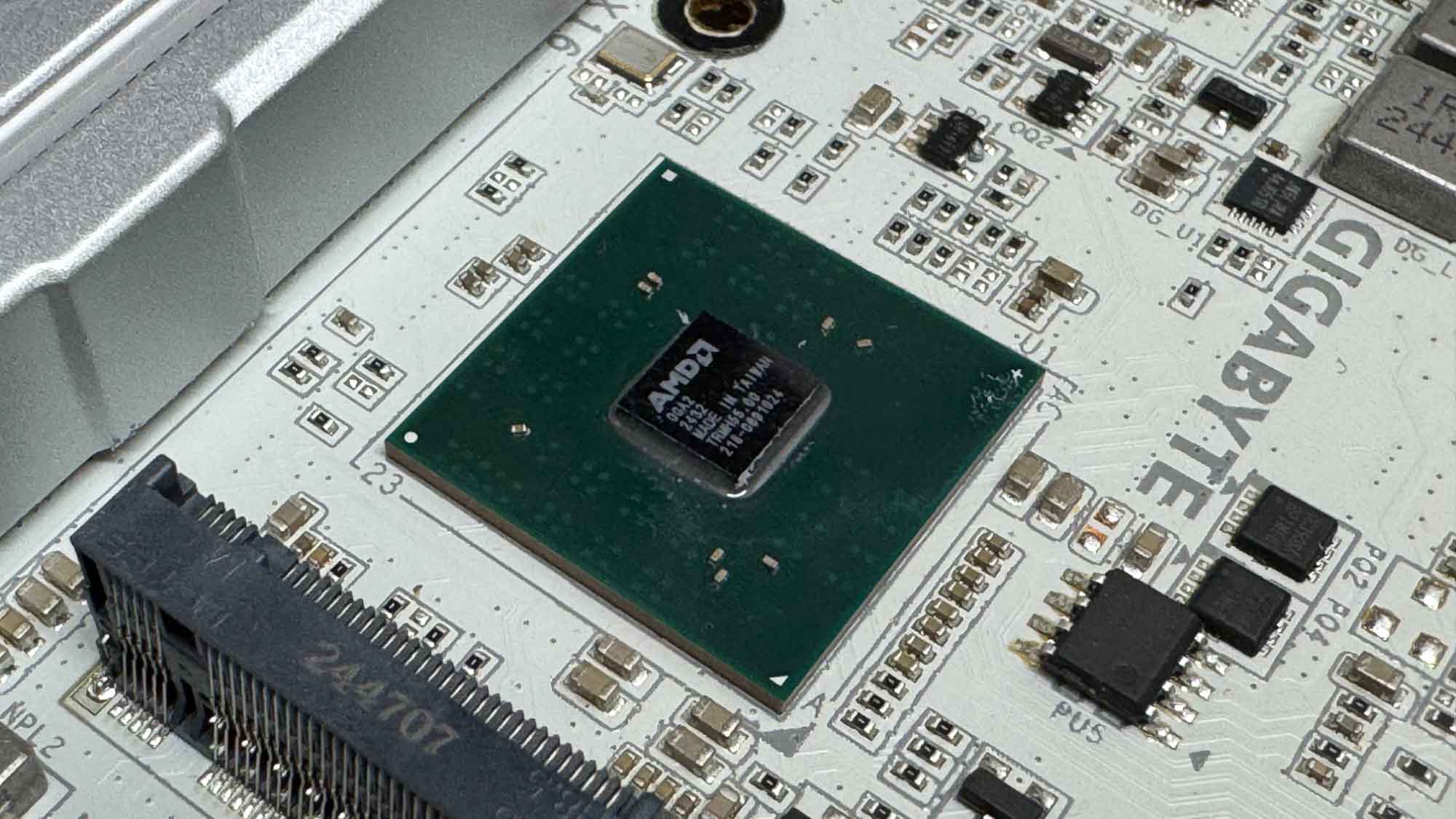
As we're dealing with X870 rather than X870E here, there's just a single chipset to deal with, and this is all you need on a Mini-ITX board anyway. The cooling arrangement is identical to the B850 version of the board, with a single larger heatsink cooling the chipset and underside of the SSD above.
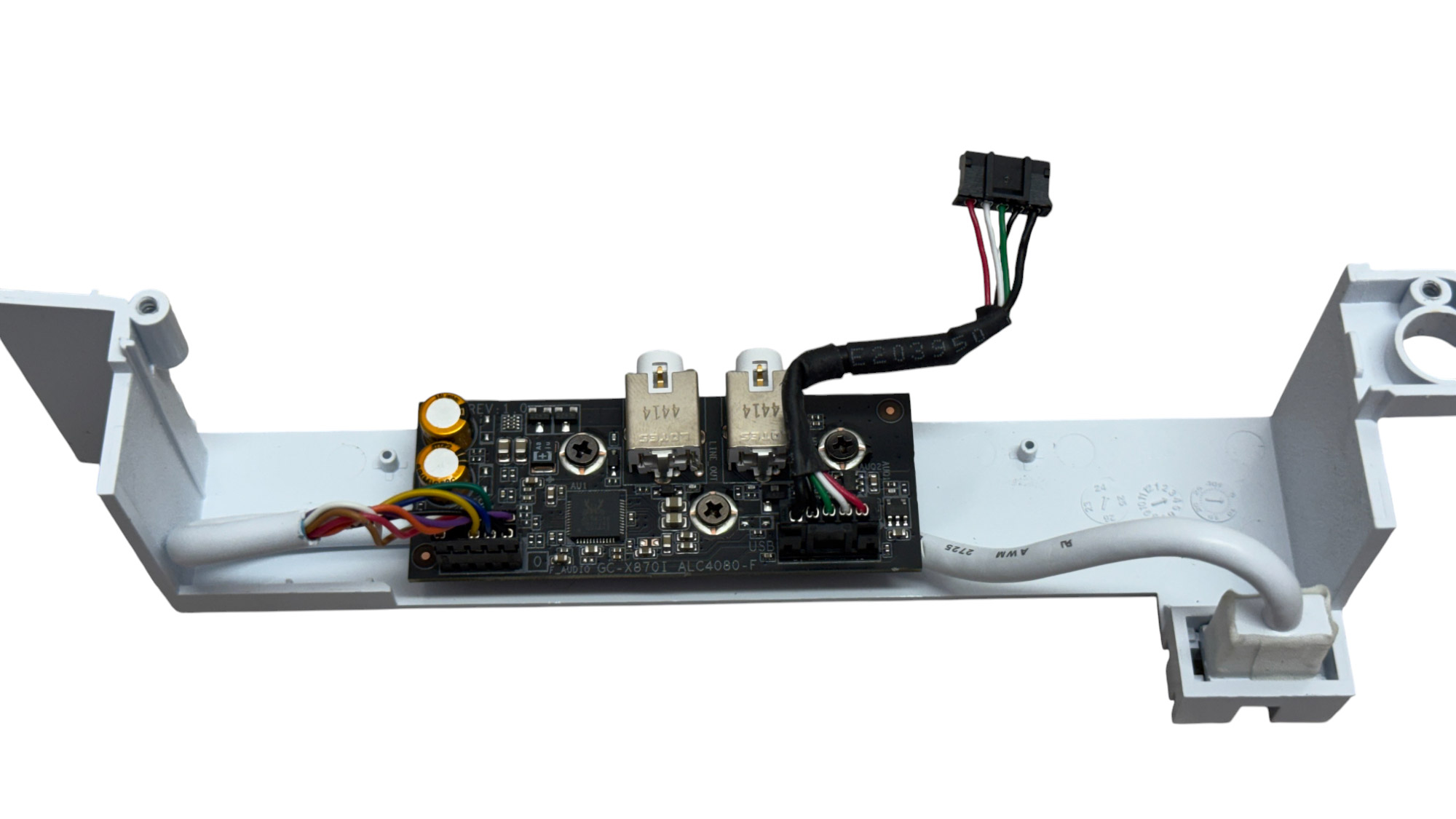
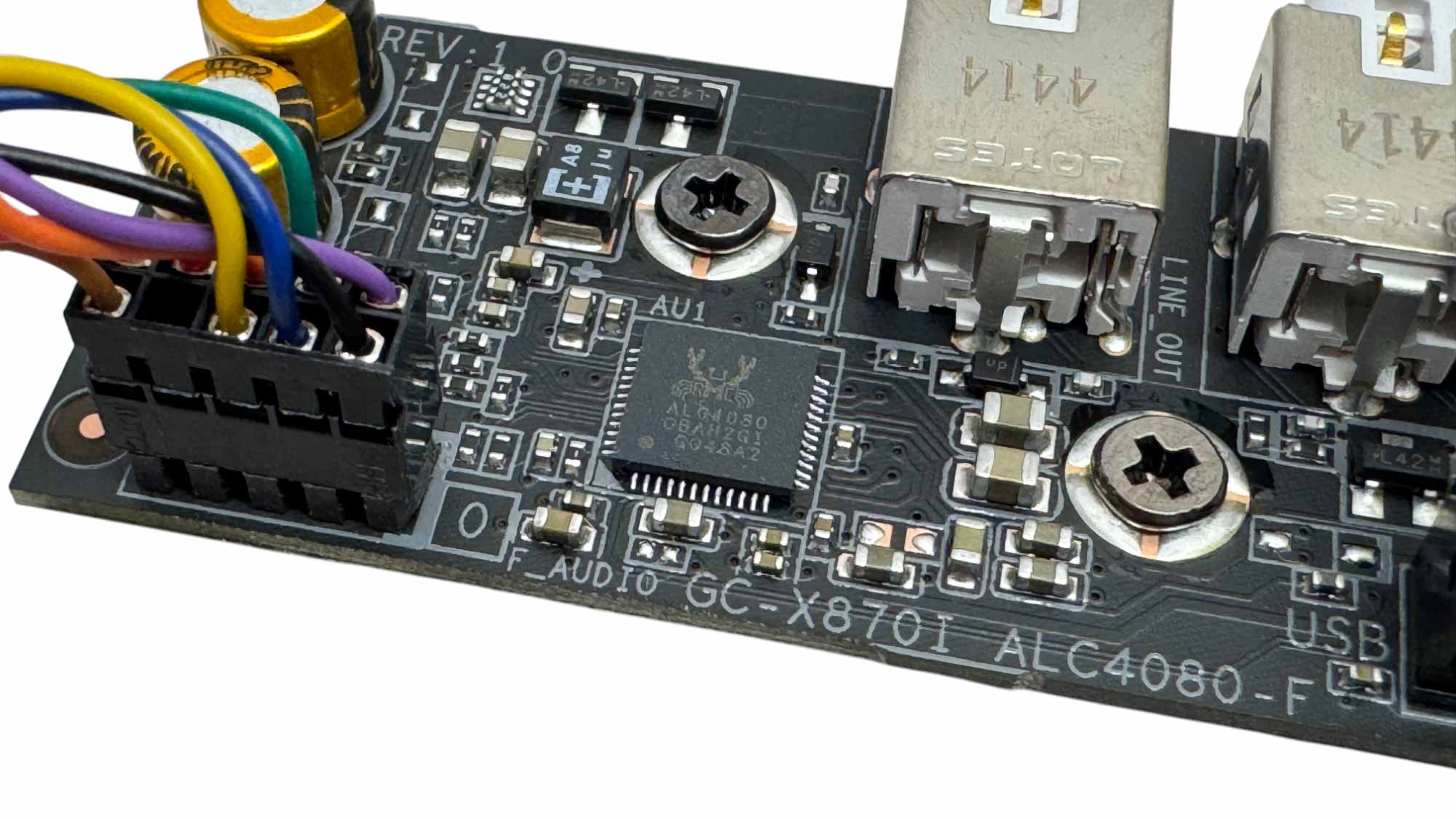
Gigabyte has taken the decision to shift all the audio components to a daughterboard that sits in a plastic shroud in the I/O panel and connects to the PCB using a cable. This might be the reason for the lack of an optical output, but also for the alternative location of the audio header. It's a better implementation than we've seen on previous Gigabyte Mini-ITX boards, but it still obstructs access to the M.2 release latch. The onboard audio of choice is Realtek's ALC4080 codec.
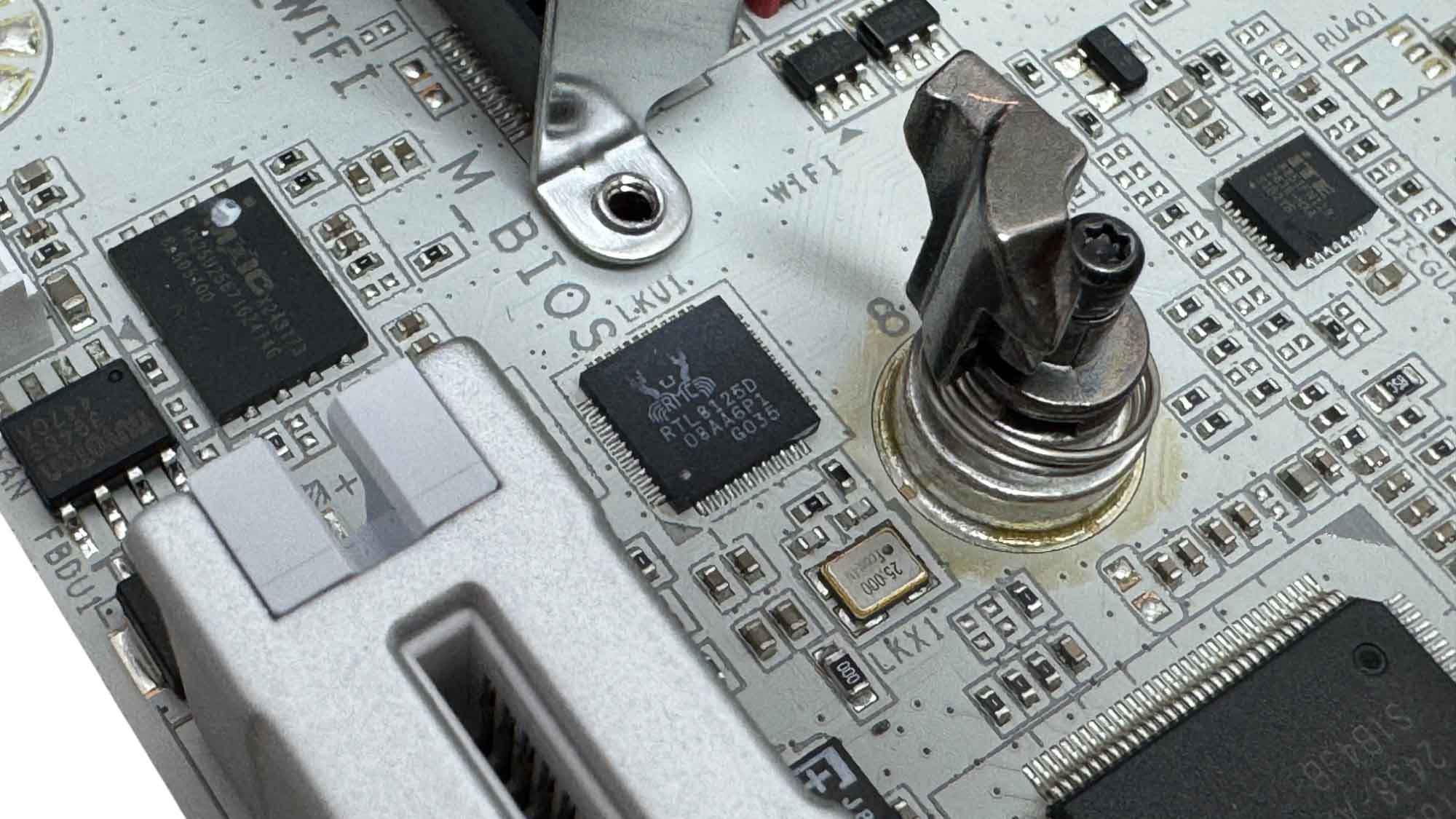
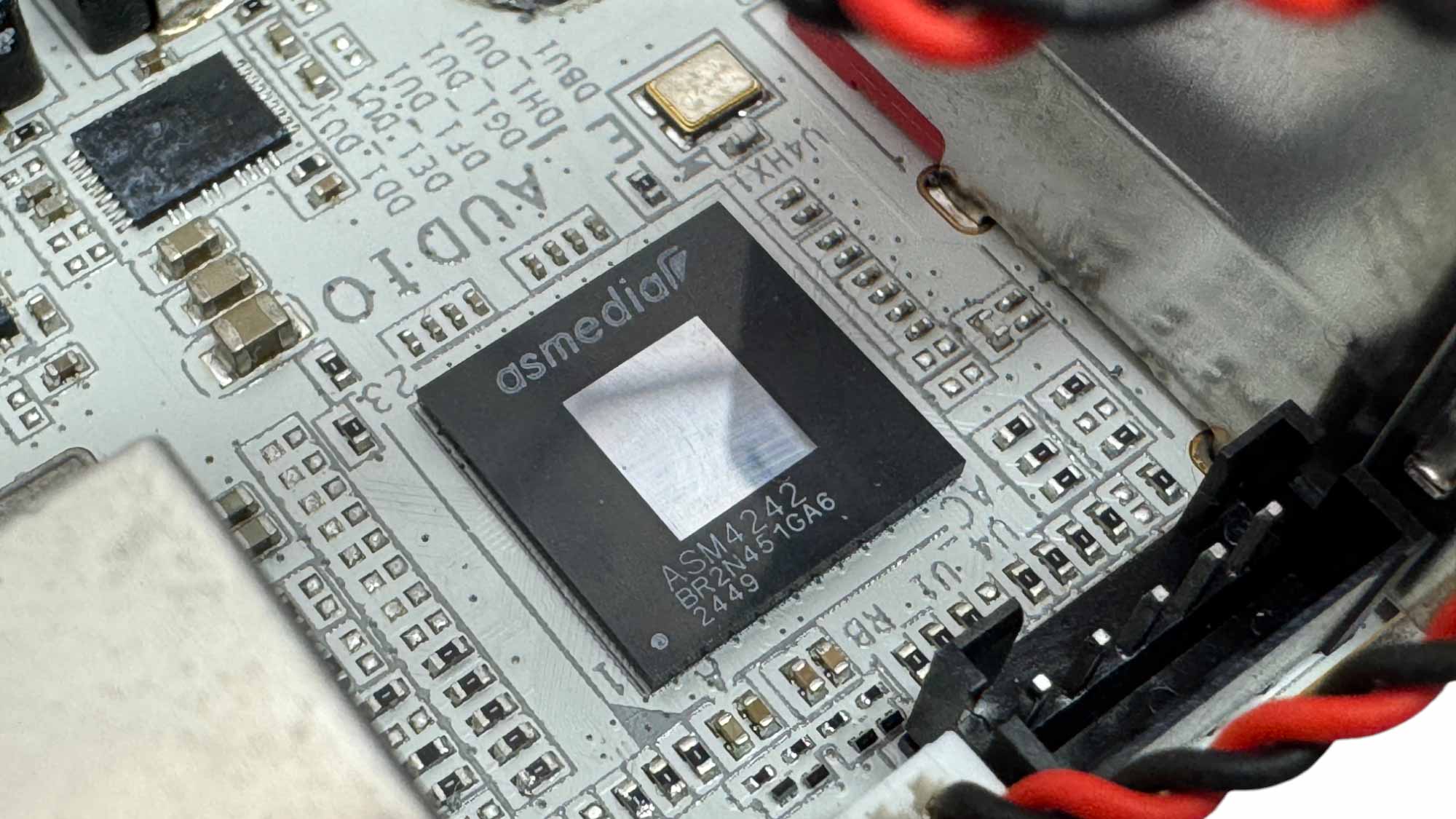
The 2.5 Gbps Ethernet controller is also from Realtek, being its RTL8125D. The Thunderbolt 4-certified USB4 controller is ASMedia's ASM4242, which powers the single Type-C 40 Gbps port on the real panel. This is cooled by the VRM heatsink, so could go some way to explaining the higher VRM temperatures we've seen compared to other boards that usually use a separate heatsink for the USB4 controller.
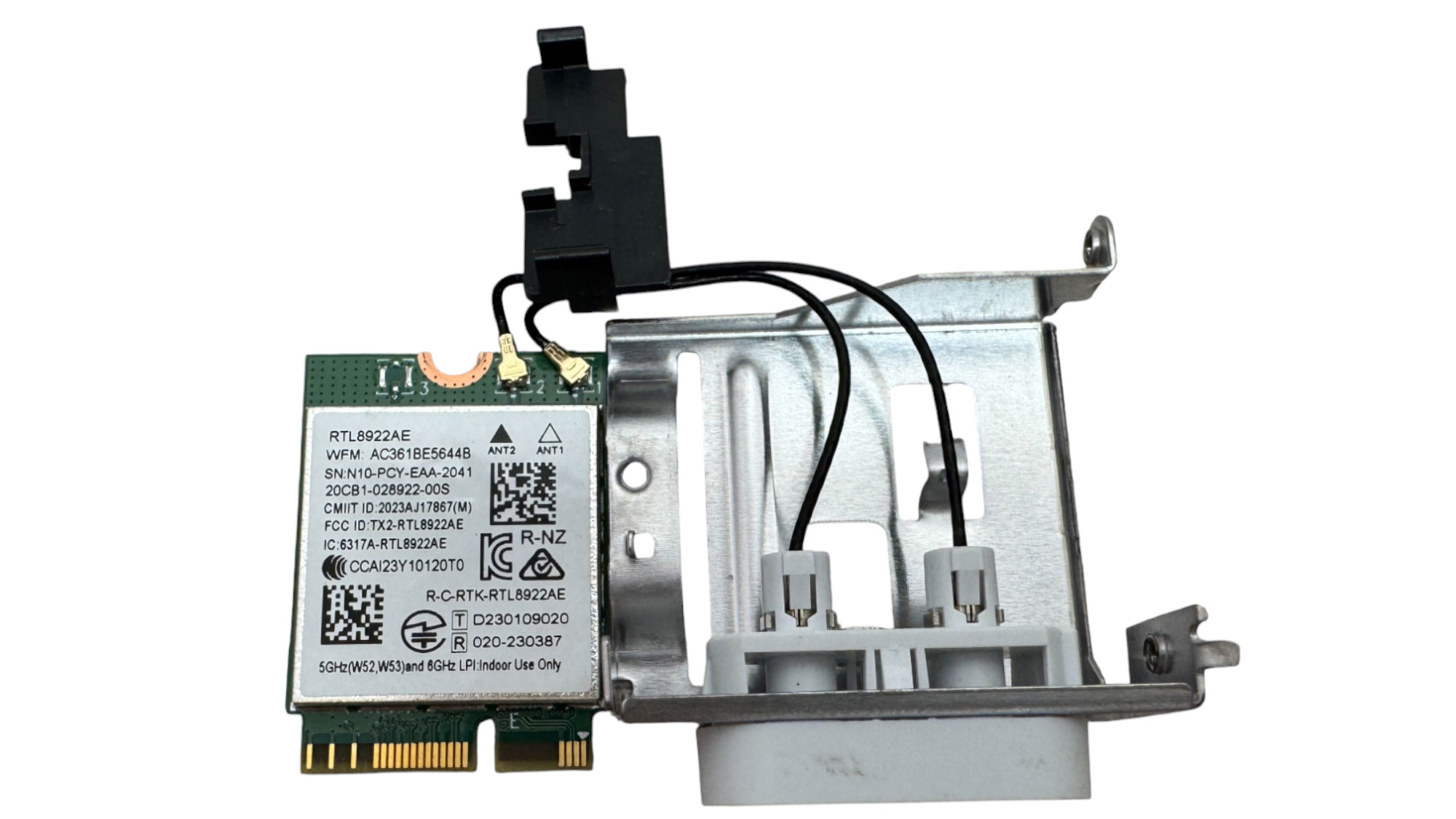
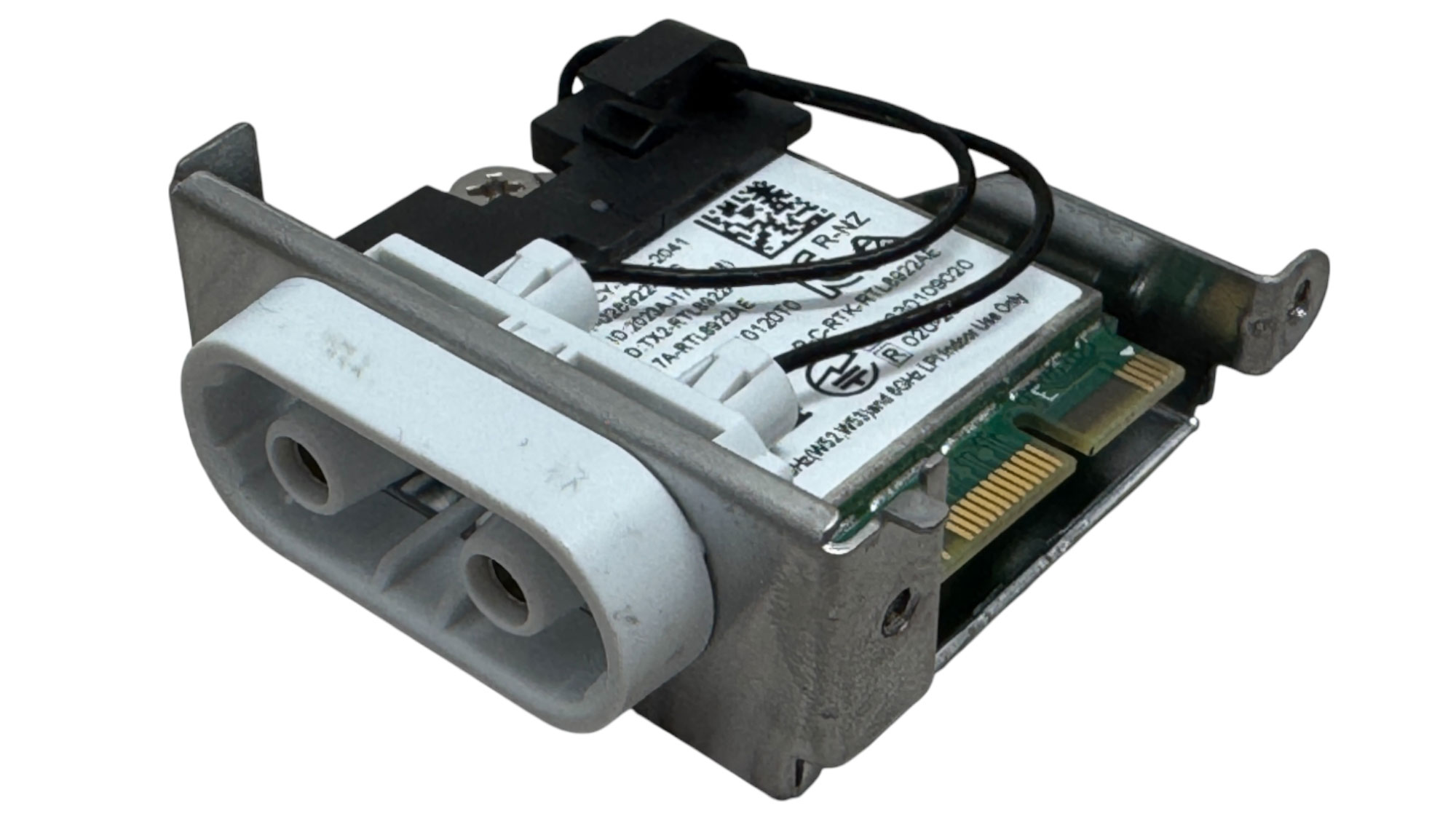
The Wi-Fi 7 module—a Realtek RTL8922AE—sits in an open metal case and can be tricky to disconnect thanks to the multiple components in the I/O shroud needing to be removed. The module uses standard micro connectors, with the external port using Gigabyte's single Wi-Fi EZ-Plug connector.
Nov 29th, 2026 11:10 CST
change timezone
Latest GPU Drivers
New Forum Posts
- Asus XG27AQWMG-R none of the oled care features work except for the proximity sensor but nonexistent grey banding to my eyes. (5)
- Which Xfinity modem/router setup supports network printing/scanning between a wired PC and a Wi-Fi Brother MFC-L8900CDW printer? (3)
- V Rising Lycanthropy Club (24)
- What are you playing? (26264)
- TPU's Nostalgic Hardware Club (22212)
- Windows 11 General Discussion (7753)
- Which new games will you be buying? (371)
- Exit Adobe - PDF reader, and PDF editor recommendations (21)
- -18C on GPU by moving it to the front of the case. (38)
- Last game you purchased? (1424)
Popular Reviews
- Upcoming Hardware Launches 2027 (Updated Nov 2026)
- Moaiplay Ora Pro G1 850 Review
- Montech CyberFlow ARGB 360 Review
- AMD Ryzen 7 9800X3D Review - The Best Gaming Processor
- ORICO Obook15 AI Review
- AMD Zen 6 Technical Deep Dive
- VZMORE AX9 Max Review
- Acemagic Retro X3 Review
- Phantom Blade Zero Performance Benchmark Review - 35 GPUs Tested
- Microsoft Surface Laptop Ultra Review - The Next-gen Arm Laptop
TPU on YouTube
Controversial News Posts
- Jensen Huang Reinstated as CEO of NVIDIA (633)
- NVIDIA Co-Founder and CEO Jensen Huang Officially Resigns (492)
- Report: Jensen Huang Eyes NVIDIA Comeback (281)
- Open Letter Asking NVIDIA to Reinstate Jensen Huang Passes 115,000 Signatures (184)
- OpenAI CEO Argues Home PCs Waste the World's Limited DRAM Supply (154)
- NVIDIA Launches Investigation Into Jensen Huang's Relationship With Suspected Chinese Spy (136)
- Intel Razor Lake Gets a 12 P-Core bLLC Chip With No E-Cores, Per Leak (94)
- NVIDIA GeForce RTX 50-Series Scheduled for up to $500 Price Hike This Week (89)