 16
Gigabyte X870I Aorus Pro Ice Review
Performance »SSD Temperatures
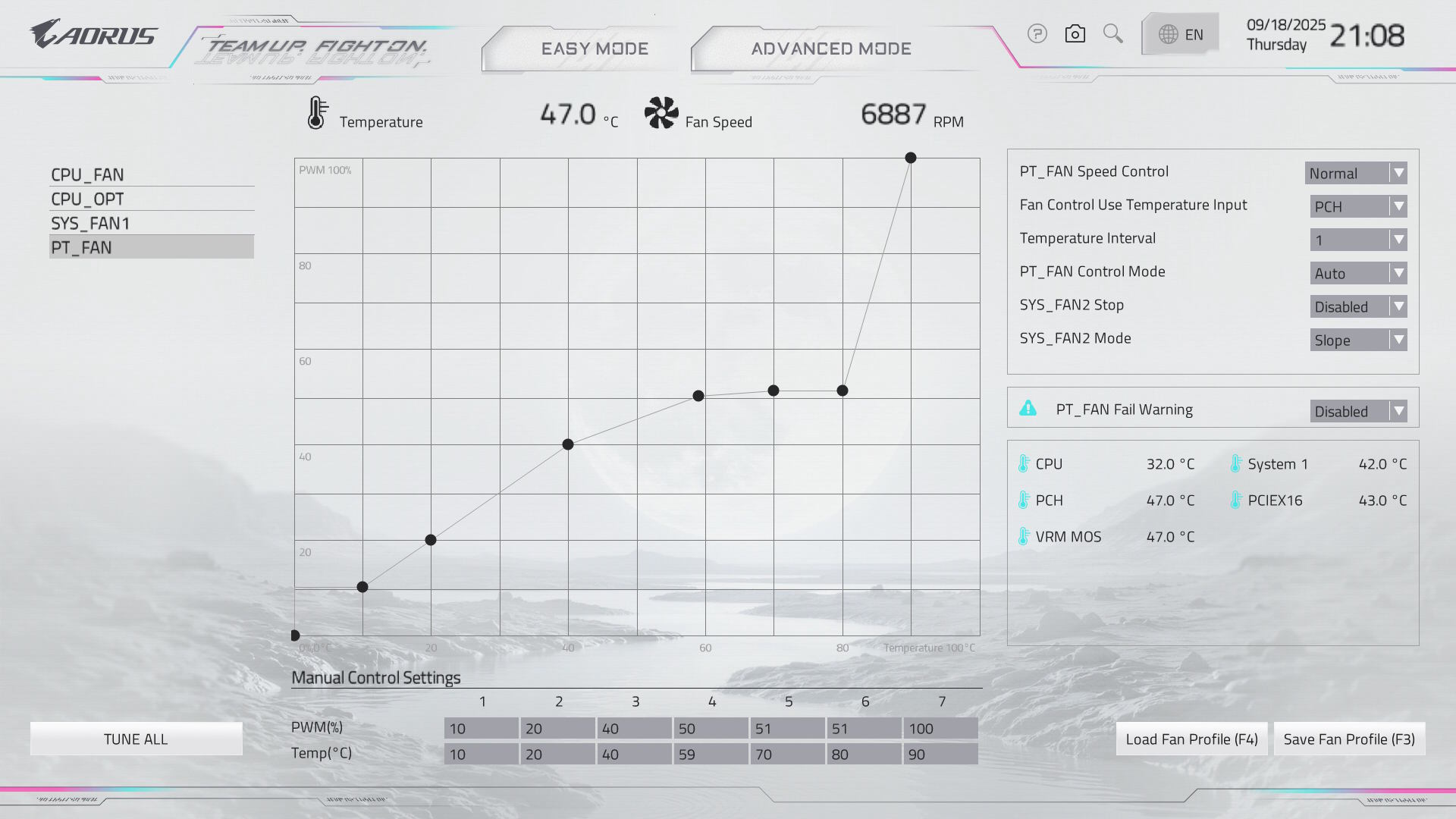
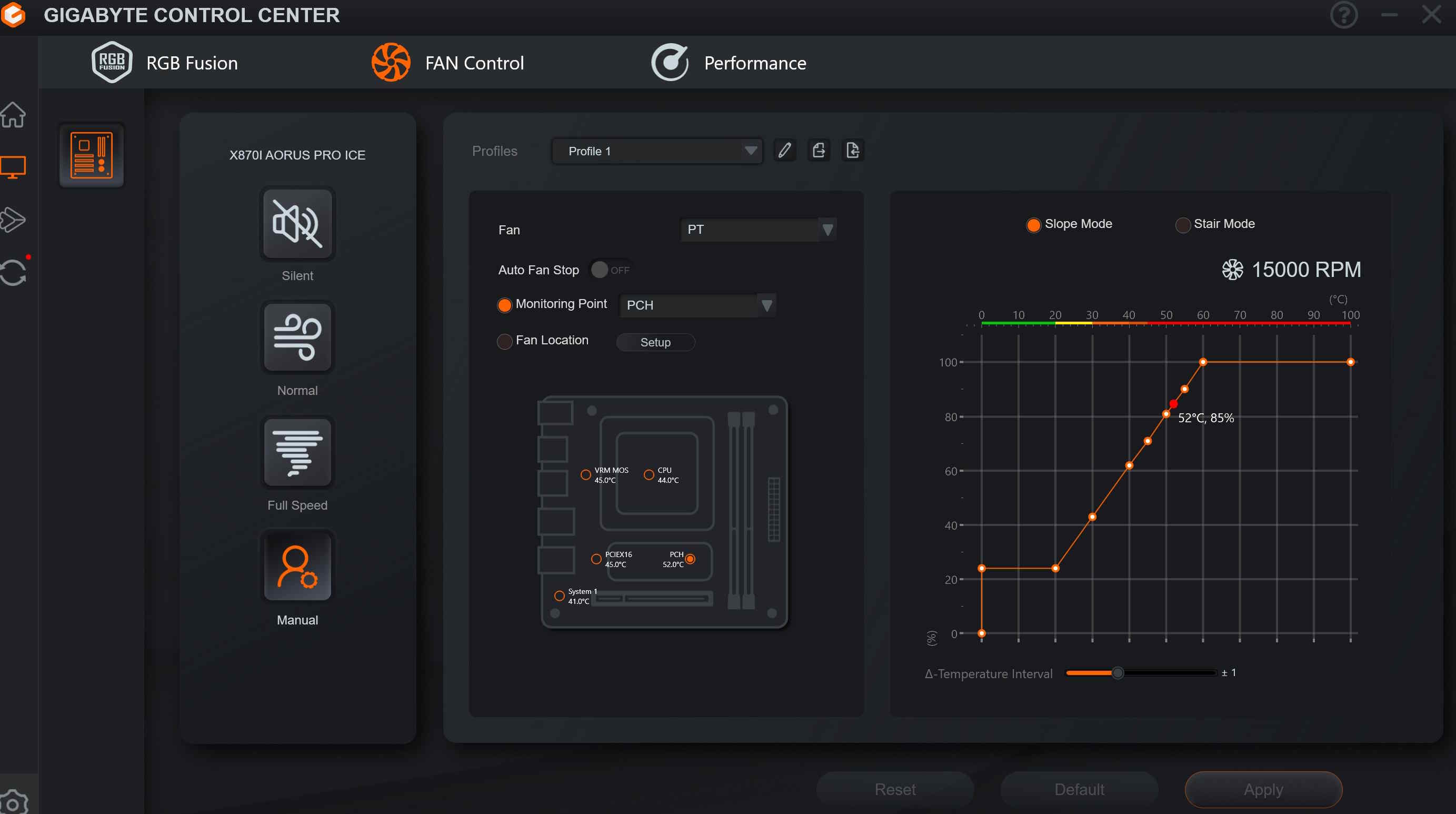
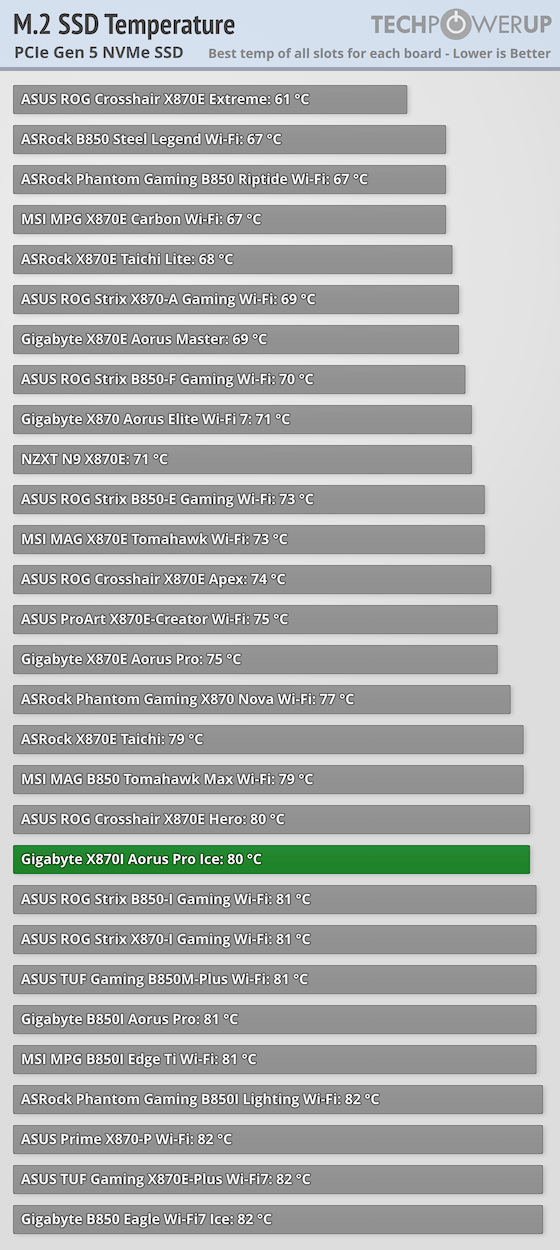
The M.2 fan is a bit of an issue in the stock out-of-the-box configuration, for several reasons. Firstly, the software and BIOS have quite different fan curves for the PT-FAN option, where the software will quickly ramp up the speed to extreme levels. Even the EFI will see audible fan speed levels with the PCH rising far above 50°C and with it sitting at around 60°C most of the time, that becomes a bit of a problem. Interestingly, the fan curve seemed to be a little less aggressive than the B850 model, but thankfully there are still two simple things you can do to drastically improve the situation.
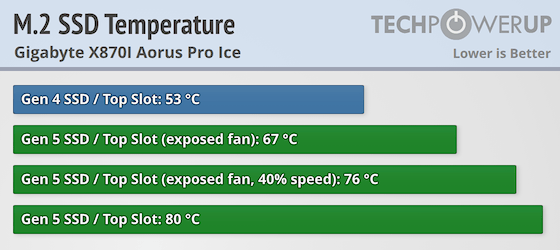
Firstly, get rid of the loosely-fitted plastic fascia on top of the M.2 heatsink. This massively improves the airflow to the fan—so much so in fact that it cut the peak temperature of our PCIe Gen 5 SSD from 80°C to just 67°C. The next thing is to manually limit the fan speed to 40 percent. This was the upper limit to sit below the idle noise of the system as a whole. Your experience may vary, but even here, it was still 4°C cooler than with the full speed fan and fascia attached, easily taming our PCIe Gen 5 SSD in its extended stress test.
Out of the box the temperature here of 80°C was just about passable, but dangerously close to throttling. The PCIe Gen 4 temperature peaked at 53°C, but even with the fan totally disabled, it was still miles away from throttling, so for owners of PCIe Gen 4 and older models, there isn't a need to have the fan on.
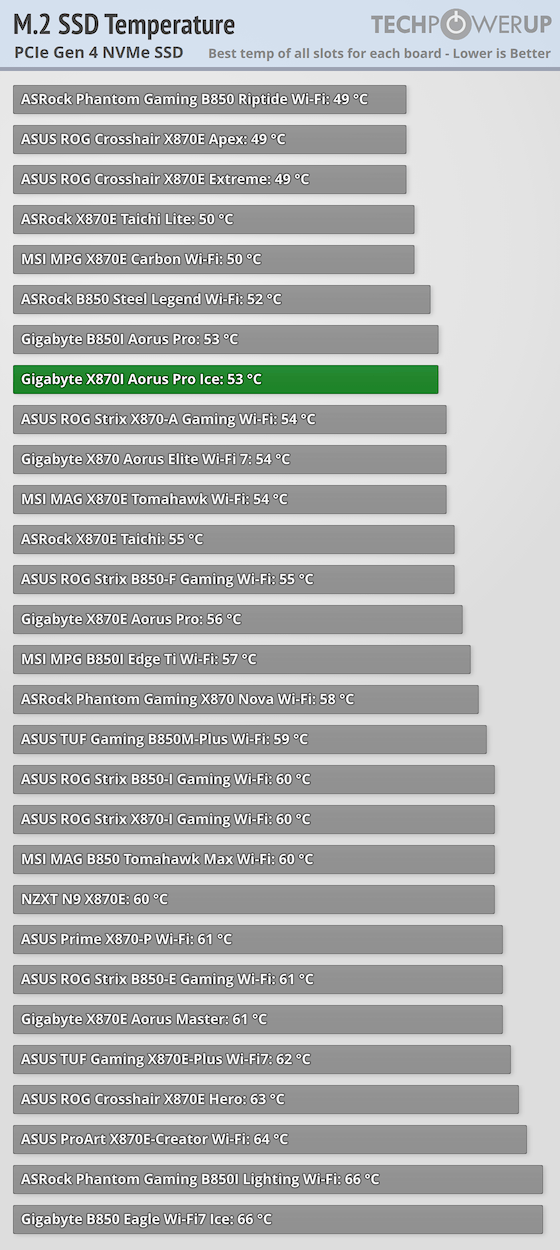
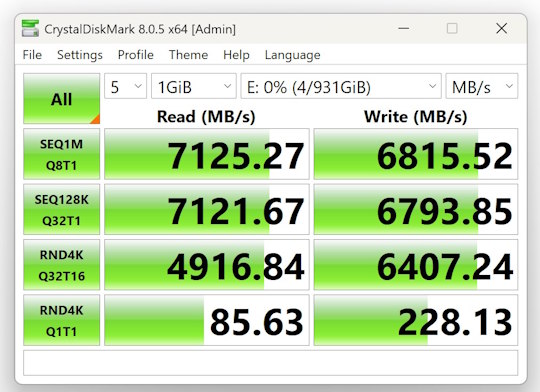
PCIe Gen 4 Performance (Samsung 990 Pro)
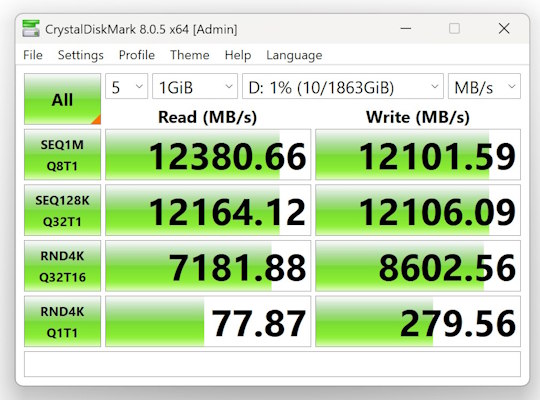
PCIe Gen 5 Performance (Team Group T-Force Z540)
Nov 29th, 2026 11:48 CST
change timezone
Latest GPU Drivers
New Forum Posts
- What are you playing? (26265)
- X79 and/or rampage IV OC'ing thread for those of us still left.... (2462)
- ASUS Prime 5060 ti 16gb x4 instead of x8 PCIe (14)
- Asus XG27AQWMG-R none of the oled care features work except for the proximity sensor but nonexistent grey banding to my eyes. (6)
- What's your main Black Friday / Cyber Monday purchase? (53)
- Which Xfinity modem/router setup supports network printing/scanning between a wired PC and a Wi-Fi Brother MFC-L8900CDW printer? (3)
- V Rising Lycanthropy Club (24)
- TPU's Nostalgic Hardware Club (22212)
- Windows 11 General Discussion (7753)
- Which new games will you be buying? (371)
Popular Reviews
- Upcoming Hardware Launches 2027 (Updated Nov 2026)
- Moaiplay Ora Pro G1 850 Review
- Montech CyberFlow ARGB 360 Review
- AMD Ryzen 7 9800X3D Review - The Best Gaming Processor
- ORICO Obook15 AI Review
- AMD Zen 6 Technical Deep Dive
- VZMORE AX9 Max Review
- Acemagic Retro X3 Review
- Phantom Blade Zero Performance Benchmark Review - 35 GPUs Tested
- Microsoft Surface Laptop Ultra Review - The Next-gen Arm Laptop
TPU on YouTube
Controversial News Posts
- Jensen Huang Reinstated as CEO of NVIDIA (633)
- NVIDIA Co-Founder and CEO Jensen Huang Officially Resigns (492)
- Report: Jensen Huang Eyes NVIDIA Comeback (281)
- Open Letter Asking NVIDIA to Reinstate Jensen Huang Passes 115,000 Signatures (184)
- OpenAI CEO Argues Home PCs Waste the World's Limited DRAM Supply (154)
- NVIDIA Launches Investigation Into Jensen Huang's Relationship With Suspected Chinese Spy (136)
- Intel Razor Lake Gets a 12 P-Core bLLC Chip With No E-Cores, Per Leak (94)
- NVIDIA GeForce RTX 50-Series Scheduled for up to $500 Price Hike This Week (89)