 0
Gigabyte Z590 AORUS Pro AX Review
(0 Comments) »Introduction

After almost a decade of total market dominance, Intel has spent the past few years on the defensive. AMD's Ryzen processors continue to show improvement year over year, with the most recent Ryzen 5000 series taking the crown of best gaming processor: Intel's last bastion of superiority.
Now, with a booming hardware market, Intel is preparing to retake some of that lost ground with the new 11th Gen Core Processors. Intel is claiming these new 11th Gen CPUs offer double-digit IPC improvements despite remaining on a 14 nm process. The top-end 8-core Intel Core i9-11900K may not be able to compete against its AMD rival Ryzen 9 5900X in heavily multi-threaded scenarios, but the higher clock speeds and alleged IPC improvements could be enough to take back the gaming crown. Along with the new CPUs, there is a new chipset to match, the Intel Z590. Last year's Z490 chipset motherboards are also compatible with the new 11th Gen Core Processors, but Z590 brings some key advantages.
First, Z590 offers native PCIe 4.0 support from the CPU, which means the PCIe and M.2 slots powered off the CPU will offer PCIe 4.0 connectivity when an 11th Gen CPU is installed. The PCIe and M.2 slots controlled by the Z590 chipset are still PCI 3.0. While many high-end Z490 motherboards advertised this capability, it was not a standard feature for the platform. In addition to PCIe 4.0 support, Z590 offers USB 3.2 Gen 2x2 from the chipset. The USB 3.2 Gen 2x2 standard offers speeds of up to 20 Gb/s. Finally, Z590 boasts native support for 3200 MHz DDR4 memory. With these upgrades, Intel's Z series platform has feature parity with AMD's B550. On paper, Intel is catching up to AMD, but only testing will tell if these new Z590 motherboards are up to the challenge.

The AORUS line from Gigabyte spans a broad range of products: laptops, peripherals, and core components. Across the enthusiast spectrum, the AORUS name denotes Gigabyte's gaming-focused products, with the AORUS motherboard range featuring a consistent naming scheme that includes the Pro, Elite, Ultra, Master, and Extreme motherboards. Within this lineup, the AORUS Pro AX is Gigabyte's mainstream offering with a strong feature set and palatable price.
The Gigabyte Z590 AORUS Pro AX features an impressive direct 13-phase VRM utilizing 90 A power stages and Gigabyte's signature finned cooling solution. An ample helping of USB ports as well as 2.5 Gb/s Ethernet and four M.2 slots promote superior connectivity, while Gigabyte's signature AORUS styling provides an attractive, neutral platform to build on. The Gigabyte Z590 AORUS Pro AX is promising on paper, so let's see how it performs in practice!
Specifications
| Specifications | |
|---|---|
| CPU Support: | Intel 10th Gen/ 11th Gen Core Processors |
| Power Design: | CPU Power: 13-phase* Memory Power: 2-phase |
| Chipset: | Intel Z590 |
| Integrated Graphics: | Dependent on installed CPU |
| Memory: | 4x DIMM, supports dual-channel DDR4-5400 (OC) MHz |
| BIOS: | Dual AMI UEFI BIOS |
| Expansion Slots: | 3x PCIe 3.0 x16 slots (x16/x0/x4 or x8/x8/x4) |
| Storage: | 6x SATA 6 Gb/s ports 4x M.2 ports (SATA3/PCIe x4) |
| Networking: | 1x Intel 2.5 Gbps LAN 1x Intel Wi-Fi 6 AX210 |
| Rear Ports: | 1x USB Type-C® port, with USB 3.2 Gen 2x2 support 4x USB 3.2 Gen 2 Type-A ports (red) 4x USB 3.2 Gen 1 ports 4x USB 2.0/1.1 ports 2x SMA antenna connectors (2T2R) 1x DisplayPort 1x RJ-45 port 1x optical S/PDIF Out connector 5x audio jacks |
| Audio: | 1x Realtek ALC4080 codec |
| Fan Headers: | 8x 4-pin |
| Form Factor: | ATX Form Factor: 12.0 x 9.6 in.; 30.5 x 24.4 cm |
| Exclusive Features: |
|
Packaging and Contents


The front of the Gigabyte Z590 AORUS Pro AX box features a dark background dominated by the AORUS logo. "Z590 AORUS Pro AX gaming motherboard" is printed in white and orange on the left side, with the brand badging on the right.
The back of the box has all the highlights: a top-down shot of the board, several panels detailing prominent features, a shot of the rear I/O, and the specifications list. The box design is well executed and matches the board perfectly.

The accessories are above standard and include extras like RGB extension cables, thermistors, and Gigabyte's G-Connector. Notably absent is any kind of rear I/O shield because the shield is integrated into the board.
The full list of accessories includes:
- Manual
- AORUS badge
- 4x SATA 6 Gb/s cables
- Thermistor cable pack
- RGB extension cable
- G-Connector
- Wi-Fi antenna
Board Layout


The Z590 AORUS Pro AX features a black PCB matched with a black and gray I/O cover and heatsinks.


The CPU socket is open enough for most air coolers. The VRM features a finned heatsink design with direct touch heatpipes to maximize cooling performance.


There are four M.2 slots on the Gigabyte Z590 AORUS Pro AX. All four slots feature double-sided full-coverage heatsinks.
Note that the top M.2 slot is PCIe 4.0 compliant and will only function when an 11th Gen CPU is installed.


The Gigabyte Z590 AORUS Pro AX offers three PCI Express x16 slots. The top slot is metal-reinforced and PCIe 4.0 compliant, while the bottom two slots are PCIe 3.0 only. The board has a total of six SATA 6 Gb/s ports on the side, angled 90 degrees from the board.

The Gigabyte Z590 AORUS Pro AX has a good I/O offering that includes an optical S/PDIF Out port, Wi-Fi 6, and lots of USB connectivity.
- USB Type-C port with USB 3.2 Gen 2x2 support
- 4x USB 3.2 Gen 2 Type-A ports (red)
- 4x USB 3.2 Gen 1 ports
- 4x USB 2.0/1.1 ports
- 2x SMA antenna connectors (2T2R)
- DisplayPort
- RJ-45 port
- optical S/PDIF Out connector
- 5x audio jacks
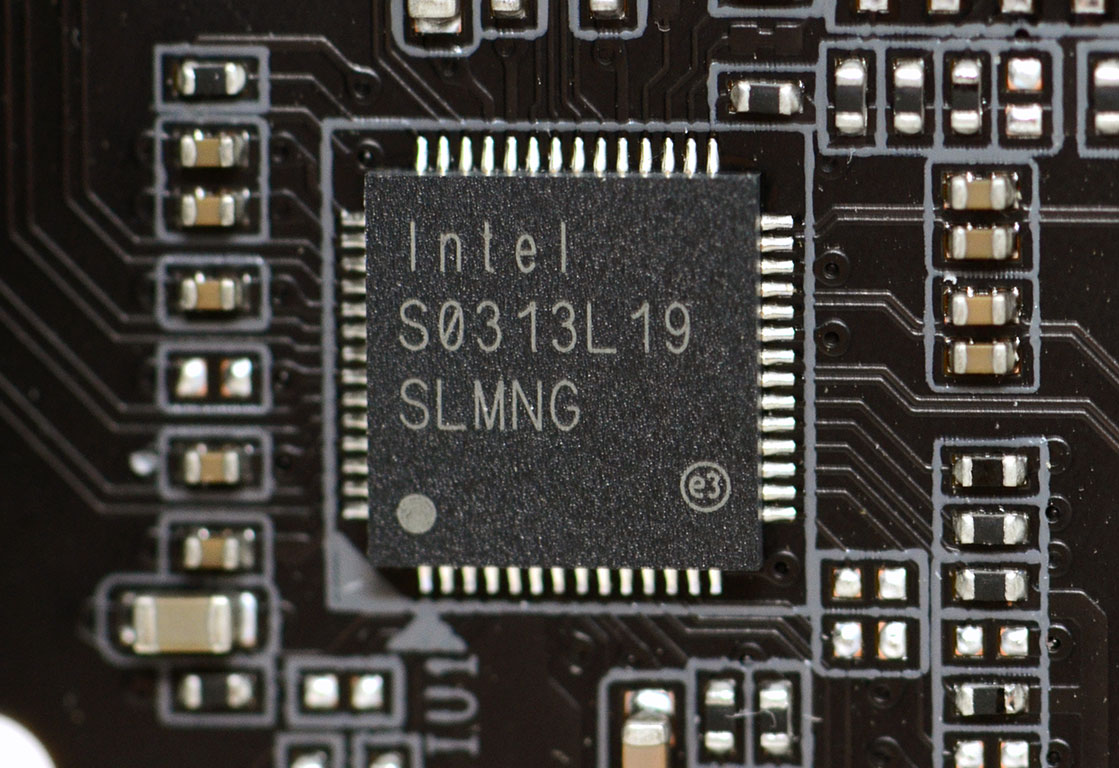
Networking on the Gigabyte Z590 AORUS Pro AX is handled by an Intel 2.5 Gb/s controller. For wireless connectivity, there is an AX201 Wi-Fi 6 module.
Our Patreon Silver Supporters can read articles in single-page format.
Nov 15th, 2026 21:45 CST
change timezone
Latest GPU Drivers
New Forum Posts
- Asus Rog Maximus Z890 Extreme. (Various questions). (26)
- GPU Temperatures Rise Very Quickly in FurMark – Is This Normal? (7)
- Will zen 6 mobos have anything extra vs current ones? (46)
- Your PC ATM (36435)
- It’s been fascinating times in Retro agian r36s isn’t even worth 50-65 dollars no more and newly listed Rm36 64gb 4in IPS models for only 34 dollars. (6)
- Power supply noise stops when I move the mouse (10)
- Can you guess Which game it is? (320)
- What is the latest game you finished or 100% (203)
- HP Office Jet 7740 Pro - Supply system problem with replacement cartridge (4)
- What are you playing? (26224)
Popular Reviews
- ASUS ROG Strix B850-I Gaming Wi-Fi7 W Review
- Corsair HX1000i Shift Crystal Review
- AMD Zen 6 Technical Deep Dive
- Upcoming Hardware Launches 2027 (Updated Nov 2026)
- Montech King 95 3D PRO Review
- NZXT C1200 Platinum Review
- Phantom Blade Zero Performance Benchmark Review - 35 GPUs Tested
- AMD Ryzen 7 9800X3D Review - The Best Gaming Processor
- NZXT H5 Review
- NZXT H7 RGB+ Review
TPU on YouTube
Controversial News Posts
- NVIDIA Co-Founder and CEO Jensen Huang Officially Resigns (430)
- Open Letter Asking NVIDIA to Reinstate Jensen Huang Passes 115,000 Signatures (184)
- OpenAI CEO Argues Home PCs Waste the World's Limited DRAM Supply (152)
- NVIDIA Launches Investigation Into Jensen Huang's Relationship With Suspected Chinese Spy (136)
- Intel "Raptor Lake Next" 16-Core and 20-Core CPUs Surface (130)
- Legendary Game Studio BioWare Shuts Down Following EA Layoffs (104)
- Dell CEO Says the Memory Shortage Will Get Worse in 2027 (95)
- NVIDIA GeForce RTX 50-Series Scheduled for up to $500 Price Hike This Week (89)