 15
Gigabyte Z890 Aorus Elite Duo X Review
Component Analysis »Board Layout
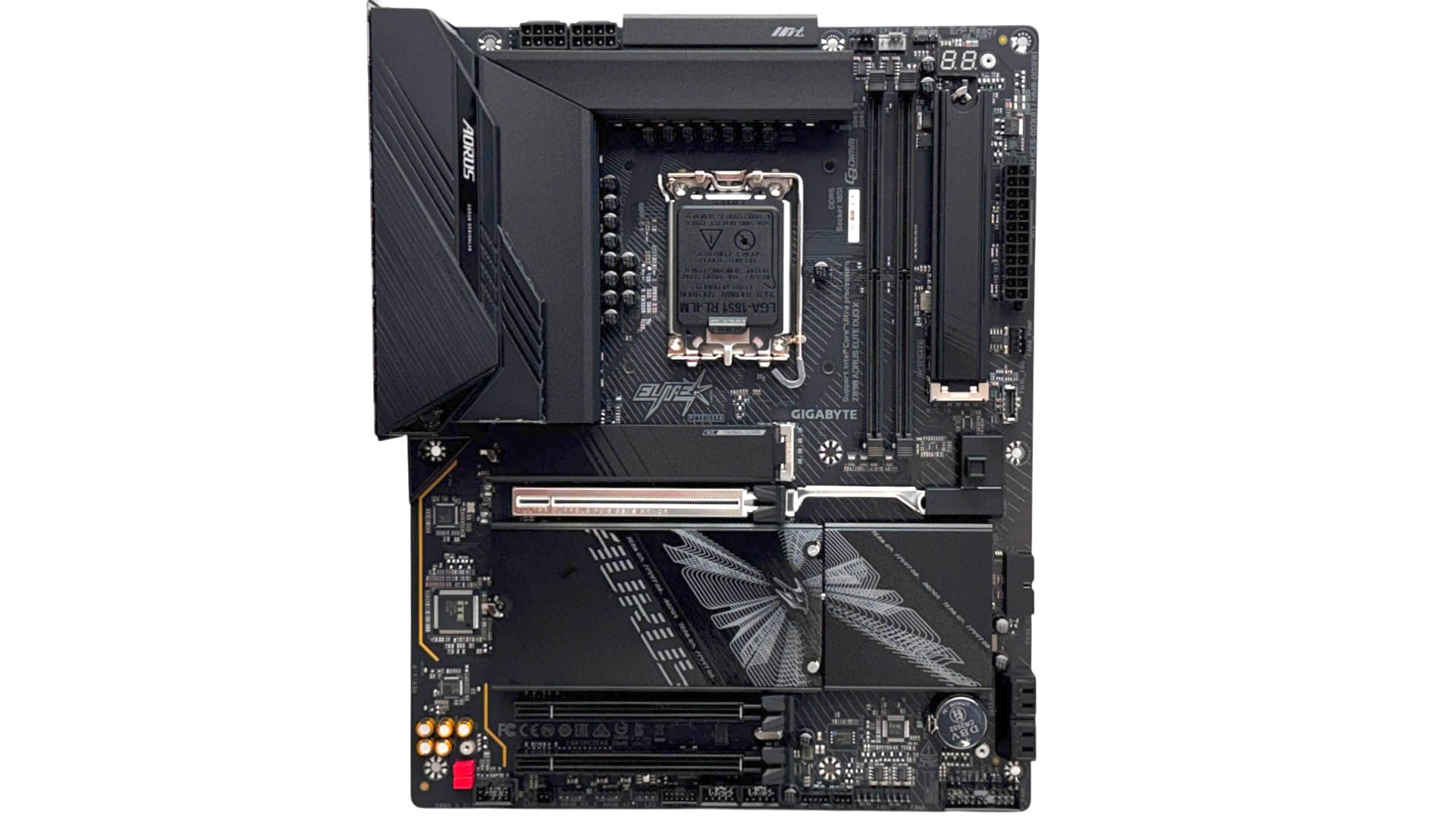
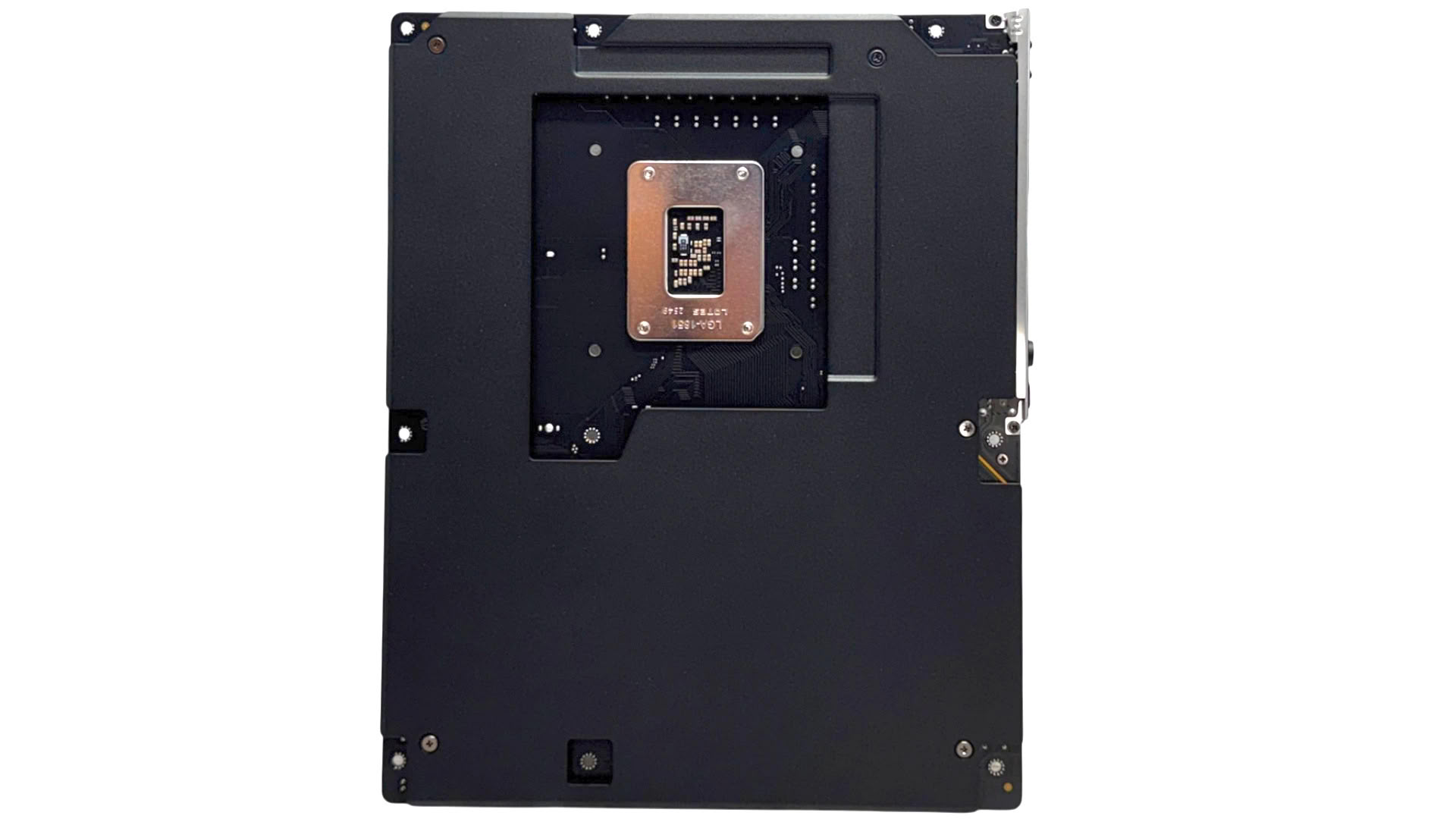
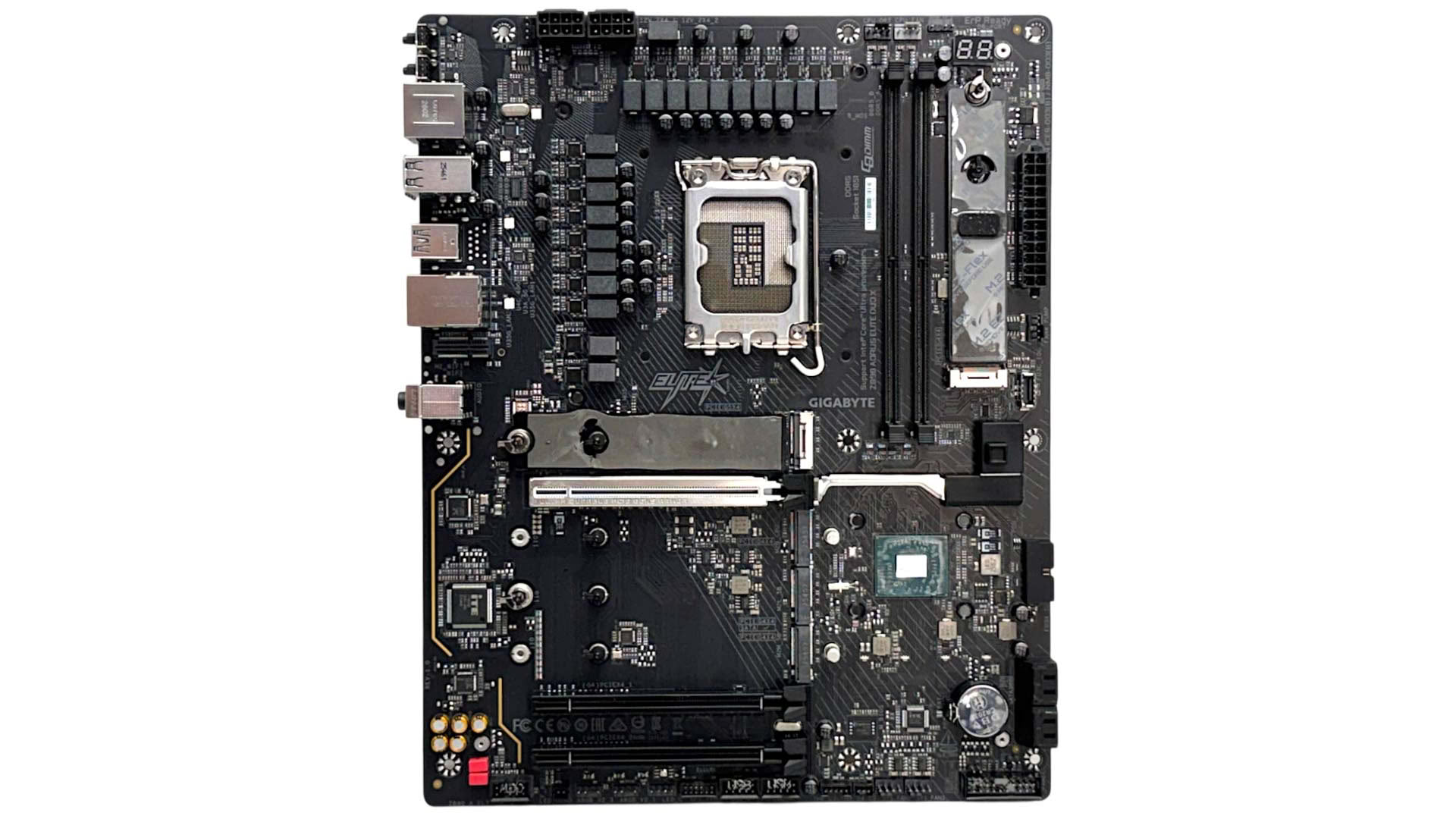
It's certainly rare to see what is essentially a mid-range ATX motherboard with just two DIMM slots, as this is usually reserved for overclocking-focussed boards. The rest of the PCB is predominantly black, with large VRM heatsinks and a plastic shroud top. There are three SSD heatsinks catering to four M.2 ports and a generous three PCIe slots, all full-length. The Z890 Aorus Elite Duo X also benefits from a rear backplate that cools the back of the VRMs.
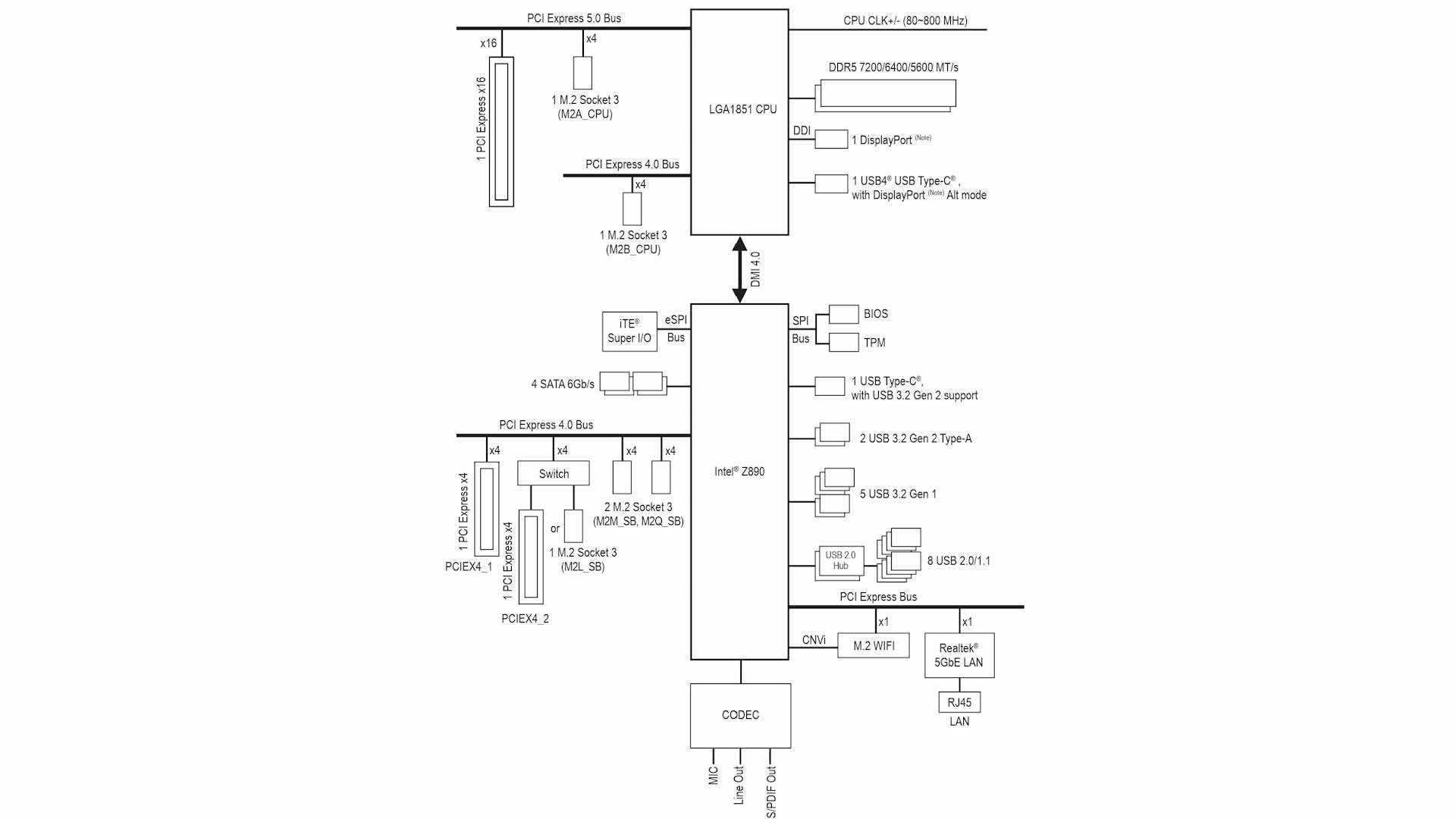
Bandwidth sharing is minimal and in part this is thanks to limited PCIe Gen 5 availability as well as a lack of the usual pair of Thunderbolt 4 ports. Only the primary PCIe slot and M.2 slot above it support up to PCIe Gen 5, with the rest of the ports and slots limited to Gen 4. Bandwidth sharing only occurs between the lowest PCIe slot and third M.2 port, with the former being disabled if the M.2 port is used. Still, this means that two PCIe devices and three M.2 SSDs can be used at the same time with none seeing a loss of bandwidth.
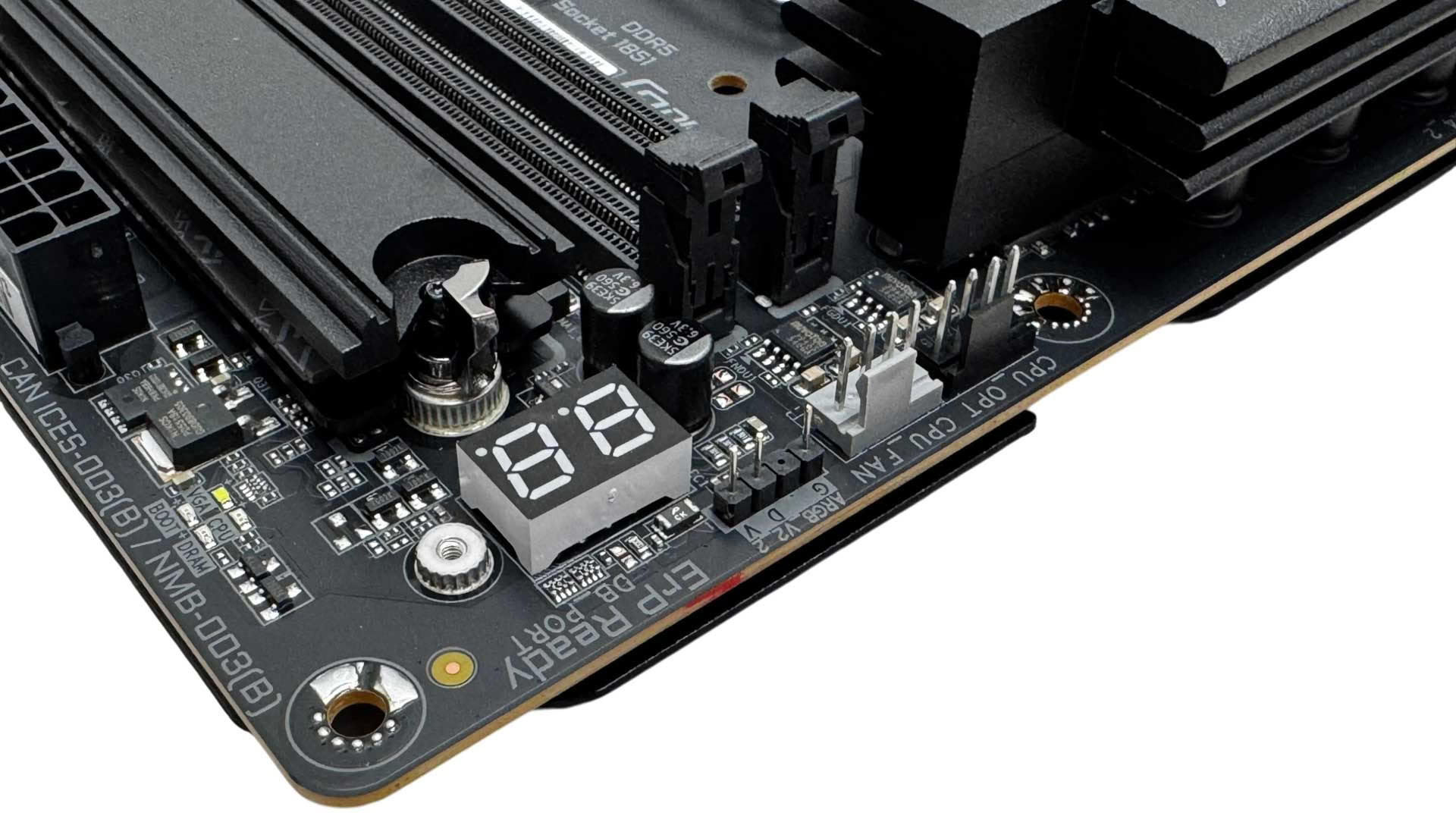
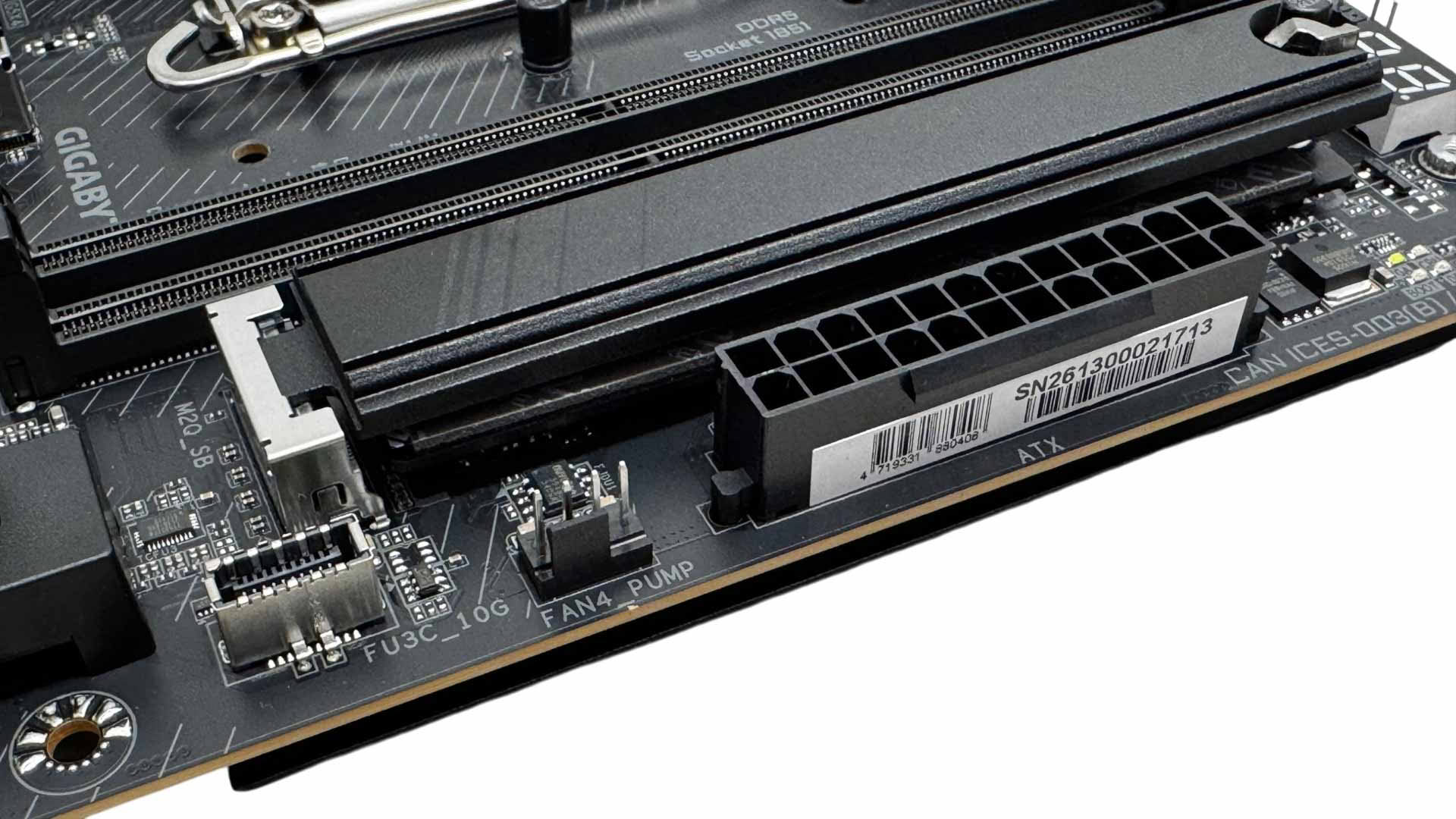
While the six 4-pin fan headers is below average in number, they do at least all support 24 W/12 A so are very flexible when it comes to powering multiple high-power fans from single headers. Two of these are located in the top right corner along with a 3-pin ARGB header and LED POST code display. There's a fourth fan header next to the side M.2 port, next to a disappointing USB Type-C header that lacks enhanced power delivery and is limited to just USB 3.2 Gen 2 10 Gbps.
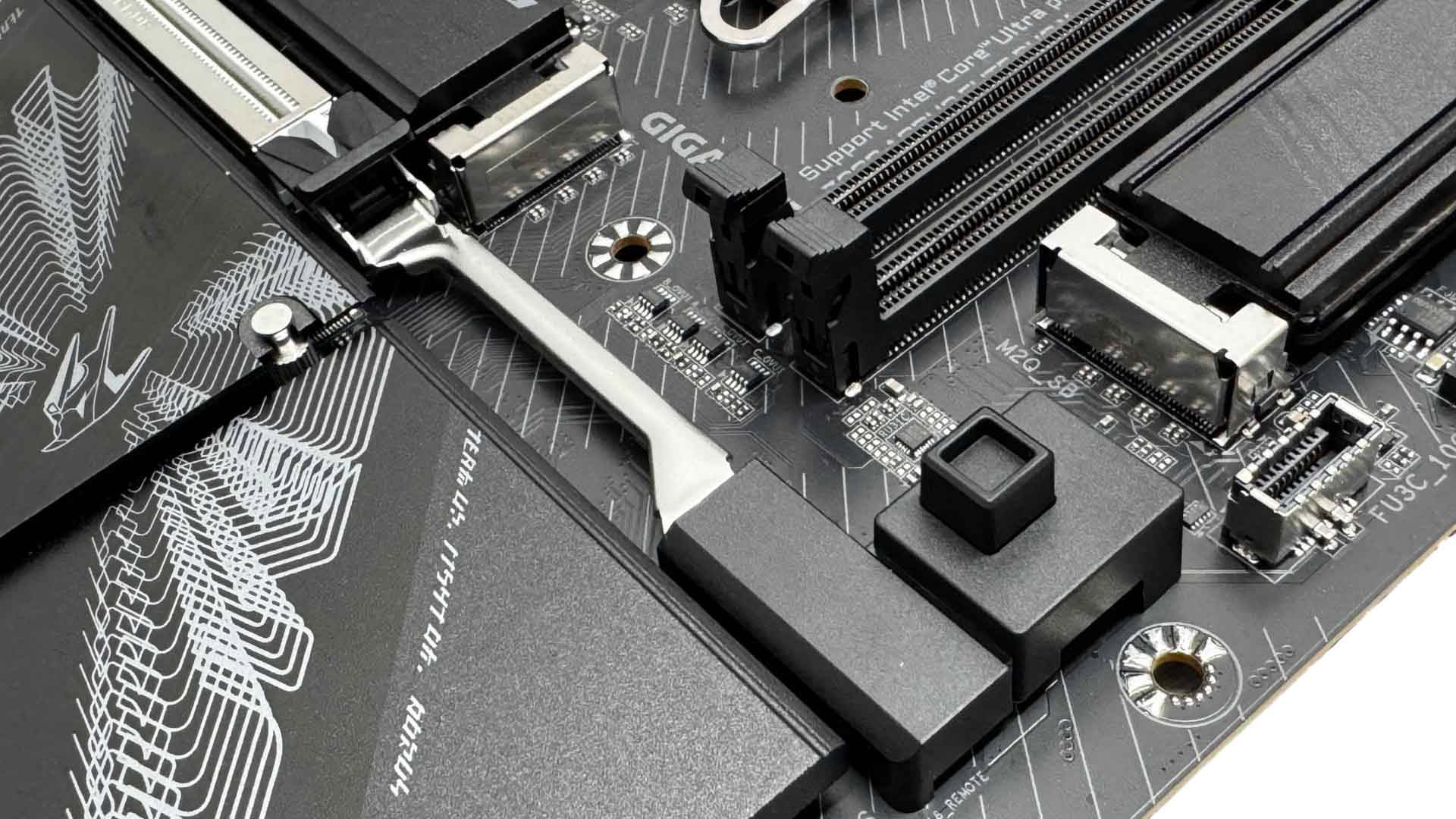
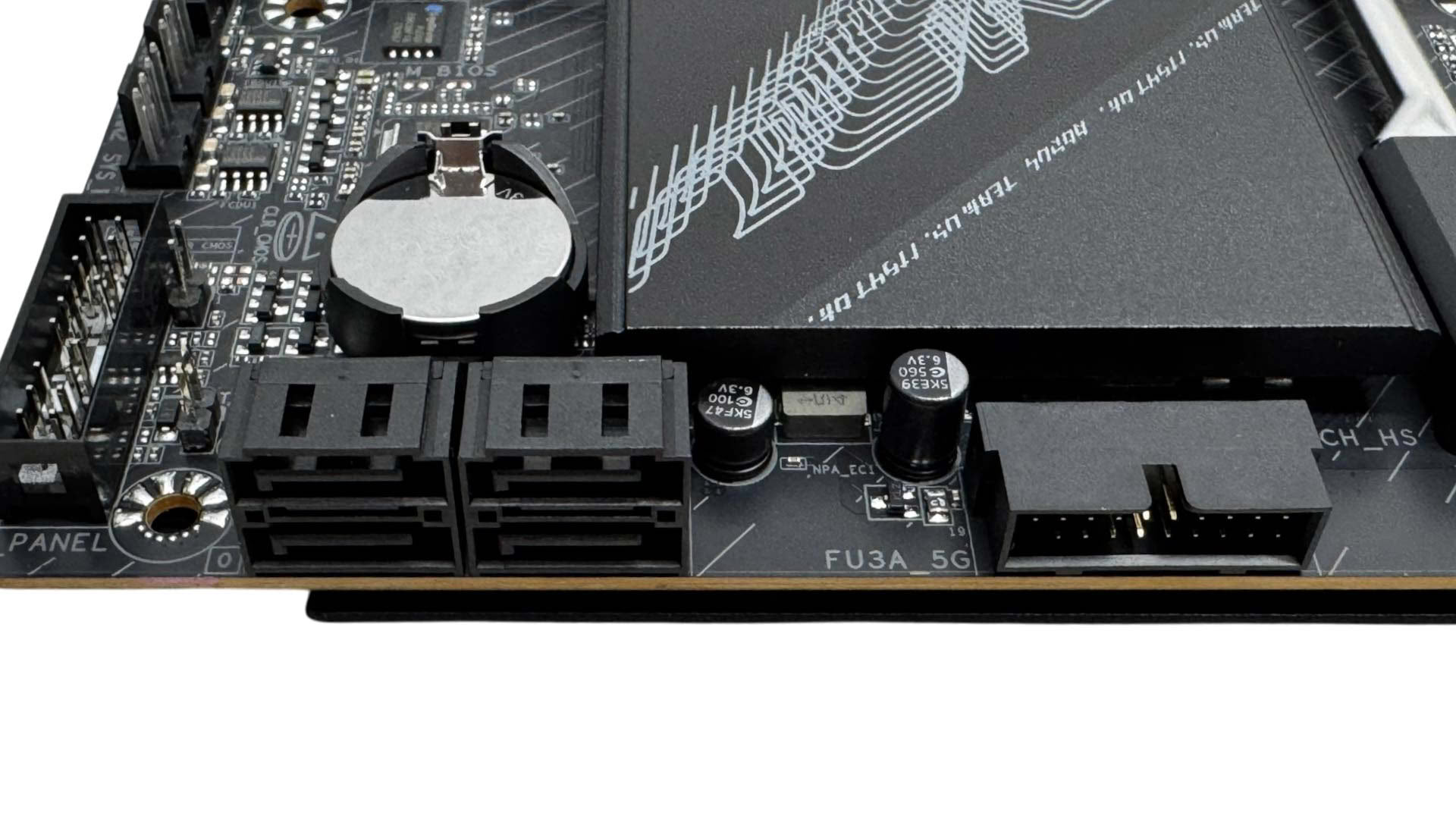
Gigabyte's enhanced GPU release mechanism, or PCIe EZ-Latch Plus, has long been one of our favorites, using a simple push-to-open, automatically locking mechanism that's more intuitive than having to press the button for both opening and locking. Further down, and we have a USB 3.0 header and four SATA ports.
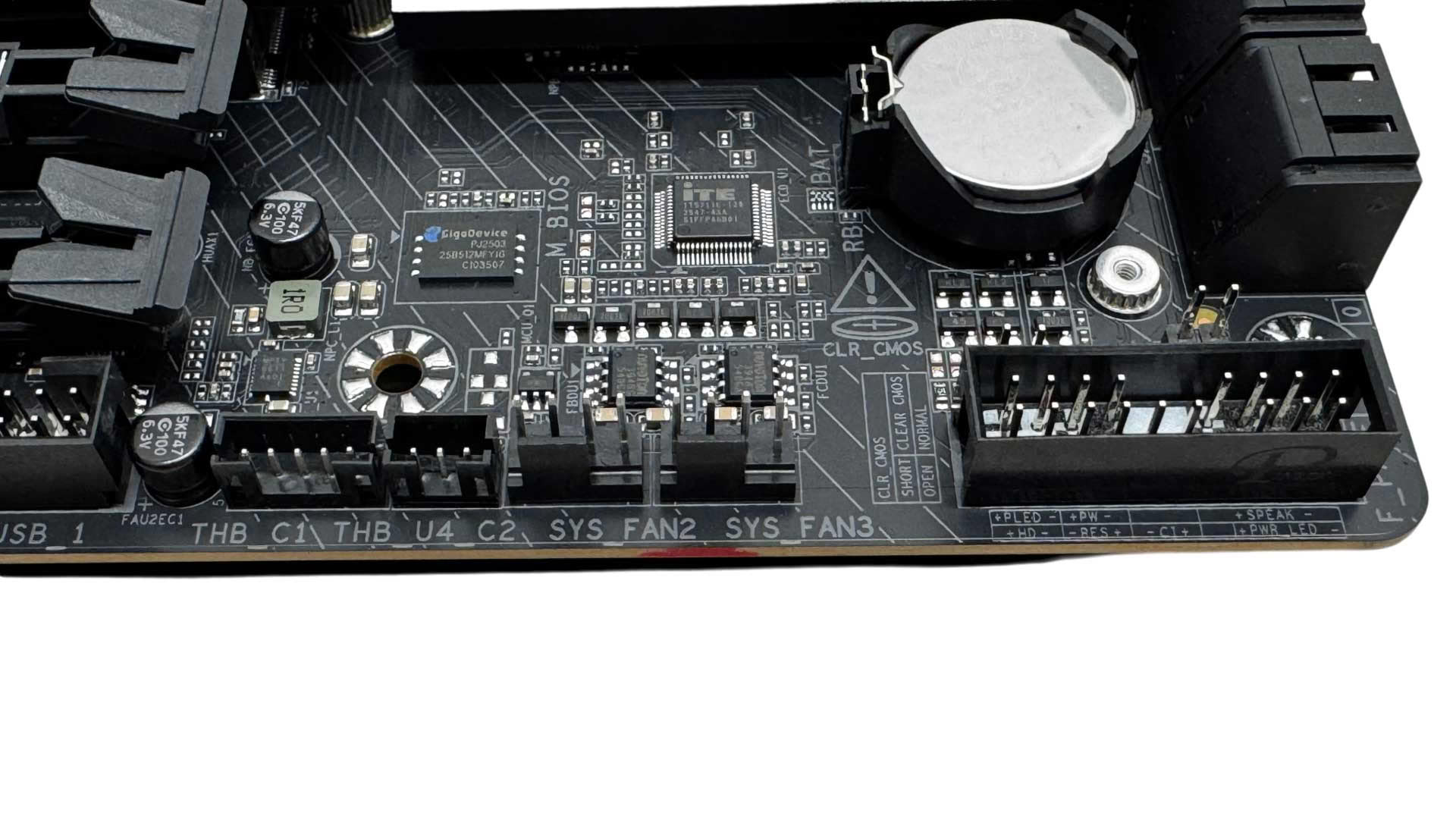
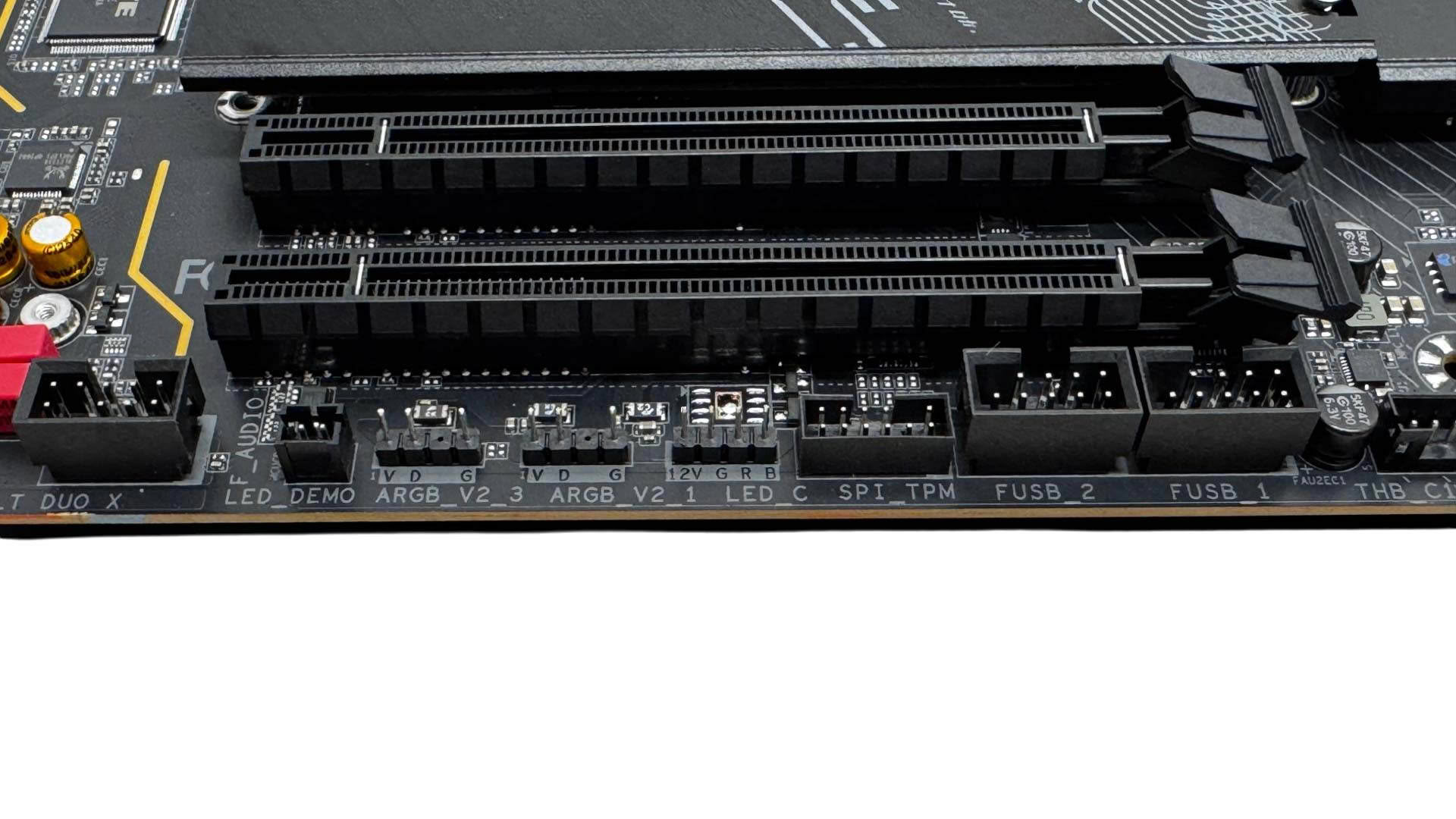
Next to the front panel header we have two more fan headers as well as a pair of Thunderbolt 5 add-in card headers. Next we have a pair of USB 2.0 headers as well as a further pair of 3-pin ARGB headers and single 4-pin RGB header. The lower PCIe slots are both PCIe Gen 4 with the lower slot sharing bandwidth with the third M.2 port.
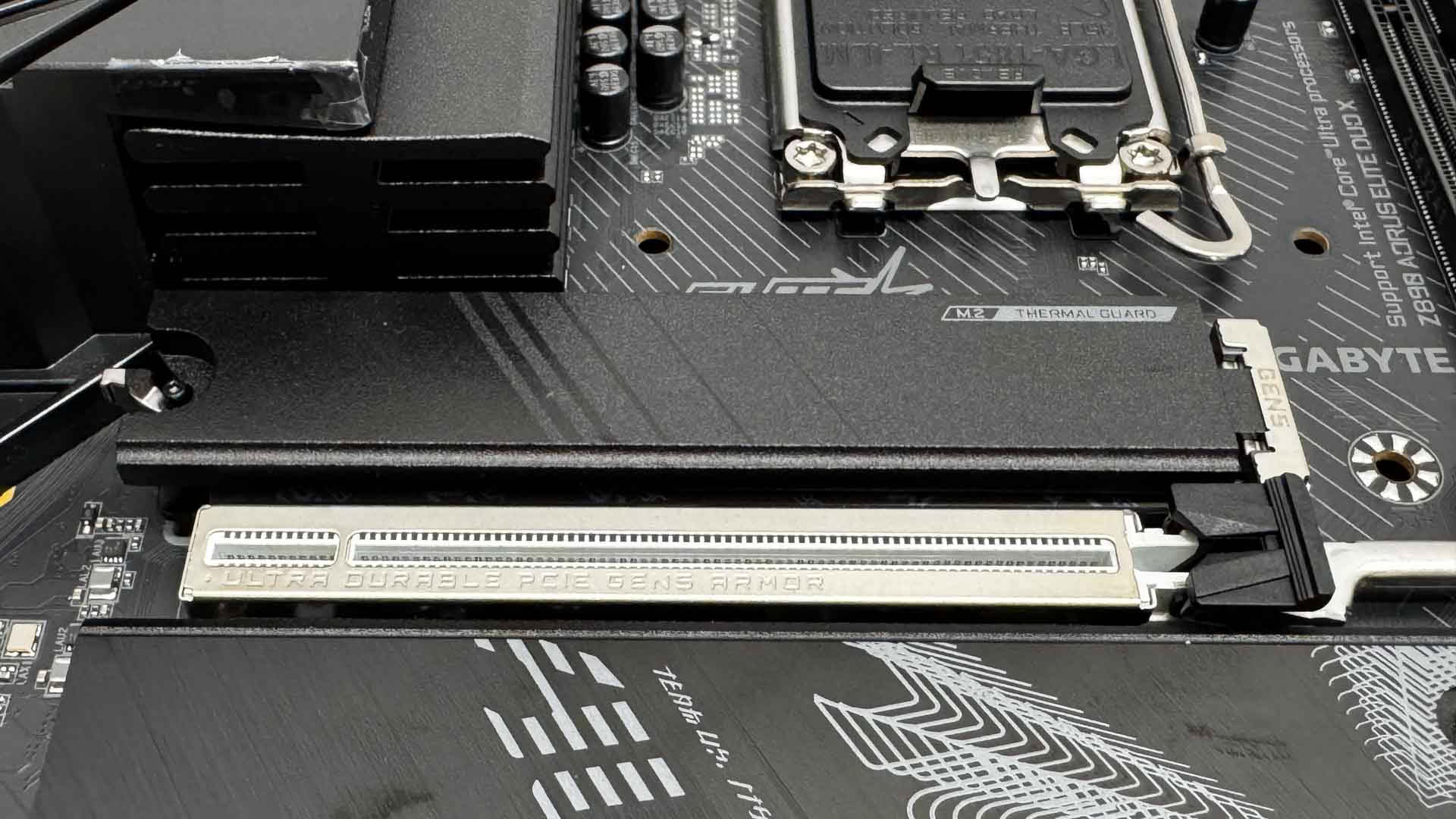
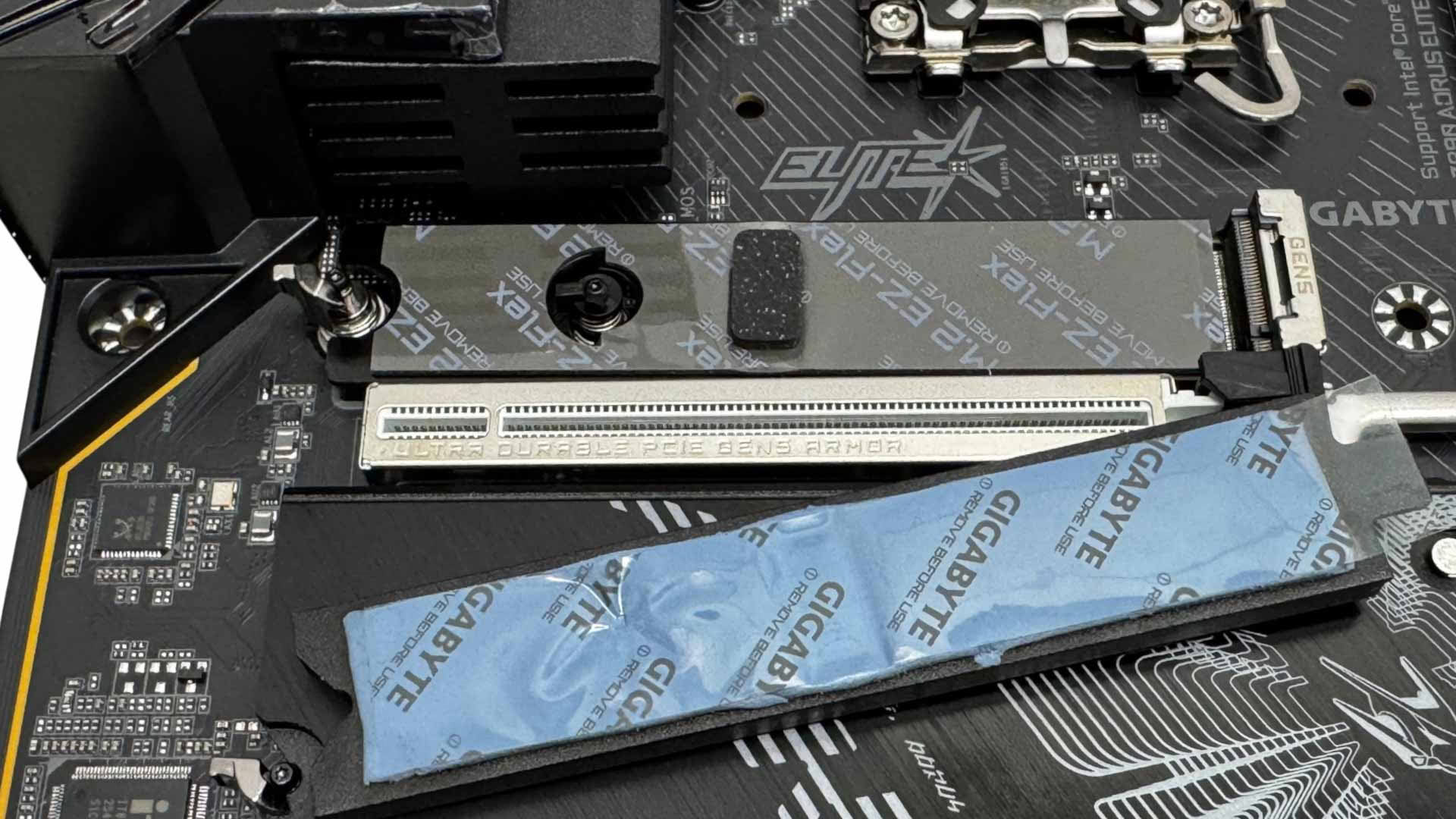
The top M.2 port is the only PCIe Gen 5-capable port here, which isn't much of an issue at the moment, but longer term could put the board at a disadvantage. The heatsink is relatively small to be dealing with PCIe Gen 5 SSDs, but the slot does at least offer full-length underside cooling for double-sided SSDs too. Like all the other slots here, the heatsink is tool-free as is SSD installation.
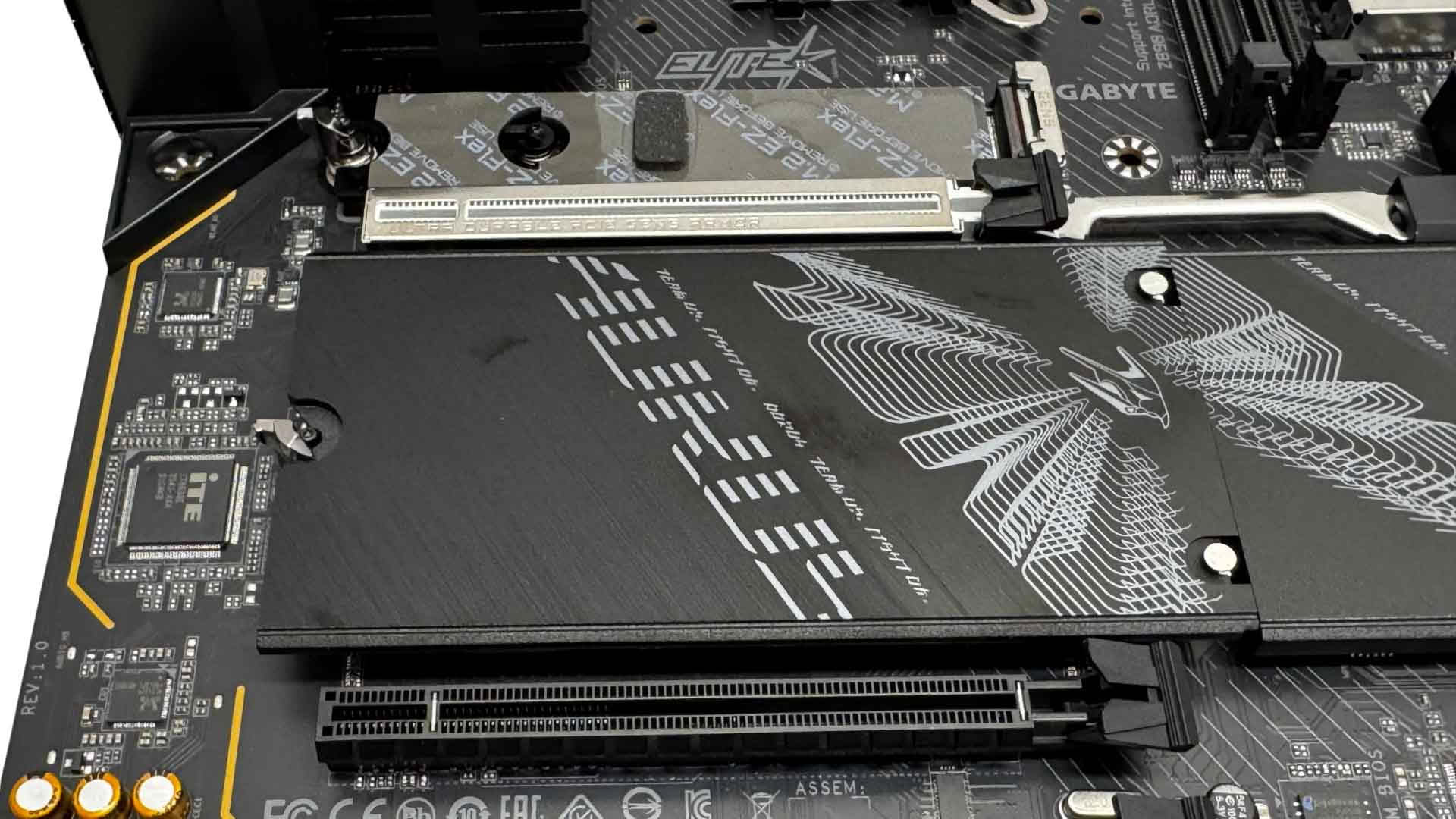
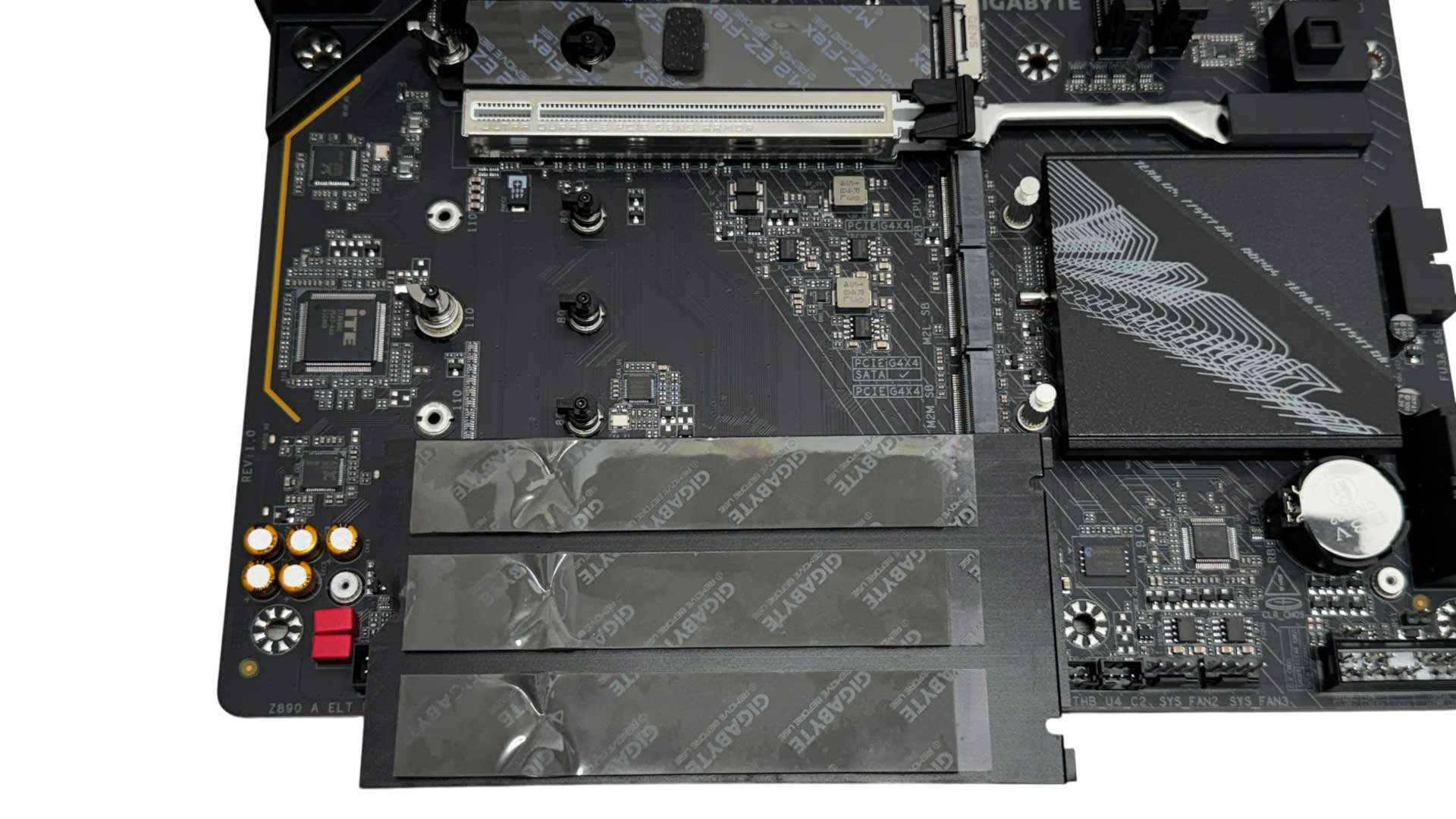
The lower heatsink is larger, but does sit underneath your graphics card. The three PCIe Gen 4 M.2 slots here lack underside cooling, but this isn't really needed with Gen 4 SSDs. However, this does mean you'll need to use the included support pads for both single and double-sided SSDs, both pads for the former and the single larger pad for the latter.
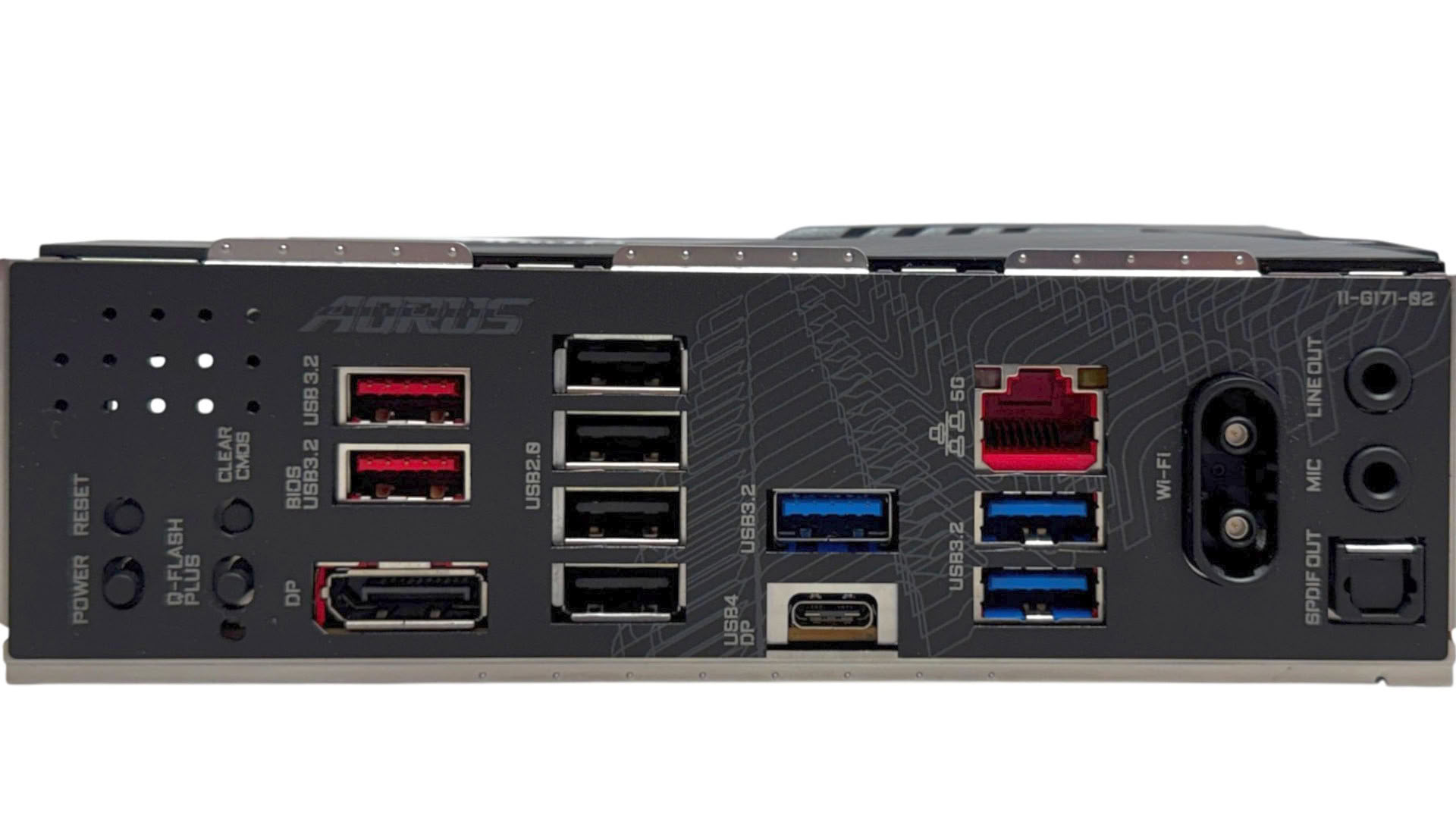
The rear I/O panel has a decent number of Type-A USB ports, although four of these are USB 2.0. Gigabyte has also decided to ditch Thunderbolt 4 in favor of a single USB4 port that supports DisplayPort output. With a single dedicated DisplayPort, without a graphics card, the board only supports two monitors. It's good to see power, reset, CMOS clear and USB BIOS flashback buttons, even if the latter is likely not going to be needed in the future. We also have a single 5 Gbps Ethernet port, single WI-FI EZ-Plug connector, audio jacks, and optical output.
Nov 23rd, 2026 23:47 CST
change timezone
Latest GPU Drivers
New Forum Posts
- The time has come to upgrade...my desktop (0)
- Which ryzen am5 cpu ? (198)
- Your PC ATM (36481)
- SATA drive 1.4 GBps with Intel X25-E on Windows 98! (42)
- RAM overclock cause worse feeling than JEDEC (10)
- DTS DCH Driver for Realtek HDA [DTS:X APO4 + DTS Interactive] (2819)
- WarpCoreBench scores! (96)
- Increasing Power Limit? (20)
- Gacha Games - Discussions, Pulls, Updates, etc. (1162)
- RX 580 2048SP 8GB - SK Hynix - Ardiyes - BIOS Needed (4)
Popular Reviews
- Microsoft Surface Laptop Ultra Review - The Next-gen Arm Laptop
- ASRock X870E Challenger Wi-Fi White Review
- Upcoming Hardware Launches 2027 (Updated Nov 2026)
- Corsair RM1200e (Second Generation) Review
- AMD Ryzen 7 9800X3D Review - The Best Gaming Processor
- AMD Zen 6 Technical Deep Dive
- AMD Ryzen 7 7700X3D Review
- Pulsar Office Tour & First Look at P1 Dual-Sensor Mouse
- Ugreen NASync DXP4800 GT Review
- Phantom Blade Zero Performance Benchmark Review - 35 GPUs Tested
TPU on YouTube
Controversial News Posts
- NVIDIA Co-Founder and CEO Jensen Huang Officially Resigns (492)
- Jensen Huang Reinstated as CEO of NVIDIA (393)
- Report: Jensen Huang Eyes NVIDIA Comeback (278)
- Open Letter Asking NVIDIA to Reinstate Jensen Huang Passes 115,000 Signatures (184)
- OpenAI CEO Argues Home PCs Waste the World's Limited DRAM Supply (152)
- NVIDIA Launches Investigation Into Jensen Huang's Relationship With Suspected Chinese Spy (136)
- Intel "Raptor Lake Next" 16-Core and 20-Core CPUs Surface (130)
- NVIDIA GeForce RTX 50-Series Scheduled for up to $500 Price Hike This Week (89)