 6
Gigabyte Z890 Aorus Elite Wi-Fi7 Plus Review
Component Analysis »Board Layout


The design is the fairly typical Aorus Elite style with black heatsinks and with minimal RGB lighting that illuminates a small Aorus logo on the I/O shroud and lower portion of the PCH heatsink, which is barely noticeable outside a dark room. Impressively for a sub $300 motherboard, it has a rear backplate that cools both banks of VRMs, plus all M.2 ports are cooled with heatsinks and both of those are tool-free.
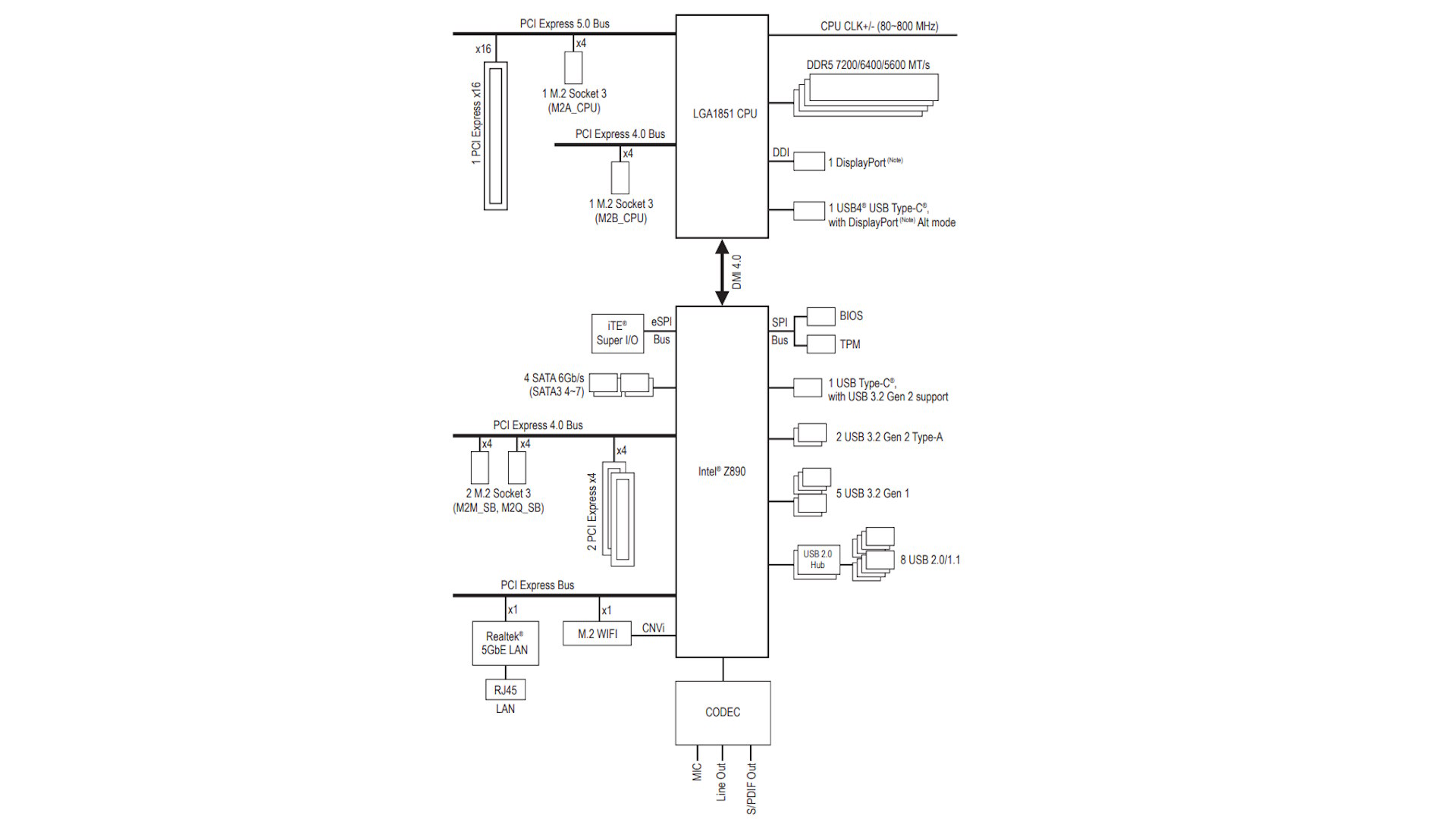

Despite having four M.2 ports and three PCIe slots, there's no bandwidth sharing, but unlike many of its similarly-priced AMD counterparts, there's only one PCIe Gen 5 M.2 port here, which may put it at a slight disadvantage in the distant future. With LGA1851 definitely having fewer days ahead than it does behind, that's likely not as much of an issue as an AMD board though. The eagle-eyed out there will have spotted an interesting cut from the specifications, though, which is a lack of Thunderbolt 4 and instead the presence of a single USB4 Type-C 40 Gbps port on the rear I/O panel. More on that later.


There are six fan headers in total, and while this is a little below average, all can support a very decent 24 W/2 A so will be fine to use even for a quartet of powerful fans. The top right corner has two fan headers plus one 3-pin ARGB header as well as an LED POST code display.


The Type-C front panel header is somewhat basic being limited to USB 3.2 Gen 2 10 Gbps and lacking additional power delivery. Both faster speed and uprated power delivery for fast charging are available on a small selection of competing boards such as the ASUS TUF Gaming Z890-Pro Wi-Fi. Gigabyte's PCIe EZ-Latch Plus differs from some other GPU release mechanisms as it's a simple push to open button, which automatically locks your GPU once you install it. This contrasts to MSI's design where you need to push the button again to lock, which is easy to forget and less intuitive as a result.
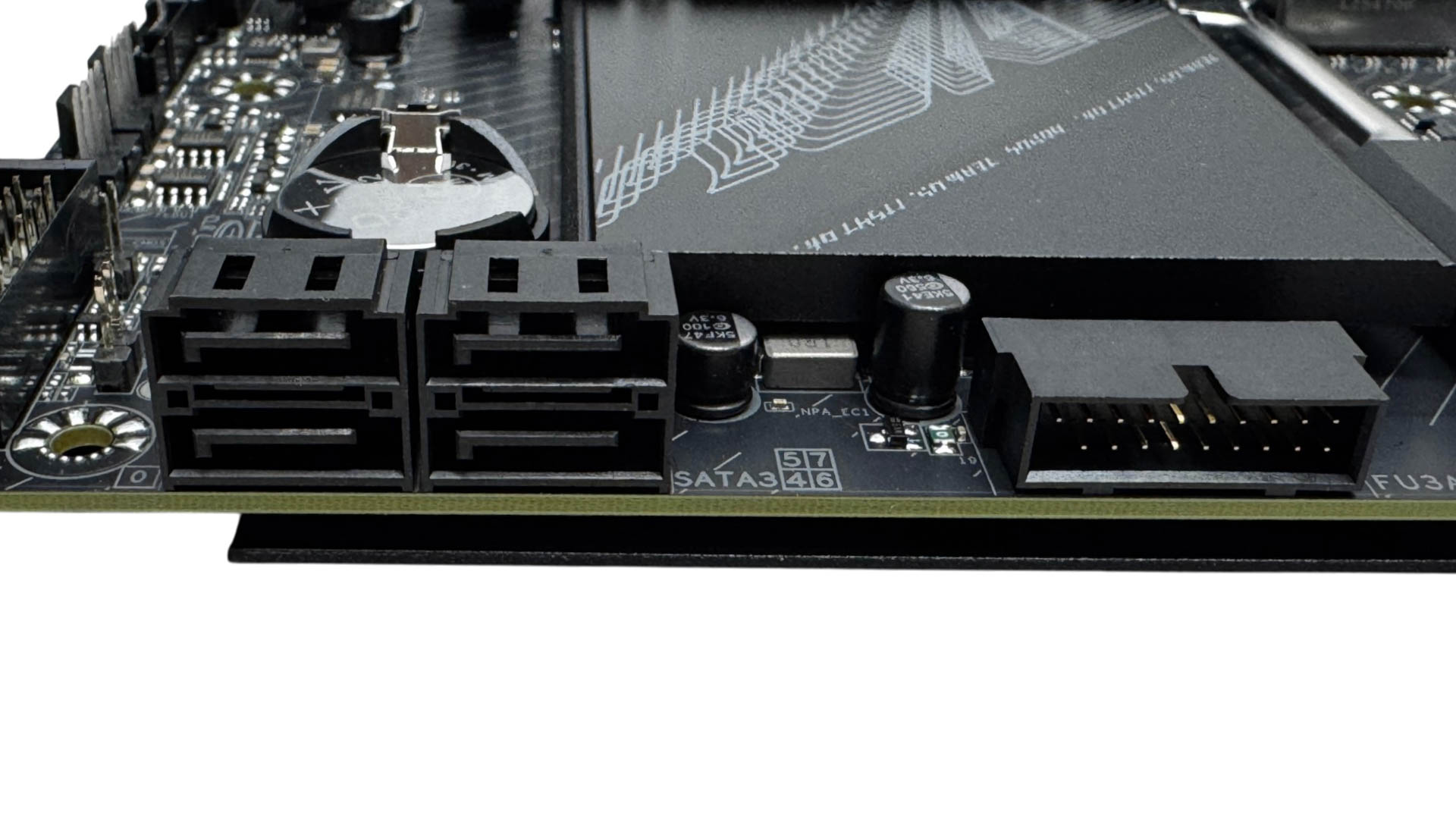
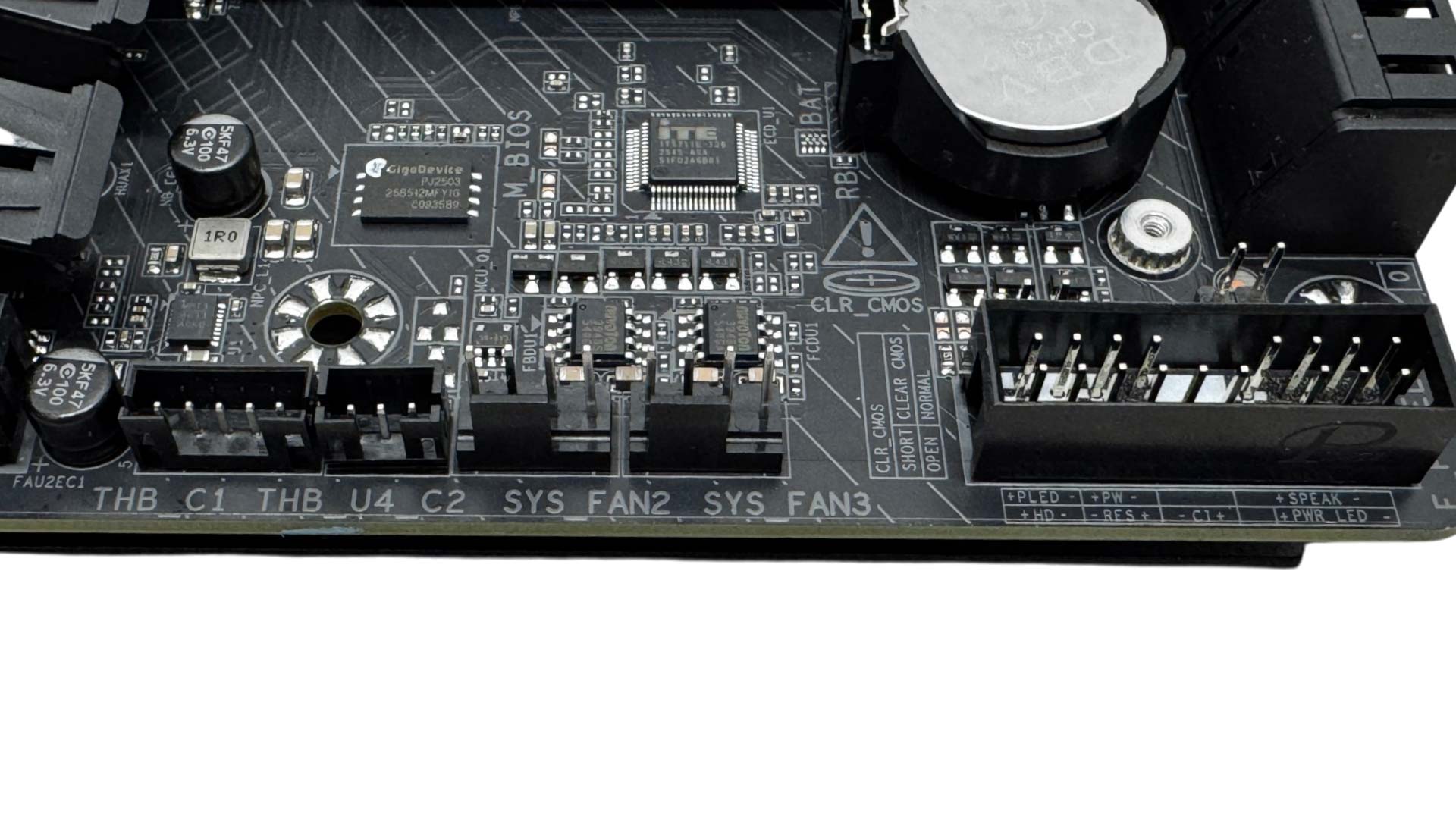
We still have the usual four SATA ports despite Gigabyte cutting back on features elsewhere, and the USB 3.0 header like the SATA ports are angled to allow GPUs to sit on top, but also makes cable tidying a bit easier. A further pair of fan headers are located in the bottom right corner, as well as Thunderbolt add-in card connectors.
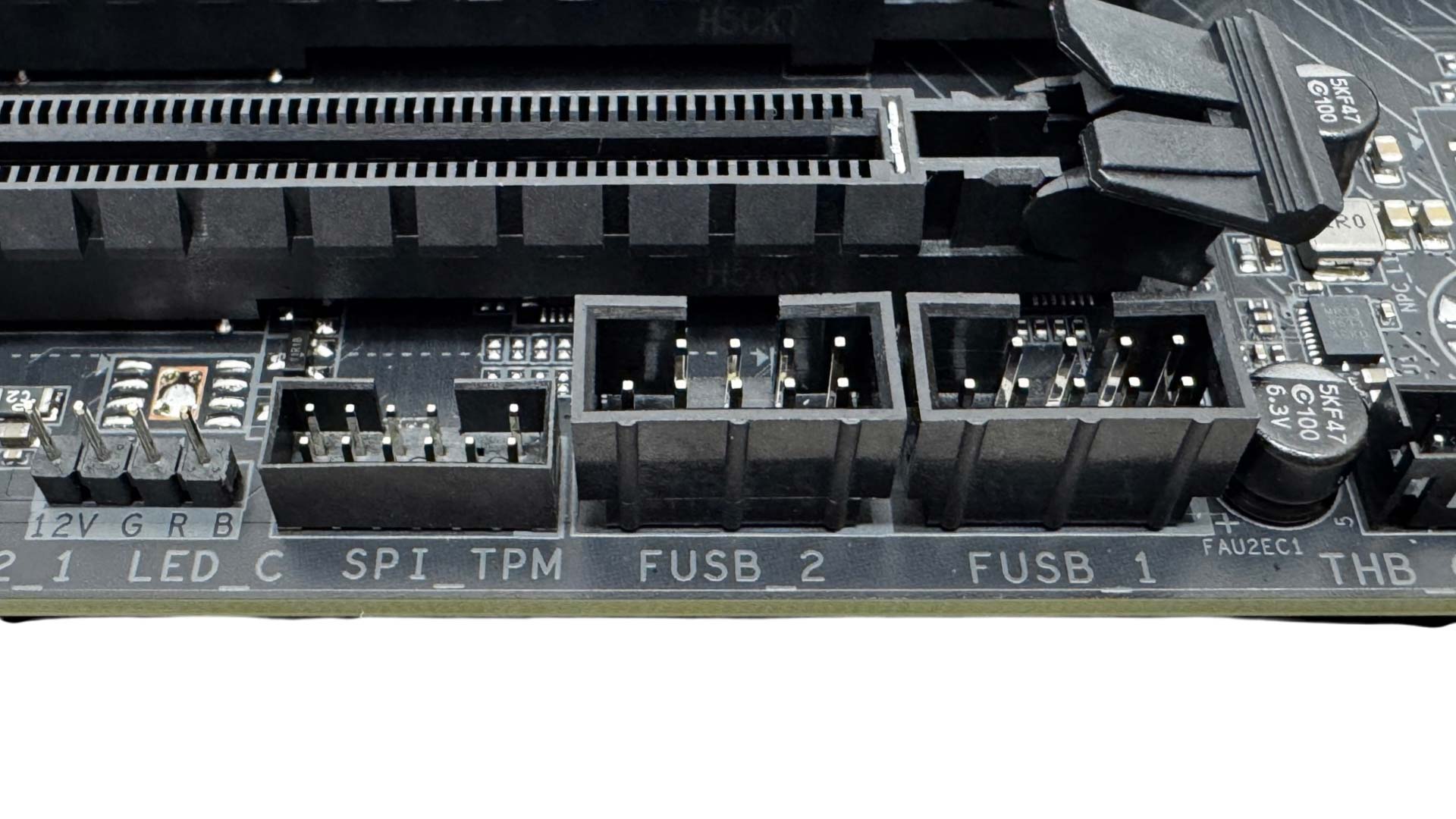
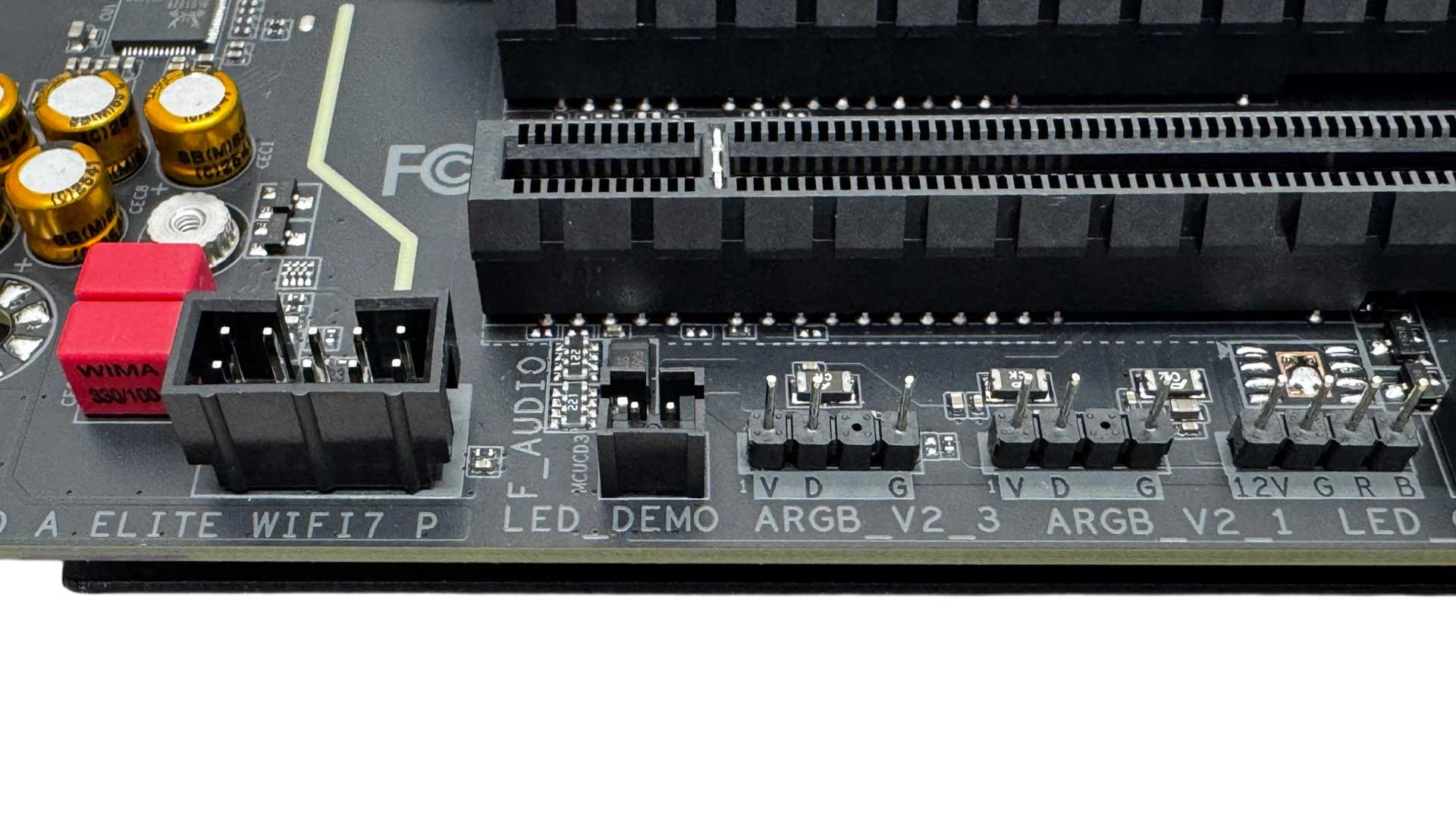
Further along, we have two more 3-pin ARGB headers, a 4-pin RGB header and two USB 2.0 headers. While this means there's no 2-pin thermistor header, we do at least have power, reset and CMOS clear buttons on the rear I/ O panel.
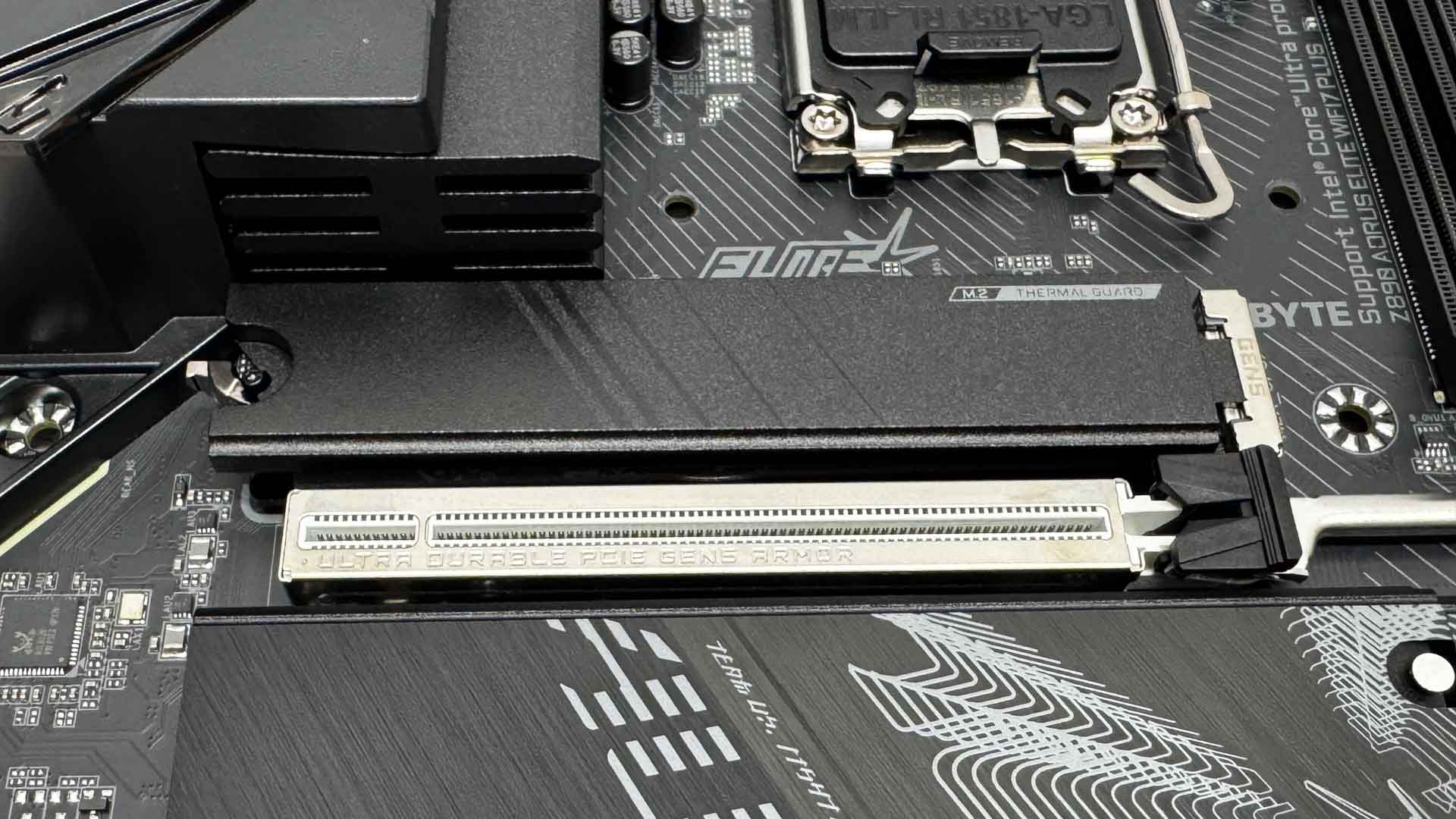
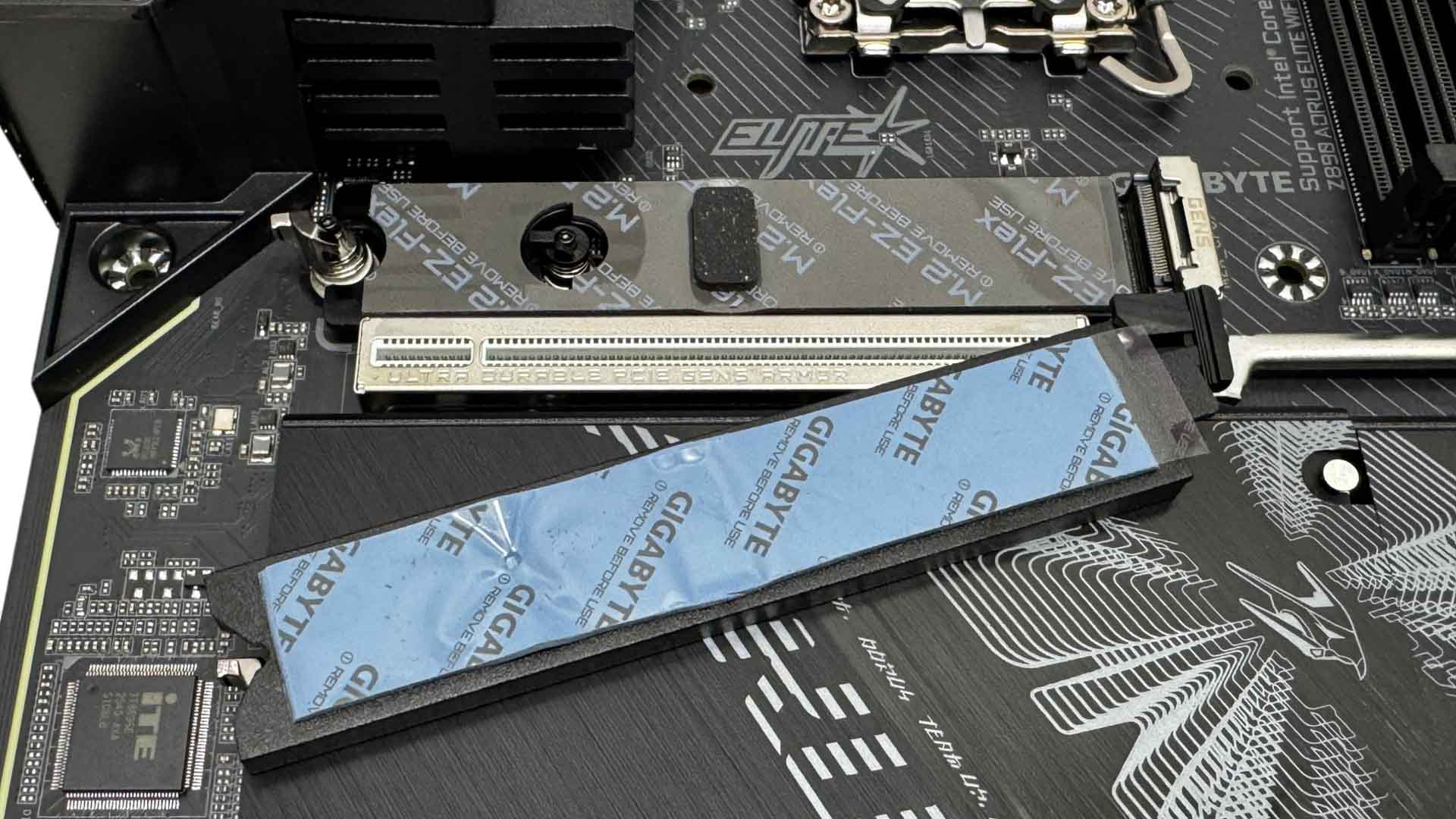
The top M.2 port is the only one that's PCIe Gen 5-capable and also the only port to feature underside cooling by way of Gigabyte's M.2 EZ-Flex Design. This is a heatsink suspended on compressible neoprene, allowing it to sit tightly up against single-sided and double-sided SSDs without additional supports. The heatsink is quite small for handling the hotter-running PCIe Gen 5 SSDs out there, but is at least tool-free.
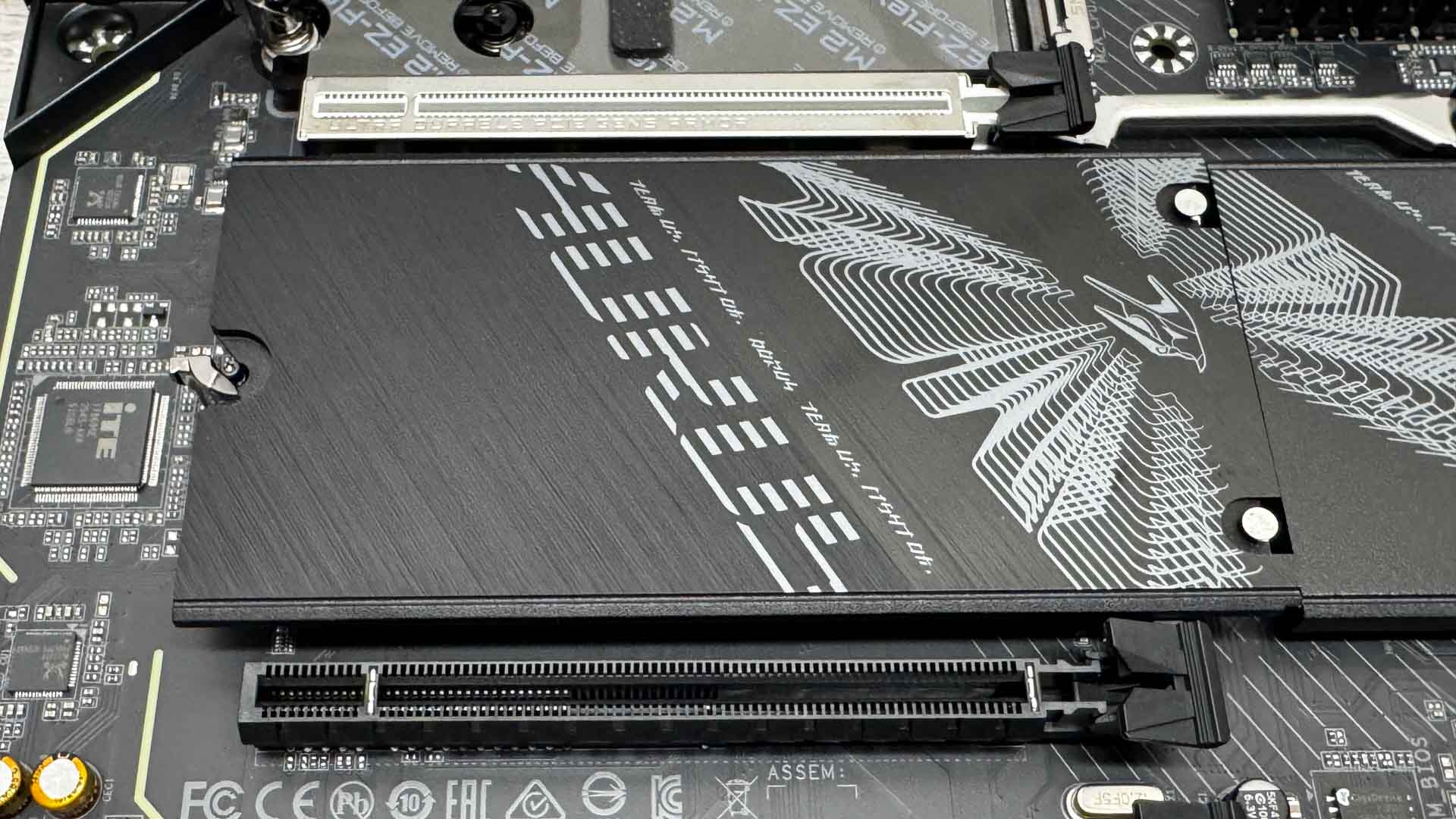
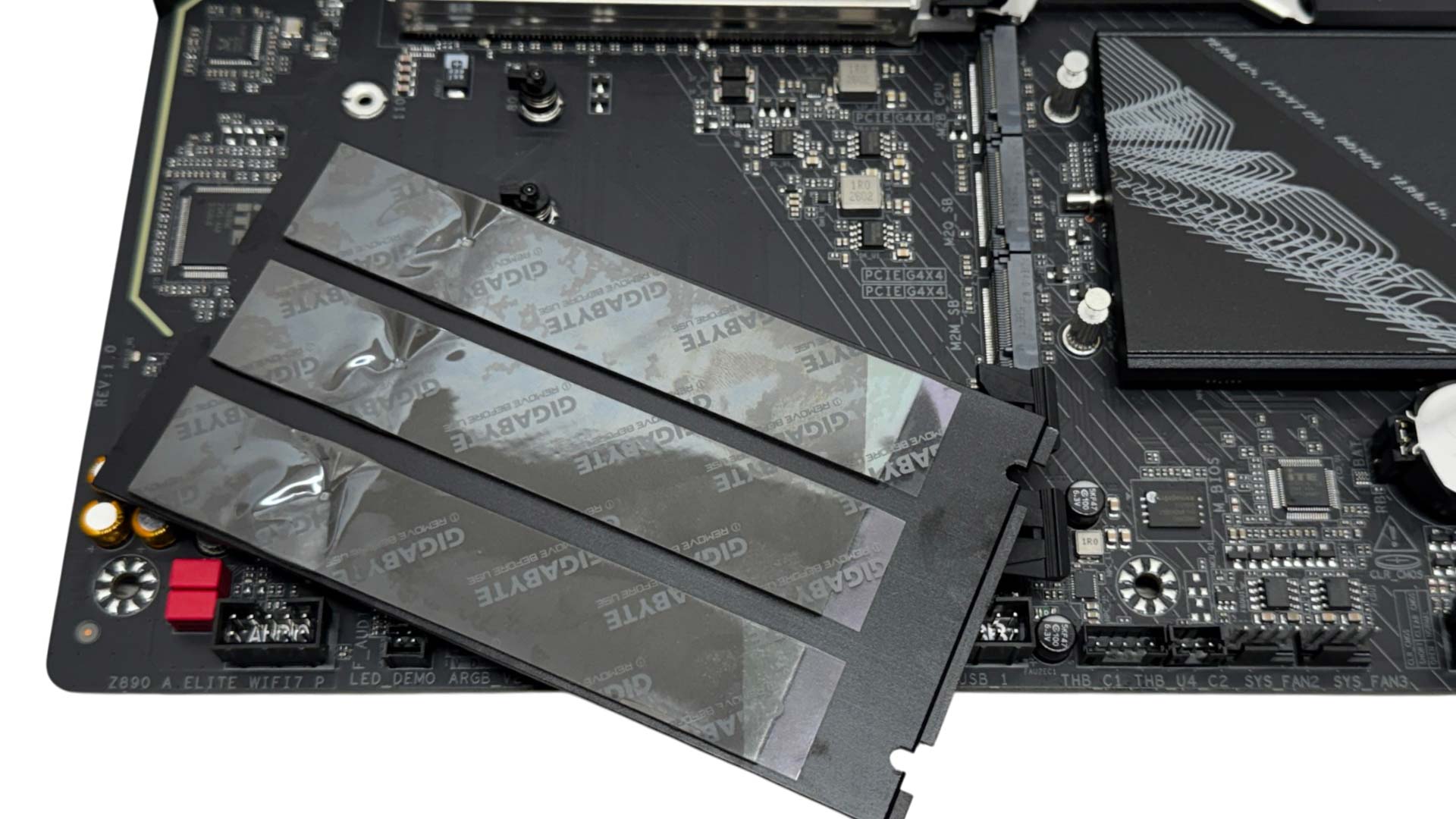
The lower heatsink is much larger and cools the remaining three M.2 ports, all of which support up to PCIe Gen 4. This is also tool-free, but is blocked if you use a graphics card due to its proximity to the primary PCIe slot. None of these ports cool SSDs on the underside, but seeing as they don't support PCIe Gen 5 SSDs that's not really an issue. Something you'll want to use, though, are the included support pads for single-sided and double-sided SSDs. These ensure the SSD doesn't bend and makes good contact with the heatsink above. These do make a difference.
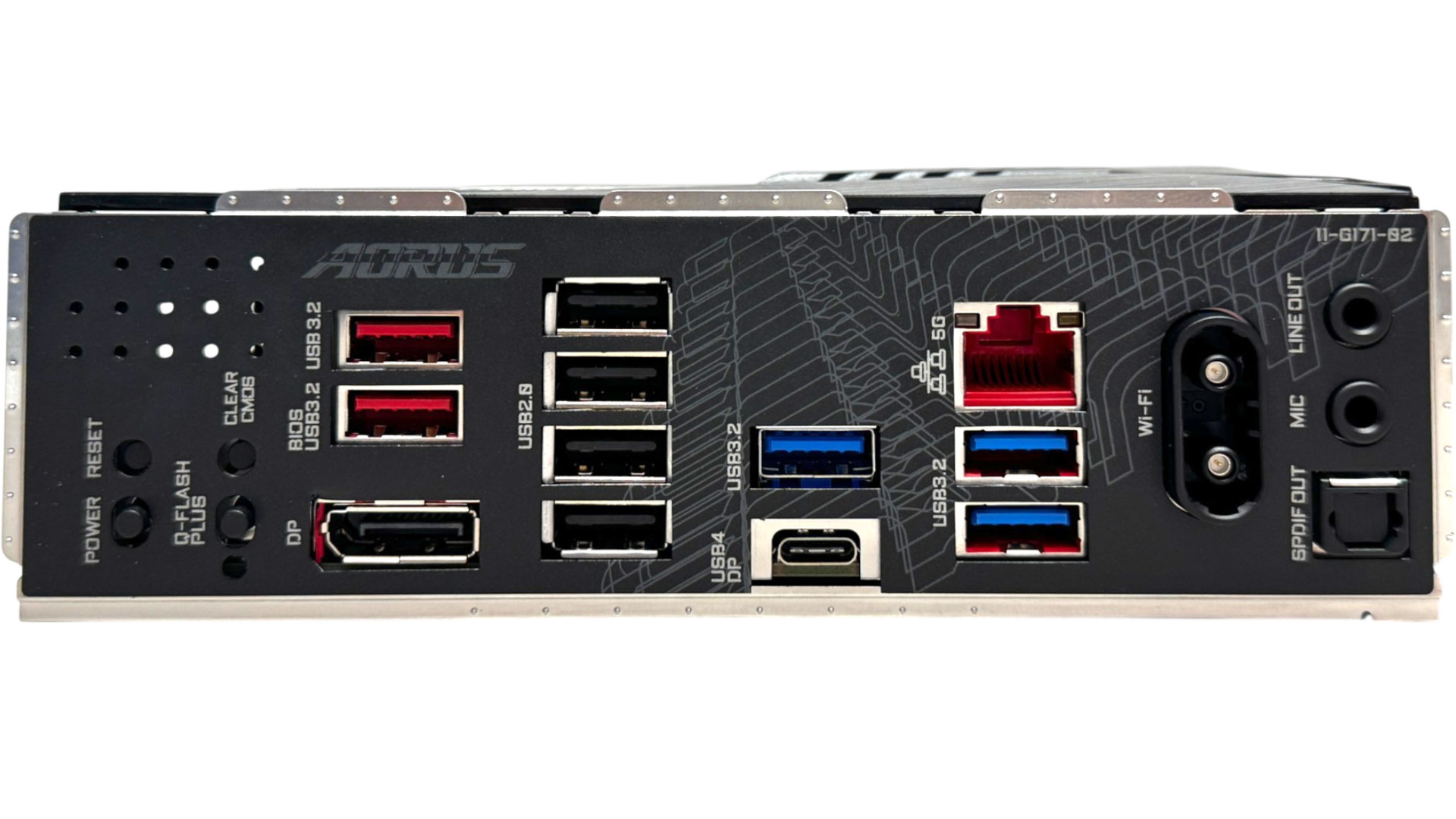
The rear I/O panel has a decent nine Type-A USB ports, although only half are USB 3.0 or faster. Still, that's a good balance as plenty of peripherals don't need more than the USB 2.0 offered by four of the ports. To lower the price tag, Gigabyte has ditched Thunderbolt 4 that usually comes with Z890 motherboards, and instead just runs a single Type-C USB4 40 Gbps port from the CPU instead, which can also double as a DisplayPort output. We have a dedicated DisplayPort too, plus power, reset, CMOS clear and USB BIOS flashback buttons as well as 5 Gbps Ethernet. Gigabyte's WI-FI EZ-Plug is a single-piece connector, which is quick and easy to install, but does lack standard aerial thread compatibility. Finally, we have a pair of audio jacks and optical output.
Nov 22nd, 2026 18:29 CST
change timezone
Latest GPU Drivers
New Forum Posts
- Increasing Power Limit? (5)
- What are you playing? (26240)
- UPS what one to get? (48)
- Honestly, do you care about GTA VI? (265)
- Your PC ATM (36458)
- Gacha Games - Discussions, Pulls, Updates, etc. (1157)
- Last game you purchased? (1414)
- Making a game in Godot engine (19)
- Intel D270 (5)
- X870E AORUS ELITE WIFI7 thread with setting and OC (69)
Popular Reviews
- Microsoft Surface Laptop Ultra Review - The Next-gen Arm Laptop
- Corsair RM1200e (Second Generation) Review
- Upcoming Hardware Launches 2027 (Updated Nov 2026)
- Pulsar Office Tour & First Look at P1 Dual-Sensor Mouse
- Ugreen NASync DXP4800 GT Review
- AMD Ryzen 7 9800X3D Review - The Best Gaming Processor
- AMD Zen 6 Technical Deep Dive
- AMD Ryzen 7 5800X3D 10th Anniversary Review
- Phantom Blade Zero Performance Benchmark Review - 35 GPUs Tested
- Biwin Black Opal NV7400 2 TB Review
TPU on YouTube
Controversial News Posts
- NVIDIA Co-Founder and CEO Jensen Huang Officially Resigns (492)
- Report: Jensen Huang Eyes NVIDIA Comeback (266)
- Open Letter Asking NVIDIA to Reinstate Jensen Huang Passes 115,000 Signatures (184)
- OpenAI CEO Argues Home PCs Waste the World's Limited DRAM Supply (152)
- NVIDIA Launches Investigation Into Jensen Huang's Relationship With Suspected Chinese Spy (136)
- Intel "Raptor Lake Next" 16-Core and 20-Core CPUs Surface (130)
- NVIDIA GeForce RTX 50-Series Scheduled for up to $500 Price Hike This Week (89)
- Intel Razor Lake Gets a 12 P-Core bLLC Chip With No E-Cores, Per Leak (86)