 18
Glorious Model O3 Wireless Review
(18 Comments) »Value and Conclusion
- The Glorious Model O3 Wireless is available for $159.99.
- True 8000 Hz wireless polling
- Decent sensor performance
- Low click latency
- High button quality
- Good scroll wheel
- Good choice of components
- Flexible charging cable
- Nicely gliding mouse feet
- Rich RGB lighting
- Full software customizability
- Bluetooth connectivity
- Very pricey
- Sensor motion is ignored/dropped in wireless operation
- Polling variance and instability at and above 2000 Hz
- Somewhat resource-heavy software
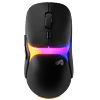
Recently—with the 54 series MCUs from Nordic having been released—we've been able to see substantial increases in battery life on current-generation hardware, such as the Razer DeathAdder V4 Pro with up to 150 hours of battery life, and several releases from Rapoo even muster a whopping 750 hours. However, these figures are still achieved without illumination, as due to a larger emphasis on low weight, RGB lighting has taken a backseat on most wireless mice these days. With the Model O3 Wireless, Glorious is taking a different approach. By default, the Model O3 Wireless only has a 55 mAh battery installed. In addition to this so-called "Guardian" battery, the Model O3 Wireless also takes a battery pack, which has a capacity of 200 mAh. A second battery pack is included with the mouse, and whichever pack is not in use can be charged in the charging station, which also doubles as a wireless extender. Since the battery life even with the most draining settings will always exceed the charging time of a single pack, battery life on the Model O3 Wireless is technically infinite. Hence, one can easily crank up polling rate to 8000 Hz and RGB lighting to maximum brightness without ever having to worry about battery life, charging speed, or how flexible the charging cable is. In practice, this system works flawlessly, and is easily the stand-out feature of the Model O3 Wireless.
Unfortunately, the Model O3 Wireless fares nowhere near as well in other respects. With the battery pack inserted, the Model O3 Wireless weighs 68 g, which certainly isn't heavy for a solid-shell wireless mouse with extensive RGB lighting, but falls short of what the competition is able to muster these days nonetheless. The Razer Viper V3 Pro, for instance, may not have RGB lighting, but still is substantially lighter at 54 g, and the Rapoo VT7 Max with its massive 800 mAh battery also manages to be far lighter at 56 g. At the same time, the higher weight of the Model O3 Wireless doesn't necessarily translate to a better build, either, as when shaking the mouse, two distinct rattles emerging from indeterminable locations can easily be identified. When applying lateral pressure, there is at least no creaking or flexing of the shell, and actuating the side buttons by pressing below them isn't possible, either.
For those coming from a previous Model O iteration, the shape of the Model O3 Wireless may prove to be rather jarring. The shape has been revised not just aesthetically, but geometrically as well, with many of the key traits of the original Model O getting lost in the process. Gone is the originally low profile, as the front now sits a decent bit higher, and the hump is both more pronounced and no longer centered, but rather positioned more towards the back. In addition, the width has been further normalized across the entire length, and some bulk at the rear has been removed, which is why the Model O3 Wireless doesn't fill the palm as much as its predecessors did, despite the added bulk elsewhere. In a way, the Model O3 Wireless now approaches the shape of the Logitech G Pro X Superlight, which is a good thing for those who like the Superlight shape, but not so good for those who prefer the Model O shape.
For the main buttons, Glorious has opted for a pair of GO optical switches from Kailh. These are still a rather rare sight among current releases, though on the Model O3 Wireless, they don't do too badly. Pre- and post-travel are moderate, and a moderate degree of lateral button movement can be provoked, but button response is rather firm and snappy nonetheless. The side buttons likewise have been outfitted with switches from Kailh, although surface-mounted mechanical ones. Whereas the forward side button scores with low pre- and post-travel, pre- and post-travel on the back button border on high, and actuation isn't as even. In addition, both buttons bulge out to a significant degree, which can be irritating particularly for those who don't press the side buttons individually with their thumb, but rather let their thumb sit below and just roll across them, in which case it is very easy to actuate the forward button in particular by accident. The scroll wheel encoder also comes from Kailh, and provides good tactility, with well-separated steps, at manageable noise levels. The feet are made of white-dyed pure PTFE, and both their glide properties and their thickness are above average.
The real issues emerge in the performance department. The Model O3 Wireless comes with the BAMF 3.0 sensor, which is just a different name for PixArt's PAW3950, and an nRF54840 MCU from Nordic. A positive CPI deviation of 1.9% is present, but this is easily corrected. Numbers aside, the biggest problem by far is a behavior exclusively observed in wireless operation. Essentially, if the mouse has been used wirelessly for a while, sensor motion will be dropped or ignored, resulting in elevated speed-related accuracy variance or, in layman terms, deceleration. Essentially, when moving from point A to point B and back to point A, the cursor won't land on point A but rather somewhere else. I've been able to reproduce this behavior not just in sensor testing, but in-game as well, and across multiple PCs, mice, and even firmware versions. As such, I'm reasonably confident that it exists, although Glorious has not been able to reproduce the issue. Interestingly, the issue disappears while the mouse is plugged in or recently has been plugged in, as apparently the MCU is reset upon doing so. Anyway, assuming that this is not an isolated case, this issue disqualifies the Model O3 Wireless as a gaming mouse. For the record, this issue was observed on firmware versions 1.3.3 and 1.4.0, but not on the launch firmware 1.0.1.
Even when ignoring this issue, the numbers are underwhelming on the Model O3 Wireless. In wireless operation, the Model O3 Wireless supports polling rates of up to 8000 Hz, but whereas polling rates of 1000 Hz and under show few issues, polling rates of 2000 Hz and over have problems. At 2000 Hz, the Model O3 Wireless actually never achieves the target interval of 0.5 ms, but rather alternates between intervals of 0.375 and 0.625 ms or intervals of 0.250 and 0.750 ms, which still averages out to 0.5 ms in a browser test, but results in far higher variance than intended. Similarly, at 4000 Hz the Model O3 Wireless alternates between three reports of 0.125 ms and one report of 0.625 ms, which averages out to 0.25 ms, yet again results in elevated variance. Only 8000 Hz functions "normally," but missed polls are common regardless. What's worse, the Model O3 Wireless cannot even convincingly beat the Logitech G403 (control subject) at any of these polling rates in terms of motion delay, placing it only on par with VAXEE's older wireless mice, which were still limited to 1000 Hz. In fact, 1000 Hz performs just as "well" as all the higher polling rates, leaving 1000 Hz as the best and arguably only choice, as the polling instability observed at polling rates of 2000 Hz and over isn't present at 1000 Hz, either. The lackluster showing in terms of motion delay is complemented by an equally lackluster showing in the click latency department, as even when running the lowest possible debounce time of 0 ms, the best the Model O3 Wireless can do is an average of 1.1 ms at 4000 Hz, with 1000 Hz being the slowest at 1.9 ms. These numbers still aren't terrible, but are only achieved with a debounce time of 0 ms. Thankfully, the Model O3 Wireless features a flawlessly implemented slam-click prevention algorithm, and since the debounce time for main and non-main buttons can be adjusted separately, there is no reason not to run 0 ms debounce time on the main buttons, given that the optical switches used for those are inherently incapable of developing double-clicking due to wear and tear. That said, when it comes to overall performance, the Model O3 Wireless gets soundly beaten by Glorious's own Model O 2 Pro 4K/8KHz Edition, which came out in early 2024.
After the horrible overhaul introduced with Glorious Core 2.1, the most recent version 2.1.11 had its UI revised once again, with better but still underwhelming results. Functionally, all the relevant settings are there, and adjusting CPI in particular is no longer a project, but certain idiosyncrasies and annoyances remain. Most notably, any setting changes still need to be applied manually, which can get confusing especially when the mouse has entered sleep mode, as Core will happily "save" changes to the mouse at that point, yet they're never actually applied, resulting in a mismatch between what the mouse is actually set to and what Core shows. In addition, the settings are laid out in a rather clumsy fashion, with plenty of scrolling and secondary tabs, even though lots of horizontal space would be available to use. In addition, I've come across quite a few bugs during testing, some of which have been fixed, while others newly emerged. Thankfully, resource usage is no longer as large as it used to be on Core 2.1, though at a footprint of around 155 MB, the current version of Core still isn't exactly lightweight.
As mentioned earlier, the InfinitePlay system is easily the stand-out feature of the Model O3 Wireless, both literally and figuratively, as it stands out from the rest of the mouse, which is seriously lacking. At the same time, this concept of "infinite" battery life is most enticing only on paper, as once a certain "critical mass" threshold of battery life has been surpassed, having to plug the mouse in for an hour every couple of weeks isn't all that meaningful after all. In fact, I could simply buy myself a Rapoo VT7 Max for $59.99 and enjoy 500 hours (750 hours with the latest firmware) of uninterrupted wireless gameplay without having to charge, so it's not entirely clear what the Model O3 Wireless with its "infinite" battery life offers here in comparison, especially given that the VT7 Max still manages to be quite a bit lighter, and of course doesn't have any crippling firmware issues. In other words, I have a hard time making a case for the Model O3 Wireless, as for its price in particular, it should be trading blows with the likes of the Razer Viper V3 Pro, yet ends up being outmaneuvered by a budget release from Rapoo. Coupled with the fact that, despite having "Model O" in its name, its shape is far removed from the original Model O, the Model O3 Wireless is rendered a questionable proposition, which is why to anyone interested in a well-executed, modern wireless iteration of the original Model O, I'd rather recommend the Model O 2 Pro 4K/8KHz Edition.
Nov 26th, 2026 08:04 CST
change timezone
Latest GPU Drivers
New Forum Posts
- Linpack Xtreme Released (513)
- Wireless Internet sharing between PC and router both-ways, is it possible? (22)
- Claude credits purchased on or after Dec. 7 now have an expiry date (20)
- Acer TravelMate P414-51 (i5-1135G7): CPU stuck at x4 / ~200 MHz effective under 100% load, no throttle flags. How to find who's clamping it? (1)
- AMD ULL settings tinkering thread - post settings and Zen pics (91)
- Strange PC issues with Z690 setup (6)
- Without Jensen, PC gaming will be (62)
- GTA VI (51)
- Current Sales, Bundles, Giveaways (10451)
- WarpCoreBench scores! (105)
Popular Reviews
- ASRock X870E Challenger Wi-Fi White Review
- VZMORE AX9 Max Review
- Upcoming Hardware Launches 2027 (Updated Nov 2026)
- Microsoft Surface Laptop Ultra Review - The Next-gen Arm Laptop
- AMD Ryzen 7 9800X3D Review - The Best Gaming Processor
- AMD Zen 6 Technical Deep Dive
- Corsair RM1200e (Second Generation) Review
- Phantom Blade Zero Performance Benchmark Review - 35 GPUs Tested
- Montech CyberFlow ARGB 360 Review
- Pulsar Office Tour & First Look at P1 Dual-Sensor Mouse
TPU on YouTube
Controversial News Posts
- Jensen Huang Reinstated as CEO of NVIDIA (583)
- NVIDIA Co-Founder and CEO Jensen Huang Officially Resigns (492)
- Report: Jensen Huang Eyes NVIDIA Comeback (281)
- Open Letter Asking NVIDIA to Reinstate Jensen Huang Passes 115,000 Signatures (184)
- OpenAI CEO Argues Home PCs Waste the World's Limited DRAM Supply (152)
- NVIDIA Launches Investigation Into Jensen Huang's Relationship With Suspected Chinese Spy (136)
- Intel "Raptor Lake Next" 16-Core and 20-Core CPUs Surface (130)
- Intel Razor Lake Gets a 12 P-Core bLLC Chip With No E-Cores, Per Leak (94)