 6
GMKtec NucBox K16 Review
General Performance »A Closer Look
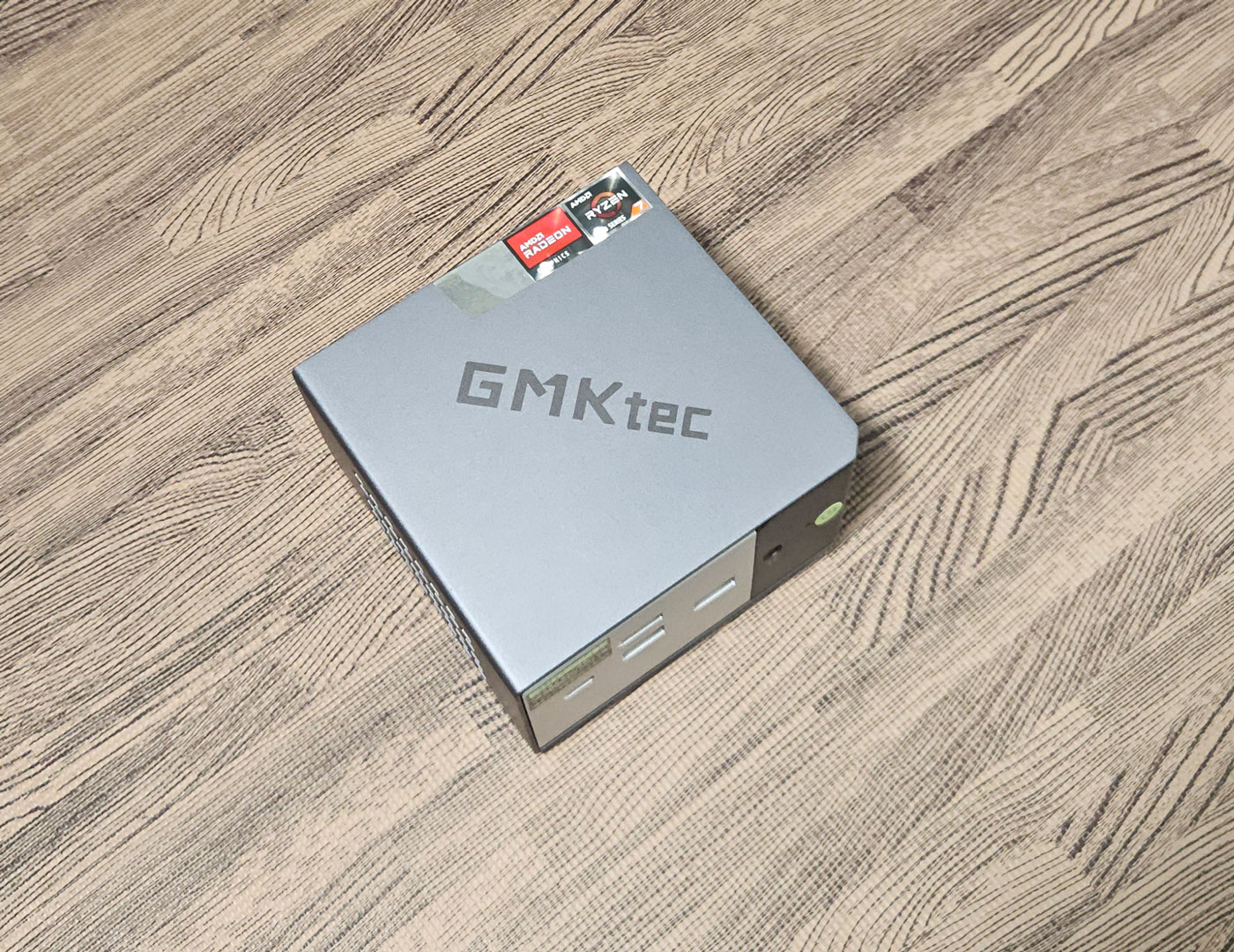


The GMKtec K16 has a much more premium look and feel than a lot of
Mini-PCs in this size range. The metallic gray finish, metal outer shell, and overall weight give it a sturdier feel in hand than the usual plastic-heavy compact systems. It is also very small at 107 × 111 × 63 mm, so it barely takes up any room on a desk.
On the front panel, GMKtec includes the power button, a 3.5 mm audio jack, USB4, two USB 3.2 Gen 2 Type-A ports, and the OCuLink connector. OCuLink on the front is a bit of an odd choice, since anyone using an external GPU dock will probably end up with a cable sticking out the front of the system, which is not the tidiest arrangement. Still, it is there and easy to access, and that port gives the K16 a lot of flexibility with the proper setup.

Around the back, the K16 has an impressive port layout for something this small. GMKtec includes one USB 3.2 10 Gbit/s port, one USB 2.0 port, full sized HDMI 2.0, DisplayPort 1.4, dual 2.5 GbE LAN, DC power input, and a security lock slot. That gives it a lot of flexibility for a multi-monitor desk setup, wired networking, or even small lab and NAS-adjacent use. The dual LAN arrangement is especially useful here.
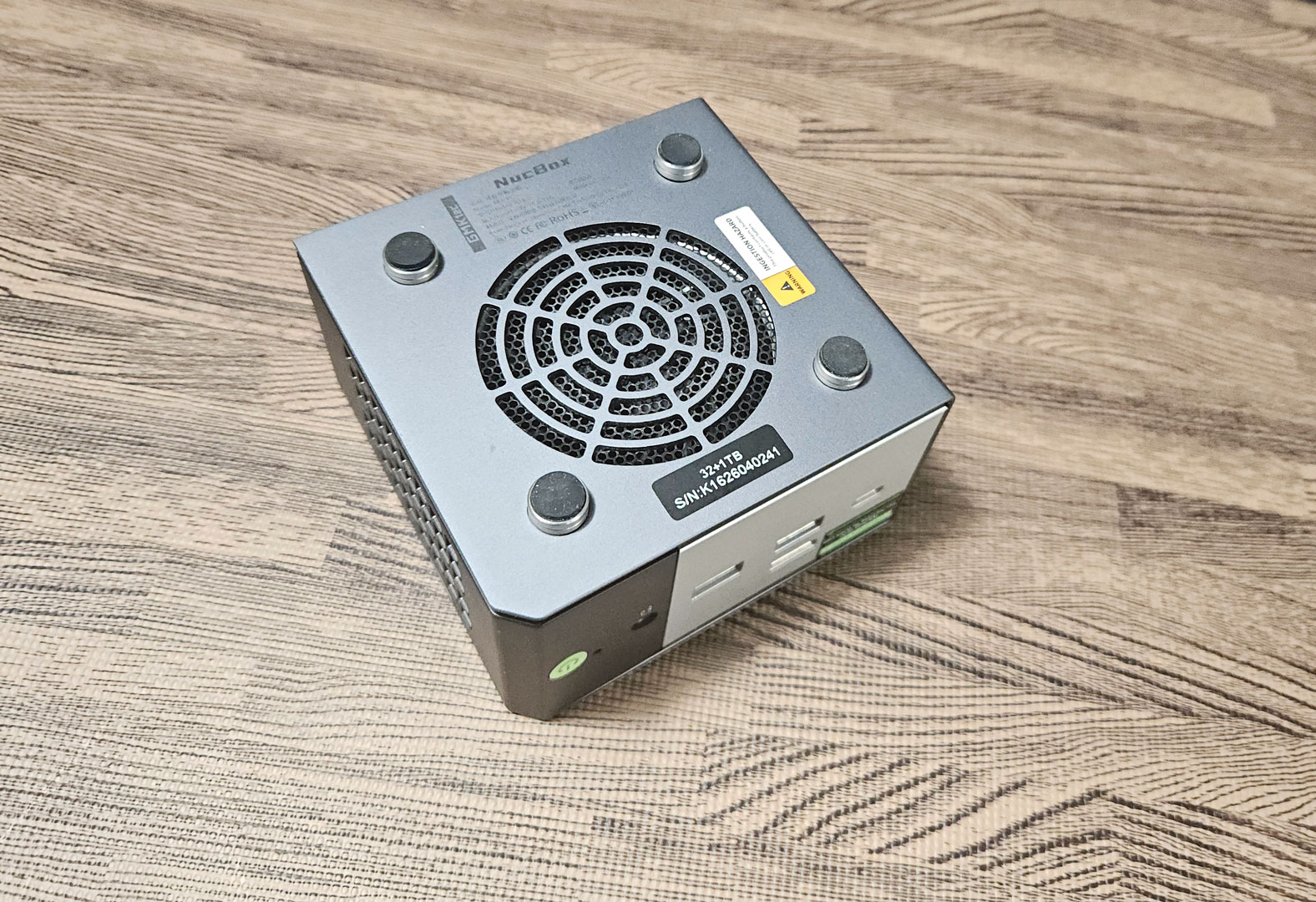
Cooling includes a bottom intake and internal fan assembly, with venting around the chassis to help move heat out. The underside has four rubber feet that lift the system enough to give the bottom intake some breathing room, and the overall cooling layout looks more serious than what shows up in a lot of cheaper compact Mini-PCs.
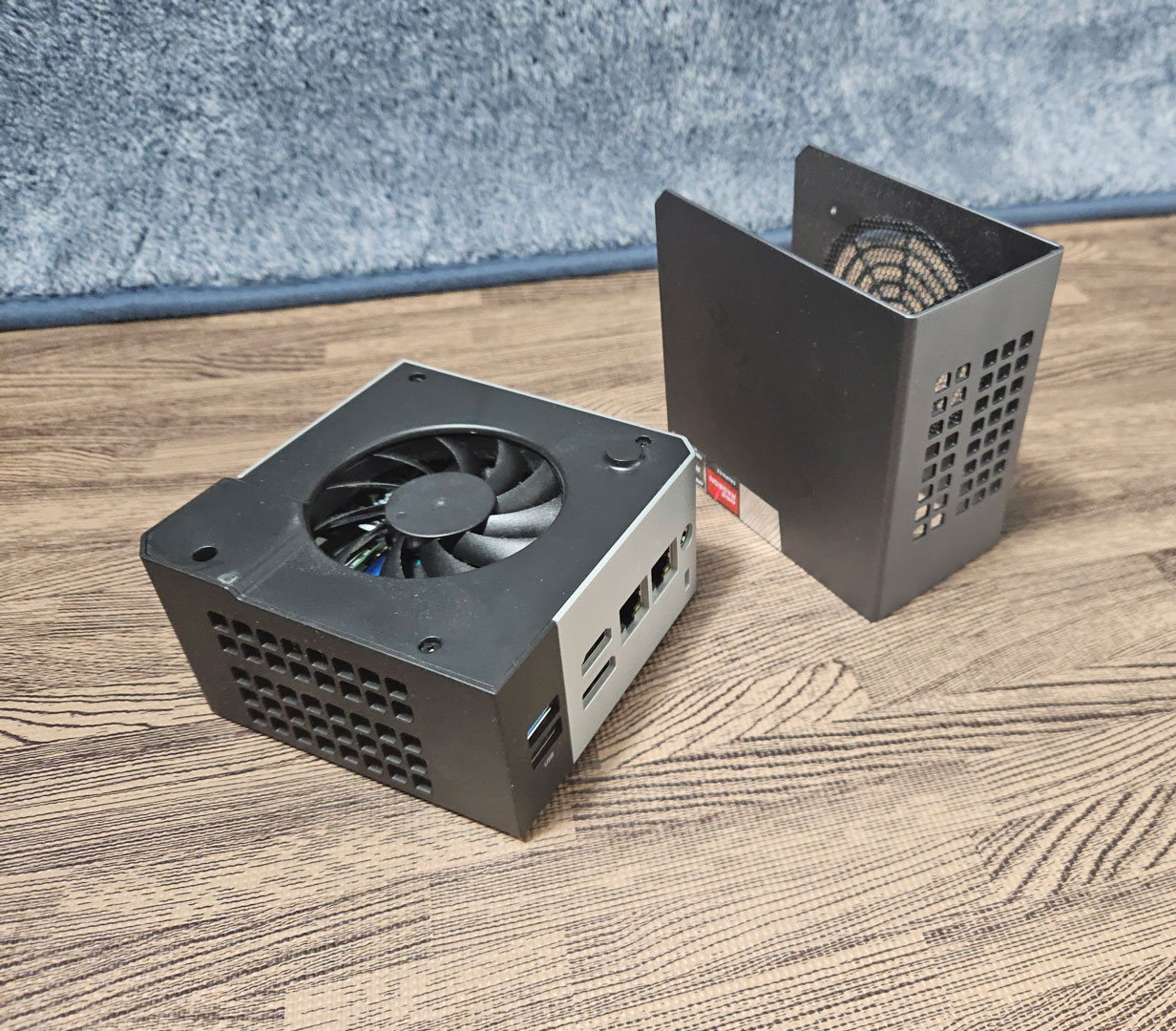
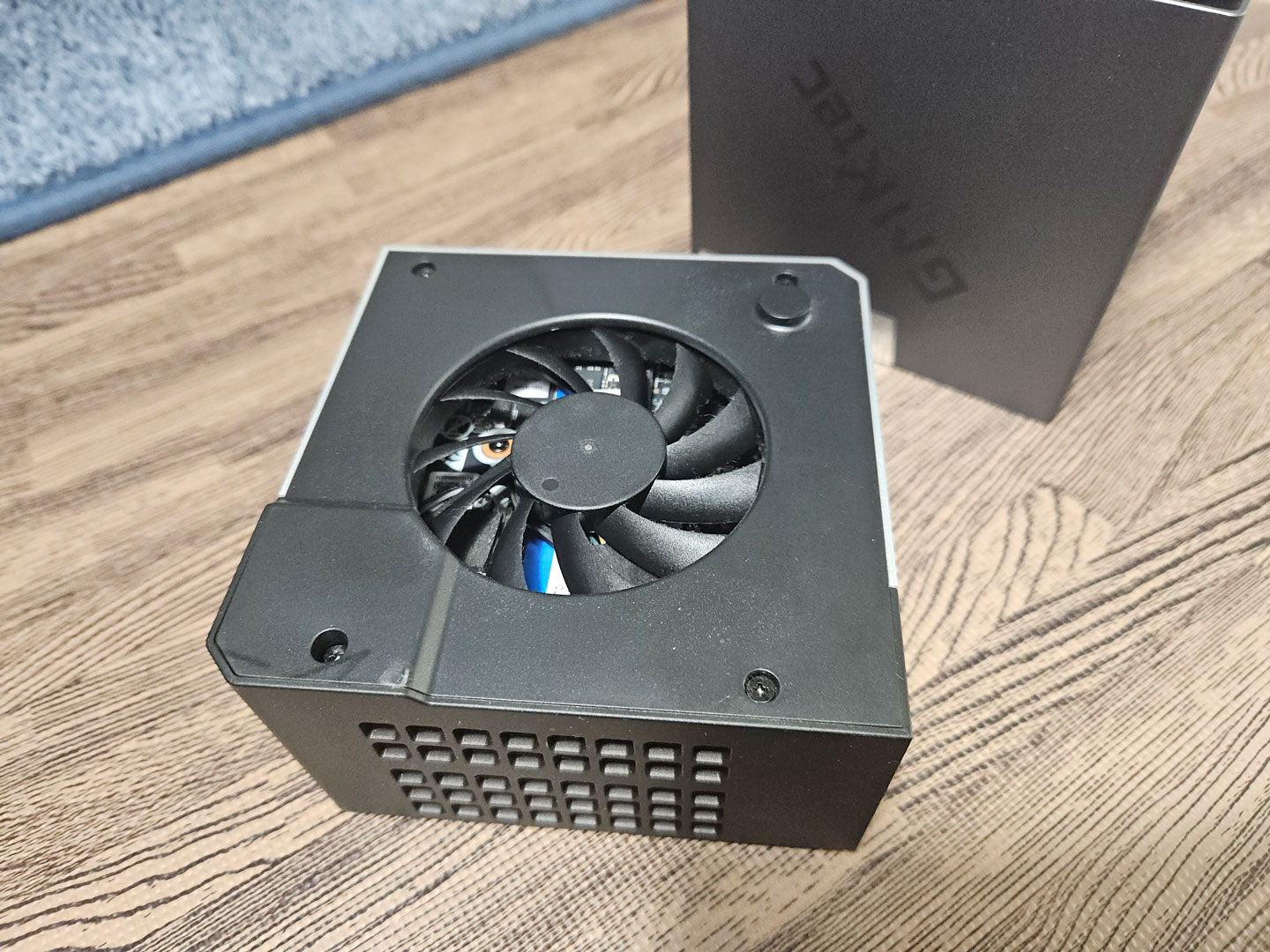
Getting inside the K16 is a little more involved than on some systems. First, all four rubber feet need to come off, so the bottom screws can be removed. That lets the metal U-shaped outer shell slide off, exposing the fan shroud underneath. From there, another four screws need to come out before the fan bracket can be removed, and the main board area is fully accessible.
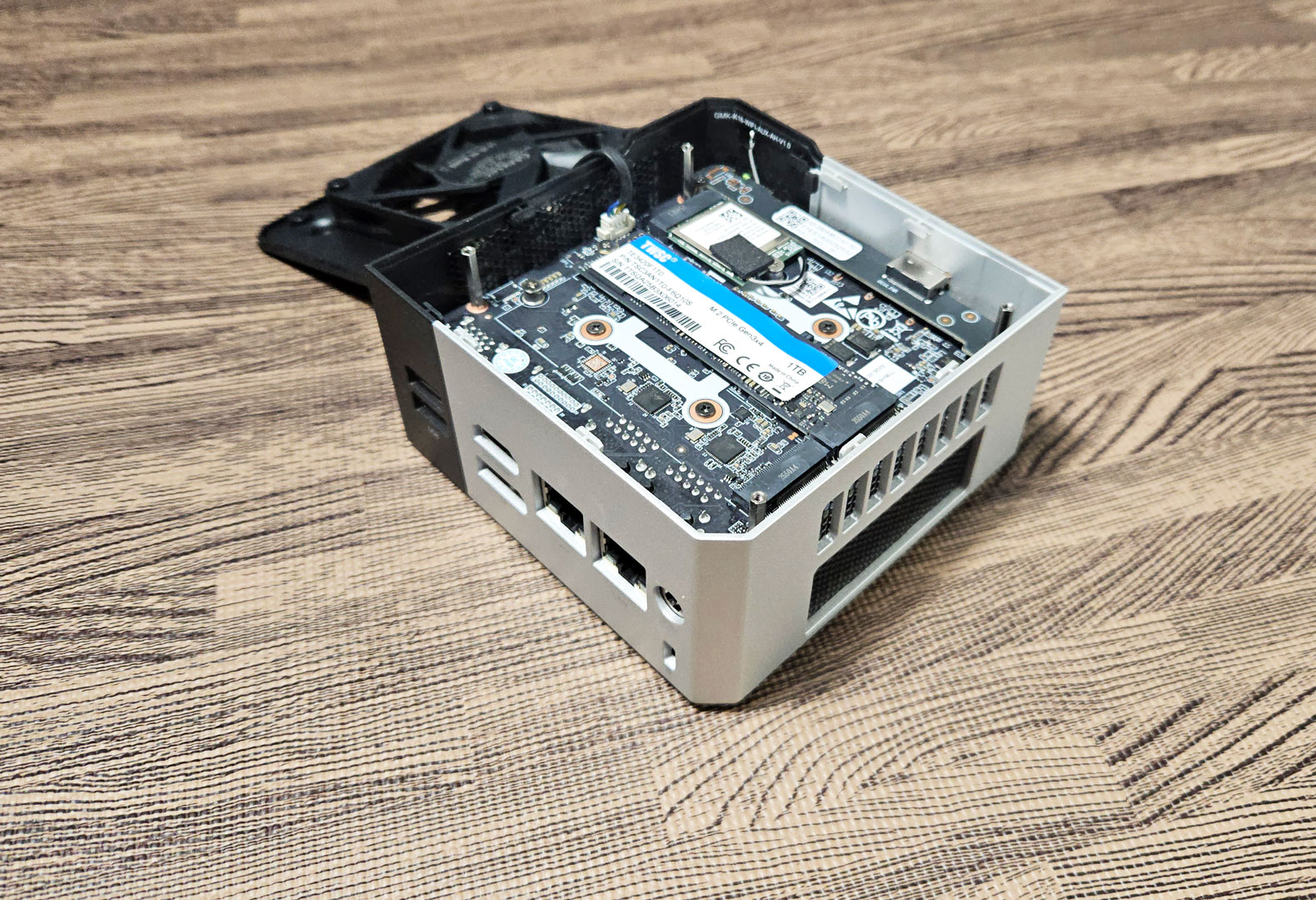
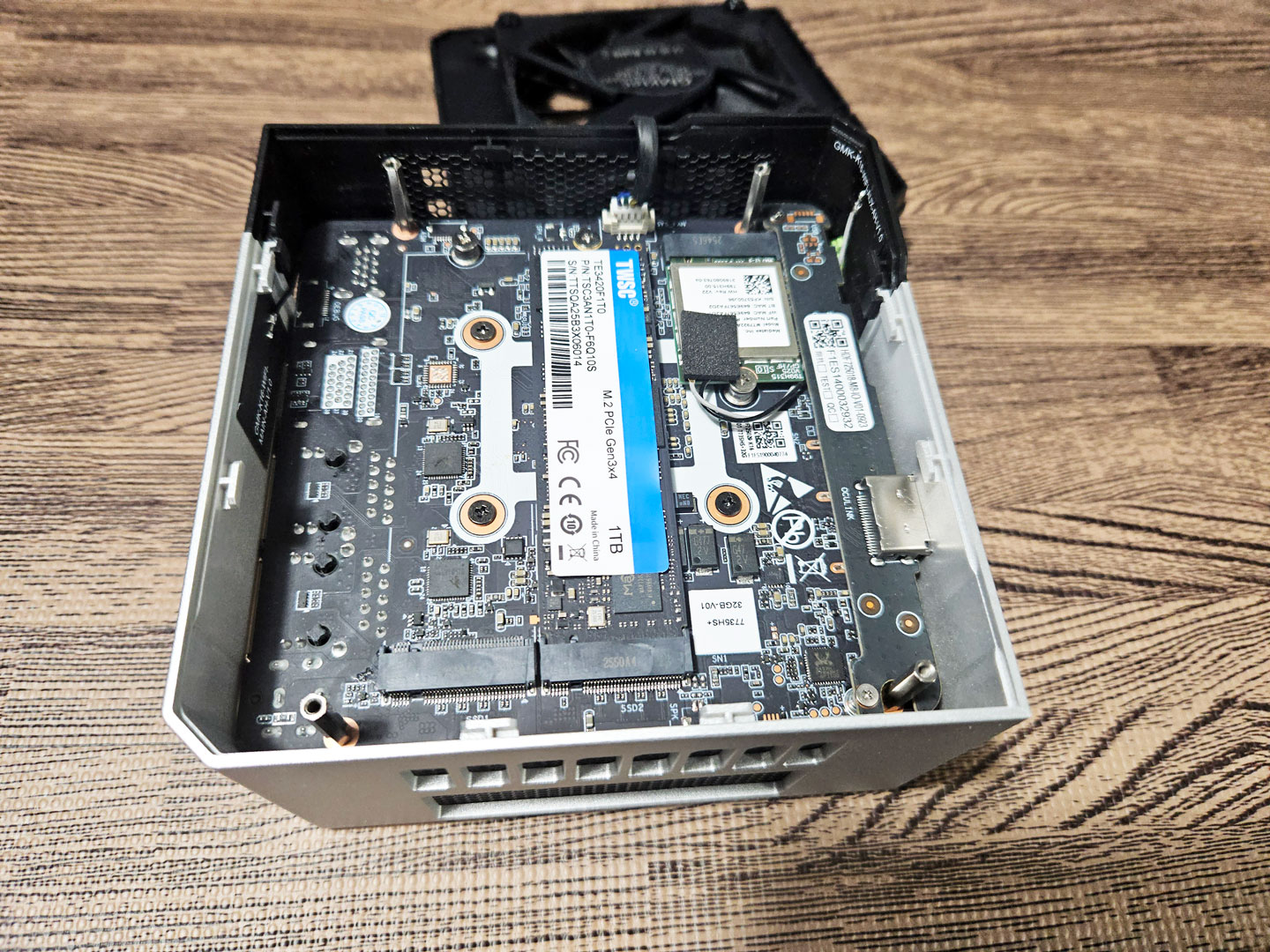
Once opened, the layout is compact but still easy enough to follow. The included SSD and wireless card are both accessible from this side, and there is also an open M.2 slot for storage expansion. The one disappointment is memory, because the LPDDR5 is soldered to the other side of the board and cannot be upgraded later.
Nov 20th, 2026 13:35 PST
change timezone
Latest GPU Drivers
New Forum Posts
- Honestly, do you care about GTA VI? (206)
- WarpCoreBench scores! (80)
- GTA VI (20)
- Anthrophics IPO (25)
- GeekMagic Ultra Smart WiFi Weather Station (8)
- Very unusual two gaming-pc scenarios. (35)
- Can i play GTA 6 now? (Joke) (14)
- How to prevent OLED burn damage due to PC freezes or power outtages? (47)
- Zen 3 IF/IMC degradation (239)
- The Final Upgrade for Legacy AiO's (10)
Popular Reviews
- AMD Zen 6 Technical Deep Dive
- Ugreen NASync DXP4800 GT Review
- Microsoft Surface Laptop Ultra Review - The Next-gen Arm Laptop
- Corsair RM1200e (Second Generation) Review
- Acemagic Retro X3 Review
- Upcoming Hardware Launches 2027 (Updated Nov 2026)
- Pulsar Office Tour & First Look at P1 Dual-Sensor Mouse
- Biwin Black Opal NV7400 2 TB Review
- AMD Ryzen 7 9800X3D Memory Performance Scaling
- AMD Ryzen 7 9800X3D Review - The Best Gaming Processor
TPU on YouTube
Controversial News Posts
- NVIDIA Co-Founder and CEO Jensen Huang Officially Resigns (490)
- Report: Jensen Huang Eyes NVIDIA Comeback (254)
- Open Letter Asking NVIDIA to Reinstate Jensen Huang Passes 115,000 Signatures (184)
- OpenAI CEO Argues Home PCs Waste the World's Limited DRAM Supply (152)
- NVIDIA Launches Investigation Into Jensen Huang's Relationship With Suspected Chinese Spy (136)
- Intel "Raptor Lake Next" 16-Core and 20-Core CPUs Surface (130)
- Legendary Game Studio BioWare Shuts Down Following EA Layoffs (104)
- Dell CEO Says the Memory Shortage Will Get Worse in 2027 (95)